
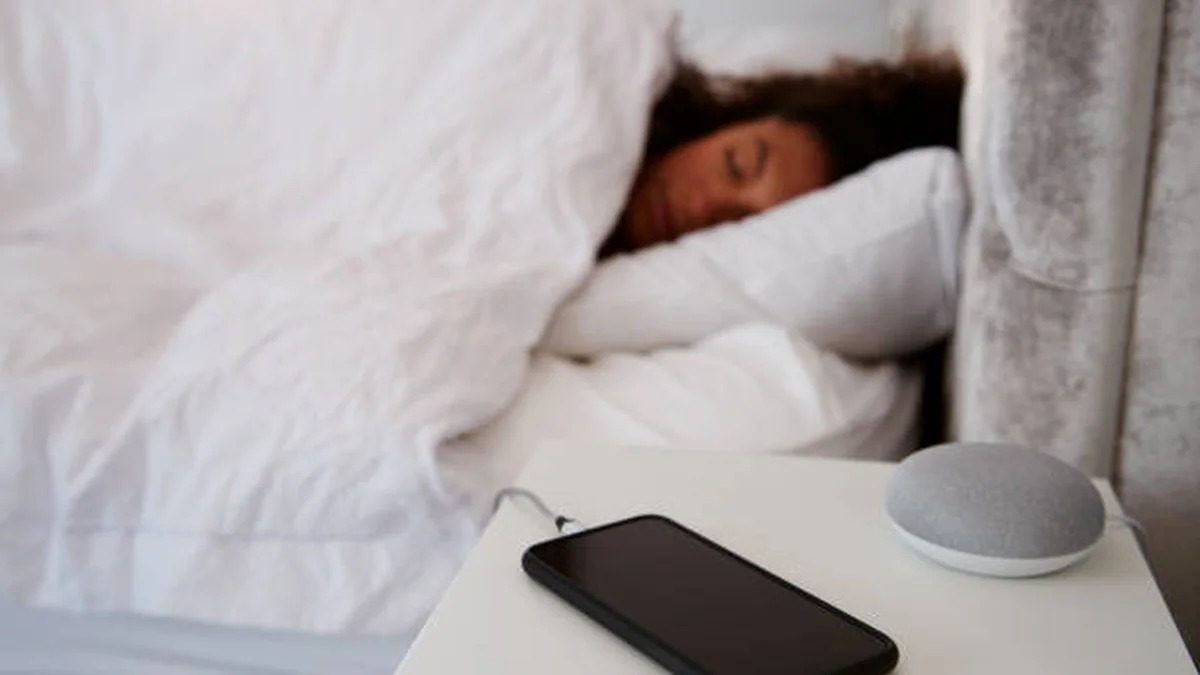

You plug in, you fall asleep, and eight hours later your phone is sitting at 100% — has it been quietly cooking itself the whole time? Probably not the way you’ve heard.
Charging phone overnight bad for the battery. Modern phones use a battery management system that stops pulling current once they hit 100%, so there’s no risk of true overcharging. The real wear comes from a different combination: spending long hours at a full charge, and any heat buildup while that happens — not the number of hours the cable is plugged in.
Why Charging Phone Overnight Bad And the Real Risk
The overnight-charging scare started with older battery chemistries that really could be pushed past their limit and swell or fail. That’s not how a modern lithium-ion phone battery behaves.
Every phone sold in the last decade has a battery management system sitting between the charging port and the cell itself. Once the battery reaches full capacity, that chip cuts the main charging current. From there, the phone occasionally sips a tiny “maintenance” or “trickle” charge to offset the small amount of drain that happens just from the screen waking up for notifications or background apps checking in overnight. Samsung’s own support documentation confirms this directly: leaving a Galaxy phone plugged in overnight puts the battery at essentially no overcharging risk, because the phone stops pulling power once it’s full and only tops itself off periodically to hold that level.
So if you’ve been told your phone is silently “overcharging” itself while you sleep, that’s not what’s happening on any phone made after roughly 2015.
What Actually Wears Down a Battery Overnight
Here’s the part most charging advice skips over: it’s not the duration of the charge that matters, it’s the state the battery sits in and how hot it gets while sitting there.
A lithium-ion cell ages through a handful of chemical processes — growth of a layer called the SEI (solid electrolyte interphase), gradual breakdown of the electrolyte, and in worst cases, lithium metal plating onto the anode instead of absorbing normally. All of these happen faster in two specific conditions: when the battery is sitting near 100% charge, and when it’s warm. Put those two together — full charge plus heat — and you get the fastest possible aging. Neither one alone is dramatic; both together is where the damage accumulates.
The 20–80% rule, explained honestly
You’ve probably seen advice to keep your phone between 20% and 80% charge. It’s not superstition. The chemistry at the very top and very bottom of the charge range is more stressful on the electrodes than the middle range is — the top 20% is hardest on the cathode, and the bottom 20% is hardest on the anode.
That said, this rule is aimed at people optimizing for maximum battery lifespan over years, not a strict requirement for casual use. If you need your phone at 100% every morning, you’re not ruining it — you’re just accepting a somewhat faster decline in maximum capacity over a couple of years, which for most people who upgrade phones every 2–3 years is a non-issue.
What the research actually shows about cycle life
Battery researchers have measured this directly. A commonly cited test on NMC lithium-ion cells found that cycling a battery through the full 0–100% range yielded about 500 cycles before capacity dropped to 80% of original — while cycling the same cell type only up to about 75% roughly quadrupled that to over 2,000 cycles. In practice, that means two partial top-up charges during the day cause noticeably less wear than one full overnight charge from empty, even though both add up to the same total energy.
Quick takeaway: The number of hours plugged in doesn’t hurt your battery. What hurts it is time spent sitting at 100% while warm, and the depth of each charge cycle.
Built-In Smart Charging Features (and Whether They’re Enough)
Every major phone maker has already built a fix for the “sitting at 100% overnight” problem — most people just don’t know it’s on.
- iPhone: Optimized Battery Charging (iOS 13 and later) learns your daily routine and charging location. It’ll charge normally up to about 80%, then pause and finish the last 20% right before your usual wake-up time, using on-device learning and location data. iPhone 15 and newer also offer a hard “80% Limit” option if you’d rather cap it manually.
- Google Pixel: Adaptive Charging works similarly — if you have a morning alarm set between roughly 3 a.m. and 10 a.m. and plug in overnight, it slows the final stretch of charging so the phone reaches full closer to when you’ll actually unplug it.
- Samsung: Protect Battery (and similar settings on other Android phones from OnePlus, Xiaomi, and others) offers a manual charge cap, often around 80–85%, for anyone who wants to skip the guesswork entirely.
iPhone vs. Android: how they compare
| Feature | iPhone | Google Pixel | Samsung / Other Android |
|---|---|---|---|
| Feature name | Optimized Battery Charging | Adaptive Charging | Protect Battery |
| How it decides | Location + learned routine | Alarm time + charging pattern | Manual toggle / usage pattern |
| Charge limit options | 80% or 100% (some models: custom range) | 80% or 100% | Often 80–85% manual cap |
| Works without an alarm set | Yes (uses location) | No — needs an alarm in range | Yes |
These features genuinely reduce the time your battery spends sitting at a full charge, which is the part that matters. They’re not a magic fix — they can’t do anything about heat from a phone buried under a pillow, and if your schedule is unpredictable, the “learning” part has less to work with. But leaving them switched on, rather than turning them off for convenience, is one of the lowest-effort things you can do for long-term battery health.
Heat Is the One Overnight Risk Worth Managing
If there’s one thing worth actually changing about how you charge overnight, it’s not the schedule — it’s where the phone sits while it does it.
Apple’s own guidance notes that sustained temperatures above roughly 95°F (35°C) can permanently reduce battery capacity. That threshold is easier to hit than it sounds: a phone charging under a pillow, inside a thick case, or buried in bedding can trap heat well past that point, even though the room itself feels normal. Independent testing has shown just how nonlinear the damage gets — a battery held at around 104°F for a year can lose roughly a third of its usable capacity, and at around 140°F, a battery can lose close to 40% of its capacity in as little as three months.
Wired vs. wireless charging heat
Wireless charging is convenient, but it’s less efficient than a cable — some of that lost efficiency comes out as heat at the coil, which sits right against the back of your phone. It’s not dangerous on its own, but it does mean a wireless charging pad on a cluttered nightstand, or under a blanket, generates more warmth right next to the battery than a plugged-in cable resting on a hard surface would. If you charge wirelessly overnight, a bare, ventilated surface matters more than it would with a cable.
Fast charging adds a similar wrinkle. Higher current means more heat generated in a shorter window. That’s rarely a problem for a normal overnight charge, since the phone slows itself down once it’s mostly full — but it becomes a real issue if you’re also using the phone heavily while it charges (gaming is the classic case), because you’re generating heat from use and from charging current at the same time.
How to Charge Your Phone Overnight Safely
- Leave Optimized/Adaptive Charging turned on. It’s doing real work for you.
- Charge on a hard, open surface — nightstand or desk, not under a pillow, blanket, or inside a thick case.
- Use a certified charger and cable. Look for MFi certification on iPhone accessories, or a reputable-brand USB-PD charger for Android; cheap, uncertified chargers are more likely to deliver inconsistent current and generate excess heat.
- Skip the case if it runs warm, or at least crack it open, if your phone tends to heat up while charging.
- If your schedule is irregular, consider a manual 80% charge limit instead of relying on adaptive learning.
- Avoid gaming or video calls while it’s plugged in and under the covers — that’s the combination that generates the most heat.
Signs Your Battery Is Already Degrading
Most people don’t check battery health until something feels off. A few signs worth paying attention to:
- Your phone’s reported “Battery Health” or “Maximum Capacity” percentage (found in Settings on iPhone, or via Battery settings on most Android phones) has dropped noticeably below 90%.
- The phone drains far faster than it used to on the same routine.
- It shuts down unexpectedly at 20–30% remaining.
- The back of the phone feels warm even during light, non-charging use.
- The case feels like it’s bulging slightly, or the screen is lifting at the edges — this is a sign of battery swelling and should be taken to a repair professional promptly, not charged further.
When You Should NOT Charge Overnight
Overnight charging on a nightstand is fine for the vast majority of people. A few specific situations are worth avoiding instead:
- Direct sunlight or a hot car dashboard — combining high heat with a high charge state is the worst-case scenario for degradation.
- An uncertified or damaged charger/cable, especially one that feels hot to the touch or has visible fraying.
- Under a pillow, blanket, or thick case, where heat has nowhere to go.
- While actively gaming, screen-recording, or on a video call, since that adds usage heat on top of charging heat.
Charging your phone overnight isn’t the battery-killer it’s been made out to be — your phone’s own hardware already prevents true overcharging. What actually shortens battery life is the combination of sitting at a full charge for hours and doing that somewhere warm. Fix the surface it charges on, keep the built-in charging optimization switched on, and you’ve handled the two things that actually matter. If you’re already seeing signs of degradation, check your battery health percentage in settings tonight — it takes about ten seconds and tells you exactly where you stand.
ENJOYED THIS GUIDE? EXPLORE MORE GUIDES HERE FOR EVEN MORE TECH HELP.
FAQ Section
Is it bad to charge your phone overnight every night? No, not on a modern phone. The battery management system stops charging at 100% and only trickle-charges to maintain it. The main downside of doing it nightly is more time spent at a full charge, which mildly accelerates long-term wear — manageable with built-in optimized charging features.
Does charging overnight overheat the battery? Not by itself. Charging generates some heat, but it’s usually mild once the phone is mostly full and charging slows down. Heat becomes a problem when the phone is covered by a pillow, blanket, or thick case that traps warmth against the battery.
Is it OK to leave your phone on the charger all night? Yes, for the vast majority of phones and chargers. Use a certified charger, place the phone on a hard, open surface, and keep your phone’s optimized/adaptive charging feature enabled.
Does fast charging overnight damage the battery? Fast charging generates more heat in the short window before the phone is mostly full, then the phone throttles the charge rate down. Overnight, this rarely causes issues on its own — it becomes a concern mainly if you’re also using the phone heavily while it fast-charges.
Is wireless charging overnight worse than wired? Wireless charging is slightly less efficient, so it generates a bit more heat at the coil. It’s not inherently harmful, but it’s worth placing the charging pad somewhere open and ventilated rather than under bedding.
How do I know if my phone battery is degrading? Check your battery health percentage in your phone’s settings. Faster-than-usual drain, unexpected shutdowns above 20%, or a slightly swollen back panel are also signs worth acting on.
Should I turn off Optimized Battery Charging? Generally no. It’s specifically designed to reduce the time your phone spends sitting at 100%, which is one of the two main drivers of battery wear. Turn it off only if you need a guaranteed full charge by a specific, earlier time.
Is charging to 100% every night bad? It’s not damaging in any dramatic sense, but keeping a battery between roughly 20–80% does measurably extend its usable lifespan compared to full 0–100% cycles, based on lithium-ion cycle testing. For most people replacing their phone every 2–3 years, this difference won’t be noticeable in daily use.
