
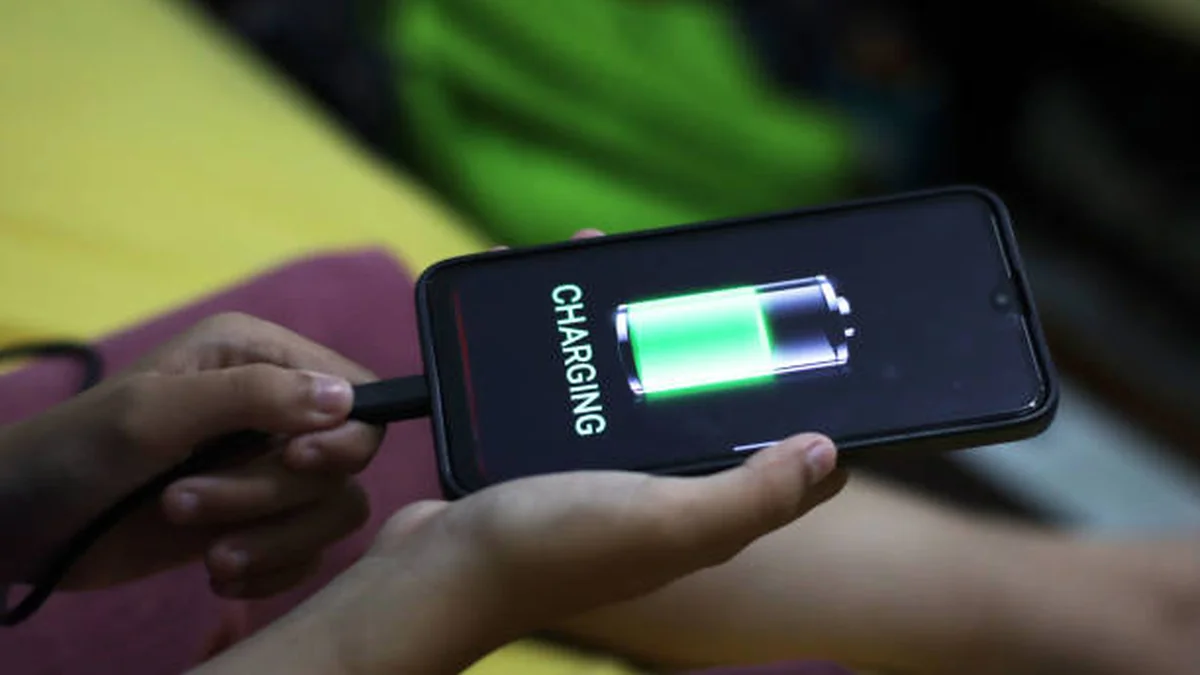

You plug in, walk away for twenty minutes, and come back to find your phone still sitting at 34%. It’s annoying, it’s a little worrying, and “just get a new cable” doesn’t always cut it—because sometimes the cable is fine and something else entirely is throttling your charge. This phone charging slowly fix guide walks through every real cause in the order you should actually check them.
Slow phone charging is almost always caused by one of five things: a mismatched cable or adapter, a dirty charging port, background apps eating power while you charge, heat, or a battery that’s simply getting old. Test your cable and outlet first, close background apps, and check battery health before assuming hardware failure.
Below is the troubleshooting order that actually works, based on how technicians and manufacturer support teams diagnose this — cheapest and fastest fixes first, hardware diagnosis last.
What’s Actually Slowing Down Your Charge
Before you start swapping accessories, it helps to understand what “slow charging” even means. Every phone negotiates a charging speed with whatever it’s plugged into. If the charger, cable, or power source can’t hold up its end of that negotiation, your phone quietly drops to a lower, safer charging rate — no error message, no warning. It just charges slower.
That negotiation can fail for a mechanical reason (a frayed cable), an electrical reason (an underpowered adapter), a software reason (a rogue app pulling power as fast as the charger delivers it), or a protective reason (your phone deliberately throttling itself because it’s hot, aging, or trying to protect long-term battery health).
The trick isn’t guessing — it’s working through the list in order of likelihood and cost, from a two-minute cable swap to an actual battery check.
Phone Charging Slowly Fix #1: Cable, Charger & Port
This is where most slow-charging cases actually get solved, and it’s the most under-explained part of nearly every troubleshooting guide out there.
Check your cable’s real wattage rating
Not all USB-C cables are built the same, even if they look identical. A cable rated for basic data transfer might only push 5W–10W, while a proper fast-charging cable should handle at least 60W. If you’ve been reusing an old cable from a previous phone, that could be your entire problem. Look for USB-IF certification on USB-C cables and MFi certification on Lightning cables — both are reliable signs the cable was built to spec rather than assembled to a price point.
Match your adapter to your phone’s fast-charging standard
This is the part competitors tend to gloss over. Fast charging isn’t one universal thing — it depends on your adapter supporting the right protocol. Most modern phones rely on USB Power Delivery (USB-PD), and higher-end fast charging often needs Programmable Power Supply (PPS) support on top of that. An 18W adapter will charge a phone that supports 45W charging, just much more slowly than it’s capable of. If your current brick is an old 5W or 10W adapter left over from years ago, upgrading to a 20W+ PD adapter is usually the single biggest speed improvement you can make.
Clean the port without wrecking it
Lint, pocket dust, and light corrosion build up in charging ports over time and physically block the pins from making a full connection. Power off your phone, then use a wooden toothpick, a soft anti-static brush, or a can of compressed air at an angle — never a metal object, which can bend the tiny contact pins and turn a free fix into an expensive repair.
Quick takeaway: If your phone charges slowly with every cable and every outlet you try, the port is the more likely culprit. If it’s inconsistent across accessories, suspect the accessory, not the phone.
Software and Background Drain Are Sneakier Than You Think
Kill the background app drain
If an app is pulling power at nearly the same rate your charger delivers it, your battery percentage barely moves — and your phone may feel warm even while plugged in. Check which apps have been recently updated (updates sometimes introduce battery bugs), and close anything running location tracking, video, or sync in the background. Turning on airplane mode or low power mode while charging cuts this drain dramatically because it pauses cellular, Wi-Fi, and most background processes at once.
Update, then restart
Buggy firmware is a real, if less common, cause. If your slow charging started right after an OS update, check for a follow-up patch. A simple restart also clears stuck background processes that a soft reboot alone won’t touch, and it’s worth doing before you assume anything is physically wrong.
Are You Using Your Phone While It Charges?
Gaming, video calls, GPS navigation, and streaming all draw significant power. If you’re using the phone at the same rate the charger is delivering power, the battery percentage can stay flat or creep up painfully slowly, even with a good cable and adapter. This isn’t a fault — it’s just competing power draw. If you need a fast top-up, leave the phone idle and screen off.
Heat Is the Silent Charging Killer
Every phone has thermal protection that intentionally slows or pauses charging when the battery gets hot, because charging a hot lithium-ion battery quickly accelerates degradation. Charging in direct sunlight, in a hot car, under a pillow, or with a thick case left on all trigger this. Take the case off, move to a cooler spot, and give it a few minutes — charging speed often recovers immediately once the phone cools down. Cold environments can slow charging too, though less dramatically, since batteries also resist fast charging when they’re too cold.
Wireless Charging Slow? It’s Probably Alignment
Wireless charging is convenient but far less forgiving of small errors than a cable. If your phone sits even slightly off-center on the coil, charging speed drops or stops entirely — this is one of the most under-covered causes in existing guides. Thick cases, especially ones with metal components or card holders, interfere with the coil connection too. Remove the case, center the phone precisely on the pad, and confirm your wireless charger actually supports the wattage your phone expects; a basic 5W Qi pad won’t fast-charge a phone rated for 15W wireless.
iPhone Owners: Check This Before You Blame the Cable
If you’re on iPhone, there’s a setting that’s frequently the real cause and rarely explained clearly: Optimized Battery Charging, found under Settings > Battery > Battery Health & Charging (or Settings > Battery > Charging on iPhone 15 and later, alongside the Charge Limit slider). This feature intentionally slows charging past 80% to reduce time spent at a full charge, which extends long-term battery lifespan. It’s not a malfunction — it’s iOS deliberately pacing your charge based on your usual routine.
If you need a full charge quickly, you can touch and hold the Lock Screen charging notification and tap Charge Now, or temporarily turn the feature off. Just know that permanently disabling it does increase long-term battery wear, so it’s a trade-off worth making occasionally, not as a default setting.
Is It Just Battery Aging? Here’s How to Tell
Lithium-ion batteries degrade with every charge cycle, and that degradation directly affects how efficiently they accept a charge — not just how long they last on a single charge. On iPhone, check Settings > Battery > Battery Health & Charging for Maximum Capacity; on Android, battery health details are usually under Settings > Battery, though the exact path varies by manufacturer.
As a general rule of thumb used across the industry: once maximum capacity drops below roughly 80%, most manufacturers consider the battery meaningfully worn, and slower, less efficient charging becomes the expected behavior rather than a fixable glitch. At that point, a battery replacement — not another cable — is the actual fix.
When to Stop DIY-ing It and See a Professional
Most slow-charging cases are solved by the steps above. But a few signs point to something a toothpick and a new cable can’t fix:
- The phone charges slowly (or not at all) no matter what cable, adapter, or outlet you try
- The port feels loose, wiggly, or the connection cuts in and out when you move the cable slightly
- You see visible corrosion, bent pins, or physical damage inside the port
- Battery health has dropped well below 80% and the phone is otherwise healthy
In these cases, a technician can confirm whether the issue is the port, the battery, or the internal charging circuitry — and whether a repair is worth it versus a replacement device, especially if the phone is out of warranty.
Phone Charging Slowly Fix Checklist (Quick Reference)
| Symptom | Most Likely Cause | Try This First |
|---|---|---|
| Slow with every cable/outlet | Charging port or battery | Clean port, check battery health |
| Slow with one cable only | Damaged/uncertified cable | Swap for a USB-IF or MFi certified cable |
| Slow only on laptop/car USB | Underpowered USB port | Switch to a wall outlet |
| Phone feels hot while charging | Thermal throttling | Remove case, move to a cooler spot |
| Slow after an app/OS update | Software bug or background drain | Update again, close apps, restart |
| Slows down specifically near 80% (iPhone) | Optimized Battery Charging | Adjust or temporarily disable in Settings |
| Wireless pad charges slowly | Coil misalignment or low-wattage pad | Re-center phone, remove case, check pad wattage |
| Gradual slowdown over months | Battery degradation | Check battery health %, consider replacement |
The Bottom Line
Slow charging almost never has one universal cause, which is exactly why “just buy a new charger” doesn’t always work. Walk through cable and adapter wattage, a clean port, background app drain, heat, and — if you’re on iPhone — Optimized Battery Charging, before assuming your battery is dying. If you’ve genuinely ruled all of that out and the slowdown persists, a battery health check will tell you in about ten seconds whether it’s time for a replacement rather than another troubleshooting round.
FOR MORE HELPFUL GUIDES LIKE THIS, OUR FULL TROUBLESHOOTING HUB AND EXPLORE MORE.
FAQ Section
Q1: Why is my phone charging so slow all of a sudden? A sudden slowdown is usually caused by a recently damaged cable, a software update that introduced a battery bug, or a background app that started running heavily. Check for recent app or OS updates first, then test a different certified cable and adapter to isolate the cause.
Q2: How do I know if my charging port is damaged? If charging is slow or inconsistent regardless of which cable, adapter, or outlet you use, or if the connection cuts out when you wiggle the cable, the port itself — not the accessory — is the likely problem, and a professional inspection is worth it.
Q3: Does using my phone while it’s charging slow it down? Yes. Power-heavy activities like gaming, video streaming, or GPS navigation draw energy at a rate close to what the charger delivers, so the battery percentage barely climbs. Leaving the phone idle and screen-off charges it noticeably faster.
Q4: Why does my phone charge fast at first, then slow down near 80%? This is normal and usually intentional. Both iOS and many Android phones slow charging near 80% to reduce battery wear from prolonged full charges — on iPhone, this is called Optimized Battery Charging.
Q5: Is it bad to charge my phone overnight? Not inherently — modern phones stop drawing full power once they hit 100% and features like Optimized Battery Charging are designed to minimize the time spent at a full charge. It’s a reasonable habit, though not the fastest way to top up before heading out.
Q6: How do I fix slow wireless charging? Remove any thick or metal-backed case, center the phone precisely on the coil rather than near an edge, and confirm your wireless pad actually supports the wattage your phone can accept — a basic 5W pad won’t fast-charge a phone rated for higher wireless wattage.
Q7: Does cold weather affect phone charging speed? Yes, though less dramatically than heat. Lithium-ion batteries resist fast charging in very cold conditions as a protective measure, so bringing the phone to room temperature before charging usually restores normal speed.
Q8: What wattage charger do I need for fast charging? Most modern phones fast-charge in the 18W–45W range depending on the model. Check your phone’s specifications for its maximum supported wattage and USB-PD/PPS compatibility, then match the adapter to that — going higher than your phone supports won’t cause damage, but it also won’t charge any faster.
