
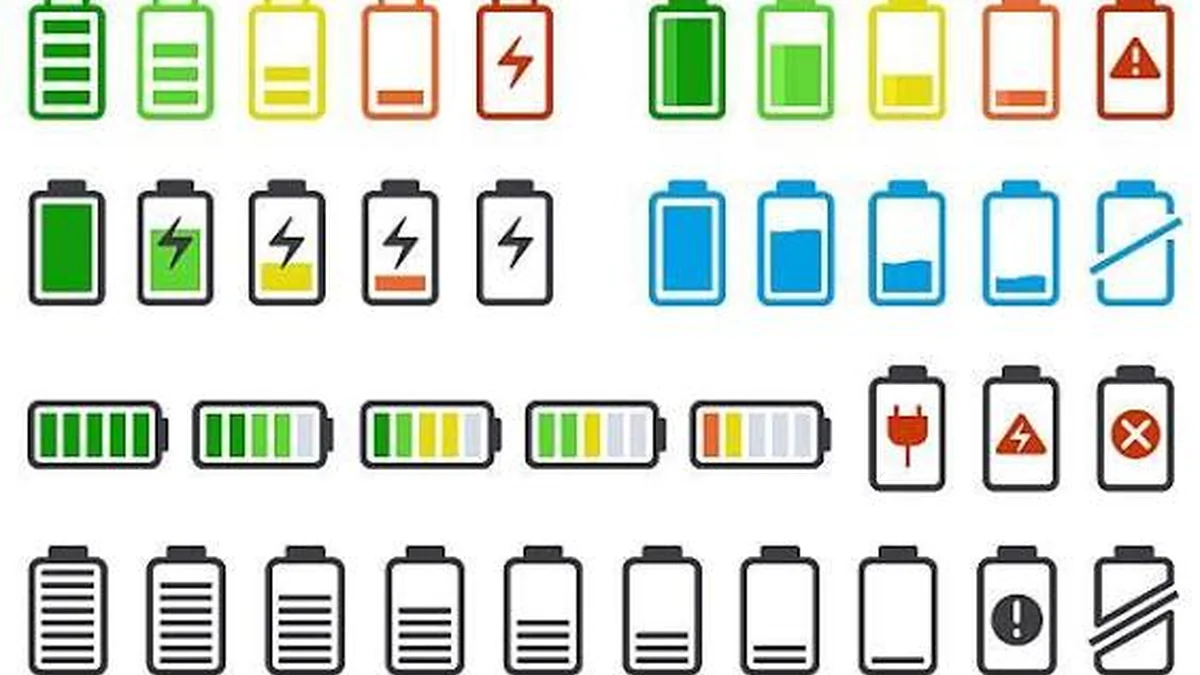

Phone battery percentage explained simply: it’s not a direct measurement, it’s an estimate. You glance at your phone, see 47%, and make a decision based on it — skip the charger, risk the commute, save the last bit for photos later. Most people never question that number. But it’s built from math, not a sensor reading, and it’s wrong more often than you’d think.
Phone battery percentage is an estimate of your battery’s remaining charge, calculated by tracking voltage and current flow rather than measuring charge directly. Phones use a small chip called a fuel gauge, combined with voltage readings and coulomb counting, to convert raw electrical data into the 0–100% number you see on screen — which is why it can drift, jump, or feel inaccurate.
Phone Battery Percentage Explained: What It Actually Measures
There’s no gas tank inside your phone with a physical float sensor. What you’re looking at is called State of Charge (SOC) — an estimate of how much usable energy is left in the battery, expressed as a percentage of full capacity.
The key word is estimate. Lithium-ion batteries, the type in essentially every modern phone, don’t discharge in a straight line. Their voltage sags and recovers depending on temperature, how hard the processor and screen are working, and how old the cell is. Your phone’s software has to translate that messy, shifting voltage signal into one clean number, updated in real time.
That translation step is where most of the “weirdness” people notice comes from — the sudden drops, the stalls at a certain percentage, the jump back up after plugging in for ten seconds.
How Your Phone Calculates That Number
Two main techniques do the heavy lifting, and most modern phones blend them together.
Voltage-based estimation
Every lithium-ion battery has a predictable relationship between its voltage and how much charge it holds — this is called the discharge curve. A fully charged cell sits around 4.2V, while a nearly empty one drops toward 3.0–3.2V. By reading the current voltage and comparing it against that curve, the phone can produce a rough percentage without any complicated tracking.
The catch: voltage dips temporarily under heavy load (gaming, GPS, a weak signal forcing the radio to work harder) even when the actual remaining charge hasn’t changed much. That’s one reason percentage can look like it “drops” and then recovers a minute later.
Coulomb counting
This method is more precise. Instead of reading voltage snapshots, the phone’s battery management system (BMS) tracks the actual current flowing in and out of the battery over time — every microamp charged in, every microamp drained out. Think of it as a running ledger rather than a single glance at a gauge.
Coulomb counting is accurate in theory, but it depends on being calibrated correctly at the start. Small measurement errors accumulate (“drift”), and it doesn’t naturally account for the battery’s tiny self-discharge when the phone is sitting idle.
Why most phones use both
Because each method has blind spots, nearly every modern smartphone runs a hybrid model: coulomb counting for the steady, long-term tracking, with periodic voltage checks (especially near full charge and near empty) to correct any drift. Over the first few weeks of owning a new phone, this system “learns” your battery’s real behavior, which is why battery percentage often becomes noticeably more accurate after the first month of use.
Quick takeaway: Battery percentage isn’t measured directly — it’s calculated from voltage and current data, refined over time as your phone learns your battery’s real-world behavior.
Battery Percentage vs. Battery Health (Not the Same Thing)
This is the single biggest point of confusion, and most explainers blur it together. They measure two completely different things.
| Battery Percentage (SOC) | Battery Health (SOH) | |
|---|---|---|
| What it measures | How full the battery is right now | How much total capacity the battery can still hold, compared to new |
| Changes how often | Constantly, throughout the day | Slowly, over months and years |
| Where to check it | Lock screen / status bar | Settings > Battery > Battery Health (iOS) or Battery and device care (Android) |
| Example reading | 63% | 87% |
| What a low number means | You need to charge soon | Your maximum runtime has permanently shrunk |
A phone showing 100% battery percentage can still have degraded battery health — say, 85%. That means “full” for that phone is no longer what it used to be. The two numbers work together: battery health sets the ceiling, and battery percentage tells you where you are under that ceiling at any given moment.
Why the Last 20% Always Seems to Drain Faster
This isn’t your imagination, and it isn’t usually a bug. Two real things are happening at once.
First, the discharge curve genuinely gets steeper near the bottom. Lithium-ion cells hold voltage relatively flat through the middle of their charge range, then drop off more sharply below roughly 20%. Small usage spikes cause bigger percentage swings in that zone simply because the voltage-to-percentage math is less forgiving there.
Second, aging batteries lose the ability to deliver stable voltage under load as they get closer to empty. Internal resistance rises with age and heat, so when you open the camera or a demanding app while already low, the voltage can sag hard enough that the fuel gauge reads a much lower percentage than a moment before — sometimes triggering an unexpected shutdown even though there was technically some charge left.
Phone Battery Percentage Jumps or Drops Suddenly: Why It Happens
If you’ve watched your battery fall from 55% to 20% in a few minutes, or jump back up seconds after plugging in, here’s what’s actually going on:
- Temperature swings. Cold weather (and, less commonly, extreme heat) temporarily reduces how efficiently the battery can deliver power. The percentage can drop to reflect that, then climb back once the phone returns to a normal temperature.
- Heavy, sudden load. Camera use, GPS navigation, hotspot tethering, or graphics-heavy games all draw current in bursts. That current spike causes a momentary voltage dip that the fuel gauge reads as a real drop.
- Charging cable connection. Simply plugging in — even briefly — gives the system a fresh, more accurate voltage reading. If the previous estimate was slightly off, the percentage can visibly correct itself upward the moment you connect a charger.
- Software desync after an update or restart. Occasionally the fuel gauge’s stored “learning data” resets or falls out of sync with reality, especially right after an OS update, and needs a few charge cycles to relearn the battery’s actual behavior.
- Genuine battery aging. As internal resistance increases with age, voltage becomes less stable under load, making the reported percentage more volatile in general — not just at low charge.
Occasional single-digit fluctuations are normal. A pattern of 20–30% drops within minutes of light use, or shutdowns well above 10%, points toward either a fuel gauge that needs recalibrating or a battery that’s genuinely aging out.
How to Show Battery Percentage on iPhone and Android
Some people arrive at this topic simply because they can’t find the number on their screen. Both platforms make it easy to display.
iPhone
- Open Settings.
- Tap Battery.
- Toggle Battery Percentage on.
On models with a notch or Dynamic Island, the percentage appears inside the battery icon or, on newer iOS versions, directly next to it in the status bar.
Android
Steps vary slightly by manufacturer, but the general path is:
- Open Settings.
- Go to Battery (or Battery and device care on Samsung).
- Look for Battery percentage or Show battery percentage and toggle it on.
On most Android phones this places the number directly inside the status bar battery icon, no extra app required.
How to Calibrate Your Battery Safely (and When You Actually Need To)
Calibration doesn’t fix a physically weak battery — it re-teaches the fuel gauge chip what “full” and “empty” actually look like, so its percentage math lines back up with reality. You need it occasionally, not constantly, and it’s worth doing when readings feel consistently unreliable rather than as a routine habit.
- Use the phone normally until it shuts off on its own. Don’t force a shutdown manually — let the battery reach its true zero point.
- Leave it off for a couple of hours. This lets residual voltage settle so the next charge starts from an accurate baseline.
- Charge to 100% in one uninterrupted session, ideally with the original or a compatible charger, without using the phone heavily mid-charge.
- Let it sit at 100% for 30–60 minutes after reaching full, if practical, so the system can confirm the top-end reading too.
Do this once if percentage behavior seems genuinely broken — not every week. Frequent full drain-to-zero cycling is actually one of the things that accelerates real battery wear, which brings us to the next section.
What Actually Damages Your Battery’s Accuracy and Lifespan
Two habits do most of the long-term damage, and they’re both extremely common:
- Heat. Running a phone consistently above roughly 95°F (35°C) — leaving it in direct sun, gaming while it’s plugged in and warm, using it in a hot car — puts real chemical stress on the cells. This kind of damage doesn’t reverse.
- Staying at high charge levels for long periods. Holding a battery at or very near 100% for hours, especially overnight while plugged in, keeps the cell at high voltage stress for longer than necessary. Modern phones fight this with optimized or adaptive charging features that learn your schedule and delay the final charge to 100% until closer to when you’ll unplug — worth leaving enabled.
Beyond those two, deep, frequent discharges to near 0% and back to 100% put more strain on the electrode materials than shallower, more frequent top-ups. Most phones today handle a 20–80% habit better over the long run than repeated full-cycle charging, even though it feels less “complete.”
Software Glitch or Real Battery Problem? A Quick Diagnostic
Before assuming the worst, work through this quickly:
| Symptom | Likely cause | What to try |
|---|---|---|
| Percentage jumps a few points, especially near 95–100% or in the cold | Normal estimation behavior | No action needed |
| Percentage stalls, then suddenly plummets after a restart or update | Fuel gauge desync | Recalibrate (steps above) |
| Consistent shutdowns above 15–20% remaining | Aging battery, rising internal resistance | Check battery health %; consider replacement if low |
| Battery drains fast only during camera/GPS/gaming | Load-related voltage sag, not a fault | Normal, more noticeable on older batteries |
| Percentage frozen at one number for a long time | Software glitch or corrupted battery stats | Restart the device; recalibrate if it persists |
If you also use a power bank and notice it seems to deliver far less than its rated capacity, that’s a separate but related issue — voltage conversion losses mean a power bank typically delivers only 60–70% of its stated mAh rating to your phone, which is normal and not a defect.
Understanding battery percentage for what it is — a smart estimate, not a precise gauge — takes most of the mystery (and anxiety) out of watching that number move around. If your readings are erratic, start with a single calibration cycle before assuming your battery is failing. And if battery health itself has dropped into the 70s or lower with noticeably shorter runtime, that’s the point where checking replacement options actually makes sense.
WANT MORE TIPS LIKE THIS? TECHKOU’S TECH GUIDE LIBRARY TO DISCOVER MORE.
FAQ Section
Q1: What does phone battery percentage actually measure? It measures your battery’s estimated State of Charge (SOC) — how much usable energy is left right now, calculated from voltage readings and current flow rather than a direct physical measurement.
Q2: Is battery percentage the same as battery health? No. Battery percentage shows how full your battery is at this moment; battery health shows how much total capacity it can still hold compared to when it was new. A phone can be at 100% battery percentage with degraded battery health.
Q3: Why does my phone’s battery percentage jump around? Usually temperature changes, sudden heavy load (camera, GPS, gaming), a fresh voltage reading after plugging in, or minor software desync after an update. Occasional small jumps are normal; large, frequent swings suggest recalibration is needed.
Q4: How do I calibrate my phone’s battery? Let it drain until it shuts off naturally, leave it off for a couple hours, then charge uninterrupted to 100%. Do this occasionally when readings feel unreliable, not as a routine habit.
Q5: Why does my battery die faster after it hits 20%? The discharge curve of lithium-ion batteries gets steeper near empty, and aging batteries struggle more to deliver stable voltage under load at low charge, both of which make the percentage drop faster and can trigger early shutdowns.
Q6: Is it bad to charge my phone to 100% every day? Occasional full charges are fine, but holding a battery at or near 100% for long stretches adds voltage stress that accelerates wear over time. Using your phone’s optimized or adaptive charging feature helps offset this.
Q7: How do I turn on battery percentage on my phone? On iPhone: Settings > Battery > Battery Percentage. On Android: Settings > Battery (or Battery and device care) > Show battery percentage.
Q8: Why is my battery percentage wrong after an update? Updates can occasionally reset the fuel gauge’s learned calibration data, causing temporarily inaccurate readings until the system relearns your battery’s real behavior over a few charge cycles.
