
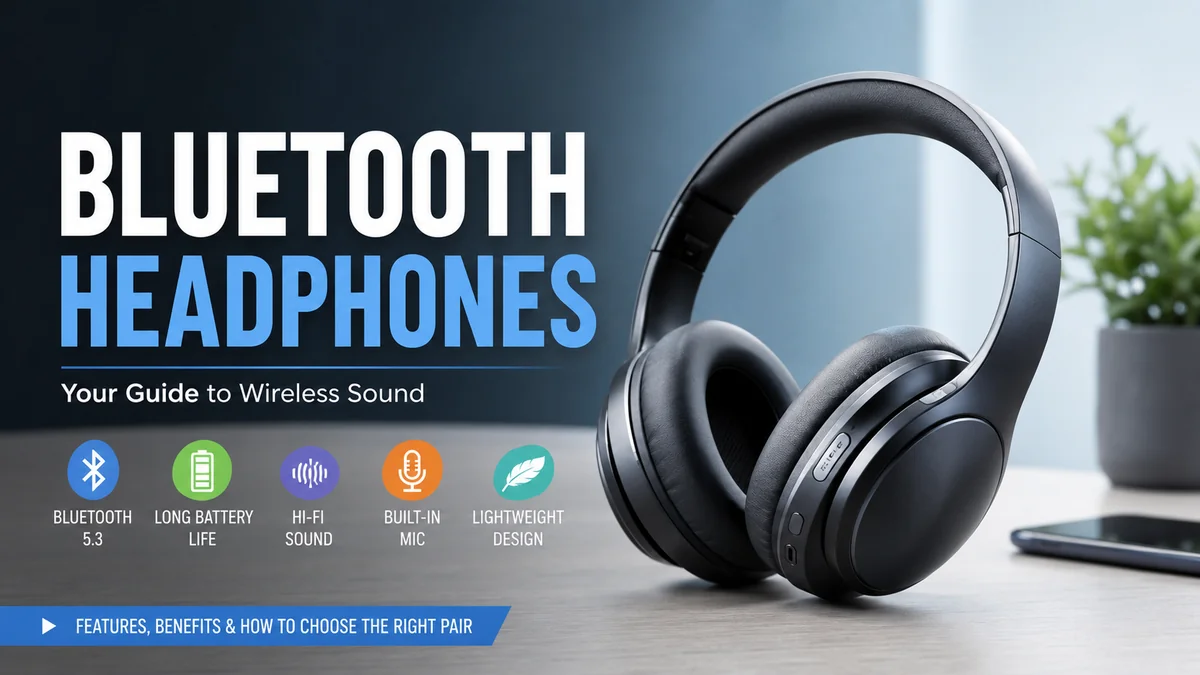

Cutting the cable sounds simple, but modern wireless audio involves far more than sending music from a phone to your ears. Sound quality, Bluetooth codecs, active noise cancellation, battery life, microphone performance, latency, fit, and device compatibility can all change the experience.
bluetooth headphones use short-range radio signals to receive digital audio from a phone, computer, tablet, TV, or another compatible device. The audio is compressed with a codec, transmitted wirelessly, decoded by the headphones, and converted into sound. Modern models may also provide active noise cancellation, transparency modes, multipoint connections, spatial audio, and customizable EQ.
This guide explains what those technologies actually mean, where their limitations appear, and which features matter for different listening situations.
What Are bluetooth headphones?
Bluetooth headphones are headphones that use Bluetooth wireless technology instead of relying primarily on an audio cable to communicate with a source device.
They contain several components that traditional passive wired headphones may not need, including:
- Bluetooth radio hardware
- Digital audio processing
- A rechargeable battery
- Digital-to-analog conversion
- Amplification
- Microphones on many models
- Controls or touch sensors
- Audio codec support
- Noise-processing hardware on ANC models
The result is essentially a compact wireless audio system worn on your head.
Wireless headphones come in several designs. Over-ear headphones surround the ears and usually provide the most room for batteries and large drivers. On-ear headphones sit directly against the ears and tend to be more compact. Wireless earbuds fit inside or near the ear canal, while true wireless earbuds eliminate the cable between the left and right earpieces.
Open-ear and bone-conduction designs take another approach. They deliberately leave the ear canal open, which can make environmental sounds easier to hear during activities such as outdoor running.
Bluetooth headphones vs. wireless headphones
The terms are often used interchangeably, but they do not technically mean exactly the same thing.
Wireless headphones are the broader category. They can communicate through Bluetooth, proprietary 2.4 GHz radio systems, or other wireless technologies.
Bluetooth headphones specifically support Bluetooth.
A gaming headset, for example, might communicate with its USB dongle through a proprietary low-latency 2.4 GHz connection while also supporting Bluetooth for phones.
That distinction becomes particularly relevant when latency matters.
How Do bluetooth headphones Work?
Bluetooth establishes a short-range wireless connection between compatible devices using radio waves in the 2.4 GHz spectrum.
When you pair headphones with a phone or laptop, the devices identify each other and establish the connection. After successful pairing, they can normally recognize and reconnect to one another later without repeating the complete setup process. Bluetooth uses frequency-hopping techniques to help maintain reliable communication in busy radio environments.
For music playback, the process can be simplified into five stages:
- Your phone, computer, or other source prepares the digital audio.
- A Bluetooth codec encodes and compresses the audio.
- Bluetooth transmits that data wirelessly.
- The headphones receive and decode it.
- Their internal electronics and drivers turn the signal into audible sound.
That compression step explains why the Bluetooth codec can matter.
Why isn’t ordinary Bluetooth audio simply uncompressed?
High-quality digital audio contains substantial amounts of data. Traditional Bluetooth audio connections have practical bandwidth constraints, so codecs reduce the amount of information that must travel between devices.
The challenge is balancing four things:
audio quality, bitrate, connection stability, and latency.
Sending more information can potentially improve fidelity, but a demanding data stream can be more susceptible to difficult wireless conditions. More aggressive compression reduces the amount of transmitted data but may sacrifice some information.
Modern codecs attempt to manage that compromise more intelligently.
Bluetooth Codecs: SBC, AAC, aptX, LDAC and LC3
A codec is an encoder-decoder system. The source encodes audio for transmission, and the headphones decode it for playback.
The codec used in practice depends on what both devices support. Buying headphones with a particular codec does not automatically mean every connected phone or computer will use it.
Here is the basic landscape:
| Codec | Common association | What to know |
|---|---|---|
| SBC | Standard Bluetooth audio | Widely compatible baseline codec |
| AAC | Apple devices and many other products | Particularly relevant to iPhone and Apple ecosystems |
| aptX | Qualcomm ecosystem | Family of codecs with several variants |
| aptX HD | Higher-quality aptX implementation | Designed with higher-quality audio in mind |
| aptX Adaptive | Adaptive Qualcomm codec | Can adjust operation according to wireless conditions |
| aptX Lossless | Qualcomm Snapdragon Sound ecosystem | Supports lossless audio under suitable conditions |
| LDAC | Sony | Higher-bitrate wireless audio option on compatible devices |
| LC3 | Bluetooth LE Audio | Newer, efficient codec designed for LE Audio |
RTINGS notes that bitrate and latency are two significant codec characteristics: bitrate describes the amount of audio information transferred, while latency describes the delay before transmitted sound is heard.
Is SBC bad?
No.
SBC is sometimes treated as if its presence automatically means poor audio, but that is too simplistic. It is a baseline codec and can provide perfectly usable everyday listening.
Codec choice is only one part of headphone performance.
Driver design, acoustic tuning, frequency response, fit, seal, digital signal processing and the quality of the original recording can have a more obvious impact than a codec logo on a specification sheet.
AAC and Apple devices
AAC is especially relevant for people using an iPhone. SoundGuys notes that AAC is the high-quality Bluetooth codec supported by iOS, while Android implementations and available codec choices can vary by device.
That means an iPhone owner should not automatically pay more for headphones solely because they advertise LDAC or an advanced aptX variant. The source device must support the technology for that codec to become useful.
What is aptX?
Qualcomm’s aptX is actually a family of technologies rather than one codec.
Variants include aptX, aptX HD, aptX Adaptive and aptX Lossless. Qualcomm describes aptX Adaptive as being able to adjust its bitrate according to connection conditions, while current Qualcomm audio platforms can support technologies including aptX Adaptive and aptX Lossless.
This adaptability can be useful because real-world wireless conditions constantly change.
What is LDAC?
LDAC is associated with Sony and is supported by various Android devices and wireless audio products.
It is commonly discussed in high-quality Bluetooth listening because it can operate at higher data rates than basic Bluetooth codecs under appropriate conditions.
Again, compatibility matters on both ends of the connection.
What are LC3 and Bluetooth LE Audio?
LC3, or Low Complexity Communication Codec, is part of Bluetooth LE Audio.
According to the Bluetooth SIG, LC3 was designed to provide higher quality than SBC at equivalent rates, or comparable/better quality while using substantially less data. It supports multiple sampling rates, bit depths and 7.5 ms or 10 ms frame intervals.
LE Audio introduces more than a codec. Its architecture enables capabilities such as synchronized multi-stream audio, standardized hearing-aid applications and broadcast audio.
One of the technologies associated with this new generation of Bluetooth audio is Auracast broadcast audio, which expands Bluetooth beyond the familiar one-source-to-one-headset model.
Quick Takeaway
Do not select headphones by codec alone. First confirm what your phone, computer or other source supports. Then consider sound tuning, comfort, ANC, battery performance and connection reliability alongside codec compatibility.
Sound Quality: What Actually Makes a Difference?
A common question is: Do bluetooth headphones sound as good as wired headphones?
They can sound extremely good, but wireless and wired systems operate differently.
A wired headphone can receive an analog signal directly from an amplifier or use an external DAC/amp setup. Bluetooth headphones generally process incoming digital audio internally before amplification and playback.
For normal streaming, commuting, office work and casual listening, modern wireless headphones can deliver excellent results.
For critical listening, professional audio work or carefully controlled audiophile systems, wired connections can still have advantages because they can avoid Bluetooth compression and battery-dependent electronics.
Drivers aren’t the whole story
Headphone specifications often advertise driver size, but a bigger driver does not automatically produce better sound.
The final sound depends on factors such as:
- Driver engineering
- Acoustic enclosure
- Ear-pad or ear-tip seal
- Frequency-response tuning
- DSP
- Distortion
- Fit
- Recording quality
- Codec implementation
A well-engineered smaller driver can outperform a poorly tuned larger one.
Frequency response matters
Frequency response describes how strongly headphones reproduce different frequencies.
Bass occupies the lower-frequency region, vocals and many instruments dominate the midrange, while cymbals and fine detail extend into higher frequencies.
There is no universally perfect tuning for every listener.
Someone listening mainly to hip-hop may appreciate a stronger bass response. A listener focused on acoustic recordings may prefer more neutral reproduction. Speech-heavy podcasts benefit from clear mids.
This is why equalizer controls can be genuinely useful rather than merely decorative.
The seal can transform the sound
This is especially important with earbuds.
An inadequate ear-tip seal can reduce bass and weaken passive isolation. The same earbuds can therefore sound dramatically different to two people simply because their ears and selected tip sizes differ.
For over-ear headphones, worn-out or poorly fitting ear pads can cause similar changes.
Before deciding that a new pair sounds bad, check the fit.
Active Noise Cancellation, Isolation and Transparency
Modern bluetooth headphones frequently advertise ANC, or active noise cancellation.
ANC should not be confused with passive noise isolation.
Passive noise isolation
Passive isolation physically blocks external sound.
Closed-back ear cups, ear pads and properly fitted ear tips create barriers between your ears and the surrounding environment.
No electronic cancellation is required.
Active noise cancellation
ANC uses microphones to detect external sound and electronic processing to generate a signal designed to reduce the perceived unwanted noise.
It is especially effective against steady, lower-frequency sounds such as:
- Aircraft cabin rumble
- Train noise
- Air-conditioning systems
- Engine hum
- Office ventilation
Irregular higher-frequency sounds and nearby voices can be harder to eliminate completely.
That is why even excellent noise-cancelling headphones rarely create absolute silence.
Current premium wireless models frequently use combinations of feedforward, feedback, adaptive or hybrid ANC architectures. Qualcomm’s current audio platforms, for example, list these approaches among supported ANC technologies.
What is transparency or ambient mode?
Transparency mode does almost the opposite.
External microphones capture environmental sound and reproduce some of it through the headphones so you can hear what is happening around you without removing them.
It can help when speaking briefly with someone, listening for announcements or navigating situations where environmental awareness matters.
ANC and transparency therefore solve different problems.
Does ANC affect sound or battery life?
It can.
ANC requires microphones and processing, which consume energy. Sound may also change slightly when different listening modes are activated because DSP is involved.
How noticeable that difference becomes depends heavily on the headphone design.
Battery Life and Charging
The convenience of wireless audio comes with one unavoidable requirement: batteries.
Unlike passive wired headphones, bluetooth headphones need power for their wireless electronics and amplification.
Battery specifications deserve careful interpretation because manufacturers may test products under different conditions.
Real-world runtime can change according to:
- Listening volume
- ANC usage
- Transparency mode
- Codec
- Call duration
- Temperature
- Spatial-audio processing
- Age of the battery
- Other smart features
Over-ear headphones often have room for considerably larger batteries than true wireless earbuds.
Earbuds compensate with charging cases. You might get several hours from the earbuds themselves, recharge them inside the case, and repeat the process before the case itself needs charging.
Why battery health eventually declines
Most rechargeable consumer headphones rely on lithium-ion or related rechargeable battery technology.
Rechargeable batteries gradually lose capacity through normal aging and charge cycles. A pair that originally lasted all day may provide noticeably less runtime years later.
This creates an important long-term consideration that spec sheets often overlook: repairability and battery replacement.
Before investing heavily in wireless headphones, it is worth investigating whether the battery, ear pads and other wear components can be serviced or replaced.
Fast charging
Quick-charge features can be extremely practical.
Rather than focusing only on maximum battery life, check how much playback a short charge provides. Someone who frequently forgets to charge headphones may benefit more from effective fast charging than from a modest difference in total rated runtime.
Bluetooth Versions, Range and Connection Stability
People often assume that a headphone advertising a newer Bluetooth version must automatically sound better.
That is not how it works.
The Bluetooth version describes the underlying specification and supported capabilities. Audio quality still depends on the codec, implementation, source device, headphones and acoustic design.
Current wireless audio hardware spans several generations of Bluetooth, while newer Qualcomm platforms have moved into Bluetooth 6.0 support.
Does a newer Bluetooth version increase sound quality?
Not automatically.
A newer version can enable improvements in areas such as efficiency, features and connection behavior, but the version number itself is not an audio-quality rating.
A well-designed older Bluetooth 5.x headphone can easily sound better than a poorly designed product carrying a newer Bluetooth number.
How far can bluetooth headphones work?
Practical range depends on both devices and the environment.
Walls, floors, the human body, competing 2.4 GHz signals and other obstacles can reduce performance. Open spaces generally allow better range than crowded buildings.
If audio starts cutting out only when your phone is several rooms away, that does not necessarily indicate defective headphones.
Why does Bluetooth sometimes stutter?
Wireless dropouts can result from:
- Distance from the source
- Physical barriers
- Crowded wireless environments
- Device software problems
- Codec behavior
- Radio interference
- Low battery
- Compatibility issues
The 2.4 GHz spectrum is also used by technologies such as Wi-Fi, so busy environments can be challenging.
Bluetooth’s frequency-hopping system is designed to improve resilience by moving rapidly among available channels.
Multipoint, Pairing and Everyday Connectivity
Pairing determines which device your headphones communicate with, but modern headphones can go beyond a basic one-device connection.
What is Bluetooth multipoint?
Bluetooth multipoint allows compatible headphones to maintain connections with more than one source device.
A common setup is a laptop plus a smartphone.
You could be listening through your computer and still have the headphones available for a phone call without manually disconnecting and pairing again.
Sony’s current multipoint guidance describes compatible headphones maintaining connections with two Bluetooth devices simultaneously.
SoundGuys highlights multipoint as particularly useful for people who work on computers while also needing to monitor incoming phone activity.
Not every implementation behaves identically, however. Some headphones switch audio sources more smoothly than others, and available codec options can sometimes change when multipoint is enabled.
Pairing vs. connecting
These two terms are related but different.
Pairing introduces the devices and establishes their relationship.
Connecting happens when previously paired devices establish an active Bluetooth link.
You normally pair a device once and reconnect many times afterward.
What if headphones refuse to connect?
A practical troubleshooting sequence is:
- Confirm that the headphones have enough battery.
- Turn Bluetooth off and back on at the source.
- Make sure the headphones are actually in pairing mode.
- Disconnect them from another nearby device.
- Remove or “forget” the existing Bluetooth entry.
- Pair the devices again.
- Restart the source device.
- Update headphone firmware and device software.
- Reset the headphones if the problem remains.
One of the most common causes is surprisingly simple: the headphones have automatically reconnected to a different previously paired device.
Latency for Video, Calls and Gaming
Latency is the time between an event occurring and its sound reaching your ears.
For music alone, moderate latency is usually irrelevant. If a song begins a fraction of a second after pressing play, most people will never care.
Video is different.
If the audio delay becomes large enough, dialogue can appear out of sync with a speaker’s mouth. Apps and operating systems can compensate for some Bluetooth latency, but results vary.
Gaming is even more demanding because audio needs to respond to unpredictable real-time events.
Are bluetooth headphones good for gaming?
They can be fine for casual gaming, but competitive gaming exposes Bluetooth’s limitations more clearly.
Dedicated wireless gaming headsets frequently use proprietary 2.4 GHz USB transmitters specifically to achieve predictable low-latency performance.
Bluetooth technologies such as aptX Adaptive are designed partly around responsive audio and changing connection conditions, but both the transmitter and receiver need compatible support.
For competitive games, do not assume that an expensive music-focused Bluetooth headphone will outperform a dedicated low-latency gaming headset.
Microphone and Call Quality
Great music reproduction does not guarantee a great microphone.
Calls introduce a different set of engineering challenges.
Headphone microphones need to distinguish your voice from:
- Wind
- Traffic
- Other conversations
- Keyboard sounds
- Reverberation
- Background music
Manufacturers increasingly use multiple microphones, beamforming and digital noise suppression to improve speech pickup.
The most useful test is not how the microphone sounds in a silent bedroom. It is how intelligible your voice remains on a street, in an office, or in wind.
Why can music quality change during calls?
Bluetooth audio behavior can change when the microphone is active because two-way voice communication has different requirements from one-way high-quality music playback.
This can be especially noticeable when using Bluetooth headsets with computers.
If audio suddenly sounds different when a meeting application activates the microphone, the headphones themselves may not be malfunctioning.
Comfort, Fit and Headphone Design
Specifications cannot tell you whether headphones will remain comfortable after three hours.
That matters because physical discomfort will make even technically excellent headphones frustrating to use.
For over-ear models, consider:
- Headband pressure
- Clamping force
- Ear-cup depth
- Pad material
- Headphone weight
- Heat buildup
- Space around the ears
For earbuds, consider:
- Ear-tip size
- Housing shape
- Insertion depth
- Weight
- Stability
- Pressure inside the ear
- Availability of alternate tips
SoundGuys correctly points out that excessive weight or pressure is difficult to overcome through other features.
Over-ear vs. on-ear vs. earbuds
| Type | Main strengths | Common drawbacks |
| Over-ear | Comfort, large batteries, strong ANC potential | Bulkier and warmer |
| On-ear | Compact and lightweight | Ear pressure can become uncomfortable |
| In-ear earbuds | Portable, strong passive seal | Fit varies greatly by ear |
| True wireless earbuds | Maximum portability | Small batteries, easier to lose |
| Open-ear | Better environmental awareness | Less isolation and usually weaker deep bass |
| Bone conduction | Leaves ear canal open | Different sound character and limited isolation |
There is no universally superior format.
The best design is the one suited to where and how you listen.
bluetooth headphones for Work, Travel, Exercise and Daily Listening
Different situations make different specifications valuable.
For commuting and travel
Prioritize:
- Effective ANC
- Comfortable pads or ear tips
- Strong battery life
- Compact storage
- Reliable connection
- Transparency mode
- Physical or intuitive controls
ANC becomes particularly useful against continuous transportation noise.
For office and remote work
Prioritize:
- Microphone clarity
- Multipoint
- Long-term comfort
- Easy mute controls
- Stable computer connectivity
- Transparency or sidetone features
Multipoint can be more valuable for work than an exotic high-bitrate codec because switching between a laptop and phone is something you may do every day.
For exercise
Prioritize:
- Stable fit
- Sweat resistance
- Low weight
- Accessible controls
- Environmental awareness where appropriate
Check the product’s IP rating rather than relying on vague terms such as “sport ready.”
Also remember that water resistance and waterproofing are not interchangeable concepts.
For gaming
Prioritize:
- Low latency
- Microphone performance
- Comfort
- Reliable connection
- A dedicated 2.4 GHz mode when competitive latency matters
Bluetooth can remain useful as a secondary connection for a phone even when a headset uses a USB wireless link for gaming.
For critical music listening
Prioritize:
- Frequency-response tuning
- Low distortion
- Comfortable fit
- Codec compatibility
- EQ flexibility
- Wired playback options where available
Do not assume the model with the longest feature list has the most accurate sound.
How to Evaluate bluetooth headphones Without Getting Lost in Specs
A useful evaluation process starts with your actual listening habits rather than a specification sheet.
1. Choose the physical format
Decide whether you need over-ear, on-ear, in-ear, true wireless or open-ear headphones.
Comfort and practicality come first.
2. Check your source devices
Identify what you will connect most often:
- iPhone
- Android phone
- Windows computer
- Mac
- Tablet
- Smart TV
- Game console
Then verify Bluetooth and codec compatibility.
A premium codec is irrelevant if your source cannot use it.
3. Decide whether ANC is necessary
Frequent flyers and commuters can benefit enormously from good ANC.
Someone listening mainly in a quiet room may prefer to prioritize sound quality and comfort instead.
4. Evaluate sound rather than driver size
Look for independent measurements and listening assessments covering frequency response, distortion and consistency.
RTINGS says its wireless headphone evaluations include extensive headphone testing, while SoundGuys describes controlled measurements including frequency response, isolation and real-world battery performance.
Measurements are valuable because marketing language such as “studio quality” or “powerful bass” has no standardized meaning by itself.
5. Think about real battery requirements
A 60-hour battery is impressive, but someone using headphones for two hours each evening may gain little from choosing it over a comfortable 30-hour alternative.
Conversely, long runtime can be genuinely valuable for frequent travelers.
6. Check microphone samples
If you attend meetings or make calls frequently, microphone performance deserves independent evaluation.
Test recordings made in noisy conditions are particularly informative.
7. Look at multipoint and controls
People using multiple devices should investigate multipoint.
Also consider whether controls remain easy to use without looking. Physical buttons can be preferable in some situations, while well-designed touch controls can be convenient in others.
8. Consider durability and repairability
Check:
- Replacement ear pads
- Replacement ear tips
- Battery service options
- Hinge construction
- Cable replacement
- Firmware support
- Warranty terms
This is especially important for expensive models.
A rechargeable headphone should be considered a long-term electronic device, not simply a pair of speakers.
Common Bluetooth Headphone Problems and Practical Fixes
Many wireless audio problems are connectivity or configuration issues rather than hardware failures.
Audio keeps cutting out
Move closer to the source and test the headphones in another environment.
If the problem disappears, radio interference or range was probably involved.
Also disconnect unnecessary Bluetooth devices and update firmware.
Only one side works
With true wireless earbuds, place both earbuds back in the charging case and verify that both are charging.
Clean the charging contacts if necessary, then reconnect or reset the pair according to the manufacturer’s instructions.
Sound quality suddenly seems poor
Check whether:
- A call application activated the microphone
- The wrong Bluetooth profile is being used
- EQ settings changed
- ANC/transparency mode changed
- Ear tips lost their seal
- A different codec is active
- The source changed audio settings
The problem may have nothing to do with the drivers.
Volume is too low
Check volume controls on both the source and headphones.
Some operating systems synchronize these controls, while other combinations may treat them independently.
Also inspect earbud meshes for debris and check any volume-limiting settings.
There is noticeable audio delay
Try another application first.
Video apps may handle Bluetooth synchronization differently. If gaming is the problem, use a low-latency mode, compatible codec, wired connection, or dedicated wireless dongle where supported.
Are Wired Headphones Still Better?
Bluetooth has solved the biggest inconvenience of wired headphones: the cable.
Wired designs still offer meaningful advantages.
They do not normally require charging, can avoid Bluetooth codec compression, and can provide extremely low latency. Passive wired headphones may also remain usable for decades if replaceable cables and pads are available.
Bluetooth models provide a different set of advantages:
| Bluetooth | Wired |
| Cable-free mobility | No battery required |
| ANC and smart features common | Extremely low latency |
| Easy phone connectivity | No Bluetooth compatibility concerns |
| Multipoint possible | Can avoid wireless compression |
| Integrated microphones and controls | Often simpler electronics |
| Requires charging | Cable limits movement |
Neither approach is universally better.
Someone commuting daily may value ANC and cable-free convenience more than anything else. A studio engineer monitoring audio may care more about predictable latency and signal integrity.
Some over-ear Bluetooth models provide both wireless and wired operation, which can offer useful flexibility.
What Features Matter Most in 2026?
Wireless headphone technology is increasingly moving beyond basic Bluetooth connectivity.
Current high-end models and platforms combine technologies such as adaptive ANC, advanced codecs, multipoint, spatial processing, personalized EQ and sophisticated microphone systems. Bluetooth LE Audio and LC3 also establish a foundation for newer use cases such as synchronized multi-stream and broadcast audio.
Still, the fundamentals remain more important than the newest feature name.
A genuinely good pair of headphones should:
- Fit comfortably
- Sound balanced for its intended audience
- Maintain a stable wireless connection
- Provide enough battery life
- Have sensible controls
- Perform reliably in its intended environment
Everything else should solve a real problem.
Don’t buy a Bluetooth version number
Bluetooth 5.x or 6.0 printed on a box does not tell you how the headphones sound.
Don’t buy a codec logo without checking compatibility
AAC, LDAC, aptX Adaptive and aptX Lossless only become relevant when the complete playback chain supports the required technology.
Don’t assume ANC quality from the words “noise cancelling”
ANC effectiveness varies enormously.
Independent measurements and real-world testing are more informative.
Don’t sacrifice comfort for specifications
A headphone that becomes painful after 45 minutes will spend more time on a desk than on your head.
Don’t ignore the microphone if you make calls
Music and voice performance should be evaluated separately.
The Future of Bluetooth Audio: LE Audio, LC3 and Broadcast Listening
Bluetooth audio is undergoing a broader architectural transition.
Traditional Bluetooth audio has relied heavily on Bluetooth Classic and profiles such as A2DP, the Advanced Audio Distribution Profile, for stereo streaming. Bluetooth LE Audio introduces a newer approach built around Low Energy technology and LC3.
One significant development is multi-stream audio.
Instead of treating a pair of true wireless earbuds through older connection architectures, LE Audio can support highly synchronized independent audio streams.
Broadcast audio is another major shift.
Rather than thinking exclusively in terms of one phone paired privately with one headset, compatible Bluetooth broadcast technologies can enable a source to make audio available to multiple listeners.
Potential applications include shared television audio, public announcements, transportation hubs and other public or private listening environments.
Adoption depends on compatible hardware, operating systems and implementations, so the existence of a Bluetooth feature in a specification does not mean every current device can use it.
That compatibility lesson applies throughout wireless audio.
Final Thoughts on bluetooth headphones
bluetooth headphones have evolved from convenient cable replacements into sophisticated personal audio systems. They can combine high-quality wireless playback, ANC, transparency, microphones, multipoint, equalization, spatial processing and increasingly capable Bluetooth technologies in one device.
The most useful way to understand them is to ignore isolated marketing specifications and evaluate the complete system.
Start with fit and comfort. Check compatibility with the devices you actually use. Decide whether ANC, multipoint or low latency solves a real need. Then evaluate sound quality, microphone performance, battery life and durability.
Codecs such as SBC, AAC, aptX, LDAC and LC3 matter, but none can rescue uncomfortable or poorly tuned headphones. Likewise, a newer Bluetooth version is not automatically evidence of better sound.
For most listeners, the right bluetooth headphones are not the pair with the largest specification sheet. They are the pair whose wireless connection, sound, comfort and practical features continue working well in the places where you actually listen.
