
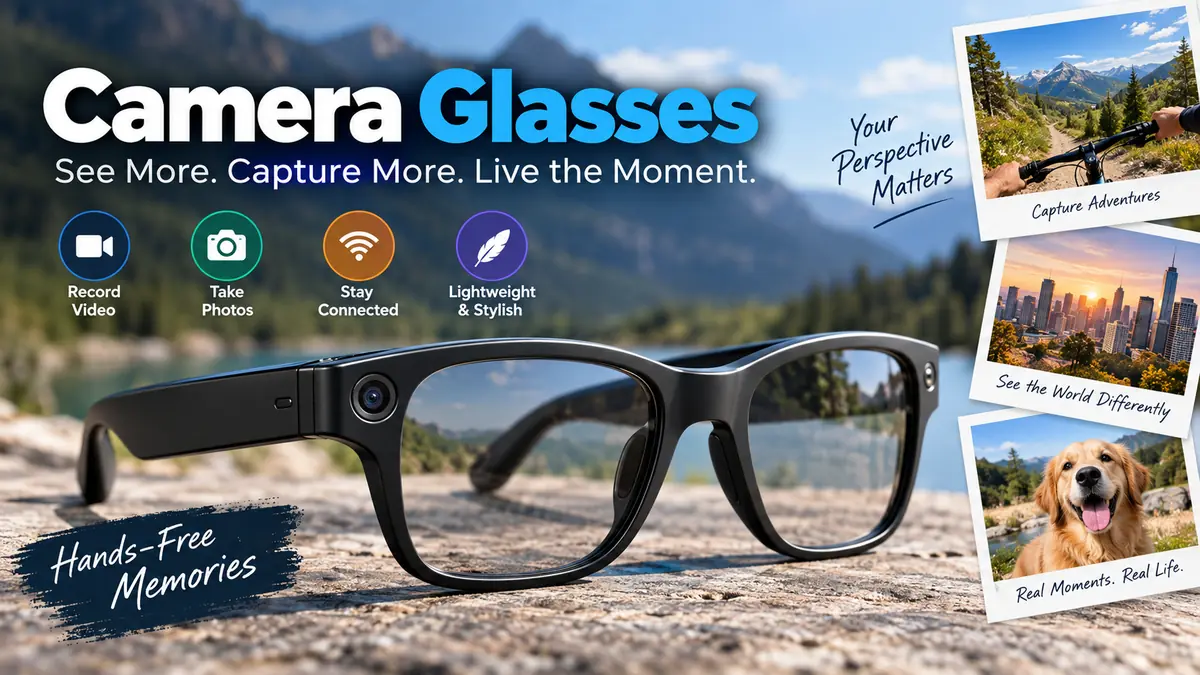

A memorable moment can disappear before you have time to pull out your phone. Camera glasses solve that problem by placing a small camera at roughly eye level, allowing photos and video to be captured while keeping both hands free.
Camera glasses are wearable eyeglasses or sunglasses with a camera integrated into the frame. They can capture first-person photos and video, while more advanced smart glasses may add microphones, speakers, voice controls, wireless connectivity, AI features, and smartphone integration. Recording quality, battery life, storage, and privacy features vary significantly between models.
The category has changed considerably from the old “spy glasses” concept. Modern products range from simple POV recording eyewear to sophisticated AI-enabled smart glasses such as Ray-Ban Meta. Understanding those differences is essential because two pairs that look almost identical may work in completely different ways.
What Are Camera Glasses?
Camera glasses combine conventional eyewear with a miniature digital camera. The imaging module is normally positioned around the bridge, front corner, or upper section of the frame so that it records approximately what the wearer is looking toward.
The basic system contains several familiar camera components in miniature form:
- Image sensor
- Lens
- Processor
- Battery
- Microphone on video-capable models
- Internal or removable storage
- Physical or touch controls
Smart versions can go much further, adding Bluetooth, Wi-Fi, open-ear speakers, multiple microphones, voice assistants, smartphone apps, live translation, and AI functionality.
That creates an important distinction.
| Type | Main Purpose | Typical Features |
|---|---|---|
| Basic camera glasses | Hands-free recording | Camera, microphone, storage, record button |
| POV recording glasses | Longer first-person footage | Higher storage capacity, removable memory, simple file transfer |
| Smart camera glasses | Connected everyday eyewear | Camera, speakers, microphones, Bluetooth, app |
| AI smart glasses | Recording plus intelligent assistance | Camera, voice assistant, AI, translation, object/context assistance |
| Camera sunglasses | Outdoor recording | Tinted/UV lenses, camera, microphone, storage |
A pair designed primarily for recording a long bicycle ride, for example, may be more useful with removable MicroSD storage than sophisticated AI features.
Conversely, someone wanting short hands-free clips, calls, music, and voice interaction may find connected smart glasses more practical.
How Do Camera Glasses Work?
The principle is similar to a smartphone or action camera, only packaged into an eyeglass frame.
When recording begins, light enters the miniature lens and reaches the image sensor. The sensor converts that light into electronic information, while an onboard processor turns the information into an image or video file.
If audio recording is enabled, one or more microphones capture sound at the same time.
The resulting footage is then either:
- Saved to internal storage.
- Written to a MicroSD card.
- Transferred to a connected smartphone.
- Managed through the manufacturer’s companion app.
Connected models can combine several of these methods.
How Recording Starts
Operation depends on the design. Basic camera glasses commonly use a physical button positioned on one of the temples.
Smart glasses may support touch controls or voice commands as well.
This makes recording significantly faster than taking a phone from a pocket, opening the camera application, choosing video mode, and framing the shot.
The difference is especially noticeable when both hands are occupied.
Why the Camera View Looks Different From What You See
Camera eyewear produces a first-person or POV perspective, but it does not literally reproduce human vision.
Your eyes constantly move independently of your head. A camera fixed to your glasses cannot follow those eye movements.
For example, you could keep your head facing forward while glancing left with your eyes. The camera will generally continue recording forward.
That is one of the first practical lessons when using camera glasses: point your head toward the subject, not merely your eyes.
Camera Glasses vs Smart Glasses
The terms are often used interchangeably, but they are not exactly the same.
Camera glasses describes eyewear containing a camera. Smart glasses is a broader category covering connected or computational eyewear, which may or may not contain a camera.
Modern smart camera glasses can include:
- Open-ear audio
- Voice commands
- Phone calls
- Messaging
- Music playback
- Multiple microphones
- AI assistants
- Translation
- Smartphone notifications or integration
- Photo and video capture
Ray-Ban Meta provides a useful example of how far the category has developed. The current Gen 2 specification includes a 12 MP ultra-wide camera and video capture up to 3K at 30 fps, alongside open-ear speakers, a five-microphone array and connected features.
That is substantially different from basic recording glasses whose only job is saving video to local memory.
Quick Takeaway
If the main requirement is recording, concentrate on camera quality, continuous recording time, storage, comfort and file transfer. If you also want calls, audio, voice control or AI features, smart camera glasses become more relevant.
Camera Glasses Features That Actually Matter
Specification sheets can make these devices difficult to compare. Resolution receives most of the attention, but it is only one part of image quality.
Video Resolution
Common advertised resolutions include:
- 1080p Full HD
- 2K
- 2.7K
- 3K
- 4K
Higher resolution provides more pixels, potentially preserving more fine detail and allowing greater cropping during editing.
But a “4K” label does not automatically mean better video.
Sensor quality, lens quality, bitrate, image processing, lighting and stabilization can have a greater effect on how footage actually looks. Some inexpensive devices may also produce high-resolution output through interpolation or upscaling rather than capturing equivalent native sensor detail. Current specialist camera-glasses guides therefore recommend examining real sample footage rather than judging a device purely by its advertised resolution.
Frame Rate
Frame rate tells you how many individual frames are captured each second.
30 fps is adequate for normal walking, conversations, travel and everyday POV footage.
60 fps can produce smoother motion and is more useful when recording faster activities.
Higher frame rates can require additional processing power, storage and battery energy, so maximum specifications are not always the best everyday setting.
Field of View
Field of view, or FOV, describes how wide an area the camera captures.
A wider lens can be helpful because camera glasses do not have a display constantly showing your composition. It gives you more room for imperfect framing.
There is a trade-off, though. Extremely wide views can introduce distortion and make distant subjects appear smaller.
Image Stabilization
Walking naturally produces considerable head movement.
That movement can make first-person footage uncomfortable to watch if the camera lacks effective stabilization.
Electronic image stabilization can reduce visible shaking by processing and cropping the image. Results vary substantially between devices, however, and wearable glasses generally have much tighter physical constraints than dedicated action cameras with sophisticated stabilization systems.
If smooth action footage is the priority, actual stabilized sample videos are more informative than resolution alone.
Battery Life Is More Complicated Than It Looks
Battery specifications are among the easiest camera glasses specifications to misunderstand.
Manufacturers may describe “battery life,” “typical use,” “standby time,” “audio playback” and “continuous recording” separately.
They are not interchangeable.
Recording video continuously keeps the sensor, image processor, microphone and storage system working. It therefore consumes substantially more energy than simply wearing connected glasses and occasionally taking a photograph.
This is why you should look specifically for continuous video recording runtime at the resolution you intend to use.
Higher-resolution recording may further reduce runtime.
Connected smart glasses can also consume energy through:
- Bluetooth
- Wi-Fi
- AI processing
- Speakers
- Microphones
- Voice commands
- Smartphone synchronization
For reference, Ray-Ban lists up to eight hours of general use for its Meta Gen 2 glasses, plus additional charging from the case, but this should not be interpreted as eight hours of uninterrupted video recording.
What Actually Works
Before relying on camera eyewear for an important event, charge it fully and record continuously using your intended settings.
Time how long it lasts.
That simple test provides more useful information than a generic manufacturer battery figure.
Storage and File Transfer
Recording video produces large files, making storage an important part of the experience.
Camera glasses generally use one of two approaches.
Internal Storage
Built-in storage keeps the design straightforward. You record footage and later transfer it through USB or a companion application.
Advantages include fewer removable components and simple everyday operation.
The drawback is fixed capacity. Once internal storage fills, files need to be transferred or deleted.
MicroSD Storage
Some purpose-built recording glasses support removable MicroSD cards.
This can be useful for longer recording sessions because cards can be replaced and footage can be moved directly to a computer.
Supported capacities vary significantly. Current models in the broader market range from relatively small built-in storage allocations to MicroSD support reaching 128GB on some devices.
Do not assume a MicroSD card is included simply because a device supports one.
Wi-Fi and Smartphone Apps
Wi-Fi-enabled camera glasses may create a local connection with a phone so the wearer can:
- Preview framing
- Review recordings
- Change settings
- Start or stop recording
- Transfer media
That convenience comes with another dependency: the quality and long-term support of the companion app.
A technically capable camera becomes much less useful if its required application is unreliable or stops receiving updates.
What Can Camera Glasses Be Used For?
The eye-level perspective makes camera glasses useful whenever holding a conventional camera would be inconvenient.
Hands-Free POV Video
First-person recording is their most obvious application.
The viewer sees approximately the direction the wearer was facing, creating an immersive perspective for:
- Walking tours
- Travel diaries
- Demonstrations
- Hobby projects
- Outdoor activities
- Behind-the-scenes footage
Unlike chest-mounted cameras, glasses position the lens much closer to eye level.
Tutorials and Demonstrations
Camera eyewear can be particularly effective when demonstrating tasks that require both hands.
Imagine documenting a repair. A phone requires a tripod or another person to operate it. Glasses can follow your head naturally while your hands remain available for the work.
The same principle can apply to crafts, equipment demonstrations and certain training scenarios where recording is permitted.
Travel
Travelers can capture short moments without constantly holding a phone.
This can make footage feel less staged because the person recording can remain involved in the activity.
However, tourist attractions, museums, airports, religious buildings and private venues may have their own photography or recording rules. Wearing a camera does not override those restrictions.
Sports and Outdoor Activities
Camera sunglasses can provide lightweight POV footage for activities such as hiking or casual cycling.
They are not automatically replacements for action cameras.
A dedicated action camera may offer superior stabilization, ruggedness, mounting options, weather resistance and longer recording flexibility. Wearable glasses win primarily on convenience and natural eye-level perspective.
Camera Glasses vs Action Cameras vs Smartphones
No single device is best for every recording situation.
| Feature | Camera Glasses | Action Camera | Smartphone |
|---|---|---|---|
| Hands-free use | Excellent | Excellent when mounted | Limited |
| Natural eye-level POV | Excellent | Depends on mount | Poor |
| Image quality | Moderate to good | Very good | Often excellent |
| Stabilization | Model-dependent | Usually strong | Usually strong |
| Long recording | Model-dependent | Generally better | Generally good |
| Easy framing | Limited | Screen/app | Excellent |
| Discreet everyday wear | Excellent | Poor | Good |
| Rugged outdoor use | Limited/model-dependent | Excellent | Limited |
| Calls/AI/audio | Smart models | Limited | Excellent |
| Replaceable storage | Some models | Common on many models | Usually no |
Camera glasses make the most sense when capturing what you are seeing without occupying your hands matters more than maximum image quality.
For carefully composed photography, a phone or dedicated camera remains easier to control.
For rugged action footage, an action camera generally has the advantage.
Can Camera Glasses Take Good Photos?
They can take useful photos, but expectations need to be realistic.
Modern smartphones have much more physical space for sophisticated camera systems. Premium phones can combine larger sensors, multiple lenses, optical stabilization, computational photography and powerful image processing.
Camera glasses must squeeze their imaging hardware into a lightweight frame.
Their strongest advantage is therefore not necessarily image quality. It is access.
A photograph captured instantly from eye level can be more valuable than a technically superior photograph that you did not have time to take.
Low-Light Performance
Low light is particularly challenging for miniature cameras.
Small sensors receive less light than larger imaging systems, potentially producing:
- Noise
- Lost shadow detail
- Motion blur
- Soft textures
- Reduced dynamic range
This is another reason not to judge camera performance by megapixels or resolution alone.
A clean 1080p or 2K recording can look better than poorly processed nominal 4K footage.
Comfort Is a Camera Specification Too
Camera specifications dominate product descriptions, but poor ergonomics can make excellent electronics irrelevant.
The frame contains hardware ordinary glasses do not need, including batteries, processors, microphones and cameras.
That adds weight.
Pay attention to:
- Overall frame weight
- Temple thickness
- Nose pressure
- Hinge quality
- Weight distribution
- Frame width
- Lens options
- Prescription compatibility
The glasses should remain comfortable when worn for the actual duration of your intended activity.
Clear Lenses vs Sunglasses
Clear or prescription-compatible designs are more practical indoors.
Tinted camera sunglasses make sense outdoors but can look unnatural inside offices, stores or other indoor environments.
Some designs offer interchangeable or prescription lens options. Confirm compatibility with an optician or the manufacturer rather than assuming any camera frame can accept prescription lenses.
Are Camera Glasses Waterproof?
Do not assume so.
Water resistance depends entirely on the specific model and its published IP rating.
Sweat resistance, splash resistance and waterproofing describe different levels of protection. A pair suitable for light rain may still be unsuitable for swimming or heavy exposure to water.
Charging ports, microphones, speakers and frame electronics create additional sealing challenges.
Check the manufacturer’s actual ingress-protection specification before exposing electronic eyewear to rain, water or heavy sweat.
Privacy Is the Biggest Difference Between Camera Glasses and Normal Cameras
A smartphone held up in front of someone clearly signals that recording might be taking place.
Camera glasses do not provide the same obvious social signal.
That creates one of the technology’s most significant challenges.
Some modern smart glasses include a visible recording indicator. Ray-Ban Meta, for example, uses an external capture LED intended to help people nearby understand when the camera is being used.
Yet the broader issue remains: people may not recognize camera-equipped eyewear or notice a small indicator.
Privacy concerns around smart glasses have consequently become more prominent as adoption has increased. In September 2026, reports highlighted concerns among U.S. law-enforcement agencies about discreet smart-glasses recording in sensitive facilities.
Are Camera Glasses Legal?
There is no universal yes-or-no answer.
Rules depend on:
- Country
- State or province
- Public versus private property
- Whether audio is captured
- Reasonable expectations of privacy
- Workplace policies
- Purpose of recording
- How footage is stored
- Whether footage is published
- Whether identifiable people are recorded
Recording video and recording private conversations can also fall under different laws.
Data-protection rules add another layer. European guidance, for example, recognizes exemptions for genuinely personal or household recording but interprets those exemptions according to the circumstances and scope of the activity.
For organizations, privacy requirements can be considerably stricter. UK Information Commissioner’s Office guidance emphasizes transparency, proportionality and informing people about body-worn or portable recording where appropriate. It also treats audio as potentially more privacy-intrusive than video alone.
So “I am in a public place” should never be treated as a universal permission to record anything without restriction.
Places Where Extra Caution Is Appropriate
Recording should be approached particularly carefully in environments where people reasonably expect privacy or where institutional rules apply, including:
- Bathrooms and changing areas
- Medical environments
- Schools
- Private homes
- Workplaces
- Courtrooms
- Secure facilities
- Private meetings
- Gyms and locker rooms
The safest practical principle is simple: do not use discreet technology to bypass consent, privacy expectations or an explicit no-recording policy.
Hidden Camera Glasses and Ethical Recording
Some products are marketed specifically as hidden camera glasses or spy camera glasses.
Their discreet design does not change the user’s responsibilities.
There is an important difference between unobtrusive hands-free recording and deliberately concealing recording from someone who reasonably expects privacy.
Responsible use means considering not only whether recording is technically possible, but whether the people involved would reasonably expect to know about it.
For professional use, organizations may have additional responsibilities involving notices, retention periods, access controls, encryption, deletion policies and handling requests from people appearing in footage. ICO guidance for portable surveillance technologies specifically recommends informing people where possible and securing removable storage containing recorded material.
How to Evaluate Camera Glasses
Rather than starting with the largest resolution number, evaluate the complete recording workflow.
1. Decide What You Actually Want to Record
Short social clips and long POV sessions have very different requirements.
For occasional moments, connected smart glasses may work well.
For long continuous recordings, storage capacity, recording limits and active-recording battery life become much more important.
2. Check Real Video Samples
Look for footage showing:
- Walking
- Bright sunlight
- Indoor lighting
- Moving subjects
- Speech
- Shadows and highlights
Manufacturer specification sheets cannot reveal motion blur, microphone quality or poor image processing.
3. Verify Native Resolution
Do not automatically treat “4K” as evidence of superior quality.
Look for information about the actual sensor and video modes. Higher output resolution generated through interpolation does not create the same image detail as a strong native imaging pipeline.
4. Find Continuous Recording Time
Ignore vague “all-day use” claims when your objective is video.
Ask instead:
How long will these glasses continuously record at my chosen resolution?
That number is much more useful.
5. Check Clip-Length Limits
Some smart glasses are optimized for relatively short clips rather than uninterrupted long-form video.
A device could have plenty of battery remaining yet still limit individual recordings.
Check both:
Maximum clip length and total active recording runtime.
They measure different things.
6. Understand Storage
Determine whether the glasses use:
- Internal memory
- MicroSD
- Smartphone storage
- Cloud services
- A combination of these
Then check what happens when storage fills.
7. Check File Ownership and Export
You should know how recordings get from the glasses to another device.
USB transfer and removable memory can be straightforward. App-based ecosystems may provide convenient sharing and automatic processing but create greater dependence on the manufacturer’s software.
Check whether original files can be exported easily.
8. Examine Privacy Indicators
A visible recording light is a useful transparency feature.
Also determine whether the device records audio automatically and whether microphone recording can be disabled independently.
9. Check Connectivity Requirements
Find out which functions work without:
- A smartphone
- Bluetooth
- Wi-Fi
- Internet access
- A user account
A pair may continue capturing locally without connectivity while its AI or communication functions require a phone or network.
10. Test Comfort
Wearability matters more here than with handheld cameras.
If thick temples, poor balance or pressure around the nose make the glasses uncomfortable after 30 minutes, advanced camera specifications provide little benefit.
Common Camera Glasses Mistakes
Several mistakes repeatedly lead to disappointing footage.
Chasing resolution alone: Higher resolution cannot compensate for a weak sensor, poor lens, excessive compression or unstable footage.
Confusing general battery life with recording runtime: Video recording consumes far more power than standby or occasional smart features.
Ignoring framing: Because your eyes can move without your head moving, the camera may not be pointing where you think.
Assuming all models have stabilization: Stabilization quality varies greatly and should be verified.
Forgetting storage requirements: High-resolution video can fill memory surprisingly quickly.
Assuming water resistance: Electronic glasses require a confirmed rating before exposure to water.
Recording without considering others: The compact camera can make people less aware that recording is taking place.
Skipping a test recording: Battery, framing, audio and storage should always be tested before an important session.
Quick Takeaway
The most useful camera glasses are not necessarily those with the highest advertised resolution. A balanced pair combines usable image quality, sufficient recording runtime, reliable storage, comfortable frames, simple controls and a transparent recording system.
How to Get Better Video From Camera Glasses
Technique can improve results even without changing hardware.
Keep Head Movements Smooth
Fast head turns look much more dramatic on recorded footage than they feel while wearing the glasses.
Turn gradually when possible.
Face the Subject
Remember that your camera follows your head rather than your eyes.
If something matters, point your face toward it for several seconds.
Use Good Lighting
Small camera sensors perform best with plenty of light.
Daylight and bright indoor environments generally produce cleaner footage than dim rooms.
Clean the Camera Lens
The camera opening is small, so fingerprints, dust or skin oils can noticeably soften the image.
Check it before recording.
Record Short Tests
Capture 20–30 seconds and review:
- Framing
- Exposure
- Audio
- Stabilization
- Horizon
- File saving
This is especially valuable when using a new pair.
Back Up Important Files
Transfer important footage to another storage location instead of leaving everything on the glasses.
Wearable electronics can be lost, damaged or accidentally reset just like phones and action cameras.
Who Benefits Most From Camera Glasses?
Camera eyewear works best when the recording perspective itself matters.
It can be particularly useful for people documenting:
- Travel experiences
- Walking tours
- Hands-on hobbies
- Outdoor activities
- Demonstrations
- First-person tutorials
- Short social videos
- Everyday moments
It is less suitable when the project requires cinematic composition, strong optical zoom, excellent low-light performance or hours of rugged continuous recording.
In those situations, a conventional camera, smartphone or dedicated action camera may be the stronger tool.
The Future of Camera Glasses
The direction of development is moving beyond simple recording.
Camera-equipped smart glasses increasingly combine visual input with microphones, speakers, voice interfaces, AI and contextual computing.
That changes the role of the camera.
Instead of merely producing a video file, the camera can potentially become an input device that helps software understand what the wearer is looking toward.
Current smart glasses already demonstrate elements of this transition through AI assistance, translation, audio and voice interaction. Ray-Ban Meta’s feature set, for example, combines its camera with Meta AI, live translation, microphones and open-ear audio.
At the same time, more capable wearable cameras increase the importance of transparent recording indicators, secure data handling and clear social norms around consent.
The challenge is therefore no longer simply making the electronics small enough to fit inside glasses. It is creating technology that remains useful without making everyone around the wearer feel that ordinary eyewear has become invisible surveillance.
Final Thoughts on Camera Glasses
Camera glasses offer something phones and traditional cameras cannot replicate quite as naturally: hands-free, eye-level recording from the wearer’s perspective.
Their usefulness depends on much more than megapixels. Video quality, frame rate, stabilization, battery runtime, clip limits, storage, connectivity, comfort, file transfer and privacy design all affect the real experience.
For simple POV recording, a straightforward model with reliable local storage may be enough. For connected everyday use, modern smart glasses can combine photography with audio, voice control, AI and smartphone features.
Whichever type you encounter, evaluate real sample footage and continuous recording performance rather than marketing numbers, and understand the recording rules that apply where the device will be used. That approach makes camera glasses far easier to understand—and much safer and more useful to use.
