
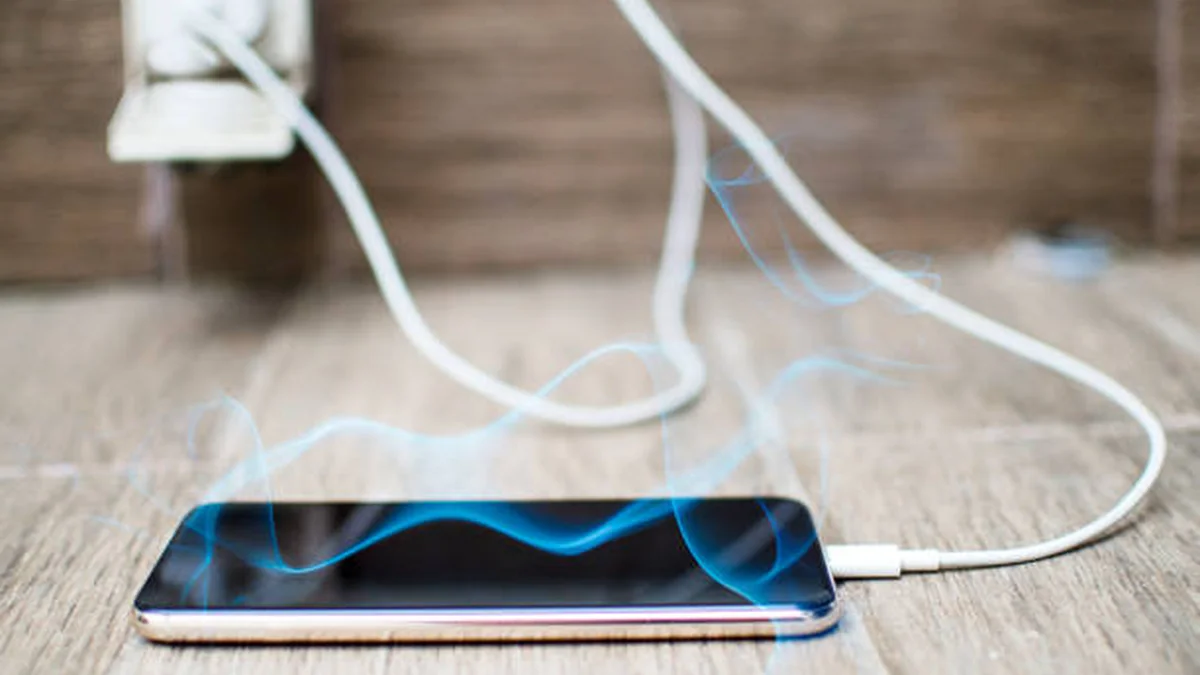

Phone hot while charging? You plug it in, glance away for twenty minutes, and pick it back up to find it’s warm enough to notice. Maybe it’s uncomfortable to hold. Maybe the charging icon has stalled. Your first thought is probably “is this going to damage my phone” — and that’s a fair question, because heat is genuinely the thing that ages a battery faster than almost anything else.
The good news: most of the time, a warm phone while charging is completely ordinary. The less good news: there are a handful of habits — some obvious, some not — that turn “a little warm” into “actually hot,” and a few warning signs worth taking seriously.
A phone getting warm while charging is normal, because converting electrical current into stored battery power always produces some heat. It becomes a problem when the device feels hot to the touch, charging slows or stops, or the phone shows a temperature warning — usually caused by fast charging, a low-quality cable, background app activity, or charging in a hot environment.
Phone Hot While Charging: Is It Normal?
Yes — mild warmth is just physics. Every time lithium-ion cells accept a charge, some energy is lost as heat rather than stored capacity, and the phone’s processor also does background work (indexing notifications, syncing apps) even while it’s plugged in.
Manufacturers design around this. Apple states that iPhone is built to perform in ambient temperatures between 0°C and 35°C (32°F to 95°F), and treats anything meaningfully above that as a condition it needs to actively manage rather than a defect. Android manufacturers, including Samsung, follow a similar logic and will actively slow or pause charging once internal temperature crosses a safe threshold.
Quick takeaway: slightly warm, comfortable to hold, charges at a normal pace — that’s fine. Uncomfortably hot to the touch, noticeably slower charging, or a temperature warning on screen — that’s your phone telling you something is working harder than it should.
Phone Hot While Charging: 9 Real Reasons Why
1. Fast charging pushes more power in less time
Fast-charging standards — USB Power Delivery (PD), Qualcomm Quick Charge, and each manufacturer’s own protocols — deliver higher voltage or current to shrink charging time. More power moving through the battery in a shorter window means more heat generated in that window, even though the total energy delivered is the same. This is the single most common reason people notice heat in the first 15–20 minutes of a charge, when the battery accepts power fastest.
2. A cheap or uncertified charger and cable
Not every charger regulates power the same way. Off-brand or damaged cables and bargain-bin adapters often can’t hold voltage steady, which forces your phone’s internal circuitry to compensate — and that compensation shows up as heat. This is one of the most consistent findings across manufacturer guidance: a $5 charger from a gas station or an unverified marketplace listing is genuinely more likely to run hot than an MFi-certified or manufacturer-approved one.
3. Using your phone while it charges
Gaming, video calls, streaming, or navigation while plugged in makes the processor and the battery generate heat at the same time, from two different sources, with nowhere for either to go. This is why a phone that charges cool overnight can feel noticeably hot after twenty minutes of charging and gaming.
4. Your case is trapping heat
Many cases — especially thick, rugged, or leather ones — insulate the back of the phone instead of letting heat escape. It’s a small effect on its own, but stacked on top of fast charging or wireless charging, it’s often the difference between “warm” and “hot.”
5. Charging on a bed, pillow, or sofa
Soft surfaces block airflow around the phone the same way a case does, just on a larger scale. A phone charging on a hard, flat, open surface dissipates heat far more efficiently than one buried in bedding — this is a small habit change with an outsized effect.
6. Direct sunlight or a hot car
Ambient temperature stacks directly on top of charging heat. A phone that’s already warm from sitting on a sunlit windowsill or a car dashboard starts charging from a higher baseline, so it reaches its thermal limit much faster — sometimes before the battery is even half full.
7. An aging or damaged battery
Lithium-ion batteries lose efficiency as they age; their internal resistance rises, and that resistance itself generates heat during charging. If your phone has always run cool but has recently started running hot on the same charger, same case, same habits — a degraded battery is a reasonable suspect, particularly in phones more than two to three years old.
8. Background apps and buggy software
Apps that keep refreshing — social media, messaging, location-based services — keep the processor active even while you think the phone is idle and charging. Outdated software or a specific buggy app can make this dramatically worse; it’s worth checking for pending updates if heat shows up suddenly on a phone that’s otherwise unchanged.
9. A full battery that keeps drawing power
Once a battery hits 100%, some of the incoming energy has nowhere useful to go and gets dissipated as heat instead, which is part of why phones left charging overnight can feel warmer by morning even though they finished charging hours earlier. Most modern phones now manage this automatically (more on that below), but it’s still a contributing factor on older devices or with less-efficient chargers.
Phone Hot While Wireless Charging: Why It’s Worse Than a Cable
If you’ve noticed your phone runs warmer on a wireless charging pad than on a cable, that’s not in your head — it’s basic physics. Wireless charging works through inductive coupling: the charging pad generates an electromagnetic field, and a coil inside your phone converts that field back into electrical current. That conversion is never perfectly efficient.
Standard Qi chargers typically run at roughly 70–80% efficiency, meaning 20–30% of the energy is lost as heat in the coils rather than reaching the battery. Wired charging, by comparison, usually operates above 90% efficiency with far fewer conversion steps — which is exactly why a cable charges cooler than a pad delivering the same wattage.
| Wired (USB-C / PD) | Wireless (Qi) | Wireless (Qi2 / MagSafe) | |
|---|---|---|---|
| Typical efficiency | 90%+ | 70–80% | 85–90% |
| Heat generated | Lowest | Highest | Moderate |
| Main heat source | Cable/adapter regulation | Coil-to-coil energy loss | Improved magnetic alignment reduces loss |
| Best for | Fastest, coolest charging | Convenience | Convenience with less heat than standard Qi |
Coil misalignment makes this worse — if your phone isn’t centered precisely on the pad, more energy is lost as stray electromagnetic loss rather than useful current, which is why a slightly off-center phone on a basic pad runs noticeably hotter than one placed dead-center. Newer standards like Qi2 and MagSafe use magnets to force correct alignment, which is a meaningful part of why they run cooler than older Qi pads at the same wattage.
Phone Hot While Charging and Slowing Down? What’s Happening Automatically
Modern phones aren’t passive about this — they’re built to intervene before heat becomes a real problem.
- Thermal throttling: the phone reduces charging current, and sometimes processor speed, once internal temperature crosses a set threshold.
- Charging pauses: you may see a message like “Charging On Hold” or a temperature warning screen; this is deliberate, not a malfunction, and charging resumes automatically once the device cools.
- Optimized/adaptive charging: both Apple’s Optimized Battery Charging and equivalent Android features delay the final stretch of a charge (often the 80–100% range) so the battery spends less total time sitting at a full, heat-generating charge.
This is also where industry standards come in. JEITA (the Japan Electronics and Information Technology Industries Association) publishes guidelines that most phone and battery manufacturers design around, defining safe upper charging-temperature thresholds. The Wireless Power Consortium sets similar power and safety specifications for Qi-certified charging hardware. In practice, this means a modern, genuine phone-and-charger combination is engineered with several layers of protection before heat becomes genuinely dangerous — which is reassuring, but not a reason to ignore repeated overheating.
Phone Hot While Charging: When It’s Dangerous vs. Just Warm
| Signal | Just Warm (Normal) | Actually Concerning |
|---|---|---|
| Feels warm, comfortable to hold | ✅ | |
| Uncomfortably hot, hard to hold for more than a few seconds | ✅ | |
| Charging continues at a normal rate | ✅ | |
| Charging has visibly slowed or stopped | ✅ (often automatic protection) | |
| Happens occasionally, during fast charging or gaming-while-charging | ✅ | |
| Happens every single time, even on a slow charge, idle | ✅ | |
| Back of phone or case is warm | ✅ | |
| Phone is swollen, the screen is lifting, or you smell something odd | 🚨 Stop charging immediately |
Lithium-ion batteries are genuinely well-understood, well-regulated components, and consumer phones have multiple safety layers built in — but heat is the accelerant behind almost all of the rare failure cases that do occur. Prolonged exposure above roughly 45°C (113°F) measurably accelerates battery degradation; sustained exposure near 60°C (140°F) is where safety systems in a well-designed device should already be intervening; and it takes temperatures far beyond anything a normal charging setup produces (well over 100°C) to approach the thermal runaway that causes swelling or, in rare cases, fire. The U.S. Consumer Product Safety Commission has tracked tens of thousands of lithium-ion battery incidents in recent years — the overwhelming majority tied to damaged cells, counterfeit batteries, or non-certified charging hardware, not normal manufacturer-approved charging.
If you ever see swelling, a lifting screen, an unusual smell, or hissing — stop charging immediately, move the device away from flammable materials, and don’t attempt to charge or use it again until it’s been inspected.
Phone Hot While Charging Right Now? How to Cool It Down
- Unplug it. Stop the source of additional heat first.
- Stop using it. Close what you’re doing — heat from the processor adds directly to charging heat.
- Take the case off. Let heat escape from the back of the device.
- Move it to a cool, open surface. Off the bed, off the pillow, out of direct sun.
- Turn on Low Power Mode / battery saver. This reduces background processor activity while it cools.
- Don’t put it in the fridge or freezer. Rapid temperature swings can cause internal condensation, which is its own risk — room-temperature air is enough.
- Wait it out. Most phones return to a safe temperature within 15–30 minutes without any further intervention.
Stop Your Phone Getting Hot While Charging: Prevention Checklist
- Use a certified charger and cable (MFi for iPhone, or your Android manufacturer’s approved USB-C/PD hardware) rather than the cheapest option available.
- Charge on a hard, flat, open surface — not bedding.
- Take thick cases off during long or fast charging sessions if the phone runs consistently hot.
- Avoid gaming, streaming, or navigating while charging when you can help it.
- Keep the phone out of direct sunlight and hot cars, charging or not.
- Center the phone precisely on wireless pads, or switch to Qi2/MagSafe hardware if you charge wirelessly often.
- Keep software updated — a stray bug is a surprisingly common, easily fixed cause of sudden overheating.
- Don’t obsess over unplugging at 100% — modern phones manage full-charge trickle automatically, but if yours doesn’t, unplugging once it’s topped up is a reasonable habit.
Phone Hot While Charging: iPhone vs. Android, Anything Different?
The underlying battery chemistry is the same, but the guardrails differ slightly in presentation. iPhones show an explicit on-screen temperature warning and a “Charging On Hold” message when they pause charging, and Optimized Battery Charging is on by default. Samsung and most Android phones apply similar throttling and pausing behavior but tend to communicate it less explicitly — often just a slower charge or a notification rather than a full-screen warning. Both ecosystems recommend the same core fixes: certified accessories, cooler environments, and not gaming while fast charging.
When to Stop DIY-Troubleshooting and Get It Looked At
Most overheating resolves with the habit changes above. Get the device professionally checked if:
- It overheats consistently even when idle and not charging
- You see any swelling, warping, or a lifted screen
- Charging stopped working entirely, not just slowed
- The phone is more than 2–3 years old and battery health has clearly declined alongside the heat
- You smell something burning or chemical, however faint
A battery replacement is a routine, inexpensive repair. Ignoring repeated overheating in hopes it resolves itself is the more expensive path, both for battery lifespan and, in rare cases, for safety.
Charging heat is one of those problems that’s almost always fixable with small habit changes — a better cable, a flatter surface, less multitasking while plugged in — rather than a sign your phone is failing. Pay attention to the pattern more than any single warm moment: occasional warmth during a fast charge is nothing; consistent, uncomfortable heat every time you plug in is worth investigating. Start with the free fixes above, and if the heat doesn’t ease up after a week of better habits, that’s your cue to get the battery checked rather than keep troubleshooting on your own.
ENJOYED THIS GUIDE? BROWSE MORE HOW-TO GUIDES FOR EVEN MORE TECH HELP.
FAQ Section
1. Is it normal for my phone to get hot while charging? Yes, mild warmth is normal — charging always generates some heat. It becomes a concern only if the phone is uncomfortably hot to the touch, charging slows dramatically, or you see a temperature warning on screen.
2. Why does my phone get hotter with a wireless charger than a cable? Wireless charging relies on inductive coupling, which is only about 70–90% efficient depending on the standard. The energy lost in that conversion becomes heat, whereas wired charging loses far less energy to begin with.
3. Can a hot phone battery actually explode? It’s extremely rare with a genuine, undamaged battery and certified charging hardware. The real risk comes from damaged, swollen, or counterfeit batteries combined with sustained high heat — not normal manufacturer-approved charging.
4. Should I stop charging my phone if it feels hot? If it’s just warm, no. If it’s uncomfortably hot, charging has visibly slowed or paused, or you see a warning message, unplug it, remove the case, and let it cool in a room-temperature spot before continuing.
5. Why does my phone get hot while charging and playing games at the same time? You’re generating heat from two sources at once — the processor working to run the game, and the battery working to accept a charge — with nowhere for that heat to go. Charge first, then play, if you notice this happening often.
6. Does a phone case make charging heat worse? Yes, especially thick, rugged, or leather cases, which insulate heat rather than letting it dissipate. Removing the case during fast or wireless charging is a simple way to reduce peak temperature.
7. Why does my phone charge slower when it’s hot? This is deliberate. Once internal temperature crosses a safe threshold, the phone automatically reduces charging current — a protection mechanism, not a malfunction — to prevent accelerated battery degradation.
8. How do I know if it’s my battery that’s degraded, not just my habits? If a phone that used to charge cool suddenly runs hot with the same charger, case, and habits, and you notice reduced battery health in your settings, an aging battery is the likely cause rather than anything you’re doing differently.
