
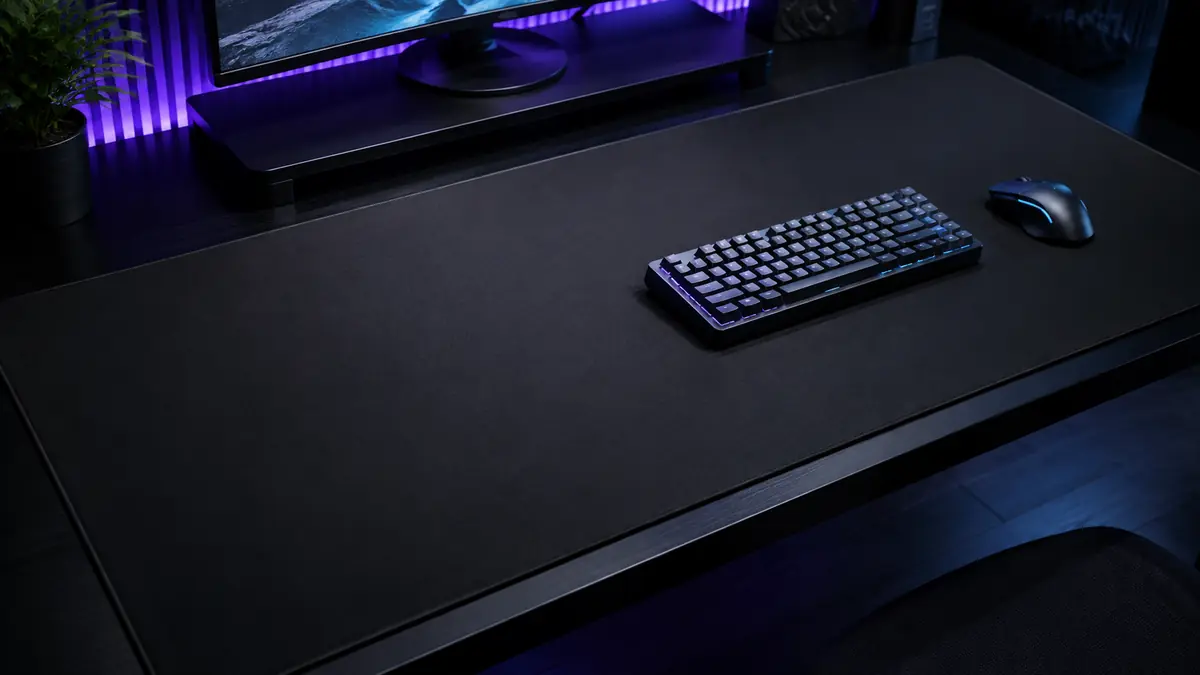

Running out of tracking space during a game or constantly sliding your mouse onto the bare desk is frustrating. The term xxxxl mouse usually refers to a XXXXL mouse pad: an oversized mat designed to accommodate a mouse, keyboard, and other desktop equipment on one continuous surface.
A xxxxl mouse pad is a full-desk or near-full-desk mat, commonly measuring between 1,200 and 1,600 mm wide. It provides generous mouse movement, protects the desktop, stabilizes peripherals, and creates a consistent tracking surface. Actual dimensions matter more than labels because manufacturers do not follow a universal sizing standard.
What Does xxxxl mouse Mean?
The phrase xxxxl mouse does not normally describe an unusually large computer mouse. In search results and product listings, it generally means an extra-extra-extra-extra-large mouse pad, gaming mat, or desk mat.
These products may also be described as:
- XXXXL mouse pads
- 4XL mouse pads
- Full-desk mouse mats
- Extended gaming mouse pads
- Oversized desk mats
- Keyboard-and-mouse pads
The extra width allows a keyboard and mouse to share one level surface. Deeper models can also hold a laptop, tablet, controller, stream deck, or other accessories.
There is no official international standard defining XL, XXL, 3XL, or 4XL mouse-pad sizes. One company’s 3XL model may be larger than another company’s 4XL product. SteelSeries, for example, lists some 4XL mats at approximately 1,220 × 762 mm, while other sellers use “XXXXL” for products measuring around 1,200 × 600 mm.
That is why the printed dimensions—not the number of Xs—should guide your decision.
XXXXL Mouse Pad Sizes Explained
Oversized mouse-pad terminology can be confusing because brands classify their products differently. The following ranges provide a useful general comparison rather than a strict standard.
| Size category | Typical dimensions | What usually fits |
|---|---|---|
| Standard | 250–450 × 200–400 mm | Mouse only |
| Large or XL | 450–900 × 300–400 mm | Mouse with extra movement space |
| XXL or extended | 800–950 × 300–450 mm | Keyboard and mouse |
| 3XL or XXXL | 1,000–1,220 × 500–600 mm | Keyboard, mouse, and accessories |
| 4XL or XXXXL | 1,200–1,600 × 600–800 mm | Most or all of a large desktop |
These categories frequently overlap. The Razer Gigantus V2 3XL, for instance, measures approximately 1,200 × 550 × 4 mm. SteelSeries lists larger QcK options extending to 4XL and 5XL, while Corsair calls its 930 × 300 mm MM300 Pro an “Extended” model.
Is a XXXXL Mouse Pad Really Necessary?
A 4XL pad makes sense when you have a large desk, use low mouse sensitivity, or want one mat beneath several devices. It is less practical if you have limited desk depth, frequently move your setup, or do not have enough space to wash and dry a large cloth surface.
A smaller extended pad is often enough for a standard keyboard-and-mouse setup. Full-desk coverage becomes valuable when size solves a specific problem rather than simply making the workstation look bigger.
How to Measure Your Desk for a xxxxl mouse Pad
Measure the desk before comparing designs, surfaces, or decorative prints. A mat that technically matches the desk width may still interfere with equipment.
1. Measure the Usable Width
Measure the clear horizontal area between objects that cannot be moved. Include the space occupied by:
- Desktop computer cases
- Speaker stands
- Monitor arms
- Charging docks
- Desk lamps
- Microphone mounts
A 1,200 mm mat requires slightly more than 1,200 mm of unobstructed desk width. Leaving a small border makes placement easier and prevents stitched edges from hanging over the desk.
2. Check the Available Depth
Desk depth is often the limiting measurement. A 600 or 800 mm-deep mat may cover cable holes, overlap a curved front edge, or sit underneath a monitor stand.
Measure from the back of the intended mat position to the front edge of the desk. Leave enough room for comfortable keyboard placement and avoid positioning a thick stitched border directly under your forearms.
3. Measure Your Equipment
Arrange the keyboard, mouse, and essential accessories as you normally use them. Measure that working zone rather than assuming every device needs to sit on the mat.
A full-size keyboard is wider than a tenkeyless or 60% keyboard. Low-DPI players also require more mouse space than high-sensitivity users who control the pointer mainly with wrist movements.
4. Allow Space for Mouse Travel
Move the mouse through the widest sweep you use while playing or working. Add a safety margin so the sensor never reaches an edge during a rapid turn or drag.
A practical sizing formula is:
keyboard width + required mouse movement + 100–200 mm of clearance
Quick Takeaway
Choose dimensions based on your usable desk area and natural arm movement. Treat “XXXXL” as a marketing category, not a reliable measurement.
Choosing the Best Surface Material
Surface material affects speed, stopping control, comfort, noise, cleaning, and sensor consistency. Size alone does not determine whether a pad will feel good.
Cloth Mouse Pads
Micro-woven cloth is the most common material for oversized gaming mats. It gives optical sensors a consistent texture and offers a balance between glide and stopping power.
Cloth is usually the safest general-purpose option because it is:
- Comfortable beneath the wrists and forearms
- Quiet during mouse movement
- Easy to roll for transport
- Suitable for gaming and office work
- Available in control, balanced, and speed-oriented weaves
The downside is that fabric absorbs perspiration, dust, skin oil, and spills. Humidity can also change the feel of some untreated cloth surfaces.
Hard Polymer Pads
Hard plastic or polymer surfaces create lower initial friction and a faster glide. They are easy to wipe clean and do not absorb liquids like cloth.
However, hard pads can be noisy, less comfortable under the forearm, and more abrasive to mouse feet. Truly full-desk hard pads are also less common because they are difficult to store and ship.
Glass Mouse Pads
Tempered-glass pads offer very fast, consistent movement and straightforward cleaning. They suit experienced users who prefer minimal friction.
Glass is usually a specialist choice rather than the best default. It can feel cold, amplify movement noise, show dust quickly, and wear mouse skates faster. Large glass panels are also heavy and vulnerable to edge damage.
Hybrid Surfaces
Hybrid mats combine a cloth-like construction with a faster, more textured finish. They can provide greater speed than conventional control cloth without the rigidity of plastic or glass.
The rougher texture may irritate the skin during wide arm movements, so comfort should be considered alongside performance.
Leather and Faux-Leather Desk Mats
Leather-style mats are popular in offices because they look neat and resist small spills. They work well for keyboards, laptops, writing, and general mouse use.
They are not always ideal for competitive gaming. Surface finishes can vary, and some provide less predictable stopping control than a dedicated gaming cloth.
| Surface | Speed | Control | Comfort | Cleaning | Best suited to |
|---|---|---|---|---|---|
| Cloth | Medium | High | High | Moderate | Gaming and everyday work |
| Hard polymer | High | Medium | Medium | Easy | Speed-focused users |
| Glass | Very high | Low to medium | Low | Easy | Specialized gaming setups |
| Hybrid | Medium to high | Medium | Medium | Moderate | Faster cloth-pad users |
| Faux leather | Medium | Medium | High | Easy | Offices and mixed use |
Thickness, Base Grip, and Edge Construction
A large mat must remain flat and stable across a much wider area than a standard mouse pad. Thickness, base material, and edge quality therefore matter considerably.
What Thickness Is Best?
Most large mouse pads are between 2 and 5 mm thick.
- 2 mm: Firm, low-profile, and easy to roll, but offers limited cushioning.
- 3 mm: A balanced choice for stability, comfort, and portability.
- 4 mm: More cushioning and better at masking minor desk imperfections.
- 5 mm: Soft and supportive, although it may feel spongy during precise movements.
Thickness does not inherently improve sensor accuracy. A modern optical sensor benefits primarily from a clean, flat, and consistent surface. Thickness changes the physical feel and the amount of cushioning.
Why the Base Matters
A non-slip rubber or rubber-foam base prevents the mat from shifting when the mouse moves quickly. This is particularly important for low-DPI gaming, where players make broad arm sweeps.
Inspect user feedback for reports of sliding, rippling, or rubber shedding. A huge mat has substantial surface contact, but an inexpensive base can still move on polished wood or glass.
Stitched Versus Unstitched Edges
Stitched edges help prevent the top layer from separating or fraying. They are useful on a mat that will remain in service for years, especially when the user’s forearm repeatedly contacts the front edge.
Poorly executed stitching can create its own problem: a raised, rough border that rubs the wrist. Look for low-profile, tightly finished stitching rather than simply checking whether stitching exists.
Unstitched edges can feel smoother initially but may peel over time. Some premium products use precisely cut or bonded edges instead.
XXXXL Mouse Pads for Gaming
Gamers benefit from oversized mats primarily because they offer unrestricted movement and a uniform playing surface.
Low-DPI and FPS Gaming
Low-DPI players often move the mouse with the whole arm. Games such as competitive first-person shooters require large tracking movements for turning and small corrections for aiming.
A deeper, wider pad lets the player complete those movements without:
- Lifting and repositioning the mouse unnecessarily
- Hitting the keyboard
- Sliding onto the bare desk
- Changing friction midway through a movement
DPI alone does not determine required space. In-game sensitivity, effective DPI, monitor resolution, and personal technique all influence the distance needed for a full turn.
Speed Versus Control
Fast surfaces require less force to start moving but may be harder to stop precisely. Control surfaces introduce more friction and can make small corrections feel deliberate.
Neither type is universally superior. Tactical-shooter players often prefer more stopping power, while users playing fast tracking games may favor a quicker surface. A balanced cloth weave is the most forgiving starting point.
Keyboard Stability
Placing the keyboard on the same mat can reduce sliding and soften mechanical-keyboard noise. The padding absorbs some vibration and gives both peripherals a consistent base.
The trade-off is that the keyboard occupies part of the advertised mouse area. Always calculate the remaining movement space after placing the keyboard.
XXXXL Mouse Pads for Work and Creative Setups
An oversized desk mat is not exclusively a gaming accessory. Office workers, video editors, designers, streamers, and remote professionals can benefit from the same surface.
Desk Protection
A full-width mat protects wood, laminate, and painted surfaces from:
- Mouse and keyboard scratches
- Pen marks
- Small spills
- Heat from ordinary peripherals
- Wear caused by wrist and forearm contact
A desk mat should not block a laptop’s ventilation openings. Gaming cloth and faux leather can retain heat, so laptops should remain on their feet or a ventilated stand.
Comfort and Noise Reduction
Soft material reduces direct contact between the forearms and a hard desktop. It also dampens keyboard vibration, mouse movement, and the sound of accessories being placed on the desk.
A mouse pad is not a medical ergonomic device, however. It cannot compensate for poor chair height, excessive wrist extension, or a keyboard positioned too far away.
Visual Organization
A single surface visually connects the keyboard, mouse, and accessories. This can make a multi-device setup appear calmer and more deliberate, particularly when the desk is visible during video calls or content creation.
Neutral colors tend to hide visual clutter. Detailed printed designs provide personality but can become distracting or reveal tracking inconsistencies if the coating and print quality are poor.
Features Worth Checking Before Choosing One
Product photographs rarely reveal how a mat performs after months of daily use. Check the construction details and exact specifications.
Practical Features
- Published width, depth, and thickness
- Consistent woven or textured surface
- Anti-slip rubber base
- Flat, low-profile stitched edges
- Washable or spill-resistant construction
- Colorfast printing
- Compatibility with optical and laser sensors
- Packaging that does not create permanent creases
Features That Need Extra Consideration
RGB edge lighting can create an attractive setup but adds cables, controllers, cost, and another potential failure point. The raised light tube may also feel uncomfortable along the front edge.
Wireless charging mats work only with compatible devices or charging modules. They can simplify a matched hardware ecosystem, but they do not improve tracking and may restrict future mouse choices.
Custom printing is useful for artwork, branding, or gifts. Print resolution, dye quality, and surface consistency matter more than the design preview. Thick ink or uneven coatings can change glide across different areas.
Common Mistakes to Avoid
Buying by the Size Label
“XXXXL” is not a standardized specification. Always compare dimensions in millimeters or inches.
Covering the Entire Desk Without Planning
Full coverage can block grommets, monitor mounts, drawers, charging cables, or ventilation. Sketch the layout before ordering.
Ignoring Desk-Edge Comfort
A thick or coarse stitched border may press against the forearm. Position the mat slightly away from the edge if necessary.
Choosing Appearance Over Surface Quality
An attractive print cannot compensate for inconsistent tracking, weak rubber, curling corners, or fabric that develops slow spots.
Folding the Mat
Folding can damage the base and create ridges. Roll it with the printed surface facing outward unless the manufacturer provides different instructions.
Expecting a Mouse Pad to Fix Every Tracking Problem
Cursor skipping can also result from a dirty sensor lens, damaged mouse feet, wireless interference, incorrect software settings, or a failing sensor. Test those factors before blaming the mat.
How to Clean a XXXXL Mouse Pad
Large cloth mats are harder to clean than standard pads, but routine care prevents dirt from becoming embedded in the weave.
Weekly Surface Cleaning
- Remove all devices and shake off loose debris.
- Wipe the surface with a dry microfiber cloth.
- Use a slightly damp cloth on visible marks.
- Let the surface dry completely before replacing equipment.
Deep Cleaning a Cloth Mat
- Check the manufacturer’s care instructions.
- Place the mat flat in a bathtub or large clean area.
- Use lukewarm water and a small amount of mild soap.
- Gently clean the surface with a soft sponge or microfiber cloth.
- Rinse thoroughly without twisting the mat.
- Press out water carefully with clean towels.
- Air-dry it flat in a ventilated, shaded location.
Avoid bleach, abrasive brushes, strong detergents, dryers, and prolonged high heat. These can damage the rubber base, adhesive layers, stitched edges, or printed coating.
RGB mats and wireless charging pads should never be submerged unless their manufacturer explicitly states that the electronic components are waterproof. Clean them according to the supplied instructions.
Quick Takeaway
Spot-clean frequently and deep-clean only when necessary. A completely dry, flat mat provides better grip and more consistent tracking than one returned to the desk while damp.
Is a xxxxl mouse Pad Worth It?
A xxxxl mouse pad is worth using when it provides enough room for natural movement, protects a large work surface, or organizes multiple peripherals. It can be especially helpful for low-sensitivity gamers, creators with several input devices, and office users who want cushioning and quieter keyboard use.
Its disadvantages are equally practical. A full-desk mat costs more, occupies substantial space, collects more dust, and can be awkward to wash and dry. It may also overwhelm a compact workstation.
For most users, the best configuration is a correctly measured cloth mat with a non-slip rubber base, consistent weave, and comfortable edge finish. A thickness of around 3–4 mm offers a sensible balance between firmness and cushioning.
The final decision should follow three steps: measure the usable desk area, identify how much mouse travel you genuinely need, and choose the surface feel you prefer. When those factors align, an oversized mouse pad becomes a functional part of the workstation rather than a decorative piece that is simply too large.
