
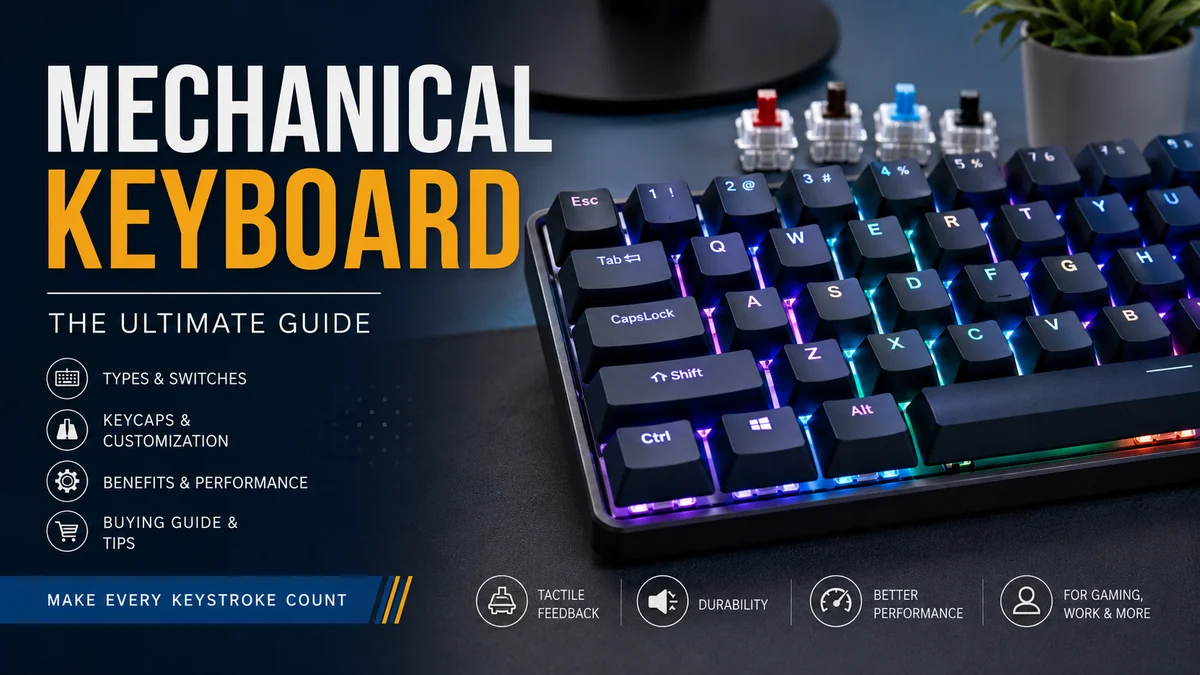

A keyboard can look simple from the outside, yet the mechanism beneath each key dramatically changes how typing feels. That is why people moving from a basic office keyboard to a mechanical keyboard often notice the difference within the first few sentences they type.
The appeal is not simply louder clicks or gaming aesthetics. Mechanical keyboards offer different switch characteristics, layouts, keycaps, mounting styles, firmware options, and levels of customization. Understanding those parts makes it much easier to separate genuinely useful features from marketing language.
A mechanical keyboard is a computer keyboard that uses an individual physical switch beneath each key. The switch typically contains a stem, spring, housing, and electrical contacts. This design provides more defined key movement and allows manufacturers to offer linear, tactile, clicky, silent, and other switch characteristics for different typing preferences.
What Is a mechanical keyboard?
The defining feature of a mechanical keyboard is the individual switch beneath each key.
When you press a key, the keycap pushes the switch stem downward. At a certain point in its travel, known as the actuation point, the switch registers the keystroke. The spring then pushes the stem and keycap back toward their original position when you release the key.
Traditional membrane keyboards work differently. They normally use rubber domes and a membrane layer rather than independent spring-based mechanical switches.
A typical mechanical key assembly includes:
- Keycap: the part your finger touches.
- Stem: moves downward when the key is pressed.
- Spring: controls resistance and returns the switch.
- Housing: surrounds the switch mechanism.
- Contacts: register the input on conventional mechanical switches.
- PCB: the printed circuit board that processes key inputs.
This modular construction is responsible for much of the category’s variety. Two keyboards that look nearly identical can feel completely different because their switches, keycaps, plate materials, internal mounting systems, and case construction are different.
How Does a mechanical keyboard Work?
Pressing a mechanical key begins a sequence of physical movements.
The keycap transfers force to the switch stem. As the stem moves, the spring compresses. On a conventional contact-based switch, movement inside the switch eventually changes the electrical state of its contacts, allowing the keyboard’s controller to recognize the keypress.
The computer does not necessarily wait for the key to travel completely to the bottom. Registration usually happens at an earlier actuation point.
After you release your finger, spring force sends the stem upward. At the switch’s reset point, the key becomes ready to register another press.
That distinction explains several common keyboard terms.
Actuation force
Actuation force describes roughly how much force is required to activate a switch.
Lighter switches can feel effortless during rapid typing or gaming, but some people accidentally press them. Heavier switches require more deliberate input and may feel tiring to users who type with a light touch.
There is no universally ideal force.
Pre-travel and total travel
Pre-travel is the distance a key moves before actuation.
Total travel is the complete downward movement available before the switch bottoms out.
Shorter actuation distances are sometimes promoted for gaming, but switch feel, technique, firmware, latency, and the overall keyboard implementation also matter.
Bottoming out
A switch can register before reaching the bottom of its travel.
New users often press every key all the way down because that is how many membrane keyboards are used. With practice, some typists learn to release mechanical keys shortly after actuation, potentially reducing unnecessary impact.
Mechanical Keyboard Switches: Linear, Tactile, and Clicky
Switch choice has one of the biggest effects on how a keyboard feels.
The three traditional categories are linear, tactile, and clicky. CHERRY, whose MX switch family helped establish the modern MX-style ecosystem, continues to manufacture all three categories.
| Switch type | Feel | Sound | Common preference |
|---|---|---|---|
| Linear | Smooth throughout the press | Usually moderate | Gaming, smooth typing |
| Tactile | Noticeable bump around actuation | Moderate | Typing, mixed use |
| Clicky | Tactile feedback plus an audible click | Loud | Users who enjoy pronounced feedback |
| Silent | Dampened movement | Quieter | Offices, shared rooms, late-night use |
Linear switches
A linear switch moves relatively smoothly from the top to the bottom without a deliberately designed tactile bump.
CHERRY MX Red is a familiar example of the category, although there are now hundreds of linear switches from manufacturers across the keyboard industry. CHERRY currently classifies MX Red as linear while offering other linear options with different weights and characteristics.
Gamers often gravitate toward linear switches because the uninterrupted travel can make repeated presses feel smooth.
That does not make linear switches inherently faster, however. A person’s preference and the technical implementation of the keyboard matter more than the switch category alone.
Tactile switches
Tactile switches produce a noticeable change in resistance during the keypress.
That bump provides physical feedback that can help you sense when a key is approaching or reaching activation.
CHERRY MX Brown is one established example, while heavier tactile switches offer a more pronounced bump. CHERRY describes MX Brown as tactile without an audible click mechanism.
Tactile switches are popular with people who spend much of the day writing, programming, editing, or performing general computer work.
Clicky switches
Clicky switches combine tactile feedback with an intentional audible click.
CHERRY MX Blue is a classic example. CHERRY categorizes it as tactile and acoustic, while switches such as MX Green provide a heavier variation of the general experience.
The sound can be satisfying when you are alone, but it can quickly become distracting in an open office, shared bedroom, library, classroom, or voice-chat environment.
Silent switches
Silent mechanical switches add dampening features that reduce impact noises during upward and downward movement.
They are not literally silent. Keycaps, stabilizers, the case, typing technique, and your desk can still produce sound.
They can nevertheless make a dramatic difference when low noise is a priority.
Mechanical vs Membrane Keyboard: What Is the Difference?
The biggest difference is not RGB lighting, price, or appearance. It is the mechanism underneath the keys.
A membrane keyboard generally uses a rubber-dome or membrane-based system spanning much of the board. A mechanical model gives individual keys their own physical switch mechanisms.
| Feature | Mechanical | Membrane |
|---|---|---|
| Key mechanism | Individual switches | Rubber dome/membrane |
| Typing feedback | Highly configurable | Usually softer |
| Switch replacement | Possible on some models | Usually impractical |
| Sound | Quiet to very loud | Usually quieter |
| Customization | Extensive | Limited |
| Thickness | Often greater | Can be very thin |
| Typical price | Often higher | Often lower |
| Repair potential | Good on modular boards | Usually limited |
Mechanical is not automatically better in every situation.
A thin membrane keyboard may make more sense for travel. Laptop-style scissor switches may appeal to someone who prefers very short key travel. A basic membrane model may also be entirely adequate for occasional use.
The strength of mechanical designs is choice.
Why Do People Use Mechanical Keyboards?
A mechanical keyboard is popular because several aspects of the typing experience can be chosen independently rather than being fixed by the manufacturer.
More defined feedback
Individual switches can create a clearer physical response.
Some people like the smoothness of a linear switch. Others want a tactile bump or a click they can hear. This makes keyboard feel less of a one-size-fits-all decision.
Durability
Mechanical switches can have very high rated lifespans.
For example, CHERRY rates a number of current MX switches for up to 100 million actuations per key, although the precise rating varies between individual switch models.
That figure describes switch testing rather than guaranteeing that an entire keyboard will last for a fixed number of years. USB ports, batteries, PCBs, solder joints, stabilizers, keycaps, and other components can fail independently.
Repairability
Some mechanical keyboards can be repaired instead of immediately replaced.
A damaged keycap can often be changed. A hot-swappable board may allow a faulty switch to be pulled out and replaced within minutes.
Boards designed around widely available components offer especially good long-term serviceability.
Customization
Mechanical keyboards can range from simple factory-built models to extensively customized systems.
Users may change switches, keycaps, stabilizers, plates, foam, cases, cables, firmware, and key mappings.
For many owners, customization becomes as interesting as typing itself.
Mechanical Keyboard Layouts Explained
The percentage attached to a keyboard usually describes its approximate size relative to a traditional full-size layout rather than an exact percentage of key count.
Common formats include 100%, TKL, 75%, 65%, and 60%.
Full-size or 100%
A full-size board usually includes:
a main alphanumeric area, function row, arrow keys, navigation cluster, and dedicated numeric keypad.
This arrangement works particularly well for accounting, spreadsheets, numerical entry, data processing, and jobs that depend heavily on the numpad.
The trade-off is width.
A large keyboard moves the mouse farther away from your body’s centerline and occupies more desk space.
TKL or 80%
Tenkeyless, commonly called TKL, removes the number pad while retaining the function row, arrows, and most navigation keys.
It is a practical middle ground for users who rarely use numeric entry but do not want to relearn a highly compact layout.
75%
A 75% keyboard preserves many of the keys found on a TKL board while packing them into a tighter arrangement.
You normally keep the function row and arrows, while navigation keys are condensed along the side.
This has become a popular size because it saves meaningful space without removing too many dedicated controls.
65%
A 65% keyboard generally removes the dedicated function row but keeps arrow keys and a small selection of navigation controls.
Function-row commands are usually accessed through an Fn layer.
For people who rarely use F1 through F12 directly, the compromise can work well.
60%
A 60% keyboard usually removes the number pad, function row, navigation cluster, and dedicated arrow keys.
Those functions are still accessible through layers and key combinations.
The desk footprint is excellent, but the learning curve is much higher if your workflow regularly uses arrows, Delete, Home, End, Page Up, Page Down, or function keys.
Smaller, split, and ergonomic layouts
The hobby extends well beyond conventional rectangles.
There are 40% boards, ortholinear keyboards, column-staggered designs, Alice-style layouts, and fully split keyboards.
These designs can be useful for specialized workflows or ergonomic experimentation, but they require more adaptation than standard layouts.
Quick Takeaway: Choose your layout based on keys you actually use, not on which percentage currently looks fashionable. A missing key you need twenty times an hour becomes frustrating very quickly.
What Is a Hot-Swappable Mechanical Keyboard?
A hot-swappable mechanical keyboard lets compatible switches be removed and installed without soldering.
The PCB contains sockets designed to hold removable switches.
For example, some Keychron hot-swap PCBs support both 3-pin and 5-pin MX-style mechanical switches.
Hot-swap support is valuable for two reasons.
First, it makes experimenting with different switches much easier.
Second, a failed switch can often be replaced without disassembling and soldering the PCB.
There are still compatibility limitations. MX-style mechanical switches, low-profile switches, optical switches, and magnetic switches are not universally interchangeable simply because two keyboards are described as hot-swappable.
Always check the specific PCB and switch ecosystem.
Mechanical Keyboard Keycaps: ABS, PBT, and Profiles
The keycap is more than decoration.
Its material, thickness, height, shape, and manufacturing process influence texture, sound, appearance, and typing feel.
ABS vs PBT keycaps
ABS, or acrylonitrile butadiene styrene, is widely used for keycaps. High-quality ABS sets can offer crisp legends and rich colors, although the surface can develop visible shine with prolonged use.
PBT, or polybutylene terephthalate, generally has a more textured feel and tends to resist surface shine well.
Material alone does not determine quality. A thick, carefully manufactured ABS keycap can be substantially better than a poorly manufactured PBT cap.
Doubleshot legends
Doubleshot keycaps are made using separate pieces or injections of plastic so the legend forms part of the keycap rather than being printed only on its surface.
That makes the legend highly resistant to wearing away.
Dye-sublimated legends
Dye sublimation transfers dye into the keycap material under heat.
It is particularly common on PBT sets and can produce highly durable legends.
Keycap profiles
A keycap profile describes factors such as height, surface shape, and how rows are sculpted.
Common profiles include:
Cherry, OEM, SA, DSA, XDA, and MT3.
Cherry and OEM are familiar cylindrical styles, with OEM typically taller. SA is substantially taller, while DSA is a comparatively low uniform profile.
Profile changes the angle at which your fingers approach the keyboard, how your fingers move between rows, and even the acoustics of each keypress.
It is therefore worth treating keycap profile as a functional choice rather than purely an aesthetic one.
What Determines Mechanical Keyboard Sound?
Describing a keyboard as simply “loud” or “quiet” misses most of what creates its sound.
The final acoustic character comes from several components interacting at once.
Switch type is an obvious factor. Clicky switches deliberately generate sound, while silent switches include dampening mechanisms.
But the case, plate, mounting method, keycaps, stabilizers, PCB, internal foam, desk surface, and typing force can all alter what you hear.
That is why the same switch can sound surprisingly different in two boards.
Modern keyboards may use sound-dampening foam and gasket-mounted construction to change resonance and key feel. Current models demonstrate how manufacturers increasingly treat internal acoustics as part of keyboard engineering rather than an afterthought.
Common enthusiast descriptions such as thocky, clacky, creamy, poppy, and marbly are subjective shorthand rather than standardized technical measurements.
Sound-test videos can help, but microphones, room acoustics, recording gain, compression, and your speakers can significantly change the result.
Gaming Features: Polling Rate, N-Key Rollover, and Magnetic Switches
Mechanical keyboards have traditionally been associated with gaming, but modern gaming keyboards involve more than conventional mechanical switches.
Polling rate
Polling rate describes how frequently a USB device reports information to the computer.
A 1,000 Hz polling rate corresponds to a polling interval of approximately one millisecond. Some newer gaming keyboards advertise 4,000 Hz or 8,000 Hz operation.
Higher numbers reduce part of the input pipeline, but they should not be treated as a simple measure of keyboard quality.
Switch processing, firmware, debounce behavior, scan rate, the computer, the game, display refresh rate, and human reaction time all contribute to the experience.
N-key rollover
N-key rollover, often shortened to NKRO, means the keyboard can correctly recognize many simultaneous keypresses rather than losing inputs when several keys are held at once.
This can be useful in games involving complex combinations and for very fast typing.
Anti-ghosting is related but not exactly the same concept. It broadly refers to preventing incorrect or missed inputs caused by certain multi-key combinations.
Magnetic Hall Effect switches
A significant recent development is the popularity of Hall Effect keyboards.
Rather than relying on conventional metal contacts to detect a fixed actuation event, Hall Effect systems use magnetic sensing to measure switch position.
This allows compatible keyboards to offer software-adjustable actuation distances.
Some also implement Rapid Trigger, where reset behavior dynamically follows key movement rather than requiring the key to travel back to a conventional fixed reset point.
Current gaming boards can offer features such as adjustable actuation, Rapid Trigger, and very high polling rates alongside traditional keyboard controls.
Hall Effect should not be confused with a standard MX mechanical switch, even though both may provide a similar spring-loaded physical key movement.
Wired, Bluetooth, or 2.4 GHz Wireless?
Connection method affects convenience, battery life, latency, and device compatibility.
Wired USB
Wired operation is straightforward.
There is no battery to charge, and USB generally provides the most predictable connection for competitive gaming and firmware tasks.
Bluetooth
Bluetooth is convenient for laptops, tablets, phones, and switching between multiple devices.
Its primary strengths are compatibility and low cable clutter rather than minimum possible latency.
2.4 GHz wireless
A proprietary 2.4 GHz USB receiver can provide lower-latency wireless operation than typical Bluetooth implementations.
Many modern boards combine all three methods: USB, Bluetooth, and 2.4 GHz wireless.
That flexibility is useful if the same keyboard moves between a desktop, work laptop, and mobile device.
QMK, VIA, Macros, and Keyboard Firmware
One of the most useful enthusiast features has little to do with switches.
It is programmable firmware.
QMK, short for Quantum Mechanical Keyboard, is an open-source ecosystem for computer input devices. Supported keyboards can use it for custom keymaps, layers, keycodes, macros, and more advanced functions.
Compatible configuration tools can make remapping easier for people who do not want to work directly with source code.
This matters particularly on compact layouts.
A 60% keyboard might lack a physical F-row, but firmware layers can place F1–F12 beneath another set of keys. Caps Lock could become Control. A dedicated macro could perform a repetitive workflow. Media controls can live on a secondary layer.
For programmers, writers, video editors, designers, and other shortcut-heavy users, flexible firmware can have more practical value than RGB lighting.
Are Mechanical Keyboards Better for Typing?
They can be, but the answer depends on the typist.
Mechanical switches offer a broad range of force curves and feedback characteristics, allowing you to choose something that complements your typing style.
A light typist might prefer a low-force linear switch. Someone who likes obvious feedback may prefer tactile switches. Another person might type most confidently with a clicky mechanism.
Keycap profile matters too. Different heights and sculpting alter finger movement and the position of your hands.
What a mechanical keyboard cannot do is automatically correct poor ergonomics.
If your wrists are sharply extended, the keyboard is placed too high, your chair is poorly adjusted, or you type with excessive force, simply replacing the switch mechanism will not solve every comfort problem.
A comfortable setup depends on the whole workstation.
Are Mechanical Keyboards Good for Gaming?
Yes, but “mechanical” by itself does not guarantee better gaming performance.
A good gaming board should provide reliable input, appropriate rollover, stable switches, suitable firmware, and a layout that matches the game.
For competitive players, wired or low-latency 2.4 GHz connectivity may matter more than Bluetooth. Some users prefer light linear switches, while others now choose Hall Effect models because adjustable actuation and Rapid Trigger can change key reset behavior.
Yet switch feel remains personal.
Someone who plays slowly paced strategy games may value typing comfort and dedicated macro keys over extremely high polling rates. A competitive FPS player may care much more about input characteristics and mouse space.
Choose around the games you actually play.
Common Mechanical Keyboard Drawbacks
Mechanical keyboards have genuine advantages, but there are trade-offs.
Noise is the most obvious. Even non-clicky switches can be surprisingly audible when a typist bottoms them out forcefully.
Height can also be an issue. Traditional mechanical switches produce a taller keyboard than many laptop or scissor-switch designs, although low-profile mechanical technologies exist. CHERRY, for example, offers dedicated low-profile and ultra-low-profile MX designs.
Cost can rise quickly once premium cases, switches, keycaps, stabilizers, and custom components enter the picture.
Complexity is another downside. Beginners can easily become buried in terminology such as gasket mount, plate material, north-facing LEDs, south-facing LEDs, 3-pin, 5-pin, stabilizer tuning, lubrication, force curves, and firmware flashing.
Finally, customization can become an expensive hobby without delivering meaningful benefits for every user.
A well-built stock keyboard may be all you ever need.
How to Choose a mechanical keyboard
The easiest way to choose a keyboard is to work through the decisions that affect daily use before worrying about cosmetic details.
- Choose the layout first. If you regularly enter numbers, consider full-size. If you rarely touch the numpad, TKL or 75% can free desk space. Pick 65% or 60% only if you are comfortable using layers for missing keys.
- Decide how much noise is acceptable. Shared workspaces favor silent linear or quiet tactile designs. Clicky switches make more sense when noise does not affect other people.
- Pick switch feel. Try linear, tactile, and clicky switches rather than assuming switch color tells the whole story. CHERRY itself currently offers numerous variants across all three categories.
- Check hot-swap support. If you expect to experiment with switches or value easy repairs, a hot-swappable PCB is worth considering.
- Choose connectivity. Wired is simple and reliable. Bluetooth is excellent for multiple devices. A 2.4 GHz receiver is useful when you want wireless convenience with stronger gaming performance.
- Inspect keycaps and compatibility. Check material, profile, legend method, key sizes, bottom-row compatibility, and switch stem type before buying replacement sets.
- Consider firmware. QMK or other robust remapping systems become valuable if you use layers, macros, alternative layouts, or unusual shortcut arrangements.
- Treat extreme specifications realistically. An 8,000 Hz polling rate or ultra-short actuation distance is not automatically useful for everyone. Features should solve a real problem in your workflow.
Trying switches before committing remains one of the most useful steps. A switch tester cannot perfectly reproduce the experience of a complete keyboard, but it can quickly reveal whether you enjoy light linears, strong tactile bumps, or loud click mechanisms.
Mechanical Keyboard Maintenance
Mechanical keyboards require relatively little routine maintenance.
For everyday cleaning, unplug the keyboard first. Remove loose debris using appropriate compressed air or a soft brush. Keycaps can usually be removed with a keycap puller when deeper cleaning is needed.
Do not pour cleaning liquid into the switches or onto the PCB.
Hot-swappable boards deserve extra care when changing switches. Pull the switch vertically using a proper switch puller and make sure its metal pins are straight before reinstalling it. Forcing a bent pin into a socket can damage either the switch or the hot-swap socket.
Larger keys such as Spacebar, Enter, Backspace, and Shift use stabilizers. If those keys begin rattling or feeling uneven, the stabilizer rather than the switch may be the cause.
Firmware should only be flashed using instructions specifically written for the keyboard model. QMK documentation notes that different controllers and bootloaders can require different flashing procedures, so using a random firmware file is a poor troubleshooting shortcut.
Is a mechanical keyboard Worth It?
A mechanical keyboard is worth considering when you care about typing feel, switch choice, repairability, customization, programmable layouts, or precise control over how your keyboard behaves.
It is not automatically necessary for using a computer effectively.
A quiet membrane or scissor-switch keyboard may remain a better fit when cost, portability, minimal thickness, or simplicity matters most.
The strongest reason to use a mechanical design is not that it is universally superior. It is that the platform gives you far more control over the interface you touch every time you use your computer.
Start with layout and comfort. Decide how much noise you can tolerate. Try several switch types, then consider hot-swap support, keycaps, wireless connectivity, firmware, and advanced gaming features only when they serve a real purpose.
Once those fundamentals are right, the mechanical keyboard stops being a collection of confusing specifications and becomes something much simpler: a keyboard shaped around the way you actually type and work.
