
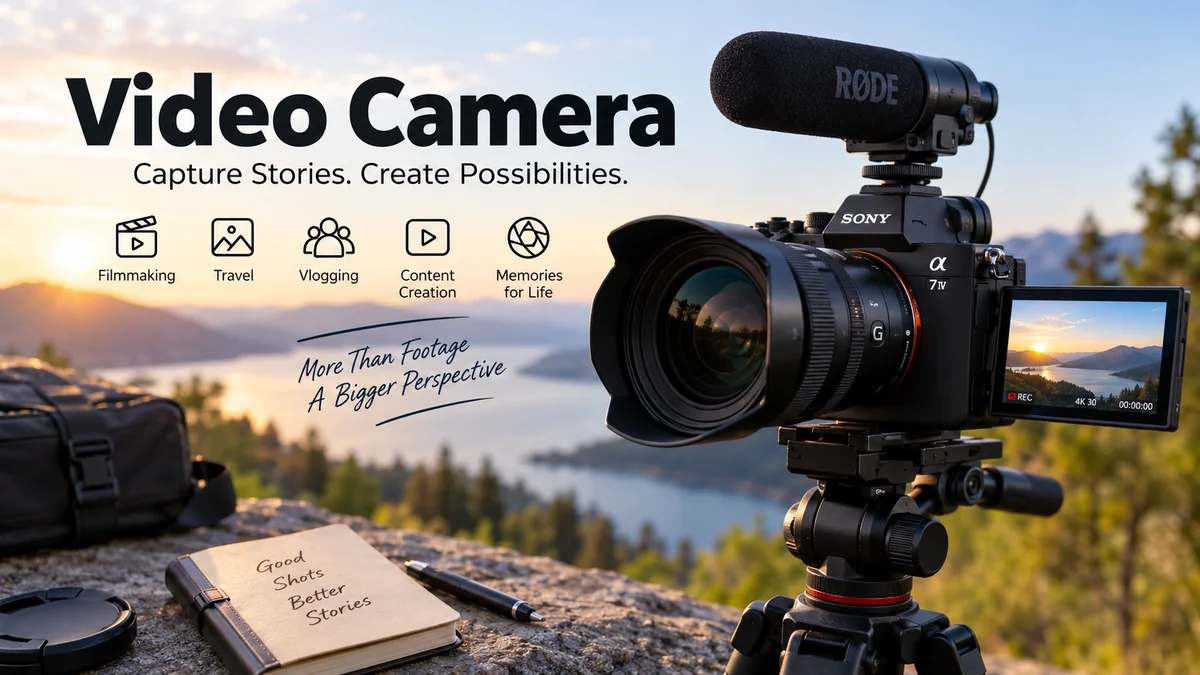

A video camera does much more than simply capture moving pictures. Modern models combine high-resolution imaging, fast autofocus, optical stabilization, advanced microphones, interchangeable or built-in lenses, and digital recording formats that can produce everything from family videos to television broadcasts and cinematic productions.
A video camera is an electronic imaging device designed to capture a sequence of moving images, usually together with sound, and convert them into digital video. Modern cameras typically use CMOS image sensors, record to memory cards or internal storage, and support formats ranging from Full HD to 4K, 6K, or even 8K depending on the camera class.
Understanding how these cameras work makes it much easier to choose suitable equipment, set it up correctly, and improve the quality of recorded footage.
What Is a video camera?
A video camera is a camera specifically capable of capturing moving images electronically. Cambridge Dictionary describes the term as a camera that records moving pictures and sound digitally or, historically, onto videotape.
Traditional movie cameras exposed frames onto photographic film. A modern digital video camera instead collects light using an electronic image sensor and converts that information into digital data.
That data can then be:
- saved to an SD card or other storage medium
- transferred to a computer
- displayed on a television or monitor
- edited in video-editing software
- streamed over the internet
- broadcast live
The term covers many different devices, including consumer camcorders, professional broadcast cameras, cinema cameras, action cameras, webcams, security cameras, and mirrorless cameras capable of sophisticated video recording.
Is a video camera the same as a camcorder?
Not exactly.
A video camera is the broad category. A camcorder is a self-contained portable video camera with recording hardware built into the same device.
The word camcorder originally came from combining “camera” and “recorder.” Early television cameras could capture electronic images but needed separate recording equipment. Consumer camcorders combined both functions into one portable unit.
Modern camcorders typically include:
- an integrated zoom lens
- a flip-out LCD screen
- built-in microphones
- internal or removable storage
- image stabilization
- autofocus
- a hand strap
- a rechargeable battery
Dedicated camcorders remain useful because their body design and powered optical zoom are optimized specifically for long-form video recording.
How Does a video camera Work?
Although the electronics are sophisticated, the basic process is straightforward.
Light from the scene enters through the lens. The lens focuses that light onto an electronic image sensor, usually a CMOS sensor. The sensor converts incoming light into electrical information. An image processor then converts those signals into individual video frames.
The camera combines thousands or millions of pixels from each frame to create the final moving image.
The basic recording process
- Light enters the lens.
- The aperture controls how much light reaches the sensor.
- The image sensor captures the light.
- The processor converts sensor data into digital images.
- Frames are captured repeatedly at the selected frame rate.
- The camera compresses and encodes the footage.
- Audio from the microphone is recorded alongside the picture.
- The video file is saved to a memory card or other storage device.
At 30 frames per second, for example, the camera effectively captures 30 individual images every second and plays them sequentially to produce the appearance of continuous motion.
Image sensor
The image sensor is one of the most influential components in the camera.
Modern cameras commonly use CMOS sensors. Sensor dimensions vary substantially between devices.
Common formats include:
- 1/2.3-inch sensors
- 1-inch sensors
- Micro Four Thirds
- APS-C
- Super 35
- full-frame sensors
Larger sensors can generally gather more light and offer greater control over shallow depth of field. They can also perform better in challenging lighting, although sensor technology, resolution, processing, lens aperture, and exposure settings all affect the final result.
For example, Sony’s FDR-AX700 camcorder uses a 1-inch stacked Exmor RS CMOS sensor and combines it with phase-detection and contrast-detection autofocus.
Main Types of video camera
Modern video recording is no longer dominated by a single camera design. Different camera categories serve very different shooting situations.
| Camera Type | Strongest Use | Key Advantage | Common Limitation |
|---|---|---|---|
| Camcorder | Events, family videos, education | Long recording and powerful zoom | Smaller sensors on many models |
| Mirrorless camera | Content creation, filmmaking | Excellent quality and interchangeable lenses | Lens costs and shorter battery life |
| Cinema camera | Film and commercial production | Dynamic range and professional codecs | Higher complexity |
| Action camera | Sports and travel | Tiny and rugged | Small sensor |
| Broadcast camera | Television and live events | Professional controls and connectivity | Size and cost |
| PTZ camera | Live production | Remote pan, tilt, and zoom | Less flexible for handheld use |
| Webcam | Calls and streaming | Easy computer connection | Limited shooting flexibility |
| Security camera | Surveillance | Continuous monitoring | Designed for observation rather than filmmaking |
Camcorders
A camcorder remains one of the most practical choices when recording continuously for long periods.
The integrated lens often provides a much larger optical zoom range than a typical interchangeable-lens setup. Many camcorders also have ergonomic controls for zooming, focusing, exposure, audio levels, and long handheld shooting.
Current professional and prosumer camcorders may offer 4K recording, XLR microphone inputs, built-in ND filters, dual memory-card slots, and streaming capabilities.
B&H notes that dedicated video cameras remain particularly useful for applications such as weddings, where reliability, optical zoom and low-light performance can be especially important.
Mirrorless cameras
A mirrorless camera uses an electronic display rather than the mirror mechanism found in traditional DSLRs.
These cameras have become highly capable video tools because they combine:
- large sensors
- interchangeable lenses
- high-quality autofocus
- compact bodies
- high-resolution recording
- advanced color profiles
- high frame rates
Many current models support 4K recording, while higher-end cameras may offer 6K or 8K capture.
Mirrorless cameras are particularly popular for documentaries, YouTube videos, interviews, weddings, short films and hybrid photo/video work.
DSLR cameras
DSLRs played an important role in bringing large-sensor video production to independent filmmakers.
A DSLR uses a mirror for its optical viewfinder. That mirror must move out of the optical path when the camera records video using live view.
Although capable DSLRs remain in use, current interchangeable-lens development has shifted heavily toward mirrorless systems.
Cinema cameras
Digital cinema cameras are designed primarily for filmmaking rather than everyday photography.
They may provide:
- high dynamic range
- RAW recording
- Log gamma profiles
- professional audio connections
- timecode
- high-bitrate codecs
- interchangeable lens mounts
- extensive monitoring tools
- high-resolution capture
Cinema cameras are commonly used for commercials, documentaries, television drama, streaming productions and feature films.
High-end models may record 6K, 8K or greater resolutions. However, extra resolution is mainly valuable when the production workflow actually benefits from reframing, visual effects, oversampling or large-format delivery. Even in 2026, 8K is not necessary for most ordinary video production.
Action cameras
Action cameras such as GoPro-style devices are built around portability and durability.
Their wide-angle lenses and tiny bodies make them well suited to:
- cycling
- skiing
- diving
- motorsports
- hiking
- POV footage
- travel videos
They can also be attached to helmets, vehicles, instruments and other equipment where a traditional camera would be impractical.
PTZ cameras
A PTZ camera can remotely pan, tilt and zoom.
These cameras are common in:
- conferences
- classrooms
- houses of worship
- television studios
- corporate meetings
- live streaming
- sports venues
A production operator can often control several PTZ cameras from one control station.
Broadcast cameras
Professional broadcast cameras prioritize reliability, connectivity, ergonomic controls and rapid operation.
Common features include:
- SDI outputs
- timecode
- XLR audio
- servo zoom
- interchangeable lenses
- electronic viewfinders
- ND filters
- professional monitoring
- external recorders
- live transmission support
They are designed for environments where the operator needs immediate access to essential controls rather than navigating menus.
video camera Resolution: HD, Full HD, 4K, 6K and 8K
Resolution describes the number of pixels used to form each video frame.
The most common formats include:
| Format | Typical Resolution | Approximate Pixels per Frame |
|---|---|---|
| HD | 1280 × 720 | 0.9 million |
| Full HD | 1920 × 1080 | 2.1 million |
| UHD 4K | 3840 × 2160 | 8.3 million |
| DCI 4K | 4096 × 2160 | 8.8 million |
| 6K | Varies by format | Around 19–24 million |
| 8K UHD | 7680 × 4320 | 33.2 million |
Is 4K worth using?
For most modern productions, 4K is an excellent practical recording resolution.
UHD 4K uses 3840 × 2160 pixels. Sony describes this format as containing roughly four times the pixel detail of Full HD.
Recording in 4K can also be useful even when your final video will be delivered at 1080p. The extra pixels allow more freedom to:
- crop the image
- stabilize footage
- reframe interviews
- create digital zooms
- downsample to cleaner Full HD
However, higher resolution also creates larger files and requires more processing power.
Do you need 8K?
Usually not.
8K can be valuable for professional productions that require substantial reframing, visual-effects work or very high-resolution masters. But 4K remains more practical for most creators because it requires less storage, computing power and bandwidth.
Resolution alone also does not determine video quality. A well-exposed 4K image from a strong sensor and lens can easily look better than poorly captured 8K footage.
Frame Rate and Why FPS Matters
Frame rate describes how many individual frames a camera records each second.
It is expressed in fps, meaning frames per second.
Common recording frame rates include:
- 23.976 fps
- 24 fps
- 25 fps
- 29.97 fps
- 30 fps
- 50 fps
- 59.94 fps
- 60 fps
- 100 fps
- 120 fps
24 fps
Around 24 fps is closely associated with the traditional cinematic look.
It works well for:
- narrative filmmaking
- documentaries
- music videos
- cinematic interviews
25 fps
25 fps is common in regions historically associated with PAL television systems, including many countries using 50 Hz electrical systems.
30 fps
30 fps produces slightly smoother motion and is widely used for online video, television-style content, tutorials and general recording.
50 and 60 fps
Higher frame rates make motion appear smoother.
They are helpful for:
- sports
- action
- gaming footage
- moving subjects
- slow-motion editing
If 60 fps footage is placed on a 30 fps timeline, it can generally be slowed to half speed while still supplying one captured frame for every output frame.
120 fps and higher
High-frame-rate recording is commonly used for slow motion.
Modern cameras may record Full HD at 100 or 120 fps, while some models also support high-frame-rate 4K. Sony’s current camera specifications, for example, demonstrate how recording modes can vary substantially by resolution, codec, bit depth and frame rate.
Understanding Lens and Optical Zoom
The lens determines how light reaches the sensor and strongly influences the final image.
Important lens characteristics include:
- focal length
- aperture
- optical quality
- focus performance
- zoom range
- stabilization
- minimum focusing distance
Optical zoom vs digital zoom
These terms are often confused.
Optical zoom changes focal length using physical lens elements. Image detail is preserved because the lens itself magnifies the subject.
Digital zoom enlarges part of the recorded image electronically. Because it effectively crops the image, excessive digital zoom can reduce visible detail.
For video, optical zoom is generally preferable.
Dedicated camcorders often have a major advantage here. Some models provide 10x, 12x, 20x or greater optical zoom ranges without requiring lens changes.
For example, Sony’s FDR-AX700 provides a 12x optical zoom, while the AX33 provides 10x optical zoom.
Aperture
The aperture is the opening inside the lens controlling how much light reaches the image sensor.
It is expressed using f-numbers such as:
- f/1.4
- f/1.8
- f/2.8
- f/4
- f/5.6
- f/8
A wider aperture, represented by a lower f-number, allows more light to reach the sensor and can create shallower depth of field.
Autofocus for Video
Reliable autofocus can make a significant difference when recording moving subjects.
Modern systems may use:
- contrast-detection autofocus
- phase-detection autofocus
- hybrid autofocus
- face detection
- eye detection
- subject tracking
- AI-assisted recognition
Hybrid systems combine different focusing methods to improve speed and accuracy.
For example, the Sony FDR-AX700 combines phase-detection and contrast-detection autofocus and provides hundreds of phase-detection focus points.
When manual focus is better
Autofocus is not always the right choice.
Manual focus can work better for:
- controlled interviews
- product videos
- macro footage
- cinema productions
- scenes where focus must remain locked
Professional cameras often provide focus-peaking and magnification tools to make manual focusing easier.
Image Stabilization and Smooth Footage
Even small movements become visible when recording handheld video.
Image stabilization helps compensate for this movement.
There are several approaches.
Optical image stabilization
Optical stabilization physically moves lens elements to counteract camera shake.
In-body image stabilization
Often called IBIS, this system moves the image sensor itself.
It is frequently found in mirrorless cameras.
Electronic stabilization
Electronic stabilization analyzes and adjusts the image digitally. It can work well but may crop the frame.
Gimbals and tripods
Electronic and optical stabilization cannot replace proper camera support in every situation.
For polished footage, filmmakers may use:
- tripods
- monopods
- shoulder rigs
- handheld cages
- motorized gimbals
- sliders
The best option depends on the shot.
Audio Quality Matters as Much as Picture Quality
One of the most common video mistakes is focusing entirely on image quality while ignoring sound.
Viewers will often tolerate imperfect visuals more readily than distorted, noisy or unintelligible dialogue.
A built-in microphone can work for casual footage, but external microphones produce much better results in many situations.
Common microphone types include:
- shotgun microphones
- lavalier microphones
- handheld microphones
- wireless microphone systems
- stereo microphones
Useful audio connections
Look for:
3.5 mm microphone input:
Allows connection of many consumer and creator microphones.
Headphone output:
Lets you monitor the recording while shooting.
XLR inputs:
Common on professional cameras and audio equipment. They provide secure connections and may support phantom power for professional microphones.
Professional cinema cameras and camcorders often offer stronger audio controls than photography-oriented cameras.
Bit Depth, Color Sampling and Dynamic Range
When comparing advanced video specifications, resolution is only part of the picture.
8-bit vs 10-bit video
Bit depth controls how many tonal values can be represented in each color channel.
8-bit video offers 256 values per channel.
10-bit video offers 1,024 values per channel.
That additional information can produce smoother gradients and gives colorists more flexibility during post-production.
Some modern cameras record internal 4:2:2 10-bit video. Sony’s current professional camera specifications, for example, include multiple 4K 10-bit recording modes.
Chroma subsampling
Video may be represented as:
- 4:4:4
- 4:2:2
- 4:2:0
These numbers describe how color information is sampled.
4:2:2 retains more chroma information than 4:2:0 and can be useful for professional color grading, compositing and green-screen work.
Dynamic range
Dynamic range refers to the range between the darkest and brightest tones a camera can reproduce while retaining usable detail.
More dynamic range can help preserve:
- bright skies
- highlights on faces
- window detail
- dark clothing
- shadow information
Log recording profiles are often used to preserve more tonal information for color grading.
Common examples across camera systems include S-Log, Canon Log and V-Log.
Video Codecs and File Formats
Video footage has to be encoded before it can be stored efficiently.
A codec is the method used to compress and decompress that video information.
Common codecs include:
- H.264/AVC
- H.265/HEVC
- Apple ProRes
- AV1 in some workflows
- proprietary RAW formats
Modern Sony cameras, for example, support formats based on both H.264 and H.265 depending on model and recording mode.
H.264
H.264 remains widely compatible and is easy to play on many devices.
It is commonly used for:
- general recording
- online video
- streaming
- consumer cameras
H.265
H.265, also called HEVC, can provide more efficient compression than H.264.
That efficiency can reduce file sizes for comparable quality, although H.265 footage may require more computer processing power during editing.
RAW video
RAW recording preserves substantially more sensor data.
It provides greater flexibility for:
- white-balance changes
- exposure adjustments
- color grading
- visual-effects workflows
The disadvantages are significantly larger files and greater storage and processing requirements.
For routine videos, RAW is usually unnecessary.
Memory Cards and Storage
Video requires sustained data writing rather than occasional bursts of data.
That means the memory card has to be fast enough for the selected recording mode.
Common storage types include:
- SDHC
- SDXC
- UHS-I SD
- UHS-II SD
- CFexpress Type A
- CFexpress Type B
- internal SSD
- external SSD
Understanding Video Speed Class
SD cards may display ratings such as:
- V10
- V30
- V60
- V90
These indicate minimum sustained sequential write speeds.
According to SanDisk’s current specification guidance:
| Rating | Minimum Sequential Write Speed |
|---|---|
| V10 | 10 MB/s |
| V30 | 30 MB/s |
| V60 | 60 MB/s |
| V90 | 90 MB/s |
V60 and V90 ratings are commonly associated with UHS-II cards, while actual camera requirements depend on recording bitrate and format.
Always follow the camera manufacturer’s recommended card specifications. A card can have a high advertised peak speed yet still be unsuitable if it cannot maintain the sustained write speed required for video.
Bitrate and File Size
Bitrate describes how much data is recorded per second.
It is commonly measured in Mbps, or megabits per second.
Higher bitrates can retain more image information but create larger files.
Consider a camera recording at 100 Mbps.
Since eight bits equal one byte:
100 Mbps ÷ 8 = roughly 12.5 MB per second.
That translates to approximately 750 MB per minute before accounting for file-system differences and other variables.
A one-hour recording can therefore consume tens of gigabytes.
Some professional recording modes go far beyond 100 Mbps. Sony specifications show certain 4K intraframe modes reaching several hundred Mbps.
This is why storage planning matters for long shoots.
video camera vs Smartphone Camera
Modern smartphones can produce excellent video, but dedicated cameras still offer several important advantages.
| Feature | Dedicated video camera | Smartphone |
|---|---|---|
| Sensor options | Small to full-frame | Generally small |
| Optical zoom | Often extensive | Usually limited to several fixed lenses |
| Interchangeable lenses | Available on many systems | No |
| Professional audio | Strong support | Usually needs adapters |
| Manual controls | Extensive | More limited |
| Long recording | Often better suited | Can face heat/battery limits |
| Portability | Moderate | Excellent |
| Convenience | Requires separate device | Always available |
| Image stabilization | Excellent on many models | Excellent computational stabilization |
| Professional connections | Available | Limited |
A smartphone is often enough for casual social video, travel clips and family memories.
A dedicated video system becomes more valuable when you need better lenses, long focal lengths, professional sound, controlled exposure, reliable long recording or advanced post-production flexibility.
video camera vs Mirrorless Camera
The distinction here is mainly about design and shooting style.
A traditional camcorder is optimized for continuous video operation. A mirrorless camera is a hybrid imaging device capable of both photography and high-quality video.
Camcorder advantages
- built-in long-range zoom
- comfortable handheld shape
- long recording sessions
- easy zoom control
- fewer lens changes
- professional audio options on higher-end models
Mirrorless advantages
- larger sensor options
- interchangeable lenses
- shallow depth-of-field control
- strong low-light performance
- advanced cinematic image quality
- excellent photography capabilities
If you’re recording conferences, ceremonies, sports or lectures from one position, a camcorder’s integrated zoom and ergonomics can be extremely practical.
For cinematic filmmaking, interviews, music videos or hybrid photography, mirrorless systems offer much greater lens flexibility.
What Features Matter Most in a video camera?
Camera specification sheets can become overwhelming. Focus first on the features that directly affect the way you plan to shoot.
1. Sensor size
Larger sensors can improve low-light capability and give greater depth-of-field control.
Do not assume larger is automatically better, though. Smaller sensors can provide deeper focus and enable compact lenses with extremely long zoom ranges.
2. Resolution
For most users, 4K offers a strong balance between image quality, storage requirements and editing flexibility.
3. Frame rates
Look beyond the headline resolution.
A camera might support 4K at 30 fps but only offer 60 or 120 fps when recording Full HD.
4. Optical zoom
Optical zoom matters enormously for wildlife, sports, ceremonies, lectures and events where the camera cannot move close to the subject.
5. Autofocus
Reliable face, eye and subject tracking can dramatically increase usable footage for solo creators.
6. Stabilization
For handheld shooting, strong optical stabilization or IBIS can be more useful than an extra increment of resolution.
7. Microphone connectivity
A microphone input is valuable. A headphone jack is even better because it allows you to detect sound problems during recording rather than afterward.
8. Battery life
Video drains batteries quickly because the sensor, processor and display operate continuously.
For long sessions, check whether the camera can:
- accept larger batteries
- run from USB-C power
- operate from AC power
- use hot-swappable batteries
9. Recording limits and overheating
High-resolution video generates heat.
Some compact cameras may restrict recording duration under demanding settings. Long-form event shooters should investigate thermal performance rather than relying only on headline specifications.
10. Connectivity
Useful interfaces can include:
- HDMI
- USB-C
- SDI
- Wi-Fi
- Ethernet
- microphone input
- headphone output
- timecode
- XLR audio
Current professional cameras can also include network streaming through protocols such as RTMP, RTMPS and SRT.
How to Set Up a video camera for Better Results
Expensive equipment does not automatically produce professional-looking footage. Basic technique has a much larger effect than many beginners expect.
Choose the recording resolution
For general production, begin with 4K if your storage and computer can handle it.
Full HD remains perfectly usable when:
- storage is limited
- recordings are very long
- fast turnaround matters
- the final delivery is only 1080p
Select the frame rate
Use a frame rate appropriate to the final output.
A practical starting point is:
- 24/25 fps for cinematic or narrative work
- 30 fps for general online video
- 50/60 fps for fast movement or mild slow motion
- 100/120 fps for stronger slow-motion effects
Set shutter speed
A commonly used starting point is a shutter speed roughly twice the frame rate.
For example:
- 24 fps → about 1/48 or 1/50 sec
- 25 fps → 1/50 sec
- 30 fps → about 1/60 sec
- 60 fps → about 1/120 sec
This approach usually produces natural-looking motion blur.
It is a creative guideline rather than an absolute rule.
Set white balance
Incorrect white balance can make skin appear too orange, blue or green.
Preset or custom options may include:
- daylight
- cloudy
- tungsten
- fluorescent
- Kelvin temperature
- custom white balance
For controlled productions, manual white balance is usually more consistent than automatic white balance because the color does not change unexpectedly during the shot.
Control exposure
Exposure is mainly influenced by:
- aperture
- shutter speed
- ISO or gain
- neutral-density filters
- lighting
When recording outdoors, ND filters are particularly useful because they reduce light without forcing you to change your preferred aperture or shutter speed.
Professional camcorders commonly include internal ND filters for this reason.
Practical Video Shooting Tips
Good technique matters regardless of camera price.
Keep the camera stable
Use both hands when possible.
For static shots, a tripod usually produces better results than trying to correct severe shake in software later.
Watch your background
A distracting object behind someone’s head can ruin an otherwise strong interview.
Check the edges and background of the frame before recording.
Record clean audio
Place the microphone close to the person speaking.
Moving a microphone closer usually improves speech clarity far more than simply increasing recording volume.
Protect highlights
Bright highlights can become permanently clipped.
Watch exposure aids such as:
- zebras
- waveforms
- histograms
- false color
These tools make exposure judgments more reliable than relying solely on LCD brightness.
Avoid unnecessary digital zoom
Move closer or use optical zoom whenever practical.
Digital magnification can reduce image quality.
Record extra footage
Capture establishing shots, close-ups, reaction shots and environmental details.
This supplementary footage—often called B-roll—makes editing substantially easier.
Hold each shot long enough
A common beginner mistake is moving the camera constantly.
For many situations, record a stable shot for several seconds before changing framing.
Editors need usable handles at the beginning and end of clips.
Common video camera Mistakes
A few technical mistakes repeatedly cause disappointing footage.
Buying based only on resolution
An 8K label does not automatically mean better footage.
Sensor performance, dynamic range, autofocus, lenses, stabilization, bitrate, codec and lighting can matter far more.
Ignoring audio
Poor sound immediately makes otherwise sharp footage feel amateurish.
Using automatic settings for everything
Auto exposure and white balance are useful, but they can visibly change while recording.
Learning a few manual controls creates more consistent footage.
Recording everything handheld
Stabilization helps, but deliberate support still produces a different look.
Use a tripod when the shot should feel stationary.
Underestimating storage
High-bitrate 4K footage fills memory cards quickly.
Calculate recording capacity before important events.
Forgetting spare power
Always start critical shoots with charged batteries and adequate backup power.
Using the wrong memory card
High-resolution or high-frame-rate modes may require specific card speed classes. Check the manufacturer’s recording-media requirements before relying on a card.
What video camera Is Best for Different Uses?
There is no universally best camera category. The correct choice depends on how it will actually be used.
Family and travel video
Prioritize:
- compact size
- stabilization
- automatic focus
- easy controls
- useful optical zoom
- good battery life
A consumer camcorder, compact camera or smartphone can work well.
YouTube and content creation
Prioritize:
- reliable face and eye autofocus
- flip or articulating screen
- microphone input
- 4K recording
- clean HDMI or USB streaming
- interchangeable lenses when needed
Mirrorless cameras are particularly strong here.
Weddings and events
Prioritize:
- reliability
- strong battery performance
- dual memory-card recording
- optical zoom
- low-light capability
- professional audio
- long recording capability
Dedicated camcorders and professional hybrid systems are common solutions.
Sports
Prioritize:
- fast autofocus
- high frame rates
- strong stabilization
- long focal lengths
- dependable subject tracking
Filmmaking
Prioritize:
- dynamic range
- 10-bit or RAW capture
- manual controls
- interchangeable lenses
- high-quality monitoring
- Log recording
- professional codecs
Live streaming
Prioritize:
- clean HDMI or SDI output
- continuous power
- reliable autofocus
- USB or network streaming
- microphone connectivity
- thermal reliability
Interviews
Prioritize:
- good audio
- accurate skin tones
- dependable focus
- strong low-light performance
- appropriate lenses
- headphone monitoring
Are Dedicated Video Cameras Still Relevant?
Yes, although their role has changed.
Smartphones have replaced basic consumer cameras for many casual situations, while mirrorless cameras have become dominant tools for creators who want both photographs and cinematic video.
But dedicated camcorders and professional video cameras still solve problems that hybrid cameras do not always handle as efficiently.
Their strengths include:
- long continuous recording
- smooth motorized optical zoom
- video-oriented ergonomics
- built-in ND filters
- dedicated audio controls
- professional I/O
- long battery options
- rapid manual control
Modern professional cameras are also increasingly network-aware. Some support Wi-Fi, smartphone remote operation, USB streaming and direct internet streaming in addition to conventional memory-card recording.
The category has therefore evolved rather than disappeared.
Understanding What Really Determines Video Quality
One final point matters more than almost any specification comparison: video quality is the result of an entire imaging system.
A high-quality image depends on the interaction of:
Lens quality — determines sharpness, contrast, distortion and light transmission.
Sensor performance — affects noise, dynamic range and sensitivity.
Image processing — influences detail, color and noise reduction.
Codec and bitrate — determine how much recorded information survives compression.
Bit depth and color sampling — influence grading flexibility.
Lighting — determines how well the camera can reproduce the subject.
Camera technique — affects composition, stability, exposure and focus.
Audio — strongly affects how professional viewers perceive the finished production.
This explains why buying the highest-resolution video camera available does not automatically produce the best footage.
A well-lit scene recorded with proper exposure, stable composition, clean audio and sensible camera settings will usually look more polished than technically higher-resolution footage recorded without those fundamentals.
Final Thoughts
The modern video camera includes everything from compact camcorders and action cameras to mirrorless systems, broadcast equipment and high-end digital cinema cameras. Although the technology varies, every model performs the same fundamental task: focusing light onto an electronic sensor, converting that information into sequential frames and storing or transmitting those frames as video.
For most people, the most useful specifications to understand are sensor size, 4K resolution, frame rate, optical zoom, autofocus, stabilization, audio connections, codec, bitrate and storage requirements. Professional users may also need 10-bit color, Log recording, RAW video, timecode, XLR inputs, SDI connections and advanced streaming features.
Rather than judging a camera only by megapixels or resolution, match its features to the type of footage you intend to create. Once the equipment fits the job, learning exposure, focus, lighting, stabilization and sound will improve your videos far more than chasing specifications alone.
