
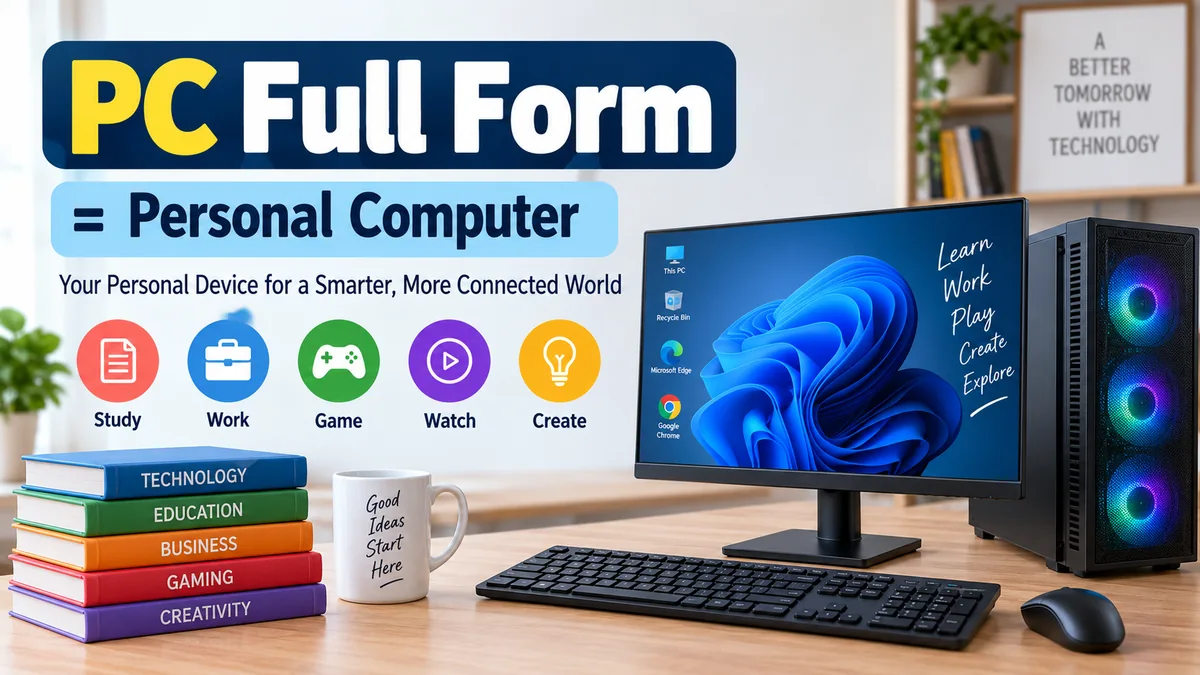

You see the term “PC” everywhere—from computer shops and software requirements to gaming guides and office equipment. But what exactly does it stand for?
Use up and down arrow keys to resize the meta box pane.
Use up and down arrow keys to resize the meta box pane.
Use up and down arrow keys to resize the meta box pane.
The pc full form is Personal Computer. A PC is a general-purpose computer designed primarily for individual use. It can be a desktop or portable system and typically includes a processor, memory, storage, input/output devices, an operating system, and applications for tasks such as browsing, studying, working, gaming, and creating digital content.
Although “PC” technically describes a broad category of personal computers, everyday usage often associates the term with computers based on the IBM-compatible tradition, particularly machines running Microsoft Windows. That distinction explains why people sometimes talk about “Mac vs. PC” even though a Mac is also a personal computer in the literal sense.
What Is the pc full form in Computer?
The pc full form in computer terminology is Personal Computer.
The words themselves explain the basic idea:
- Personal means the computer is intended primarily for an individual user.
- Computer means an electronic system capable of processing, storing, retrieving, and presenting data according to programmed instructions.
A personal computer is therefore different in concept from traditional mainframes, where many users could share the resources of one large centralized system through terminals.
NIST recognizes PC as an abbreviation for Personal Computer, while computing references commonly define a personal computer as a microcomputer intended for use by one person at a time.
PC Meaning in Simple Words
Think of a PC as a computer you can directly control for your own tasks.
You might use one to write a document, attend an online class, browse websites, edit photographs, make a spreadsheet, write software, communicate with other people, or play games.
The defining idea isn’t gaming, Windows, or even the physical shape of the machine. It is personal computing—giving an individual direct access to computing resources.
Is PC an Acronym or Abbreviation?
PC is commonly called an abbreviation, but more precisely it is an initialism because the letters are normally pronounced separately as “P-C.”
You don’t pronounce PC as a single word.
What Is a Personal Computer?
A personal computer (PC) is a general-purpose computing system designed primarily for direct individual use.
Modern PCs contain several interconnected hardware components and run software that allows users to perform different tasks. TechTarget describes a PC as a microcomputer designed for one person at a time, while the Computer History Museum describes the familiar modern personal computer as a microprocessor-based machine with its own memory, storage, and input/output capabilities.
That distinction becomes clearer when you compare a PC with older computing environments.
| Computer Type | Typical Purpose | Typical User Model |
|---|---|---|
| Personal computer | Everyday general computing | Primarily one direct user |
| Desktop PC | Fixed-location personal computing | Individual |
| Laptop | Portable personal computing | Individual |
| Workstation | Demanding professional workloads | Individual/professional |
| Server | Provides resources or services over a network | Multiple clients/users |
| Mainframe | Large-scale organizational processing | Many simultaneous users |
These categories can overlap. A powerful desktop, for example, can function as a workstation, while an ordinary PC can also temporarily provide server functions.
What Are the Main Components of a PC?
Understanding the pc full form is easier when you understand what is actually inside a Personal Computer.
Although designs vary considerably, most modern personal computers rely on the same basic categories of hardware: a processor, memory, motherboard or main circuit board, storage, and input/output hardware.
1. CPU — Central Processing Unit
The CPU (Central Processing Unit) executes instructions and performs calculations required by software.
It is often casually described as the “brain” of the computer because it processes instructions from programs and coordinates much of the system’s work.
Modern CPUs may contain multiple processing cores, allowing the system to handle numerous operations efficiently.
2. Motherboard
The motherboard is the primary circuit board connecting major components.
The CPU, RAM, storage interfaces, expansion cards, and external ports ultimately communicate through hardware associated with the motherboard.
Different motherboards support different:
- Processor sockets
- Memory generations
- Expansion slots
- Storage interfaces
- USB standards
- Networking technologies
This is particularly important when building or upgrading a desktop PC.
3. RAM — Random Access Memory
RAM (Random Access Memory) provides fast temporary storage for information currently being used by programs and the operating system.
Imagine opening a browser with several tabs, a document, and a photo editor simultaneously. Information required by those active programs can be held in RAM for quick access.
RAM differs from permanent storage because its contents normally disappear when power is removed.
4. Storage: SSD and HDD
A PC needs persistent storage for files, applications, and its operating system.
Two familiar technologies are:
SSD (Solid-State Drive): Uses flash-based storage and generally provides much faster access than traditional mechanical drives.
HDD (Hard Disk Drive): Uses magnetic disks and mechanical components to store data.
Your documents, photographs, installed programs, and operating-system files normally remain on storage after the computer is turned off.
5. GPU — Graphics Processing Unit
The GPU (Graphics Processing Unit) processes graphics and other highly parallel workloads.
A PC can have graphics integrated into another component or use a dedicated graphics card.
Dedicated GPUs are especially useful for workloads such as:
- PC gaming
- 3D rendering
- Video production
- Computer-aided design
- Some scientific and AI workloads
A basic office computer does not necessarily require a powerful dedicated graphics card.
6. Power Supply Unit
A desktop computer’s PSU (Power Supply Unit) converts incoming electrical power into the forms required by internal components.
Its capacity needs to match the hardware installed in the system, particularly when high-performance CPUs or graphics cards are involved.
7. Input Devices
Input devices allow information or commands to enter the computer.
Common examples include keyboards, mice, microphones, webcams, scanners, touchpads, and game controllers.
8. Output Devices
Output devices present information generated by the computer.
Examples include:
- Monitor
- Speakers
- Headphones
- Printer
- Projector
Some devices can provide both input and output. A touchscreen is a familiar example because it displays information while also accepting touch commands.
Quick Takeaway
A PC works as a complete system rather than through one component alone. The CPU processes instructions, RAM handles active data, storage keeps information long term, the motherboard connects hardware, and input/output devices allow the user to interact with the machine.
What Are the Different Types of Personal Computers?
People often assume PC means only a desktop tower sitting beside a monitor. The term is broader than that.
Desktop PC
A desktop computer is intended primarily for use at a fixed location.
A traditional desktop setup may include a separate:
- Computer case
- Monitor
- Keyboard
- Mouse
- Speakers or headset
One major advantage is flexibility. Many desktop PCs make it relatively straightforward to replace storage, memory, graphics cards, or other compatible components.
That makes desktops popular for offices, homes, gaming, programming, and professional workloads.
Laptop PC
A laptop combines most essential parts of a personal computer into a portable enclosure.
It normally includes a screen, keyboard, pointing device, battery, processor, memory, and storage.
So, is a laptop a PC?
Yes. A laptop designed for personal use is a type of personal computer. The everyday distinction between “PC” and “laptop” usually refers to form factor rather than the literal definition of PC.
All-in-One PC
An all-in-one computer integrates most of the main computer hardware into the display enclosure.
This reduces the number of separate components on a desk and can make installation simpler.
However, many all-in-one systems offer fewer hardware-upgrade options than conventional desktop towers.
Workstation
A workstation is a high-performance computer intended for demanding professional applications.
Depending on its configuration, it may be used for engineering, scientific calculations, 3D design, animation, software development, or other resource-intensive tasks.
It remains a personal computing system when it is primarily operated directly by an individual.
PC vs. Desktop: Are They the Same?
Not exactly.
PC is the broader concept; desktop is a form factor.
A desktop can be a PC, but personal computers are not limited to desktops.
For example:
Personal Computer
→ Desktop PC
→ Laptop PC
→ All-in-one PC
→ Professional workstation
In ordinary conversation, however, people frequently say “PC” when they specifically mean a Windows desktop computer.
That usage is understandable because the meaning of PC has evolved over decades.
PC vs. Laptop: What Is the Difference?
Both can be personal computers, but their physical designs serve different needs.
| Feature | Desktop PC | Laptop PC |
|---|---|---|
| Portability | Low | High |
| Built-in display | Usually no | Yes |
| Built-in keyboard | Usually no | Yes |
| Battery | Usually no | Yes |
| Hardware upgrades | Often easier | Usually more limited |
| Space required | More | Less |
| Component customization | Often extensive | Usually limited |
Neither form is inherently better.
A desktop often makes sense when performance, customization, repairability, or upgrade potential matters. A laptop is more practical when you need to carry your computer between home, school, office, or other locations.
PC vs. Mac: Is a Mac a Personal Computer?
This question causes more confusion than almost anything else about the term PC.
Technically, a Mac is a personal computer.
It is designed for personal computing and performs the same broad categories of tasks as other personal computers.
The distinction comes largely from historical and everyday terminology.
The term PC became strongly associated with IBM-compatible computers, while Apple’s Macintosh developed as a separate platform. As a result, “PC” is frequently used conversationally to mean a non-Mac computer, particularly one running Windows. TechTarget notes this historical distinction between IBM-compatible PCs and Apple computers.
So both statements can make sense depending on context:
Technical meaning: Mac = personal computer.
Everyday platform comparison: PC often = Windows/IBM-compatible computer rather than Mac.
That context is worth checking whenever you encounter phrases such as “PC vs. Mac.”
What Operating Systems Do PCs Use?
Hardware alone does not make a useful modern personal computing environment. PCs use an operating system (OS) to manage hardware resources and provide a platform for applications.
Common desktop operating-system families include:
- Microsoft Windows
- macOS
- Linux distributions
Windows is especially associated with the everyday meaning of “PC,” largely because of the historical development of IBM-compatible computers and Microsoft operating systems.
An operating system handles fundamental activities such as file management, memory allocation, hardware communication, application execution, user accounts, and graphical interfaces.
Applications then run on top of that environment.
For example, a user might run a web browser, word processor, spreadsheet program, media player, photo editor, game, or programming environment.
What Is a PC Used For?
Personal computers became successful because one machine could perform many different jobs simply by running different software.
Education
Students use PCs for research, online classes, assignments, presentations, programming, educational software, and communication.
The same computer can serve as a digital notebook, research library, classroom, and multimedia device.
Office and Business Work
PCs became deeply integrated into workplaces through applications such as word processing and spreadsheets.
The Computer History Museum notes that businesses adopted IBM PCs in quantity and that spreadsheet and word-processing software became integral to corporate life.
Modern business PCs are used for email, accounting, video conferencing, databases, presentations, project management, and countless specialized applications.
Internet Access
Web browsing is one of the most familiar PC activities.
A connected personal computer can access websites, cloud applications, communication platforms, streaming services, and remote computing resources.
Gaming
A gaming PC is still a personal computer; it is simply configured with gaming performance in mind.
Gaming systems commonly emphasize the CPU, GPU, RAM, cooling system, fast storage, and display performance.
Content Creation
Photographers, designers, musicians, animators, and video editors use personal computers to produce digital content.
The hardware requirements depend heavily on the workload. Basic photo editing may work comfortably on mainstream hardware, while professional 3D rendering or high-resolution video production can require substantially more processing and graphics performance.
Programming
Software developers use PCs to write, test, debug, and run programs.
A developer’s computer may contain code editors, integrated development environments (IDEs), compilers, interpreters, version-control software, databases, virtual machines, and other development tools.
How Does a Personal Computer Work?
At a basic level, a PC follows an input-processing-output-storage cycle.
- Input: You provide data or instructions through devices such as a keyboard or mouse.
- Processing: The CPU executes the instructions required by software.
- Memory: RAM temporarily holds actively needed data.
- Storage: SSDs or HDDs retain files and programs.
- Output: Results appear through a monitor, speakers, printer, or another device.
Consider opening a photograph.
The file is retrieved from storage, relevant data is loaded into memory, the processor and graphics hardware perform the required operations, and the resulting image is displayed on your monitor.
Modern systems perform enormous numbers of such operations automatically, which is why everyday computing can feel almost instantaneous.
A Brief History of the Personal Computer
The modern PC did not appear in a single moment.
Earlier computers could be enormous and expensive systems primarily accessible to governments, universities, research organizations, and large companies. Technological improvements—especially the development of integrated circuits and microprocessors—helped make smaller individual computers practical.
The Computer History Museum notes that machines such as the Apple II, Radio Shack TRS-80, and Commodore PET were among the mass-produced personal computers appearing in 1977.
The IBM PC Changed the Market
A crucial milestone arrived on August 12, 1981, when IBM introduced the IBM 5150 Personal Computer.
Its influence went far beyond one computer model.
The IBM machine used an Intel 8088 processor and an operating system supplied by Microsoft that became known as MS-DOS. IBM also used off-the-shelf components and embraced an open architecture.
This approach encouraged other manufacturers to create compatible hardware and peripherals.
IBM-compatible machines spread rapidly, and the term PC gradually became closely connected with that computing ecosystem.
IBM’s historical account notes that its architecture became an industry standard and that PC eventually developed into a generic term.
From 16 KB to Modern PCs
The contrast between early and modern machines is striking.
The original IBM PC was introduced with a base configuration containing 16 kilobytes of RAM, while modern computers routinely operate with memory measured in gigabytes.
Storage, graphics, networking, processor performance, display technology, and software capabilities have also advanced enormously.
Yet the basic concept remains recognizable: give an individual direct access to a programmable general-purpose computer.
Why Is It Called a Personal Computer?
The word personal distinguished this new model of computing from an era in which computing resources were often centralized and shared.
Instead of submitting work to a large institutional computer or interacting with shared mainframe resources, individuals could eventually have complete computing systems on their own desks.
The personal computer put processing power, memory, storage, input, and output capabilities directly under the user’s control.
This shift had consequences far beyond hardware. It helped expand markets for software, games, digital publishing, office productivity tools, and eventually internet services.
Does PC Always Mean Personal Computer?
No. PC can have different full forms depending on context.
In computing, PC overwhelmingly means Personal Computer.
Elsewhere, the same initials may represent entirely different phrases. For example, PC can refer to politically correct in discussions about language and social behavior. In some jurisdictions or organizational contexts, it can also be an abbreviation for police constable.
Technical contexts contain additional meanings. In processor architecture, for example, PC can refer to a program counter, a register associated with instruction execution.
That is why context matters.
If someone says:
“I installed the game on my PC.”
PC almost certainly means Personal Computer.
If a processor manual discusses the “PC register,” however, it may mean program counter, not personal computer.
Common PC Terms Beginners Should Know
Once you know the pc full form, several related abbreviations become easier to understand.
| Term | Full Form | Basic Meaning |
|---|---|---|
| PC | Personal Computer | Computer primarily intended for individual use |
| CPU | Central Processing Unit | Executes instructions |
| GPU | Graphics Processing Unit | Processes graphics and parallel workloads |
| RAM | Random Access Memory | Temporary working memory |
| SSD | Solid-State Drive | Flash-based persistent storage |
| HDD | Hard Disk Drive | Magnetic persistent storage |
| OS | Operating System | Manages hardware and software resources |
| PSU | Power Supply Unit | Supplies electrical power to components |
| USB | Universal Serial Bus | Common interface for devices and data |
| I/O | Input/Output | Communication into and out of a computer |
Knowing these terms makes computer specifications much easier to read.
For instance, when a specification says a PC has a particular CPU, amount of RAM, SSD capacity, and GPU, it is describing different parts of the same computing system rather than competing measurements.
Is a PC Hardware or Software?
A PC is a complete computer system, not one individual hardware component or software application.
People sometimes use “PC” to refer specifically to the physical computer, but a functional personal computing environment combines hardware, firmware, an operating system, device drivers, and applications.
The distinction is simple:
Hardware is the physical equipment you can touch.
Examples include the CPU, motherboard, RAM modules, SSD, keyboard, and monitor.
Software consists of instructions and programs.
Examples include an operating system, browser, word processor, game, or photo-editing application.
Hardware provides the physical computing resources; software tells those resources what operations to perform.
What Is the Difference Between a PC and a Computer?
Every PC is a computer, but not every computer is a PC.
“Computer” is the broader term.
It can describe personal computers as well as servers, mainframes, supercomputers, embedded computers, and other computing systems.
A PC belongs to the personal-computing category because it is primarily designed for direct individual use.
This distinction is useful when someone asks whether a large data-center server is a PC. Both systems compute and process information, but their intended users, workloads, hardware designs, and operating environments can be very different.
Why PCs Still Matter
The physical appearance of personal computers has changed dramatically, but their central purpose has not.
A modern PC can function as an office, classroom, entertainment center, communications device, development environment, creative studio, or gaming system depending on the software and hardware configuration.
The idea that made personal computing transformative was not simply making computers smaller. It was putting meaningful computing capability directly into the hands of individual users.
So, to remember the answer simply: pc full form is Personal Computer. In computing, it refers broadly to a computer intended primarily for individual use, including desktops and laptops. Although everyday language often uses “PC” specifically for Windows or IBM-compatible machines, the technical concept of a personal computer is broader.
