
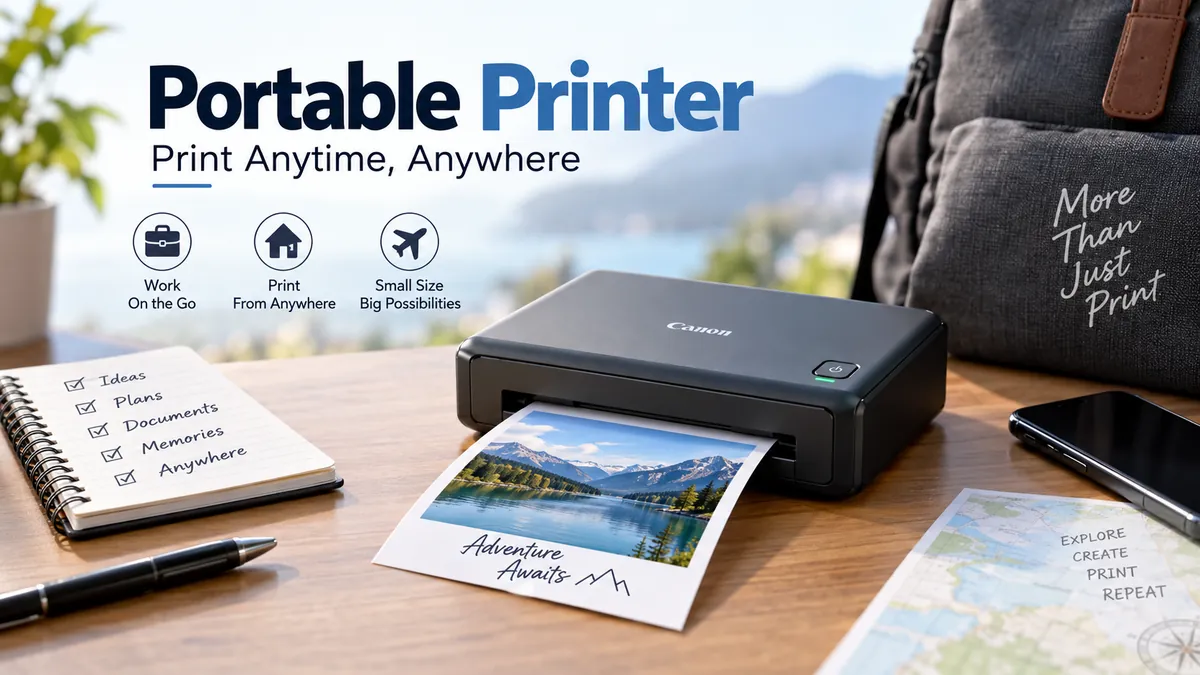

Printing away from a desk used to mean finding an office, hotel business center, or print shop. A portable printer changes that. Depending on the model, you can print a full-page document from a laptop, a receipt from a phone, a shipping label in the field, or a photo seconds after taking it.
The confusing part is that “portable printer” describes several very different devices. A battery-powered inkjet that handles Letter or A4 paper has little in common with a pocket photo printer or a direct-thermal receipt printer. Understanding those differences matters more than simply choosing the smallest device.
A portable printer is a compact printing device designed for mobile use. It typically connects to a smartphone, tablet, or laptop through Bluetooth, Wi-Fi, Wi-Fi Direct, or USB and may run from a rechargeable battery. Portable models can print documents, photos, labels, receipts, tickets, or stickers, depending on their printing technology.
What Is a Portable Printer?
A portable printer is essentially a printer engineered around mobility rather than high-volume desktop use. Its housing, paper system, power requirements, and connectivity are designed to make the device easier to carry and operate outside a permanent office.
There is no single standard size.
Some mobile document printers fit comfortably in a backpack or briefcase. Others are narrow thermal units intended for vehicles or field work. Pocket photo printers can be roughly phone-sized.
Portable models commonly communicate with:
- Smartphones
- Tablets
- Laptops
- Desktop computers
- Point-of-sale devices
- Specialized field equipment
Bluetooth and Wi-Fi are common wireless options, while many document-oriented models also provide USB connectivity.
A rechargeable battery is another common feature, although it should not be assumed that every portable model includes one. Some printers have an integrated battery, some offer a removable or optional battery, and others still need external power.
For example, Epson’s WorkForce EC-C110 has a built-in rechargeable battery and can be charged through USB or an AC adapter. Canon’s PIXMA TR160 supports an optional LK-72 battery pack rather than including the battery as standard.
That distinction can make a major difference if the printer will regularly be used where electrical outlets are unavailable.
How Does a Portable Printer Work?
The basic process is similar to desktop printing, but portable printers reduce the size and power requirements of the components involved.
A typical printing job follows five stages:
- A device connects to the printer. This may happen through Bluetooth, Wi-Fi, Wi-Fi Direct, or USB.
- The user sends a document, image, receipt, or label.
- The printer’s controller processes the data and converts it into instructions for the print mechanism.
- The printing system creates the image. Inkjet printers deposit liquid ink, direct-thermal models apply heat to coated media, while photo printers may use ZINK, dye-sublimation, or instant-film systems.
- The paper or media passes through the feed mechanism and emerges as the finished print.
The major difference between models therefore isn’t simply how small they are. It is how they create the printed image.
That determines whether you can print color, which paper you need, how durable the result will be, and how much each page or photograph may cost.
Types of Portable Printer
Portable printers can be divided by both their intended use and their underlying printing technology.
The most useful categories are portable inkjet printers, direct-thermal printers, portable photo printers, and mobile label or receipt printers.
| Type | Typical Output | Color | Consumables | Common Use |
|---|---|---|---|---|
| Portable inkjet | Documents and photos | Yes | Ink + paper | Mobile office work |
| Direct thermal | Documents, receipts, labels | Usually no | Thermal paper | Field work and logistics |
| ZINK photo | Small photos/stickers | Yes | ZINK paper | Journaling and casual photos |
| Dye-sublimation | Photos | Yes | Paper + ribbon/cartridge | Photo printing |
| Instant-film printer | Instant photos | Yes | Film packs | Events and personal photos |
| Mobile label/receipt | Labels and receipts | Usually no | Rolls/labels | Retail and delivery |
Portable Inkjet Printers
Portable inkjets are closest to conventional home and office printers.
A printhead sprays microscopic droplets of liquid ink onto ordinary or specialty paper. Because inkjet technology supports both black and color printing, these devices are useful when you need normal business documents rather than receipts or labels.
A current example is the Canon PIXMA TR160, a portable wireless inkjet capable of printing documents and photos up to Letter size. It has a 50-sheet plain-paper tray, USB and dual-band Wi-Fi, plus support for Apple AirPrint and Mopria Print Service. Canon specifies print speeds of approximately 9.0 images per minute for black documents and 5.5 ipm for color.
The HP OfficeJet 200 is another mobile inkjet designed around conventional document printing. HP lists a recommended monthly volume of 100–300 pages and a maximum monthly duty cycle of up to 500 pages, illustrating an important point: portable inkjets are generally intended for modest workloads rather than replacing high-volume office machines.
Where portable inkjet works well: contracts, reports, forms, invoices, presentations, travel documents and occasional photos.
The trade-offs are ink cartridges, larger physical dimensions, slower output than many desktop office printers, and the possibility of ink drying or printhead maintenance when the printer sits unused for extended periods.
Direct-Thermal Portable Printers
A direct-thermal printer works very differently.
Instead of transferring liquid ink or toner onto ordinary paper, its printhead selectively heats chemically treated thermal media. Heated areas darken to form text, barcodes, graphics, or other content.
That eliminates the need for ink cartridges or toner.
This simplicity is one reason thermal technology is common in portable receipt and label printers. Mobile workers can carry a printer without also carrying replacement ink.
Thermal technology is commonly used for:
- Receipts
- Shipping labels
- Tickets
- Barcodes
- Delivery paperwork
- Temporary notes
- Field-service documents
- Point-of-sale applications
However, direct thermal printing has an important limitation: the output is normally monochrome and requires compatible thermal media. The image can also deteriorate with prolonged exposure to heat, sunlight, friction, or certain chemicals. It is therefore not automatically the right technology for records that need long-term preservation.
Full-page thermal printing is possible as well. Brother’s PJ-800 series, for example, is designed for A4 mobile document printing, showing that “thermal printer” does not necessarily mean a tiny receipt printer.
Portable Photo Printers
Portable photo printers form another distinct category.
They prioritize compact dimensions and photo output rather than ordinary business documents. Many connect directly to a phone using Bluetooth and an accompanying mobile app.
Three technologies are particularly common.
ZINK
ZINK means “Zero Ink.”
The color-forming material is embedded inside special ZINK paper. Heat activates different color-forming layers, so the printer doesn’t require separate liquid-ink cartridges.
The result is a very compact printing system. Some ZINK paper also has an adhesive backing, making it popular for journals, scrapbooks and small stickers.
The main compromises are specialized paper, small print sizes, and photo quality that can differ noticeably from conventional photo inkjet or dye-sublimation output.
Dye-Sublimation
Dye-sublimation, often shortened to dye-sub, transfers color onto photo media using heat.
Rather than placing ordinary liquid ink droplets onto paper, the process builds the image through color layers. Portable dye-sub systems are especially useful when the priority is dedicated photo output.
They require compatible consumables, usually involving both the appropriate paper and dye ribbon or cartridge.
Instant Film
Some portable photo printers expose instant film instead of printing onto conventional photo paper.
This creates the familiar instant-camera style of physical photograph while allowing the source image to come from a digital device.
For example, Fujifilm’s Instax Link Wide 2 uses Instax Wide film, connects through Bluetooth 5.1, and charges over USB-C.
These printers are primarily about physical photo sharing and creative use rather than document productivity.
Portable Printer vs Regular Printer
A smaller printer isn’t automatically better.
Desktop printers have more physical room for larger paper trays, larger cartridges or ink tanks, automatic duplex mechanisms, scanners, document feeders, and more substantial internal components.
Portable devices deliberately sacrifice some of these capabilities to reduce weight and size.
| Feature | Portable Printer | Regular Desktop Printer |
|---|---|---|
| Mobility | High | Low |
| Battery operation | Common on some models | Uncommon |
| Paper capacity | Usually limited | Usually higher |
| Print speed | Often lower | Usually higher |
| Automatic duplex | Less common | Common on office models |
| Scanning/copying | Limited | Common on all-in-ones |
| High-volume printing | Usually unsuitable | Better suited |
| Wireless printing | Common | Common |
| Physical footprint | Small | Larger |
This explains why a portable printer usually makes the most sense as a specialized tool.
If you print 500 pages every week at the same desk, mobility offers little practical benefit. A desktop laser, inkjet, or ink-tank printer will generally be more appropriate.
If you print contracts at customer sites, inspection reports from a vehicle, or receipts immediately after completing work, portability can solve a genuine workflow problem.
Quick Takeaway
Choose portability because you need to print somewhere a conventional printer isn’t available—not simply because a smaller device looks more convenient.
What Can You Print With a Portable Printer?
What you can print depends heavily on the device category.
Full-Page Documents
Mobile inkjets and full-page thermal printers can handle conventional documents such as:
- Contracts
- Forms
- Invoices
- Estimates
- Reports
- Travel itineraries
- Worksheets
- Inspection records
Paper size deserves careful attention here.
“Portable” doesn’t mean every device supports Letter or A4. A pocket thermal printer designed for 2-inch or 3-inch rolls cannot substitute for a mobile A4 document printer.
Receipts and Tickets
Direct thermal printers are particularly well suited to receipts because they require few consumables and can begin printing quickly.
Typical users include delivery drivers, field sales teams, parking operations, hospitality workers, mobile retailers, and service technicians.
Labels and Barcodes
Mobile label printers can produce shipping, inventory, specimen, shelf, asset, and product labels.
Here, the printer is only part of the system. Label width, adhesive type, barcode quality, software compatibility, and application integration can be just as important as raw print resolution.
Photographs
Portable photo printers make it possible to turn smartphone images into physical prints without returning home.
They are particularly useful for parties, weddings, travel journals, scrapbooks, events, and creative projects.
However, a “photo printer” can mean a tiny ZINK device, a dye-sub unit, an instant-film printer, or a color inkjet. Their output sizes and image characteristics are not interchangeable.
Portable Printer Connectivity Explained
Mobile printing only feels convenient when the connection is reliable.
Four connectivity methods appear frequently.
Bluetooth
Bluetooth is common in pocket photo, receipt, label, and mini thermal printers.
Its biggest advantage is simplicity. The phone communicates directly with the printer without needing the printer to join a local Wi-Fi network.
The downside is that some Bluetooth printers depend heavily on a manufacturer’s app. Check application and operating-system compatibility rather than assuming every Bluetooth printer can print from every application.
Wi-Fi
Wi-Fi is common on portable document printers.
It can provide a familiar network-printing experience for laptops, phones, and tablets, particularly when multiple devices need access.
Wi-Fi Direct
Wi-Fi Direct is particularly useful for mobile work because it allows compatible devices to establish a direct wireless connection without relying on the local router.
That can matter in hotels, customer offices, temporary work sites, or other environments where joining the existing network is inconvenient.
USB
USB remains useful even on wireless models.
It provides a wired option for laptops and can sometimes serve as a charging connection. Exact functionality depends on the printer; a USB port used for charging does not necessarily support printing.
AirPrint, Mopria and Mobile Apps
Wireless hardware is only half the compatibility question.
Software support determines how easily a phone or tablet can actually send a print job.
Apple AirPrint allows compatible Apple devices to print to supported printers without installing a conventional desktop printer driver.
Mopria Print Service provides broadly supported mobile-printing functionality in the Android ecosystem.
Manufacturer applications can add functions beyond basic printing, including:
- Photo editing
- Cropping
- Templates
- Label design
- Printer configuration
- Consumables information
- Firmware updates
- Cloud printing features
Canon’s PIXMA TR160, for example, supports AirPrint, Mopria, Canon PRINT, iOS, Android, iPadOS, Windows, macOS and Chromebook environments, although specific software and OS-version support can change over time.
Compatibility should always be checked against the devices and applications you actually use.
Does a Portable Printer Need Ink?
Not necessarily.
This is one of the most common misunderstandings surrounding mini and mobile printers.
Inkjet portable printers need ink. They use cartridges or another liquid-ink system much like a desktop inkjet.
Direct-thermal portable printers don’t need ink or toner. The printhead creates the image by heating compatible thermal paper.
ZINK printers don’t use conventional ink cartridges. The image-forming material is already contained in the specialty paper.
Dye-sublimation printers use consumable dye material, generally supplied as part of a compatible ribbon/cartridge and paper system.
Instant-film printers require film packs.
So an “inkless printer” isn’t necessarily consumable-free. Removing the ink cartridge usually shifts the consumable requirement to specialized paper, film, labels, or another media system.
That distinction matters when calculating long-term running costs.
What Features Matter in a Portable Printer?
Specifications can become overwhelming quickly. In practice, a few features have much greater impact than others.
1. Print Size
Start here.
Ask what physical output you need:
- Letter
- A4
- Legal
- 4 × 6-inch photos
- 2 × 3-inch photos
- Shipping labels
- Receipt rolls
A tiny printer is useless if it cannot produce the format required by your workflow.
2. Printing Technology
Technology determines most of the printer’s fundamental strengths and weaknesses.
Choose inkjet when ordinary paper and color documents matter.
Choose direct thermal when low-maintenance monochrome receipts, labels, or temporary documents matter.
Consider ZINK for tiny, convenient smartphone photos and stickers.
Consider dye-sublimation or instant-film systems when physical photographs are the primary purpose.
3. Battery Design
Look beyond the phrase “battery compatible.”
Check whether the battery is:
- Built in
- Removable
- Optional
- Included in the box
- Rechargeable through USB
- Chargeable while printing
Also check the manufacturer’s estimated output per charge under realistic conditions.
Battery life can vary according to connectivity, print density, temperature, page coverage, and printer settings.
4. Size and Weight
Dimensions should be considered both closed and ready to print.
A printer may look exceptionally small in a product photo but need significant space behind or above it once paper is loaded.
For context, Canon lists the PIXMA TR160 at 12.7 × 7.3 × 2.6 inches when closed and 4.5 pounds in weight. With paper installed, its working dimensions increase.
5. Print Speed
Speed matters most when customers or coworkers are waiting for output.
Manufacturers may report speed using pages per minute (ppm), images per minute (ipm), first-page-out time, or seconds per photograph.
Compare equivalent measurements rather than assuming two different speed specifications describe the same test.
6. Print Resolution
Resolution is usually expressed in dots per inch, or dpi.
Higher numbers can indicate the printer’s ability to place finer detail, but dpi alone doesn’t determine overall print quality. Printhead technology, ink, paper, color management, image processing, and the source file all affect the finished result.
The Canon PIXMA TR160, for example, specifies resolution up to 4800 × 1200 dpi, but that number should not be directly treated as a universal photo-quality score across different printing technologies.
7. Paper Capacity
Portable designs generally have smaller paper supplies.
A 50-sheet tray can be perfectly reasonable for occasional mobile office work but frustrating for continuous printing.
Pocket thermal and photo printers may hold much less because their physical media is smaller.
8. Cost Per Print
This is one specification people often overlook.
The printer’s initial price tells you little about its total operating cost.
Account for:
Total printing cost = printer + ink/ribbon/film + paper + battery/accessories + expected replacements
For an inkjet, cartridge yield matters.
For thermal printers, investigate the cost of compatible thermal rolls or sheets.
For photo printers, calculate the cost of each piece of ZINK paper, dye-sub media, or instant film.
A cheap printer using expensive proprietary media can become costly after hundreds of prints.
Advantages of a Portable Printer
The obvious advantage is mobility, but several practical benefits follow from it.
On-demand printing: You can produce physical documents at the point where they’re needed instead of printing everything beforehand.
Smaller footprint: Mobile printers work well in cramped desks, vehicles, counters, temporary offices, dorms, and other places where a full desktop printer is inconvenient.
Wireless operation: Bluetooth, Wi-Fi, and Wi-Fi Direct reduce dependence on cables.
Battery operation: Compatible models can continue working without an electrical outlet.
Simplified thermal maintenance: Direct-thermal models remove ink and toner from the maintenance equation.
Mobile-device integration: Many models are designed around smartphones and tablets rather than requiring a traditional PC.
For a field worker, these aren’t cosmetic benefits. Printing a signed form or customer receipt immediately can eliminate an entire return trip to an office.
Limitations of Portable Printers
Portability requires compromises.
Lower Paper Capacity
Compact printers cannot normally accommodate the large trays found in office machines.
Frequent paper loading is therefore expected.
Slower Printing
Full-page portable printers often prioritize low power consumption and compact mechanics rather than maximum pages per minute.
Higher Running Costs
Small cartridges and proprietary photo media can produce a higher cost per page than larger office printers.
Limited Duplex Printing
Automatic two-sided printing mechanisms require space. Some mobile document printers therefore rely on manual duplex printing or simplex-only operation.
Few All-in-One Features
Scanning, copying, automatic document feeders, fax functionality, and large touchscreens add weight and complexity.
Portable models frequently omit them.
Media Restrictions
Thermal and pocket photo printers can be tightly tied to particular media sizes or paper technologies.
Battery Management
A battery introduces another item that needs charging and eventually ages.
For occasional travelers this may be trivial. For field teams operating all day, charging infrastructure and spare batteries can become part of the workflow.
Portable Printer for Phone vs Laptop
The best connectivity depends on the device sending the print job.
For smartphone printing, Bluetooth or Wi-Fi Direct can be particularly convenient. Photo and label printers often use a dedicated iOS or Android application.
For laptop printing, USB or conventional Wi-Fi support may be more flexible, especially when printing PDFs, spreadsheets, contracts, or other desktop files.
If the same printer will serve both phones and computers, check compatibility at three levels:
- Operating system
- Connection type
- Application or driver support
Seeing “Bluetooth” on the specifications doesn’t guarantee that Windows, Android, iPhone, macOS, and every business application will all print identically.
Portable Printer for Travel
Travel is one of the clearest use cases, but carrying a printer only makes sense when printing is frequent or time-sensitive.
A business traveler who regularly needs signed contracts, quotations, invoices, or presentation handouts may benefit from a battery-powered inkjet.
Someone who prints one boarding document during a two-week trip probably doesn’t.
For travel, prioritize:
- Closed dimensions
- Total weight including charger and battery
- USB charging options
- Battery endurance
- Wi-Fi Direct
- Paper storage
- Protective carrying case
- Availability of consumables at the destination
Remember that an inkjet also needs to be transported carefully enough to protect its print mechanism and cartridges.
Portable Printer for Business and Field Work
Mobile printing becomes particularly valuable when physical output is part of a job performed away from a central office.
Common examples include:
Field service: technicians can produce reports, estimates, service records, or labels at a customer site.
Logistics: workers can create shipping labels, delivery records, barcodes, and receipts.
Healthcare: appropriate mobile printers may be used for labels and documentation within supported clinical workflows.
Retail: staff can print receipts, shelf labels, or other transactional material away from a fixed counter.
Public safety and utilities: full-page mobile thermal printers can be useful when documentation must be produced from vehicles or remote locations.
The right technology depends on whether the printed material needs color, archival longevity, adhesive backing, barcodes, or full-page formatting.
Portable Printer for Photos
Photo printing deserves separate consideration because “portable photo printer” covers multiple formats.
A tiny ZINK printer emphasizes convenience. A dye-sub printer may provide a different balance of color, finish, and durability. An instant-film printer intentionally produces the distinctive appearance and physical experience associated with instant photography.
Before comparing models, decide:
What print size do I actually want?
Then consider:
- Color accuracy
- Detail
- Borderless printing
- Print durability
- Water resistance
- Adhesive backing
- Editing app
- Time per photo
- Cost per photograph
If you primarily need office documents, don’t choose a photo printer simply because it is smaller. Most pocket photo printers cannot produce ordinary Letter or A4 pages.
Portable Thermal Printer vs Portable Inkjet
For document-oriented buyers, this is often the most important comparison.
| Factor | Portable Thermal | Portable Inkjet |
|---|---|---|
| Ink required | No | Yes |
| Ordinary paper | Usually no | Yes |
| Color | Usually no | Yes |
| Full-page models | Available | Available |
| Maintenance | Relatively simple | Ink/printhead considerations |
| Photos | Poor/not intended | Possible |
| Receipts/labels | Excellent | Usually impractical |
| Long-term thermal-paper stability | Potential concern | Better with suitable ink/paper |
| Cartridge replacement | None | Required |
Neither technology is universally superior.
A mobile salesperson printing polished color documents may benefit from inkjet.
A delivery operation producing hundreds of temporary receipts may find direct thermal far more practical.
The output requirement should decide the technology.
Common Portable Printer Mistakes
Several purchasing mistakes appear repeatedly because the term “portable” sounds simpler than the category really is.
Buying Before Deciding What You Will Print
Start with the output—not the printer.
A 2-inch thermal printer and an A4 color inkjet solve completely different problems.
Assuming “Inkless” Means Free Printing
Inkless printers still need compatible media.
Special thermal paper, ZINK sheets, dye-sub supplies, labels, and instant film all have a cost.
Ignoring Consumable Availability
A printer isn’t very portable if replacement paper or cartridges are difficult to obtain while traveling.
Check the exact consumable model numbers before depending on a printer professionally.
Looking Only at DPI
Print resolution is useful but shouldn’t be treated as a complete quality measurement.
Real output depends on the entire printing system.
Assuming the Battery Is Included
This is particularly easy to miss.
Canon, for example, lists the LK-72 battery as optional for the PIXMA TR160, whereas Epson describes the EC-C110 as having a built-in rechargeable battery.
Forgetting Software Compatibility
A printer may physically connect to your phone while still lacking support for the exact application or workflow you need.
For business deployments, test the real software, document format, barcode system, or POS application before standardizing on a device.
How to Choose a Portable Printer
You can narrow the category quickly by working through the decision in the right order.
- Define the output. Decide whether you need documents, photos, receipts, tickets, stickers, or labels.
- Choose the required size. Determine whether that means A4, Letter, 4 × 6 photos, 2 × 3 photos, or roll media.
- Decide whether color matters. This immediately separates many direct-thermal devices from inkjet and photo printers.
- Choose the printing technology. Compare inkjet, direct thermal, ZINK, dye-sublimation, or instant film based on the output.
- Check your devices. Confirm compatibility with iOS, Android, Windows, macOS, Chromebook, or any specialized hardware you use.
- Choose connectivity. Look for Bluetooth, Wi-Fi, Wi-Fi Direct, USB, AirPrint, or Mopria according to your workflow.
- Verify battery details. Check whether a battery is included, how it charges, and realistic output per charge.
- Calculate consumable costs. Compare ink, thermal media, labels, ZINK sheets, dye-sub packs, or instant film.
- Check physical dimensions and weight. Include chargers, batteries, paper, and cases—not only the bare printer.
- Review workload limits. A mobile printer designed for occasional pages shouldn’t be treated like a departmental office machine.
Quick Takeaway
The most useful question isn’t “Which portable printer has the most features?”
It is “What do I need to print when I’m away from my normal printer?”
Once you answer that, the appropriate technology becomes much easier to identify.
Is a Portable Printer Worth It?
A portable printer is worth considering when the location of printing matters.
It can be highly practical for mobile professionals, field technicians, delivery workers, sales representatives, photographers, event staff, travelers, students, and anyone working in a space where a conventional printer is impractical.
It is less compelling when nearly all printing happens at the same desk.
Desktop printers generally have more room for larger paper trays, higher-capacity consumables, automatic duplex hardware, scanners, and other productivity features. Portable machines exchange some of those capabilities for mobility.
The decision therefore comes down to a simple trade-off: convenience away from the desk versus capacity and features at the desk.
Final Thoughts on a Portable Printer
A portable printer is not one specific kind of machine. It is a broad category covering mobile inkjets, direct-thermal document printers, receipt and label printers, ZINK devices, dye-sublimation photo printers, and instant-film systems.
That is why size alone should never drive the decision.
Start with what you need to print, the required paper or media size, whether you need color, and how long the output must last. Then evaluate battery life, Bluetooth or Wi-Fi connectivity, AirPrint or Mopria compatibility, print speed, paper capacity, consumable availability, and real operating cost.
For full-color documents on ordinary paper, a portable inkjet makes sense. For receipts and labels, direct thermal is often the simpler approach. For pocket photos, ZINK, dye-sublimation, and instant film offer different balances of convenience and image characteristics.
Choose the printing technology first. Portability comes second. That approach is far more likely to give you a portable printer that remains useful after the novelty of its small size wears off.
