
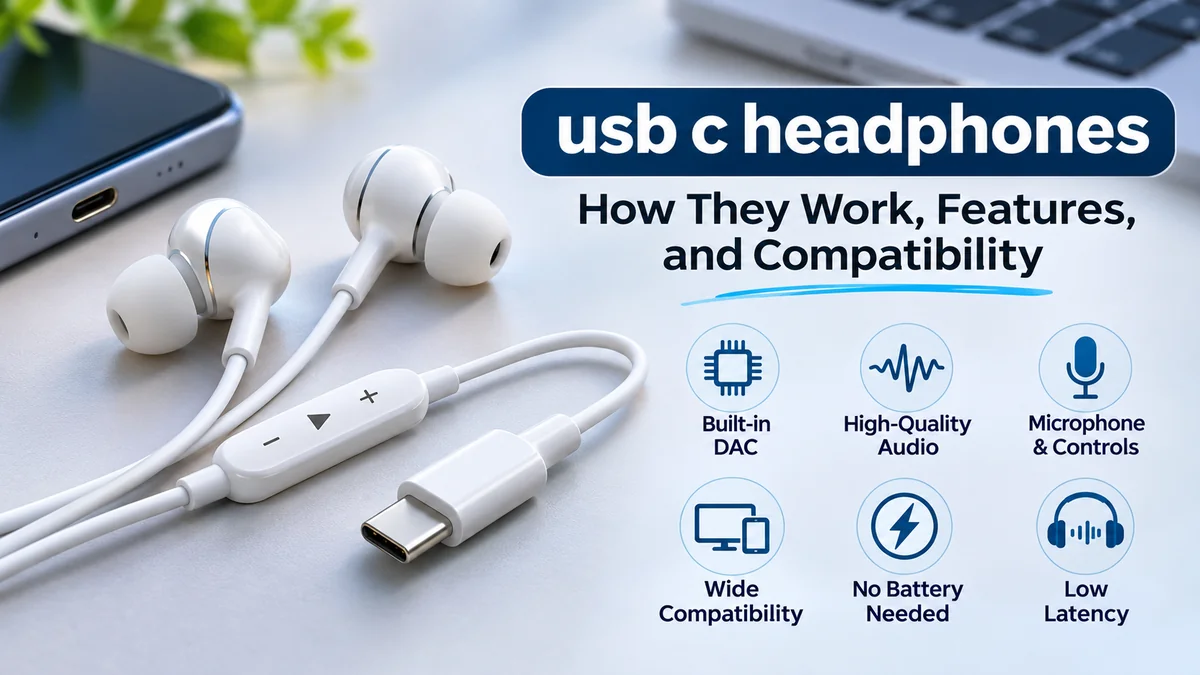

USB-C has become a common connection for smartphones, tablets, and laptops, but connecting wired headphones is not always as simple as plugging them in. Some devices support digital audio, others have limited compatibility, and certain headphones require specific hardware to function correctly.
usb c headphones are wired audio devices that connect through a USB Type-C port instead of a traditional 3.5 mm headphone jack. Most modern models receive digital audio and use a built-in digital-to-analog converter (DAC) to produce sound. They offer battery-free listening, potentially low audio latency, and convenient connectivity, provided the source device supports the required USB audio interface.
Understanding the difference between USB-C connectors, digital audio processing, and device compatibility helps explain why some headphones work immediately while others produce no sound.
What Are usb c headphones?
USB-C headphones are earphones, earbuds, or headsets that use a USB Type-C connector for audio transmission.
Unlike traditional headphones that receive an analog electrical signal through a 3.5 mm jack, digital USB-C headphones receive audio data from a compatible device. Their internal electronics convert that data into the analog signal needed to drive the speakers.
The USB-C connector is small, reversible, and widely used across modern electronics. However, its physical shape does not guarantee that every USB-C port supports headphone audio.
Main components of USB-C headphones
A typical digital USB-C headset contains several components:
- USB Type-C connector: Establishes the physical connection to the phone, tablet, or computer.
- Digital-to-analog converter (DAC): Converts digital audio samples into an analog signal.
- Amplifier: Supplies the electrical power needed by the headphone drivers.
- Audio drivers: Transform electrical signals into audible sound.
- Microphone: Captures speech for calls, recordings, or meetings when included.
- Inline controls: May provide volume adjustment, playback control, and call management.
Some headphones include a dedicated digital signal processor (DSP) for equalization, microphone noise reduction, or other audio processing.
Google’s Android USB headset specification describes digital USB audio as the supported approach for standardized Android USB headsets. Android Open Source Project
How Do usb c headphones Work?
The basic principle is straightforward: the source device sends digital audio information to the headphones, where it is converted into sound.
The digital audio signal path
- An application plays music, a video, a game, or a voice recording.
- The operating system prepares digital audio data for USB transmission.
- The USB controller sends that data through the USB-C connection.
- The headphone’s DAC converts the digital samples into an analog waveform.
- The amplifier drives the headphone speakers, producing audible sound.
This arrangement moves the digital-to-analog conversion process from the source device into the headphone or its connector assembly.
Digital versus analog USB-C audio
Not every USB-C audio accessory operates in the same way.
Digital USB-C audio uses a USB audio interface and typically includes its own DAC. This is the preferred approach for broad compatibility with modern USB audio hosts.
Analog USB-C audio relies on the source device supplying an analog signal through a supported USB-C Audio Adapter Accessory Mode. This requires specific hardware support and is not universally available.
Google’s Android documentation specifies active digital-to-analog adapters rather than analog-only adapters for its standardized USB-C-to-3.5 mm accessory implementation. Android Open Source Project+1
This distinction explains why two headphones with identical-looking USB-C plugs can behave differently on the same phone.
Types of USB-C Headphones
USB-C audio products come in several physical designs. Each offers a different balance of comfort, portability, isolation, and functionality.
In-ear USB-C earbuds
Compact earbuds sit inside the ear canal, usually with silicone tips. They are portable, can provide effective passive noise isolation, and suit commuting or everyday listening.
쿠팡 홈플래닛 with 크레신 C타입 오픈형 이어폰 CPC-CS0170WW01 : 다나와 가격비교
Open-fit USB-C earphones
These rest near the ear canal rather than sealing it. They allow more surrounding sound to remain audible, although bass performance and noise isolation are often weaker.
XCD USB-C Wired Over-ear Headphones (Black) – JB Hi-Fi NZ
Over-ear USB-C headphones
Larger earcups surround the ears. Depending on the design, they can provide greater comfort for extended sessions, stronger passive isolation, and space for additional electronics.
Call centre headset for Professionals | Onedirect.co.uk
USB-C headsets with microphones
Designed for communication, these may feature a boom microphone, mute button, sidetone, or speech-processing technology for meetings and online calls.
Are all headphones with USB-C ports USB-C audio headphones?
No. Some wireless headphones have a USB-C socket exclusively for charging.
Others support both USB-C charging and wired digital audio. Some also require their internal battery to remain charged during wired playback.
A USB-C charging port alone is not proof of wired USB audio functionality. Check whether the specifications explicitly mention USB audio playback or wired USB-C listening. iTechGuides
USB-C Headphones vs. 3.5 mm and Bluetooth Headphones
The three main connection methods differ in signal handling, convenience, power requirements, and compatibility.
| Feature | USB-C headphones | 3.5 mm headphones | Bluetooth headphones |
|---|---|---|---|
| Connection | USB Type-C | Analog audio jack | Wireless radio |
| Audio signal | Usually digital USB | Analog | Compressed or otherwise encoded digital audio |
| DAC location | Usually inside accessory | Inside source or external adapter | Inside headphones |
| Battery required | Usually no | Usually no | Usually yes |
| Audio latency | Typically low | Typically low | Depends on codec and system |
| Charging needed | Usually no | No | Yes |
| Device compatibility | USB audio support required | Compatible audio jack required | Compatible Bluetooth support required |
| Cable restrictions | Wired | Wired | Wireless during normal use |
Are USB-C headphones better than 3.5 mm headphones?
Not automatically.
Both connection methods can produce excellent sound. The quality depends on the DAC, amplifier, headphone drivers, tuning, fit, and audio source.
A well-designed 3.5 mm headphone connected to a quality audio output can outperform a poorly designed USB-C headset. Conversely, a USB-C headphone with a good integrated DAC can perform better than an inexpensive analog output.
The connector itself is not a reliable measurement of sound quality.
Are USB-C headphones better than Bluetooth?
USB-C headphones offer several practical advantages:
- No pairing process is normally required.
- Basic passive wired models do not need a rechargeable battery.
- Audio latency is generally predictable and low.
- The connection avoids Bluetooth radio interference.
- A compatible digital audio path can support lossless playback.
Bluetooth headphones provide freedom of movement, reduce cable clutter, and are often more convenient during exercise or travel.
Neither technology guarantees superior sound. Bluetooth codecs, headphone tuning, digital processing, and listening conditions all influence the result.
Device Compatibility: Android, iPhone, iPad, and Computers
Compatibility is one of the most important considerations when using USB-C audio accessories.
A device may have a USB-C connector yet lack the necessary USB audio host functionality or support only certain accessory features.
USB-C headphones with Android phones
Many modern Android smartphones support digital USB audio, including devices from Samsung, Google Pixel, OnePlus, Xiaomi, and other manufacturers.
However, support can vary by model, firmware, and accessory.
Google’s USB headset guidance covers stereo output, optional microphones, and control functions, including playback and volume. Android Open Source Project
Before relying on a particular combination, check:
- Whether the phone supports digital USB audio.
- Whether the headphones are compatible with its operating system.
- Whether the microphone works during calls.
- Whether volume and playback buttons function.
- Whether the phone recognizes the accessory through a hub or adapter.
A headset that plays music successfully may still have limited microphone or inline-control functionality.
USB-C headphones with iPhone
Apple’s USB-C iPhone models can use compatible USB-C wired headphones.
Apple also offers USB-C EarPods, which connect directly to compatible USB-C devices. Apple Support (IE)
USB-C iPhones can use supported third-party digital audio accessories, but individual headset functions depend on accessory design and compatibility.
Older iPhones with Lightning connectors require a compatible connection solution. A basic mechanical USB-C-to-Lightning adapter should not be assumed to support USB audio.
USB-C headphones with iPad and Mac
Compatible USB-C iPads and Macs can output audio through supported USB audio accessories.
On a Mac, the headphones may appear as a separate output and input device in system sound settings.
Some headsets support separate microphone and speaker endpoints, making them suitable for video meetings, voice recordings, and online communication.
USB-C headphones with Windows laptops
Many Windows computers support USB Audio Class devices without requiring a separate manufacturer driver.
When a headset is connected, Windows may automatically select it as the default audio output.
If it does not, open:
Settings → System → Sound → Output
Select the connected USB headset.
For a headset with a microphone, check the Input section as well.
Do USB-C headphones work with gaming consoles?
Compatibility depends on the console and the exact USB port.
Some gaming systems support USB audio headsets, while others restrict which devices or ports can output audio.
Do not assume a USB-C charging or controller port can function as a general-purpose USB audio output. Manufacturer documentation should identify supported audio accessories. Bose Noise Cancelling Wired Earbuds
Sound Quality, DACs, and High-Resolution Audio
Sound quality depends on the complete audio system rather than the USB-C connector alone.
The most influential factors include headphone driver performance, frequency response, distortion, amplification, digital processing, and physical fit.
What does a DAC do in USB-C headphones?
A digital-to-analog converter transforms numerical audio samples into an electrical waveform that can be amplified and reproduced by headphone drivers.
In digital USB-C headphones, this conversion typically happens inside the accessory.
DAC performance can influence:
- Background noise and unwanted electrical interference.
- Distortion at different listening levels.
- Dynamic range between quiet and loud sounds.
- Supported sample rates and bit depths.
- Maximum output level when combined with an amplifier.
However, an expensive DAC cannot compensate for uncomfortable earbuds, poor acoustic tuning, or inadequate drivers.
Do USB-C headphones support lossless audio?
Yes, compatible USB-C headphones can support lossless audio playback.
Lossless audio preserves the information contained in the original encoded audio stream. Common examples include FLAC and ALAC.
Whether playback remains lossless depends on the audio application, operating system, signal processing, and supported USB audio format.
Apple’s accessory design guidance recognizes USB-C audio interfaces and includes recommendations concerning Apple Music Lossless and Hi-Res Lossless support. Apple Developer
Understanding sample rate and bit depth
Two specifications frequently appear in USB audio product descriptions.
Sample rate describes how many audio samples are processed per second. Common values include 44.1 kHz, 48 kHz, and 96 kHz.
Bit depth describes the precision available for representing each audio sample. Common formats include 16-bit and 24-bit PCM.
| Audio format | Common application |
|---|---|
| 16-bit / 44.1 kHz | CD-quality audio |
| 16-bit / 48 kHz | Video and general digital audio |
| 24-bit / 48 kHz | Higher-precision audio processing |
| 24-bit / 96 kHz | High-resolution audio |
| 24-bit / 192 kHz | High-resolution audio production and playback |
Higher specifications do not automatically create audible improvements.
A properly implemented 16-bit, 44.1 kHz playback system can already deliver excellent sound quality. The recording, mastering, headphone design, and listening environment often matter more than extreme sample-rate figures.
What is USB Audio Class?
USB Audio Class, commonly abbreviated UAC, defines standardized communication between USB audio devices and host systems.
It helps operating systems recognize compatible microphones, speakers, DACs, and headsets.
USB Audio Class 1.0 and 2.0 are widely encountered in audio equipment, while newer specifications extend the technology.
The USB Implementers Forum (USB-IF) maintains the relevant specifications, including USB Audio Devices Release 4.0 documentation. USB-IF
Support for a newer USB audio specification does not necessarily mean that a headset will sound better.
Important Features of USB-C Headphones
The most useful features depend on how the headphones will be used.
Microphone quality and call controls
For voice calls, microphone performance can be more important than music playback quality.
A headset may include an inline microphone or a dedicated boom microphone.
Useful communication features include microphone muting, call-answer controls, sidetone, and noise reduction.
Microphone noise reduction should not be confused with active noise cancellation for listening. They address different problems.
Active noise cancellation and passive isolation
Passive noise isolation reduces outside sound through the physical design of the headphones.
Silicone ear tips, sealed earcups, and properly fitted cushions can provide substantial isolation without additional electronic processing.
Active noise cancellation (ANC) uses microphones and signal processing to reduce certain external sounds, especially consistent low-frequency noise.
Some wired USB-C headphones include ANC, although it is not a standard feature of all USB-C models.
ANC effectiveness varies by product, fit, and surrounding noise.
Inline volume and playback controls
Many USB-C headsets provide buttons for:
- Increasing or decreasing volume.
- Playing or pausing audio.
- Answering or ending calls.
- Skipping tracks.
- Muting a microphone.
The buttons communicate with the source through supported control interfaces, often using USB Human Interface Device (HID) functions.
Not every button works identically on Android, iOS, macOS, and Windows.
Cable quality and durability
A durable cable matters because wired headphones experience repeated bending and pulling.
Important design details include reinforced strain relief, a securely fitted connector, and a cable jacket that resists damage.
Detachable cables offer a maintenance advantage because a damaged cable can sometimes be replaced without discarding the headphones.
A permanently attached cable may be simpler and lighter, but it can also make repairs more difficult.
Comfort and ear-tip fit
Fit affects both comfort and sound reproduction.
In-ear headphones with an incomplete seal may lose bass response and allow more background noise into the ear canal.
Different silicone tip sizes can help achieve a comfortable seal.
For over-ear headphones, consider earcup depth, clamping force, cushion material, and overall weight.
Comfort is especially important during extended meetings, study sessions, and travel.
How to Use USB-C Headphones
Most compatible digital USB-C headphones are designed for plug-and-play operation.
Connecting USB-C headphones to a phone
- Check that the phone supports USB digital audio.
- Insert the USB-C connector fully into the phone’s port.
- Open a music, video, or audio application.
- Start playback at a low volume.
- Confirm that sound comes through the headphones.
- Test the microphone and inline buttons if available.
A compatible device should normally recognize the headset automatically.
Some phones may display a USB accessory notification or provide additional audio-routing options.
Connecting USB-C headphones to a computer
On Windows, connect the headset and inspect the Sound settings if the computer continues playing audio through its internal speakers.
On macOS, open System Settings → Sound and choose the USB headset under Output.
If the headset has a microphone, select it separately under Input when necessary.
For communication applications such as Zoom, Microsoft Teams, or Google Meet, verify the microphone and speaker selections within the application itself.
Can you charge your phone while using USB-C headphones?
Yes, but simultaneous charging and listening generally requires a compatible USB-C adapter, hub, or splitter.
Such accessories must support the appropriate combination of USB audio and USB Power Delivery.
Some inexpensive splitters provide charging only on one port or fail to pass microphone signals correctly.
A compatible adapter should explicitly state that it supports simultaneous charging and digital USB-C audio.
USB-C Headphones Not Working: Common Problems and Fixes
A USB-C headset may fail because of unsupported audio modes, incorrect sound settings, damaged connectors, or software problems.
The following troubleshooting table covers common symptoms.
| Problem | Possible cause | Suggested solution |
|---|---|---|
| No sound | Unsupported USB audio mode | Verify device and headset compatibility |
| Headphones not detected | Loose or dirty connector | Reconnect and inspect the port |
| Audio plays through speakers | Incorrect output selection | Select the USB headset in sound settings |
| Microphone not working | Unsupported microphone interface or permissions | Check input selection and app permissions |
| Volume buttons do not work | Control compatibility issue | Use device controls and check supported functions |
| Sound cuts out | Damaged cable or unstable connection | Test another port or compatible device |
| Low volume | Output setting, tuning, or amplification limitation | Check volume settings and supported hardware |
| Crackling or distortion | Faulty connection or audio processing issue | Reconnect and test another source |
Why are my USB-C headphones not detected?
First, disconnect the headphones and reconnect them securely.
If a phone case prevents the connector from seating fully, remove the case temporarily and try again.
Next, test the headphones with another known-compatible device.
If they work elsewhere, the problem may involve the original device’s USB audio support, port, settings, or software.
If they fail on multiple compatible devices, the headphones or cable may be defective.
How do I fix USB-C headphones with no sound?
Try the following sequence:
- Increase the media volume gradually.
- Confirm that the application is actually playing audio.
- Disconnect and reconnect the headphones.
- Restart the phone or computer.
- Check the selected audio output device.
- Inspect the USB-C port for visible debris or damage.
- Test the headset on another compatible device.
- Check for relevant operating-system updates.
On Android, developer settings related to USB audio routing can also affect audio behavior. Avoid changing unfamiliar developer options without understanding their purpose.
Why does the microphone work on one device but not another?
Microphone compatibility depends on the headset’s USB audio implementation, operating system, application permissions, and supported input interfaces.
A headset may provide stereo playback successfully while its microphone is not recognized.
Check whether the manufacturer explicitly lists microphone compatibility for the intended operating system.
Can a USB-C adapter cause audio problems?
Yes. USB-C adapters are not interchangeable simply because they use the same connector.
A passive analog adapter requires a source that supports the appropriate analog audio accessory mode.
An active USB-C-to-3.5 mm adapter includes a DAC and requires compatible digital USB audio support.
For modern Android devices, an active adapter with a supported DAC is generally the more dependable approach. Android Open Source Project+1
How to Evaluate USB-C Headphones for Different Uses
Different listening activities place different demands on headphone design.
USB-C headphones for music
For music listening, prioritize acoustic performance, comfort, and compatibility.
A well-tuned frequency response generally matters more than claims about unusually large drivers or extremely high sample rates.
Pay attention to bass balance, vocal clarity, treble smoothness, and unwanted distortion.
If using lossless audio, confirm that the headphones support an appropriate digital audio format.
USB-C headphones for gaming
For gaming, low latency and clear positional audio can improve the experience.
Wired USB audio typically avoids the additional wireless transmission delay associated with Bluetooth.
However, overall latency still depends on the operating system, application, audio buffers, and headphone processing.
Microphone quality and platform compatibility also matter for multiplayer communication.
USB-C headphones for online meetings
A communication headset should provide reliable microphone capture, intelligible speech, and comfortable long-term wear.
A boom microphone can help maintain a consistent microphone position near the mouth.
Dedicated mute controls and sidetone can be useful during lengthy meetings.
USB-C headphones for travel
Travel-oriented headphones benefit from compact construction, durable cables, and effective noise isolation.
In-ear models are convenient for carrying in a small case.
Over-ear models may provide greater comfort or stronger isolation, although they occupy more space.
USB-C headphones for studying
For studying, comfort and consistent sound reproduction are often more useful than advanced audio specifications.
Passive isolation can reduce distractions without requiring electronic noise cancellation.
A reliable microphone also makes the headphones useful for remote classes and group discussions.
Common Misconceptions About USB-C Headphones
Several assumptions about USB-C audio can lead to compatibility problems or unrealistic expectations.
USB-C always means better sound quality
USB-C is a connection standard, not a sound-quality rating.
Digital transmission can reduce certain analog signal problems, but the final sound depends heavily on the DAC, amplifier, drivers, and acoustic design.
All USB-C devices support wired headphones
A USB-C port can provide charging, data transfer, display output, audio, or some combination of these functions.
The available features depend on the host device.
A USB-C connector does not guarantee that digital USB audio is supported. Bose Noise Cancelling Wired Earbuds
USB-C headphones always need batteries
Most basic wired digital USB-C earbuds draw the small amount of power they need from the connected device.
They do not require a separate rechargeable battery.
Some advanced headphones with wireless features, ANC, or other powered electronics may behave differently.
USB-C headphones are completely latency-free
Wired USB audio generally provides low latency, but it is not literally instantaneous.
Audio processing, operating-system buffering, and conversion introduce some delay.
For most everyday listening, this delay is not noticeable.
A USB-C-to-3.5 mm adapter is just a connector
Many adapters contain active electronics, including a DAC and amplifier.
Their quality and compatibility can affect playback performance.
The same-looking adapters can support different audio modes and headset functions.
Caring for USB-C Headphones
Proper maintenance helps preserve connection reliability and extend the life of wired headphones.
Keep the connector clean
Dust, lint, and moisture can interfere with the USB-C connection.
Inspect the connector periodically and clean it gently with an appropriate dry, soft tool.
Avoid inserting metal objects into a device’s USB-C port.
Protect the cable
Do not pull headphones out by gripping the cable.
Instead, hold the connector housing when disconnecting them.
Avoid sharp bends near the plug and earpieces, where repeated strain can damage internal conductors.
Clean ear tips and earcups
Removable silicone tips can usually be cleaned according to the manufacturer’s instructions.
Allow cleaned parts to dry completely before reattaching them.
For over-ear headphones, wipe cushions gently and avoid excessive moisture near electronic components.
Use safe listening levels
Long exposure to loud audio can damage hearing regardless of whether headphones use USB-C, Bluetooth, or a 3.5 mm connector.
Keep the volume at a comfortable level and take listening breaks.
If surrounding noise forces you to increase volume substantially, better-fitting ear tips or effective noise isolation may help.
The Future of USB-C Audio
USB-C has become an important common connector across smartphones, tablets, laptops, and audio accessories.
Standardized digital audio interfaces can simplify connections across different product categories, although compatibility still depends on how manufacturers implement those interfaces.
USB Audio Class specifications continue to evolve, supporting a range of audio functions and device configurations.
Future USB-C headphones may increasingly combine digital signal processing, microphone enhancements, customizable sound profiles, and improved device interoperability.
However, the underlying principles remain the same: a reliable digital connection, accurate conversion, suitable amplification, and well-designed acoustic components determine the listening experience.
Final Thoughts on usb c headphones
usb c headphones offer a practical wired audio solution for compatible modern devices. They can provide convenient plug-and-play listening, low latency, microphone functionality, and digital audio playback without the charging requirements of conventional wireless earbuds.
Their main limitation is compatibility. A USB-C connector does not guarantee that every phone, tablet, laptop, or adapter supports the same audio features.
The most useful approach is to verify digital USB audio support, understand the role of the DAC, and evaluate sound quality, comfort, microphone performance, and cable durability.
With the right combination of hardware and software, USB-C headphones can provide reliable audio for music, gaming, communication, studying, and everyday use.
