
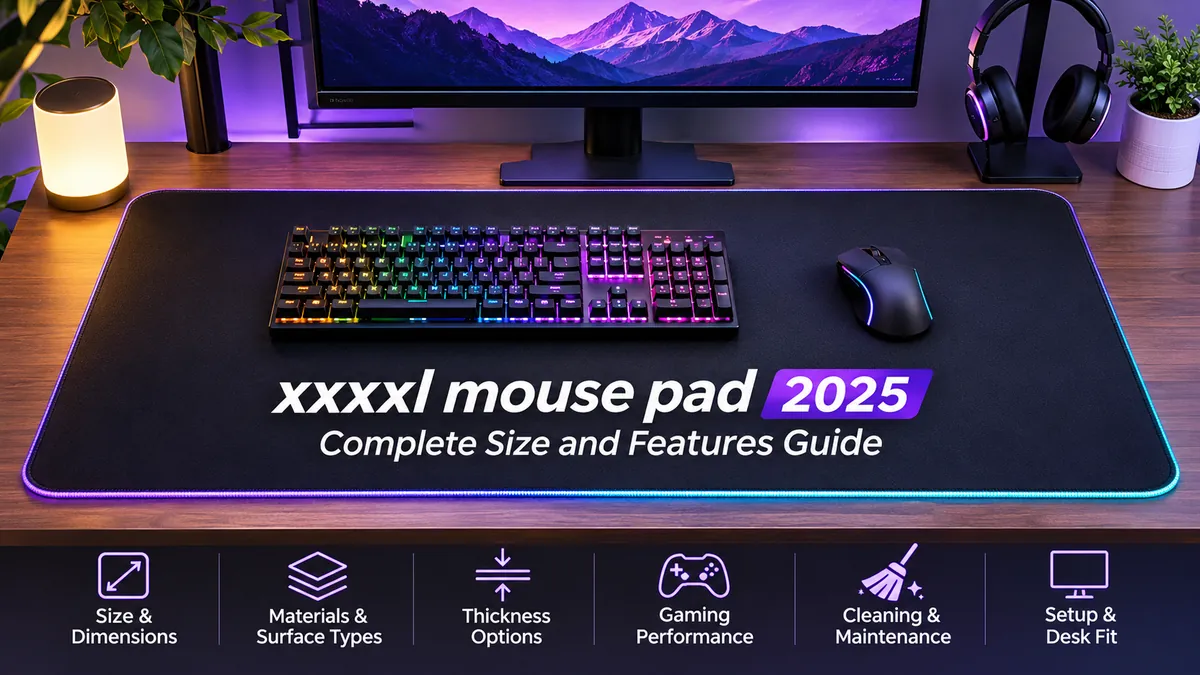

A standard mouse pad can feel restrictive when your mouse reaches the edge during gaming or your keyboard takes up most of your desk. An XXXXL mouse pad addresses this problem by providing an oversized surface for your mouse, keyboard, and other desktop accessories.
But bigger does not automatically mean better. The right size depends on your desk dimensions, mouse sensitivity, keyboard layout, and preferred surface material.
An xxxxl mouse pad 2025 is an extra-large desk mat designed to accommodate a keyboard and mouse while providing generous room for movement. Common oversized dimensions include 1200 × 600 mm, 1400 × 700 mm, and larger. Unlike standardized paper sizes, XXXXL is a marketing designation, so exact measurements vary between manufacturers.
This guide explains the dimensions, materials, performance characteristics, maintenance requirements, and practical considerations that determine whether an XXXXL mouse pad makes sense for your workspace.
What Is an xxxxl mouse pad 2025?
An XXXXL mouse pad is an oversized mouse mat that extends across a substantial portion of a desk. It is sometimes described as a giant mouse pad, extended gaming mouse pad, full desk mouse mat, or extra-large desk pad.
Unlike a traditional mouse pad that supports only a mouse, an XXXXL mat can accommodate multiple devices and accessories simultaneously.
A typical setup may include a full-size mechanical keyboard, gaming mouse, wrist rest, and additional accessories positioned on the same continuous surface.
The main advantage is uninterrupted movement. Users can move their mouse over a wider area without repeatedly lifting and repositioning it.
What does XXXXL mean in mouse pad sizes?
XXXXL generally indicates a size larger than XXL or XXXL, but there is no universal industry standard defining the label.
One manufacturer might describe a 1200 × 600 mm mat as XXXXL, while another might use the same designation for a 1400 × 700 mm product.
This inconsistency makes physical dimensions more reliable than size labels.
For comparison, a 1200 × 600 mm mat covers approximately 7,200 square centimeters, equivalent to 0.72 square meters.
That is considerably more surface area than a conventional 250 × 200 mm mouse pad.
xxxxl mouse pad 2025 Size Chart and Dimensions
Understanding dimensions is the first step toward determining how an oversized mouse pad will fit your desk.
Manufacturers generally provide measurements in millimeters, centimeters, or inches.
The following table shows illustrative size categories rather than standardized industry classifications.
| Size category | Example dimensions | Typical application |
|---|---|---|
| Medium | 350 × 300 mm | Mouse-only use |
| Large | 450 × 400 mm | Gaming mouse movement |
| XL | 900 × 400 mm | Keyboard and mouse |
| XXL | 1000 × 500 mm | Extended desktop setup |
| XXXL | 1200 × 550 mm | Large gaming workstation |
| XXXXL | 1200 × 600 mm | Full-size desk coverage |
| Oversized XXXXL | 1400 × 700 mm | Extra-wide workstations |
Actual product labels and dimensions differ across brands.
How big is a 1200 × 600 mm mouse pad?
A 1200 × 600 mm mouse pad measures approximately 47.2 inches wide and 23.6 inches deep.
This provides sufficient width for many full-size keyboards alongside a large mouse movement area.
However, the depth can be challenging on desks measuring only 600 mm from front to back.
The mat may cover nearly the entire usable depth, leaving little exposed desk surface.
Is a 1400 × 700 mm mouse pad too large?
A 1400 × 700 mm mat measures approximately 55.1 × 27.6 inches.
It can work well on a sufficiently large workstation, but it may be impractical on a compact computer desk.
Before using a mat of this size, check the location of monitor stands, cable-management holes, desk clamps, and other fixed accessories.
The mouse pad should lie flat without hanging over unsupported edges.
How to measure your desk correctly
Measure the usable desktop rather than relying on the manufacturer’s advertised desk dimensions.
- Measure the horizontal space available for the mat.
- Measure the depth from the front edge to the nearest obstruction.
- Account for monitor stands and other accessories.
- Check whether your keyboard and mouse will fit comfortably.
- Allow clearance for accessories that need direct contact with the desk.
For example, a desk measuring 1500 × 750 mm can accommodate a 1200 × 600 mm mat with approximately 150 mm of unused width on either side and 150 mm of remaining depth, depending on placement.
A measuring tape and a simple paper layout can help visualize the dimensions before making a decision.
Mouse Pad Materials and Surface Types
Material selection affects mouse tracking, comfort, durability, cleaning, and overall usability.
Most oversized desk mats use a textile upper surface attached to a rubber or synthetic backing.
Cloth mouse pads
Cloth surfaces are among the most common options for extended gaming mouse pads.
They generally offer a balance of friction, flexibility, and comfort.
Many use woven polyester or similar synthetic fibers.
The texture of the weave influences how smoothly a mouse moves across the surface.
A tightly woven cloth may feel smoother, while a rougher fabric can produce greater resistance.
Cloth pads are also flexible, making them relatively easy to roll for storage.
However, they can absorb moisture and collect skin oils over time.
Hard-surface mouse pads
Hard mouse pads use materials such as plastic, glass, or metal.
These surfaces can provide lower friction and a different glide sensation compared with cloth.
Glass mouse pads, for example, are often associated with fast movement and a firm, noncompressible surface.
However, very large hard pads are less convenient to transport, cannot be rolled, and may be more vulnerable to damage during handling.
Hard surfaces can also affect mouse-skate wear differently from cloth.
Hybrid mouse pads
Hybrid surfaces aim to combine characteristics of cloth and hard materials.
They may use specialized textile coatings, tighter weaves, or other surface treatments to alter friction and moisture resistance.
The term hybrid is not standardized, so performance varies significantly.
Surface specifications and independent testing are more informative than the label alone.
Rubber and non-slip backing
Many extended mouse pads use a natural rubber, synthetic rubber, or elastomer base.
The backing helps keep the mat stationary during rapid mouse movements.
A textured underside can improve grip on smooth desks, although actual performance depends on the desktop finish and the backing material.
A poorly gripping mat may shift during gaming, creating an inconsistent movement surface.
Mouse Pad Thickness: 2 mm, 3 mm, 4 mm, or 5 mm?
Thickness influences how the mat feels under the wrist, how it interacts with desk imperfections, and how much the surface compresses under pressure.
| Thickness | Characteristics | Practical consideration |
|---|---|---|
| 2 mm | Thin and firm | Desk imperfections may be noticeable |
| 3 mm | Moderate cushioning | Suitable for many everyday setups |
| 4 mm | Softer feel | May conceal minor desk irregularities |
| 5 mm | More cushioning | Can compress noticeably under pressure |
Thickness alone does not determine softness. Foam density and material construction are equally important.
Is a thicker mouse pad better for gaming?
Not necessarily.
Some gamers prefer a firmer surface because it produces a consistent feel under different levels of hand pressure.
Others prefer a thicker base for comfort and to reduce the effect of uneven desks.
A softer pad can also change mouse friction when downward pressure is applied.
For this reason, surface texture and base firmness should be considered alongside thickness.
Do stitched edges matter?
Stitched edges reinforce the perimeter of a cloth mouse pad.
They can help reduce fraying and separation between the fabric surface and backing.
However, thick or raised stitching may feel uncomfortable when the forearm frequently crosses the edge.
Low-profile stitching can reduce this problem.
The quality of the stitching matters more than its presence alone.
How an XXXXL Mouse Pad Affects Gaming Performance
The relationship between mouse pad size and gaming performance depends primarily on available movement space, surface friction, mouse sensitivity, and consistency.
A larger mat does not directly improve sensor accuracy or increase frames per second. Instead, it removes physical restrictions that can interfere with mouse movement.
Low-DPI gaming and mouse movement
DPI, or dots per inch, describes the sensitivity setting of a mouse sensor.
Gamers who use relatively low sensitivity often need to move their mouse farther to turn or aim within a game.
A larger surface provides additional room for these movements.
For example, a player using a low effective sensitivity in Counter-Strike 2 or Valorant may need significantly more horizontal movement space than someone using a high-sensitivity desktop configuration.
The actual distance depends on the game’s sensitivity settings and the player’s preferred centimeters per 360-degree rotation.
Speed versus control surfaces
Mouse pads are commonly described using two broad performance categories.
Speed surfaces prioritize relatively low friction, allowing the mouse to glide with less resistance. They may appeal to users who prefer rapid movement and minimal drag.
Control surfaces provide greater resistance, which some users find helpful for stopping the mouse precisely.
Neither category is universally superior.
The ideal surface depends on mouse weight, mouse feet, grip style, sensitivity, and personal preference.
Does a bigger mouse pad improve aim?
An oversized pad can support more consistent aiming when the previous surface was too small.
However, increasing the size beyond the player’s actual movement requirements may offer little additional benefit.
Aim performance also depends on practice, coordination, game settings, and hardware consistency.
The practical advantage is having enough space to complete normal movements without encountering the edge of the mat.
Optical and laser mouse compatibility
Most modern gaming mice use optical sensors that work effectively on suitable cloth surfaces.
Laser-based mice can also operate on many mouse pad materials, although tracking characteristics vary.
Reflective surfaces, unusual textures, dirt, and inconsistent coatings can affect some sensors.
For reliable tracking, use a clean, uniform surface and check the mouse manufacturer’s compatibility recommendations.
xxxxl mouse pad 2025 Features and Design Considerations
Oversized mouse pads are available in numerous designs, from plain black desk mats to printed surfaces with decorative graphics.
Some models also incorporate lighting or specialized coatings.
Understanding these features helps distinguish practical improvements from purely aesthetic additions.
Waterproof and water-resistant surfaces
Some desk mats use coatings intended to reduce liquid absorption.
Water-resistant surfaces can make small spills easier to manage, but resistance does not mean the mat is completely waterproof.
Liquid can still reach the backing or penetrate through seams and stitched edges.
Repeated exposure to moisture may also affect adhesives and surface treatments.
RGB lighting
RGB mouse pads feature integrated lighting, usually around the perimeter.
Lighting can provide visual coordination with RGB keyboards, mice, and other desktop accessories.
However, illuminated pads introduce additional components, including LEDs, wiring, controllers, and USB connections.
These components make cleaning more complicated.
RGB lighting does not inherently improve mouse tracking or gaming performance.
Printed and minimalist designs
Printed desk mats can feature maps, abstract patterns, artwork, or custom graphics.
Minimalist surfaces often use solid colors such as black, gray, or white.
Design choice is primarily aesthetic, but printed surfaces may show fading or wear over time.
White and light-colored mats can also make stains more visible.
A durable print should remain smooth and consistent across the mouse movement area.
Common mouse pad manufacturers
Several established peripheral brands provide useful reference points for understanding mouse pad construction.
- SteelSeries offers the QcK family of cloth gaming mouse pads.
- Razer produces the Gigantus and Goliathus mouse pad families.
- Logitech G offers gaming surfaces designed for different desk configurations.
- Corsair produces extended desk mats, including models with RGB lighting.
- Glorious is associated with extended cloth gaming surfaces.
These brands help illustrate common material and design approaches. Their individual models should not be assumed to meet XXXXL dimensions without checking specifications.
XXXXL Mouse Pad vs XL and XXL Mouse Pads
An oversized mat is not automatically the most practical choice.
A smaller extended mouse pad may provide sufficient room while leaving more usable desktop space.
| Feature | XL mouse pad | XXL mouse pad | XXXXL mouse pad |
|---|---|---|---|
| Desk coverage | Moderate | Large | Very large |
| Mouse movement space | Generous | Very generous | Extensive |
| Keyboard accommodation | Usually | Usually | Usually |
| Portability | Easier | Moderate | More difficult |
| Cleaning convenience | Easier | Moderate | Requires more space |
| Small-desk compatibility | Often suitable | Depends on dimensions | Often limited |
| Best suited for | Everyday gaming | Larger gaming setups | Wide desk configurations |
These are general comparisons; actual dimensions matter more than size labels.
Is an XXXXL mouse pad better than an XXL?
An XXXXL pad is better only when its additional surface area serves a practical purpose.
For example, a user with a 1600 mm-wide desk, full-size keyboard, and low mouse sensitivity may appreciate the additional room.
Someone with a 1000 mm-wide desk may find an XXL mat more convenient.
Can an XXXXL mouse pad replace a desk mat?
Yes. Many XXXXL mouse pads function as full-size desk mats.
They provide a continuous surface beneath the keyboard and mouse and may help protect the desktop from minor scratches caused by accessories.
However, not every gaming mouse pad is designed to withstand heat, sharp objects, or heavy equipment.
A cloth gaming mat should not be treated as a heat-resistant workbench surface.
How to Clean and Maintain an XXXXL Mouse Pad
Large mouse pads collect dust, skin oils, crumbs, and other debris through everyday use.
Over time, this buildup can alter the feel of the surface and affect mouse glide.
Regular cleaning helps preserve consistency.
Cleaning a cloth mouse pad
Always follow the manufacturer’s instructions because some cloth pads can be hand-washed while others should only be wiped.
For a typical wipe-clean mat:
- Remove the keyboard, mouse, and other accessories.
- Shake off loose debris or remove it gently with a soft cloth.
- Lightly dampen a microfiber cloth with water.
- Wipe the surface without aggressive scrubbing.
- Use a small amount of mild detergent only if permitted by the manufacturer.
- Remove any cleaning residue.
- Allow the mat to air-dry completely before use.
NZXT recommends gentle cleaning and avoiding harsh chemicals or excessive heat. SteelSeries also provides specific hand-washing guidance for compatible non-electronic cloth mouse pads. NZXT Support Center+1
Can you put an XXXXL mouse pad in a washing machine?
Do not assume that machine washing is safe.
Agitation, heat, and detergent can damage coatings, rubber backing, stitching, and adhesives.
Some manufacturers explicitly discourage washing machines, while certain cloth products permit hand washing.
The safest approach is to check the care label and use the least aggressive approved cleaning method.
How long does an XXXXL mouse pad last?
There is no universal replacement schedule.
Durability depends on surface material, frequency of use, cleaning practices, humidity, and physical wear.
Signs that a mat may need replacement include:
- Persistent uneven mouse glide
- Peeling fabric or separated layers
- Frayed edges
- Permanent creases or warped backing
- A surface that no longer provides consistent tracking
ZOWIE notes that mouse pad surfaces gradually wear and that usage intensity influences the rate of deterioration. ZOWIE Singapore
How should a large mouse pad be stored?
Flexible cloth mats can often be rolled loosely for storage.
Avoid sharp folds that create permanent creases.
Keep the mat in a dry environment away from excessive heat and prolonged direct sunlight.
If the mat has a rigid surface or integrated electronics, follow its specific storage instructions.
How to Choose the Right XXXXL Mouse Pad for Your Setup
The most useful way to evaluate an oversized mouse pad is to start with your actual workspace rather than a size label.
Consider your desk layout
A full-size keyboard may occupy approximately 430–460 mm of horizontal space, depending on the model.
A tenkeyless keyboard typically requires less room, while a compact 60% or 65% keyboard leaves even more space for mouse movement.
Monitor placement also matters.
A desk-mounted monitor arm may free up desktop space that would otherwise be occupied by a large monitor stand.
Match the surface to your activity
Competitive gaming
Prioritize consistent glide, sufficient horizontal movement space, stable backing, and comfortable edge stitching.
Office and productivity
Prioritize comfortable materials, simple maintenance, and dimensions that accommodate everyday accessories.
SteelSeries launches larger QcK gaming mousepads with optional RGB lighting | Windows Central
Gaming and streaming setups
Consider visual design, RGB integration, cable placement, and available space for additional peripherals.
Check practical construction details
Look beyond the advertised dimensions.
A well-constructed oversized mat should have a consistent surface texture, reliable backing, and edges that do not interfere with normal use.
Also consider how the mat arrives.
Some tightly rolled products may initially have curled edges. Allowing the material to relax at room temperature may help, although persistent curling can indicate a construction issue.
Understand the trade-offs
The advantages of an XXXXL mat include generous movement space, broad desk coverage, and a unified surface beneath multiple accessories.
The disadvantages include greater cleaning effort, reduced portability, possible interference with desk-mounted accessories, and limited compatibility with smaller desks.
Large dimensions can also make storage inconvenient.
Common Problems With Oversized Mouse Pads
Even a well-made desk mat can develop issues through everyday use.
Mouse pad edges curl upward
Curling can occur after prolonged rolled storage or exposure to unsuitable conditions.
Place the mat on a clean, flat surface and allow it to settle naturally.
Avoid applying excessive heat or heavy pressure that could damage the material.
Mouse pad slides during gaming
A slipping mat may have a dusty backing or be positioned on a slippery desktop.
Clean and dry both the desk and the underside of the pad, using methods compatible with the materials.
If slipping continues, the backing may not provide adequate grip.
Mouse movement feels inconsistent
Uneven friction can result from dirt, moisture, worn mouse feet, or surface wear.
Inspect the mouse skates and gently clean the mat according to its care instructions.
A damaged or heavily worn surface may not return to its original glide characteristics.
Mouse pad has a strong rubber smell
Some newly manufactured rubber-backed mats have a noticeable odor when first unpacked.
Ventilation may reduce the smell over time.
Avoid applying perfumes, harsh cleaners, or heat to mask it.
If the odor remains unusually strong or causes discomfort, discontinue use and consult the manufacturer.
Is an xxxxl mouse pad 2025 Worth Using?
An XXXXL mouse pad is useful when a standard or extended mat does not provide enough space for your desk arrangement.
Its greatest advantage is a continuous, generous movement area that accommodates a keyboard and mouse without restricting normal motion.
For low-sensitivity gaming, a large desk, or a workspace with multiple accessories, this can make the setup more comfortable and consistent.
However, size alone does not determine quality. Surface texture, backing stability, thickness, stitched edges, and maintenance requirements are equally relevant.
The most practical approach is to measure your available desk space, estimate your mouse movement needs, and compare actual product dimensions rather than relying on XXXXL branding.
The key takeaway: An xxxxl mouse pad 2025 is most beneficial when its extra surface area solves a real workspace limitation. Choose dimensions and materials that fit your setup instead of assuming the largest available mat will provide the best experience.
