
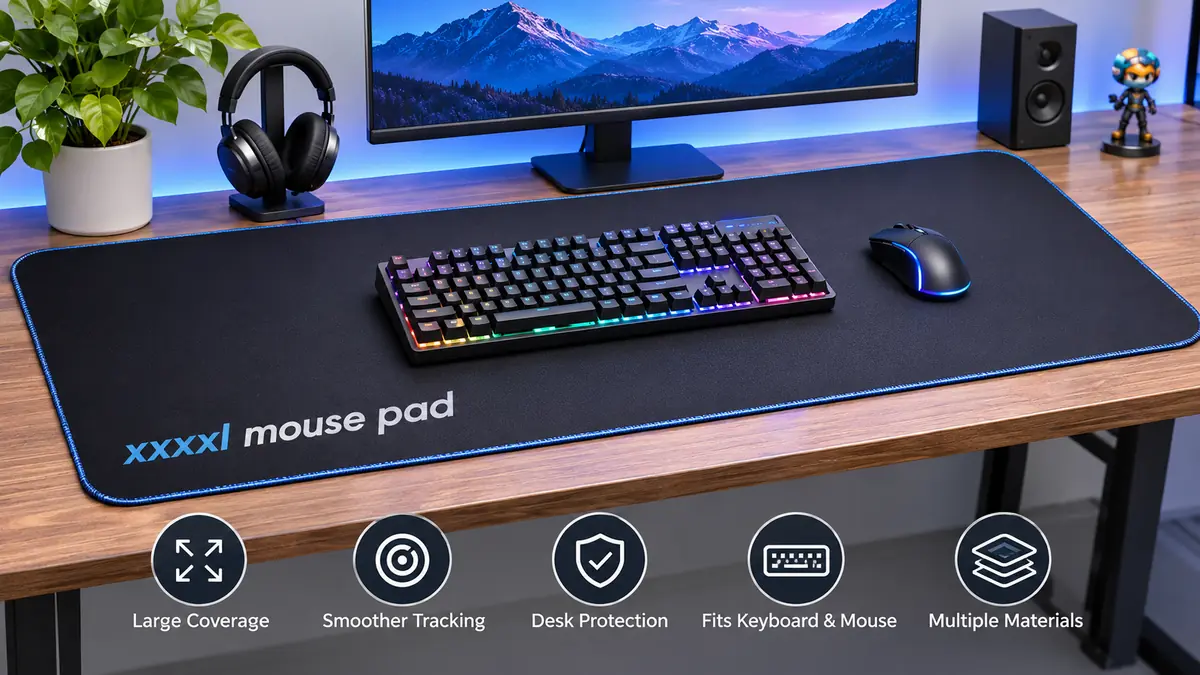

A mouse pad that covers nearly your entire desk might seem excessive until you experience how much easier it makes moving your mouse, positioning your keyboard, and keeping your workspace organized.
An xxxxl mouse pad is an oversized desk mat designed to provide a continuous surface for a mouse, keyboard, and other desktop accessories. Unlike standard mouse pads, these extra-large mats can span much of a desk, offering greater freedom of movement, consistent mouse tracking, and protection against everyday scratches.
The term XXXXL generally describes a very large size category rather than one universally standardized measurement. Actual dimensions vary by manufacturer, so understanding the differences between sizes, materials, and surface types is essential.
What Is an xxxxl mouse pad?
An xxxxl mouse pad is an extended mouse mat that covers a substantially larger area than a traditional mouse pad. It is commonly used for gaming, office work, graphic design, and other computer activities requiring comfortable, unrestricted mouse movement.
Traditional mouse pads usually provide enough space for a mouse alone. An XXXXL desk mat can accommodate a full-size keyboard, mouse, and sometimes additional accessories such as a wrist rest or small notebook.
Most oversized mouse pads share several characteristics:
- A large rectangular surface designed for keyboards and mice
- A fabric or synthetic top layer suitable for optical mouse sensors
- A rubber or similar backing that helps prevent slipping
- Stitched or reinforced edges on many models
- A flexible construction that can often be rolled up for storage
Some versions prioritize gaming performance, while others emphasize desktop protection, aesthetics, or general comfort.
Is XXXXL an official mouse pad size?
No. There is no universal industry standard defining the exact dimensions of an XXXXL mouse pad.
Manufacturers may use labels such as XXL, XXXL, 4XL, or XXXXL for products with similar dimensions. Consequently, two mouse pads advertised as XXXXL can differ considerably in their actual surface area.
The most reliable way to understand the size is to check the product’s length, width, and thickness rather than relying on its size label.
xxxxl mouse pad Sizes and Dimensions Explained
Oversized mouse pads are available in several dimensions, ranging from extended keyboard mats to products that cover almost an entire desktop.
The following measurements illustrate common size categories rather than official classifications.
| Size category | Example dimensions | Typical use |
|---|---|---|
| Standard | 250 × 200 mm | Mouse only |
| Large | 450 × 400 mm | Mouse with generous movement space |
| XXL extended | 800 × 300 mm | Keyboard and mouse |
| XXXL extended | 900 × 400 mm | Gaming and office setups |
| XXXXL extended | 1200 × 600 mm | Large desk coverage |
| Full-desk mat | 1400 × 700 mm | Wide workstations |
A 1200 × 600 mm mouse pad measures approximately 47.2 × 23.6 inches.
However, not every XXXXL product measures 1200 × 600 mm. Some brands apply the label to smaller or larger mats.
How much desk space does a 1200 × 600 mm mouse pad cover?
A mat measuring 1200 × 600 mm covers 0.72 square meters, equivalent to approximately 7.75 square feet.
On a desk measuring 1400 × 700 mm, that would leave 100 mm of uncovered width on each side and 50 mm of uncovered depth at the front and back, assuming the mat is centered.
This provides enough surface area for many keyboard-and-mouse configurations, although monitor stands, desk accessories, and cable arrangements may influence the usable space.
How thick should an oversized mouse pad be?
Thickness affects cushioning, surface stability, and how the mat feels during extended use.
| Thickness | Characteristics | Suitable applications |
|---|---|---|
| 2 mm | Thin, firm, portable | Minimalist desk setups |
| 3 mm | Moderate cushioning | Everyday work and gaming |
| 4 mm | Softer feel | Extended computer sessions |
| 5–6 mm | More cushioning | Users who prefer a padded surface |
A thicker mat is not automatically better. The ideal thickness depends on personal preference, desk surface, and how much cushioning is comfortable for the wrist and forearm.
Benefits of Using an Extra-Large Mouse Pad
The main advantage of an oversized desk mat is the additional usable surface area. However, several practical benefits make these mats useful beyond gaming.
Greater freedom of mouse movement
A larger surface reduces the likelihood of the mouse reaching the edge of the pad during long movements.
This is particularly helpful for users who operate their mouse at low sensitivity or use broad arm movements.
Instead of repeatedly lifting and repositioning the mouse, users can make larger movements across a continuous tracking surface.
More consistent mouse tracking
An appropriate mouse pad provides a consistent surface texture across the mouse’s movement area.
Modern optical gaming mice generally work well on suitable cloth mouse pads, although performance depends on the mouse sensor, surface material, cleanliness, and sensor settings.
A larger mat does not inherently improve sensor accuracy. Its benefit is that the user has more room to move without transitioning between different desktop surfaces.
Protection for the desktop
An oversized desk mat can protect a desk from minor scratches, friction, and wear caused by moving accessories.
It may also provide a barrier against small spills, depending on its material and construction.
However, water-resistant and waterproof are not interchangeable terms. A water-resistant coating may repel minor splashes without preventing liquid from reaching the desk through seams or prolonged exposure.
Improved keyboard stability
Many extended mouse pads provide a rubberized surface beneath the keyboard.
This can reduce unwanted movement, particularly on smooth desks.
The actual effect depends on the keyboard’s feet, weight, and the mat’s surface texture.
A more unified workspace
A full-size desk mat creates a consistent visual area for a keyboard, mouse, and accessories.
This can make a workspace appear more organized, especially when the mat complements the desk’s color scheme.
For users who frequently rearrange their setup, an extended mat also provides a defined working area.
Materials Used in XXXXL Mouse Pads
The material of a mouse pad influences its glide, durability, comfort, and cleaning requirements. Most large desk mats use a combination of materials rather than a single uniform layer.
Cloth and micro-woven fabric
Cloth is among the most common materials for oversized gaming mouse pads.
A micro-woven cloth surface uses tightly arranged fibers to create a relatively consistent tracking area. Different weave patterns can produce different amounts of friction.
Cloth surfaces are popular because they offer a balance of control, comfort, and flexibility. They can also be rolled for transport, provided the manufacturer permits it.
One example is the SteelSeries QcK 4XL, which uses a micro-woven cloth surface and a non-slip rubber base. steelseries.com+1
Rubber and foam bases
The underside of an extended mouse pad commonly contains natural rubber, synthetic rubber, or rubber foam.
This backing helps keep the mat stationary during mouse movement and keyboard use.
High-density foam can also help the surface remain reasonably flat over minor desk imperfections.
A good base should provide sufficient grip without leaving unwanted marks on the desk. Compatibility with delicate painted, lacquered, or treated surfaces should be checked before prolonged use.
Polyester and synthetic fabrics
Polyester is frequently used in printed desk mats and some gaming surfaces.
Its properties depend on the weave, coatings, and manufacturing process.
A polyester-based mat may be suitable for detailed printed designs, although print durability varies with the materials and cleaning methods used.
Leather and synthetic leather
Leather and polyurethane (PU) leather desk mats are commonly associated with office and minimalist workspaces.
They often provide an easy-to-wipe surface, but their texture may feel different from a dedicated gaming cloth pad.
Some optical mice perform well on these surfaces, while others may track less consistently on glossy or highly reflective finishes.
Hard surfaces
Hard mouse pads can use plastic, glass, or other rigid materials.
They often produce a faster glide than traditional cloth surfaces, although this depends on the exact material and mouse feet.
Very large hard mouse pads are generally less flexible and portable than cloth desk mats. Their rigidity also makes storage and shipping more demanding.
XXXXL Gaming Mouse Pad vs. Regular Mouse Pad
The difference between a regular mouse pad and an XXXXL model is not simply appearance. Size affects movement range, desk organization, and portability.
| Feature | Regular mouse pad | XXXXL mouse pad |
|---|---|---|
| Surface area | Small | Very large |
| Keyboard coverage | Usually none | Usually included |
| Mouse movement | Limited to a smaller area | Wide movement range |
| Portability | Easy | Less convenient |
| Desk protection | Localized | Covers a large area |
| Low-sensitivity gaming | May require repositioning | More movement space |
| Cleaning | Smaller surface | More surface to maintain |
| Desk compatibility | Fits most desks | Requires careful measurement |
Why do gamers use oversized mouse pads?
Many gamers use low mouse sensitivity, especially in first-person shooter games such as Counter-Strike 2 and VALORANT.
Low sensitivity means the mouse must travel farther physically to produce the same amount of movement on screen.
A larger mouse pad accommodates those movements without forcing the user to stop at the edge of the surface.
For example, a player using an effective sensitivity that requires 40 cm of mouse travel for a full 360-degree rotation needs enough uninterrupted space to make wide turns comfortably.
The relevant measurement is often called cm/360, meaning the physical mouse movement required for one complete in-game rotation.
Does a bigger mouse pad improve gaming performance?
Not automatically.
An oversized mouse pad can remove space limitations, but it does not directly increase a mouse sensor’s accuracy, reduce computer latency, or improve reaction time.
Performance also depends on factors such as mouse sensitivity, grip, technique, surface friction, and familiarity.
A larger mat is most useful when a smaller one restricts the user’s natural movement.
Mouse Pad Surface Types: Speed, Control, and Hybrid
Surface texture can matter as much as physical dimensions.
Speed surfaces
Speed-oriented mouse pads generally aim to minimize friction.
They allow the mouse to move with relatively little resistance, which may suit users who prefer quick movements and a light glide.
However, some users find low-friction surfaces harder to stop precisely.
Control surfaces
Control-oriented pads typically offer more friction.
This can make stopping and making small corrections feel more deliberate.
They are commonly associated with tactical shooters and precision-focused mouse movement, although the preferred amount of friction varies between individuals.
Hybrid surfaces
Hybrid mouse pads attempt to balance glide speed and stopping control.
They may use specialized fabric weaves, coatings, or mixed-fiber constructions.
The labels speed, control, and hybrid are descriptive categories rather than standardized technical ratings. Two products with the same label may feel substantially different.
How do mouse DPI and surface friction work together?
DPI, or dots per inch, is commonly used to describe mouse sensor sensitivity.
Higher DPI settings generally produce more cursor movement for a given physical mouse movement, before accounting for operating-system or application settings.
Lower sensitivity usually requires more physical space.
Surface friction influences how easily the mouse starts moving, continues gliding, and stops.
For gaming, effective sensitivity also depends on the game’s sensitivity multiplier. Consequently, DPI alone does not determine how much mouse pad space someone needs.
How to Choose the Right XXXXL Mouse Pad Size
Selecting an oversized mouse pad begins with measuring the desk and understanding how the workspace is arranged.
Step 1: Measure your desk
Use a measuring tape to record the usable width and depth of the desktop.
Measure the flat working area rather than assuming the desk’s advertised dimensions represent unobstructed space.
Pay attention to monitor mounts, cable openings, raised edges, and other features that might interfere with the mat.
Step 2: Decide how much surface to cover
Some people prefer a mat that covers almost the entire desk. Others want a smaller border of exposed desktop around it.
For example, consider a desk measuring 1500 × 800 mm.
A 1200 × 600 mm mat would leave 150 mm on each side and 100 mm at the front and back when centered.
A 1220 × 762 mm mat would leave 140 mm on each side and only 19 mm at the front and back.
The second option provides more depth but allows considerably less clearance.
Step 3: Account for keyboard and mouse positioning
A full-size keyboard is commonly around 430–460 mm wide, although dimensions vary.
A tenkeyless (TKL) keyboard usually takes less horizontal space, while compact 60% and 65% keyboards require even less.
Consider where the keyboard sits and how much room remains for the mouse.
If the keyboard is positioned far to one side, a wide mat can be more useful than a deeper but narrower one.
Step 4: Consider the thickness
A 2 mm mat creates a relatively firm, low-profile surface.
A 4 mm mat offers more cushioning and may better accommodate minor desk irregularities.
Thicker mats can feel comfortable, but excessive softness may cause the mouse or keyboard feet to sink slightly under pressure.
Step 5: Examine the edges and backing
Stitched edges can help reduce fabric fraying, but their quality and height matter.
Raised stitching may irritate the forearm if the edge sits directly beneath it.
A reliable non-slip backing is especially useful for larger mats because the keyboard and other accessories may exert pressure on different areas.
Real-World XXXXL Mouse Pad Dimensions
Actual manufacturer measurements illustrate why size labels should not be treated as interchangeable.
Gaming Mousepads | SteelSeries
SteelSeries QcK 4XL
1220 × 762 mm (48 × 30 inches)
A large micro-woven cloth pad designed for extensive desktop coverage. The QcK series also includes a 3XL version measuring 1220 × 590 mm and a 5XL version measuring 1600 × 800 mm. steelseries.com+1
Razer Gigantus V2 Cloth Gaming Mouse Pad (3XL) Black RZ02-03330500-R3U1 – Best Buy
Razer Gigantus V2 3XL
1200 × 550 × 4 mm
Although labeled 3XL rather than 4XL, this mat covers a substantial desktop area. It uses a textured micro-weave cloth surface and a high-density rubber foam base. Razer United States+1
These examples demonstrate that a product labeled 3XL can be close in width to another manufacturer’s 4XL model.
The key difference may be depth rather than width. Checking both dimensions prevents choosing a mat that extends beyond the front or back of the desk.
How to Clean and Maintain an XXXXL Mouse Pad
A large mouse pad collects dust, skin oils, crumbs, and other debris during regular use.
Keeping the surface clean helps preserve consistent mouse glide and makes the workspace more hygienic.
Routine cleaning
For light maintenance:
- Remove the keyboard, mouse, and other accessories.
- Shake off loose debris if the mat can be safely lifted.
- Use a clean, dry microfiber cloth to remove surface dust.
- Wipe small marks with a slightly damp cloth if the material permits.
- Allow the surface to dry completely before replacing accessories.
Regular light cleaning can reduce the need for more intensive washing.
Deep cleaning a cloth mouse pad
For a conventional, non-electronic cloth mat, the following method may be appropriate if permitted by the manufacturer:
- Place the mat on a clean, flat, water-safe surface.
- Dampen it with cool or lukewarm water.
- Apply a small amount of mild detergent.
- Gently clean the surface using a soft cloth or sponge.
- Rinse carefully to remove detergent residue.
- Lay the mat flat and allow it to air-dry completely.
Avoid aggressive scrubbing, wringing, high heat, and direct prolonged sunlight, which may damage the fabric, adhesive layers, or rubber backing.
Not every cloth pad is washable. Coated surfaces, printed designs, and specialized materials may require different care.
Can an XXXXL mouse pad go in a washing machine?
Only if the manufacturer explicitly states that machine washing is safe.
Machine washing may damage edge stitching, adhesives, coatings, or rubber layers. Large mats can also fold or become uneven during the wash cycle.
Hand cleaning is generally the more cautious approach for oversized fabric mats.
Cleaning RGB mouse pads
RGB mouse pads contain electronic lighting components, often around their edges.
These should not be submerged in water unless the manufacturer specifically certifies the product for that treatment.
Disconnect the USB cable and follow the product’s cleaning instructions. A lightly dampened cloth may be appropriate for the fabric area, provided moisture is kept away from electronic components.
Common Problems With Oversized Mouse Pads
Large desk mats offer practical benefits, but their dimensions and construction can create specific challenges.
The edges curl upward
Edge curling may occur after shipping or prolonged storage in a rolled position.
For a flexible cloth mat, placing it flat in a room-temperature environment can help it relax.
If necessary, gently rolling it in the opposite direction for a short period may help, provided the manufacturer permits this.
Avoid applying an iron or direct heat because excessive temperatures can damage the backing.
The mouse pad slides on the desk
Slipping may result from a dusty underside, a smooth desktop, or an insufficiently grippy base.
Clean and dry both surfaces, then reposition the mat.
If slipping continues, the backing material may not be suitable for the desk finish.
The mouse feels slower than expected
A slow or inconsistent glide may be caused by accumulated dirt, worn mouse feet, humidity, or the pad’s original texture.
Cleaning can help when contamination is the cause, but it cannot restore permanently worn fibers or coatings.
The mat develops waves or uneven areas
Waves can result from improper storage, moisture exposure, manufacturing defects, or separation between bonded layers.
Allowing a recently unpacked mat to rest flat may resolve temporary deformation.
Persistent bubbles or separated layers may indicate structural damage rather than a problem that cleaning can fix.
The pad has a rubber smell
Some new rubber-backed mats release a noticeable odor after unpacking.
Ventilating the product in a suitable indoor space may help reduce the smell over time.
Avoid using strong fragrances or harsh chemical cleaners to mask the odor. If it is unusually strong, causes irritation, or persists, follow the manufacturer’s guidance.
Are XXXXL Mouse Pads Suitable for Office Work?
Yes. Oversized desk mats can be useful for office work, even when gaming is not involved.
They provide a continuous surface for a keyboard and mouse while helping protect the desk from everyday wear.
For spreadsheets, document editing, coding, and design software, a large surface can accommodate different mouse positions throughout the workday.
A desk mat may also reduce some noise caused by placing or moving accessories on a hard desktop.
However, it is not a substitute for proper ergonomic positioning.
Do large mouse pads improve wrist comfort?
A padded surface may feel more comfortable than a hard desk, but it does not guarantee improved wrist health.
Mouse comfort depends on desk height, chair adjustment, forearm support, wrist posture, and movement habits.
A mouse pad should not force the wrist into an awkward angle.
Users should aim for a relaxed, reasonably neutral wrist position and avoid prolonged pressure against hard or raised edges.
Can a monitor stand sit on an oversized mouse pad?
Many desk mats can accommodate monitor stands, provided the stand is stable and the mat is sufficiently firm.
However, a heavy monitor stand may compress a soft surface or leave temporary impressions.
Monitor arms and stands should always be installed according to their manufacturers’ stability and mounting requirements.
RGB vs. Non-RGB XXXXL Mouse Pads
Some oversized gaming mats include integrated RGB lighting around the perimeter.
These products combine a mouse-tracking surface with decorative lighting powered through a USB connection.
| Feature | RGB mouse pad | Non-RGB mouse pad |
|---|---|---|
| Edge lighting | Yes | No |
| USB connection | Usually required | Not required |
| Cable management | Additional cable | Simpler |
| Cleaning | Electronics require care | Generally easier |
| Portability | May be less flexible | Often easier |
| Visual appearance | Illuminated edges | Traditional surface |
| Mouse tracking | Depends on surface | Depends on surface |
RGB lighting does not inherently improve mouse tracking or responsiveness.
The choice mainly affects appearance, maintenance, cable management, and convenience.
For a minimalist workspace, a non-RGB mat may be simpler. For a gaming setup built around synchronized lighting, RGB can provide a coordinated visual effect.
How Long Does an XXXXL Mouse Pad Last?
The lifespan of an oversized mouse pad depends on material quality, usage, cleaning habits, and environmental conditions.
A well-maintained cloth mat may remain usable for several years, but there is no universal replacement schedule.
Signs of wear include:
- Fraying or separating edges
- Persistent unevenness or bubbles
- Areas with noticeably different mouse friction
- Cracking or deterioration of the rubber backing
- Surface damage that affects sensor tracking
- Permanent stains or deterioration that cleaning cannot resolve
A worn appearance alone does not necessarily mean the mouse pad needs replacing.
The more meaningful question is whether the surface still provides the comfort, stability, and consistent movement the user requires.
When Is an XXXXL Mouse Pad Too Large?
An oversized mouse pad can become inconvenient when it occupies more space than the desk comfortably allows.
For example, a 1220 × 762 mm mat may fit well on a deep workstation but extend beyond the usable depth of a smaller desk.
An excessively large mat may interfere with desk-mounted accessories, cable openings, monitor arms, or writing space.
It may also be difficult to remove for cleaning, particularly when several accessories rest on top of it.
Before selecting a full-desk mat, consider how often the workspace changes and whether the entire surface needs to be covered.
For a compact workstation, a conventional XXL extended mat may provide nearly all the practical benefits with fewer space limitations.
Final Thoughts on the xxxxl mouse pad
An xxxxl mouse pad is a practical way to create a large, continuous surface for gaming, office work, and general computer use.
Its main advantages are generous mouse movement space, a consistent tracking surface, and additional desk protection. The trade-offs include greater cleaning effort, reduced portability, and the need for sufficient desktop space.
The most important factors are actual dimensions, surface material, thickness, edge construction, and backing grip—not the XXXXL label alone.
Measure the usable desk area, consider how far the mouse needs to move, and choose a surface texture that feels comfortable for everyday use. A properly sized mat should complement the workspace rather than restrict it.
