
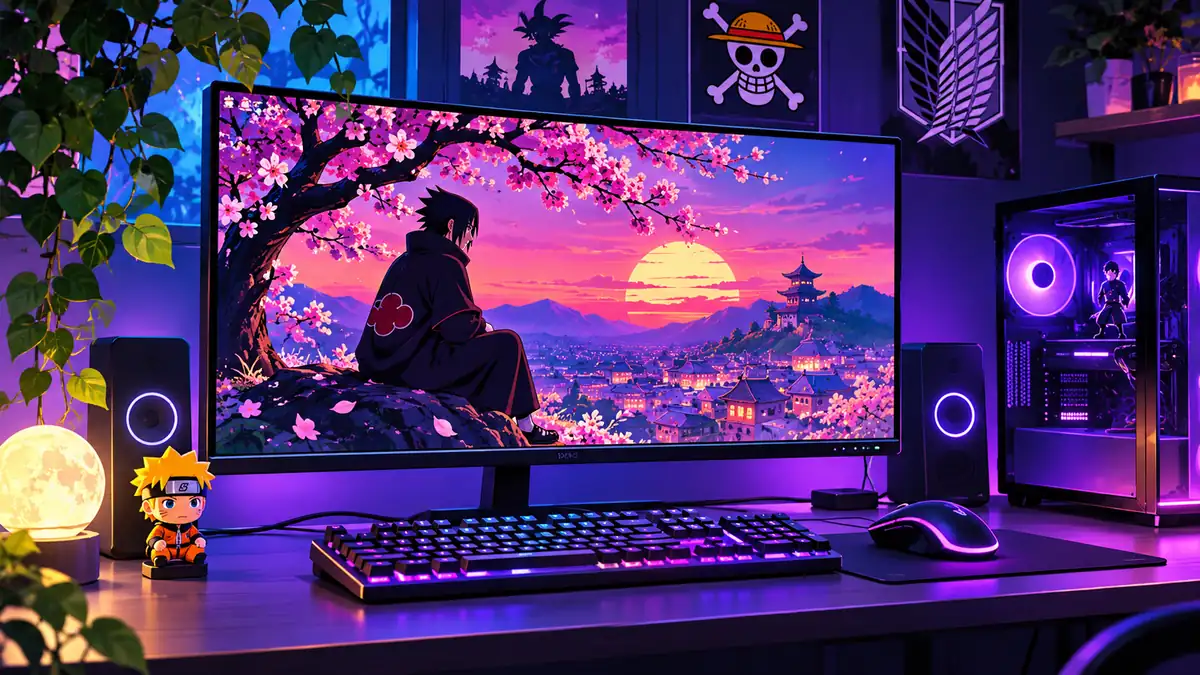

A great anime wallpaper can turn an ordinary computer desktop into a personalized space inspired by your favorite characters, stories, and artistic styles. But finding a sharp image that fits your screen without cropping, stretching, or losing quality can be surprisingly difficult.
Anime wallpaper for pc refers to anime-inspired digital backgrounds designed for desktop and laptop screens. These wallpapers include HD and 4K character artwork, minimalist illustrations, scenic anime landscapes, animated backgrounds, and ultrawide compositions. Choosing the right resolution, aspect ratio, and image format helps ensure your wallpaper looks clear and fits your display correctly.
The ideal background depends on more than your favorite anime series. Your monitor resolution, desktop icon arrangement, operating system, and preference for static or animated images all influence the result.
What Is Anime Wallpaper for PC?
Anime desktop wallpaper is a digital image or animation used as the background of a computer screen. It commonly features Japanese animation characters, recognizable fictional settings, original anime-style artwork, or scenery influenced by anime aesthetics.
Unlike smartphone wallpapers, which are usually designed for tall portrait displays, PC wallpapers generally use landscape layouts.
Common categories include:
- Character wallpapers: Portraits and illustrations featuring individual anime characters.
- Anime scenery: Mountains, cities, sunsets, forests, and fantasy landscapes.
- Minimalist wallpapers: Simple designs with limited colors and clean backgrounds.
- Action wallpapers: Dynamic illustrations inspired by anime battles and dramatic scenes.
- Aesthetic wallpapers: Soft colors, atmospheric lighting, and carefully composed artwork.
- Live wallpapers: Animated backgrounds featuring movement, lighting effects, or interactive elements.
A wallpaper may be an official promotional illustration, a licensed image, fan art, or an original design. Its source matters, particularly when considering copyright and image quality.
Best Anime Wallpaper for PC Styles
Different wallpaper styles create different desktop experiences. Some emphasize recognizable characters, while others prioritize a clean workspace.
Popular Anime Character Wallpapers
Samurai Girl at Sunset: A Warrior’s Solitude – backiee
ブルアカ開発陣の新作『ファレイドリア』決定!TGS2026出展情報|深夜のゲームラボ
12
Character-focused wallpapers are especially popular among fans who want their desktop to reflect a favorite series.
Frequently searched franchises include:
- Naruto — Ninja-themed imagery, recognizable characters, and dramatic landscapes.
- One Piece — Pirate adventures, colorful artwork, and ocean scenery.
- Demon Slayer: Kimetsu no Yaiba — Sword-fighting compositions and atmospheric visual effects.
- Attack on Titan — Dark fantasy settings, dramatic architecture, and cinematic artwork.
- Jujutsu Kaisen — Modern supernatural aesthetics and high-contrast character designs.
- Dragon Ball Z — Energetic character portraits and action-oriented backgrounds.
When choosing character artwork, look at the placement of the subject. A character positioned near the center may become obscured by desktop windows, while one positioned toward the right can leave room for shortcuts on the left.
Aesthetic Anime Wallpapers
Обои 4к аниме изображения — Бесплатная загрузка на Magnific (ранее Freepik)
樱花列车风景4K壁纸3840x2160_图片编号341742-壁纸网
LoFlow – Free Pomodoro Timer with Lo-Fi Music for Focus & Productivity
17
Aesthetic anime wallpapers emphasize mood, lighting, color, and composition rather than a particular character.
Popular visual themes include neon-lit Japanese streets, cherry blossoms, rainy windows, nighttime cityscapes, pastel skies, and cozy interiors.
These backgrounds work particularly well for people who prefer subtle artwork without distracting details.
For example, an anime city at night with deep blue tones can complement a dark Windows theme. A soft landscape with pale clouds may work better with light-colored desktop icons.
Minimalist Anime Wallpapers
Tanjiro Kamado Wallpapers and Backgrounds
Pastel Peaks — Minimalist Mountain 4K Wallpaper
13
Minimalist anime wallpaper uses fewer visual elements, often combining a plain background with a small character silhouette, symbol, or landscape.
This style is useful when your desktop contains many folders, applications, and shortcuts.
A dark background with a small illustration can make icons easier to recognize. However, very dark wallpapers may hide black desktop text or widgets unless their colors are adjusted.
Dark and AMOLED-Style Anime Wallpapers
Dark anime wallpapers often feature black backgrounds, nighttime scenery, silhouettes, and glowing accents.
They are popular among gaming enthusiasts and users who prefer dark-mode interfaces.
On OLED displays, true black pixels can turn off individually, potentially reducing power consumption compared with bright images. On conventional LCD monitors, displaying a black wallpaper generally does not provide the same power-saving benefit.
A dark background may also make brightly colored desktop icons stand out.
Anime Wallpaper for PC Resolutions Explained
One of the most important decisions is selecting a wallpaper that matches your monitor’s native resolution.
Resolution describes the number of pixels in an image. Higher pixel counts can preserve more detail, but only when the source artwork actually contains that detail.
| Wallpaper resolution | Aspect ratio | Common use |
|---|---|---|
| 1280 × 720 | 16:9 | HD displays |
| 1366 × 768 | Approximately 16:9 | Older laptop screens |
| 1920 × 1080 | 16:9 | Full HD monitors |
| 2560 × 1440 | 16:9 | QHD gaming monitors |
| 3840 × 2160 | 16:9 | 4K UHD monitors |
| 2560 × 1080 | 21:9 | Ultrawide displays |
| 3440 × 1440 | Approximately 21:9 | Ultrawide gaming monitors |
| 5120 × 1440 | 32:9 | Super-ultrawide displays |
1920×1080 Anime Wallpaper for PC
Full HD, or 1080p, is a practical choice for many desktop monitors and laptops.
A 1920×1080 wallpaper contains approximately 2.07 million pixels and uses a standard 16:9 widescreen aspect ratio.
It is suitable for character artwork, anime landscapes, minimalist designs, and gaming setups.
When searching for a 1080p background, make sure the downloaded file actually measures 1920×1080 pixels. A small image enlarged to that resolution may still appear blurry.
4K Anime Wallpaper for PC
A 4K UHD wallpaper measures 3840×2160 pixels, containing approximately 8.29 million pixels.
This makes it particularly useful for larger high-resolution monitors, where detailed artwork can be displayed more clearly.
4K wallpapers are well suited to elaborate fantasy environments, detailed cityscapes, and illustrations with intricate lighting.
However, an image labeled 4K is not necessarily genuinely high quality. Some images are enlarged from smaller originals using basic interpolation, which increases pixel dimensions without restoring missing details.
Look for crisp outlines, consistent textures, and minimal compression artifacts.
Ultrawide Anime Wallpaper for PC
Ultrawide monitors require wider compositions than standard 16:9 displays.
A 3440×1440 wallpaper provides substantially more horizontal space, making it suitable for panoramic anime landscapes, futuristic cities, and expansive fantasy environments.
Using a standard 1920×1080 image on an ultrawide screen may result in cropping, borders, or stretching.
For the best appearance, choose artwork created for a matching ultrawide aspect ratio.
Dual-Monitor Anime Wallpapers
Dual-monitor setups can use either separate wallpapers or one panoramic image spanning both displays.
For two identical 1920×1080 monitors positioned side by side, a 3840×1080 image can cover both screens at native resolution.
However, monitor bezels create a physical gap between the two halves of the artwork.
Avoid placing important faces or text directly across the center of a spanning wallpaper.
For monitors with different resolutions or scaling settings, separate backgrounds are often easier to configure.
Where to Find High-Quality Anime Wallpapers
Finding an attractive image is easy. Finding one with the correct resolution, reliable source, and appropriate usage rights takes more attention.
Several websites and platforms specialize in desktop backgrounds and anime artwork.
Wallhaven
Wallhaven offers a searchable wallpaper collection with filters for resolution, aspect ratio, color, and content categories.
Its filtering tools are particularly helpful for finding 1920×1080, 2560×1440, 4K, and ultrawide wallpapers.
Because much of the content is community-uploaded, image attribution and usage permissions should be checked individually.
Wallpaper Abyss (Alpha Coders)
Wallpaper Abyss contains wallpapers organized by subjects, including anime series and characters.
It is useful for browsing artwork associated with a particular franchise or finding backgrounds in different screen sizes.
Check the actual download dimensions rather than relying entirely on the displayed resolution category.
DeviantArt
DeviantArt is an artist-focused community where creators share original illustrations, fan art, and other digital artwork.
It can be especially useful for discovering distinctive anime-inspired designs.
Not every uploaded illustration is available for full-resolution download, and artists may place restrictions on reuse.
ArtStation
ArtStation features professional-quality concept art, environment design, and character illustrations.
Although it is not exclusively a wallpaper platform, it is useful for discovering cinematic landscapes and detailed fantasy artwork.
Images displayed in artist portfolios are not automatically licensed for downloading, redistribution, or use in other projects.
Pixiv
Pixiv is a major illustration-sharing platform with a strong focus on anime-style artwork.
It is particularly useful for finding original character illustrations and Japanese digital art.
Pay attention to creator permissions and avoid assuming that public visibility grants redistribution rights.
These platforms serve different purposes. Wallpaper libraries are generally easier for resolution-based browsing, while artist communities are better for discovering original illustrations.
How to Set Anime Wallpaper for PC on Windows
Windows provides built-in tools for changing desktop backgrounds without installing additional software.
Change Wallpaper on Windows 11
Das Hintergrundbild in Windows 11 ändern
Open desktop personalization
Right-click an empty area of your desktop and select Personalize.
How to Change Wallpaper on Windows 11
Choose your wallpaper
Open Background, select Picture, and use Browse photos to locate your downloaded anime image.
Adjust the image fit
Choose Fill, Fit, Center, Stretch, Tile, or Span according to your display and image dimensions.
Microsoft documents these background and fitting options in its official Windows personalization guidance. Microsoft Support
Change Wallpaper on Windows 10
The basic process is similar:
- Right-click your desktop and select Personalize.
- Select Background.
- Choose Picture from the background menu.
- Browse for your saved anime wallpaper.
- Select your preferred fit setting.
Windows 10’s standard background controls support static pictures and slideshows. Windows 10 reached the end of standard support on October 14, 2025, so users should also consider their operating system’s security support status. Microsoft Support
Understanding Fill, Fit, Stretch, and Span
Choosing the wrong wallpaper positioning mode can make even a high-quality image look unattractive.
| Setting | What it does | Best use |
|---|---|---|
| Fill | Covers the screen, potentially cropping edges | Matching widescreen wallpapers |
| Fit | Shows the entire image with possible borders | Preserving complete artwork |
| Stretch | Resizes to screen dimensions, potentially distorting proportions | Images already close to screen ratio |
| Center | Displays the image without resizing | Smaller images |
| Tile | Repeats the image | Seamless patterns |
| Span | Extends one image across multiple monitors | Panoramic backgrounds |
For most anime wallpapers, Fill works well when the image has the same aspect ratio as the monitor. Use Fit when preserving the entire character or illustration is more important than filling every pixel.
Live Anime Wallpaper for PC
Live anime wallpapers add motion to the desktop background. Depending on the design, they may include moving clouds, flowing water, falling cherry blossoms, character animations, or changing lighting.
Unlike static images, animated wallpapers generally require additional software and ongoing system resources.
Wallpaper Engine
Wallpaper Engine is a desktop wallpaper application available through Steam.
It supports animated and interactive wallpapers, including video-based backgrounds, 2D and 3D scenes, and other dynamic visual effects.
Its community workshop contains user-created wallpapers covering many anime themes.
Some animations are subtle, while others include elaborate effects and audio-reactive visuals.
Wallpaper Engine is a paid application, and wallpaper quality varies between community creations.
Lively Wallpaper
Lively Wallpaper is a free, open-source Windows application for animated desktop backgrounds.
It supports video, GIF, webpage-based, and interactive wallpaper formats. It also offers multiple-monitor support and playback rules that can pause animations when fullscreen applications or games are running. GitHub+1
Lively can be useful for people who want to use an existing animation as a desktop background without purchasing wallpaper software.
Static vs. Live Anime Wallpapers
| Feature | Static wallpaper | Live wallpaper |
|---|---|---|
| Movement | None | Animated |
| CPU/GPU usage | Generally minimal | Varies with animation |
| Battery impact | Usually lower | Potentially higher |
| Installation | Built into Windows | Usually needs software |
| Customization | Image and positioning | Motion, effects, playback |
| Best suited for | Everyday work and laptops | Personalized desktop setups |
Animated wallpapers can consume additional CPU, GPU, memory, and battery resources.
The exact impact depends on animation complexity, video decoding, software configuration, and computer hardware.
For laptops, enabling automatic animation pauses while running on battery power can help reduce unnecessary resource usage.
How to Choose the Best Anime Wallpaper for Your Setup
The best-looking wallpaper is not always the image with the highest resolution.
A background should complement your screen size, desktop layout, and typical computer activities.
Match the Monitor’s Aspect Ratio
Check your display resolution before downloading artwork.
On Windows 11, open Settings → System → Display and look for Display resolution.
For example, a 1920×1080 monitor uses a 16:9 aspect ratio. Choosing an image with the same proportions helps avoid unnecessary cropping.
If you have a 3440×1440 ultrawide monitor, search for backgrounds specifically designed for that format.
Consider Desktop Icon Visibility
A visually busy wallpaper can make desktop icons difficult to read.
Bright character illustrations, complex patterns, and high-contrast details may compete with shortcut labels.
To improve visibility, choose artwork with a relatively uncluttered area where your icons appear.
For example, a wallpaper featuring a character on the right and an open sky on the left provides useful space for desktop shortcuts.
Match Your Desktop Theme
Wallpaper colors influence the overall appearance of a desktop.
Dark blue, black, and purple backgrounds often complement dark application themes. Pale blue, beige, and pastel illustrations can create a softer visual appearance.
You can also coordinate your wallpaper with taskbar colors, desktop widgets, and application accent colors.
Avoid Overly Compressed Images
A wallpaper can have the correct dimensions and still look poor because of excessive compression.
Look for visible problems such as blocky gradients, fuzzy outlines, artificial sharpening, and banding in dark skies.
Anime artwork frequently contains smooth color transitions, which can reveal compression artifacts more clearly than highly textured photographs.
Best Image Formats for Anime Desktop Wallpapers
Anime backgrounds are commonly distributed in JPEG, PNG, and WebP formats.
Each format has different characteristics.
| Format | Main advantage | Limitation |
|---|---|---|
| JPEG/JPG | Broad compatibility and efficient file sizes | Lossy compression |
| PNG | Lossless image storage | Often larger files |
| WebP | Efficient compression with lossy or lossless options | Compatibility varies by application |
| GIF | Basic animation support | Limited color palette |
| MP4/WebM | Efficient video animation | Requires compatible wallpaper software |
For standard desktop backgrounds, JPEG and PNG are straightforward choices.
WebP can provide excellent quality at relatively small file sizes, but compatibility should be verified with the operating system and wallpaper application being used.
For live backgrounds, MP4 or WebM video files may be more practical than large animated GIFs.
Common Anime Wallpaper Problems and How to Fix Them
Even carefully selected wallpapers can display incorrectly. Most problems relate to resolution, aspect ratio, image quality, or software configuration.
Why Does My Anime Wallpaper Look Blurry?
A wallpaper may appear blurry because its original resolution is lower than the display resolution.
For example, enlarging a 1280×720 image to fill a 3840×2160 screen requires substantial scaling.
The additional pixels do not automatically create genuine artistic detail.
To fix the problem, download a higher-resolution original, choose a better-quality source, or use careful image upscaling.
AI image upscaling can improve the appearance of some artwork, but it may introduce artificial details, altered facial features, or distorted linework.
Why Is My Wallpaper Cropped?
Cropping usually occurs when the image and monitor have different aspect ratios.
For example, a 16:9 wallpaper cannot completely fill a 21:9 ultrawide display without cropping, stretching, or leaving empty space.
Change the background positioning setting from Fill to Fit to preserve the entire image.
Alternatively, find artwork designed for your monitor’s aspect ratio.
Why Does My Live Wallpaper Lag?
Animated backgrounds may stutter when system resources are heavily used.
Possible causes include high-resolution video playback, complex interactive effects, insufficient available memory, or competing GPU workloads.
Try lowering animation quality, reducing frame rate, disabling unnecessary effects, or configuring the wallpaper to pause during gaming.
A static background is generally the simplest choice when maximum performance is the priority.
Why Does My Wallpaper Look Different From the Preview?
Differences may result from display brightness, color profiles, HDR settings, or compression.
A preview shown on a phone may look more saturated than the same image displayed on a desktop monitor.
Check your display settings and avoid repeatedly editing the image based solely on how it appears on another device.
How to Create Your Own Anime Wallpaper for PC
Creating a custom background gives you greater control over composition, colors, and resolution.
You can use original illustrations, licensed artwork, digital painting software, or appropriately permitted design assets.
Step-by-Step Wallpaper Creation
- Choose your canvas size. Start with your monitor’s native resolution, such as 1920×1080 or 3840×2160.
- Select a visual theme. Decide between character artwork, minimalist scenery, cyberpunk aesthetics, or fantasy landscapes.
- Plan the composition. Leave space for desktop icons, widgets, and the taskbar.
- Create or import the artwork. Use original artwork or material you have permission to modify.
- Adjust colors and contrast. Ensure important subjects remain visible without overwhelming the desktop.
- Export the final image. Save it in a compatible format at the intended resolution.
- Test it on your desktop. Check for cropping, blurry details, and awkward icon placement.
Useful Wallpaper Design Tools
Common creative applications include Adobe Photoshop, GIMP, Krita, and Canva.
Photoshop offers extensive image-editing features. GIMP provides free image manipulation tools, while Krita is particularly suited to digital illustration and painting.
Canva can be convenient for simple compositions, though detailed anime illustration generally requires more specialized drawing tools.
For original anime-style artwork, use separate layers for backgrounds, characters, lighting, and decorative elements. This makes future adjustments easier.
Anime Wallpaper Copyright and Download Safety
Anime artwork is often protected by copyright, including official illustrations, screenshots, promotional images, and fan-created works.
Downloading an image for a personal desktop does not automatically grant permission to redistribute, sell, or publish it elsewhere.
A wallpaper website’s download button also does not necessarily mean the uploader owns the artwork or has permission to distribute it.
When possible, obtain images from the original artist or an authorized source, and follow any stated licensing terms.
Be cautious of wallpaper downloads packaged as executable installers. A normal static wallpaper generally does not require running an .exe file.
Avoid suspicious redirects, unexpected browser extensions, and downloads that request unnecessary system permissions.
For animated wallpapers, use established software distribution channels and inspect community-created content before running interactive files or scripts.
How to Organize an Anime Wallpaper Collection
A well-organized wallpaper library makes it easier to change desktop themes without repeatedly searching for images.
You can arrange wallpapers by resolution, anime franchise, visual style, or season.
For example, separate folders for 1080p, 4K, ultrawide, dark aesthetic, and anime landscapes help prevent mismatched backgrounds.
Windows also supports a slideshow feature that automatically rotates through images stored in a selected folder. You can adjust the change interval and shuffle settings through Background personalization. Microsoft Support
For a more consistent appearance, keep wallpapers with similar aspect ratios in the same slideshow folder.
This reduces the chance of some images appearing cropped while others display with borders.
Final Thoughts on anime wallpaper for pc
Choosing the right anime wallpaper for pc involves balancing artwork, resolution, screen proportions, and everyday usability.
For a standard desktop, a high-quality 1920×1080 wallpaper is often sufficient. Larger 4K monitors benefit from genuinely detailed artwork, while ultrawide displays work best with panoramic compositions designed for their aspect ratios.
Minimalist and scenic backgrounds provide a cleaner workspace, while character-focused and animated wallpapers offer a more expressive desktop experience.
Start by checking your monitor’s native resolution, then choose artwork with matching dimensions and a composition that suits your desktop layout. A carefully selected static image can look just as impressive as an elaborate animated background.
