
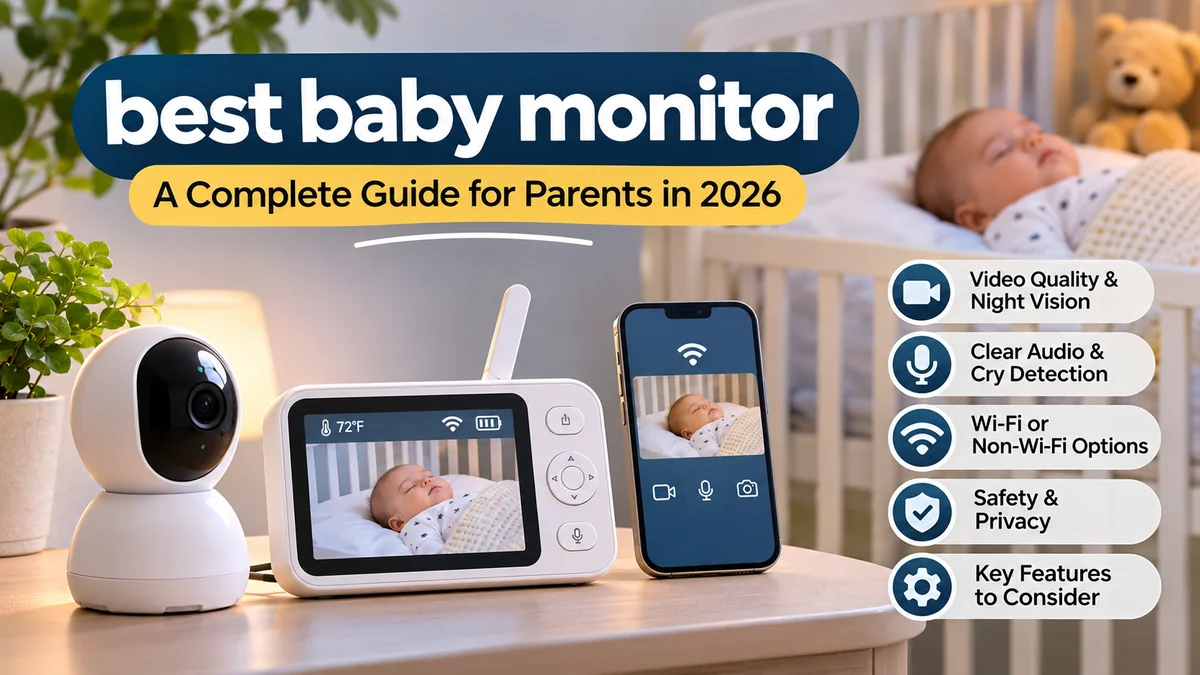

A baby monitor can make everyday parenting easier, but choosing one is surprisingly complicated. Some models provide a simple audio connection, while others offer high-definition video, smartphone access, sleep analytics, and movement alerts.
The most expensive monitor isn’t necessarily the most useful. What matters is how reliably it works in your home, how easily you can hear your baby, and whether its features support your family’s routine.
The best baby monitor for most families is a reliable video monitor with clear night vision, sensitive audio, a stable connection, and easy controls. Non-Wi-Fi models suit parents who value simplicity and local monitoring, while Wi-Fi and hybrid monitors offer remote viewing. Advanced tracking features are optional and cannot replace safe sleep practices.
Recent 2026 testing from BabyGearLab, Babylist, Consumer Reports, and The Bump highlights several strong choices, including the Eufy E21, Nanit Pro, Momcozy BM01, and Babysense models. Different reviewers favor different products because they evaluate features, usability, privacy, and performance differently. Lab Tested & Ranked+3
What Is the best baby monitor and How Does It Work?
A baby monitor is an electronic device that allows caregivers to hear or see a child from another room. Most systems include a transmitter or camera placed near the baby’s sleeping area and a receiver, dedicated screen, or smartphone application used by the caregiver.
The primary purpose is awareness. A monitor can alert parents when their baby cries, wakes up, or moves around the crib without requiring them to remain in the nursery.
Modern baby monitoring systems generally fall into four categories:
- Audio baby monitors: Transmit sounds from the nursery to a parent unit.
- Video baby monitors: Combine sound with a live camera feed.
- Wi-Fi baby monitors: Connect through a home network and provide access through an application.
- Smart baby monitors: Add features such as sleep analysis, motion detection, or certain physiological measurements.
Some products combine these categories. A hybrid monitor, for example, may include a dedicated parent screen for local viewing and an optional smartphone application for remote access.
Do You Really Need a Baby Monitor?
Not every household needs one.
Parents living in a small apartment may hear their baby easily without electronic assistance. Families with multiple floors, thick walls, or separate sleeping areas may find a monitor more useful.
A monitor is particularly convenient when:
- Your baby sleeps in a separate room.
- Household noise makes crying difficult to hear.
- You regularly work or relax away from the nursery.
- You want to check whether your baby is awake without entering the room.
- Multiple caregivers share responsibility for monitoring.
A baby monitor is a convenience and supervision aid, not a medical safety device unless it is specifically authorized for an applicable medical purpose.
Best Baby Monitors in 2026: Leading Models Compared
There is no universally superior baby monitor. The most suitable choice depends on connection preferences, home layout, desired features, and the age of the child.
The following models appear prominently in published 2026 testing and recommendations. These comparisons are based on independent reviewers’ findings and product characteristics, not original hands-on testing conducted for this article.
eufy E21 5” Video Wi-Fi Baby Monitor with Night Vision & Pan/Tilt/Zoom | Best Buy Canada
Eufy Baby Monitor E21
Best hybrid option for most families
Combines a dedicated display with optional Wi-Fi access, remote camera control, and high-resolution video. Especially useful for households that want flexibility without relying exclusively on a phone.
Nanit Pro Smart Baby Monitor & Wall Mount | Optum Now
Nanit Pro Smart Baby Monitor
Best for smart monitoring and sleep insights
Offers app-based video, sleep tracking, and breathing-motion monitoring with compatible accessories. Advanced features and subscriptions can increase the overall cost.
Momcozy BM01 Video Baby Monitor
Momcozy BM01 1080p Video Baby Monitor
Best straightforward non-Wi-Fi video option
Features a dedicated display, night vision, and remote pan, tilt, and zoom controls without requiring internet connectivity for normal local monitoring.
Babysense MaxView PRO: Video Baby Monitor with 2 Cameras, Non Wifi, Sp
Babysense MaxView PRO
Best alternative for local video monitoring
A dedicated-screen option for parents who prefer not to use cloud-based camera access. Particularly relevant for comparing non-Wi-Fi video quality and usability.
11 Best Baby Monitors of 2026 that Parents Love & Trust
Infant Optics DXR-8 PRO
Best established dedicated-screen alternative
Uses a local wireless connection, with interchangeable optical lenses and active noise reduction. It does not offer the same remote-access capabilities as app-connected models.
BabyGearLab’s October 2026 testing selected the Eufy E21 as its leading overall option. Babylist highlighted the Nanit Pro for Wi-Fi monitoring and the Momcozy BM01 for non-Wi-Fi video, while The Bump favored the Babysense MaxView PRO among non-Wi-Fi models. Lab Tested & Ranked+3
Quick Comparison of Baby Monitor Types
| Monitor type | Main advantage | Main limitation | Most suitable for |
|---|---|---|---|
| Audio-only | Simple, affordable monitoring | No visual feed | Small homes and basic needs |
| Non-Wi-Fi video | Dedicated local connection | Limited remote access | Privacy-conscious households |
| Wi-Fi video | Smartphone viewing from different locations | Internet and account security considerations | Families needing remote access |
| Hybrid video | Local screen plus optional app | More features to configure | Flexible everyday monitoring |
| Smart tracking | Additional sleep or movement information | Cost, subscriptions, and alert limitations | Parents who want supplementary insights |
The right choice is usually the simplest system that consistently meets your actual monitoring needs.
How to Choose the best baby monitor for Your Home
The most useful monitor features are not always the ones emphasized in advertisements. Connection reliability, sound clarity, and nighttime usability deserve more attention than complicated extras.
1. Video Quality and Night Vision
Video resolution affects how clearly you can see your baby, but resolution alone does not determine image quality.
A 1080p camera can provide excellent nursery visibility when paired with effective infrared night vision and a suitable viewing angle. Higher-resolution cameras may show additional detail, although that benefit can be reduced by poor lighting, compression, or a low-resolution parent display.
Consider the following:
- 720p: Often adequate for checking a sleeping baby’s position.
- 1080p: A practical balance of clarity and bandwidth.
- 2K or 4K: Potentially useful for zooming or viewing more detail.
- Infrared night vision: Allows monitoring in darkness without switching on bright nursery lights.
- Pan, tilt, and zoom: Help adjust the camera view as your child moves.
A high-quality night image matters more than impressive daytime footage because many parents primarily use monitors during naps and overnight.
2. Audio Quality and Cry Detection
Sound is arguably the most essential monitoring feature.
A monitor should reproduce crying clearly while minimizing unnecessary background noise from fans, air conditioners, and white-noise machines.
Some models offer sound activation or VOX mode. This keeps the display off or the speaker quiet until noise exceeds a selected threshold.
VOX can reduce distractions and conserve battery power, but overly aggressive sensitivity settings may miss quieter sounds.
Test the microphone at different distances and volume levels before relying on it overnight.
3. Wireless Range and Connection Stability
Manufacturers often advertise impressive wireless ranges. However, those figures may reflect testing in open spaces without walls or interference.
Actual performance depends on:
- Building materials and wall thickness.
- Distance between the nursery and receiver.
- Floors separating the camera and parent unit.
- Nearby electronic equipment.
- Wireless congestion.
- Home Wi-Fi coverage for connected monitors.
A monitor that performs well in an open room may behave differently through several concrete walls.
For a multi-story house, prioritize dependable signal coverage over a high advertised maximum range.
4. Battery Life and Charging
Dedicated parent units generally contain rechargeable batteries, while many nursery cameras require continuous external power.
Battery performance depends on screen brightness, video streaming, audio settings, and power-saving modes.
For overnight use, evaluate whether the parent unit can operate reliably while plugged in and whether it provides a clear low-battery warning.
A portable screen is especially useful when moving between the kitchen, living room, and bedroom.
5. Two-Way Audio and Temperature Sensors
Two-way talk allows caregivers to speak through the nursery camera. It can be convenient for reassuring an older baby or toddler, although younger infants may still need direct attention.
Temperature sensors provide an approximate reading of the nursery environment. They are helpful for identifying obvious changes but should not be treated as precision thermometers.
Other optional features include lullabies, white noise, feeding reminders, motion alerts, and sound-level indicators.
These extras can be useful, but they should not distract from the monitor’s core function.
Wi-Fi vs. Non-Wi-Fi Baby Monitors: Which Is Better?
The biggest practical distinction between baby monitors is how they transmit audio and video.
Momcozy Video Baby Monitor – BM01 – Luna Baby Store
Non-Wi-Fi monitor
A dedicated local connection, generally without cloud access.
Official VTech® Baby Care | RM9761 smart baby monitor
Wi-Fi monitor
Uses a home network and often supports smartphone viewing.
Advantages of Non-Wi-Fi Baby Monitors
Many non-Wi-Fi models use a direct radio connection between the nursery camera and a dedicated receiver.
Their main advantages include straightforward setup, no cloud account requirement, and continued local operation when home internet service is unavailable.
They are especially suitable for caregivers who want to switch on a screen and immediately see their child.
However, local radio connections can still experience interference, limited range, and signal dropouts.
Non-Wi-Fi does not automatically mean every device is secure. Product design and implementation still matter.
Advantages of Wi-Fi Baby Monitors
Wi-Fi monitors typically use smartphone applications to provide live video, notifications, and additional controls.
Depending on the model, authorized caregivers may access the camera from outside the home.
This is useful when a parent is away and wants to check in while another responsible adult is caring for the baby.
Some Wi-Fi systems also support:
- Multiple authorized users.
- Recorded video clips.
- Sleep activity summaries.
- Smart notifications.
- Integration with compatible home devices.
The trade-offs include dependence on network infrastructure, account management, software updates, and potentially recurring subscriptions.
Are Hybrid Baby Monitors Better?
Hybrid systems combine a dedicated parent display with optional internet-connected features.
For many families, this is a practical compromise. The parent screen can provide everyday local monitoring while the application adds remote viewing when needed.
However, confirm exactly how the chosen model behaves during an internet outage. Some products preserve local video but temporarily lose app functions, cloud recordings, or notifications.
Consumer Reports emphasizes that locally connected displays can offer privacy advantages, while connected models require closer attention to security and data handling. Consumer Reports+1
Smart Baby Monitors, Breathing Tracking, and Safety
Smart baby monitoring technology has expanded beyond ordinary video and audio.
Some systems analyze movement patterns, breathing-related motion, heart rate, oxygen saturation, or sleep behavior.
These capabilities sound reassuring, but understanding their limitations is essential.
How Do Breathing and Movement Monitors Work?
Different products use different monitoring methods.
Camera-based systems may analyze visible movement, sometimes using specially designed clothing or accessories.
Wearable devices may contain sensors that collect physiological measurements or movement data.
Under-mattress systems attempt to detect movement through the sleeping surface.
These technologies do not all measure the same thing.
For example, detecting chest movement is not equivalent to directly measuring blood oxygen saturation. Similarly, a sleep activity graph is not a clinical diagnosis.
Can a Baby Monitor Prevent SIDS?
No. A baby monitor has not been shown to prevent sudden infant death syndrome (SIDS).
The American Academy of Pediatrics does not recommend home cardiorespiratory monitors as a strategy for reducing SIDS risk.
The FDA has also warned that unauthorized infant vital-sign monitors can produce inaccurate measurements, missed alerts, and unnecessary medical interventions. No infant monitor is FDA-authorized to prevent SIDS or sudden unexpected infant death. FDA+1
Safe sleep practices remain essential regardless of the technology being used.
These include placing infants on their backs for sleep, using a firm and flat sleep surface, and keeping loose bedding and soft objects out of the crib.
What About the Owlet Dream Sock?
The Owlet Dream Sock is an example of a wearable infant monitoring product with FDA-authorized functionality for specified pulse-rate and oxygen-saturation monitoring.
That authorization is limited to its cleared or authorized intended use. It does not mean the device prevents SIDS or replaces appropriate medical supervision.
Parents should distinguish between FDA-authorized medical functionality and ordinary wellness features advertised by other products.
If a baby has a medical condition requiring physiological monitoring, a pediatrician should recommend the appropriate device and monitoring plan.
Are Smart Alerts Always Reliable?
No automated alerting system is perfect.
False alerts may wake caregivers unnecessarily, while missed alerts can create a dangerous false sense of reassurance.
Alert performance depends on sensor placement, device design, software, connectivity, and the specific condition being measured.
A baby monitor should support attentive caregiving, not replace it.
Baby Monitor Safety, Privacy, and Proper Installation
Even an excellent baby monitor can become hazardous if installed incorrectly.
Safety involves both physical placement and digital security.
Where Should You Place a Baby Monitor Camera?
Baby Monitor Mount and Safe Install Guide for Parents – eufy US
Illustrative nursery setup: the monitor and all power cords should remain securely outside the child’s reach.
The U.S. Consumer Product Safety Commission recommends keeping baby monitors and their cords at least 3 feet (approximately 91 centimeters) away from every part of the crib, bassinet, or other infant sleep area.
Never position a monitor inside the crib or attach a corded camera to the crib rail. U.S. Consumer Product Safety Commission+1
For safe installation:
- Choose a stable location with a clear view of the sleeping area.
- Keep the camera and every cable at least 3 feet away from the crib.
- Secure power cords so a child cannot pull or reach them.
- Follow the manufacturer’s mounting instructions.
- Check that the camera cannot fall into the sleeping area.
- Reassess placement as your baby learns to stand and reach.
Wall-mounted cameras still require careful cord management.
A neat-looking cable is not necessarily safe if a child can pull it through the crib bars.
How to Protect a Wi-Fi Baby Monitor From Hacking
Internet-connected cameras introduce privacy considerations that local-only monitors generally avoid.
Unauthorized access can potentially expose live video, audio, account information, or stored recordings.
To reduce these risks:
- Use a strong, unique password for the monitor account.
- Enable multi-factor authentication when available.
- Keep camera firmware and mobile applications updated.
- Secure your home Wi-Fi network with modern encryption.
- Review permissions granted to other caregivers.
- Disable unused remote-access features.
- Check the manufacturer’s privacy and data-retention policies.
- Remove old devices from your account before selling or giving them away.
Avoid using a shared password across the monitor, email account, and other online services.
A separate guest or IoT network can provide additional isolation when supported by your router.
Are Non-Wi-Fi Baby Monitors Completely Private?
A local-only monitor generally reduces exposure to internet-based attacks because it does not require a cloud video feed.
However, radio transmissions and device security still deserve consideration.
Look for reputable manufacturers, secure pairing mechanisms, and clear product documentation.
No wireless electronic device should be described as absolutely immune to interference or security vulnerabilities.
How to Test and Troubleshoot a Baby Monitor
A baby monitor should be tested under realistic household conditions before becoming part of an overnight routine.
A short setup check can reveal problems that specifications cannot predict.
Step-by-Step Baby Monitor Setup
- Charge the parent unit. Begin with a sufficiently charged receiver or display.
- Position the camera safely. Follow the minimum cord-distance requirements and mounting instructions.
- Pair the devices. Complete the manufacturer’s setup process.
- Test sound detection. Speak quietly and then at normal volume near the camera.
- Check night vision. Darken the nursery and confirm that the sleeping area remains visible.
- Test the connection. Walk through the rooms and floors where you normally spend time.
- Check alerts. Confirm that sound, motion, low-battery, and disconnection notifications behave as expected.
- Simulate an outage. For connected models, determine what continues working when internet service is interrupted.
Repeat important checks after firmware updates, router replacements, or changes to the nursery layout.
Why Does My Baby Monitor Keep Disconnecting?
Frequent disconnections may result from weak wireless signals, interference, software problems, or power issues.
For a Wi-Fi monitor, inspect the router connection and verify that the camera receives adequate signal strength.
For a direct-radio monitor, try moving the receiver closer and away from other electronic devices.
If the issue continues, restart the equipment and consult the manufacturer’s troubleshooting instructions.
Avoid relying on a monitor that repeatedly loses its connection without providing a dependable warning.
Why Is the Night Vision Blurry?
Infrared night vision can become blurry when the lens is dirty, the camera is positioned behind reflective glass, or nearby objects reflect infrared light.
Clean the lens using the manufacturer’s recommended method and adjust the viewing angle.
A camera mounted too close to a wall may also produce unwanted glare.
Why Does the Monitor Make Static or Buzzing Sounds?
Possible causes include interference, electrical noise, poor signal reception, or a faulty power adapter.
Try relocating the receiver, checking the power supply, and reducing interference from nearby electronics.
Persistent unusual noises or overheating should be investigated according to the manufacturer’s safety guidance.
Choosing a Baby Monitor for Different Family Needs
The ideal monitor changes with your living arrangements and your child’s development.
Best Baby Monitor for Newborns
For newborns, prioritize clear audio, dependable nighttime viewing, and straightforward controls.
A large collection of smart features is unnecessary for many families.
The American Academy of Pediatrics recommends room-sharing without bed-sharing for at least the first six months, so parents may initially need fewer remote-monitoring features than they expect. HealthyChildren.org+1
Best Baby Monitor for Twins or Two Children
Families with twins or children sleeping in separate rooms may benefit from multi-camera support.
Look for systems that offer split-screen viewing or convenient switching between camera feeds.
Check whether audio can be monitored from both cameras and whether alerts identify the correct room.
Some systems display two video feeds but provide audio from only one camera at a time.
That distinction matters more than the advertised number of supported cameras.
Best Baby Monitor for Large Houses
For a large home, range and connection reliability should take priority.
A direct-radio monitor may be sufficient in some multi-story houses, while others benefit from a well-configured Wi-Fi network.
Thick walls, reinforced concrete, and distant rooms can affect both approaches.
Test the connection in the basement, upper floors, outdoor seating areas, and other places where caregivers expect to use the receiver.
Best Baby Monitor for Travel
A travel-friendly monitor should be compact, easy to set up, and compatible with the available power supply.
Non-Wi-Fi models can be convenient in temporary accommodations because they do not require connecting to unfamiliar networks.
However, camera placement and cable safety remain essential in hotels, rental homes, and relatives’ houses.
Do not assume a portable camera is safe to place on a crib merely because it is small.
Best Baby Monitor on a Budget
Budget-conscious families should focus on the essentials:
- Reliable audio.
- Sufficient wireless range.
- Clear nighttime visibility if video is needed.
- Straightforward controls.
- Safe construction and installation.
- A dependable warranty and support policy.
Consumer Reports’ 2026 testing found that higher prices did not consistently translate into better performance, with some capable monitors available for under $100. Consumer Reports
A basic audio monitor may be entirely adequate when visual monitoring is unnecessary.
Common Baby Monitor Mistakes to Avoid
Many disappointing experiences come from mismatched expectations rather than defective equipment.
One common mistake is choosing a camera primarily for its advertised resolution. A 4K image offers limited practical value if the connection frequently freezes or the audio is difficult to hear.
Another is assuming that every Wi-Fi monitor continues operating normally during an internet outage. Local and cloud functions can behave differently, depending on the model.
Parents should also avoid overlooking subscription costs. Some smart monitors include basic live viewing but charge for extended video history, detailed sleep analytics, or additional features.
Excessive notifications can become another problem. Highly sensitive motion alerts may repeatedly interrupt sleep without providing useful information.
Finally, never assume that physiological monitoring guarantees safety. Even sophisticated devices cannot replace direct supervision, safe sleep arrangements, or medical advice.
How Much Should a Good Baby Monitor Cost?
Baby monitor prices vary considerably depending on features, manufacturer, and included accessories.
The following ranges are broad budgeting estimates rather than verified current retail prices.
| Category | Approximate price range (USD) | Typical capabilities |
|---|---|---|
| Basic audio | $20–$60 | Sound transmission, volume controls |
| Entry-level video | $50–$120 | Camera, screen, night vision |
| Midrange video | $100–$200 | Larger display, camera controls, additional features |
| Premium video or hybrid | $150–$350 | Higher-resolution imaging, app access, enhanced controls |
| Advanced smart systems | $200–$400+ | Analytics, specialized sensors, or premium accessories |
The initial price is only one part of ownership cost.
Consider whether the system requires paid cloud storage, a subscription for advanced analytics, replacement wearable accessories, or additional cameras.
A more affordable monitor without recurring fees may offer better long-term value than a premium model with features your household rarely uses.
Final Verdict: What Is the best baby monitor in 2026?
The best baby monitor is the one that provides reliable, understandable information without creating unnecessary complexity.
For most families who want both a dedicated screen and optional smartphone access, the Eufy E21 is a strong option supported by recent independent testing.
Parents who prefer a simple local video system can consider the Momcozy BM01, Babysense MaxView PRO, or Infant Optics DXR-8 PRO.
The Nanit Pro is worth understanding for families interested in app-based monitoring and sleep analytics, provided they are comfortable with the associated privacy considerations and potential ongoing costs.
There is no need to pay for advanced physiological monitoring simply to obtain a dependable nursery camera.
Start by identifying your home’s layout, preferred connection type, and essential features. Then prioritize stable audio, effective night vision, safe installation, and easy operation.
Most importantly, remember that a baby monitor is a helpful caregiving tool—not a replacement for safe sleep practices, direct supervision, or professional medical guidance.
