
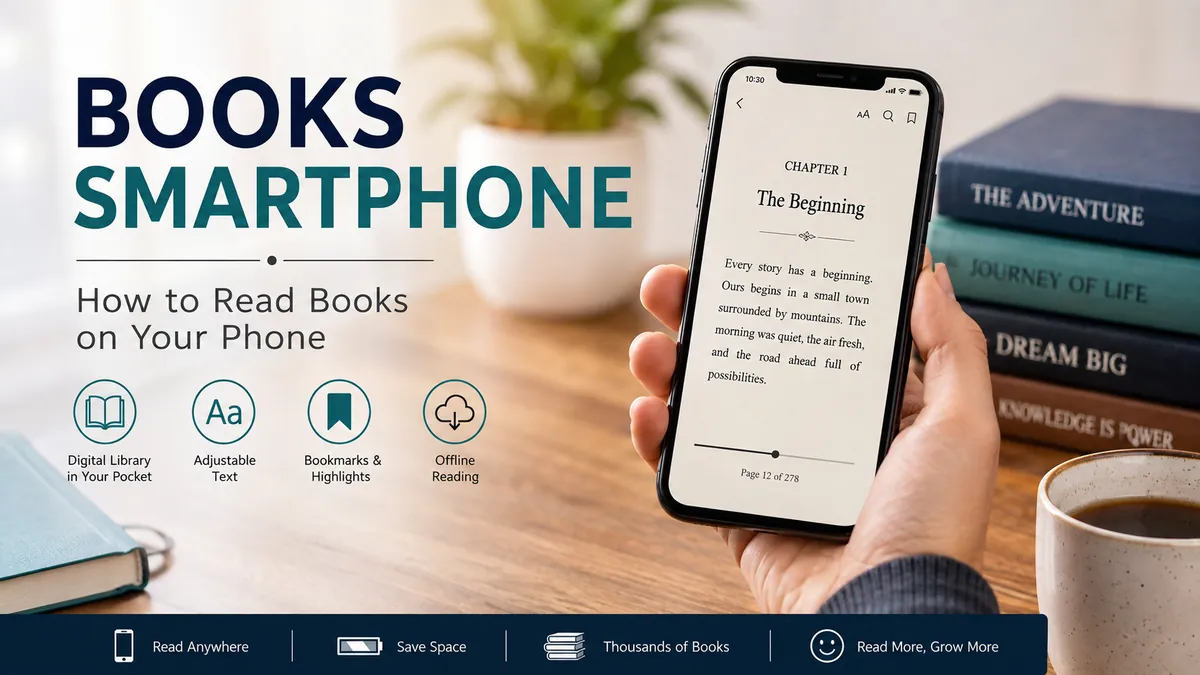

Your smartphone can hold an entire library in your pocket. Instead of carrying several novels, textbooks, or reference books, you can open an ebook during a commute, lunch break, flight, or a few quiet minutes before bed.
The idea behind books smartphone reading is simple: digital books can be stored, downloaded, and read on iPhone and Android devices through ebook-reading apps. Popular formats such as EPUB and PDF make books portable, while features including adjustable fonts, highlighting, search, bookmarks, offline reading, and synchronization can make a phone surprisingly practical for everyday reading.
If you already carry your phone everywhere, turning some of your screen time into reading time can be one of the easiest ways to read more consistently.
What Does books smartphone Reading Mean?
Books smartphone reading refers to accessing digital books directly on a mobile phone rather than using a printed book or dedicated e-reader.
An ebook is essentially a book published in digital form. Depending on the publisher and platform, it may be available as an EPUB, PDF, or another protected digital format. Many reading services let you download a book to your device so you can continue reading without a constant internet connection.
A smartphone reader typically gives you much more control over the appearance of the text than a printed page. You may be able to change:
- Font family and size
- Screen brightness
- Background appearance
- Line spacing
- Page margins
- Text alignment
- Reading orientation
Many apps also provide bookmarks, highlighting, notes, dictionaries, search tools, and reading-progress tracking.
The result is a portable reading environment that can be adjusted around the reader rather than forcing the reader to adapt to a fixed page.
How Do You Read Books on a Smartphone?
Getting started usually takes only a few minutes.
1. Choose a Reading App
First, install an ebook reader that works with your device and the books you want to access.
Common options include Kindle, Apple Books, Google Play Books, Kobo, Bookshare Reader, and publisher-specific reading applications.
The right choice depends largely on where your books come from. Someone who already has a large Kindle library may naturally use the Kindle app, while an iPhone user with books stored in Apple’s ecosystem may prefer Apple Books.
Bookshare Reader is another example of a mobile reading platform, particularly for eligible readers who need accessible ebooks and audiobooks. Bookshare explains that its mobile app allows users to discover a book, download it to a smartphone or tablet, and then open it for reading.
2. Find or Import a Book
Once the reading app is installed, you need something to read.
Books may come from:
- An ebook store
- A public library service
- A subscription library
- Public-domain collections
- Educational platforms
- Files you already own
- Publishers or authors offering direct downloads
Some apps have integrated stores or libraries, while others primarily open files that you import yourself.
3. Download the Book
Downloading a title is useful when you expect to read without reliable Wi-Fi or mobile data.
This matters during flights, train journeys, remote travel, or anywhere with an unstable connection.
Some platforms specifically support offline access after downloading. VitalSource, for example, allows supported ebooks to be downloaded through its Bookshelf application to compatible mobile devices for offline access.
4. Adjust the Reading Settings
Don’t assume the default display settings are ideal.
Increase the font size if you find yourself squinting. Adjust brightness according to your surroundings, and experiment with margins and line spacing.
A few small adjustments can make a major difference when reading a long chapter on a relatively small screen.
5. Remove Distractions
This is the step many readers overlook.
The biggest weakness of reading on a smartphone isn’t necessarily the screen size. It’s everything else the phone can do.
Messages arrive. Social apps send notifications. Videos are a tap away. Emails appear.
Before starting a reading session, consider enabling Do Not Disturb or a similar focus feature and temporarily silencing unnecessary notifications.
Which Ebook Formats Work on Smartphones?
Digital books come in several formats, and understanding them helps you avoid compatibility problems.
| Format | Best suited for | Main characteristic |
|---|---|---|
| EPUB | Novels and general ebooks | Text adapts to different screen sizes |
| Documents, textbooks and fixed layouts | Preserves the original page design | |
| Platform-specific ebooks | Books purchased through certain stores | Often tied to a particular app or ecosystem |
| Audiobook formats | Listening instead of visual reading | Useful while commuting, walking or exercising |
EPUB
EPUB is particularly useful on smartphones because it normally uses reflowable text.
That means the words rearrange themselves according to your screen dimensions and chosen font size. Increasing the font doesn’t simply enlarge an entire fixed page; the text reflows to remain readable.
This is why EPUB generally feels natural for novels and text-heavy nonfiction.
PDF behaves differently.
Its major advantage is layout preservation. Charts, images, page numbers, tables, and formatting can remain positioned as the publisher intended.
That makes PDF valuable for research papers, manuals, worksheets, and certain textbooks.
The downside becomes obvious on a small phone.
A full PDF page designed for A4 or Letter-sized paper can look tiny on a smartphone. Constantly zooming and moving around a page becomes tiring.
For ordinary text-heavy books, a reflowable ebook format is usually more comfortable.
Why Read Books on a Smartphone?
Dedicated e-readers offer advantages, and physical books remain appealing for good reason. Still, smartphones solve a problem neither option completely solves: availability.
Your phone is probably already with you.
Your Library Is Always Available
A physical book has to be remembered.
Your smartphone usually doesn’t.
That makes spontaneous reading possible. Ten minutes waiting for an appointment can become ten minutes of a novel. A delayed train can become another chapter.
This accessibility can help transform reading from an activity requiring a planned session into something that fits naturally into spare moments.
Hundreds of Books Take Almost No Physical Space
A digital library doesn’t require bookshelves or extra luggage.
Students can carry reference material alongside novels and nonfiction without adding physical weight to their bags.
Travelers gain the same advantage. Instead of deciding which two books deserve suitcase space, they can keep multiple titles on one device.
Text Can Be Customized
Printed text is fixed.
Digital text often isn’t.
Readers can increase font sizes, alter spacing, adjust brightness, or change backgrounds. These controls can make digital reading more accessible to people who struggle with small printed text.
Search Is Instant
Imagine remembering an idea from 200 pages earlier but not knowing where it appeared.
With a paper book, finding it can take time.
Many ebook readers let you search for a name, term, quotation, or phrase across the entire book.
For textbooks and nonfiction, this can be particularly useful.
Highlighting and Notes Are Convenient
Digital highlighting doesn’t permanently mark the book.
You can often highlight passages, attach notes, bookmark pages, and later revisit those annotations.
Some platforms synchronize them between devices as well.
Reading Progress Can Synchronize
Start a chapter on your smartphone and, with compatible services, continue from roughly the same location on another device.
Cross-device reading is particularly helpful for people who switch between a phone, tablet, computer, or dedicated e-reader.
Is a Smartphone Actually Good for Reading Books?
It can be—but the answer depends on what you’re reading and how long you intend to read.
A phone is excellent for convenience. It isn’t automatically the most comfortable device for every type of reading.
Tom’s Guide writer Josh Render described reading more books on his phone after previously preferring paper and avoiding e-readers, illustrating how convenience can change someone’s reading habits over time.
For short and medium sessions, a smartphone can work remarkably well.
For several uninterrupted hours, some readers will prefer paper, a tablet, or an e-ink reader.
The content matters too.
A 300-page novel containing mostly flowing text can translate well to a small display. A technical textbook filled with diagrams, footnotes, equations, and large tables may be considerably harder to navigate.
Quick Takeaway: Smartphones are strongest when portability matters most. They are less ideal when the book depends heavily on large pages, detailed graphics, or complex fixed layouts.
Smartphone vs E-Reader vs Physical Books
There isn’t one universally superior format.
Each solves a different problem.
| Feature | Smartphone | E-reader | Physical book |
| Portability | Excellent | Excellent | Depends on book |
| Always with you | Usually | Not always | Not always |
| Adjustable text | Yes | Yes | No |
| Search | Yes | Yes | No |
| Built-in dictionary | Often | Often | No |
| Notifications | Potentially distracting | Usually minimal | None |
| Battery dependence | Yes | Yes | No |
| Large diagrams | Limited | Limited/Moderate | Often better |
| Reading focus | Moderate | High | High |
| Storage capacity | Very high | Very high | Physical space required |
A smartphone wins on convenience.
A dedicated e-reader usually wins when you want digital books without the constant temptation of messaging, social media, email, and video apps.
Physical books offer the simplest distraction-free environment of all. They also work without charging, software updates, accounts, or compatible file formats.
Can Reading Books on a Smartphone Hurt Your Eyes?
Long periods of screen use can contribute to digital eye strain. Symptoms may include tired or dry eyes, headaches, blurred vision, or general discomfort.
That doesn’t mean reading an ebook on a smartphone inherently damages your eyes. Comfort depends heavily on screen settings, viewing distance, surrounding light, breaks, and the duration of your reading sessions.
Several practical habits can make books smartphone reading more comfortable.
Use a Comfortable Font Size
Tiny text defeats the biggest advantage of digital books.
Increase the font until you can read naturally without bringing the device unusually close to your face.
Match Brightness to Your Environment
A very bright display in a dark bedroom can feel harsh. A dim screen under bright daylight can force you to strain.
Aim for comfortable contrast rather than maximum brightness.
Take Regular Visual Breaks
Long, uninterrupted sessions can become uncomfortable.
Periodically look away from the screen and focus on something farther away. Changing your posture and blinking normally can also help when you’ve been concentrating intensely.
Avoid Reading in Total Darkness
Using a bright phone as the only light source can feel uncomfortable because of the contrast between the illuminated screen and dark surroundings.
Some ambient light can make the experience more pleasant.
Experiment With Reading Modes
Many devices and reading apps offer warmer display settings, dark themes, or other appearance controls.
Preference varies considerably. Use the mode that lets you read comfortably rather than assuming one setting is automatically best for everyone.
The Bigger Problem: Smartphone Distractions
Ironically, the device that makes books more accessible can also make sustained reading harder.
A paperback contains one thing: the book.
A smartphone contains the book plus messages, news, email, social networks, games, short videos, shopping apps, and the web.
This difference matters because reading requires sustained attention.
The Guardian reported advice from writers and digital-wellbeing experts encouraging people trying to rebuild a reading habit to separate themselves from their phones when reading physical books. The same distraction problem becomes even more relevant when the book itself is on the phone.
Fortunately, you don’t necessarily need to abandon smartphone reading.
You need to change the environment.
How to Read More Books on Your Smartphone Without Getting Distracted
A few practical changes can turn a distracting device into a surprisingly focused reading tool.
1. Put the Reading App Somewhere Visible
Place your ebook app on the first home screen or another easy-to-reach position.
Meanwhile, move highly distracting apps into folders or onto later screens.
The goal is simple: reduce the number of decisions between wanting entertainment and opening a book.
2. Disable Nonessential Notifications
Every notification creates another opportunity to leave the book.
Turn off alerts you don’t genuinely need, especially during planned reading periods.
3. Use Focus or Do Not Disturb
Most modern smartphones provide tools for temporarily limiting interruptions.
Create a reading period in which only essential calls or notifications are allowed.
4. Download Books in Advance
Offline reading has an unexpected advantage beyond convenience: it can reduce the temptation to browse.
Download your current book before traveling or before a focused reading session.
5. Set a Small Reading Target
Don’t start with “I need to read for two hours.”
Try ten pages.
Small goals reduce resistance. Once you’re absorbed in the story or subject, you may naturally continue.
This approach is also consistent with expert advice reported by The Guardian, where readers rebuilding concentration were encouraged to begin with manageable amounts of reading.
6. Replace One Scrolling Habit
Think about when you automatically open social media.
Waiting in line?
Before sleeping?
On public transport?
During lunch?
Choose one of those moments and open your ebook instead.
You aren’t trying to manufacture additional free time. You’re changing what happens during time that already exists.
What Are the Best Types of Books for Smartphone Reading?
Almost any book can technically be read digitally, but some types work better on small screens than others.
Novels
Fiction is one of the strongest matches.
Most novels consist primarily of continuous text, which works particularly well in reflowable formats such as EPUB.
Short Stories
Short fiction fits naturally into brief mobile reading sessions.
One story can often be completed during a commute or break without needing a long period of concentration.
General Nonfiction
Biographies, history, personal development, business, psychology, and similar text-heavy nonfiction can work well.
Search and highlighting features provide additional value when you want to revisit ideas.
Educational Books
Smartphones can be useful for studying, particularly when you need quick access to a textbook or reference book.
Digital textbook platforms may provide navigation, search, highlighting, annotations, and synchronization features. VitalSource, for example, supports reading and annotation functionality across supported devices.
However, textbooks containing complex diagrams or large tables may still be easier to understand on a larger display.
Public-Domain Books
Older works whose copyrights have expired may be legally available through public-domain collections.
This can make classic literature particularly accessible to smartphone readers.
Audiobooks
Sometimes reading visually isn’t practical.
Audiobooks let you continue experiencing a book while walking, exercising, doing household tasks, or traveling when looking at a screen would be inconvenient or unsafe.
Some accessibility-focused services combine ebook and audiobook functionality. Bookshare Reader, for instance, provides access to both ebooks and audiobooks on supported devices.
How Much Storage Do Smartphone Books Need?
For ordinary ebooks, storage is rarely a major problem on a modern smartphone.
Text-heavy EPUB files can be relatively small compared with photos, high-resolution videos, games, and other media.
File sizes increase when books contain:
- High-resolution photographs
- Illustrations
- Embedded media
- Detailed graphics
- Scanned pages
- Audio
Audiobooks can require considerably more storage than ordinary text ebooks because they contain hours of recorded audio.
If storage becomes limited, remove downloaded books you’ve finished while keeping them in your cloud library where the service permits redownloading.
Can You Read Smartphone Books Without Internet?
Often, yes.
The key is downloading the book before going offline.
Once a supported ebook has been stored locally, many reading apps allow you to continue reading without Wi-Fi or mobile data.
Internet access may still be required for activities such as:
- Purchasing or borrowing another book
- Initially downloading a title
- Synchronizing reading progress
- Uploading annotations
- Accessing online dictionaries or references
- Updating account information
Offline support varies by app, publisher, licensing system, and book, so check the rules of the service you’re using.
Are Free Books on Smartphones Legal?
They certainly can be.
The important question isn’t whether the book costs money. It’s whether the person or service distributing it has the right to do so.
Legal free ebooks may include:
- Public-domain literature
- Library loans
- Author giveaways
- Publisher promotions
- Educational resources
- Open-access publications
Be cautious with websites offering free downloads of newly released commercial books without clear authorization. A free file isn’t automatically a legal copy.
Libraries and recognized public-domain repositories are safer starting points.
Accessibility Can Be a Major Advantage
Digital reading isn’t simply about convenience.
For some readers, it can make books substantially easier to access.
Depending on the app and rights attached to the title, useful accessibility features can include:
- Enlarged text
- Custom fonts
- Increased line spacing
- High-contrast displays
- Text-to-speech
- Screen-reader compatibility
- Searchable text
- Audiobook alternatives
Bookshare is specifically built around accessible reading and offers customizable reading through mobile and web-based tools for qualifying users.
This illustrates an important difference between print and digital publishing: a digital book can sometimes adapt to the reader’s needs in ways a fixed printed page cannot.
Common Mistakes When Reading Books on a Phone
The technology is straightforward, but a few habits can make the experience unnecessarily frustrating.
Keeping the Font Too Small
You don’t earn anything by fitting more words on the screen.
Choose readability over page density.
Leaving Every Notification Enabled
If messages repeatedly cover the page, concentration becomes difficult.
Create an interruption-free reading window.
Using PDFs for Everything
A PDF isn’t automatically the best ebook format.
When you have a legitimate choice between a fixed-layout PDF and a reflowable EPUB for a text-heavy book, the EPUB will often adapt better to a small screen.
Downloading Books From Questionable Sources
Unknown download sites may distribute unauthorized or potentially unsafe files.
Use reputable libraries, publishers, ebook stores, educational services, or recognized public-domain archives.
Building an Enormous Library but Reading Nothing
Digital books are easy to collect.
That can create another form of clutter.
Instead of constantly searching for something new, keep one or two active books and finish—or intentionally abandon—them before endlessly adding more.
How to Build a Smartphone Reading Habit
The best reading system isn’t the one with the most advanced application.
It’s the one you actually use.
Start with a book you genuinely want to read rather than one you think you ought to read.
Then attach reading to an existing part of your day.
For example:
Morning: Read five pages before checking social media.
Commute: Open your current ebook instead of scrolling short-form content.
Lunch: Read for ten minutes after eating.
Evening: Complete one chapter before switching to entertainment.
Progress doesn’t need to be dramatic.
Reading ten pages a day adds up to roughly 300 pages in a month. That’s around the length of many full books.
Consistency matters more than occasional marathon sessions.
Where books smartphone Reading Fits in a Healthy Digital Routine
Smartphones have complicated our relationship with attention.
They can provide educational resources, ebooks, audiobooks, dictionaries, note-taking tools, and instant access to information. The same devices also provide an endless stream of algorithmically selected entertainment.
Recent books about smartphone culture increasingly examine this tension. Kaitlyn Regehr’s Smartphone Nation, published in 2025, discusses the attention economy, algorithms, misinformation, digital habits, mental health, and how families can develop healthier relationships with technology.
Nicole Aschoff’s The Smartphone Society takes another angle, examining smartphones within broader questions about technology, society, organizing, capitalism, and data exploitation.
These issues don’t mean phones and books are incompatible.
They highlight a more useful question: what are you asking your phone to do?
If the device is constantly optimized for interruption, sustained reading will be difficult. If notifications are controlled and reading is made easy to access, the same screen can become a practical doorway into long-form ideas.
Is books smartphone Reading Worth Trying?
For most people who already own a capable phone, yes.
You don’t need to replace physical books or buy a dedicated e-reader to experiment with digital reading. Start with one ebook, adjust the text until it feels comfortable, silence unnecessary notifications, and read for ten or fifteen minutes.
If you regularly read long novels for hours at a time, you may eventually prefer a dedicated e-reader or printed books. If you work with large diagrams and complex textbooks, a tablet or computer may provide a better view.
But smartphones have one advantage that’s difficult to beat: they’re already there when an unexpected reading opportunity appears.
That makes books smartphone reading less about replacing traditional books and more about removing barriers between you and your next page.
