
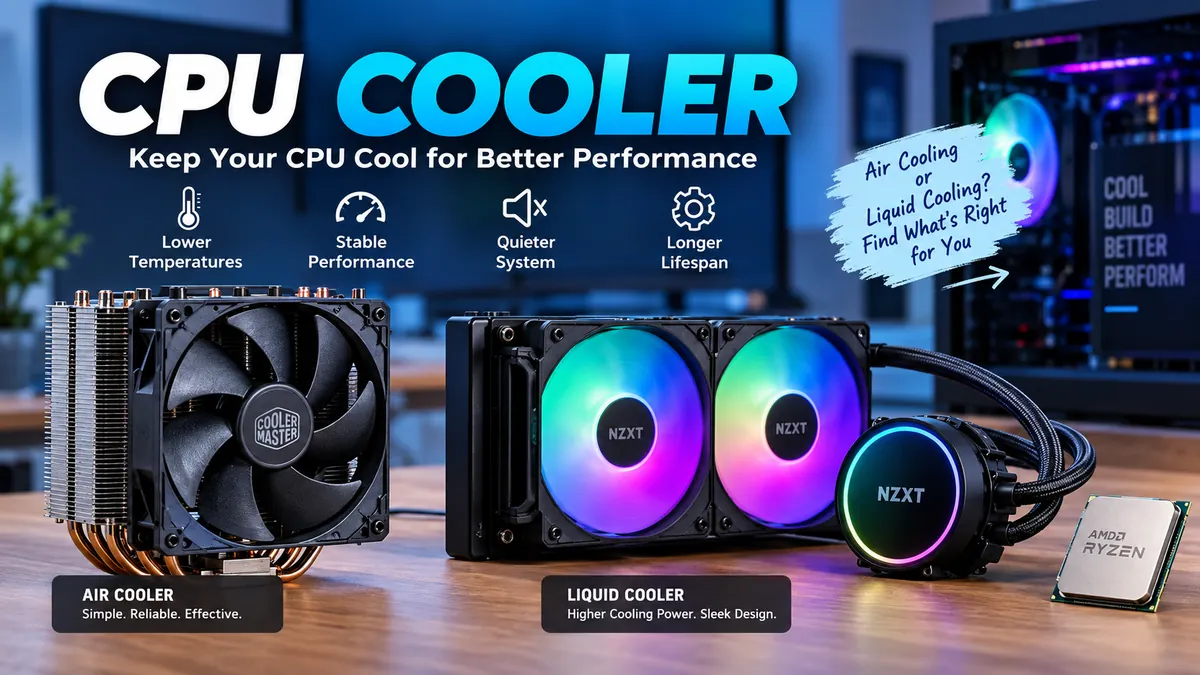

A powerful processor can generate a surprising amount of heat. Without an effective cpu cooler, that heat can push temperatures upward, trigger thermal throttling, increase fan noise, and reduce sustained performance.
Choosing the right cooling solution is not simply about buying the biggest heatsink or radiator. CPU power, socket compatibility, case airflow, cooler clearance, thermal interface material, noise, workload, and ambient temperature all affect the result.
A cpu cooler transfers heat away from a processor so the CPU can operate within its intended thermal limits. Most desktop systems use either an air cooler with a heatsink, heat pipes, and fan or a liquid cooler that moves heat through coolant to a radiator. Both require proper mounting and effective thermal contact with the processor.
What Is a cpu cooler?
A CPU cooler is the thermal solution installed on top of a computer’s processor. Its job is to absorb the heat generated by the CPU and move that heat to an area where it can be dissipated into the surrounding air.
Processors contain billions of transistors switching rapidly during operation. Some of the electrical energy consumed by those circuits becomes heat. Under demanding workloads such as gaming, video encoding, rendering, compiling software, simulation, or other sustained processing, heat production can rise considerably.
The cooling path generally looks like this:
CPU die → integrated heat spreader → thermal interface material → cooler base → heatsink or liquid coolant → radiator/fins → surrounding air
Intel describes the metal lid above the processor as the Integrated Heat Spreader (IHS). A thermal interface material fills microscopic imperfections between the IHS and cooler contact surface, improving heat transfer.
If heat cannot leave the processor quickly enough, CPU temperature rises. Modern processors have thermal-management mechanisms that can reduce operating frequency or otherwise limit performance when necessary.
Why does a CPU need a cooler?
Cooling serves several purposes:
- Keeps processor temperatures within operating limits
- Helps maintain sustained clock speeds
- Reduces the likelihood of thermal throttling
- Supports stable operation during long workloads
- Allows fans to operate at more reasonable speeds
- Provides thermal headroom for high-power processors
- Helps manage heat during overclocking where supported
Intel lists symptoms associated with processor overheating that can include reduced CPU frequency, throttling, excessive fan noise, general system slowness, and automatic shutdowns.
That makes cooling part of performance management rather than merely an accessory.
How Does a CPU Cooler Work?
All common CPU coolers solve the same basic problem: moving heat away from a relatively small processor package and distributing it across a much larger surface area.
Heat transfer from the processor
The process starts at the CPU.
Heat reaches the processor’s integrated heat spreader and then passes through thermal paste into the cooler’s contact plate.
Copper is frequently used around cooler bases and heat pipes because it conducts heat effectively. Aluminum is widely used for heatsink fins because it offers useful thermal performance without excessive weight or cost.
Heat pipes in air coolers
A tower air cooler commonly contains several sealed heat pipes running between its base and fin stack.
These pipes contain a working fluid. Heat at the base causes the fluid to evaporate. Vapor travels toward the cooler portions of the pipe, where it condenses and transfers heat into the fin array. The fluid then returns toward the hot region.
This allows a relatively small CPU contact area to distribute heat throughout a large heatsink.
Heatsink fins
A large metal fin stack creates much more surface area than the processor itself.
The greater surface area gives heat more opportunity to transfer from the metal into moving air.
CPU fan
One or more fans push air through the heatsink.
Hot air then needs somewhere to go, which is why case airflow remains important even with an excellent processor cooler. Front or bottom intake fans usually bring cooler air into a case, while rear or top exhaust fans remove heated air.
A powerful CPU cooler inside a poorly ventilated chassis can still struggle.
Main Types of CPU Coolers
Desktop CPU cooling generally falls into three categories:
| Cooling type | How it works | Typical advantages | Main limitations |
|---|---|---|---|
| Air cooler | Heat pipes transfer heat to a fin stack | Simple, reliable, low maintenance | Large models require substantial clearance |
| AIO liquid cooler | Pump circulates coolant through a water block and radiator | Large heat-dissipation area, flexible radiator placement | More components and installation considerations |
| Custom liquid loop | Separate pump, reservoir, blocks and radiators | Highly configurable cooling system | Expensive, complex and maintenance intensive |
Intel also distinguishes air cooling and liquid cooling as the two major approaches used in personal computers.
Air CPU coolers
An air cooler typically contains:
- Contact plate or base
- Copper heat pipes
- Aluminum fin stack
- One or more fans
- Mounting hardware
Common designs include low-profile, single-tower and dual-tower coolers.
A low-profile CPU cooler is useful when vertical clearance is restricted, particularly in compact and small-form-factor systems.
Single-tower designs provide more cooling surface area while remaining relatively manageable.
Large dual-tower coolers use two substantial fin arrays and may support multiple fans. They can handle demanding processors but require considerably more space.
Intel notes that tower air coolers can make effective use of chassis airflow, while their size can become a disadvantage as cooling capability increases.
AIO liquid coolers
An AIO, or all-in-one liquid cooler, is a sealed cooling system.
Its major components are:
- CPU water block
- Pump
- Tubing
- Coolant
- Radiator
- Radiator fans
The cold plate sits against the CPU’s heat spreader. Coolant absorbs heat in the water block and carries it through tubing toward the radiator.
Radiator fins provide a large surface area, and fans move air across them to release heat.
Common radiator sizes include approximately 120 mm, 240 mm, 280 mm, 360 mm and larger configurations, although exact dimensions vary by manufacturer.
Custom water cooling
A custom loop takes liquid cooling further.
Instead of receiving one factory-sealed assembly, the builder selects individual components such as a water block, pump, reservoir, tubing, fittings and radiator.
Some systems place the CPU and graphics card in the same cooling loop.
Custom loops can offer extensive configuration flexibility, but they introduce significantly more planning and maintenance. They are generally unnecessary for a straightforward desktop build.
Quick Takeaway: Air cooling is mechanically simpler. AIO cooling moves processor heat to a remotely mounted radiator. Custom loops provide maximum configuration flexibility but require considerably more work.
Air Cooling vs Liquid Cooling
Neither technology automatically makes sense for every computer.
Both ultimately move heat into air. The difference is how the heat reaches the final heat-dissipation surface.
Intel explains that air cooling transfers CPU heat through the cooler base and heatsink, while liquid cooling transfers it into coolant and then toward a radiator.
| Factor | Air cooler | AIO liquid cooler |
|---|---|---|
| Installation | Usually simpler | More components to mount |
| Moving parts | Mainly fan(s) | Pump plus fan(s) |
| Maintenance | Low | Generally low for sealed AIOs |
| Large-case compatibility | Good | Depends on radiator mounts |
| Small-case compatibility | Low-profile models available | Highly case-dependent |
| High sustained CPU loads | Good with capable models | Strong with appropriately sized radiators |
| Failure points | Relatively few | Pump and fans add components |
| RAM clearance | Can be an issue | Usually more open around DIMMs |
| Noise | Depends heavily on fan curve | Includes both pump and fan noise |
| Appearance | Large heatsink visible | Often cleaner around CPU socket |
Is liquid cooling always better?
No.
A large, well-designed air cooler can provide excellent performance and acoustics. A liquid cooler can offer advantages when dealing with sustained high CPU power or when radiator placement works better for a particular chassis.
Radiator size alone also does not guarantee a quiet computer. Fan quality, pump behavior, fan curves, workload and case ventilation all influence noise.
Does liquid cooling make a PC silent?
Not necessarily.
An AIO still uses radiator fans, and it contains a pump. A poorly configured liquid system can therefore remain quite audible.
Noise should be evaluated as a complete system characteristic rather than simply comparing “water” against “air.”
How to Choose the Right cpu cooler
A good selection process starts with compatibility before performance.
1. Check the CPU socket
The mounting system must support your motherboard’s CPU socket.
Examples found across current and recent desktop platforms include AMD AM4, AM5 and Intel LGA-family sockets. High-end desktop platforms such as AMD Threadripper use different mounting requirements.
Never assume a cooler fits simply because its base looks large enough.
Intel specifically identifies socket compatibility and processor thermal requirements as baseline considerations when selecting a cooling solution.
Older coolers sometimes remain usable on newer platforms through updated mounting kits, but this depends on the manufacturer.
2. Understand CPU power and thermal requirements
You will frequently encounter TDP, or Thermal Design Power, when researching processors and coolers.
For newer Intel processors, Intel uses Processor Base Power terminology in place of the older TDP terminology and describes it as a thermal-design target for selecting an appropriate cooling solution.
Do not treat a single wattage figure as a perfect prediction of real CPU temperature.
Actual cooling requirements also depend on:
- Processor architecture
- Sustained package power
- Turbo or boost behavior
- Workload
- Motherboard power settings
- Ambient temperature
- Case airflow
- Cooler design
- Fan speed
A processor drawing substantial power for several minutes while rendering has a very different thermal workload from one briefly boosting during everyday desktop activity.
AMD’s high-end Threadripper platform illustrates the importance of matching cooling to processor class: AMD states that current Threadripper families can reach 350 W TDP and recommends robust compatible thermal solutions.
3. Check case CPU cooler clearance
Large air coolers can be tall.
PC case specifications normally provide a maximum CPU cooler height. The cooler must fit below that limit with enough room for the side panel to close normally.
Do not estimate this from photos.
Compare the case manufacturer’s stated clearance with the cooler manufacturer’s complete dimensions.
4. Check RAM clearance
Large tower coolers may overhang memory slots.
Tall RGB memory modules and decorative heat spreaders can interfere with a heatsink or front fan.
Some cooler designs let you raise the front fan, but doing so increases overall cooler height and can create a new conflict with the case side panel.
Check both measurements before assembly.
5. Check graphics card and motherboard clearance
Wide heatsinks can approach the first PCIe slot, while large base assemblies may conflict with oversized VRM heatsinks or motherboard covers.
Mini-ITX motherboards deserve particular attention because components are packed closely together.
6. Check radiator compatibility for an AIO
For liquid cooling, confirm that your chassis supports the radiator’s:
- Length
- Width
- Thickness
- Fan configuration
- Mounting position
A case advertising support for a particular radiator length does not necessarily guarantee compatibility with every radiator of that nominal class.
A thick radiator combined with fans can interfere with motherboard heatsinks, RAM or other components.
7. Consider the workload
Cooling needs should match how the CPU is actually used.
Basic web browsing and office applications generally create less sustained heat than:
- 3D rendering
- Video encoding
- Scientific workloads
- Software compilation
- CPU-heavy gaming
- Streaming while gaming
- Long productivity workloads
- Supported overclocking
For sustained CPU-intensive work, thermal capacity and noise under continuous load matter more than short benchmark temperatures.
What Is Thermal Paste and Why Is It Needed?
Thermal paste—also called thermal compound, thermal grease, or thermal interface material (TIM)—sits between the CPU heat spreader and cooler base.
Neither surface is perfectly smooth at a microscopic level.
Tiny imperfections can trap air, and air transfers heat poorly compared with an appropriate thermal interface material. TIM fills those small gaps and improves contact between the two surfaces.
Intel states that both a thermal solution and thermal interface material are necessary because TIM compensates for microscopic imperfections and voids between the processor’s IHS and cooler surface.
How much thermal paste should you use?
For many mainstream desktop processors, a small central application is sufficient when using a conventional cooler base, although CPU shape, heat-spreader size, paste characteristics and cooler-manufacturer instructions can affect the preferred pattern.
The goal is an even, thin interface after mounting—not an excessively thick layer.
Some coolers arrive with thermal compound already applied. In that situation, additional paste normally should not be added unless the pre-applied material has been removed.
Can you reuse old thermal paste?
If a cooler has been removed from the processor, cleaning the old material and applying fresh thermal paste before reinstalling it is the safer practice.
This helps restore a consistent thermal interface and avoids contamination or uneven coverage.
How to Install a CPU Cooler Correctly
Exact installation varies by socket and cooler, so the manufacturer’s instructions should always take priority. The general process is similar across most systems.
1. Prepare the motherboard
Confirm the processor is correctly installed and locked into its socket.
Determine whether the cooler uses the motherboard’s existing retention hardware or requires a dedicated backplate and mounting brackets.
2. Install mounting hardware
Attach the required backplate, spacers and brackets.
Avoid forcing screws that do not thread naturally.
3. Prepare the thermal interface
If thermal paste is pre-applied, leave it intact.
Otherwise, clean the CPU heat spreader and cooler base if necessary and apply fresh compound.
4. Place the cooler evenly
Lower the cooler directly onto the processor without repeatedly sliding it around.
Maintain even contact.
5. Tighten gradually
When several screws secure the cooler, tighten them progressively rather than fully tightening one corner first.
Intel’s installation guidance recommends alternating opposite corners so pressure is applied evenly across the cooler base.
6. Connect the fan or pump
The CPU fan normally connects to the motherboard header marked CPU_FAN.
An AIO may also use dedicated pump, fan-controller, USB, SATA power or RGB/ARGB connections depending on its design.
Follow the motherboard and cooler manuals because connector requirements differ.
7. Verify operation
After startup, confirm:
- CPU fan is spinning
- Pump is operating if applicable
- BIOS detects fan speed
- CPU temperature behaves normally
- No cables are contacting fan blades
Monitor temperatures during an appropriate load test before considering the installation complete.
CPU Temperature and Thermal Throttling
There is no universal “perfect CPU temperature.”
Temperature limits vary by processor model, architecture, workload and thermal-management design. The processor manufacturer’s specifications should therefore be the reference for maximum permitted operating temperatures.
A CPU can also run hotter during a demanding workload without automatically indicating a problem.
What matters is the complete behavior:
- Does temperature stabilize?
- Are clock speeds maintained?
- Is the CPU repeatedly throttling?
- Are fans operating correctly?
- Is performance consistent?
- Is the system shutting down?
Intel documentation describes TjMAX, or maximum junction temperature, as a key thermal limit used in processor thermal management.
What is thermal throttling?
Thermal throttling occurs when a processor reduces performance to control temperature.
It is a protection mechanism, but frequent throttling under workloads that the cooling system should reasonably handle may indicate a cooling problem.
Potential causes include:
- Loose cooler mounting
- Incorrect cooler
- Poor thermal paste contact
- Failed fan
- AIO pump problem
- Dust buildup
- Restricted case airflow
- Excessively aggressive power settings
- High ambient temperature
Intel also identifies overclocking, elevated ambient temperature and poor chassis heat dissipation among possible contributors to high processor temperatures.
CPU Cooler Size, Fans and Noise
Cooling performance is only one part of a good thermal system. Acoustics matter too.
Fan size
Larger fans can often move substantial amounts of air without requiring extremely high rotational speeds.
Common cooler and radiator fan formats include 92 mm, 120 mm and 140 mm, although other sizes exist.
RPM
RPM means revolutions per minute.
Increasing fan speed usually increases airflow and cooling potential, but it can also increase noise.
This is why a properly configured fan curve is useful. The fan can remain slow during light workloads and accelerate as CPU temperature rises.
PWM fan control
Many modern CPU fans use a four-pin PWM connection.
PWM allows the motherboard to control fan speed dynamically.
For example, Intel’s current Laminar RH2 cooler uses a PWM-controlled variable-speed fan, illustrating how processor coolers can adjust airflow according to thermal demand.
Static pressure
For dense heatsinks and radiators, static pressure matters because the fan must push air through restrictive fin structures.
A fan designed primarily for unrestricted case airflow may behave differently when mounted directly against a dense radiator.
Noise measurements
Noise is often reported in dBA, but specifications from different manufacturers should be interpreted cautiously because testing methods and distances can differ.
More useful real-world questions include:
- How loud is the cooler under sustained load?
- Does the fan rapidly ramp up and down?
- Is pump noise noticeable?
- Can the fan curve be adjusted?
- Does the case amplify vibration?
A quieter cooling system usually comes from adequate cooling capacity combined with sensible fan control—not simply choosing the lowest advertised dBA figure.
Case Airflow Matters as Much as the Cooler
A CPU cooler cannot work in isolation.
An air cooler needs a continuous supply of relatively cool air. A radiator also needs enough airflow to transfer its heat outside the cooling loop.
A straightforward airflow arrangement usually uses:
Cool air in → components → warm air out
Front and bottom positions commonly act as intakes, while rear and upper positions often serve as exhausts.
The exact arrangement depends on the case.
Positive and negative pressure
When intake airflow is greater than exhaust airflow, a case is commonly described as having positive pressure.
When exhaust airflow exceeds intake, it has negative pressure.
Neither term alone determines cooling quality. Fan placement, filters, restrictions and case design all matter.
A balanced airflow path that prevents hot air from stagnating around the CPU and graphics card is the practical goal.
Stock CPU Cooler vs Aftermarket Cooler
Some processors include a cooler, while others require one to be obtained separately.
AMD, for example, currently bundles its Wraith Stealth with selected Ryzen processors, including several AM4 and AM5 models.
Intel also provides particular boxed processors with thermal solutions, although included coolers and availability depend on the processor model.
When is a stock cooler enough?
An included cooler may be entirely adequate when:
- The processor is intended to operate within its supported stock limits
- Workloads are relatively moderate
- Case airflow is reasonable
- Noise levels are acceptable
- Temperatures remain within specification
Why use an aftermarket cooler?
Users commonly move to an aftermarket cooling solution for:
- Lower load temperatures
- Lower fan noise
- Greater sustained cooling capacity
- High-power CPUs
- Long rendering or productivity workloads
- Supported overclocking
- Different case constraints
- Appearance or RGB preferences
Aftermarket does not automatically mean better. Compatibility and cooler design still matter.
Common CPU Cooling Mistakes
Cooling problems are frequently caused by installation or system configuration rather than an inherently weak cooler.
Leaving protective film on the cooler
Some cooler contact plates ship with a protective plastic layer.
Failing to remove it can severely interfere with heat transfer.
Using incompatible mounting hardware
Brackets that look similar are not necessarily interchangeable.
Always use the hardware specified for the motherboard socket.
Uneven mounting pressure
Poor contact between the cold plate and processor can cause unexpectedly high temperatures.
Tighten mounting hardware evenly according to the manufacturer’s procedure.
Incorrect thermal paste application
Too little paste may leave incomplete coverage. Excessive paste can make installation unnecessarily messy.
Aim for a thin interface that fills microscopic gaps once mounting pressure spreads the compound.
Connecting the fan incorrectly
A CPU fan connected to the wrong header may not follow the expected motherboard fan curve.
Check the CPU_FAN, CPU_OPT, pump and chassis-fan labels carefully.
Ignoring case airflow
Installing a huge tower cooler will not compensate for a chassis that cannot supply fresh air or exhaust heat effectively.
Buying by TDP rating alone
A wattage claim can be useful, but it should not be the only selection criterion.
Cooler testing methods vary, while modern processor power behavior can be complex. Look at socket support, real workload behavior, physical compatibility, acoustics and independent thermal testing as well.
How to Maintain a CPU Cooler
CPU cooling systems do not need constant attention, but occasional maintenance prevents gradual performance loss.
Remove dust
Dust accumulates on:
- Fan blades
- Heatsink fins
- Radiators
- Intake filters
- Exhaust vents
As fins become clogged, airflow decreases.
Clean the system periodically according to the environment in which the computer operates.
Inspect fans
Listen for unusual rattling, grinding or clicking.
Also check whether the fan consistently reaches expected speeds.
Monitor AIO behavior
A sealed AIO is not normally opened or refilled by the user.
However, unexpected temperature increases, unusual pump noises or a pump speed reading of zero deserve investigation.
Replace thermal paste when necessary
Thermal paste does not need to be replaced on a rigid calendar if temperatures remain normal.
Fresh compound is sensible when removing and reinstalling the cooler or troubleshooting poor thermal contact.
How Long Does a CPU Cooler Last?
Air coolers can remain useful for many years because the heatsink itself has no pump and little to wear out. The fan is generally the primary moving component and can often be replaced separately.
AIO liquid coolers have additional moving and sealed components, particularly the pump. Their useful lifespan therefore depends on pump reliability, fan condition, seals, coolant behavior, operating conditions and product design.
Custom loops require more active maintenance because coolant, fittings, tubing, blocks, radiators, reservoirs and pumps become user-serviceable parts of the system.
Socket compatibility may actually retire an otherwise functional air cooler before its heatsink wears out. Some manufacturers address this with replacement mounting kits for newer platforms.
What cpu cooler Do You Actually Need?
The most effective approach is to match cooling capacity to the processor and system rather than chasing the largest available cooler.
For a moderate-power desktop CPU, a well-designed stock or compact aftermarket cooler may be sufficient.
For a gaming or productivity machine that regularly sustains higher processor loads, a larger tower cooler or appropriately sized AIO can provide more thermal headroom.
High-power workstation processors require considerably more attention. AMD’s current Threadripper guidance, for example, calls for robust cooling solutions for processors reaching 350 W TDP and emphasizes proper cooler coverage and compatibility.
Before choosing any cpu cooler, verify five things:
- Socket support — Does the mounting system fit the motherboard and processor?
- Thermal capability — Can it handle the CPU’s sustained heat output?
- Physical clearance — Does it fit the case, RAM and surrounding components?
- Airflow — Can the case supply and exhaust enough air?
- Noise requirements — Can the cooler maintain acceptable temperatures without excessive fan or pump noise?
Get those fundamentals right and the difference between air and liquid becomes much easier to evaluate.
A CPU cooler’s purpose is ultimately simple: create an efficient path for heat to leave the processor. The best cooling setup is the one that keeps the CPU within its thermal specifications, maintains sustained performance, fits the system correctly, and does so at a noise level you can live with.
