
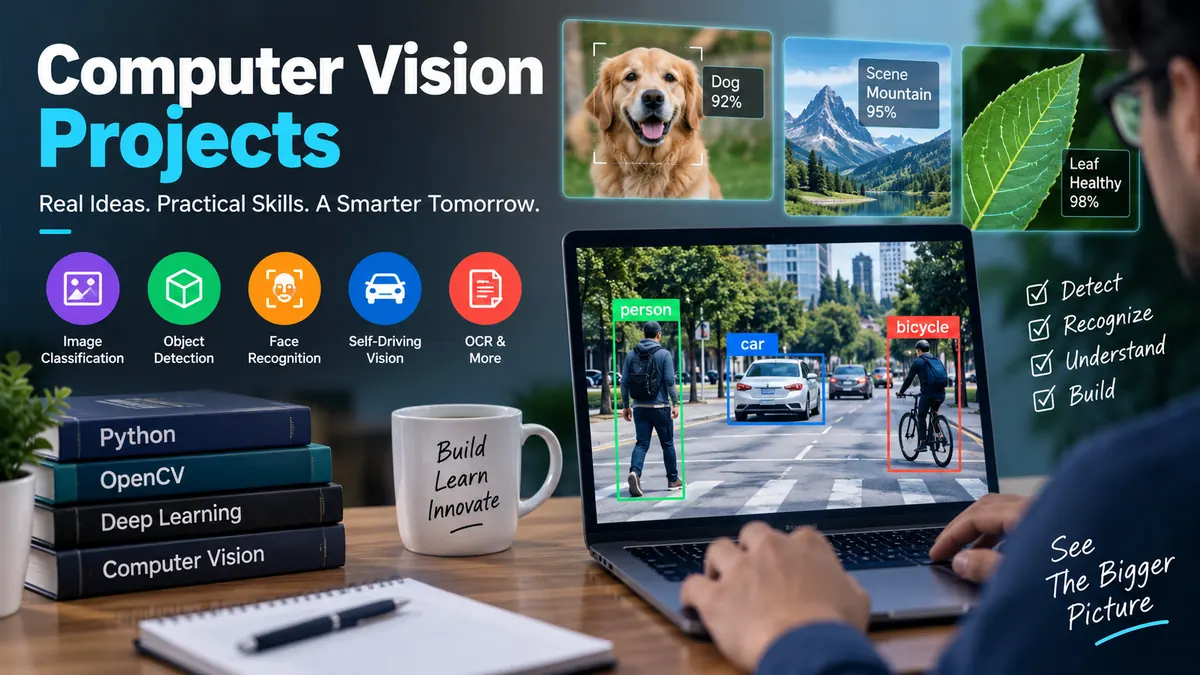

Building models is one of the fastest ways to turn computer vision theory into practical skill. A project forces you to work with messy images, choose appropriate metrics, debug poor predictions, and decide how a model should behave outside a notebook.
Computer vision projects are hands-on applications that teach machines to interpret images or video through tasks such as image classification, object detection, segmentation, tracking, OCR, pose estimation, and visual search. Beginners can start with OpenCV and pretrained models, while advanced learners can explore YOLO, transformers, multimodal AI, 3D vision, and real-time deployment.
The best project is not necessarily the one with the most complicated neural network. A smaller system with careful evaluation, documented failure cases, and a working demo can teach more—and make a stronger portfolio piece—than an enormous model that only works on a curated test set.
Current project guides increasingly span everything from classical image processing to object detection, segmentation, vision-language models, generative systems, and real-time video analytics.
This guide covers 25 practical ideas and, more importantly, explains what you should learn from each one.
Computer Vision Projects for Beginners
Beginner computer vision projects should introduce the complete workflow without requiring huge datasets or expensive GPUs.
You want to become comfortable with Python, NumPy, image preprocessing, OpenCV, basic convolutional neural networks (CNNs), transfer learning, and evaluation before worrying about highly specialized architectures.
1. Image Classification System
Image classification is one of the cleanest starting points.
Build a model that receives an image and predicts a single category. You could classify flowers, food, animals, clothing, vehicles, recyclable materials, or household objects.
Useful datasets include:
- CIFAR-10
- CIFAR-100
- Fashion-MNIST
- Food-101
- Caltech-101
- Your own smartphone photos
Instead of immediately designing a CNN from scratch, compare a basic CNN with a pretrained architecture such as ResNet, EfficientNet, or MobileNet.
This introduces transfer learning: using representations learned from a large dataset and adapting them to your own classification problem.
Track more than accuracy. Examine a confusion matrix, precision, recall, and examples the model gets wrong.
What you learn: preprocessing, augmentation, CNNs, transfer learning, classification metrics, and error analysis.
2. Plant Disease Detection
Plant disease recognition turns basic classification into a real-world problem.
The system analyzes photographs of leaves and predicts whether a plant is healthy or shows signs of a particular disease. PlantVillage is commonly used for this type of project.
Start with a pretrained network and then test the system on photographs taken outside the original dataset.
That second step matters.
A model trained on clean leaf images may perform poorly when leaves appear against soil, hands, shadows, or complicated backgrounds. This introduces an important computer vision concept: domain shift.
Extension: Create a small mobile or web interface where users upload a leaf photograph and receive a prediction with confidence.
3. Face Detection
Face detection teaches the distinction between finding something and identifying it.
A detector answers:
Where are the faces?
It does not necessarily answer:
Whose faces are they?
You can begin with classical Haar cascades in OpenCV and then compare them with a modern deep-learning detector.
Test different conditions:
- One person versus a crowd
- Side profiles
- Poor lighting
- Partially covered faces
- Different distances from the camera
The project becomes much more educational when you document where each approach fails.
4. Color Detection and Object Tracking
Not every useful project requires deep learning.
Using OpenCV, build an application that identifies an object based on color and tracks its movement through video.
A typical pipeline involves converting frames from RGB/BGR into HSV color space, applying a color threshold, removing noise, finding contours, and calculating an object’s center.
This teaches fundamentals that remain valuable even when you later use neural networks.
What you learn: color spaces, masks, morphology, contours, video frames, and basic tracking.
5. Document Scanner
Turn a phone photograph of a document into a clean, scanner-like image.
A basic pipeline can:
- Convert the image to grayscale.
- Reduce noise.
- Detect edges.
- Find the document contour.
- Identify its four corners.
- Apply a perspective transformation.
- Improve contrast or threshold the result.
This project is excellent practice with classical image processing because the output is immediately visible.
Add OCR later and it becomes a simple document-understanding application.
6. Optical Character Recognition
Optical Character Recognition (OCR) converts text visible in images into machine-readable text.
Start with scanned pages or clearly photographed signs. OpenCV can handle preprocessing while an OCR engine such as Tesseract handles recognition.
Then increase the difficulty with:
- Receipts
- Invoices
- Handwriting
- Rotated text
- Uneven lighting
- Multiple columns
- Forms
Modern document systems often need more than OCR. They also need layout understanding so they can distinguish headings, tables, labels, values, and other structural elements. Current project guides therefore increasingly include document understanding alongside basic character recognition.
Quick Takeaway: Beginner projects should teach the pipeline, not simply produce a flashy result. Learn how images are represented, processed, evaluated, and transformed before moving into complicated architectures.
Intermediate Computer Vision Projects for Real-World Skills
Once classification and image preprocessing feel comfortable, move toward projects where the model must understand location, shape, movement, or multiple objects.
7. Real-Time Object Detection with YOLO
Object detection identifies both what appears in an image and where it appears.
YOLO is a popular family of real-time detection models and is widely used in educational and practical vision projects. Current Ultralytics tooling supports tasks including detection, classification, instance segmentation, pose estimation, and tracking.
A good first implementation can detect common objects through a webcam.
Then customize it.
For example, train a detector for:
- Safety helmets
- Vehicles
- Wildlife
- Retail products
- Manufacturing defects
- Sports equipment
The COCO dataset is a common starting point for general object detection.
Do not evaluate only by looking at bounding boxes. Learn precision, recall, Intersection over Union (IoU), and mean Average Precision (mAP).
8. Traffic Sign Recognition
Traffic sign recognition combines computer vision with an obvious autonomous-driving application.
The German Traffic Sign Recognition Benchmark (GTSRB) is frequently used for this problem. It lets you work with multiple sign classes and realistic variations in illumination, viewing angle, scale, and image quality.
A basic version classifies cropped traffic signs.
A stronger version first detects signs in a road scene and then classifies them.
Test the system under blur, darkness, rain-like image degradation, and partial occlusion to understand how environmental conditions affect predictions.
9. Automatic License Plate Recognition
An automatic number plate or license plate recognition system combines several separate tasks:
- Detect the vehicle or plate.
- Crop the plate.
- Correct its perspective.
- Improve image quality.
- Recognize characters using OCR.
- Validate the extracted text.
That makes it much closer to a real application than a single classification notebook.
It also teaches an important lesson: production computer vision systems are often pipelines containing multiple models and deterministic processing stages rather than one giant neural network.
10. Face Recognition System
Face recognition goes beyond face detection.
A typical pipeline detects a face, aligns it, generates a numerical embedding, and compares that embedding with known identities.
Tools and models such as FaceNet and MTCNN have commonly been used for learning this workflow.
If you build an attendance or identity-verification prototype, include a discussion of privacy, consent, bias, false matches, and security. Recognition performance measured on a controlled dataset does not guarantee reliable identification in uncontrolled environments.
11. Human Pose Estimation
Pose estimation identifies body landmarks such as shoulders, elbows, wrists, hips, knees, and ankles.
MediaPipe provides accessible tools for experimenting with body landmarks, while modern YOLO-based workflows can also support pose tasks.
Possible applications include:
- Exercise repetition counting
- Posture feedback
- Sports movement analysis
- Gesture-controlled interfaces
- Rehabilitation research prototypes
A squat counter, for example, can calculate joint angles from detected landmarks and use changes in those angles to determine when a repetition begins and ends.
The challenge is making the logic reliable when the camera angle or person’s position changes.
12. Sign Language Recognition
Sign language recognition brings together hand landmarks, motion, classification, and potentially temporal sequence modeling.
A basic system can recognize a small vocabulary of static gestures. An intermediate version can process sequences of landmarks using an LSTM, transformer, or another temporal model.
MediaPipe is particularly useful for extracting hand landmarks before classification.
Avoid claiming that a small gesture classifier represents complete sign-language translation. Natural sign languages contain grammar, facial expressions, movement, spatial information, and regional variation that simple alphabet-recognition projects do not capture.
13. Semantic Segmentation
Object detection produces boxes. Semantic segmentation assigns a class to individual pixels.
For example, an autonomous-driving scene could classify pixels as:
| Region | Example class |
|---|---|
| Road | Drivable surface |
| Vehicle | Car, bus, truck |
| Person | Pedestrian |
| Building | Urban structure |
| Vegetation | Trees and plants |
| Sky | Background |
Architectures such as U-Net and newer transformer-based segmentation approaches are useful areas to explore.
Evaluate with metrics such as IoU or Dice score rather than relying only on pixel accuracy.
14. Instance Segmentation
Semantic segmentation treats objects of the same class together. Instance segmentation separates individual objects.
If five people appear in a photograph, a semantic model marks all person pixels as “person.” An instance-segmentation model distinguishes person 1, person 2, and so on.
This is useful in robotics, manufacturing, agriculture, and scene understanding.
Once you understand bounding-box detection and semantic segmentation, instance segmentation is a natural next challenge.
15. Multi-Object Tracking
Tracking asks a different question from detection:
Is this the same object that appeared in the previous frame?
Build a traffic application that detects vehicles and assigns each one a persistent ID.
You can then calculate:
- Vehicle counts
- Trajectories
- Time spent in an area
- Direction of travel
- Approximate speed under a calibrated setup
The difficult parts appear when objects overlap, leave the frame, or disappear temporarily.
A strong tracking project reports identity switches and failure cases instead of showing only a perfect demonstration clip.
Quick Takeaway: Intermediate projects become valuable when they move from isolated images to complete workflows involving localization, temporal information, multiple stages, or real-world operating conditions.
Advanced Computer Vision Projects for a Strong Portfolio
Advanced computer vision projects should force you to solve problems beyond simply fine-tuning a pretrained classifier.
Modern work increasingly includes multimodal models, semantic search, 3D understanding, anomaly detection, and deployment constraints.
16. Image Captioning
Image captioning combines computer vision and natural language processing.
Instead of predicting a fixed label such as “dog,” the model produces a description of an image.
COCO is widely used for captioning experiments because images are paired with human-written descriptions.
A traditional architecture may use a CNN such as ResNet for visual feature extraction and a language decoder for text generation. More modern implementations can explore transformer-based architectures and vision-language models.
Evaluate generated captions carefully. Automated scores can help, but a grammatically plausible caption can still hallucinate an object that does not exist.
17. Visual Search with CLIP
Build an image search engine that understands natural-language descriptions.
Instead of relying on filenames or manually assigned tags, a user might search:
red car parked beside a building
A CLIP-based system can encode images and text into a shared embedding space. Similarity between those vectors can then be used for retrieval.
For larger collections, store embeddings in a vector database or approximate-nearest-neighbor index.
This project teaches:
- Embeddings
- Contrastive learning
- Semantic retrieval
- Zero-shot classification
- Vector similarity
CLIP-based image-to-text search is increasingly included among advanced portfolio projects because it connects computer vision with modern multimodal retrieval.
18. Visual Question Answering
Visual Question Answering (VQA) accepts both an image and a natural-language question.
For example:
Image: A bicycle leaning against a wall.
Question: “What is beside the wall?”
Answer: “A bicycle.”
This requires more than classification. The system must combine visual features with language and reason about relationships in the scene.
Start with a pretrained vision-language model before attempting to train such a system from scratch.
Then evaluate questions involving:
- Object identity
- Counting
- Color
- Spatial relationships
- Actions
- Scene context
Document hallucinations and ambiguous answers as part of the project.
19. Medical Image Segmentation
Medical imaging offers challenging segmentation problems involving MRI, CT, X-ray, retinal, or microscopy data.
U-Net and related architectures are common starting points.
A project might segment:
- Tumors
- Organs
- Retinal vessels
- Skin lesions
- Lung structures
Dice coefficient and IoU are often more informative than raw accuracy because medical images may contain severe class imbalance.
Treat this as an educational or research project unless it has undergone the rigorous clinical validation required for real healthcare use.
20. Manufacturing Defect Detection
Manufacturing quality control is an excellent example of computer vision solving a concrete operational problem.
Train a system to identify scratches, cracks, missing components, surface defects, or unusual patterns.
You can approach the problem through classification, object detection, segmentation, or anomaly detection.
Anomaly detection becomes especially useful when defective examples are scarce. Instead of learning every possible defect category, a model can learn what normal products look like and flag unusual examples.
Measure false positives carefully. A system that detects every defect but constantly rejects good products may be operationally useless.
21. Image Deblurring and Restoration
Image restoration attempts to recover useful visual information from degraded inputs.
Create paired blurred and sharp images and train a network to reconstruct clearer outputs.
Explore:
- Motion blur
- Defocus blur
- Image noise
- Low-light enhancement
- Super-resolution
Image deblurring is relevant to photography, medical imaging, surveillance, and satellite imagery.
Compare your neural model with a simpler image-processing baseline. That comparison tells you whether the extra complexity actually helps.
22. Depth Estimation
Depth estimation predicts the distance or relative depth of objects from visual information.
Monocular depth estimation is particularly interesting because the model estimates depth from a single RGB image.
Possible applications include:
- Robotics
- Navigation
- AR/VR
- Scene reconstruction
- Autonomous systems
Display the original image beside the predicted depth map, then test unusual scenes such as mirrors, transparent objects, darkness, or unfamiliar environments.
Those examples reveal limitations that polished benchmark images can hide.
23. 3D Reconstruction
Move from understanding 2D pixels to recovering 3D structure.
A 3D reconstruction project can use multiple photographs of an object or environment to estimate geometry and create a point cloud, mesh, or another scene representation.
This introduces concepts such as:
- Camera calibration
- Feature matching
- Epipolar geometry
- Structure from Motion
- Point clouds
- Depth
- Multi-view geometry
It is more mathematically demanding than basic classification, but it demonstrates broader computer vision knowledge.
24. Autonomous Driving Perception System
Instead of building a complete autonomous vehicle, create a perception prototype containing several vision tasks.
For example:
- Lane detection
- Traffic sign recognition
- Vehicle detection
- Pedestrian detection
- Semantic segmentation
- Depth estimation
- Object tracking
This teaches system integration.
A model can perform well independently but fail when several components must operate under a strict latency budget.
For a portfolio version, process prerecorded driving video rather than attempting control of a real vehicle.
25. Real-Time Edge Vision Application
Take an existing model and deploy it on constrained hardware.
Possible targets include a Raspberry Pi, embedded computer, smartphone, or other edge device.
The challenge changes from:
Can my model make accurate predictions?
to:
Can it make sufficiently accurate predictions fast enough with limited memory and compute?
Explore model quantization, pruning, smaller architectures such as MobileNet, and interoperable deployment formats such as ONNX.
Measure:
| Metric | Why it matters |
|---|---|
| Accuracy/mAP/IoU | Prediction quality |
| Latency | Time required for one prediction |
| FPS | Real-time video throughput |
| Model size | Storage requirements |
| Memory usage | Hardware feasibility |
| Power consumption | Edge-device practicality |
This is one of the best ways to turn an academic project into something resembling an engineering system.
How to Choose the Right Computer Vision Project
Do not select a project because its title sounds advanced.
Choose one that teaches the next skill you actually need.
A sensible progression is:
- Image processing — OpenCV, pixels, filters, contours.
- Classification — CNNs and transfer learning.
- Detection — bounding boxes and mAP.
- Segmentation — pixel-level understanding.
- Video — tracking and temporal information.
- Multimodal vision — CLIP, captioning, VQA.
- Deployment — optimization, latency, APIs, edge inference.
If you are new to machine learning, an image classifier is more useful than jumping immediately into 3D reconstruction or vision-language model fine-tuning.
If classification already feels routine, another classifier will add little. Move into detection, segmentation, tracking, or multimodal systems.
Tools for Building Computer Vision Projects
Python remains the most practical language for learning and prototyping computer vision because its ecosystem covers classical vision, machine learning, visualization, and deployment.
OpenCV
OpenCV is useful for:
- Reading images and video
- Resizing and cropping
- Color conversion
- Filtering
- Edge detection
- Contours
- Geometric transformations
- Camera processing
Even deep-learning projects frequently use OpenCV around the model for preprocessing and video handling.
PyTorch and TensorFlow
PyTorch and TensorFlow are major deep-learning frameworks for training and deploying neural networks.
Both can handle CNNs, transfer learning, custom training loops, augmentation, and GPU acceleration.
For learning, pick one first rather than trying to master both simultaneously.
YOLO
YOLO models are especially useful for real-time detection and related vision tasks. They are a practical choice when you want to move quickly from images to a functioning detection application.
MediaPipe
MediaPipe is useful for real-time human-centric applications involving hands, faces, poses, and landmarks.
It can reduce the amount of model training needed for projects such as exercise analysis or gesture recognition.
Google Colab
You do not necessarily need a powerful local GPU.
Many beginner and intermediate projects can be prototyped using a CPU or free cloud notebook resources; current beginner-focused guides explicitly emphasize that many projects do not require training a large model from scratch.
How to Build Computer Vision Projects Properly
A model that runs successfully is only the beginning.
A serious project should demonstrate that you understand the entire machine-learning lifecycle.
Define the Problem Before Choosing the Model
Write down exactly what the system receives and what it should produce.
For example:
Input: Traffic-camera video
Output: Number and location of vehicles in each frame
That immediately tells you that simple image classification is not enough. You probably need detection and potentially tracking.
Establish a Baseline
Start with something simple.
If you are building an image classifier, try a small CNN or pretrained baseline before experimenting with complex transformers.
Without a baseline, you cannot tell whether your more sophisticated approach is actually an improvement.
Split Data Carefully
One of the easiest ways to produce misleading computer vision results is data leakage.
Suppose a video is divided into individual frames and randomly distributed across training and test sets. Adjacent frames may be almost identical, meaning the test set no longer represents genuinely unseen data.
Near-duplicate images, multiple photographs of the same subject, and pre-generated augmented copies can cause similar problems. Recent guidance on computer vision project evaluation specifically highlights data splitting as a major source of inflated results.
Where appropriate, split by subject, video, location, session, or original source—not simply by individual image.
Choose the Right Metric
Accuracy does not fit every problem.
| Task | Useful metrics |
|---|---|
| Classification | Accuracy, precision, recall, F1 |
| Object detection | Precision, recall, IoU, mAP |
| Segmentation | IoU, Dice score |
| OCR | Character/word error rate |
| Retrieval | Recall@K, Precision@K |
| Real-time systems | Latency, FPS |
| Tracking | Tracking accuracy and identity-related metrics |
A 98% accuracy figure means little if the dataset is highly imbalanced or does not resemble deployment conditions.
Inspect Failure Cases
Create a folder containing wrong predictions.
Then categorize the causes:
- Low lighting
- Blur
- Occlusion
- Tiny objects
- Unusual angles
- Background confusion
- Incorrect labels
- Domain shift
- Similar-looking classes
This often teaches more than squeezing another fraction of a percentage point from the validation score.
Test Outside the Dataset
Take your own photographs or videos.
If you trained a plant classifier, photograph a real leaf outdoors. If you built a detector, point a webcam at objects around your room.
Models frequently perform much worse once they leave the carefully controlled distribution represented by their benchmark dataset.
That gap is part of the project—not something to hide.
What Makes Computer Vision Projects Portfolio-Worthy?
A GitHub repository containing a notebook and a final accuracy number is not an end-to-end application.
Strong projects demonstrate technical depth, real-world applicability, and complete implementation—three qualities also emphasized in current computer vision portfolio guidance.
Include:
- A clear problem statement
- Dataset description and license
- Training/validation/test methodology
- Baseline
- Model architecture
- Evaluation metrics
- Confusion matrix or relevant visualizations
- Failure analysis
- Inference examples
- Reproducible environment
- README documentation
- Demo or API when appropriate
For real-time applications, report latency or FPS.
For large models, mention hardware requirements.
For sensitive applications such as biometrics or medical imaging, explain ethical and reliability limitations.
Build a Demo, Not Just a Notebook
Turn the final model into something another person can actually use.
A lightweight interface can accept an uploaded image, webcam stream, or video and display predictions.
Tools such as Streamlit or Gradio can be useful for prototypes, while an API can demonstrate backend deployment skills.
The difference is significant: the project now demonstrates not only machine learning but also integration.
Common Mistakes to Avoid
The first mistake is choosing an unnecessarily difficult problem. If you spend weeks fighting infrastructure before understanding the underlying vision task, the project is not serving its educational purpose.
The second is blindly copying a tutorial. Following one once is useful. A portfolio project should then change something meaningful: the dataset, model, evaluation method, interface, deployment target, or problem formulation.
Another common mistake is evaluating only the best examples. Real computer vision systems encounter shadows, blur, occlusion, unusual camera angles, and objects they have never seen before.
Finally, avoid focusing exclusively on model accuracy. Modern project evaluation benefits from examining robustness, latency, deployment conditions, and failure cases as well as headline model metrics.
A Practical Computer Vision Project Roadmap
If you want to build several computer vision projects rather than one, make each project introduce a genuinely new skill.
Start with an OpenCV document scanner to learn image processing and perspective transformations.
Next, build an image classifier with PyTorch or TensorFlow and transfer learning. Then create a YOLO object detector so you understand bounding boxes, IoU, and mAP.
Move into semantic segmentation with U-Net, followed by multi-object tracking on video. After that, experiment with CLIP-based visual search or another vision-language application.
Finally, deploy one of your models and measure real inference performance.
That progression covers far more useful ground than building ten slightly different classifiers.
Final Thoughts on Computer Vision Projects
The most useful computer vision projects are not necessarily the ones using the newest or largest models. They are the projects where you can explain the problem, justify the dataset, choose appropriate metrics, identify failures, and demonstrate that the system works on genuinely unseen inputs.
Start at the level where you can understand what is happening. Use OpenCV to master image fundamentals, then progress through CNNs, transfer learning, object detection, YOLO, segmentation, pose estimation, tracking, OCR, and multimodal vision.
For your next step, choose one project from this guide and build the smallest working version first. Establish a baseline, test it honestly, document the failures, and only then add more sophisticated models or features. That process is what turns a computer vision demo into a meaningful machine-learning project.
