
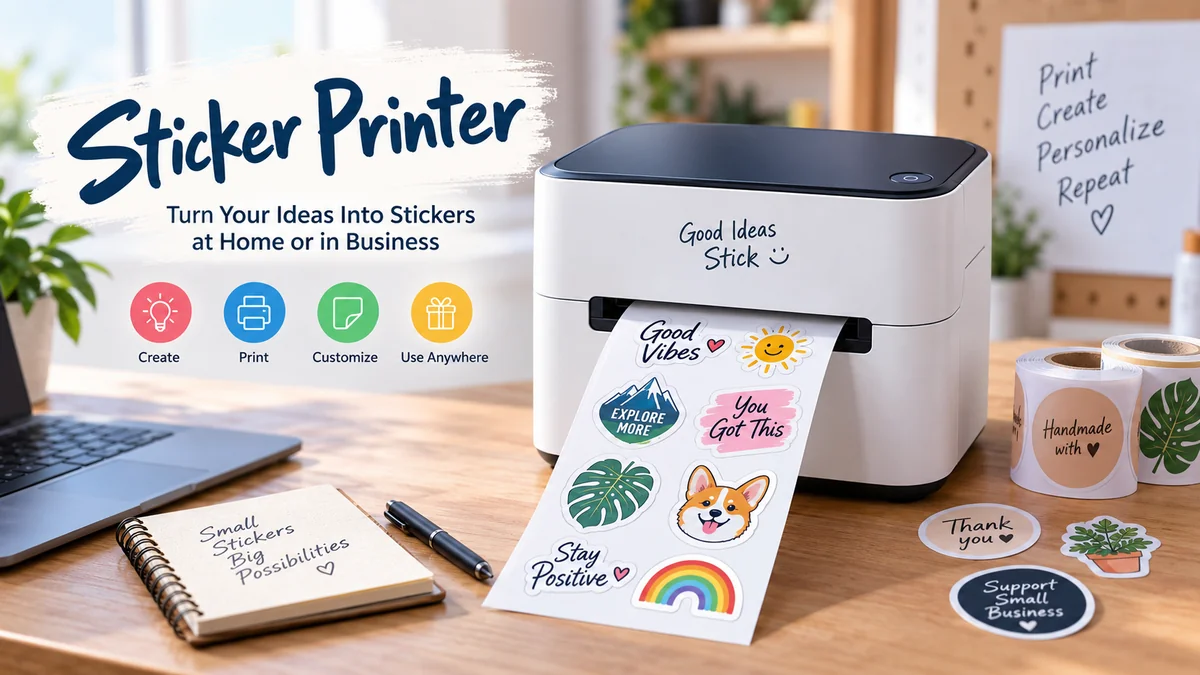

A sticker printer can mean anything from a tiny inkless machine that prints planner labels to a full-color inkjet setup producing detailed product stickers. The confusing part is that these machines do not all use the same technology, materials, or printing process.
Understanding the difference between thermal, inkjet, laser, and thermal-transfer printing helps you avoid incompatible sticker paper, poor image quality, fading labels, and unnecessary running costs.
A sticker printer is a printer used to create text, graphics, barcodes, photos, or designs on adhesive-backed material. Depending on the technology, it may use ink, toner, heat-sensitive media, or a thermal-transfer ribbon. Inkjet models suit colorful graphics, while thermal printers are especially useful for labels and simple monochrome stickers.
What Is a sticker printer?
A sticker printer creates printed material with an adhesive backing so the finished design can be peeled from a liner and attached to another surface.
That sounds simple, but “sticker printer” describes several different printing systems rather than one specific type of device.
Some people use a regular home inkjet printer with printable sticker sheets. Others use compact Bluetooth thermal printers for labels, journaling, or organization. Businesses may use dedicated thermal-transfer or commercial label printers for product identification, inventory, shipping, and barcodes.
The four technologies you are most likely to encounter are:
- Inkjet
- Laser
- Direct thermal
- Thermal transfer
There are also inkless portable systems designed primarily for small creative stickers and labels.
The technology matters because it determines whether you can print in color, what media you can use, how durable the result will be, and whether you need consumables such as ink, toner, or ribbons.
Is a sticker printer the same as a label printer?
The terms overlap considerably.
A label printer is generally designed to print adhesive labels containing practical information such as addresses, prices, barcodes, product details, names, or inventory identifiers. A sticker printer can perform similar tasks but may place greater emphasis on decorative designs, graphics, logos, and customization.
In everyday use, the same machine can often perform both jobs.
For example, a direct thermal printer could produce a shipping label in the morning and small organization stickers later in the day.
How Does a sticker printer Work?
The printing process depends on the technology inside the machine.
An inkjet printer sprays microscopic droplets of liquid ink onto compatible printable sticker material. A laser printer places toner onto the material and uses heat to fuse it. Direct thermal printers create images by heating specially coated media, while thermal-transfer machines use heat to transfer material from a ribbon to the label.
Here is the practical difference:
| Printing technology | Ink/Toner Required? | Color | Typical Uses | Key Limitation |
|---|---|---|---|---|
| Inkjet | Ink | Full color | Artwork, logos, photo stickers, crafts | Ink and media compatibility matter |
| Laser | Toner | Color or monochrome | Labels, text, graphics, batch printing | Heat can damage incompatible sticker sheets |
| Direct thermal | No | Usually monochrome | Shipping, barcodes, organization labels | Heat-sensitive output can fade |
| Thermal transfer | Ribbon | Usually limited colors | Durable product and industrial labels | Requires ribbon and compatible media |
The correct choice therefore depends less on the word “sticker” and more on what the finished sticker needs to do.
Types of sticker printer Technology
Inkjet Printers for Stickers
For detailed, colorful DIY stickers, an inkjet printer is one of the most flexible options.
Inkjet technology sprays liquid ink through tiny printhead nozzles. When used with suitable coated adhesive paper or printable vinyl, it can reproduce photographs, gradients, illustrations, logos, and fine color variations.
A typical home workflow involves printing multiple designs on one adhesive sheet and cutting them afterward.
Inkjet is commonly suited to:
- Planner stickers
- Decorative stickers
- Logo stickers
- Craft projects
- Gift labels
- Photo-style stickers
- Product branding
- Custom artwork
The biggest advantage is color quality and creative freedom.
The main drawback is that printing is only part of the process. If you want individual stickers with custom outlines, you must also cut them manually or use a compatible cutting machine.
For example, Cricut’s printable sticker instructions describe a Print Then Cut workflow in which an inkjet printer produces the design and a compatible Cricut machine cuts around it. Cricut specifically states that its current Printable Sticker Paper is intended for inkjet printers rather than laser printers.
Laser Printers for Stickers
Laser printers work differently.
Instead of spraying liquid ink, they use toner and heat. They can produce crisp text and graphics quickly, making them useful for compatible label sheets and some sticker applications.
The critical word is compatible.
Do not assume that sticker paper designed for an inkjet printer can safely pass through a laser machine. The adhesive, coating, or liner may not tolerate the temperatures used during laser printing.
Avery’s label printing guidance recommends matching label materials to the printer technology—for example, inkjet labels for inkjet machines and laser-compatible labels for laser machines.
Always check the material packaging and printer documentation before printing.
Direct Thermal Sticker Printers
A direct thermal sticker printer eliminates conventional ink, toner, and ribbons.
The printhead selectively heats specially treated thermal material. The coating reacts to heat and darkens, producing text or an image.
That makes direct thermal printing simple and relatively low-maintenance.
Common uses include:
- Shipping labels
- Address labels
- Barcode labels
- Price labels
- Name labels
- Planner stickers
- Organization stickers
- Temporary identification labels
Compact thermal machines frequently connect to smartphones through Bluetooth and use a manufacturer’s mobile app for design and printing.
The trade-off is durability. Direct thermal media remains sensitive to environmental conditions, particularly heat and prolonged light exposure, so it is not automatically the right choice for a sticker expected to remain readable for years.
Thermal-Transfer Printers
Direct thermal and thermal transfer are easy to confuse, but they are not the same process.
A thermal-transfer printer heats a ribbon and transfers the printed image from that ribbon onto compatible label stock.
Materials can include paper as well as more durable synthetic substrates such as polyester and polypropylene. Depending on the ribbon and label combination, thermal-transfer printing can offer better resistance to moisture, abrasion, heat, and other environmental stresses than ordinary direct thermal media.
This technology is particularly useful when label longevity matters.
Typical applications include inventory identification, warehouse labels, product labels, asset tracking, barcodes, and warning or identification labels.
Inkless Mini Sticker Printers
Small portable inkless printers have become another recognizable category.
Many are essentially compact direct thermal printers optimized for consumer applications. They pair with a phone, receive a design through Bluetooth, and heat thermal adhesive paper to create the image.
They work well for:
- Journals
- Study notes
- Planners
- Scrapbooks
- Storage organization
- Names and reminders
- Simple icons
- Black-and-white illustrations
Their strongest advantage is convenience rather than photographic print quality.
No cartridge means there is no liquid ink to replace, but the machine still requires compatible thermal sticker material. “Inkless” therefore does not mean consumable-free.
Thermal vs. Inkjet sticker printer: Which Technology Fits the Job?
This is one of the most useful distinctions to understand.
Choose the technology based on the final output rather than simply asking which printer is “better.”
Use inkjet when:
You need rich color, photographs, detailed artwork, gradients, or attractive branded graphics.
Use direct thermal when:
You primarily need fast monochrome labels, barcodes, shipping information, organizational stickers, or simple text and graphics without ink cartridges.
Use thermal transfer when:
Durability and long-term readability matter more than easy, cartridge-free operation.
Consider laser when:
You already have a suitable laser printer, need crisp output or larger batches, and can obtain sticker or label material explicitly rated for laser printing.
Quick Takeaway: For colorful decorative stickers, inkjet is usually the more flexible home-printing technology. For shipping and simple monochrome labels, direct thermal is simpler. For durable operational labels, thermal transfer deserves closer attention.
What Paper Does a sticker printer Use?
There is no universal sticker paper.
The media must match both the printer technology and the intended use.
Printable Sticker Paper
Printable sticker paper typically consists of a printable face layer, adhesive, and peel-away backing liner.
It is widely used for indoor crafts, planners, packaging, school projects, and general decorative work.
Some products are specifically coated for inkjet printers; others are designed for laser printing, while certain products support both technologies.
Never determine compatibility by appearance alone.
Printable Vinyl
Printable vinyl is a popular alternative when greater flexibility or moisture resistance is desired.
However, the word “vinyl” does not automatically mean waterproof or suitable outdoors.
Durability depends on the printable coating, ink, adhesive, laminate, exposure conditions, and the manufacturer’s specifications. If a project must withstand rain, sunlight, washing, chemicals, or abrasion, check those properties individually.
Thermal Label Stock
Direct thermal machines require heat-sensitive material.
This material contains a coating designed to change when exposed to the printer’s heated elements. Standard printable sticker paper cannot simply substitute for thermal stock.
Thermal labels are available in numerous shapes and sizes, including rolls for shipping, barcodes, organization, and small decorative stickers.
Thermal-Transfer Labels and Ribbons
A thermal-transfer system adds another variable: the ribbon.
Wax, wax/resin, and resin-based ribbons are used for different combinations of print quality, substrate, durability, and environmental resistance.
The ribbon, printer, and label stock need to work together.
Can You Print Stickers With a Regular Printer?
Yes. You do not necessarily need a dedicated sticker machine.
A regular inkjet or laser printer can print stickers when you use media designed for that printer.
For many beginners, an existing inkjet printer is actually a practical starting point because it can produce full-color artwork on compatible adhesive sheets.
The basic workflow is:
- Create the sticker design.
- Arrange multiple designs on a page if needed.
- Confirm the document dimensions.
- Load compatible adhesive paper correctly.
- Select appropriate print settings.
- Print a test sheet.
- Print the final sticker sheet.
- Allow the output to set or dry if required.
- Cut individual stickers.
- Apply them to a clean, suitable surface.
The biggest beginner mistake happens at step four: using the wrong material.
Avery’s printer compatibility guide notes that matching labels to inkjet or laser technology is more important than simply having a particular brand of printer.
How to Print Stickers at Home
Once the hardware and material are compatible, good results depend heavily on preparation.
1. Create the Design at the Correct Size
Design at the actual dimensions you intend to print.
Programs such as Adobe Illustrator, Adobe Photoshop, Canva, GIMP, Cricut Design Space, and manufacturer-specific label applications can all be used depending on the workflow.
Pay attention to small text. A design that looks perfectly readable while enlarged on a monitor may become difficult to read once reduced to a small sticker.
2. Check Resolution
Low-resolution graphics may appear pixelated when printed.
For detailed artwork, start with a sufficiently high-resolution source rather than enlarging a tiny web image.
Vector graphics are particularly useful for logos, icons, shapes, and typography because they can be resized without the same pixelation associated with raster images.
3. Run a Plain-Paper Test
This small step saves a surprising amount of material.
Print the layout on ordinary paper first. Check:
- Actual dimensions
- Margins
- Orientation
- Text size
- Image placement
- Cutting position
Place the test page behind or over your sticker sheet to confirm alignment before using more expensive adhesive media.
4. Load the Correct Side
Sticker sheets normally have a printable face and a backing liner.
Printer feed paths vary, so confirm which side of the sheet receives the image before loading it.
Cricut likewise recommends testing ordinary printer paper if you are unsure about the loading orientation.
5. Select Suitable Print Settings
Settings can have a noticeable effect on the finished sticker.
Depending on your printer and media, relevant options may include:
- Paper/media type
- Print quality
- Paper size
- Borderless printing
- Scaling
- Color management
- Manual or rear feed
For its own printable sticker paper, Cricut recommends high/best-quality or photo-paper-type settings for brighter, crisper output, while noting that excessive ink can cause smudging on some setups.
Treat manufacturer recommendations as the starting point because different coatings absorb ink differently.
6. Print One Sheet First
Do not immediately print a large batch.
Inspect the first sheet for:
- Banding
- Smudging
- Incorrect color
- Misalignment
- Roller marks
- Poor detail
- Wrong dimensions
Correcting the problem after one sheet is much cheaper than discovering it after twenty.
7. Cut the Stickers
You can cut stickers with scissors, a craft knife, punches, or an electronic cutting machine.
Two common cutting styles are:
Kiss cut: Only the sticker face is cut, leaving the backing sheet intact.
Die cut: The sticker and backing are cut around the complete outline.
Electronic cutting machines can automate complex contours, but they are separate from the printer unless you are using an integrated production system.
sticker printer Resolution and DPI Explained
Printer resolution is commonly expressed in dots per inch (DPI).
A higher number can provide finer print detail, but DPI alone does not determine overall quality.
Print technology, media coating, ink or ribbon quality, image resolution, printhead condition, color management, and printer calibration also matter.
Compact direct thermal label printers commonly operate around 203 DPI, which is adequate for many text, barcode, and simple graphic applications. Some professional label printers offer 300 or 600 DPI when smaller text or finer details are required.
A 203-DPI thermal shipping label and a high-resolution color inkjet sticker serve very different purposes, so comparing the DPI figures alone can be misleading.
What Can You Make With a sticker printer?
The range of applications is much broader than decorative stickers.
Shipping and Address Labels
Direct thermal printers are widely associated with shipping because they can quickly produce addresses, tracking information, and barcodes without replacing ink cartridges.
Product Labels
Small businesses may print product names, ingredients, batch information, instructions, prices, logos, or other packaging information.
The correct technology depends on the required color and durability.
A colorful branding label may favor inkjet printing, while a long-lasting identification label may call for thermal transfer.
Barcode and Inventory Labels
Barcodes require more than simply looking sharp to a person. Bars, spacing, dimensions, contrast, and print quality can affect scanner readability.
For operational environments, consistent media and print settings are more valuable than decorative effects.
Planner and Journal Stickers
Compact Bluetooth thermal printers work particularly well for simple planner labels because they are quick and require no ink.
For colorful illustrations and decorative artwork, an inkjet-and-cutting workflow provides far greater creative freedom.
Organization Labels
A small sticker printer can be used to identify storage boxes, cables, drawers, kitchen containers, school materials, files, and office supplies.
The material should match the surface and environment. A label suitable for a paper folder may not be suitable for a cold, damp, frequently cleaned container.
How Long Do Printed Stickers Last?
There is no single lifespan for a printed sticker.
Longevity depends on several components:
- Face material
- Adhesive
- Ink, toner, or ribbon
- Lamination
- UV exposure
- Temperature
- Humidity
- Water exposure
- Chemicals
- Abrasion
- Surface preparation
Direct thermal labels deserve particular attention because their image is created within heat-sensitive material. Heat and prolonged environmental exposure can eventually affect readability, making them less suitable for some long-term applications.
Thermal-transfer printing can provide greater durability when appropriate synthetic labels and ribbons are used.
For color stickers, printable vinyl and protective laminates may improve resistance, but always check the specifications of the actual material rather than assuming every vinyl sticker is weatherproof.
Are sticker printer Stickers Waterproof?
Not automatically.
Three different properties are frequently confused:
Water-resistant means the material can tolerate some moisture.
Waterproof implies substantially greater protection against water.
Weather-resistant may involve resistance to water, sunlight, temperature changes, and outdoor exposure.
The printer itself does not make a sticker waterproof.
The combination of face stock, adhesive, printing method, ink or toner, protective coating, and laminate determines how the finished sticker responds to moisture.
If water resistance matters, test a finished sample under conditions similar to its actual use.
Common sticker printer Problems and How to Fix Them
Stickers Are Smudging
For inkjet printing, excessive ink or an incompatible coating can cause smearing.
Check the specified media type and quality setting. Allow suitable drying time and avoid touching freshly printed areas.
If changing to a higher-quality mode makes smudging worse, the printer may be depositing too much ink for that particular material.
Printer Will Not Feed Sticker Paper
Sticker sheets can be thicker or less flexible than ordinary office paper.
Try the recommended rear, bypass, or manual feed path if your printer provides one. Load a single sheet rather than filling the tray.
Cricut’s current printable sticker material uses a thinner liner specifically intended to help reduce home-printer feeding problems.
Thermal Print Is Too Light
First inspect the printer settings and media.
Poor results can come from incorrect darkness settings, incompatible thermal material, dirt on the printhead, or improper loading.
Do not assume that every roll that physically fits a printer is technically compatible with it.
Design Prints at the Wrong Size
Check for automatic options such as “Fit to Page” or scaling.
A document designed at a precise physical size can change dimensions when the printer driver automatically enlarges or shrinks it.
For labels that must align with pre-cut sheets, even a small scaling error can become obvious across an entire page.
Cutting Machine Misses the Outline
Print-and-cut systems depend on accurate registration and calibration.
Keep registration marks unobstructed, use the software’s intended workflow, confirm material placement, and recalibrate the cutting machine if cuts consistently shift away from the printed artwork.
What Features Matter in a sticker printer?
Instead of focusing only on the printer’s headline specifications, evaluate the entire workflow.
Print Technology
This is the first decision.
Color artwork points toward inkjet or suitable color-printing technology. Simple ink-free labels point toward direct thermal. Durable identification may favor thermal transfer.
Maximum Print Width
A pocket thermal printer designed for narrow labels cannot replace a printer intended for full letter-size sticker sheets.
Think about the largest design you realistically need.
Resolution
Higher resolution becomes increasingly useful when printing tiny text, detailed logos, intricate graphics, or dense barcodes.
For basic shipping labels, extremely high resolution may offer little practical advantage.
Connectivity
Common options include:
- USB
- Wi-Fi
- Ethernet
- Bluetooth
Bluetooth is particularly useful for compact phone-based printers. Wi-Fi can be convenient when several computers or mobile devices share a printer.
Media Compatibility
Check supported:
- Width
- Thickness
- Roll diameter
- Sheet dimensions
- Gap labels
- Continuous rolls
- Die-cut labels
- Paper and synthetic materials
A printer is only useful if it supports the sticker material required by your project.
Software Compatibility
Some printers rely heavily on proprietary applications.
Before settling on a workflow, confirm whether you can import your preferred file formats, create custom dimensions, control fonts and barcodes, and print from your normal computer or mobile operating system.
Running Cost
The purchase price tells only part of the story.
Consider ink, toner, thermal rolls, ribbons, replacement printheads, sticker sheets, printable vinyl, cutting materials, and wasted sheets.
For frequent printing, cost per finished sticker or label is more meaningful than printer price alone.
Mistakes to Avoid When Printing Stickers
Several mistakes account for a large percentage of disappointing first attempts.
Buying media before checking printer compatibility: “Printable” does not mean compatible with every printer.
Assuming every thermal printer prints color: Standard direct thermal printing generally produces monochrome output. Colored label stock does not mean the printer is laying down full-color ink.
Confusing printing with cutting: A regular printer prints the artwork. It does not automatically cut custom sticker shapes.
Using laser heat on incompatible material: Sticker products intended only for inkjet equipment should not be placed in a laser printer.
Skipping test prints: Plain-paper tests reveal sizing and alignment errors before adhesive material is wasted.
Ignoring the final environment: A beautiful indoor paper sticker may fail quickly on a wet bottle, outdoor container, freezer item, or frequently handled tool.
Assuming inkless means zero ongoing cost: Direct thermal printers eliminate ink and toner, but compatible thermal labels remain a consumable.
Is Inkless Printing Better Than Ink Printing?
Neither technology is universally better.
Inkless direct thermal printing is excellent when simplicity, portability, fast label output, and minimal maintenance are priorities. It eliminates cartridges and is particularly convenient for text, shipping, organization, and simple monochrome graphics.
Inkjet printing is considerably more suitable when full color, photographs, gradients, illustrations, and detailed decorative artwork are required.
Think about the output first:
- Simple black labels: direct thermal
- Colorful decorative designs: inkjet
- Durable identification: thermal transfer
- Compatible high-volume sheet labels: laser may be appropriate
That distinction is far more useful than searching for one technology that supposedly does everything best.
sticker printer Maintenance and Storage
Good maintenance improves consistency and reduces wasted media.
Keep the printer free from paper dust and adhesive residue. Follow the manufacturer’s instructions when cleaning a printhead or rollers rather than applying household cleaners.
Store sticker sheets flat in their original packaging when possible. Protect thermal media from excessive heat and sunlight, and keep printable papers away from moisture.
For inkjet machines used infrequently, periodic printing can help reveal nozzle problems before an important project. Thermal machines have fewer ink-related maintenance concerns, but their printheads and rollers still need to remain clean.
Sticker stock also deserves careful storage. Bent corners, dust, moisture, or damaged liners can create feed and alignment problems even when the printer itself is working correctly.
Final Thoughts on Choosing and Using a sticker printer
A sticker printer is best understood as a printing system built around the result you need rather than as one universal machine category.
Inkjet printing provides the greatest flexibility for colorful artwork and custom decorative stickers. Direct thermal printing offers fast, simple, ink-free output for shipping, organization, barcodes, and everyday labels. Thermal transfer is better suited to many applications where durability matters, while laser printers can handle compatible adhesive media efficiently.
The most practical first step is to define the sticker’s size, color requirements, expected lifespan, surface, and exposure conditions. Then match the printing technology and adhesive material to those requirements.
That approach prevents the most common sticker-printing problems before the first sheet or roll ever reaches the printer.
