
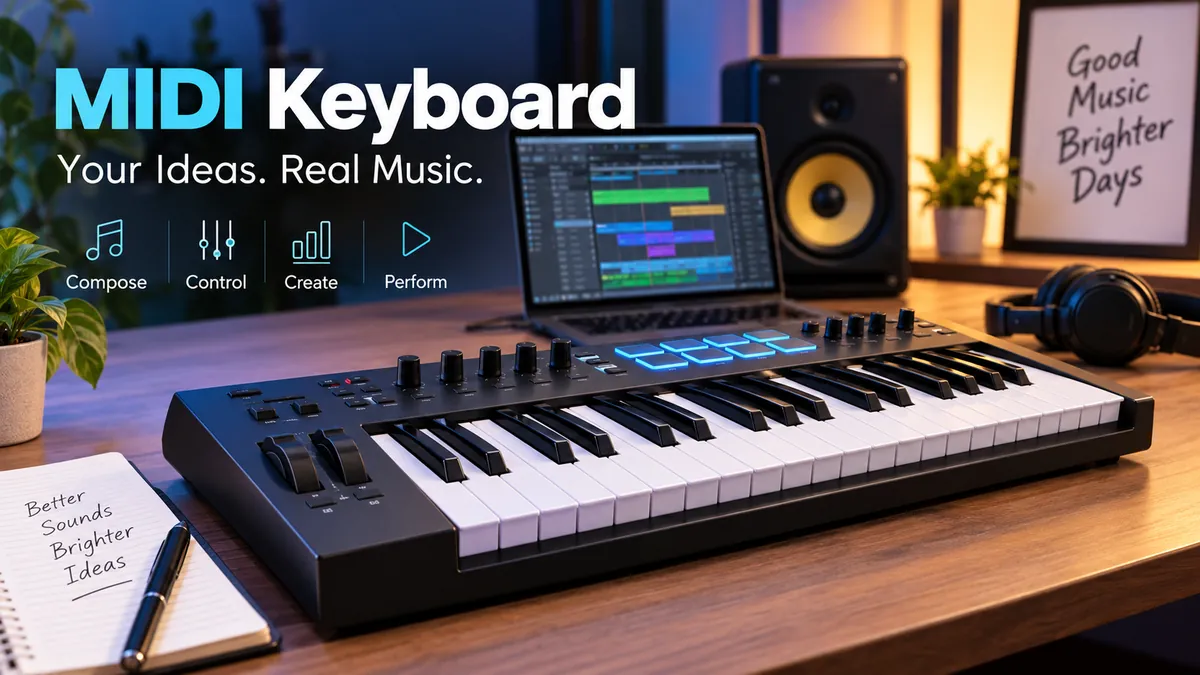

A midi keyboard can look like a small piano, but its real job is very different. In most cases, pressing its keys does not directly create sound. Instead, the keyboard sends performance instructions to a computer, synthesizer, sound module, or another MIDI-compatible device.
That distinction explains both the power of MIDI and one of the most common sources of confusion for new music producers.
A midi keyboard is a piano-style MIDI controller that sends information such as notes, velocity, timing, pitch bend, modulation, and other control data to software or compatible hardware. The receiving instrument creates the actual sound, allowing one keyboard to control virtual pianos, synthesizers, drums, orchestral instruments, and many other sounds.
Once you understand that MIDI carries instructions rather than recorded audio, everything else about these keyboards becomes much easier to understand.
What Is a midi keyboard?
MIDI stands for Musical Instrument Digital Interface. It is a technical standard that allows electronic musical instruments, computers, controllers, synthesizers, and music software to communicate.
A midi keyboard is one of the most familiar types of MIDI controller. It normally has piano-style keys and may also include:
- Drum pads
- Rotary knobs
- Faders
- Transport controls
- Pitch-bend controls
- Modulation controls
- Octave buttons
- Sustain-pedal input
- Aftertouch
- Displays or screens
MIDI itself is not sound. Instead, it communicates instructions that another device interprets.
For example, imagine that you press middle C on a controller.
The keyboard can transmit information saying, in effect:
A particular note was pressed → at this time → with this velocity → and it was released at this time.
Your virtual instrument receives that information and produces the corresponding sound.
Change the virtual instrument from a grand piano to a synthesizer, and the recorded MIDI notes remain the same while the resulting sound changes dramatically.
Does a MIDI keyboard make sound by itself?
Usually, no.
Most dedicated MIDI controller keyboards do not contain their own sound engine or speakers. They require another device capable of generating audio, such as:
- A computer running a virtual instrument
- A hardware synthesizer
- A sound module
- A compatible tablet or phone
- Another MIDI-equipped instrument
Some keyboard instruments combine MIDI-controller capabilities with their own internal sounds, so the distinction is not absolute.
Quick Takeaway: A MIDI controller tells another device what to play. The software instrument, synthesizer, or sound module determines what you hear.
How Does a midi keyboard Work?
The easiest way to understand the system is to follow the signal from your fingers to your speakers.
A typical computer-based setup looks like this:
Player → MIDI keyboard → USB/MIDI connection → DAW → virtual instrument → audio output → speakers/headphones
When you press a key, the controller detects your action and converts it into MIDI information.
MIDI note data
The most basic messages describe which notes you play and when.
A Note On event indicates that a note has started. A corresponding Note Off event tells the receiving instrument when it should stop.
Velocity
Velocity generally represents how quickly or forcefully a key is initially played.
With a velocity-sensitive controller, a gentle key press might trigger a soft piano note while a harder strike produces a louder or brighter response, depending on how the virtual instrument is programmed.
This is one reason velocity-sensitive keys are valuable for expressive performances.
Pitch bend
A pitch-bend wheel, lever, touch strip, or similar controller allows you to move the pitch smoothly rather than jumping between fixed notes.
It is especially useful for:
- Synth leads
- Guitar-like bends
- Electronic effects
- Expressive solos
Modulation
The modulation wheel is commonly assigned to parameters such as vibrato, filter movement, or another expressive characteristic.
Its exact function depends on the receiving instrument.
Control Change messages
MIDI Control Change, often shortened to CC, allows hardware controls to manipulate software or synthesizer parameters.
A rotary knob could control filter cutoff, for example, while a fader could control volume.
This is where a controller begins to feel much more hands-on than operating everything with a mouse.
MIDI Is Data, Not Audio
This concept is worth emphasizing because it changes how you work with recorded performances.
Suppose you record yourself playing a chord progression.
If you record MIDI, the DAW can store information about the notes and their performance characteristics rather than recording only the resulting waveform.
That means you can often edit:
- Notes
- Timing
- Duration
- Velocity
- Pitch
- Controller automation
- Instrument choice
You could record a part using a virtual piano and later switch it to strings without replaying the notes.
This flexibility is one of the reasons MIDI remains fundamental to computer-based music production.
MIDI vs audio
| Feature | MIDI | Audio |
|---|---|---|
| Contains actual sound | No | Yes |
| Stores note information | Yes | Not in the same editable form |
| Instrument can easily be changed later | Yes | More limited |
| Notes can be individually edited | Yes | Not like MIDI notes |
| Represents recorded waveform | No | Yes |
| Useful for virtual instruments | Excellent | Different purpose |
Neither format is inherently better. They perform different jobs.
A producer may compose a synthesizer line using MIDI while simultaneously recording a singer or acoustic guitar as audio.
midi keyboard vs Digital Piano vs Synthesizer
These instruments can all have black-and-white keys, which makes them easy to confuse.
Their underlying purposes can be quite different.
| Device | Main Purpose | Built-in Sounds | MIDI Control | Typical Use |
|---|---|---|---|---|
| MIDI keyboard | Control software/hardware | Usually no | Yes | Production and composition |
| Digital piano | Reproduce piano playing | Yes | Often | Piano practice/performance |
| Synthesizer | Generate and shape sounds | Yes | Usually | Sound design/performance |
| Keyboard workstation | Music creation/performance | Yes | Usually | Production and live use |
A digital piano may have MIDI connectivity and therefore work as a MIDI controller. Likewise, a synthesizer can often transmit MIDI.
The difference is that a dedicated MIDI controller is specifically designed around controlling other software and hardware. Berklee notes that MIDI-capable digital pianos and workstations can often handle note entry, although they may lack the extensive MIDI-mappable controls found on dedicated controllers.
MIDI keyboard vs MIDI controller
These terms overlap.
A MIDI controller is the broader category. It can use keys, pads, buttons, touch surfaces, faders, or other interfaces.
A MIDI keyboard is specifically a MIDI controller built around piano-style keys.
So every dedicated MIDI keyboard is a MIDI controller, but not every MIDI controller is a keyboard.
What Can You Do With a midi keyboard?
A controller can become the physical interface for a large collection of software instruments.
Load a virtual grand piano and the keys control a piano.
Change the plugin to a synthesizer and the same controller becomes your synth interface.
Load an orchestral library and it can trigger strings, brass, woodwinds, or percussion.
That makes a single controller useful across many styles of production.
Play virtual instruments
This is probably its most common purpose.
Virtual instruments may emulate or generate:
- Acoustic pianos
- Electric pianos
- Organs
- Analog synthesizers
- Digital synthesizers
- Bass instruments
- Drums
- Strings
- Brass
- Choirs
- Orchestral ensembles
- Experimental textures
The keyboard is the input device; the software determines the sound.
Program drums and beats
Controllers with velocity-sensitive pads are particularly convenient for finger drumming.
Pads can trigger:
- Kick drums
- Snares
- Hi-hats
- Percussion
- Samples
- One-shot effects
You can technically trigger drums from piano keys too. Pads simply provide a different physical playing experience.
Control a DAW
Many modern controllers provide integration with a digital audio workstation (DAW).
Depending on the hardware and software combination, buttons and knobs may control functions such as:
- Play
- Stop
- Record
- Track selection
- Volume
- Pan
- Plugin parameters
Common DAWs include Ableton Live, Apple Logic Pro, FL Studio, Cubase, Pro Tools, Studio One, and Bitwig Studio.
The degree of integration varies, so two keyboards with similar-looking hardware may provide very different workflows.
Control hardware synthesizers
MIDI is not limited to computers.
A controller equipped with appropriate MIDI connectivity can control compatible:
- Synthesizers
- Sound modules
- Drum machines
- Samplers
- Hardware sequencers
This matters particularly for computer-free setups.
How Many Keys Should a MIDI Keyboard Have?
Keyboard size is one of the biggest practical differences between controllers.
Common configurations include:
25, 32, 37, 49, 61, and 88 keys.
There is no universally correct size. Your playing style, desk space, portability requirements, and musical goals matter more.
25 to 37 keys
Compact controllers are useful for:
- Beat making
- Bass lines
- Simple melodies
- Synth parts
- Small desks
- Portable setups
Octave buttons let you reach notes outside the physical range.
The limitation becomes obvious when you want to play broad two-handed arrangements.
49 keys
Four octaves provide a useful compromise between playing range and physical size.
For many home-studio musicians, 49 keys offer enough room for chords, melodies, bass lines, and general production without dominating the desk.
61 keys
Five octaves give keyboard players significantly more freedom.
A 61-key model is particularly useful for:
- Two-handed playing
- Songwriting
- Larger chord voicings
- Arranging
- Keyboard performance
- Virtual instruments
It takes more desk space but reduces reliance on octave-shift buttons.
88 keys
An 88-key controller gives you the range associated with a full piano keyboard.
This configuration makes the most sense for:
- Pianists
- Film composers
- Classical-style playing
- Piano libraries
- Orchestral composition
- Detailed two-handed performances
Full-size models may also use hammer-action weighted keys to provide a more piano-like feel.
Quick Takeaway: Compact 25–37-key controllers favor portability, 49 keys provide a strong general-purpose balance, 61 keys suit more serious keyboard playing, and 88 weighted keys are most appropriate when piano technique is central to your work.
Key Feel: Synth Action, Semi-Weighted, and Weighted
Key count tells you how much range you have. Key action determines how playing that range feels.
Synth-action keys
Synth-action keys are generally light and fast.
They work well for:
- Electronic music
- Synth leads
- Fast melodic passages
- Beat production
- Portable controllers
They do not attempt to reproduce an acoustic piano’s hammer mechanism.
Semi-weighted keys
Semi-weighted action sits between lightweight synth action and heavier piano-style action.
It can be a useful compromise for musicians who regularly switch between piano, synth, organ, and orchestral sounds.
Weighted and hammer-action keys
Weighted keyboards are designed to provide greater resistance.
Hammer-action designs go further in attempting to approximate the mechanical response of an acoustic piano.
For someone primarily recording realistic piano performances, key action may matter far more than having extra pads or knobs.
What are mini keys?
Small controllers sometimes use reduced-size keys to save space.
Mini keys are practical for travel and small desks, but pianists accustomed to full-size keys may find them restrictive.
The better choice depends on what you value more: portability or familiar playing dimensions.
Features That Matter on a midi keyboard
Controllers range from simple keyboards to sophisticated control surfaces packed with performance tools.
Understanding the major features helps separate genuinely useful functions from specifications you may never use.
Velocity-sensitive keys
For expressive playing, velocity sensitivity should be high on the list.
Without useful velocity response, performances can feel mechanically uniform.
Aftertouch
Aftertouch detects pressure applied after a key has already been pressed.
That pressure can control parameters such as:
- Vibrato
- Filter cutoff
- Volume
- Modulation
There are two major forms.
Channel aftertouch applies the pressure information across the channel.
Polyphonic aftertouch can provide individual pressure information for separate notes, when supported by the controller and receiving system.
Drum pads
Pads are useful if you regularly program drums or trigger samples.
Look beyond pad count. Sensitivity and playing response matter too.
Knobs
Assignable rotary knobs provide tactile control over software parameters.
Common mappings include:
- Filter cutoff
- Resonance
- Reverb
- Delay
- Plugin parameters
- Panning
Faders
Faders are particularly useful for mixer-style control.
They can manipulate:
- Track volume
- Expression
- Drawbars
- Automation
- Instrument parameters
Composers working with orchestral libraries may find faders especially helpful for shaping expression and dynamics.
Pitch and modulation controls
Pitch bend and modulation are standard expressive tools on many full-size controllers.
Compact keyboards sometimes replace traditional wheels with touch strips or joysticks to conserve space.
Octave buttons
Octave controls are particularly valuable on 25-, 32-, and 37-key models.
They shift the playable range without requiring a physically larger keyboard.
Sustain pedal input
Piano players should check for a sustain-pedal connection.
A sustain pedal makes virtual piano performances considerably more natural and is useful with many other instruments too.
How to Connect a midi keyboard to a Computer
For many current controllers, setup is relatively straightforward.
1. Connect the keyboard
Most modern models can communicate with a computer over USB.
Some are USB bus-powered, meaning the same connection can provide both power and MIDI communication.
2. Install required software
Many controllers work as class-compliant USB MIDI devices and may not need a specialized driver.
Others may require manufacturer software, drivers, configuration applications, or firmware updates for complete functionality.
Follow the documentation for the specific controller and operating system.
3. Open your DAW
Launch your preferred music-production software.
4. Enable the MIDI device
Check the DAW’s MIDI or controller preferences and confirm that the keyboard is enabled as an input.
5. Load a virtual instrument
Create an instrument track and load a software synthesizer, piano, sampler, or another virtual instrument.
6. Play a note
If everything is configured correctly, pressing a key should trigger the loaded instrument.
If you see MIDI activity but hear nothing, remember that the MIDI controller itself may not be responsible for producing audio.
USB MIDI vs 5-Pin MIDI
Not every setup relies on USB.
Traditional MIDI hardware commonly uses 5-pin DIN connections.
USB MIDI
USB is convenient for computer-based production because a single cable may handle communication and power.
It is common in modern home studios.
5-pin DIN MIDI
Traditional DIN MIDI remains valuable when connecting hardware devices directly.
For example:
MIDI keyboard → MIDI OUT → hardware synthesizer MIDI IN
No DAW needs to sit between the devices if the equipment is configured appropriately.
Some compact controllers omit traditional MIDI ports, while others provide DIN or smaller TRS MIDI connections.
If you plan to control hardware without a computer, connectivity deserves close attention.
Do You Need an Audio Interface?
Not necessarily.
A midi keyboard sends MIDI information rather than an audio signal, so it normally does not require an audio interface simply to communicate with a computer.
You can often connect the controller directly through USB.
An audio interface serves a different purpose. It becomes useful when you need features such as:
- Microphone inputs
- Instrument inputs
- Dedicated monitor outputs
- Headphone monitoring
- Recording external synthesizer audio
- Improved studio connectivity
- Lower-latency audio performance in an appropriate setup
The keyboard and audio interface therefore solve different problems.
Understanding Latency
Latency is the delay between performing an action and hearing the resulting sound.
Imagine pressing a key and hearing the piano note noticeably later. Even a modest delay can make rhythmic playing uncomfortable.
Several parts of the system can contribute to latency, including:
- Audio driver configuration
- Buffer size
- Computer performance
- Plugins
- Audio processing
- Interface configuration
- Wireless connections
A common misconception is that replacing the MIDI keyboard will automatically solve latency.
Often, the more relevant issue is the computer’s audio configuration.
Reducing the audio buffer can reduce monitoring latency, although setting it too low may cause clicks, dropouts, or excessive CPU load. The practical goal is a buffer setting that feels responsive while remaining stable.
What Is a DAW and Why Does It Matter?
A DAW, or digital audio workstation, is software used to record, arrange, edit, mix, and produce music.
The controller provides physical input. The DAW manages the production environment.
Inside a DAW, you can typically:
- Create a MIDI/instrument track.
- Load a virtual instrument.
- Record a performance.
- Edit notes in the piano roll.
- Correct timing if necessary.
- Adjust velocities.
- Change the instrument.
- Arrange the part into a complete song.
This combination of physical performance and detailed editing is one of MIDI’s biggest strengths.
Can You Use a MIDI Keyboard Without a DAW?
Yes.
A DAW is common, but it is not mandatory.
You can potentially connect a MIDI controller to:
- A standalone software instrument
- A hardware synthesizer
- A sound module
- A compatible mobile application
- A sampler
- Another MIDI device
What you cannot normally do with a controller that lacks internal sounds is simply switch it on and expect piano audio from the keyboard itself.
Something must receive its MIDI messages and generate sound.
Can You Learn Piano on a MIDI Keyboard?
Yes, but the experience depends heavily on the controller.
A 25-key mini controller can teach note relationships, simple chords, melodies, and basic theory, but its limited range and small keys make it a poor substitute for a piano when developing serious two-handed technique.
For piano-focused practice, a controller with:
- 88 keys
- Full-size keys
- Weighted or hammer action
- Velocity sensitivity
- Sustain-pedal support
provides a much closer experience to a piano.
If your primary goal is music production rather than traditional piano technique, a smaller keyboard may be perfectly adequate.
MIDI Editing: Why Producers Like Working With MIDI
Recording a performance is only the beginning.
Once MIDI notes are inside a DAW, they can be edited extensively.
Correcting notes
Played the wrong note?
Move it to the correct pitch instead of recording the entire performance again.
Changing timing
Notes can be shifted manually or quantized toward a rhythmic grid.
Quantization can tighten a performance, but applying it too aggressively can remove natural timing variations.
Editing velocity
Individual notes can be made softer or stronger without replaying the passage.
Changing note length
A short note can be extended or a long note shortened.
Transposing
A performance can be shifted into another key or octave.
Replacing the instrument
Perhaps the biggest advantage is that the underlying performance is separate from the sound generator.
A melody recorded with a piano plugin can later trigger:
- A synthesizer
- A flute
- A bass
- A string patch
- A completely experimental sound
The performance remains editable MIDI data.
Quick Takeaway: MIDI lets you separate performance information from sound selection, which gives producers much more freedom after recording.
MIDI Channels and Control Messages
MIDI goes considerably deeper than simply sending notes.
Traditional MIDI setups can use multiple channels so different musical parts or devices can be addressed independently. A standard MIDI connection can carry 16 MIDI channels.
For example, a hardware setup could use different channels for separate synthesizers or multitimbral parts.
MIDI can also communicate information such as:
- Note On
- Note Off
- Velocity
- Pitch Bend
- Control Change
- Program Change
- Aftertouch
You do not need to master all of these concepts before making music.
For a beginner, understanding notes, velocity, MIDI CC mapping, and channels covers a large portion of everyday controller use.
What Are MIDI 2.0 and MPE?
MIDI technology has continued to evolve.
MIDI 2.0
The MIDI Association’s MIDI 2.0 core specifications include technologies such as the Universal MIDI Packet (UMP) and MIDI Capability Inquiry (MIDI-CI). MIDI-CI allows compatible devices with bidirectional communication to negotiate extended capabilities while maintaining consideration for backward compatibility.
For someone buying a first controller, however, MIDI 2.0 support should be evaluated in the context of the entire setup.
Your controller, operating system, DAW, plugins, and other hardware all affect which capabilities you can actually use.
Traditional MIDI remains deeply established, so MIDI 2.0 does not suddenly make conventional controllers useless.
MIDI Polyphonic Expression
MPE, or MIDI Polyphonic Expression, enables more detailed expression for individual notes.
With conventional channel-wide MIDI control, something such as pitch bend can affect the notes sharing that channel. MPE uses MIDI 1.0 messages across channels so individual notes can receive independent expressive control.
That can allow expressive controllers to manipulate parameters such as:
- Individual-note pitch
- Pressure
- Timbre
- Slide-like expression
Ableton Live supports editing MPE parameters including pitch bend, slide, and pressure for individual notes when used with appropriate MPE-capable equipment and instruments.
MPE is especially relevant to musicians interested in highly expressive synthesizer performance rather than basic note entry.
What Specifications Actually Matter?
A long specification sheet can make choosing a controller unnecessarily complicated.
Instead, start with what you actually plan to play.
| Need | Features to Prioritize |
|---|---|
| Beat production | 25–49 keys, responsive pads, knobs |
| Portable production | Compact size, USB power |
| General home studio | 49–61 keys, good velocity response |
| Piano performance | 88 weighted/hammer-action keys |
| Orchestral composition | 61–88 keys, faders, expression control |
| Hardware synth setup | MIDI OUT and suitable power options |
| Live performance | Reliable controls, mappings, build quality |
| Expressive synthesis | Aftertouch, poly aftertouch or MPE where supported |
The most impressive-looking controller is not automatically the most useful.
A producer working mainly with drums may get far more value from eight excellent pads than from 88 weighted keys. A pianist recording virtual grand pianos may feel exactly the opposite.
Common midi keyboard Mistakes Beginners Make
Understanding what not to do can save considerable frustration.
Expecting built-in sound
This is the classic mistake.
A controller may arrive, power on, light up, and still produce absolutely no sound.
Nothing is necessarily broken. It may simply need a software instrument or external sound source.
Buying too many keys
An 88-key controller sounds appealing until it occupies most of a small desk.
Measure the available space before deciding on keyboard size.
Buying too few keys
The reverse problem also happens.
A pianist may choose a tiny controller for convenience and quickly become frustrated by constant octave switching.
Match key count to how you genuinely play.
Ignoring key action
Two controllers with the same number of keys can feel dramatically different.
Key action affects your physical relationship with the instrument and the expressiveness of your performance.
Paying for controls you will never use
More pads, knobs, screens, and faders do not automatically create a better workflow.
Extra controls are valuable only when you actually map and use them.
Assuming every DAW integration is identical
Basic MIDI notes are widely compatible, but advanced integration can vary.
Transport buttons, plugin browsing, automatic parameter mapping, displays, and mixer controls may require specific scripts or software support.
Blaming MIDI for audio latency
MIDI and audio are different parts of the signal chain.
If there is a noticeable delay between pressing a key and hearing the instrument, investigate the audio driver, buffer, plugins, computer workload, and interface configuration rather than immediately assuming the keyboard is defective.
Do You Actually Need a midi keyboard?
Not necessarily.
A DAW can usually create and edit MIDI notes without a physical controller. Notes can be entered manually into a piano roll using a mouse or other input method.
A physical keyboard becomes valuable when you prefer performing ideas rather than drawing them.
It can make:
- Chord experimentation faster
- Melodies more intuitive
- Dynamics easier to perform
- Drum programming more tactile
- Automation more hands-on
- Virtual instruments feel more like instruments
Someone making sample-based music might use a MIDI keyboard occasionally.
A pianist, composer, songwriter, or synth player may use one constantly.
Neither workflow is inherently more legitimate.
A Simple MIDI Setup for Beginners
You do not need a complicated studio to start.
A basic setup can consist of:
- A computer
- A MIDI controller
- A USB cable
- A DAW or standalone virtual instrument
- Headphones or speakers
Connect the controller, enable it in the software, load an instrument, and test the keys.
Once basic note input works, learn one additional feature at a time:
First: velocity.
Next: sustain.
Then: pitch bend and modulation.
After that: knobs, pads, faders, MIDI CC assignments, and automation.
This approach is much easier than trying to understand the entire MIDI specification before recording your first melody.
Final Thoughts on the midi keyboard
A midi keyboard is best understood as a physical performance interface for digital and electronic instruments. It normally does not contain the sound itself; it sends MIDI instructions that tell software or compatible hardware what notes to play and how to respond.
For music production, that separation between performance data and sound generation is incredibly useful. You can record a melody once, edit individual notes and velocities, correct timing, change the key, or replace the entire instrument afterward.
The practical choice comes down to workflow. Choose the number of keys that fits how you play, the key action that matches your technique, and only the pads, faders, aftertouch, MIDI outputs, or DAW controls you will genuinely use. Once those basics are right, even a relatively simple controller can become the center of a remarkably flexible music-production setup.
