
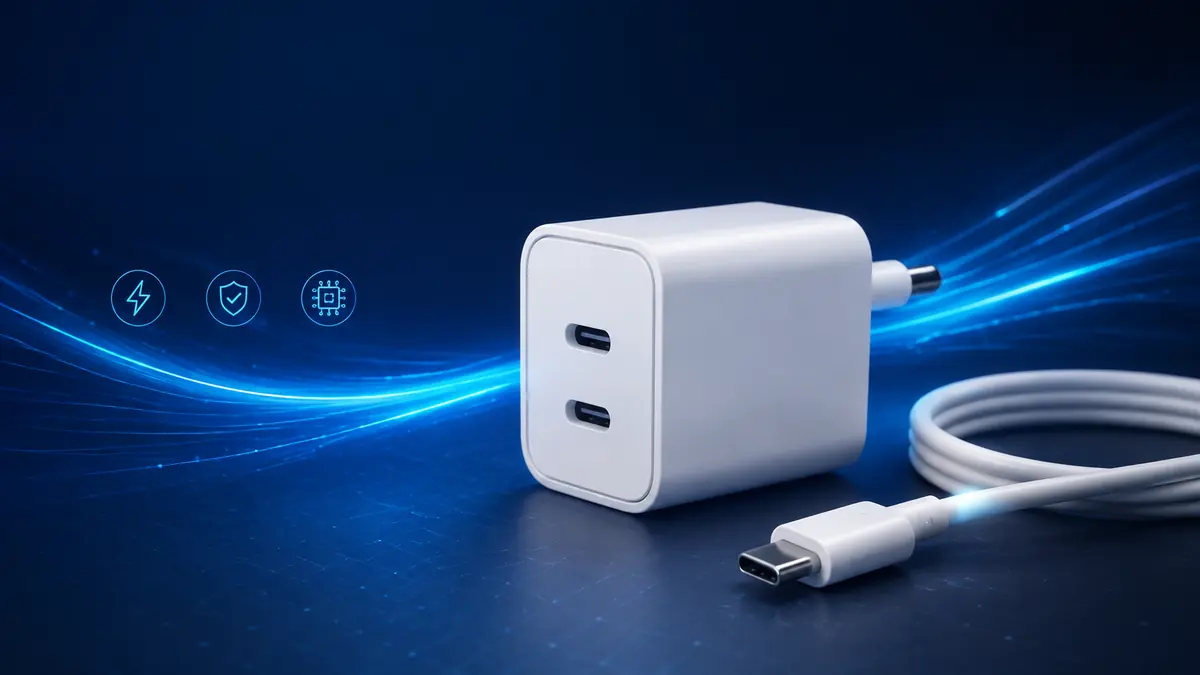

A charger can have the right connector and still charge your device slowly. The reason is simple: USB-C describes the connector, while charging speed depends on wattage, supported protocols, the cable, and what the device can accept.
A usb c charger converts wall power into regulated direct current and negotiates a safe charging level with a connected device. Chargers supporting USB Power Delivery can provide different voltage and current combinations. The device requests an appropriate profile, but actual speed is limited by the weakest part of the charger–cable–device chain.
What Is a usb c charger?
A USB-C charger is a power adapter with one or more USB Type-C ports. It can charge compatible phones, tablets, laptops, headphones, power banks, handheld consoles, cameras, and other electronics through a USB-C cable.
The reversible USB-C connector is only the physical interface. It does not guarantee a particular:
- Charging speed
- Maximum wattage
- Data-transfer rate
- Video capability
- USB Power Delivery version
- Programmable Power Supply support
Two adapters may look identical yet behave very differently. One might provide only basic 5-volt charging, while another can power a laptop at 100 watts or more.
USB-C is not the same as USB Power Delivery
USB Type-C defines the connector and many of its electrical characteristics. USB Power Delivery, normally abbreviated to USB PD, is a separate charging protocol commonly used through that connector.
USB PD allows the charger and device to communicate before higher power is delivered. Rather than forcing every product to use one fixed output, the system selects a mutually supported voltage and current.
That negotiation is why a high-wattage laptop adapter can usually charge a small phone safely. The phone does not automatically receive the charger’s full advertised output; it requests only a supported power profile.
How USB-C Charging Works
When a device is connected, several things happen in quick succession:
- The charger detects the connection.
- Basic power becomes available.
- A compatible device and charger exchange information.
- The device requests a supported power profile.
- The charger supplies the agreed voltage and current.
- The device’s internal charging circuit manages power going into the battery.
- Charging slows as the battery fills or its temperature rises.
The initial communication occurs through the USB-C configuration channel, using pins known as CC pins. These help detect cable orientation, connection roles, and supported current. USB PD adds more detailed communication for selecting power profiles and managing changes during charging.
Voltage, current and watts
Charging power is measured in watts:
Watts = Volts × Amps
A 9-volt, 3-amp output provides 27 watts. A 20-volt, 5-amp output provides 100 watts.
The wattage printed prominently on an adapter is normally its maximum output under supported conditions—not the amount every connected device will continuously receive. A phone drawing 20 watts from a 100-watt adapter is behaving normally.
Why charging speed changes over time
Battery charging does not remain at peak speed from zero to 100 percent. Most devices accept higher power while the battery is relatively low, then reduce it as the charge level rises.
Temperature, background activity, battery age, system settings, and manufacturer-defined charging curves can all affect the result. This is why a device may reach 50 percent quickly but need considerably longer to complete the remaining charge.
USB Power Delivery, PPS and EPR Explained
USB Power Delivery is the primary open charging standard associated with modern USB-C devices. It supports negotiated power in both directions, allowing equipment such as a monitor to display video while charging a connected laptop.
USB PD fixed power profiles
Traditional USB PD operation uses defined voltage levels. Common profiles include 5V, 9V, 15V, and 20V, although the exact options depend on the adapter and specification.
The charger advertises its Power Data Objects, or PDOs. The receiving device then selects a compatible option. If the desired profile is unavailable, charging may continue at a lower power level.
What is PPS charging?
Programmable Power Supply is an optional USB PD feature that permits smaller, dynamic adjustments to voltage and current. Instead of relying entirely on a few fixed levels, a PPS-compatible device can request power more precisely as its needs change.
This can reduce some of the voltage conversion performed inside the phone, helping control heat and improve charging efficiency. PPS is particularly relevant to certain Samsung Galaxy devices and other Android phones that use compatible rapid-charging modes.
All three parts must cooperate:
- The charger must support PPS.
- The device must support PPS.
- The cable must safely carry the required current.
A charger labeled “USB PD” does not necessarily include PPS. Its detailed output specifications should explicitly list a PPS range.
Standard Power Range and Extended Power Range
USB PD 3.1 introduced Extended Power Range, or EPR, which increases the specification’s potential maximum from 100W to 240W. It adds higher fixed voltages, including 28V, 36V, and 48V.
| Power category | Common maximum | Typical use |
|---|---|---|
| Basic USB-C charging | 15W or less | Earbuds, accessories and some phones |
| USB PD phone charging | 18–45W | Smartphones and smaller tablets |
| Standard Power Range | Up to 100W | Tablets, ultrabooks and many laptops |
| Extended Power Range | Up to 240W | High-performance laptops and other demanding equipment |
EPR capability does not mean every USB-C device can consume 240W. The charger, cable, and receiving product must all support the necessary EPR operation.
What Wattage usb c charger Do You Need?
Start with the device manufacturer’s stated charging requirement. The original adapter’s output label, official specifications, and support documentation are useful references.
A practical guide is:
| Device type | Common charger range | What to check |
|---|---|---|
| Earbuds and small accessories | 5–20W | Basic USB-C compatibility |
| Smartphones | 20–45W | USB PD, PPS, or a proprietary protocol |
| Tablets | 20–65W | Model-specific fast-charge requirement |
| Handheld consoles | 30–65W | Required PD voltage profiles |
| Thin laptops | 45–100W | Recommended adapter wattage |
| Performance laptops | 100–240W | EPR support and suitable cable |
These are broad ranges, not universal requirements. Some products operate outside them.
Can you use a higher-wattage charger?
Yes, provided the adapter follows a compatible standard and is properly made. A 100W USB PD adapter can charge a phone that accepts only 25W because the device controls what it requests.
Extra charger capacity does not force extra power into the battery. It simply means more power is available if the connected device can use it.
A dramatically oversized adapter may be unnecessary, however. It can cost more, occupy more space, and offer no speed improvement when used with a low-power device.
Can you use a lower-wattage charger?
Usually, but charging will be slower. A laptop may display a slow-charger warning, charge only while asleep, or continue losing battery during heavy use if its power demand exceeds the adapter’s output.
A low-power phone charger is therefore not always a practical substitute for a laptop adapter, despite having the correct USB-C connector.
Why a powerful charger may still charge slowly
Common causes include:
- The device has a lower input limit.
- The charger lacks the necessary voltage profile.
- PPS or another required protocol is unavailable.
- The cable is rated for less power.
- Multiple ports are sharing the charger’s total output.
- The battery is nearly full.
- The device is hot or cold.
- Intensive applications are consuming power during charging.
- The USB-C port contains dust or has a poor connection.
The advertised number on the adapter is only one part of the equation.
Choosing the Correct USB-C Cable
The cable can determine whether fast charging works at all. A connector fitting into both devices proves only physical compatibility.
3A and 5A cables
Many USB-C cables are designed for up to 3 amps. Depending on the supported voltage, these may handle as much as 60W under conventional USB PD operation.
Higher-power charging generally requires a 5-amp cable containing an electronic marker, commonly called an e-marker. This chip reports the cable’s capabilities to connected equipment.
For charging above 100W, use an EPR-rated cable marked for up to 240W. A 240W cable can also be used at lower power levels when the connectors and protocols are compatible.
| Cable marking | Typical power capability | Suitable for |
|---|---|---|
| Unmarked/basic cable | Varies | Low-power devices; verify specifications |
| 60W | Up to 60W | Phones, tablets and some laptops |
| 100W | Up to 100W | Many USB-C laptops |
| 240W | Up to 240W | EPR equipment and lower-power devices |
Charging speed and data speed are separate
A cable capable of 100W or 240W charging may support only USB 2.0 data speeds. Conversely, a high-speed USB4 or Thunderbolt cable has data and display features that may be unnecessary for ordinary charging.
Check specifications separately for:
- Power rating
- Maximum current
- USB data rate
- Video support
- Thunderbolt or USB4 compatibility
- Cable length
This distinction matters when the same cable is used with docks, monitors, external solid-state drives, or other high-bandwidth accessories.
Does cable length affect charging?
Longer cables have greater electrical resistance. A compliant cable should remain within the appropriate limits, but an unusually long, thin, or poorly manufactured cable may produce extra voltage loss and heat.
For reliable fast charging, use the shortest practical certified or clearly rated cable from a reputable manufacturer.
Single-Port and Multiport USB-C Chargers
A single-port adapter normally offers a straightforward maximum output. A multiport charger divides its available power according to its internal design and the devices connected.
For example, a 100W dual-port adapter might provide:
- Up to 100W when one port is used
- 65W and 35W when both ports are active
- A different split if one device requires only low power
The exact allocation is not universal. Some chargers briefly interrupt or renegotiate power when another cable is connected. That momentary pause is often normal, although it may cause sensitive accessories to restart.
When reading a multiport charger label, distinguish between:
- Total combined output
- Maximum output from one port
- Output available with every port occupied
- USB-C and USB-A port limits
- Supported PD and PPS profiles per port
A charger described as “140W” may not deliver 140W through each connector.
Gallium nitride chargers
Many compact high-output adapters use gallium nitride, or GaN, power components. GaN designs can switch efficiently at high frequencies, helping manufacturers produce smaller chargers with high power density.
GaN itself does not guarantee protocol compatibility, build quality, or safety. A GaN adapter must still support the correct USB PD profiles and include competent thermal and electrical protection.
Compatibility with Phones, Tablets and Laptops
USB-C has improved interoperability, but not every fast-charging system is identical.
iPhone and iPad charging
Modern Apple devices use USB-C Power Delivery for faster wired charging. An iPhone can safely connect to a higher-wattage MacBook adapter, but its charging speed remains limited by the phone’s supported input and current conditions.
Older iPhones with Lightning ports require a USB-C-to-Lightning cable for USB PD fast charging. USB-C iPhone models use a USB-C-to-USB-C cable.
Specific iPad models may require substantially more power than an iPhone to reach their fastest supported rate. Consult the model’s official charging guidance rather than assuming one wattage applies across the product line.
Android phones and PPS
Many Android phones support USB PD, while some use PPS for their fastest standards-based charging. Samsung’s Super Fast Charging is a familiar example: the adapter must provide the appropriate PPS range and current, not merely display a sufficiently high total wattage.
Other manufacturers may use proprietary systems from brands such as Google, OnePlus, Oppo, or Xiaomi. A general USB PD charger will often charge these devices, but it may not reproduce the highest speed available from the manufacturer’s matched adapter and cable.
USB-C laptop chargers
Laptops commonly require 45W, 65W, 100W, or more. Check both the recommended wattage and the input profiles printed near the charging port or listed in official documentation.
Some laptops accept USB-C charging through only certain ports. Others use USB-C for data but retain a proprietary charging connector. A USB-C socket alone does not prove that the port accepts power.
Safety, Certification and Battery Health
A well-designed charger includes protections against conditions such as overcurrent, overvoltage, excessive temperature, and short circuits. The enclosure, plug, isolation distances, and internal components matter as much as the USB protocol.
Look for:
- Clear manufacturer and model identification
- Input and output ratings printed on the adapter
- Relevant regional safety approvals
- USB-IF certification where available
- A realistic wattage claim
- Documented PD, PPS, and EPR profiles
- A warranty and traceable seller
- Properly rated detachable cables
Avoid adapters with missing electrical information, loose plugs, damaged housings, counterfeit certification marks, or implausibly high output claims.
Does fast charging damage the battery?
Normal fast charging supported by the device is managed by its battery-management system. The phone or laptop regulates input and reduces power when necessary.
Heat has a stronger relationship with battery aging than the words “fast charging” alone. To limit unnecessary heat:
- Keep the device ventilated.
- Avoid covering it while charging.
- Replace damaged cables and adapters.
- Do not charge in direct sunlight.
- Avoid demanding games or workloads if the device becomes very hot.
- Use optimized or adaptive charging features when appropriate.
Charging naturally slows near full capacity to control voltage, temperature, and battery stress. That slowdown is not evidence of a faulty adapter.
Warning signs to take seriously
Disconnect a charger if it produces smoke, sparks, a burning smell, crackling sounds, visible melting, or extreme heat that makes it unsafe to touch. Stop using cables with exposed conductors, sharply bent connectors, or discolored plugs.
Mild warmth can be normal during high-power charging. Persistent excessive heat or physical damage is not.
Troubleshooting a usb c charger
When fast charging does not work, test the charging chain methodically:
- Check the device’s required wattage and protocol.
- Read the adapter’s output profiles, not only its headline wattage.
- Confirm the cable’s current and power rating.
- Try a different compatible port on a multiport adapter.
- Disconnect other devices that may be sharing power.
- Inspect the connectors for debris, moisture, looseness, or damage.
- Restart the phone, tablet, or computer.
- Allow an overheated device to cool.
- Test each component with a known-good compatible replacement.
- Install relevant operating-system or firmware updates.
If a laptop charges while shut down but drains during use, the adapter may be working correctly but supplying insufficient power for the active workload.
If charging repeatedly connects and disconnects, inspect the cable and port first. A worn connector, contaminated socket, unstable multiport power allocation, or damaged cable is more likely than a battery that suddenly refuses all charging.
The Bottom Line
The right usb c charger is not simply the adapter with the largest number printed on it. It must supply enough wattage, support the device’s required USB PD or PPS profiles, and work with a cable rated for the necessary current.
Check the device requirement first, then verify the charger’s per-port output and the cable’s power rating. That three-part compatibility check is the most reliable way to obtain safe, consistent charging without paying for capability your equipment cannot use.
