
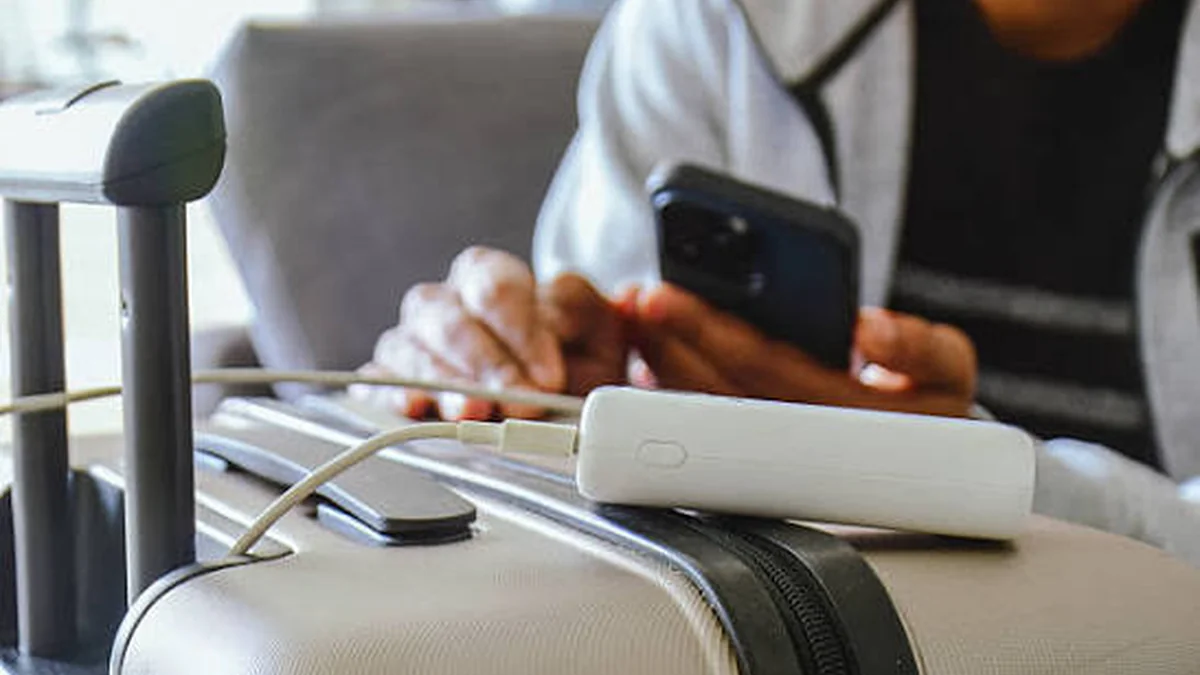

Is using phone while charging bad for your battery, or just an old worry that never actually got checked? You’re at 8% battery, plugged into the wall, and a text just came in. You glance at it. Is that quick check secretly wearing down your battery — or is this whole idea overblown?
Quick answer: Using your phone while charging is generally not bad — it’s safe under normal conditions and won’t shock you or cause an explosion. The real issue is heat — light tasks like texting or browsing add almost none, but gaming, streaming, or GPS navigation while plugged in can push your phone’s temperature up and accelerate long-term battery wear.
That’s the short version. The longer, more useful version — the one that actually changes how you charge your phone — comes down to three things: what you’re doing on the phone, what you’re charging it with, and how hot it gets. Let’s go through each one.
Using Phone While Charging: Is It Actually Bad?
No, not in the way most people fear. You’re not going to get electrocuted by texting on a plugged-in phone, and your battery isn’t going to combust because you opened Instagram mid-charge. Modern smartphones weren’t designed with the assumption that you’d politely wait for a full charge before touching them again.
Here’s what’s actually happening under the hood. When you plug in your phone, its power management system decides where the incoming electricity goes. If the screen and processor are active, power gets routed to run the phone directly first, and whatever is left over trickles into the battery. That’s why your phone charges more slowly when you’re using it — the battery is getting the leftovers, not the full supply.
Once the battery hits 100%, the system stops feeding it and runs the phone entirely off the charger. This is standard behavior across iPhone and Android devices, and it’s one of the built-in safeguards that makes casual use while charging a non-issue for the vast majority of people.
So the honest answer isn’t “yes, it’s bad” or “no, it’s totally fine.” It’s: it depends on how hard you’re pushing the phone while it’s plugged in.
Why Using Phone While Charging Feels Bad: The Heat Explanation
Heat is the entire story here. Everything else — battery wear, slower charging, that occasional warm-to-the-touch feeling — traces back to temperature.
Two heat sources stack on top of each other when you use a charging phone:
- Charging heat — converting electrical current into stored chemical energy in the battery isn’t perfectly efficient, so some energy escapes as heat.
- Usage heat — your processor and graphics chip generate heat any time they’re working, and the harder they work, the more heat they throw off.
Do both at once, and the combined heat load is higher than either one alone. Your phone has temperature sensors watching this in real time, which is why a phone sometimes feels sluggish while charging and gaming — that’s not a glitch, it’s the power management system deliberately throttling performance to cool things down before they become a problem.
Light Use vs. Heavy Use
Not all activity is created equal here, and this is where most advice online gets too vague to be useful.
| Activity While Charging | Extra Heat Generated | Battery Impact |
|---|---|---|
| Texting, checking notifications | Minimal | Negligible |
| Browsing, reading, email | Low | Negligible to minor |
| Video or voice calls | Moderate | Minor, occasional is fine |
| Music/podcast streaming (screen off) | Low | Negligible |
| Video streaming (screen on) | Moderate-high | Noticeable if frequent |
| Mobile gaming | High | Meaningful over time |
| GPS navigation | High | Meaningful, especially in a hot car |
| Video recording/editing | Very high | Meaningful over time |
If you’re just glancing at texts or scrolling for a minute, the extra heat is close to nothing — you can stop worrying about that entirely. It’s the sustained, processor-heavy activities — an hour of gaming, a long navigation session, video editing — combined with charging that actually add up to measurable battery wear over months and years.
Wired vs. Wireless Charging: Which Generates More Heat?
Here’s something most guides skip entirely: wireless charging tends to run hotter than wired charging, even when you’re not using the phone. The induction process that transfers power through the air between the coil in the charging pad and the coil in your phone is inherently less efficient than a direct wired connection, and that lost efficiency shows up as heat.
Add active use on top of a wireless charger — especially one without proper cooling — and you get the highest realistic heat scenario for casual charging. If you’re someone who games or watches video while charging often, a wired connection is the better habit, and a wireless charging pad with active cooling is a reasonable upgrade if you’re committed to wireless.
The Real Danger Isn’t Usage — It’s Your Charger
If there’s one point worth taking seriously from this whole topic, it’s this one: the charger and cable you’re using matter more than what you’re doing on the phone.
Genuine, certified chargers — MFi-certified for iPhone, or manufacturer-certified for Android — go through safety testing for insulation, voltage regulation, and fire resistance. Counterfeit chargers frequently skip all of that. Testing by UL (Underwriters Laboratories) found that a batch of counterfeit charging products lacked basic protections against shock and fire hazards, and separate testing by Electrical Safety First in the UK found the vast majority of counterfeit chargers they examined carried a real risk of fire or electric shock. That’s not a scare tactic — it’s documented product-safety testing.
A quality charger has a fuse that fails safely if something goes wrong internally. A cheap knockoff often doesn’t, and poor internal construction can let components shift, overheat, or short out.
How to Spot a Counterfeit or Unsafe Charger
- No recognizable certification mark (UL, CE, or manufacturer logo) — or a blurry, poorly printed one
- Unusually lightweight housing or visibly cheap plastic
- A price far below the going rate for a genuine charger or cable
- Exposed metal on the plug pins, or pins that don’t fit sockets snugly
- A charger or cable that feels hot to the touch, smells odd, or makes a buzzing or popping sound
- Charging cables that fray, kink easily, or have loose connectors
If your charger shows any of those signs, stop using it. This is a case where a $10–$25 replacement is genuinely worth it over the risk.
What Using Your Phone While Charging Actually Does to Battery Health
This is the part most articles either skip or oversimplify. Your phone’s battery doesn’t wear out because you touched it while it charged — it wears out based on heat exposure and how far and how often you push its charge level.
Lithium-ion batteries have a voltage range they operate in, and pushing toward the very top of that range — close to 100% — is chemically harder on the battery than staying in a more moderate zone. Research on this chemistry shows a real difference: cycling a cell fully between roughly 0% and 100% led to meaningfully fewer usable cycles before capacity dropped to 80%, compared to keeping charges in a narrower band like 0–75%. In practical terms, the last 20% of a charge is disproportionately stressful on the battery compared to the rest.
Heat compounds this. Batteries kept consistently around 25°C (77°F) degrade noticeably slower than ones regularly exposed to 45°C (113°F) — in some testing, roughly double the capacity loss at the higher temperature after the same number of charge cycles. That’s why using your phone while it’s charging in a hot car, under a blanket, or in direct sun is a genuinely bad combination: you’re stacking usage heat, charging heat, and environmental heat all at once.
Charge Cycles and the 80% Rule
A “charge cycle” is one full 0–100% charge, whether it happens in one sitting or across several partial top-ups. What matters more than hitting a specific cycle count is how much of each cycle happens in the battery’s high-stress top and bottom zones. Keeping your phone roughly between 20% and 80% most of the time, and reserving full 0–100% charges for when you actually need the range, is one of the more evidence-backed habits for battery longevity.
Depth of Discharge Matters More Than You’d Think
Two shorter top-up charges — say, 30% to 80% — put less cumulative stress on the battery than one deep 0% to 100% charge, even though they can add up to a similar amount of energy delivered. This is why topping up throughout the day isn’t a bad habit; the old advice to always run your battery down before recharging (a holdover from older nickel-based battery chemistry) doesn’t apply to modern lithium-ion phones.
Myths vs. Facts: Is Using Phone While Charging Really Bad?
Myth: Using your phone while charging can electrocute you. Fact: Under normal conditions with an intact, genuine charger, this isn’t a realistic risk. The rare cases involve damaged cables, water exposure, or counterfeit hardware with no safety insulation.
Myth: Phones can spontaneously explode just from being used while plugged in. Fact: Dramatic battery failures are almost always tied to physical damage, defective batteries, or unsafe counterfeit charging equipment — not the simple act of using a phone that’s charging.
Myth: You need to fully drain your battery before recharging. Fact: That applies to older nickel-cadmium batteries, not the lithium-ion batteries in modern phones. Partial, frequent charges are fine — often better.
Myth: Overnight charging ruins your battery. Fact: Modern phones stop drawing power once they hit 100% and switch to running off the wall. Occasional overnight charging isn’t the battery killer it’s made out to be, though it does mean your phone sits at 100% for hours, which is a minor stressor if it happens every single night for years.
Myth: Fast chargers damage your battery faster than slow ones. Fact: Certified fast chargers are designed to manage heat and current safely for your specific device. The bigger risk is uncertified fast chargers pushing more current than your phone’s circuitry expects.
Signs Your Phone Is Overheating — And What to Do
Your phone will usually tell you before anything serious happens. Watch for:
- The phone feels genuinely hot, not just warm, to the touch — especially around the camera bump or upper back.
- A warning message appears telling you the device needs to cool down before it can continue charging.
- Charging stops or slows dramatically with no other explanation.
- Apps stutter or the screen dims unexpectedly while plugged in.
- The battery percentage behaves erratically, jumping or stalling.
If you notice any of these:
- Unplug the phone.
- Close any heavy apps (games, video, navigation) running in the background.
- Remove the case — cases trap heat, and a hot phone in a thick case cools down much slower.
- Move it away from direct sunlight or hot surfaces, and let it sit somewhere with airflow for 10–15 minutes.
- Once it’s back to a normal temperature, resume charging.
Ignoring persistent overheating is the actual risk worth taking seriously — not the occasional warm phone, but a pattern of it running hot charge after charge.
Smart Habits to Protect Your Battery (Without Giving Up Your Phone)
- Use certified chargers and cables — this single habit eliminates most of the real safety risk.
- Avoid heavy tasks during charging when you can — save gaming marathons and long video calls for when the phone’s unplugged, especially in hot environments.
- Keep it out of direct heat — don’t charge on a car dashboard, under a pillow, or in direct sunlight.
- Remove thick cases if the phone runs hot while charging — better airflow, faster cooling.
- Don’t obsess over 100% — topping up in the 20–80% range most days is gentler on the battery than habitually charging to full.
- Replace any charger that looks damaged, feels hot, or smells odd — no exceptions.
- Let it breathe — charging on a hard, ventilated surface beats charging on a soft blanket or pillow that traps heat.
None of this requires giving up your phone while it charges. It just means being a little more intentional about what you’re doing and what you’re charging it with.
Does This Differ Between iPhone and Samsung/Android?
Not meaningfully. Apple’s own support guidance confirms it’s safe to use an iPhone while charging, noting only that charging speed slows slightly because power is being split between running the device and charging the battery. Samsung’s support documentation says the same thing for Galaxy devices — safe to use, with charging simply happening more slowly while the phone is active. The underlying lithium-ion chemistry, heat sensitivity, and power management logic are essentially the same across brands; the practical advice above applies whether you’re on iOS or Android.
The Bottom Line: Using Phone While Charging Isn’t as Bad as You Think
Using your phone while it charges isn’t the battery-destroying habit some corners of the internet make it out to be, and it isn’t a safety hazard under normal conditions. The things that actually matter are heat, charger quality, and how often you push the battery into its most stressful zones. Text, browse, and answer calls while plugged in without a second thought. Save the gaming sessions and video marathons for un-plugged moments when you can, use a certified charger, and keep your phone out of hot spots — and your battery will hold up just fine for years.
If you’re not sure whether your current charger is trustworthy, that’s the one thing on this list worth checking today.
STILL HAVE QUESTIONS? EXPLORE MORE GUIDES HERE FOR MORE ANSWERS.
FAQ Section
Is it bad to use your phone while it’s charging? No, not under normal conditions. Light use like texting or browsing adds almost no risk. Heavy use like gaming or streaming generates more heat, which can add up to faster battery wear if it happens regularly over months or years.
Can using your phone while charging cause a fire? It’s extremely rare and almost never caused by usage itself. The real fire risk comes from counterfeit or damaged chargers and cables, not from the act of using a genuine, undamaged charging setup.
Does using your phone while charging drain the battery faster? It charges more slowly because power is split between running the phone and charging the battery, but it doesn’t “drain” the battery in a harmful sense during normal, light use.
Is it safe to sleep with your phone charging next to you? Yes, with a genuine charger on a hard, ventilated surface. Avoid charging it under a pillow or blanket, since trapped heat is the actual concern, not proximity while you sleep.
Why does my phone charge slower when I’m using it? Your phone’s power management system routes incoming power to run the device first and sends only the leftover power to the battery, which naturally slows the charging rate during active use.
Is wireless charging worse for the battery than wired charging? Wireless charging typically generates more heat than wired charging due to energy lost in the induction process. If you regularly use your phone while it charges, a wired connection is the gentler option.
What happens if you overcharge your phone? Modern phones stop drawing power once they hit 100% and run off the wall charger instead, so true “overcharging” in the old sense doesn’t happen. Sitting at 100% for long stretches is a mild stressor, not a dangerous one.
How do I know if my charger is fake or dangerous? Watch for missing or blurry certification marks, unusually cheap construction, prices far below market rate, exposed metal pins, or a charger that feels hot, smells odd, or makes noise. Replace it immediately if any of these show up.
