
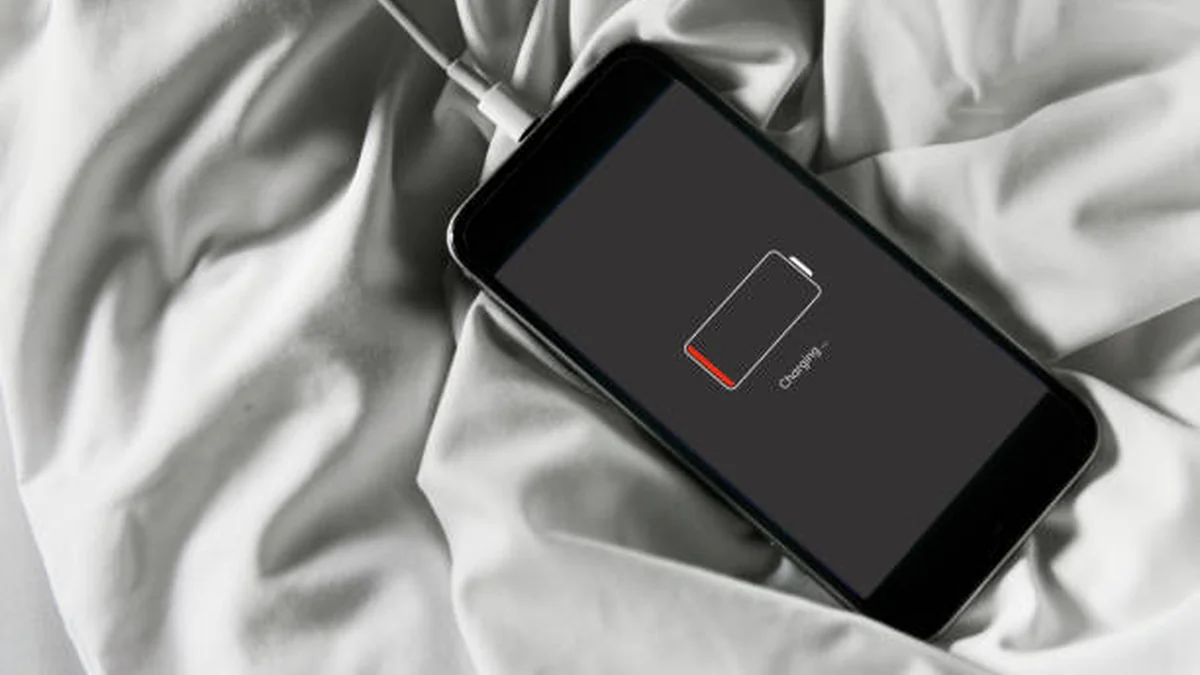

You’re mid-text, mid-call, or mid-navigation. The screen says 20 percent. Then, with no warning, it’s gone. Black screen. No countdown, no low-battery buzz — just off.
If that’s happened to you more than once, you’re not imagining it, and your phone probably isn’t broken in the way you think.
Quick answer: A phone die at 20 percent almost always has a battery whose real capacity has shrunk with age, so the percentage on screen no longer matches how much power is actually left. Cold temperatures, an outdated fuel-gauge reading, or a specific software bug can make it worse, but the fix is usually calibration first, replacement second.
What “Phone Die at 20 Percent” Actually Means
Your phone doesn’t measure battery like a fuel tank with a float sensor. There’s no physical way to “see” how much charge is left. Instead, a small chip and a piece of software called a fuel gauge estimate it, using voltage readings, temperature, and a history of how the battery has behaved over time.
That estimate is usually close. But it’s still a guess, and guesses drift. When the gap between the estimate and reality gets big enough, the phone thinks it has 20 percent left when it actually has close to zero — and the moment real voltage drops below the point the hardware needs to stay powered, it shuts off. Instantly, with no warning, because the phone genuinely didn’t see it coming either.
This is different from a phone that just drains battery quickly throughout the day. That’s usually an app or settings issue. A phone that specifically dies at the same percentage, over and over, points to a mismatch between the reported number and the battery’s true state.
The Real Reason: Battery Aging, Not User Error
Nine times out of ten, this comes back to one thing: the battery is older than it feels. Every lithium-ion battery degrades with use — it’s chemistry, not a defect. Somewhere around the 18-to-24-month mark of regular daily charging, internal resistance inside the cell starts climbing and the maximum amount of charge it can hold starts shrinking.
Here’s the part that trips people up: your phone still shows a scale of 0 to 100 percent. But 100 percent on a battery that’s lost a quarter of its original capacity is not the same 100 percent it was on day one. The number on screen is relative to current max capacity, not the battery’s original spec. So “20 percent” of a worn battery might represent a genuinely tiny, unstable amount of real power — barely enough to keep the phone running under any load.
That’s why the shutdown happens at 20 percent specifically for some people, and at 30 percent or 15 percent for others. It’s not a universal threshold; it’s wherever that individual battery’s aging voltage curve gets too unstable to support the phone’s power draw.
Quick takeaway: If your phone is more than a year and a half old and this only started happening recently, aging battery capacity is the most likely explanation — check Battery Health (iPhone) or a monitoring app (Android) before trying anything else.
Cold Weather and Sudden Shutdowns
Temperature makes a genuinely large difference, and it’s the single most underrated factor in this problem. Lithium-ion batteries rely on chemical reactions to move charge, and those reactions slow down sharply in the cold. Research on battery performance shows capacity can drop by as much as 20 to 40 percent once temperatures fall below freezing, and by up to half in extreme cold near -4°F.
The battery isn’t actually losing that charge — it’s temporarily unable to deliver it at the voltage the phone needs. Warm the phone back up (inside a coat pocket, indoors, off the car seat overnight) and a lot of that “missing” battery reappears.
If your shutdowns cluster around cold commutes, cold storage overnight, or outdoor use in winter, this is very likely your answer before you assume the battery itself is failing.
iPhone-Specific Causes and the Battery Health Page
Apple built a dedicated diagnostic for exactly this problem. Go to Settings > Battery > Battery Health & Charging and you’ll see Maximum Capacity as a percentage of the battery’s original design capacity. Apple considers anything below 80 percent significantly degraded, and you may also see a “Service Recommended” message if the battery can no longer reliably support peak performance.
There’s also a documented history here worth knowing: certain iOS versions have actually caused this exact symptom as a software bug rather than a hardware problem. In one notable case, iPhone 6 and 6s models on iOS 10.1.1 shut down around 30 percent battery due to a miscalibrated power management system — not a failing battery at all. Apple’s fix, iOS 10.2.1, resolved it for the large majority of affected users. The lesson: always check for a pending iOS update before assuming your battery is dying.
If Battery Health looks fine (above 80 percent) and you’re fully updated but the shutdowns continue, performance management may already be quietly throttling your phone to prevent them — worth checking in that same Battery Health screen.
Android-Specific Causes and Fixes
Android handles battery estimation differently across manufacturers, and that inconsistency is exactly why calibration issues show up more often on Android than iOS. Samsung, Google, and OnePlus each run their own power management logic, and third-party apps with aggressive background permissions can throw the estimate off further.
A few Android-specific starting points:
- Dial
*#*#4636#*#*on many Android phones to open a hidden battery information menu with raw voltage and health data. - Use a dedicated monitoring app like AccuBattery or GSam Battery Monitor to see real discharge curves instead of relying on the home-screen percentage alone.
- Clear cache/data for the Settings and Battery system apps — a surprisingly common fix for a stuck or jumpy percentage.
- Check Settings > Battery for apps with unrestricted background activity and rein in the worst offenders.
One thing worth being honest about: most calibration apps downloaded from the Play Store cannot actually rewrite your phone’s internal battery statistics unless the device is rooted. What they’re really doing is monitoring and helping you interpret data, or walking you through the manual full-discharge method below. That’s still useful — just don’t expect an app alone to “fix” the number by itself.
How to Calibrate Your Phone Battery (Step-by-Step)
Calibration doesn’t repair a worn-out battery. It re-syncs the software’s estimate of charge with the battery’s actual remaining voltage, so the percentage you see stops lying to you. Think of it like resetting a car’s trip odometer after a tire change — the hardware hasn’t changed, but the readout finally matches reality.
- Charge your phone to 100 percent and let it sit on the charger for another 30–60 minutes after it reports full.
- Unplug it and use the phone normally until it shuts off on its own — do not force a shutdown early.
- Leave it off for a few minutes, then plug it back in and let it charge uninterrupted, without checking it repeatedly, back to 100 percent.
- Restart the phone once it’s fully charged.
- Repeat once more if the shutdown percentage hasn’t improved.
Do this occasionally when you notice a problem — not as a weekly habit. Frequent deep discharges are mildly harder on lithium-ion cells than staying in a moderate charge range, so use this as a diagnostic tool, not a maintenance routine.
If the phone reports 20 percent but turns back on immediately when plugged in, that’s a strong sign the battery still has usable real capacity and this is primarily a calibration issue, not a dying battery.
iPhone vs. Android: Troubleshooting at a Glance
| Step | iPhone | Android |
|---|---|---|
| Check battery health | Settings > Battery > Battery Health & Charging | Manufacturer app, AccuBattery, or ##4636## |
| Update software first | Settings > General > Software Update | Settings > System > System Update |
| Built-in diagnostic flag | “Service Recommended” message | Varies by manufacturer; some show “Replace Battery” alerts |
| Manual calibration | Full charge/discharge cycle + restart | Full charge/discharge cycle + clear Battery/Settings app cache |
| Common non-battery cause | Legacy iOS shutdown bugs (pre-iOS 10.2.1) | Aggressive third-party background apps |
| When to see a professional | Below 80% max capacity or repeated shutdowns after calibration | Health app shows significant wear or shutdowns persist after cache clear + calibration |
When It’s Time to Replace the Battery
Calibration fixes the readout. It does nothing for a battery that has genuinely lost capacity. Consider replacement when any of these apply:
- iPhone Battery Health sits below 80 percent, or shows “Service Recommended.”
- The phone shuts down repeatedly below 30 percent even after a full calibration cycle.
- The battery visibly swells, the phone runs unusually hot, or the back panel bulges.
- The phone is roughly two years old or older and has always been charged daily.
Battery replacement is usually far cheaper than a new phone — commonly in the neighborhood of $50 to $100 depending on the model and whether you use an authorized repair center or a third-party shop. Most manufacturers, including Apple, will service the battery even outside of warranty. It’s worth checking official channels first, since third-party repairs sometimes use lower-quality cells that degrade faster than genuine parts.
Preventing Future Shutdowns
None of these habits will resurrect a battery that’s already worn out, but they slow down how fast you get there and reduce how often unexpected shutdowns catch you off guard:
- Keep daily charging roughly between 20 and 80 percent when convenient; save 0–100 percent cycles for occasional calibration.
- Avoid leaving your phone in a hot car, direct sun, or freezing overnight cold — heat and extreme cold are the two fastest ways to accelerate degradation.
- Turn on Low Power Mode (iPhone) or Battery Saver (Android) earlier in the day rather than waiting for the low-battery warning.
- Review and limit background app refresh for apps you rarely use.
- Recheck your Battery Health / monitoring app every few months so a declining battery doesn’t surprise you.
A phone dying at 20 percent isn’t a mystery and it isn’t always bad news. Often it’s an aging battery telling you something true through a slightly misleading number. Calibrate first, check your Battery Health data, and only replace the battery once you actually have evidence it needs it.
ENJOYED THIS GUIDE? CHECK OUT OUR GUIDE HUB FOR EVEN MORE TECH HELP.
FAQ Section
Why does my phone die at 20 percent? Almost always because the battery’s real capacity has shrunk with age, so the displayed percentage no longer matches how much power is actually left. Cold temperatures or a software calibration issue can make the mismatch worse and trigger the shutdown earlier than expected.
Is it bad if my phone dies at 20 percent? It’s not dangerous, but it usually signals a battery that’s degraded or a fuel-gauge reading that’s out of sync with reality. Left unaddressed, the shutdown point tends to creep higher (dying at 25 percent, then 30 percent) as the battery ages further.
How do I stop my phone from dying at 20 percent? Run a full calibration cycle (drain to shutdown, then charge uninterrupted to 100 percent), make sure your OS is fully updated, and check your Battery Health or a monitoring app to rule out genuine degradation.
Does battery calibration actually work? Yes, for fixing an inaccurate percentage readout — it re-syncs the software estimate with real voltage. It does not restore lost battery capacity, so it won’t help if the battery itself is significantly worn.
Why does my phone shut off even though the battery health looks fine? This can happen from cold temperatures, a stuck or outdated fuel-gauge calibration, or in rarer cases a known software bug tied to a specific OS version — check for a pending update before assuming hardware failure.
When should I replace my phone battery? Replace it when Battery Health drops below 80 percent, you see a “Service Recommended” or similar warning, or the phone keeps shutting down below 30 percent even after calibration.
Does cold weather really affect battery percentage that much? Yes — lithium-ion batteries can temporarily lose 20 to 40 percent of usable capacity in freezing temperatures, and up to 50 percent in extreme cold, which is enough on its own to trigger an early shutdown.
Is this different on Android versus iPhone? The underlying cause (aging battery, fuel-gauge drift) is the same on both, but the diagnostic tools differ — iPhone has a built-in Battery Health page, while Android relies more on manufacturer settings or third-party apps like AccuBattery.
