
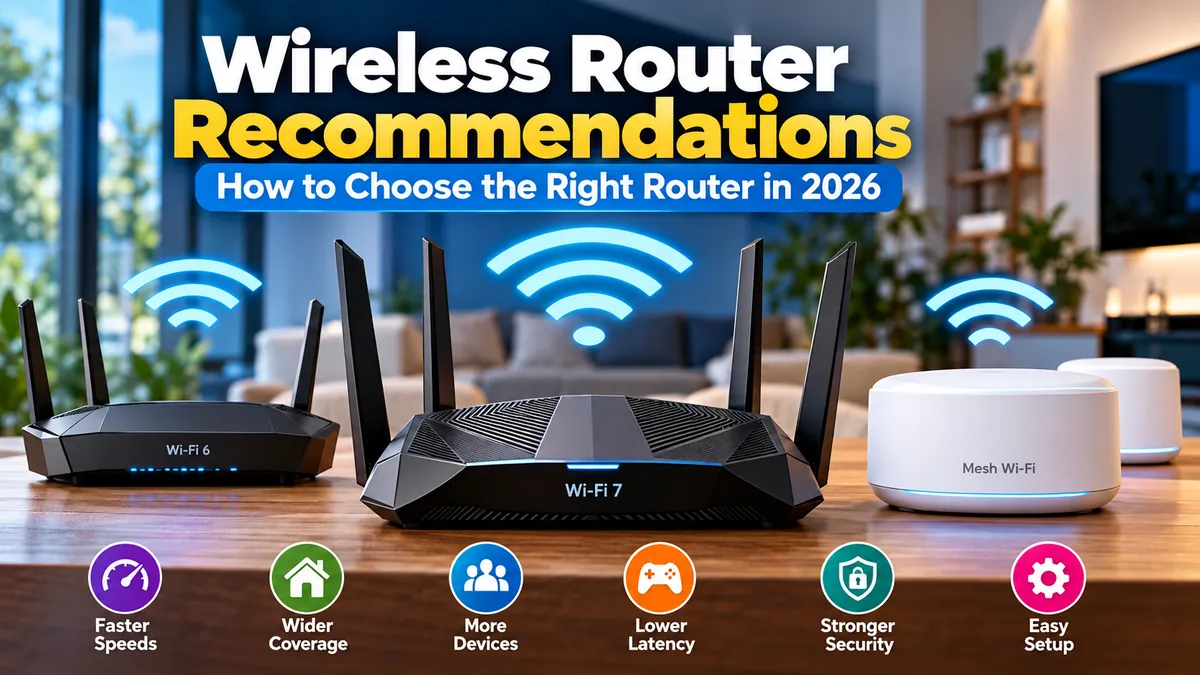

A fast internet plan can still feel painfully slow when the router is the weak link. Dead zones, buffering, unstable video calls, high gaming latency, and sluggish downloads are often caused by Wi-Fi coverage or network congestion rather than the broadband connection itself.
These wireless router recommendations focus on choosing the right router for your home, devices, internet speed, and coverage requirements. In 2026, Wi-Fi 7 has become increasingly mainstream, but a good Wi-Fi 6 or Wi-Fi 6E router can still make sense when your devices and internet connection cannot benefit from newer hardware. RTINGS.com
Quick answer: For most households buying a new router in 2026, a Wi-Fi 7 model with strong 5 GHz performance, WPA3 security, multi-gigabit Ethernet, and mesh expansion support offers the best long-term flexibility. Large homes generally benefit more from a mesh system, while smaller homes can usually get excellent results from one well-positioned standalone router.
Wireless Router Recommendations at a Glance
There is no single router that is ideal for every home. Current independent testing also produces different winners depending on price, range, wired connectivity, and testing methodology. RTINGS, for example, highlights models such as the TP-Link Archer BE900 and BE550, while other testing publications recommend alternatives including the ASUS RT-BE96U, TP-Link Archer BE9700, and Netgear Nighthawk RS700S. Tom’s Hardware
A more useful approach is to match the router category to your actual network.
| User or Home Type | Recommended Router Type | Features to Prioritize |
|---|---|---|
| Apartment or small home | Wi-Fi 6 or Wi-Fi 7 router | Strong 5 GHz, good value |
| Average family home | Tri-band Wi-Fi 7 | 2.4/5/6 GHz, WPA3, 2.5GbE |
| Large multi-story home | Mesh Wi-Fi 7 | Multiple nodes, wired backhaul |
| Gigabit internet | Wi-Fi 6/6E or Wi-Fi 7 | Gigabit or 2.5GbE WAN |
| Multi-gig internet | Wi-Fi 7 | 2.5GbE/10GbE networking |
| Gaming household | Low-latency Wi-Fi 7 | QoS, Ethernet, strong 5/6 GHz |
| Many smart-home devices | High-capacity router/mesh | IoT network, 2.4 GHz, security |
| Advanced user | ASUS/UniFi/GL.iNet-type system | VLAN/VPN/network controls |
The key lesson is simple: don’t buy based solely on the largest speed number printed on the box.
What Makes a Good Wireless Router in 2026?
Several specifications matter far more than headline theoretical throughput.
Wi-Fi 7 Is Now the Main Premium Standard
Wi-Fi 7, technically IEEE 802.11be, introduces technologies designed to improve throughput, capacity, and latency.
Important Wi-Fi 7 capabilities include:
- Multi-Link Operation (MLO)
- channels up to 320 MHz
- 4096-QAM, commonly called 4K-QAM
- Multi-RU operation
- improved use of the 6 GHz spectrum
For example, the TP-Link Archer BE550 supports MLO, 320 MHz channels, 4K-QAM, Multi-RUs, and 2.4, 5, and 6 GHz connectivity. TP-Link
MLO is particularly interesting because compatible devices can use multiple links rather than depending entirely on one Wi-Fi band. The practical goal is greater throughput, lower latency, and more reliable connections.
However, buying Wi-Fi 7 does not automatically make every device faster.
You need compatible client hardware to take full advantage of Wi-Fi 7 features, and independent testing has found that some Wi-Fi 7 routers offer much more meaningful improvements than others. RTINGS.com
Wi-Fi 6 Is Not Suddenly Obsolete
Wi-Fi 6 remains perfectly capable for many households.
Suppose your broadband connection is 300–500 Mbps, most devices support Wi-Fi 5 or Wi-Fi 6, and you live in a modest apartment. Replacing a good Wi-Fi 6 router simply because Wi-Fi 7 exists may produce little noticeable improvement.
Wi-Fi 7 becomes more compelling when you:
- have gigabit or multi-gigabit broadband;
- regularly transfer large files locally;
- own newer Wi-Fi 7 phones or computers;
- have many simultaneously active devices;
- want 6 GHz connectivity;
- need multi-gig Ethernet;
- expect to keep the router for several years.
That distinction prevents one of the most common router-buying mistakes: paying for theoretical capabilities your network cannot use.
Best Wireless Router Recommendations by Use Case
Rather than declaring one universal winner, consider these currently relevant models as reference points for different requirements.
TP-Link Archer BE550: Strong Mid-Range Choice
The TP-Link Archer BE550 is one of the most balanced Wi-Fi 7 options for households that want modern networking without moving into extreme flagship territory.
It is a tri-band BE9300 router using 2.4 GHz, 5 GHz, and 6 GHz. More importantly, it provides five 2.5 Gbps Ethernet ports—one WAN and four LAN—which makes it unusually useful for homes with fast wired equipment. TP-Link
It also supports:
- Multi-Link Operation;
- 320 MHz channels;
- 4K-QAM;
- WPA3;
- VPN server and client functions;
- EasyMesh;
- IoT networking;
- TP-Link HomeShield;
- the Tether management app.
RTINGS currently places the Archer BE550 among its strongest mid-range recommendations, noting its combination of speed and multi-gig wired connectivity. Its weaker point is 5 GHz range compared with some more expensive alternatives. RTINGS.com
Best for: Typical households wanting a practical Wi-Fi 7 upgrade.
ASUS RT-BE96U: Premium Performance and Features
For advanced households, the ASUS RT-BE96U provides substantially more hardware.
It is a tri-band BE19000 Wi-Fi 7 router with 2.4, 5, and 6 GHz radios. ASUS lists support for 320 MHz channels, 4096-QAM, MLO, and dual 10Gbps connectivity. ASUS Global
It also includes AiMesh, Adaptive QoS, extensive VPN functionality, parental controls, and AiProtection Pro security.
One advantage is configurability. Users who want more control over VPN connections, traffic management, guest networks, security, and mesh expansion will generally find more networking options here than on highly simplified consumer mesh platforms.
The downside is straightforward: most households do not need this much router.
Best for: Enthusiasts, multi-gigabit networks, power users, and households wanting extensive configuration options.
eero Max 7: Premium Mesh-Oriented Simplicity
Large houses introduce a different problem.
Raw router power cannot always overcome multiple floors, long distances, concrete walls, or awkward layouts. In these situations, strategically positioned mesh access points can be more effective than buying one increasingly powerful router.
The eero Max 7 combines tri-band Wi-Fi 7 with two 10GbE and two 2.5GbE ports. Eero states that it supports internet plans up to 10 Gbps and more than 250 connected devices. It also incorporates Thread, Zigbee compatibility, and Matter support for smart-home environments. eero
RTINGS measured particularly strong performance from the Max 7, including high throughput at long test distances, although its premium positioning means this level of performance is unnecessary for many homes. RTINGS.com
Best for: Large connected homes where easy mesh deployment matters more than advanced manual configuration.
TP-Link Archer BE230: Entry-Level Wi-Fi 7
Not everyone needs a tri-band router.
The TP-Link Archer BE230 is an example of a lower-cost dual-band Wi-Fi 7 router. RTINGS currently recommends it as a budget Wi-Fi 7 choice, particularly for users wanting modern technology without premium pricing. RTINGS.com
The compromise is significant: it lacks the 6 GHz radio found in more expensive tri-band models.
That means buyers should not assume every product carrying a “Wi-Fi 7” label offers the same capabilities.
Best for: Budget-conscious users who want Wi-Fi 7 features but don’t specifically need 6 GHz.
Netgear Nighthawk RS700S: High-Speed Alternative
The Nighthawk RS700S remains another frequently recommended premium Wi-Fi 7 router.
BroadbandNow selected it as its leading Wi-Fi 7 option in February 2026, while HighSpeedInternet highlighted it specifically for speed. BroadbandNow
That illustrates an important point about wireless router recommendations: reputable reviewers frequently arrive at different winners because their test environments, weighting, pricing assumptions, and use cases differ.
Treat rankings as evidence rather than absolute truth.
Standalone Router vs. Mesh Wi-Fi
This decision can matter more than the router brand.
A traditional wireless router broadcasts from one location. A mesh network uses multiple coordinated access points around the home.
Choose a Standalone Router When
A single router usually makes sense for an apartment, smaller house, or relatively open floor plan.
Advantages include:
- lower cost;
- fewer devices to manage;
- potentially better performance per dollar;
- more Ethernet ports on many models;
- simpler troubleshooting.
Placement becomes critical, though.
Putting an expensive router inside a cabinet at one end of a house can deliver worse results than properly positioning a less expensive model.
Choose Mesh Wi-Fi When
Mesh becomes attractive when you have:
- multiple floors;
- a long or irregular floor plan;
- thick masonry walls;
- persistent dead zones;
- detached rooms or offices;
- poor signal at opposite ends of the house.
Systems such as eero, TP-Link Deco, Netgear Orbi, and ASUS AiMesh approach whole-home networking differently, but all aim to distribute Wi-Fi coverage across multiple locations.
Current testing continues to show Wi-Fi 7 mesh systems as particularly useful for larger homes. For example, TechRadar’s 2026 testing rates the TP-Link Deco BE63 highly, while the Netgear Orbi 770 has also received strong marks for whole-home Wi-Fi 7 performance. TechRadar
Wired Backhaul Is Worth Understanding
Mesh nodes need to communicate with each other.
With wireless backhaul, part of the available wireless capacity may be used for communication between nodes. Dedicated bands and modern Wi-Fi 7 technology can reduce this limitation, but Ethernet backhaul remains an excellent solution when available.
Connecting mesh nodes through Ethernet can improve consistency, especially in large homes and environments with heavy interference.
Quick Takeaway: If your problem is coverage rather than speed, adding properly positioned mesh nodes may help more than replacing one premium standalone router with an even more expensive one.
Understanding 2.4 GHz, 5 GHz, and 6 GHz
Router bands involve trade-offs.
2.4 GHz
The 2.4 GHz band generally provides longer reach and better penetration through obstacles but offers lower speeds and faces considerable congestion.
It remains valuable for:
- smart plugs;
- security devices;
- older equipment;
- IoT products;
- devices located farther from the router.
5 GHz
For many households, 5 GHz remains the workhorse.
It provides a strong balance between throughput and usable range and is widely supported across phones, televisions, laptops, game consoles, and streaming hardware.
This is why strong 5 GHz performance should remain high on your checklist even when purchasing Wi-Fi 7.
6 GHz
Wi-Fi 6E introduced 6 GHz Wi-Fi, and Wi-Fi 7 expands its potential.
The additional spectrum provides room for very wide channels and high throughput, but higher frequencies generally have more difficulty penetrating walls.
That makes 6 GHz excellent for compatible devices relatively close to an access point, rather than a magical solution for covering an entire building.
Wi-Fi 7 can use channels as wide as 320 MHz in this spectrum, compared with the narrower maximum channels commonly associated with previous generations. Current routers such as the ASUS RT-BE96U and TP-Link Archer BE550 support 320 MHz operation. ASUS Global
How Much Router Speed Do You Actually Need?
Marketing numbers deserve caution.
A router advertised as BE9300 or BE19000 does not mean one laptop will download from the internet at 9.3 or 19 Gbps.
These classifications typically combine theoretical link rates across multiple wireless bands under ideal conditions.
Actual throughput depends on:
- client capabilities;
- distance;
- walls and obstacles;
- channel width;
- interference;
- router placement;
- Wi-Fi band;
- network congestion;
- internet plan speed;
- Ethernet port limits.
For example, ASUS lists theoretical rates of up to 11,529 Mbps on 6 GHz, 5,764 Mbps on 5 GHz, and 1,376 Mbps on 2.4 GHz for the RT-BE96U. Those figures describe maximum physical wireless rates rather than a promise that one real-world device will achieve their combined total. ASUS Global
This is why independent throughput and range testing is more informative than the largest number printed on packaging.
How to Match a Router to Your Internet Plan
Start with your broadband connection.
Under 300 Mbps
A reliable Wi-Fi 6 router may be entirely sufficient.
Spend your money on coverage and stability rather than maximum theoretical throughput.
300–1,000 Mbps
This is where good Wi-Fi 6, Wi-Fi 6E, and affordable Wi-Fi 7 routers overlap.
Wi-Fi 7 makes sense if you’re purchasing new hardware and expect to keep it for years.
1–2.5 Gbps
Pay close attention to Ethernet ports.
A router with only a 1GbE WAN connection can become a wired bottleneck for an internet plan exceeding gigabit speeds.
Look for at least 2.5GbE WAN connectivity.
Above 2.5 Gbps
Premium Wi-Fi 7 equipment becomes much easier to justify.
Routers with 10GbE WAN/LAN connections can support faster broadband, high-performance NAS devices, servers, workstations, and wired backhaul without immediately creating a gigabit bottleneck.
Still, don’t buy 10GbE merely because it sounds future-proof. Your modem or ONT, switches, cables, client devices, and storage equipment also need to support the faster link to benefit.
Wireless Router Recommendations for Gaming
A “gaming router” is not automatically faster than every ordinary router.
What gamers actually need is low and consistent latency.
Prioritize:
- Ethernet for stationary gaming hardware whenever practical.
- Strong signal quality when Wi-Fi is unavoidable.
- QoS or traffic-prioritization features.
- Sufficient CPU and network capacity under heavy load.
- Multi-gig Ethernet when your network requires it.
Current premium gaming routers include models such as the ASUS ROG Rapture GT-BE98 Pro and TP-Link Archer GE-series devices. These add gaming-focused interfaces, prioritization features, and substantial wired connectivity. WIRED
But a gaming-branded router is not essential.
A high-quality general-purpose router with strong latency performance and properly configured QoS may perform extremely well.
And for a desktop PC or console sitting beside the router, Ethernet remains difficult to beat for consistency.
Router Recommendations for Smart Homes
Smart homes present almost the opposite challenge from gaming.
An IoT sensor may need very little bandwidth but require dependable connectivity every day.
A good smart-home router should offer:
- reliable 2.4 GHz coverage;
- guest or dedicated IoT networking;
- WPA3 support where appropriate;
- regular firmware updates;
- device-management tools;
- sufficient capacity for many clients.
Some modern routers provide separate IoT networks. The Archer BE550, for instance, offers an IoT network alongside WPA3 and HomeShield security features. TP-Link
Smart-home platforms can also influence your choice. Eero Max 7 integrates Zigbee, Thread, and Matter-related functionality, potentially making it attractive in a heavily connected home. eero
Router Security Should Be a Buying Factor
Speed gets attention, but routers sit between your home network and the internet.
Security deserves equal consideration.
Look for:
- WPA3;
- automatic firmware updates;
- guest networking;
- firewall functionality;
- device isolation;
- malicious-site protection where available;
- parental controls if required;
- long-term manufacturer support.
Avoid keeping an old router indefinitely after security support has effectively ended.
Also change default administrative credentials during setup, use a strong Wi-Fi password, disable unnecessary remote-management functions, and keep firmware current.
Some manufacturers bundle advanced security features into subscriptions, while others include substantial functionality without recurring charges. Check what remains available after any trial expires rather than comparing routers purely by their initial feature lists.
Should You Buy a Wi-Fi 7 Router Now?
For a new purchase in 2026, Wi-Fi 7 is increasingly sensible.
Prices have fallen substantially since early Wi-Fi 7 hardware appeared. Tom’s Hardware notes that dual-band Wi-Fi 7 models can now be found below $100, while independent testing increasingly includes Wi-Fi 7 products throughout budget, mid-range, and premium categories. RTINGS.com
However, upgrading purely for the standard number is unnecessary.
Keep your current router if:
- it provides full coverage;
- speeds meet your requirements;
- it still receives security updates;
- you have few Wi-Fi 7 devices;
- your internet connection is relatively modest.
Consider upgrading if:
- rooms have persistent dead zones;
- the router frequently becomes unstable under load;
- you have upgraded to gigabit or multi-gig broadband;
- newer devices support Wi-Fi 6E or Wi-Fi 7;
- you need 2.5GbE or 10GbE ports;
- you need better mesh expansion;
- your existing router no longer receives appropriate updates.
That is a better upgrade test than asking whether your router is two, three, or five years old.
How Many Router Bands Do You Need?
Dual-band, tri-band, and quad-band labels can be confusing.
A traditional dual-band router normally provides:
- 2.4 GHz;
- 5 GHz.
A typical modern tri-band Wi-Fi 7 router provides:
- 2.4 GHz;
- 5 GHz;
- 6 GHz.
Some high-end models add another radio, producing quad-band configurations.
More bands can increase capacity, but they do not automatically increase the speed of every device.
A normal family home will rarely need an extreme quad-band flagship solely because it has more radios. Tri-band Wi-Fi 7 offers a more balanced configuration for users who want access to 6 GHz without paying for hardware designed for unusually demanding networks.
What Is Multi-Link Operation?
Multi-Link Operation is one of Wi-Fi 7’s headline technologies.
Traditional Wi-Fi connections generally rely on a single wireless link at a time. MLO enables compatible devices and routers to coordinate multiple links, potentially improving throughput, latency, and reliability.
ASUS describes MLO as allowing compatible equipment to connect across multiple bands, while TP-Link similarly lists increased throughput, reduced latency, and greater reliability among its intended benefits. TP-Link
There is an important caveat: both the router and client device need appropriate support, and real-world implementation matters.
Independent testing has shown that Wi-Fi 7 features do not produce identical improvements across every router and client combination. RTINGS.com
So MLO should be considered a valuable capability rather than a guaranteed multiplier for every device.
How Router Placement Affects Wi-Fi Performance
Before spending hundreds of dollars, move your router.
It sounds trivial, but placement has a major influence on wireless coverage.
Try to place the router:
- near the center of the coverage area;
- in an open location;
- above floor level;
- away from large metal objects;
- away from enclosed cabinets;
- away from major sources of interference.
A router hidden behind a television, inside furniture, or at one extreme end of the property starts at a disadvantage.
For multi-story homes, experiment with placement vertically as well as horizontally.
If one location cannot cover the building adequately, that is when mesh Wi-Fi becomes the more logical solution.
Common Wireless Router Buying Mistakes
Buying the Highest Advertised Speed
BE19000 does not automatically make a router better for your home than BE9300.
Real-world performance, range, Ethernet connectivity, firmware quality, and client compatibility matter more.
Ignoring Ethernet Ports
Wireless specifications often dominate product pages, yet the port configuration can determine whether you can actually use a multi-gig internet connection or NAS.
Check both WAN and LAN speeds.
Assuming One Router Can Cover Any Home
Even powerful wireless signals are affected by distance and building materials.
Mesh systems exist because additional access points can solve coverage problems that raw transmitter performance cannot.
Paying for Features You Cannot Use
A household with a 200 Mbps connection and Wi-Fi 5 clients will see little practical benefit from a flagship 10GbE Wi-Fi 7 router.
Ignoring Subscription Costs
Security, parental controls, and advanced management features sometimes require subscriptions.
Compare the long-term feature set rather than just the purchase price.
Forgetting Client Compatibility
Your Wi-Fi connection is a partnership between the access point and the client.
A Wi-Fi 7 router cannot transform an old Wi-Fi 5 laptop into a Wi-Fi 7 device.
A Practical Router Selection Checklist
Before buying, answer these questions:
- How fast is my internet plan? Match the WAN port to your actual broadband speed.
- How large and complex is my home? Large or multi-story homes may need mesh.
- Which Wi-Fi standards do my main devices support? This determines how much value newer standards provide.
- Do I need 6 GHz? It can provide excellent performance for compatible nearby devices.
- How many wired devices do I have? Count Ethernet ports before buying.
- Do I need 2.5GbE or 10GbE? Multi-gig networking matters most when other equipment supports it.
- Do I need advanced controls? VPN, VLAN, QoS, parental controls, and network segmentation vary considerably between platforms.
- Will I expand the network later? EasyMesh, AiMesh, Deco, Orbi, eero, and other ecosystems offer different expansion paths.
- Are important features subscription-based? Check recurring costs.
- Does the manufacturer provide reliable firmware updates? Long-term support is part of router security.
Which Wireless Router Should You Choose?
The best wireless router recommendations ultimately depend on the problem you’re trying to solve.
For an average household replacing an older router, a well-priced tri-band Wi-Fi 7 model such as the TP-Link Archer BE550 represents the type of balanced hardware worth considering: modern wireless technology, 6 GHz, MLO, multi-gig Ethernet, and mesh expansion without requiring flagship-level hardware. TP-Link
Power users can look toward feature-rich equipment such as the ASUS RT-BE96U, while households prioritizing easy whole-home coverage may benefit more from a mesh platform such as eero Max 7, TP-Link Deco, or comparable systems. ASUS Global
Budget buyers should not dismiss Wi-Fi 6—or lower-cost dual-band Wi-Fi 7 routers—if their internet speed and devices don’t require 6 GHz or multi-gig performance.
The smartest purchase is therefore not necessarily the newest or fastest router. Choose hardware that fits your internet connection, home layout, device mix, wired-network requirements, security needs, and expected upgrades over the next several years.
