
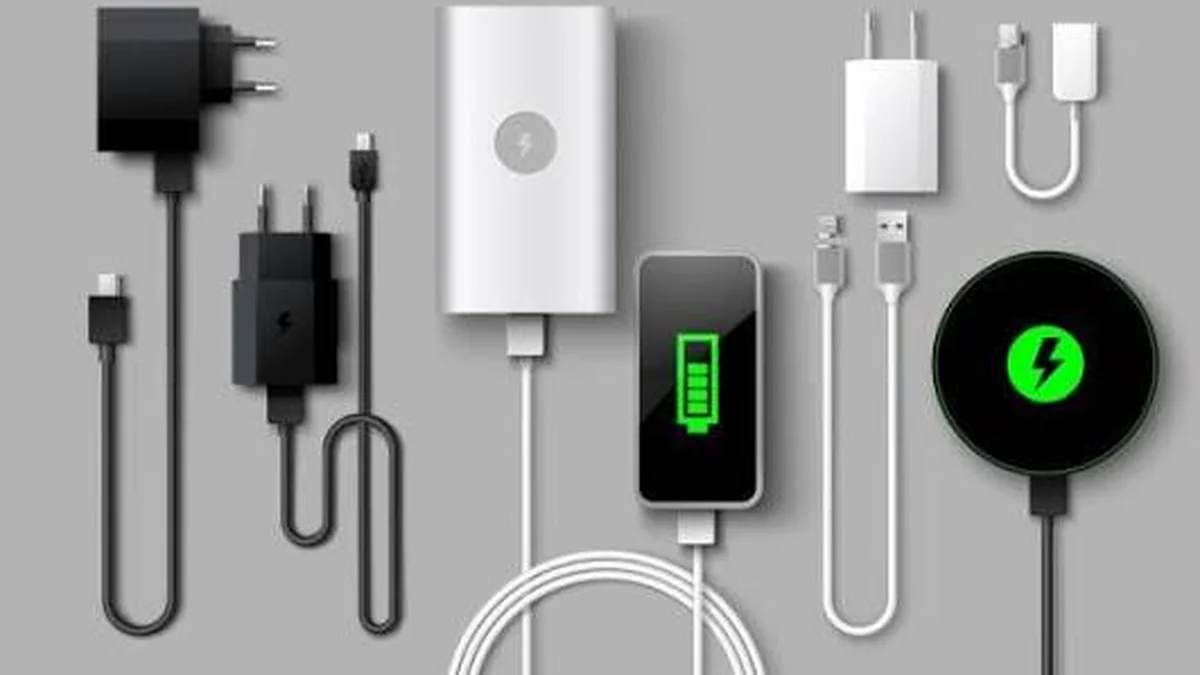

You grab a cable off the counter, plug in your phone, and it’s still at 12% twenty minutes later. That’s not a bad phone. It’s very likely the wrong cable — or the right cable doing the wrong job.
Phone charging cable types today come down to three connectors: USB-C, Lightning, and Micro-USB. USB-C is now the industry standard across Android and newer iPhones, supporting up to 100W (240W with USB PD 3.1) and fast data transfer. Lightning remains on iPhone 14 and earlier. Micro-USB survives mainly on budget devices and older accessories.
What Actually Makes a Phone Charging Cable Types Different
A charging cable isn’t just a plug shape. Every cable is really two things bundled together: a physical connector (the part you can see and feel) and an electrical/data spec (the part you can’t see, buried in the wire gauge and the chip inside the plug).
That second part is where most confusion — and most slow-charging complaints — actually come from. Two cables can look identical and behave completely differently once you plug them in.
The 3 Phone Charging Cable Types You’ll Actually Run Into
USB-C
USB-C has an oval, symmetrical connector, so it goes in either way — no more fumbling in the dark. It’s built and maintained by the USB Implementers Forum (USB-IF), which is why it scales from basic 5W charging all the way up to 240W under USB Power Delivery (PD) 3.1.
USB-C now ships on virtually every current Android flagship, most mid-range phones, iPads since 2018, and — since the iPhone 15 in 2023 — every new iPhone. That last shift wasn’t just an Apple decision; the EU’s Radio Equipment Directive effectively forced a single charging standard across phones sold in the bloc, and USB-C is what the industry had already converged on.
Lightning
Apple introduced Lightning in 2012 as a smaller, reversible replacement for the old 30-pin dock connector. It’s a proprietary connector — you’ll only find it on Apple hardware, and only on iPhone 14 and earlier, along with some older iPads and AirPods cases. Lightning tops out around 20–27W, which is noticeably behind what USB-C can push, and it has no video-out capability.
If you’re buying a Lightning cable, look for MFi certification (Made for iPhone). Uncertified cables are common, cheap, and a frequent cause of “accessory not supported” pop-ups or inconsistent charging.
Micro-USB
Micro-USB has a slightly trapezoidal, non-reversible connector — you have to get the orientation right, which is the single most common complaint about it. It was the dominant Android connector for close to a decade, until Samsung’s Galaxy S8 line moved to USB-C in 2017 and the rest of the market followed.
You’ll still find Micro-USB on budget Android phones, older Bluetooth speakers, basic power banks, and some game controllers. It typically caps out around 10–15W, so even on a device that technically supports “fast charging,” a Micro-USB cable is often the bottleneck.
What Happened to Mini-USB and Proprietary Chargers
Mini-USB (the connector before Micro-USB) and old proprietary phone chargers are functionally extinct in the phone world. If you find one in a drawer, it’s not going to help charge anything you own today — treat it as e-waste, not a backup.
Charging Speed and Wattage, Cable by Cable
Speed isn’t determined by the connector alone — it’s the combination of phone, charger, and cable. But each connector type has a realistic ceiling.
| Cable Type | Typical Max Power | Data Speed Range | Reversible | Still Sold On New Phones? |
|---|---|---|---|---|
| USB-C | Up to 100W standard, 240W with PD 3.1 | 480 Mbps – 40 Gbps (USB4) | Yes | Yes — near-universal |
| Lightning | ~20–27W | Up to ~480 Mbps | Yes | No — iPhone 15+ moved to USB-C |
| Micro-USB | ~10–15W | Up to ~480 Mbps | No | Rare — mostly budget devices |
A USB-C setup can often take a phone from empty to roughly 50% in around 30 minutes when the charger, cable, and phone all support the same fast-charging profile. A Micro-USB setup doing the same job can easily take an hour or more for a similar result — the connector simply wasn’t built to move that much current safely.
Quick takeaway: the connector tells you what’s possible. The actual charger and cable you use decide what you get.
Why Two USB-C Cables Can Charge at Completely Different Speeds
This is the part most guides skip, and it’s the one that actually explains why your “fast” cable isn’t fast.
USB-C is only a connector shape. It says nothing on its own about power or data capability — a USB-C cable can be built for basic 5V/0.5A charging or for full 240W USB4 performance, and it’ll look identical either way.
The deciding factor above 60W is a small chip embedded in the plug called an E-Marker. Without one, a USB-C cable is hard-capped at 60W (20V × 3A), regardless of how powerful your charger is. To unlock 100W or the newer 240W ceiling under PD 3.1, the cable needs an E-Marker chip that tells the charger and phone it can safely handle the extra current.
Wire thickness matters too. Cheaper cables often use thin 28 AWG wiring, which increases resistance and causes voltage drop — especially over longer lengths. A 10-foot thin cable can bottleneck a 100W charger down to a fraction of that, even on a fully compatible phone. Cables built for real fast charging use thicker 20–24 AWG conductors, which is part of why quality cables cost more and feel heavier in hand.
Which Cable Does Your Phone Actually Use
| Device | Cable Type |
|---|---|
| iPhone 15, 16, 17 and newer | USB-C |
| iPhone 5 through iPhone 14 | Lightning |
| Samsung Galaxy S8 and newer, Galaxy A series, Z Fold/Flip | USB-C |
| Samsung Galaxy S7 and older | Micro-USB |
| Google Pixel (all models) | USB-C |
| Most current Motorola, OnePlus, OPPO, Xiaomi | USB-C |
| Budget Android phones (Infinix, Tecno, older entry models) | Often Micro-USB |
If you’re not sure, check the port itself: an oval, symmetrical opening is USB-C; a small flat slot with visible metal contacts on both sides is Lightning; a slightly tapered rectangular slot that only inserts one way is Micro-USB.
Buying the Right Cable Without Overpaying
You don’t need the most expensive cable on the shelf — you need one that matches what your phone can actually use.
- Match the connector first. USB-C to USB-C for most current phones and laptops; USB-C to Lightning for pre-2023 iPhones paired with a modern USB-C charger; USB-A to Micro-USB for older Android or accessories.
- Check for MFi certification on any Lightning cable — it’s the difference between reliable charging and random disconnect errors.
- Look for E-Marker / PD-rated cables if your phone supports fast charging above 60W. The packaging should list wattage or amperage support directly.
- Consider a 3-in-1 cable (USB-C, Lightning, Micro-USB tips in one cord) if your household has mixed devices — one cable in a travel bag beats three.
- Prioritize build quality — braided nylon sheathing and reinforced strain-relief at the connector are the two upgrades that actually extend a cable’s working life, since fraying near the plug is the most common failure point.
Common Mistakes That Cause Slow or Unreliable Charging
- Using a data-only cable for charging. Some ultra-thin bundled cables are built for basic sync, not power delivery, and will trickle-charge even on a fast charger.
- Pairing a fast phone with a slow cable. A 100W-capable phone plugged into a 60W (no E-Marker) cable will never exceed 60W — the cable is the limiting component, not the phone or charger.
- Ignoring proprietary fast-charging protocols. Brands like OnePlus (Warp Charge) and OPPO (VOOC) use their own fast-charging handshake, and hitting their advertised top speed usually requires the manufacturer’s own cable and brick, not a generic USB-C combo.
- Using an overly long, thin cable. Length adds resistance; a 6-foot thin cable can lose noticeably more power in transit than a 3-foot cable with thicker conductors.
- Assuming wireless charging is a full substitute. Qi2 and MagSafe are convenient, but current wireless standards still trail wired USB-C PD on raw charging speed, so a good cable is still worth keeping in the bag.
The Bottom Line
Three connectors cover almost every phone in use today: USB-C for nearly everything current, Lightning for iPhones through the 14, and Micro-USB for older or budget Android devices. The connector tells you what will physically fit — the wattage rating, E-Marker chip, and wire gauge tell you how fast it’ll actually charge. Check your port, match the cable to your phone’s real charging ceiling, and skip the unmarked bargain-bin cables that quietly cap your speed.
If you’re not sure which cable your current setup needs, check your phone’s charging port shape against the table above before you buy — it takes ten seconds and saves you from a cable that never delivers the speed on the box.
FOR MORE HELPFUL GUIDES LIKE THIS, READ MORE TECH TIPS HERE AND EXPLORE MORE.
FAQ Section
Q1: What are the 3 main types of phone charging cables? The three connectors in common use are USB-C, Lightning, and Micro-USB. USB-C is now standard on most Android phones and iPhone 15 and newer. Lightning covers iPhone 14 and earlier. Micro-USB mostly appears on older or budget Android devices.
Q2: Is USB-C the same as Lightning? No. They’re physically different connectors with different capabilities. USB-C is a reversible, industry-standard connector supporting up to 240W under PD 3.1. Lightning is Apple’s proprietary connector, capped around 20–27W, used only on iPhone 14 and earlier.
Q3: Why is Micro-USB being phased out? Micro-USB is non-reversible, has a lower power ceiling (around 10–15W), and can’t match USB-C’s data or charging speeds. Most manufacturers switched to USB-C between 2017 and 2023, leaving Micro-USB mainly on budget devices and legacy accessories.
Q4: Does a thicker charging cable charge faster? Not automatically, but wire gauge matters. Cables with thicker 20–24 AWG conductors carry more current with less resistance than thin 28 AWG cables, which reduces voltage drop and heat — especially on longer cables.
Q5: Can I use a Lightning cable on a USB-C phone? No — the connectors are physically different and not interchangeable. You’d need a USB-C to Lightning cable, which connects a modern USB-C charger to an older Lightning-port iPhone.
Q6: Are all USB-C cables the same? No. USB-C describes only the connector shape. Power and data capability vary widely — some cables cap at 60W with basic USB 2.0 speeds, while others support 240W and USB4’s 40 Gbps, depending on whether they include an E-Marker chip.
Q7: What cable do I need for fast charging? Match the cable to your phone’s maximum supported wattage. For anything above 60W, look for a USB-C cable explicitly rated for PD fast charging with an E-Marker chip — this is usually printed on the packaging.
Q8: Why is my phone charging slowly even with a USB-C cable? The most common causes are a cable that lacks an E-Marker (capping it at 60W), a thin/long cable causing voltage drop, a mismatched charger that doesn’t support your phone’s fast-charging protocol, or a proprietary standard (like Warp Charge or VOOC) that needs the manufacturer’s own cable to hit full speed.
