
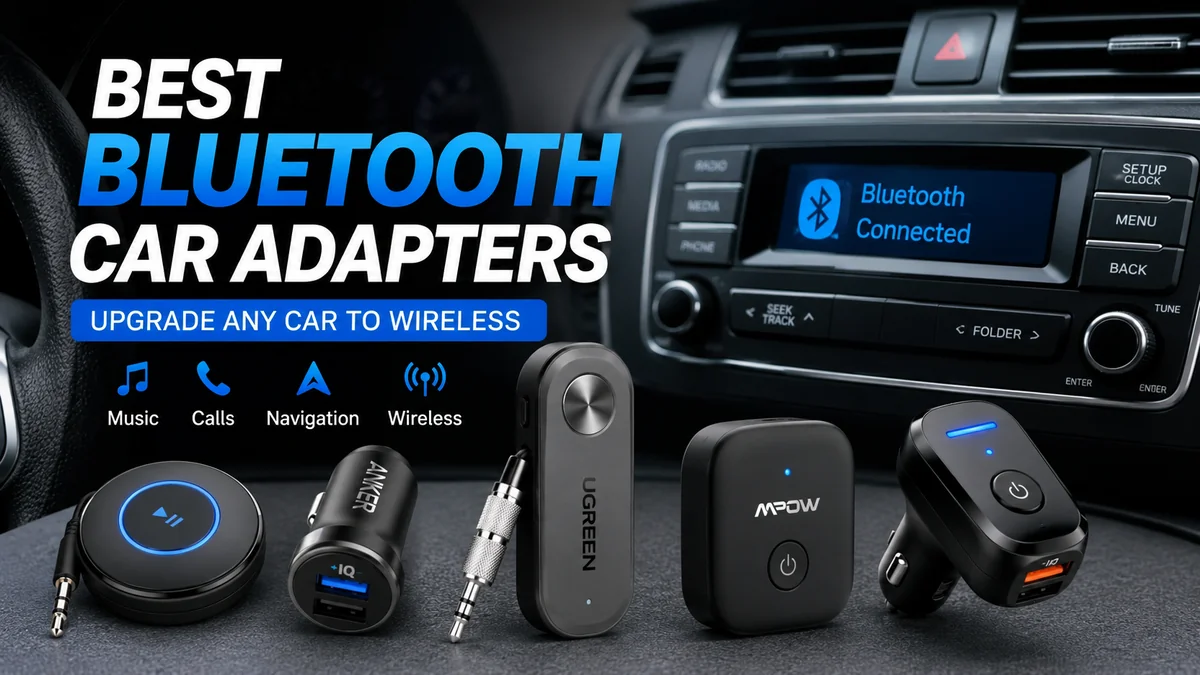

An older car can still have a perfectly good stereo while missing one feature that now feels essential: wireless audio. A small Bluetooth adapter can bridge that gap, letting a smartphone stream music, navigation prompts, podcasts, and calls through an existing audio system.
The catch is that best bluetooth car adapters do not all work the same way. Some connect through a 3.5 mm AUX input, others broadcast over FM radio, and newer adapters may interface with USB, wired CarPlay, or Android Auto. Choosing the correct connection type matters more than chasing the highest Bluetooth version printed on the box.
Quick answer: The best Bluetooth car adapter is usually an AUX Bluetooth receiver when a 3.5 mm input is available because it sends audio directly to the stereo. Cars without AUX generally need an FM transmitter. For vehicles with wired Apple CarPlay or Android Auto, a compatible wireless dongle provides deeper phone integration than a basic audio receiver.
What Is a Bluetooth Car Adapter?
A Bluetooth car adapter adds wireless connectivity to a vehicle that lacks suitable factory Bluetooth functionality.
Your phone establishes a Bluetooth connection with the adapter. The adapter then passes that audio to the vehicle using a physical AUX connection, an FM frequency, or another supported interface.
Depending on the device, you may be able to use it for:
- Music and podcast streaming
- Turn-by-turn navigation audio
- Hands-free phone calls
- Voice-assistant audio
- Automatic phone reconnection
- Connecting two phones through multipoint pairing
- Charging a smartphone
- Playing files from USB drives or microSD/TF cards
The key distinction is that Bluetooth handles the phone-to-adapter connection. Something else still has to carry the adapter’s signal into your car stereo.
That second connection determines much of the final sound quality and usability.
best bluetooth car adapters: AUX, FM, USB, or Wireless Dongle?
Before comparing individual models, identify the ports and features already present in your vehicle.
| Adapter type | Car requirement | Audio quality | Main advantage | Main limitation |
|---|---|---|---|---|
| AUX Bluetooth receiver | 3.5 mm AUX input | Very good | Direct audio path | Requires AUX |
| FM transmitter | FM radio + 12V socket | Fair to good | Works with many older cars | Possible static/interference |
| USB-powered AUX receiver | AUX + USB power | Very good | No battery charging | Potential electrical noise |
| Visor speakerphone | Almost none | Mainly for calls | Easy installation | Music stays on small speaker on some models |
| Wireless CarPlay dongle | Wired CarPlay support | System dependent | Full interface integration | Not compatible with basic stereos |
| Wireless Android Auto dongle | Wired Android Auto support | System dependent | Maps, calls, apps and audio | Requires existing Android Auto |
A common mistake is treating these categories as interchangeable.
They are not.
AUX Bluetooth receivers
If your stereo has a 3.5 mm AUX input, an AUX receiver is generally the simplest solution for wireless music.
The Bluetooth receiver decodes audio from the phone and feeds an analog signal directly into the stereo’s AUX input. This avoids the additional FM broadcast stage used by transmitters.
Current comparison guides consistently favor AUX when both AUX and FM are available because the direct connection avoids FM-frequency congestion and static.
Popular examples in this category include Anker Soundsync A3352, UGREEN AUX receivers, Besign BK01, Kinivo BTC450, and various COMSOON receivers. These products differ in power method, microphone design, codec support, multipoint pairing, and controls.
FM Bluetooth transmitters
An FM transmitter is useful when the vehicle has a radio but no accessible AUX input.
The typical process is:
- Plug the transmitter into the car’s 12V accessory socket.
- Pair your smartphone with the transmitter over Bluetooth.
- Select an unused FM frequency on the transmitter.
- Tune the car radio to exactly the same frequency.
- Play audio from the phone.
Models frequently appearing in current roundups include the Nulaxy KM18, LENCENT FM transmitter, Anker ROAV SmartCharge series, and newer JOYROOM FM transmitters.
FM is impressively universal, but there is a compromise.
Your audio is being rebroadcast over an FM frequency. In a city with a crowded radio spectrum, an apparently empty channel may pick up interference as you drive into another area.
Visor-mounted speakerphones
A speakerphone kit solves a slightly different problem.
Devices such as the Avantree CK11 or Besign BK06 can clip onto a sun visor and provide a microphone, speaker, and physical call controls. Some drivers prefer this arrangement when phone calls matter more than music streaming.
Check exactly how a speakerphone handles media audio before buying one. Some are primarily designed around voice calls rather than reproducing music through the vehicle’s full speaker system.
Wireless CarPlay and Android Auto adapters
A wireless CarPlay or Android Auto dongle should not be confused with a normal Bluetooth-to-AUX receiver.
These products are designed primarily for cars that already support the wired version of the relevant smartphone interface. The dongle changes the connection method from wired to wireless; it does not magically add CarPlay or Android Auto to an old radio that never supported it.
That distinction can save an expensive compatibility mistake.
Which Bluetooth Car Adapter Type Gives the Best Sound?
For an older factory stereo, a good AUX receiver is generally preferable to an FM transmitter when AUX is available.
The reason is the signal path.
With AUX, it is essentially:
Phone → Bluetooth receiver → AUX input → car stereo
With an FM transmitter:
Phone → Bluetooth transmitter → FM broadcast → FM tuner → car stereo
The extra radio stage introduces another potential source of interference and degradation.
That does not make every AUX adapter automatically excellent. The Bluetooth codec, receiver electronics, digital-to-analog conversion, car stereo, speakers, phone settings, source recording, and electrical noise can all affect what you hear.
Bluetooth codecs matter—but compatibility matters more
Terms such as SBC, AAC, aptX, aptX HD, and LDAC appear frequently in Bluetooth adapter specifications.
A codec determines how Bluetooth audio is encoded and transmitted. Android’s Bluetooth implementation supports SBC and can support codecs including AAC, aptX, aptX HD, and LDAC, although actual device support varies by manufacturer and hardware.
This creates an important buying rule:
A premium codec only helps when both ends of the Bluetooth connection support it.
Buying an adapter because its box says “LDAC” or “aptX HD” does not guarantee that your particular phone will establish a connection using that codec.
Codec support should therefore be checked against your smartphone rather than treated as a universal quality rating.
What about Bluetooth LE Audio and LC3?
Bluetooth technology is continuing to evolve.
Bluetooth LE Audio introduces a newer audio architecture operating over Bluetooth Low Energy and uses the LC3 (Low Complexity Communications Codec). The Bluetooth SIG describes LC3 as a high-quality, low-power codec designed to provide developers with better trade-offs between audio quality and power consumption.
However, seeing a newer Bluetooth version number on a car adapter does not automatically mean the product is using LE Audio or LC3 for your music.
Feature support still depends on the implementation at both ends.
Quick Takeaway: Do not buy purely by Bluetooth version. Connection type, codec compatibility, microphone quality, power design, and reliable auto-reconnection often have a bigger effect on everyday use.
What Features Actually Matter in the best bluetooth car adapters?
Product pages can bury useful information beneath technical specifications. For daily driving, a relatively small set of features makes the biggest difference.
1. Correct connection type
Start with the vehicle.
Look around the center console, glove box, dashboard, and head unit for:
- 3.5 mm AUX input
- USB-A or USB-C ports
- 12V accessory socket
- FM radio
- Wired CarPlay
- Wired Android Auto
Once you know what is available, eliminate incompatible adapter categories.
2. Automatic reconnection
This feature is easy to underestimate.
A permanently installed receiver is much more convenient when it powers on with the vehicle and automatically reconnects to the last paired phone.
Otherwise, turning a five-minute drive into a repeated Bluetooth setup routine quickly becomes annoying.
USB- or 12V-powered receivers are particularly useful for a permanent installation because they can often power up with the vehicle.
3. Multipoint or dual-device pairing
Two-phone connectivity is valuable when a car is regularly shared.
For example, one phone might supply music while another is used for incoming calls, depending on how the specific receiver implements multipoint Bluetooth.
Do not assume that “remembers multiple devices” means “keeps two devices actively connected.” Those are different capabilities.
4. Physical controls
Buttons matter in a car.
A well-designed adapter may provide tactile controls for:
- Play/pause
- Answer/end call
- Previous/next track
- Volume
- Voice assistant
Large, easy-to-identify controls are preferable to tiny buttons that require you to look away from the road.
NHTSA defines distracted driving broadly as activities that divert attention from driving, including manipulating phones, stereos, entertainment systems, and navigation systems. Configure the adapter before driving and avoid adjusting devices while the vehicle is moving.
5. Microphone placement
A built-in microphone is convenient, but its physical location matters.
An adapter sitting low inside the center console may have difficulty capturing your voice clearly, especially with:
- Road noise
- Open windows
- Air conditioning
- Tire noise
- A loud cabin
- A distant 12V socket
For frequent calls, consider an adapter with a remote microphone, a strategically positioned control module, or a dedicated visor speakerphone.
Features marketed as CVC, echo cancellation, or noise reduction may improve voice pickup, but microphone placement remains critical.
6. Power source
Bluetooth receivers generally use one of three approaches.
Battery-powered receivers reduce permanent wiring but need periodic charging.
USB-powered receivers can stay installed and start with the vehicle, but their performance may depend on the quality of the car’s electrical supply.
12V FM transmitters draw power directly from the accessory socket and commonly include USB charging outputs.
Choose based on how permanent you want the installation to be.
7. Charging capability
FM transmitters occupy the 12V accessory socket, so integrated charging can be genuinely useful.
Current models may include USB-A, USB-C, Quick Charge (QC), or USB Power Delivery (PD) ports. Some current 2026 roundups highlight this combination of FM transmission and fast charging as a major practical advantage.
Check the actual output rating rather than assuming every USB-C port supports high-power PD charging.
Bluetooth Version: Is 5.0, 5.3, 5.4, or 6.0 Better?
A newer version number sounds like an easy way to compare adapters, but Bluetooth specifications are more nuanced.
New Bluetooth Core releases introduce features and technical enhancements. For example, Bluetooth Core 5.3 included changes related to areas such as connection behavior, efficiency, channel classification, and other Low Energy capabilities.
That does not mean every Bluetooth 5.3 audio receiver uses every feature introduced by the specification.
It also does not mean a well-designed Bluetooth 5.0 receiver will necessarily sound worse than a poorly implemented product carrying a newer number.
For a car adapter, prioritize this order:
- Correct connection method
- Stable pairing and auto-reconnection
- Compatible audio codecs
- Low electrical noise
- Good microphone placement
- Useful controls
- Multipoint support if needed
- Then consider Bluetooth generation
Newer is welcome, but it should not override the fundamentals.
How Popular Bluetooth Car Adapters Compare
There is no universally best model because different vehicles require different connection methods. Current guides nevertheless repeatedly surface several recognizable products and product families.
| Adapter/product family | Connection | Useful for | Main consideration |
| Anker Soundsync A3352 | AUX | Simple wireless music | Requires 3.5 mm input |
| UGREEN Bluetooth AUX adapters | AUX | Direct stereo connection | Verify exact model/codec |
| Besign BK01 | AUX | Permanent-style car setup | Older versions may use older Bluetooth specs |
| Kinivo BTC450 | AUX | Music and call controls | Requires AUX and power |
| COMSOON receiver | AUX | Portable use | Battery management |
| Nulaxy KM18 | FM | Cars without AUX | FM interference possible |
| LENCENT FM transmitter | FM | Compact older-car upgrade | Clear frequency required |
| Anker ROAV SmartCharge | FM | Audio plus charging | Specifications vary by version |
| JOYROOM FM transmitter | FM/hybrid | Charging-heavy setups | Larger 12V installation |
| Avantree CK11 | Speakerphone | Voice calls | Different experience from stereo streaming |
| Besign BK06 | Speakerphone | Visor-mounted calling | Not a direct AUX replacement |
Treat this as a type-selection comparison, not a claim that one model is objectively superior in every car.
Product revisions are common. Manufacturers may keep similar names while changing Bluetooth chipsets, charging outputs, screens, or bundled cables. Check the exact model number and current specifications before relying on a feature mentioned in an older review.
Best Bluetooth Car Adapter for an Older Car Without AUX
What if the car has neither Bluetooth nor an AUX jack?
An FM transmitter is usually the easiest non-invasive solution.
Almost every older vehicle with a functioning FM radio can use one. The adapter receives Bluetooth audio from the smartphone and transmits it on a short-range FM frequency that the car radio can tune into.
The Nulaxy KM18 is one of the most frequently mentioned examples in current 2026 comparisons, while LENCENT, JOYROOM, and Anker ROAV products represent other commonly discussed approaches.
For the cleanest result:
- Find a genuinely unused FM frequency.
- Set the transmitter to that frequency.
- Match the radio exactly.
- Keep the phone’s Bluetooth connection stable.
- Adjust source and stereo volume to avoid excessive hiss.
- Change frequency if interference develops during travel.
In large cities, finding a completely clear frequency can be harder because more of the FM spectrum is occupied.
If audio quality is a major priority and the car has no AUX input, replacing or upgrading the head unit may eventually provide a better long-term result than FM transmission.
Best Bluetooth Adapter for Cars With AUX
When AUX is available, the decision becomes easier.
A compact AUX Bluetooth receiver is normally the logical starting point.
Look for:
- Reliable auto-connect
- USB power or adequate battery life
- A microphone positioned near the driver
- Multipoint if two people share the vehicle
- Codec compatibility with your phone
- Accessible media buttons
- Minimal cable clutter
Anker Soundsync, UGREEN, Besign BK01, and Kinivo BTC450 are examples that appear across current comparison content, although exact availability and specifications can change between revisions.
For music-focused use, prioritize the audio connection and codec compatibility.
For call-focused use, prioritize the microphone.
Those priorities are not always served best by the same device.
How to Install a Bluetooth AUX Adapter Correctly
A basic AUX receiver takes only a few minutes to set up.
Step 1: Connect the audio cable
Insert the receiver’s 3.5 mm connector into the vehicle’s AUX input.
Step 2: Supply power
Connect USB power if the adapter requires continuous power, or fully charge a battery-powered model before installation.
Step 3: Select AUX on the stereo
Change the car stereo source to AUX.
Step 4: Pair your smartphone
Open the Bluetooth settings on your phone and select the adapter from the available devices.
Step 5: Play a test track
Use a familiar recording so background hiss, distortion, weak channels, or excessive volume differences are easier to recognize.
Step 6: Test calling while parked
Make a test call before driving.
Listen for echo and ask the other person whether your voice sounds distant. If microphone performance is poor, reposition the receiver or microphone where possible.
Step 7: Test automatic reconnection
Turn the car off, wait for the receiver to shut down, then restart the vehicle.
A good permanent setup should reconnect without requiring the pairing process every time.
Why Does a Bluetooth AUX Adapter Make a Buzzing Noise?
This is one of the most frustrating problems because the Bluetooth connection itself may be working perfectly.
If a USB-powered adapter produces a whine or hum that changes with engine speed, the issue may involve the car’s electrical system or a ground loop rather than Bluetooth radio interference.
A useful troubleshooting sequence is:
- Test the adapter while running from its internal battery, if possible.
- Try a different USB power source.
- Try another AUX cable.
- Move charging cables away from the audio cable.
- Disconnect other powered accessories temporarily.
- Reduce unnecessary cable length.
- Test the receiver in another vehicle or stereo.
If the noise disappears when USB power is disconnected, the power path is a strong suspect.
A ground-loop isolator can sometimes help in analog AUX installations, although it should not be treated as a guaranteed cure for every buzzing problem.
Quick Takeaway: Static from an FM transmitter and electrical whining from an AUX receiver are different problems. FM static usually points toward frequency interference; AUX whining often points toward cabling, grounding, or power.
Why Does the Bluetooth Adapter Keep Disconnecting?
Frequent disconnections can have several causes.
First, delete the adapter from your phone’s saved Bluetooth devices and pair it again.
Then check:
- Whether the receiver is receiving stable power
- Whether another paired phone is taking over the connection
- Battery level on portable receivers
- Phone power-saving settings
- Distance between phone and receiver
- Firmware/app requirements, if applicable
- Whether the problem occurs with another phone
Multipoint devices deserve particular attention. A second phone stored in the adapter can reconnect unexpectedly when both devices are nearby.
Also distinguish between Bluetooth disconnecting and audio disappearing. If the phone still reports an active Bluetooth connection, the problem may instead lie in the AUX cable, stereo source, FM frequency, or audio-routing settings.
Can a Bluetooth Adapter Add CarPlay or Android Auto?
A normal Bluetooth audio adapter cannot.
This distinction is frequently misunderstood.
A basic Bluetooth receiver primarily handles wireless audio and, depending on its profiles, calls and media controls.
Apple CarPlay and Android Auto provide a much richer vehicle interface involving navigation, compatible apps, voice functions, calls, messaging features, and dashboard controls.
Wireless conversion dongles are intended for compatible head units that already provide wired CarPlay or wired Android Auto. Some current Bluetooth-adapter roundups therefore treat products such as wireless Android Auto dongles as a separate category rather than ordinary Bluetooth receivers.
If your factory stereo has only FM radio and AUX, a simple dongle will not transform its display into a CarPlay touchscreen.
Are Bluetooth Car Adapters Safe for Calls?
Hands-free functionality reduces the need to physically hold a phone, but “hands-free” should not be interpreted as “distraction-free.”
NHTSA reports that distracted driving killed 3,208 people and injured more than 315,000 in the United States in 2024. Its guidance defines distraction as anything that diverts attention from driving, not merely holding a phone.
NHTSA’s review of research also notes that hands-free phone conversations may offer little or no safety advantage over handheld conversations in terms of cognitive distraction.
The practical approach is simple:
- Pair devices before moving.
- Set music or navigation before driving.
- Use simple physical or voice controls where appropriate.
- Do not troubleshoot pairing while driving.
- Pull over safely when a task needs significant attention.
- Follow local laws governing phone use behind the wheel.
Bluetooth can reduce cable handling. It cannot remove the driver’s responsibility to stay focused.
Common Mistakes When Choosing a Bluetooth Car Adapter
The most expensive adapter is not necessarily the most appropriate one.
Buying an FM transmitter when AUX is available
FM works, but a direct AUX path normally avoids radio-frequency interference. Use the cleaner connection already available in the car unless another requirement makes FM more practical.
Assuming USB means USB audio
A USB socket in a vehicle may provide only power.
Likewise, a Bluetooth receiver’s USB connector may exist only for charging the adapter. Do not assume connecting it to the vehicle’s USB port will send digital audio into the stereo.
Chasing the newest Bluetooth number
Bluetooth 5.4 or 6.0 on a specification sheet does not automatically guarantee superior music quality.
Implementation and codec compatibility still matter.
Ignoring microphone location
An adapter can sound excellent for Spotify yet terrible to the person on the other end of a call.
Music quality and microphone quality are separate considerations.
Ignoring cable management
Loose wires near the shifter, steering column, pedals, or frequently used controls are irritating and can be unsafe.
Route cables securely.
Expecting FM to sound identical everywhere
An empty radio frequency in one town may be occupied in another.
Drivers who travel long distances may occasionally need to retune an FM transmitter.
Confusing a receiver with a transmitter
For a car AUX input, you generally need a device capable of acting as a Bluetooth receiver: it receives Bluetooth audio from your phone and outputs it to the stereo.
A Bluetooth transmitter does the opposite—it takes audio from a source and sends it to Bluetooth headphones or speakers.
Some products, such as the AirFly Pro 2, can operate in both transmit and receive modes, but mode selection still matters.
How to Choose the Best Adapter for Your Car
You can reduce the decision to a short process.
If your car has AUX: start with an AUX Bluetooth receiver.
If it has no AUX but has FM radio: use an FM transmitter.
If calls are the main priority: consider microphone placement or a dedicated visor speakerphone.
If it already has wired CarPlay or Android Auto: investigate a compatible wireless conversion dongle.
If music quality matters most: favor a direct AUX connection and verify codec support on both the phone and receiver.
If two people regularly share the car: look for genuine multipoint connectivity.
If you hate charging accessories: choose a vehicle-powered receiver with reliable auto-reconnection.
If you hear electrical whine: troubleshoot the power and grounding path rather than immediately replacing the Bluetooth device.
This connection-first method is more reliable than ranking products solely by price or Bluetooth generation.
Final Thoughts on the best bluetooth car adapters
The best bluetooth car adapters are the ones that match the audio system already in the vehicle.
For a car with a 3.5 mm input, an AUX Bluetooth receiver usually provides the simplest route to clean wireless audio. For a vehicle without AUX, an FM transmitter remains a practical way to add Bluetooth without replacing the factory stereo. Drivers focused on calls may prefer a dedicated speakerphone, while wired CarPlay or Android Auto users should look at compatible wireless dongles instead.
Products such as the Anker Soundsync, UGREEN AUX adapters, Besign BK01, Kinivo BTC450, Nulaxy KM18, LENCENT transmitters, JOYROOM transmitters, Avantree kits, and Anker ROAV models illustrate the different approaches available rather than one universal solution.
Start by checking your dashboard for AUX, USB, a 12V socket, and wired smartphone integration. Once you know what the car actually supports, choosing the right Bluetooth adapter becomes much easier—and you avoid paying for features your stereo cannot use.
