
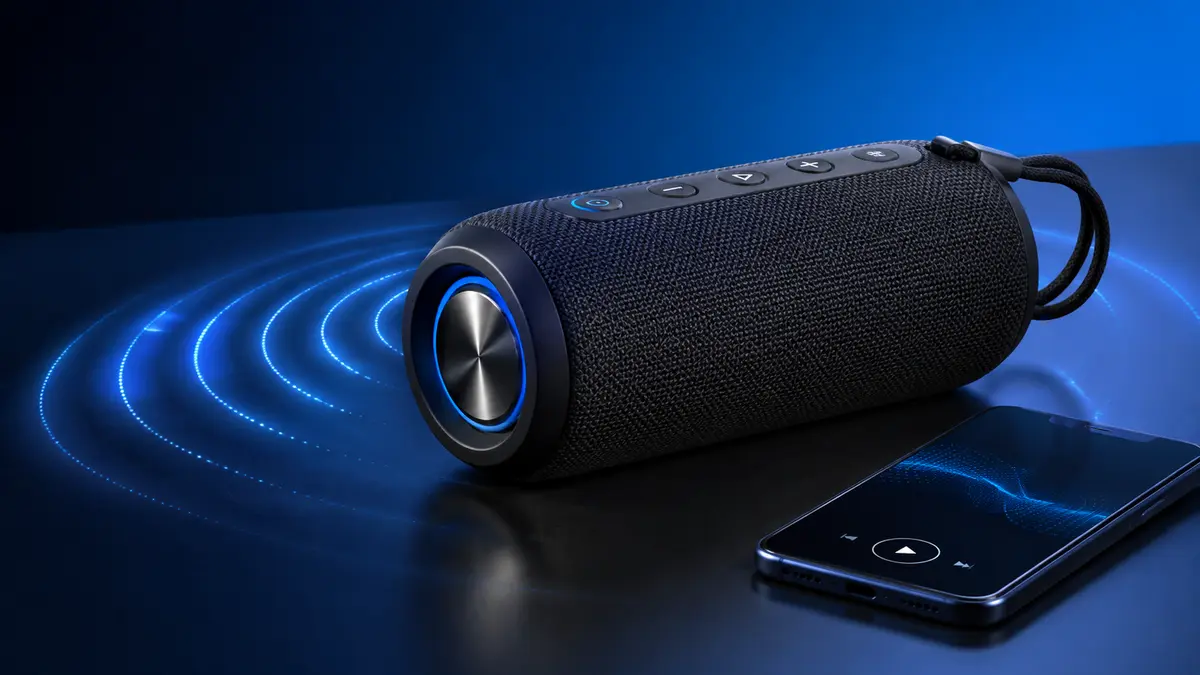

A phone can hold thousands of songs, yet its tiny built-in drivers rarely produce satisfying volume or bass. A bluetooth speaker solves that limitation by delivering wireless audio through a portable, self-powered sound system.
A bluetooth speaker receives compressed digital audio from a nearby phone, tablet, computer, or television. Its internal electronics decode and amplify the signal before speaker drivers convert it into sound waves. Most models contain a rechargeable battery, while features such as water resistance, stereo pairing, USB-C charging, and hands-free calling vary by design.
What Is a bluetooth speaker?
A bluetooth speaker is a wireless audio device that uses Bluetooth radio technology to receive sound from a compatible source. It combines several components normally found in a traditional audio system: a wireless receiver, digital signal processor, amplifier, speaker drivers, enclosure, controls, and power supply.
Portable models usually run on a lithium-ion battery. Larger home or party speakers may use mains power, although some include batteries for limited portability.
Bluetooth speakers are commonly used for:
- Music, podcasts, and audiobooks
- Phone, tablet, and laptop audio
- Outdoor gatherings and travel
- Movies and mobile gaming
- Conference calls and voice assistants
- Background audio in kitchens, bedrooms, or offices
Bluetooth is a short-range connection, so it does not normally require mobile data, an internet connection, or a Wi-Fi network. Once audio has been downloaded or stored locally, it can be played wirelessly even when the source device is offline.
How Does a bluetooth speaker Work?
Bluetooth audio involves more than sending raw music through the air. The source and speaker establish a wireless connection, agree on a compatible audio format, and maintain a synchronized stream while the music plays.
The wireless audio process
- The source prepares the audio.
A smartphone, computer, or other device plays an audio file or stream. - The audio is encoded.
The source compresses the signal using a supported Bluetooth codec, such as SBC or AAC. - Bluetooth transmits the data.
The encoded information travels over the 2.4 GHz radio band. - The speaker receives and decodes it.
A Bluetooth chipset reconstructs the digital audio signal. - Digital signal processing adjusts the sound.
A digital signal processor, or DSP, may apply equalization, volume limiting, bass enhancement, or protection against distortion. - An amplifier increases the signal’s power.
The built-in amplifier provides enough energy to move the speaker drivers. - The drivers create sound waves.
Electrical energy moves a diaphragm back and forth, producing changes in air pressure that the listener hears as sound.
This entire sequence happens quickly, but it introduces some latency. The delay may be unnoticeable during music playback yet more obvious when watching video, playing games, or using the speaker as a musical instrument monitor.
Drivers, passive radiators, and enclosures
The driver is the component that physically produces sound. Compact speakers may use one full-range driver, while larger designs often separate frequencies between woofers and tweeters.
A passive radiator resembles a speaker driver but has no powered voice coil. It moves in response to pressure inside the enclosure and helps reinforce low frequencies. Passive radiators are common because a small sealed cabinet cannot reproduce deep bass as easily as a larger speaker.
The enclosure also affects the result. Its size, shape, internal volume, materials, and acoustic tuning influence bass extension, clarity, resonance, and sound dispersion.
Bluetooth Versions, Codecs, and Range Explained
A newer Bluetooth version can improve efficiency, connection management, and available features, but the version number alone does not determine sound quality. Implementation matters just as much.
Classic Audio and Bluetooth LE Audio
Most established wireless speakers use Bluetooth Classic Audio. It is mature, widely compatible, and normally sends music through the Advanced Audio Distribution Profile, or A2DP.
Bluetooth LE Audio operates through Bluetooth Low Energy and introduces several newer capabilities. It uses the Low Complexity Communication Codec, known as LC3, which is designed to deliver useful audio quality at lower data rates while reducing power consumption.
LE Audio also supports technologies such as:
- Multi-Stream Audio: Multiple synchronized streams between compatible devices
- Auracast broadcast audio: One source broadcasting to numerous compatible receivers
- Improved accessibility: Expanded possibilities for hearing aids and assisted-listening systems
- Lower-power operation: More flexible trade-offs between battery use and audio quality
A speaker and source must both support the relevant feature. A phone advertising a recent Bluetooth version does not automatically make every connected speaker compatible with LE Audio or Auracast.
Common Bluetooth audio codecs
A codec compresses and decompresses the audio stream. The source and speaker select a codec they both understand.
| Codec | Common use | Main characteristic |
|---|---|---|
| SBC | Nearly universal Bluetooth audio | Broad compatibility and variable performance |
| AAC | Common on Apple devices and streaming platforms | Efficient compression with implementation-dependent results |
| aptX family | Supported by selected Android devices and audio products | Options designed for quality or lower latency |
| LDAC | Available on compatible devices | Supports higher data rates under suitable conditions |
| LC3 | Bluetooth LE Audio | Designed for quality, efficiency, and low-power operation |
Codec support should not be treated as a guarantee of excellent sound. Driver quality, enclosure design, DSP tuning, amplifier performance, and placement can have a much greater effect. In an outdoor setting with background noise, the difference between two codecs may be far less noticeable than the difference between two speaker sizes.
How far does Bluetooth reach?
Many consumer devices are designed for use within roughly 10 metres or 33 feet, although modern products may claim substantially longer open-space ranges. Real-world distance depends on:
- The radio hardware in both devices
- Walls, furniture, and building materials
- Human bodies blocking the signal
- Interference in the 2.4 GHz band
- Device orientation
- Battery level and power-management settings
Concrete walls, metal structures, crowded wireless environments, Wi-Fi routers, and microwave ovens can reduce stability. Open outdoor space usually provides a longer effective range than a furnished building.
Quick takeaway: A newer Bluetooth version may improve efficiency and connectivity, but it cannot compensate for weak acoustic engineering. Judge the complete speaker design rather than one specification.
How to Evaluate bluetooth speaker Sound Quality
No single number describes how a speaker sounds. Wattage, driver diameter, frequency response, tuning, enclosure volume, maximum sound pressure, and distortion all interact.
Wattage does not equal sound quality
Output power is measured in watts, but wattage alone is a poor comparison tool. Manufacturers may report continuous RMS power, peak power, amplifier power, or a combined figure for multiple channels.
A higher number can indicate greater potential output, but it does not reveal:
- How cleanly the speaker plays at high volume
- How efficiently its drivers convert power into sound
- How deep its bass extends
- Whether voices sound natural
- How evenly sound is dispersed
- How aggressively DSP limits the output
Doubling amplifier power does not make a speaker sound twice as loud. Perceived loudness follows a logarithmic relationship, and driver sensitivity also affects the final volume.
Frequency response
Frequency response describes the range a speaker can reproduce, usually in hertz. Human hearing is often described as extending from approximately 20 Hz to 20 kHz, but small portable speakers cannot reproduce the lowest part of that range with meaningful output.
A specification such as “60 Hz–20 kHz” is incomplete without a tolerance, measurement method, and test conditions. Two speakers listing the same range may sound completely different.
Listen for balance instead:
- Bass: Defined and controlled rather than boomy
- Midrange: Clear vocals, speech, guitars, and piano
- Treble: Detail without harshness or excessive hiss
- Dynamics: The ability to handle quiet and loud passages
- Distortion: Buzzing, rattling, or compression at higher levels
Mono, stereo, and spatial presentation
A small single-unit speaker may contain two drivers but still provide limited stereo separation because they sit close together. True stereo becomes more convincing when two compatible speakers are linked and positioned apart, with one assigned to the left channel and the other to the right.
Some systems offer party mode instead. This sends the same mixed signal to multiple speakers and expands coverage, but it is not necessarily stereo.
Compatibility is often restricted to particular brands, product families, or generations. Two Bluetooth speakers cannot be assumed to link merely because both support Bluetooth.
Size and bass response
Deeper bass requires moving more air. Larger drivers and cabinets generally have an advantage, although passive radiators and DSP can make compact designs sound surprisingly full.
There is still a physical trade-off:
| Speaker size | Typical strength | Typical limitation |
|---|---|---|
| Pocket-sized | Easy to carry; suitable for personal listening | Limited deep bass and maximum volume |
| Compact portable | Balanced mix of output and portability | May compress bass at high volume |
| Medium portable | Stronger bass and room coverage | Heavier and less convenient to pack |
| Party speaker | High output and substantial low end | Bulky, expensive, and less discreet |
A small model can work well on a desk or beside a bed. It may struggle to fill a noisy garden, beach, gym, or large room.
Battery Life, Charging, and Power Management
Advertised battery life is normally measured under controlled conditions. Playback at high volume, strong bass, lighting effects, cold temperatures, phone charging, and an active microphone can reduce real-world runtime.
Manufacturers may test at 40 or 50 percent volume, which can produce a much longer result than near-maximum output.
What affects playback time?
- Listening volume
- Bass intensity and EQ settings
- Battery capacity and age
- Number and size of drivers
- LED or RGB lighting
- Outdoor temperature
- Bluetooth signal strength
- Power-bank use
- Standby and automatic shutoff settings
Battery capacity may be shown in milliamp-hours, but comparing mAh figures across speakers can be misleading when their battery voltages and power requirements differ. Watt-hours provide a more useful measure of stored energy when available.
USB-C does not describe every charging feature
A USB-C port tells you the connector type, not necessarily the charging speed or function. Depending on the model, it may support:
- Charging the speaker
- Fast charging
- Power-bank output
- Wired digital audio
- Firmware updates
- Service functions only
Check the supplied documentation before connecting unusual power adapters or attempting wired playback. Some devices use USB-C only for charging.
How to extend battery lifespan
Lithium-ion batteries gradually lose capacity through age, heat, charge cycles, and extended storage at extreme charge levels.
Practical habits include:
- Avoid leaving the speaker in a hot vehicle.
- Use a suitable, good-quality charger.
- Recharge it before storing it for several months.
- Do not repeatedly run the battery completely flat.
- Keep charging ports clean and dry.
- Install firmware updates when they address power management.
- Allow a wet speaker and its port to dry fully before charging.
A swollen battery, unusual heat, chemical smell, or damaged casing is a safety warning. Stop using the device and follow the manufacturer’s service or recycling guidance.
Waterproof and Dustproof Ratings
“Water-resistant” and “waterproof” are frequently used as general marketing terms. An IP rating provides more specific information about tested protection against solids and liquids.
The rating usually contains two characters after “IP”:
- The first digit describes protection from solid particles such as dust.
- The second digit describes protection from water.
- An X means that protection in that category was not specified or rated.
Common speaker IP ratings
| Rating | What it generally indicates |
|---|---|
| IPX4 | Protection against splashing water |
| IPX5 | Protection against water jets |
| IPX7 | Temporary immersion under defined test conditions |
| IP54 | Limited dust protection and resistance to splashing |
| IP67 | Dust-tight construction and temporary immersion |
| IP68 | Dust-tight construction and immersion under manufacturer-defined conditions |
For IP67 equipment, the commonly cited laboratory condition is temporary immersion in fresh water up to one metre for 30 minutes. IP68 conditions must be specified by the manufacturer and are not identical across every product.
An immersion rating does not automatically mean protection against high-pressure jets. Likewise, laboratory testing with fresh water does not guarantee resistance to salt water, chlorinated pools, soap, drinks, or hot steam.
Safe use around water
- Close every port cover completely.
- Never charge the speaker while it is wet.
- Rinse it with fresh water if the manufacturer permits this after saltwater exposure.
- Avoid pressing unsealed controls underwater.
- Do not assume the speaker floats unless that feature is stated.
- Inspect seals and covers for damage.
- Remember that water resistance can deteriorate after impacts or repairs.
A rating also applies to the intact product under specified conditions. Drop damage, worn seals, open covers, and unauthorized disassembly can compromise protection.
How to Connect and Set Up a bluetooth speaker
Pairing normally takes less than a minute:
- Charge the speaker sufficiently.
- Turn it on.
- Press the Bluetooth button to enter pairing mode. A light may blink or a tone may sound.
- Open Bluetooth settings on the phone, tablet, or computer.
- Scan for available devices.
- Select the speaker’s displayed name.
- Wait for the connected tone or status indicator.
- Play audio and adjust volume gradually.
Most current consumer speakers do not require a PIN. If an older device asks for one, consult its manual rather than guessing repeatedly.
Some speakers remember several previously paired sources. This is useful, but it can also cause confusion when the speaker automatically reconnects to another device in the room.
Can multiple devices connect at once?
Bluetooth multipoint allows certain speakers to maintain connections with more than one source. That does not always mean both devices can play simultaneously. Usually, one source plays while the other remains ready to take over.
Multipoint support, switching behavior, and the maximum number of remembered devices vary by model.
Connecting two or more speakers
Multi-speaker features may appear under names such as stereo pair, party mode, broadcast mode, or speaker linking. The setup might use physical buttons or a companion app.
Before trying to link units, confirm:
- Both models belong to a compatible family.
- Their firmware versions are current.
- The correct linking mode is selected.
- They are within range of one another.
- No old connection is preventing setup.
Auracast is intended to make broadcast audio more flexible on compatible LE Audio equipment, but support must exist across the transmitting source and receiving speakers.
Fixing Pairing, Dropouts, Delay, and Poor Sound
Most Bluetooth problems result from an old connection, interference, low power, excessive distance, or incompatible settings rather than a damaged speaker.
The speaker does not appear
Try these steps in order:
- Confirm that the speaker is in pairing mode.
- Move it close to the source device.
- Disconnect it from nearby phones or computers.
- Turn Bluetooth off and back on at the source.
- Restart both devices.
- Remove the saved speaker entry and pair it again.
- Check the manual for the factory-reset procedure.
- Update the speaker’s firmware and the source operating system.
A speaker that is already connected to another device may not advertise itself as available.
Audio keeps cutting out
Dropouts often occur when the radio path is obstructed. Keep the source out of tightly packed bags, move away from heavily congested Wi-Fi equipment, and reduce the number of walls between devices.
Also check whether battery-saving settings are limiting background media or Bluetooth operation.
Video and audio are out of sync
Bluetooth encoding, buffering, transmission, decoding, and DSP all add delay. Some video applications compensate automatically, but not every combination of hardware and software does.
For lower latency:
- Use a low-latency mode if both devices support one.
- Disable unnecessary audio effects.
- Update firmware and apps.
- Keep the devices close together.
- Use a wired connection when precise synchronization is essential.
A low-latency codec must be supported and activated at both ends. Seeing the codec name in a phone’s specification is not enough.
The sound becomes thin or distorted
First, lower the volume. Compact speakers often reduce bass automatically near maximum output to protect their drivers and control distortion.
Then check:
- The source device’s EQ and volume normalization
- The speaker’s app-based EQ
- Placement near walls or corners
- Dirt or water covering the grille
- Whether a phone-call profile is active
- Damage to the driver or enclosure
Placing a speaker directly in a corner can boost bass but may make it muddy. Moving it onto a solid surface and leaving some space around it often produces clearer sound.
Bluetooth, Wi-Fi, and Wired Speakers Compared
Bluetooth and Wi-Fi are both wireless technologies, but they solve different problems.
| Feature | Bluetooth | Wi-Fi | Wired connection |
|---|---|---|---|
| Network required | No | Usually | No |
| Portability | Excellent | Varies | Limited by cable |
| Typical range | Short | Wider within network coverage | Cable length |
| Setup | Direct device pairing | Network and app setup | Physical connection |
| Multiroom capability | Limited or brand-specific | Common on compatible systems | Requires extra hardware |
| Latency | Can be noticeable | Depends on system | Usually lowest |
| Audio quality | Codec and implementation dependent | Can support higher-bandwidth streams | Stable and predictable |
| Best use | Travel and casual listening | Whole-home and smart audio | Studios, TVs, and precise synchronization |
A Wi-Fi speaker may stream directly from an online service, allowing the phone to act as a controller. A Bluetooth model usually receives the audio stream directly from the phone.
Some home speakers support both systems. That provides convenient direct pairing for visitors while retaining Wi-Fi features such as multiroom playback.
Privacy, Security, and Responsible Use
Bluetooth connections have security protections, but basic precautions remain worthwhile.
- Disable pairing mode when it is not needed.
- Avoid accepting unknown connection requests.
- Remove old paired devices before selling or giving away the speaker.
- Install firmware only through the official application or support channel.
- Review microphone and location permissions requested by companion apps.
- Change default access settings where the device permits it.
A built-in microphone may support speakerphone calls or a voice assistant. Users who do not need these functions should check whether the microphone can be muted or disabled.
Volume also matters. A powerful portable speaker can disturb neighbors, wildlife, hikers, hotel guests, or other people sharing a public space. Close-range exposure at high sound levels may harm hearing. Increase volume only as much as the environment requires and take listening breaks.
Understanding a Speaker Specification Sheet
Specifications become useful when they are interpreted together rather than treated as isolated promises.
| Specification | What to examine |
|---|---|
| Bluetooth version | Features actually supported, not only the version number |
| Codec support | Compatibility with the intended source device |
| Battery runtime | Test volume, lighting status, and real-world conditions |
| IP rating | Exact dust and water protection represented by each character |
| Output power | RMS versus peak and whether channels are combined |
| Frequency response | Measurement tolerance and usable bass extension |
| Dimensions and weight | Practical portability for the intended setting |
| Charging | Connector, time, fast-charge support, and adapter requirements |
| Multi-speaker support | Compatible models and stereo versus party mode |
| Microphone | Call quality, mute controls, and privacy options |
| App support | EQ, updates, account requirements, and long-term availability |
The most meaningful evaluation combines specifications with controlled listening. Speech should be intelligible, bass should remain controlled, and the sound should not become harsh at the volume normally used.
For outdoor use, durability, battery performance, carrying convenience, and dispersion may matter more than fine stereo imaging. At a desk, balanced tuning, low-volume clarity, and latency may be more valuable than maximum output.
Common bluetooth speaker Mistakes
Several avoidable mistakes lead to disappointing performance or early damage:
- Assuming higher wattage always means better sound
- Expecting deep bass from a pocket-sized enclosure
- Treating all IP ratings as equivalent
- Charging the device while its port is wet
- Believing the maximum advertised battery time applies at full volume
- Assuming any two Bluetooth speakers can form a stereo pair
- Using a codec label as proof of sound quality
- Blocking the drivers or passive radiators
- Leaving the battery discharged for months
- Ignoring firmware updates that correct connection problems
- Confusing party mode with true left-right stereo
- Expecting Bluetooth to provide delay-free audio in every application
The best results come from matching the speaker’s physical design to the environment. A compact unit suits personal listening and travel; a larger system is better equipped for wide outdoor areas or crowded rooms.
Final Takeaway
A bluetooth speaker is a complete wireless sound system rather than a simple phone accessory. Its real performance depends on acoustic design, driver configuration, DSP tuning, battery behavior, radio stability, placement, and durability—not one headline specification.
Start by identifying where and how the speaker will be used. Then interpret output power, battery testing, codec compatibility, IP protection, size, and multi-speaker features in that context. Proper placement, sensible charging habits, current firmware, and realistic volume expectations will improve both everyday sound and the device’s useful lifespan.
