
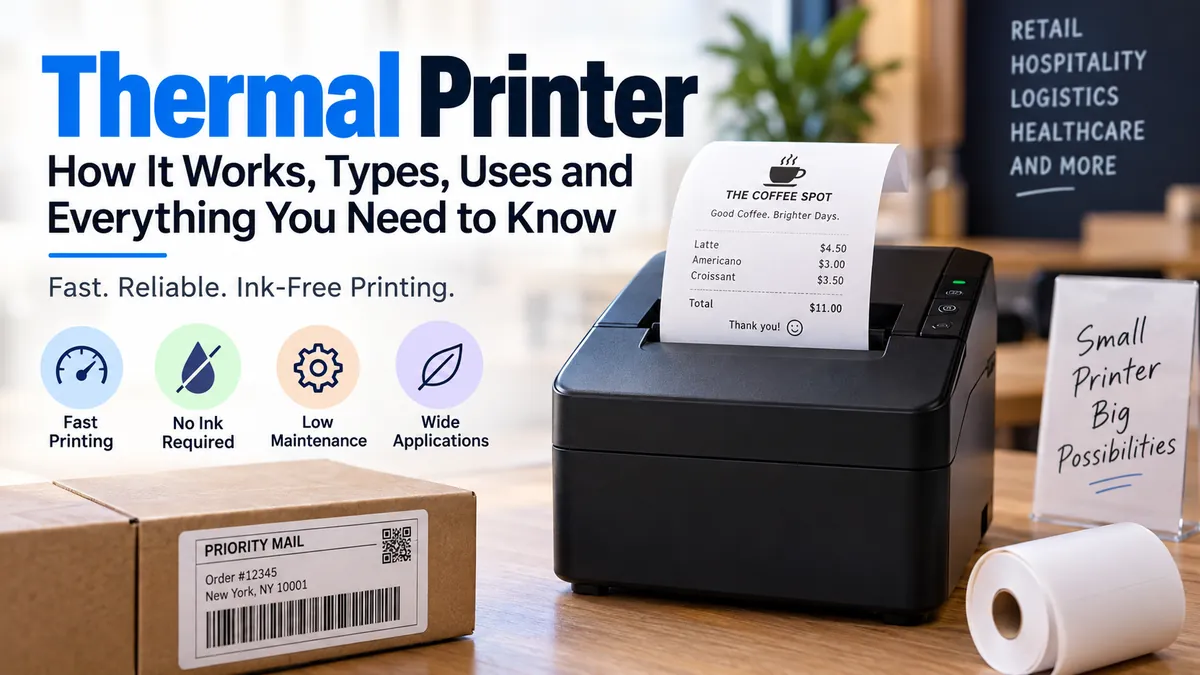

A receipt appears at a checkout counter in seconds. A shipping label comes out with a crisp barcode, yet nobody has replaced an ink cartridge. Behind both jobs is the same basic technology: heat.
A thermal printer is a printer that uses a heated printhead to create text, graphics, barcodes, receipts, or labels. Direct thermal models activate specially coated heat-sensitive media, while thermal transfer models heat a ribbon and transfer wax or resin onto the printing surface. Neither method requires conventional liquid ink or toner.
That simple difference makes thermal printing especially useful in retail, logistics, healthcare, manufacturing, hospitality, warehousing, and e-commerce. But not every thermal printer works the same way, and choosing the wrong printing method can result in faded labels, unnecessary supply costs, or barcodes that do not survive their intended environment.
What Is a Thermal Printer?
A thermal printer is a digital printing device that forms an image by selectively heating tiny elements in a thermal printhead.
Unlike an inkjet printer, it does not spray microscopic droplets of liquid ink. Unlike a laser printer, it does not use toner, a photoconductor drum, and a fusing process.
Instead, heat is the core mechanism.
There are two main thermal printing technologies:
- Direct thermal printing, which creates the image directly on chemically coated thermal media.
- Thermal transfer printing, which uses heat to transfer pigment from a ribbon onto paper, synthetic labels, or other compatible materials.
This distinction matters because direct thermal printing favors simplicity and short-term identification, while thermal transfer is generally better when the printed information must remain readable for much longer or survive harsh conditions.
Thermal printers are commonly associated with receipts and shipping labels, but the technology extends far beyond those two uses. It is also used for patient wristbands, inventory labels, asset tags, event tickets, laboratory identification, product labels, warehouse barcodes, price tags, and manufacturing traceability.
How Does a Thermal Printer Work?
Understanding how a thermal printer works becomes easier once you look at its main mechanical components.
A typical system includes:
- A thermal printhead containing a line of tiny heating elements
- A platen roller that moves the media beneath the printhead
- Sensors that detect media position, gaps, marks, or label boundaries
- Electronics that control which heating elements activate
- Direct thermal paper or, for thermal transfer models, a ribbon and compatible label material
The printer receives digital print data from a computer, point-of-sale system, mobile device, scanner, or other host.
The controller converts that information into rows of dots. As the label or paper passes beneath the thermal head, selected heating elements switch on and off to build the image one line at a time.
How direct thermal printing works
Direct thermal printing places the printhead directly against specially treated heat-sensitive media.
When selected printhead elements become hot, they trigger a chemical reaction in the coating. The heated areas darken and form the required text, graphic, or barcode.
No ink cartridge, toner cartridge, or ribbon is required.
You can often identify direct thermal paper with a simple scratch test. Firmly scratching the printable surface with a fingernail or pen cap can generate enough frictional heat to leave a dark mark. Zebra documents this method as one way to distinguish direct thermal media from thermal-transfer stock.
The simplicity is useful, but it comes with a tradeoff: the coating remains sensitive to environmental influences after printing.
How thermal transfer printing works
A thermal transfer printer places a coated ribbon between the printhead and the label material.
The heated elements melt pigment from the ribbon and transfer it onto the receiving surface. Depending on the application, the ribbon may use wax, wax-resin, or resin formulations.
This makes thermal transfer suitable for a broader range of media, including certain:
- Paper labels
- Polypropylene labels
- Polyester labels
- Synthetic tags
- Durable identification materials
Because the image is transferred onto the substrate rather than created through a heat-sensitive coating, it can offer substantially better resistance to moisture, abrasion, chemicals, temperature changes, and long-term storage when the correct ribbon and media combination is used.
Direct Thermal vs Thermal Transfer Printer
The difference between direct thermal and thermal transfer is one of the most important concepts to understand before using thermal printing.
| Feature | Direct Thermal | Thermal Transfer |
|---|---|---|
| Printing method | Heat activates coated media | Heat transfers pigment from ribbon |
| Ink or toner | No | No |
| Ribbon required | No | Yes |
| Media | Heat-sensitive media | Paper and various synthetic materials |
| Print durability | Best for shorter-term use | Better for long-term use |
| Heat/light sensitivity | Higher | Lower with suitable materials |
| Supply requirements | Media only | Media plus ribbon |
| Common uses | Receipts, shipping labels, tickets | Asset labels, product IDs, industrial labels |
| Operation | Simpler | More media/ribbon variables |
| Long-term identification | Usually unsuitable | Often preferred |
The right method therefore depends less on the printer itself and more on what happens to the label after printing.
A parcel shipping label might need to remain readable for only days or weeks. Direct thermal printing is usually well suited to that job.
An asset identification label attached to machinery might need to remain readable for years while facing abrasion, sunlight, cleaners, moisture, and temperature changes. Thermal transfer is the more appropriate technology for that situation. Zebra specifically identifies long-term identification, inventory, circuit-board tracking, laboratory specimens, certification labels, freezer environments, and outdoor applications among common thermal-transfer uses.
Wax, wax-resin, and resin ribbons
Not all thermal transfer ribbons offer the same durability.
Wax ribbons are commonly associated with general paper-label printing. They are economical and suitable for many ordinary barcode and identification tasks.
Wax-resin ribbons provide greater resistance to smearing and abrasion and can work well when labels need more durability.
Resin ribbons provide the highest resistance among the three categories and are commonly paired with synthetic media when chemical, abrasion, moisture, or environmental resistance is a priority.
The ribbon and label cannot be selected independently. Poor compatibility can reduce image quality and, in some cases, cause ribbon-related printing problems.
Quick Takeaway: Choose direct thermal when simplicity and short-term readability matter most. Choose thermal transfer when durability, material flexibility, or long-term identification is more important.
What Is a Thermal Printer Used For?
Thermal printers are particularly effective when information changes from one item to the next.
A warehouse might print a different tracking number and barcode for every carton. A hospital may print unique patient identification. A retail store may create individual receipts, price labels, or stock tags.
This ability to produce variable data on demand is one reason thermal technology appears across so many industries.
Shipping and e-commerce labels
Shipping is one of the most recognizable thermal printer applications.
Common shipping-label sizes include 4 × 6 inches, and direct thermal systems allow merchants to generate the label without printing an entire sheet of office paper.
Typical information can include:
- Destination and return addresses
- Tracking numbers
- 1D or 2D barcodes
- Carrier routing information
- Service level
- Package identifiers
Current desktop shipping printers commonly offer USB, Wi-Fi, Bluetooth, or mobile-device connectivity, although the available connection methods vary by model.
Receipts and point-of-sale printing
Direct thermal receipt printers are widely used in:
- Supermarkets
- Restaurants
- Cafés
- Fuel stations
- Hotels
- Retail stores
- Ticket counters
- Self-service kiosks
Receipt printing is a strong match for direct thermal technology because most receipts are intended for relatively short-term use.
One familiar limitation is visible in old receipts: prolonged exposure to heat or light can make the printed information fade or cause the surrounding paper to darken.
Barcode printing
Thermal printing is particularly important in barcode applications.
Accurate barcode printing requires consistent lines, spacing, edge definition, and contrast so scanners can interpret the symbol correctly.
Thermal printing can produce one-dimensional and two-dimensional barcodes along with text and graphics. Thermal transfer technology is especially valuable when a barcode must remain readable for extended periods or in difficult environments.
Examples include:
- Inventory barcodes
- GS1-style product identification
- Serial-number labels
- QR codes
- Warehouse location labels
- Asset-tracking tags
- Manufacturing labels
Healthcare and laboratories
In healthcare environments, thermal printers may produce:
- Patient wristbands
- Prescription or pharmacy labels
- Laboratory specimen labels
- Blood or sample identification
- Asset tags
- Visitor identification
Reliability matters here because labels often connect a physical object, specimen, medicine, or patient with digital records.
Healthcare applications may therefore require careful attention to label durability, adhesive performance, barcode readability, and resistance to chemicals or refrigeration. Zebra lists positive patient identification, specimen labeling, laboratory management, pharmacy management, and asset management among thermal printing applications.
Manufacturing and warehousing
Industrial thermal printers are common where large volumes of labels must be generated continuously.
Uses can include:
- Work-in-process labels
- Pallet identification
- Inventory tracking
- Product identification
- Quality-control labels
- Component tracking
- Compliance labeling
- Shipping and receiving
Industrial models are typically designed for heavier workloads and larger media rolls than compact desktop devices.
Types of Thermal Printer by Form Factor
Direct thermal and thermal transfer describe the printing method. Mobile, desktop, and industrial describe the printer’s physical class and workload.
Mixing these concepts is a common mistake.
Mobile thermal printers
Mobile printers are small enough to carry around a facility or use away from a fixed workstation.
They are useful for tasks such as:
- Mobile point of sale
- Shelf labeling
- Delivery receipts
- Warehouse picking
- Field service
- Route accounting
- Bedside healthcare labeling
Wireless technologies such as Bluetooth or Wi-Fi may allow them to communicate with handheld terminals, tablets, or phones.
Desktop thermal printers
A desktop thermal printer works well at a counter, office desk, shipping station, laboratory bench, or low-to-moderate-volume workstation.
Many desktop models print labels around four inches wide, although exact media limits differ.
As one real-world example, Zebra’s ZD421 family supports both direct thermal and thermal-transfer configurations and offers 203 or 300 dpi options, demonstrating the type of resolution choices common in this category.
Industrial thermal printers
Industrial printers are designed for demanding environments and greater duty cycles.
They may offer:
- Rugged construction
- Larger label and ribbon capacity
- Higher sustained print speeds
- Ethernet or enterprise networking
- Greater memory
- Remote management
- Peelers, cutters, rewinders, or applicators
- Higher-resolution configurations
Some high-end thermal printers provide 600 dpi resolution for very small text, compact barcodes, electronics labels, or other high-density applications.
Print engines
A print engine is designed to become part of an automated print-and-apply system rather than operate mainly as a standalone desktop printer.
These systems are found on production or packaging lines where labels are automatically printed and applied to cartons, pallets, products, or other objects.
Thermal Printer Resolution: 203 vs 300 vs 600 DPI
Thermal printer resolution is measured in dots per inch (DPI).
Higher DPI means the printhead has more individual dots available within each inch.
Common configurations include:
- 203 dpi — suitable for many shipping labels, standard barcodes, receipts, and general-purpose labeling
- 300 dpi — useful for smaller text, denser graphics, smaller labels, and compact barcodes
- 600 dpi — used when exceptionally fine detail or very small identification marks are required
Higher resolution is not automatically better.
A 600 dpi printer can be unnecessary for ordinary 4 × 6 shipping labels. It may cost more, print differently at high speeds, and create requirements your application does not need.
The practical rule is to match resolution to the smallest element you must print reliably.
For tiny pharmaceutical labels or compact electronics identification, higher DPI can be valuable. For a large shipping barcode, 203 dpi may already provide sufficient detail.
Advantages of a Thermal Printer
The popularity of thermal printing comes from several practical strengths.
No conventional ink or toner
Direct thermal printers require neither ink, toner, nor ribbon.
Thermal transfer models require ribbon, but still avoid traditional ink or toner cartridges.
This simplifies supply management for repetitive label and receipt workflows.
Fast on-demand printing
Thermal systems can generate individual labels immediately rather than requiring a full page of media.
That is particularly useful where every print contains different data.
Sharp barcode output
Dedicated thermal printers are well suited to barcode printing because they can create clean edges and consistent patterns that support scanner readability.
Quiet operation
There is no impact mechanism striking the page as with traditional dot-matrix technology.
Thermal printers are therefore generally quiet during operation.
Compact designs
Thermal printing does not require the same physical mechanisms as many general-purpose printers, allowing compact desktop and mobile designs.
Low routine maintenance
A direct thermal machine has relatively few consumables.
There are no ink nozzles to dry out and no toner cartridge to change. Routine attention is primarily focused on the media path, thermal printhead, platen roller, sensors, and cutter where fitted.
Disadvantages of a Thermal Printer
Thermal printers are efficient, but they are specialized devices rather than universal replacements for other printer technologies.
Direct thermal prints can fade
Heat, sunlight, abrasion, and certain environmental conditions can shorten the useful life of direct thermal images.
This is the most important disadvantage to understand.
Do not assume that a readable shipping label and an archival identification label have the same durability requirements.
Special media is required
Direct thermal printing requires heat-sensitive paper or labels.
You cannot normally insert an arbitrary sheet of standard office paper and expect it to work.
Thermal transfer uses ribbons
Thermal transfer solves many durability limitations, but introduces another consumable.
Ribbon selection, loading, alignment, and compatibility all become part of the workflow.
Color printing is limited
Most thermal printers are built primarily for monochrome text, barcodes, and graphics.
Some thermal technologies can create additional colors or use colored thermal-transfer ribbons, but a normal thermal label printer is not an alternative to a photographic color inkjet.
The printhead is a wear component
The printhead repeatedly experiences heat, pressure, and direct contact with media or ribbon.
Dust, adhesive residue, rough media, excessive darkness settings, or improper cleaning can eventually damage the fine heating elements.
Does a Thermal Printer Need Ink?
A thermal printer does not use conventional ink cartridges or toner.
However, saying that every thermal printer uses “no ink whatsoever” can be misleading.
Direct thermal printers create the image using heat-sensitive media and require no ribbon.
Thermal transfer models use a ribbon containing wax, wax-resin, or resin-based colorant that is transferred to the label by heat. In practical terms, the ribbon serves as the imaging consumable even though the printer does not use a conventional ink cartridge.
So the more accurate answer is:
Direct thermal = no ink, toner, or ribbon.
Thermal transfer = no conventional ink or toner, but a ribbon is required.
Can a Thermal Printer Print in Color?
Most common thermal receipt and label printers produce monochrome output.
Direct thermal media normally creates black images, although specialized media can support additional colors under specific conditions.
Thermal transfer printers can use ribbons with different colors, but most conventional systems apply one ribbon color during a print pass.
That makes thermal technology excellent for barcodes, text, symbols, and simple graphics but generally unsuitable for photographic color printing.
If your job requires full-color brochures, photographs, marketing graphics, or documents, an inkjet or color laser printer is usually a more appropriate technology.
Thermal Printer vs Inkjet Printer
Thermal and inkjet printers solve different problems.
| Factor | Thermal Printer | Inkjet Printer |
|---|---|---|
| Imaging technology | Heat | Liquid ink droplets |
| Main consumables | Thermal media and sometimes ribbon | Ink cartridges/tanks and paper |
| Best known for | Labels, receipts, barcodes | Documents, photos, color graphics |
| Color capabilities | Usually limited | Excellent on suitable models |
| Barcode workflows | Excellent | Possible but less specialized |
| Shipping labels | Very convenient | Possible |
| Photo printing | Poor fit | Excellent fit |
| Direct thermal fading | Possible | Not applicable |
| Media flexibility | Specialized | Broad document/photo media |
| Typical maintenance | Printhead/media path | Printhead/nozzles/ink system |
For someone printing photographs and school assignments, thermal technology makes little sense as the primary printer.
For someone printing hundreds of variable shipping labels, an inkjet may introduce unnecessary paper handling and ink usage.
The right question is therefore not “Which printer technology is best?” but “Which technology matches the print job?”
How Long Does Thermal Printing Last?
There is no single lifespan for every thermal label.
Durability depends on:
- Direct thermal versus thermal transfer
- Media formulation
- Ribbon formulation
- Temperature
- UV or sunlight exposure
- Humidity and moisture
- Abrasion
- Chemical exposure
- Adhesive and substrate
- Storage conditions
- Protective coatings
Direct thermal is intentionally suited to applications where extremely long image life is unnecessary. Zebra notes that exposure to heat, light, and other catalysts can cause the media to darken and eventually make information unreadable.
Thermal transfer can provide much longer image stability, particularly when a compatible resin or wax-resin ribbon is paired with durable synthetic media.
For critical labeling, avoid relying on a generic lifespan claim such as “thermal labels last X months.” The environment and media specification matter too much for that rule to be reliable.
How to Choose the Right Thermal Printing Method
Start with the label’s real job rather than the printer specification sheet.
1. Decide how long the image must remain readable
For a shipping label used for a short journey, direct thermal is often sufficient.
For asset tracking over several years, look toward thermal transfer.
2. Consider the environment
Ask whether the label will encounter:
- Direct sunlight
- High temperatures
- Freezing conditions
- Water
- Alcohol or cleaning chemicals
- Oils
- Repeated rubbing
- Outdoor exposure
Harsh conditions generally push the application toward carefully matched thermal-transfer media and ribbon.
3. Match the label size
Check minimum and maximum:
- Media width
- Media length
- Roll diameter
- Core diameter
- Thickness
These limits vary substantially between mobile, desktop, and industrial systems. Zebra documentation, for example, shows media-width and roll-diameter limits as specific printer characteristics rather than universal thermal-printing standards.
4. Choose an appropriate DPI
Use 203 dpi for ordinary work when it meets barcode and text requirements.
Move to 300 or 600 dpi when smaller labels or fine details genuinely require it.
5. Check print volume and duty cycle
Printing 20 shipping labels per day and printing thousands of warehouse labels per shift are very different workloads.
The latter may justify an industrial printer with larger media capacity and a more robust mechanism.
6. Verify connectivity and software support
Common connection options include USB, Ethernet, Bluetooth, and Wi-Fi.
Also verify compatibility with the operating system, label software, point-of-sale platform, warehouse management system, shipping platform, or programming language used in your workflow.
Thermal Printer Maintenance and Common Print Problems
Thermal printers require less routine consumable maintenance than many traditional technologies, but “low maintenance” does not mean “maintenance free.”
The printhead and platen roller deserve particular attention.
Clean the thermal printhead
Dust, adhesive, paper coating, or ribbon debris can accumulate along the print line.
The result may appear as:
- White vertical lines
- Missing barcode sections
- Uneven darkness
- Blurry text
- Reduced scanner readability
Follow the manufacturer’s specified cleaning procedure and approved cleaning materials rather than scraping the printhead.
Keep the platen roller clean
The platen roller moves the media and holds it against the printhead.
Adhesive residue and dirt can contribute to tracking problems, poor feeding, or inconsistent contact.
Zebra troubleshooting guidance specifically identifies printhead cleaning, platen cleaning, darkness, and printhead pressure among factors involved in thermal print-quality problems.
Avoid excessive darkness settings
If output looks faint, increasing the darkness or heat setting may seem like the easiest fix.
But maximum heat is not necessarily correct.
Too much energy can create overly thick barcode lines, reduce image quality, stress the printhead, or cause ribbon/media problems.
Start with properly matched media and manufacturer-recommended settings, then make small adjustments.
Calibrate label sensors when needed
If a thermal label printer skips labels, prints between labels, feeds too far, or stops in the wrong position, sensor calibration may be required.
Label printers may identify media boundaries through gaps, notches, holes, or black marks depending on the media configuration.
Quick Takeaway: Poor thermal print quality is not always a failing printhead. Check media compatibility, cleanliness, darkness, pressure, sensor calibration, and ribbon installation before assuming hardware has failed.
Is a Thermal Printer Right for Every Printing Job?
No.
A thermal printer is highly effective when the task involves repeated, on-demand printing of compact information such as receipts, labels, tags, or barcodes.
It is less suitable when the job requires:
- Full-color photographs
- Large color presentations
- Standard multipage office documents
- Photo-quality graphics
- General-purpose home printing
This specialization is a strength rather than a weakness.
Thermal printing succeeds because the hardware, media handling, and imaging method are optimized around narrow, repeatable tasks.
Final Thoughts on Thermal Printer Technology
A thermal printer replaces the conventional ink-or-toner printing process with carefully controlled heat. Direct thermal technology activates heat-sensitive media and keeps consumables simple, while thermal transfer uses a ribbon to create more durable images on a wider range of materials.
That distinction explains almost everything else about the technology.
Direct thermal is a practical choice for receipts, tickets, temporary identification, and shipping labels. Thermal transfer becomes more valuable for product identification, laboratory labels, inventory, asset tracking, manufacturing, outdoor environments, and other applications where the printed image must survive longer or face tougher conditions.
Before choosing or using any thermal printing system, determine how long the print must last, what environment it will face, what size and material you need, what barcode resolution is required, and how many labels you expect to print. Those factors are far more useful than simply looking for the fastest printer or the highest DPI.
