
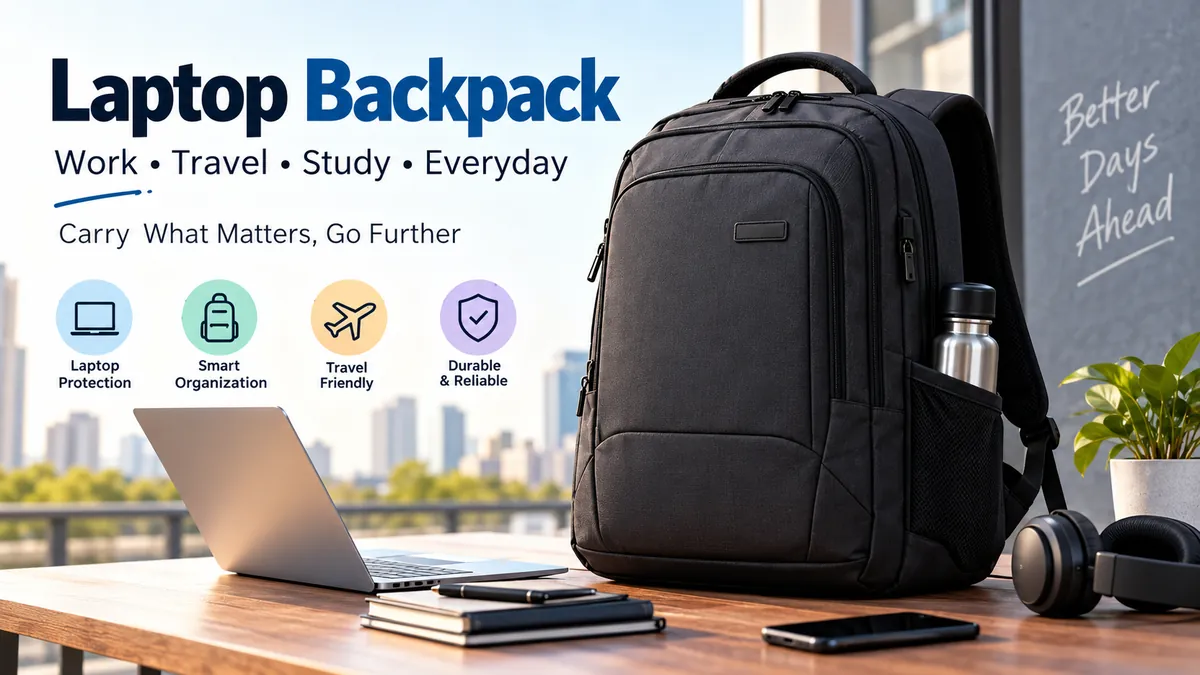

A laptop can survive years of daily work yet be damaged in seconds by a dropped bag, leaking bottle, or poorly padded compartment. The backpack carrying it matters more than many people realize.
A laptop backpack is a backpack designed with a dedicated, usually padded compartment that holds a notebook computer securely while providing space for chargers, cables, documents, water bottles, and other everyday essentials. The right design combines accurate laptop fit, impact protection, comfortable weight distribution, durable materials, practical organization, and appropriate capacity for how you actually travel or commute.
That sounds straightforward, but choosing the right backpack becomes confusing once you encounter 13-inch, 15.6-inch, 16-inch, and 17-inch compatibility claims alongside capacities measured in liters.
The key is to separate three questions: Will my laptop physically fit? How much else do I need to carry? And will the backpack remain comfortable when fully loaded?
What Makes a laptop backpack Different From a Regular Backpack?
At first glance, an ordinary backpack and a computer backpack can look almost identical. The difference is primarily inside.
A normal backpack provides general storage. A purpose-built laptop bag adds protection and structure around the computer itself.
Common features include:
- A dedicated padded laptop compartment
- A raised or suspended laptop sleeve
- Reinforced back-panel padding
- Adjustable padded shoulder straps
- Internal pockets for a charger, mouse, cables, and power bank
- Water-resistant exterior fabric
- Stronger zippers and reinforced stitching
- Separate document or tablet compartments
- External bottle pockets
- Quick-access pockets
- Luggage pass-through straps on travel-oriented models
The laptop compartment is the most important distinction. Keeping a computer separate prevents objects such as chargers, keys, pens, and notebooks from repeatedly pressing or rubbing against it.
Some backpacks also provide a second padded sleeve for an iPad or other tablet.
Why a Raised Laptop Compartment Matters
Look closely at where the laptop sleeve ends.
A well-designed compartment may stop slightly above the bottom of the backpack. This construction is sometimes described as a false bottom or suspended compartment.
If you place the backpack down harder than expected, the computer does not immediately strike the floor.
A padded sleeve that runs directly to the bottom can still protect against scratches and minor movement, but padding alone does not provide the same buffer from a vertical impact.
How to Choose the Right laptop backpack Size
One of the most common mistakes is assuming that laptop screen size tells you everything you need to know about backpack compatibility.
It doesn’t.
Laptop screens are normally classified using their diagonal display measurement. The actual computer has width, depth, and thickness that vary according to bezels, hinges, chassis design, aspect ratio, cooling hardware, and other components.
Two computers advertised as 16-inch laptops can therefore have noticeably different physical dimensions.
Current sizing guides consistently recommend checking the actual computer dimensions against the usable dimensions of the backpack’s laptop compartment rather than relying solely on its advertised screen-size label.
Measure Your Laptop in Three Dimensions
Close the computer and measure:
- Width — the longest horizontal edge.
- Depth — from the front edge toward the hinge.
- Thickness — measured at the thickest part of the closed computer.
If you normally keep the computer inside a protective case or sleeve, measure it with that protection attached.
Then compare those numbers with the internal laptop-compartment dimensions supplied by the backpack manufacturer.
Don’t confuse external bag dimensions with laptop sleeve dimensions.
Laptop Screen Size vs. Backpack Fit
The following ranges are useful as general starting points, not universal guarantees:
| Laptop class | Typical backpack requirement | Common use |
|---|---|---|
| 13–14 inch | Compact padded laptop compartment | Ultrabooks, students, light commuters |
| 15–15.6 inch | Standard laptop compartment | Office, college, everyday computing |
| 16 inch | Larger compartment with dimensions verified | Professional and creative laptops |
| 17–17.3 inch | Dedicated large-laptop backpack | Gaming laptops and mobile workstations |
A 15.6-inch Dell Inspiron, Lenovo IdeaPad, HP Pavilion, Acer Aspire, or Asus VivoBook, for example, should not automatically be assumed to fit every bag labeled “15.6 inch.” Chassis dimensions still need checking.
Likewise, a 16-inch MacBook Pro can differ substantially from a thick 16-inch gaming notebook.
Quick Takeaway: Treat the advertised laptop size as a filtering tool. Treat the internal compartment measurements as the final answer.
What Backpack Capacity Do You Need?
Laptop compatibility and backpack capacity are separate measurements.
A laptop compartment may be described in inches or centimeters, while overall bag capacity is normally expressed in liters (L).
The correct capacity depends on everything that travels with your computer.
15–20 Liters: Minimal Everyday Carry
A smaller backpack can work well if you carry little beyond:
- Laptop
- Charger
- Phone
- Wallet
- Small notebook
- A few cables
- Compact water bottle
This range is particularly useful for lightweight commuting and people using smaller 13-inch or 14-inch notebooks.
The benefit is obvious: a compact bag is less bulky on public transportation and discourages unnecessary packing.
The disadvantage is flexibility. Adding lunch, a jacket, headphones, textbooks, or gym clothes can quickly overwhelm the available space.
20–25 Liters: Versatile Daily Use
For many students and office commuters, approximately 20–25 liters provides a useful middle ground.
It generally leaves enough room for a computer and everyday accessories without creating the bulk associated with a travel pack.
A typical load might include a laptop, charger, headphones, notebook, documents, water bottle, lunch, power bank, and a light layer of clothing.
Recent laptop-backpack sizing guides also commonly place everyday 15.6- to 16-inch laptop carry around this general capacity range, although layout can matter as much as raw volume.
25–30 Liters: Heavy Commutes and Larger Laptops
Move upward when carrying textbooks, larger headphones, camera equipment, work tools, gym clothing, or a 16–17-inch computer.
A larger bag also makes sense for someone who frequently moves between an office, university, coworking space, and home.
The trade-off is weight and bulk.
A large backpack doesn’t have to be filled simply because the space exists.
30–35+ Liters: Travel
Travel changes the equation.
Instead of carrying only work equipment, you may need clothes, toiletries, travel documents, headphones, electronics, and other personal items.
A 30–35-liter backpack can combine laptop storage with short-trip packing, depending on its layout and airline restrictions. Larger travel-oriented backpacks frequently use clamshell openings because they are easier to pack like a suitcase.
Airline cabin-baggage requirements vary by carrier and fare, so always compare the external dimensions of your loaded backpack with your airline’s current limits.
How Much Laptop Protection Do You Actually Need?
A thick-looking backpack isn’t necessarily a protective backpack.
Protection comes from how padding and structure are positioned.
Look for Padding on Multiple Sides
The computer should not sit against a single thin layer of fabric.
Useful padding is concentrated around:
- Front of the laptop compartment
- Rear/back panel
- Bottom
- Corners
- Compartment opening
The back panel often serves two purposes: cushioning the computer and preventing its hard edges from pressing against your back.
The Laptop Should Not Move Excessively
Too-tight fit is bad because it strains seams, zippers, and the device.
Too-loose fit creates another problem: movement.
A computer that slides significantly inside an oversized compartment can repeatedly strike the sides or bottom when you’re walking, cycling, setting the backpack down, or placing it in an overhead compartment.
Aim for enough clearance to insert and remove the device comfortably without leaving large amounts of uncontrolled space.
Closure Design Matters
Some internal sleeves are completely open.
Others use:
- Hook-and-loop straps
- Elastic retainers
- Zippers
- Buckled tabs
A closure becomes especially useful when the backpack is frequently placed sideways or opened during travel.
Water-Resistant vs. Waterproof laptop backpack
These terms should not be treated as synonyms.
Water-resistant materials are designed to resist limited moisture exposure, such as light rain or splashes.
Waterproof implies a much higher level of water protection and depends on the entire construction—not simply the exterior fabric.
A backpack can use highly water-resistant nylon or polyester while still allowing moisture through ordinary zippers, seams, or openings. Current buying guides similarly warn that water-resistant construction should not be interpreted as complete waterproofing.
Look Beyond the Fabric
Weather protection can involve:
- Coated nylon or polyester
- Water-repellent surface treatments
- Covered or protected zippers
- Sealed or reinforced seams
- Roll-top closures
- Waterproof liners
For ordinary commuting, water resistance is often sufficient if exposure to rain is brief.
If you regularly walk or cycle long distances in heavy rain, weather protection deserves much more attention.
And regardless of the backpack’s rating, liquids should be kept away from the laptop compartment whenever possible.
Comfort and Ergonomics Matter More Than They Seem
A backpack may feel comfortable when empty and completely different with a laptop, charger, water, books, and other equipment inside.
Laptop weight is concentrated and relatively rigid, making proper load positioning especially valuable.
Padded Shoulder Straps
Wide, padded, adjustable straps spread pressure across a larger area.
Thin straps can become uncomfortable as load weight increases.
The straps should also adjust enough to hold the backpack relatively close to your torso instead of letting the load swing behind you.
Padded and Breathable Back Panel
Foam padding can prevent hard objects from pressing against your back.
Many backpacks also use mesh, channels, or shaped padding intended to increase airflow.
No conventional backpack will completely eliminate sweating in hot weather, but a ventilated back panel can make long walks more comfortable.
Keep Heavy Items Close to Your Back
A dedicated laptop compartment is commonly positioned directly against the back panel for a reason.
Heavy items generally carry more comfortably when they remain close to your body rather than hanging toward the outside of the pack. Lenovo’s current evaluation guide similarly emphasizes weight distribution and keeping loads balanced for everyday carrying.
Sternum Straps
A sternum strap connects the two shoulder straps across your chest.
It can improve stability during:
- Long walks
- Cycling
- Airport travel
- Heavy loads
- Fast movement
Not everyone needs one for a lightweight office commute, but it becomes more valuable as carrying time and load increase.
Organization: More Pockets Are Not Always Better
A backpack with 25 pockets may sound more useful than one with eight.
In practice, organization is only valuable when it matches what you carry.
Start by listing your everyday equipment.
For example:
Electronics
- Laptop
- Tablet
- Smartphone
- Charger
- USB-C cable
- Power bank
- Mouse
- SSD or external drive
- Earbuds or headphones
Work or study
- Documents
- Textbooks
- Notebook
- Pens
- ID card
Personal items
- Wallet
- Keys
- Sunglasses
- Water bottle
- Snacks
- Jacket
Now think about which items need dedicated storage.
Quick-Access Pocket
A small external compartment is useful for things you retrieve repeatedly, such as keys, transit cards, earbuds, or identification.
Avoid keeping valuable items in an easily accessible external pocket when moving through crowded areas.
Charger and Cable Organization
Chargers are surprisingly awkward objects.
A large power adapter placed loose in the main compartment can press against other items and make cables difficult to find.
An organizer panel or small accessory pouch can keep the charger, USB-C cables, adapters, and mouse together.
Water Bottle Pocket
A bottle pocket isn’t just convenient—it separates liquid from electronics.
Look for enough depth and elasticity to keep your usual bottle secure.
For extra protection, avoid putting a bottle inside the same compartment as your computer, even if the bottle is advertised as leakproof.
Document Storage
Office users may want a flat compartment for paperwork.
Students often need more depth because textbooks and notebooks consume considerably more space than documents.
This is why two people carrying the same 15.6-inch laptop can need very different backpacks.
Which Materials Work Best?
Material affects weight, durability, appearance, flexibility, and weather resistance.
Nylon
Nylon is common in backpacks because it can provide a strong balance of weight and durability.
Different nylon constructions vary considerably, so the material name alone does not determine quality.
High-wear areas, stitching, backing, and fabric density matter too.
Polyester
Polyester is another widely used backpack material.
It can provide good everyday durability and weather resistance while remaining relatively affordable.
As with nylon, construction quality matters more than simply seeing “polyester” in a specification sheet.
Leather
Leather provides a more traditional professional appearance and can age attractively when properly maintained.
Its drawbacks can include:
- Greater weight
- Higher maintenance
- Higher cost
- Variable resistance to moisture
Leather laptop backpacks make the most sense when appearance and office use matter more than minimum weight.
Recycled and Alternative Materials
Some manufacturers now use recycled polyester, recycled nylon, vegan leather, and other alternative textiles.
Don’t assume “recycled” automatically means less durable—or that sustainability language automatically guarantees environmental superiority.
Evaluate construction, expected lifespan, repairability, and available material certifications alongside marketing claims.
Durability Depends on More Than Fabric
Backpacks often fail at their stress points rather than through the middle of the fabric.
Inspect or evaluate:
- Shoulder-strap attachment points
- Carry handle
- Zippers
- Zipper pulls
- Main seams
- Bottom panel
- Bottle pockets
- Buckles
- Laptop compartment stitching
Reinforced stitching around shoulder straps is especially important because those connections repeatedly support the full loaded weight.
Zipper Quality Matters
A backpack can have excellent fabric and still become frustrating if the zipper constantly catches.
Openings should move smoothly around corners without requiring excessive force.
Travel backpacks may also use lockable zipper pulls, although these primarily deter opportunistic access rather than providing high-security protection.
laptop backpack for Work and Commuting
A work backpack benefits from restraint.
For a typical office commute, prioritize:
- Correct laptop fit
- Comfortable shoulder straps
- A structured laptop compartment
- Approximately enough capacity for one day’s equipment
- Easy charger organization
- Water resistance
- A secure external pocket
- A professional design appropriate for your workplace
A bulky travel backpack can become annoying on trains, buses, elevators, and crowded streets.
For commuters, the smallest capacity that comfortably holds the actual daily load is usually more practical than buying excessive space “just in case.”
What About Remote and Hybrid Workers?
Hybrid work often creates a heavier technology load.
Someone moving between home and an office may carry a laptop, mouse, keyboard, charger, headset, cables, notebook, and personal accessories every trip.
In that situation, internal organization and carrying comfort can matter more than minimalist dimensions.
laptop backpack for College and School
Students have different requirements because the computer is rarely the only heavy object.
A college backpack may need to accommodate:
- Laptop or Chromebook
- Textbooks
- Notebooks
- Calculator
- Charger
- Stationery
- Headphones
- Lunch
- Water
- Jacket
Capacity therefore becomes especially important.
A 20-liter backpack that works beautifully for an office worker could feel cramped for a student carrying several books.
Keep Books Away From the Laptop Screen
Avoid packing heavy books so tightly that they press directly against the laptop lid.
Even when the exterior isn’t damaged, concentrated pressure on the display can be problematic.
A separated padded computer compartment helps prevent this.
Students should also pay attention to bottom durability because campus bags are frequently placed on classroom floors, benches, libraries, buses, and outdoor surfaces.
laptop backpack for Travel
Travel-oriented backpacks prioritize accessibility and versatility.
Useful features can include:
- Clamshell opening
- Separate laptop access
- Luggage pass-through
- Document pocket
- Secure passport pocket
- Compression straps
- Sternum strap
- Comfortable back panel
- Water-resistant exterior
- Lock-compatible zipper pulls
- Organized electronics storage
Real-world backpack testing by Travel + Leisure evaluates factors such as capacity, comfort, design, durability, organization, zipper performance, and value, highlighting how travel performance involves much more than laptop compatibility alone.
Separate Laptop Access Can Save Time
Some travel bags allow you to reach the laptop compartment without opening the main packing area.
This can be useful in airports, coworking spaces, trains, and cafés.
It also means you don’t have to expose clothing and other belongings whenever you need your computer.
Luggage Pass-Through
A luggage pass-through—sometimes called a trolley sleeve—allows the backpack to slide over a wheeled suitcase handle.
It is a small feature that can make a noticeable difference during long airport walks.
What About Anti-Theft Features?
“Anti-theft backpack” can describe many different features.
Common examples include:
- Hidden zippers
- Rear-facing pockets
- Lock-compatible zipper pulls
- RFID-blocking pockets
- Cut-resistant materials
- Concealed compartments
These features can improve convenience or make casual theft more difficult, but they do not make a backpack theft-proof.
Good habits still matter more.
Keep important documents and valuables in harder-to-access compartments, close all zippers, and avoid leaving the backpack unattended.
USB Charging Ports: Useful or Unnecessary?
Some laptop backpacks include an external USB port.
Usually, this does not mean the backpack contains its own battery. Instead, an internal cable connects the external port to a power bank that you supply.
The idea is convenient: keep the battery inside and connect your phone externally.
However, modern power banks and long USB-C cables have reduced the importance of built-in charging ports for many users.
An integrated port also adds another component that can eventually become outdated or fail.
If charging matters to you, check:
- Connector type
- Cable accessibility
- Power-bank storage
- Whether components can be replaced
- USB-C compatibility
- Charging-power limitations
Don’t choose an otherwise inferior backpack simply because it has a USB port.
Laptop Backpack vs. Sleeve vs. Messenger Bag vs. Briefcase
A backpack isn’t automatically the right format for everyone.
| Type | Main advantage | Main disadvantage | Best suited to |
|---|---|---|---|
| Laptop backpack | Balanced two-shoulder carrying | Can be bulkier | Commuting, college, travel |
| Laptop sleeve | Compact protection | Little extra storage | Carrying inside another bag |
| Messenger bag | Fast access | Weight sits mostly on one shoulder | Light daily loads |
| Briefcase | Professional appearance | Less comfortable for long walks | Office and business use |
| Travel backpack | High capacity | Larger and heavier | Flights and short trips |
A sleeve can also be combined with a backpack.
That makes sense when the backpack’s built-in laptop padding is limited or when you frequently remove the computer and carry it separately.
Common Mistakes When Choosing a laptop backpack
Most disappointing purchases come from a few predictable mistakes.
1. Buying According to Screen Size Alone
A label saying “fits 16-inch laptops” is not a dimensional guarantee.
Measure the computer chassis and compare it with the actual compartment.
2. Buying Far More Capacity Than You Need
Extra space encourages extra packing.
That means more weight and a larger object to carry through crowded spaces.
Choose capacity based on a realistic daily packing list.
3. Ignoring Empty Backpack Weight
Your laptop, charger, water bottle, and books already weigh enough.
The backpack itself adds to that load.
Premium construction is useful, but unnecessary structural weight can become tiring during long commutes.
4. Focusing on Pocket Count
Twenty badly designed pockets aren’t better than six useful ones.
Organization should correspond to the objects you actually carry.
5. Assuming Water-Resistant Means Waterproof
Light rain and prolonged exposure are very different conditions.
Consider the fabric, seams, closures, and zippers as a complete system.
6. Ignoring the Bottom of the Laptop Compartment
A heavily padded sleeve can still transmit an impact if the laptop rests directly against the bottom.
A raised or suspended compartment offers another layer of protection.
7. Forgetting About Bottle Placement
Electronics and liquids are a poor combination.
Use a dedicated external bottle pocket whenever practical.
8. Judging Comfort With an Empty Bag
This is particularly misleading.
A backpack’s shoulder straps and back panel should be evaluated with approximately the same weight you expect to carry every day.
How to Test a Backpack Before Keeping It
Once you have the bag, perform a practical test rather than simply checking whether the laptop slides inside.
Step 1: Check Laptop Fit
Insert your laptop into its compartment.
It should slide in without forcing the zipper or stretching the sleeve.
Step 2: Check Movement
Close the compartment and gently move the backpack.
The computer should remain reasonably secure rather than shifting freely from side to side.
Step 3: Pack Your Normal Load
Add the charger, notebook, headphones, cables, water bottle, documents, and everything else you routinely carry.
This reveals whether the advertised capacity translates into usable space.
Step 4: Wear It Properly
Adjust both shoulder straps.
Walk around for at least several minutes rather than judging comfort immediately.
Look for:
- Pressure on shoulders
- Hard objects pressing against your back
- Excessive bouncing
- Strap slipping
- Awkward weight distribution
Step 5: Test Access
Try retrieving your phone, keys, charger, bottle, and laptop.
If every small item requires emptying the main compartment, the organization probably doesn’t suit your routine.
Step 6: Put It Down Normally
Notice whether the backpack remains stable, whether the laptop hits the floor, and whether the exterior bottom appears durable enough for everyday use.
A Practical laptop backpack Checklist
Before choosing a bag, work through these questions:
- Does the laptop compartment match my computer’s actual dimensions?
- Is the compartment padded?
- Is its base raised or suspended?
- Does the laptop stay securely in position?
- Is the capacity appropriate for my normal load?
- Are the shoulder straps wide, padded, and adjustable?
- Is the back panel comfortable?
- Is the empty backpack reasonably light?
- Are high-stress seams reinforced?
- Do the zippers operate smoothly?
- Is the material suitable for my weather conditions?
- Is there a secure water-bottle pocket?
- Can I organize chargers and cables without clutter?
- Do I need a tablet sleeve?
- Do I need a sternum strap?
- Do I need a luggage pass-through?
- Can I access the laptop separately during travel?
- Does the bag meet relevant airline size restrictions if I intend to fly with it?
You don’t need every feature.
You need the features that solve the problems created by your particular load and routine.
How Long Should a Good Laptop Backpack Last?
There is no universal lifespan.
Durability depends on material quality, stitching, hardware, load weight, frequency of use, weather exposure, and how the backpack is handled.
A lightly loaded office bag may experience far less stress than a student backpack carrying a laptop and heavy textbooks five days a week.
Rather than focusing on a promised number of years, inspect the components most likely to fail.
Pay particular attention to strap attachment points, the carry handle, zipper tracks, bottom fabric, and seams around heavily loaded compartments.
Warranty coverage can also be useful, especially if the manufacturer clearly explains what defects are covered and for how long.
Is an Expensive Laptop Backpack Worth It?
Price alone doesn’t tell you how well a backpack will work.
Higher-priced bags may provide better hardware, fabrics, padding, construction, warranties, ergonomics, or specialized organization. They can also cost more because of branding or aesthetics.
Conversely, a simpler affordable backpack can be perfectly suitable for a lightweight commute.
Recent real-world testing across laptop backpacks shows that good options exist across different price levels, while even expensive models can have compromises involving weight, usability, or design.
Evaluate what the additional money actually buys.
Paying more for stronger strap attachments, dependable zippers, effective laptop suspension, and comfortable harness construction can make sense for someone carrying expensive equipment every day.
Paying significantly more for decorative features you won’t use provides much less practical value.
Choosing the Right laptop backpack for Your Routine
There isn’t one universally correct backpack.
The best design for a university student can be completely different from what works for a software developer commuting by train, a photographer carrying camera equipment, or a business traveler moving through airports every week.
Start with the non-negotiable requirement: your laptop must fit the padded compartment correctly.
Then determine how much capacity your normal load actually requires.
After that, prioritize protection, comfort, material durability, weather resistance, organization, and any activity-specific features such as a sternum strap or luggage pass-through.
A good laptop backpack should disappear into your routine. Your computer stays secure, the equipment you need is easy to find, and carrying everything doesn’t become the hardest part of your commute.
Measure first, pack realistically, and choose features according to how you actually use the bag rather than how impressive its specification list looks.
