
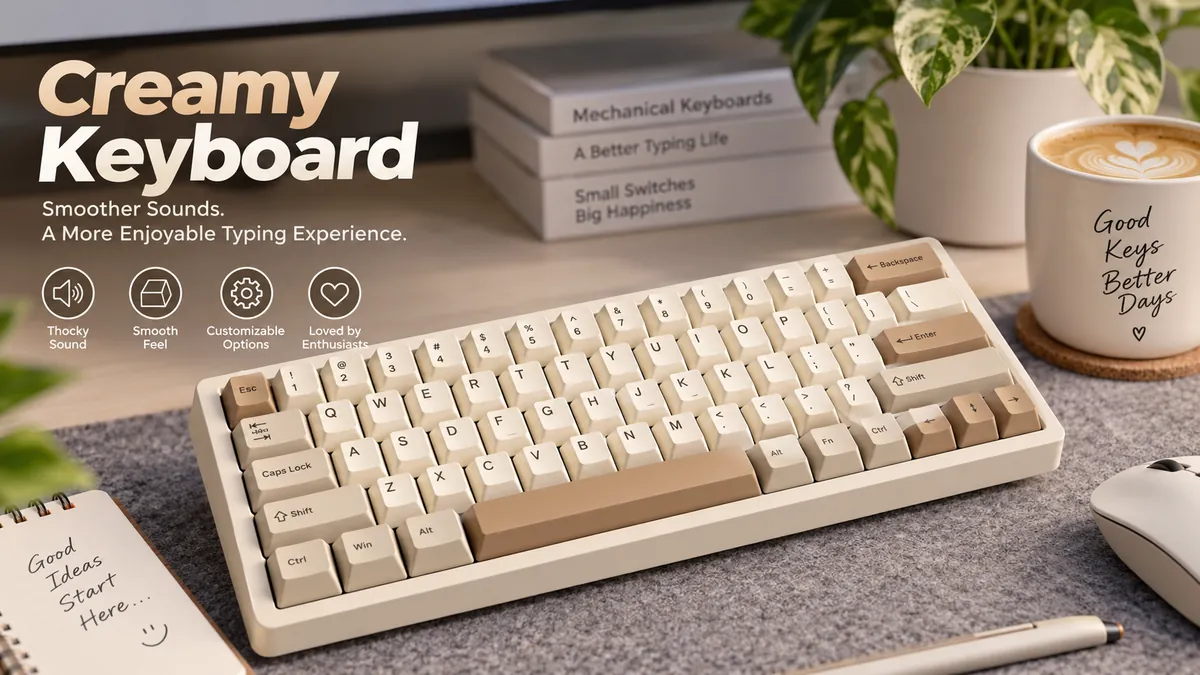

A mechanical keyboard can be loud without sounding good. Sharp clacks, metallic ping, rattling stabilizers, and hollow case resonance can make even expensive hardware feel rough. A creamy keyboard aims for almost the opposite experience: smooth movement paired with a soft, full, controlled typing sound.
The term has become common in mechanical-keyboard communities, sound tests, and keyboard ASMR videos, but it is not an official engineering classification. Different enthusiasts may use “creamy” slightly differently, which explains why one keyboard can be described as creamy, thocky, or even marbly depending on the listener.
A creamy keyboard is a mechanical keyboard with a smooth, consistent keystroke and a soft, rounded sound that avoids harsh clicks, scratchiness, metallic ping, and excessive high-frequency clack. The effect usually comes from smooth linear switches, proper lubrication, suitable keycaps, controlled case acoustics, plate material, dampening, and often a gasket-mounted construction.
What Does Creamy Keyboard Mean?
“Creamy” describes a typing experience, not a standardized keyboard technology.
There is no industry specification that determines whether a keyboard officially qualifies as creamy. Instead, enthusiasts use the word to describe a combination of sound and feel.
On the sound side, the board typically has a rounded, mellow character. Individual presses blend together rather than producing isolated sharp clicks.
On the feel side, the switch should travel smoothly. You generally do not want obvious scratchiness, unwanted friction, spring crunch, or inconsistent resistance.
That combination matters.
A keyboard can sound deep but have scratchy switches. Another can have extremely smooth switches but produce a bright, hollow case sound. Neither necessarily delivers what most people mean when describing a keyboard as creamy.
The characteristic comes from the entire keyboard system.
Creamy Is Not a Switch Type
Mechanical switches are normally categorized by their operating characteristics, such as:
- Linear
- Tactile
- Clicky
“Creamy” is not another category beside those three.
A linear switch moves without an intentional tactile bump or click mechanism. Tactile switches provide physical feedback during the stroke, while clicky switches intentionally generate pronounced tactile and audible feedback.
Creamy builds frequently use linear switches because uninterrupted travel makes achieving a smooth sensation easier.
That does not mean every linear switch sounds creamy.
Put the same switch into two keyboards with different plates, cases, keycaps, mounting systems, and foam configurations and the resulting sound can change substantially.
What Does a Creamy Keyboard Sound Like?
Imagine individual keystrokes sounding smooth and rounded rather than thin and sharp.
A typical creamy sound profile is:
- Soft rather than aggressive
- Controlled rather than hollow
- Smooth rather than scratchy
- Moderately deep without excessive boom
- Consistent across most keys
- Free from obvious metallic ping
- Less sharp than a typical clacky keyboard
Some enthusiasts describe the sound as “buttery,” although these descriptions are necessarily subjective.
Current enthusiast terminology generally places creamy somewhere between extremely deep thock and brighter clack. EPOMAKER, for example, characterizes its creamy profile as mellow rather than sharp and associates it with smooth pre-lubed linear movement and a cushioned bottom-out.
There is no exact frequency or decibel threshold that universally makes a keyboard creamy. Treat these terms as useful descriptions rather than laboratory classifications.
Creamy vs Thocky vs Clacky vs Clicky
These words are easy to confuse because people use them differently.
| Sound profile | General pitch | Character | Typical impression |
|---|---|---|---|
| Creamy | Low-mid to mid | Smooth, rounded, controlled | Soft and flowing |
| Thocky | Low | Deep, dense, resonant | Heavy and substantial |
| Clacky | Mid-high | Crisp, sharp, lively | Bright and energetic |
| Clicky | High/prominent | Deliberate audible click | Mechanical and pronounced |
A thocky keyboard emphasizes depth.
A clacky keyboard emphasizes brightness and impact.
A clicky keyboard usually gets much of its audible character directly from a switch designed to click.
A creamy keyboard is more about smoothness and cohesion.
The distinction between creamy and thocky is especially blurry. A keyboard may have creamy switch travel but a relatively thocky bottom-out, and enthusiasts may reasonably disagree about which label fits better.
Quick takeaway: Do not treat creamy, thocky, marbly, poppy, and clacky as rigid standards. They are enthusiast vocabulary for describing subjective acoustic characteristics.
What Makes a Creamy Keyboard Sound Creamy?
There is no single component responsible for the result.
Think of keyboard acoustics as a chain:
Switch → keycap → plate → mounting system → internal dampening → case → desk surface
Changing one link can alter the final sound.
1. Smooth Linear Switches
Switches are one of the first places enthusiasts look.
A mechanical switch contains components such as a stem, housing, spring, and electrical contacts. Each can contribute friction, impact noise, and resonance.
For a creamy build, enthusiasts commonly prefer a smooth linear switch because there is no designed tactile bump or click interrupting the stroke.
The desired movement feels consistent from initial press through bottom-out and return.
Common switch materials include:
- POM
- Nylon
- Polycarbonate
- Proprietary plastic blends
POM, or polyoxymethylene, frequently appears in discussions about smooth mechanical switches because of its low-friction properties. However, material alone does not determine the sound.
Stem geometry, housing tolerances, spring design, lubrication, travel distance, plate interaction, and the rest of the keyboard matter too.
A switch advertised as “creamy” therefore cannot guarantee that your finished keyboard will sound creamy.
2. Factory Lubrication and Hand Lubing
Lubrication reduces friction between moving switch components.
A properly lubricated linear switch can feel smoother and produce less scratchy mechanical noise. Many modern switches are factory-lubed, so manually opening every switch is no longer automatically necessary.
Good lubrication may reduce:
- Stem scratch
- Spring noise
- Rough travel
- Inconsistent movement
But more lubricant is not always better.
Over-lubing can make switches feel sluggish or overly damped. The goal is controlled friction reduction, not filling the housing with lubricant.
If a factory-lubed switch already feels smooth, changing it simply because a keyboard modification guide says “lube your switches” can make the result worse rather than better.
3. Keycap Material and Profile
Keycaps are effectively tiny resonating structures sitting directly above each switch.
Their material, wall thickness, height, shape, and internal volume influence the sound produced during bottom-out and return.
Two common materials are ABS and PBT.
| Keycap factor | Possible acoustic effect |
|---|---|
| Thick keycaps | Often fuller, more substantial tone |
| Thin keycaps | Can sound lighter or sharper |
| PBT | Frequently associated with a substantial sound |
| ABS | Can produce a cleaner or brighter character depending on construction |
| Tall profiles | Larger internal cavity changes resonance |
| Short profiles | Can create a tighter sound |
It would be inaccurate to say that PBT is automatically creamy and ABS is automatically clacky.
High-quality ABS keycaps can sound excellent, while a PBT set can sound completely different when moved between boards.
Thickness and geometry can matter as much as the material label.
4. Plate Material
The plate supports the switches and strongly affects both sound and typing feel.
Common plate materials include:
- Aluminum
- Polycarbonate
- FR4
- POM
- Brass
- Carbon fiber
- Polypropylene (PP)
A rigid metal plate may transmit impact differently from a softer plastic plate.
Polycarbonate, POM, and PP plates are frequently explored in softer-sounding custom builds because their flexibility and acoustic characteristics can reduce some of the sharpness associated with stiffer configurations.
That does not mean aluminum or brass cannot produce a creamy keyboard.
Again, the complete build matters.
An aluminum plate combined with smooth switches, suitable foam, thick keycaps, and a well-designed case may sound considerably more controlled than a poorly tuned plastic-plate board.
5. Gasket Mounting
A gasket-mounted keyboard suspends or isolates the plate/PCB assembly using softer gasket material rather than rigidly attaching the assembly directly to the case in the same way as some traditional mounting systems.
The result can provide additional flex and vibration isolation.
That softer interaction is one reason gasket mounts are frequently associated with modern creamy and thocky keyboards. EPOMAKER likewise connects controlled creamy bottom-out with gasket-mounted construction.
However, “gasket mount” alone tells you surprisingly little about the final experience.
Gasket hardness, compression, plate design, case tolerances, foam, PCB thickness, mounting points, and internal space all affect how the board actually behaves.
6. Foam and Internal Dampening
A hollow keyboard case can act like a resonance chamber.
Internal dampening is used to control unwanted frequencies and reduce empty-case resonance.
Modern mechanical keyboards may contain several layers, including:
Plate foam: positioned around or between the plate and PCB.
PCB foam or switch foam: helps alter vibrations close to the switches.
Case foam: fills empty space underneath the PCB.
Silicone: sometimes used as a heavier dampening material.
PE foam: occasionally placed around the switch/PCB interface to produce a distinctive sound character.
Adding dampening can reduce hollowness and make individual presses sound more consistent.
But there is a limit.
Too much foam can remove acoustic character until every switch sounds heavily muted. This is why blindly filling every available cavity is not necessarily the best way to achieve a creamy sound.
Clacky builds often deliberately use less dampening so more case resonance remains audible, illustrating how strongly foam configuration can shape the result.
How Switches Affect a Creamy Keyboard
If you are trying to understand why two keyboards sound completely different, switches deserve close attention.
Linear Switches
Linear switches are the most common starting point for a creamy sound.
Their uninterrupted movement can provide:
- Consistent resistance
- Smooth travel
- No intentional tactile bump
- No deliberate click
- Predictable bottom-out
Popular switch families from manufacturers such as Gateron, Akko, Kailh, HMX, TTC, Outemu, and Keygeek demonstrate how much variation can exist even within the linear category.
Some are bright and loud.
Others are deep.
Some have a long-pole stem that creates a distinctive bottom-out.
Others prioritize quiet operation.
So “linear” tells you about the switch mechanism, not its exact acoustic signature.
Can Tactile Switches Sound Creamy?
Yes, although the sensation will be different.
A tactile switch contains a noticeable change in resistance during the keypress. That bump interrupts the perfectly uniform movement associated with linear switches, but a well-lubed tactile switch in a properly tuned board can still sound rounded and controlled.
The result might reasonably be called creamy-tactile by one enthusiast and simply tactile or thocky by another.
This ambiguity is normal because creamy has no standardized definition.
Are Clicky Switches Creamy?
Usually not in the conventional sense.
Clicky switches intentionally create a noticeable click, which conflicts with the smooth, subdued acoustic character normally associated with creamy keyboards.
They can still feel excellent. They are simply targeting a different experience.
How to Make a Keyboard Sound Creamy
You do not necessarily need to replace your entire keyboard.
If you have a hot-swappable mechanical keyboard, experimenting becomes considerably easier because compatible switches can be removed without desoldering.
A sensible tuning process is:
- Identify the unwanted sound first.
- Fix stabilizer rattle or case ping before chasing a sound profile.
- Test smooth linear switches.
- Evaluate the existing keycaps before replacing them.
- Add or adjust case and plate dampening gradually.
- Experiment with plate material if the keyboard supports replacement plates.
- Use a desk mat and compare the sound again.
- Change one variable at a time.
That last step matters more than it sounds.
Suppose you replace the switches, keycaps, foam, and plate simultaneously. The board improves dramatically—but you have no idea which modification actually helped.
Changing one component at a time teaches you how your keyboard responds.
Start With the Switches
If the existing switches feel scratchy, changing or properly lubricating them is usually a logical first experiment.
Look for smooth travel rather than a product simply carrying the word “creamy.”
Pay attention to:
- Switch type
- Factory lubrication
- Spring weight
- Total travel
- Stem material
- Housing material
- Bottom-out character
Sound tests are useful, but they should never be treated as exact predictions.
Control Hollow Case Resonance
Tap several keys around the keyboard.
If some locations produce an obvious hollow echo, internal case resonance may be contributing more to the problem than the switches themselves.
Appropriate case dampening can reduce that empty sound.
The objective is control, not maximum foam.
Tune the Stabilizers
Large keys such as:
- Spacebar
- Enter
- Backspace
- Shift
use stabilizers.
Poorly tuned stabilizers can rattle, tick, or produce wire noise even when every normal key sounds excellent.
This is why the spacebar often sounds completely different in keyboard sound tests.
Stabilizer tuning, appropriate lubrication, and spacebar dampening can make the board sound more coherent.
Try Different Keycaps
Changing keycaps is relatively simple and completely reversible.
If the keyboard sounds thin or sharp, experimenting with a thicker keycap set or another profile may produce a noticeable difference.
Do not assume the most expensive keycap set will sound best. Acoustic preference is highly personal.
Consider the Desk Surface
Your desk is part of the acoustic system.
A keyboard sitting directly on a hard wooden, glass, or metal surface can transmit vibrations into the desk.
A desk mat can isolate some of that vibration and alter the perceived sound.
This is also why a keyboard sound test recorded online may not match what you hear after placing the same model on your desk.
Creamy Keyboard Mods: What Actually Helps?
Keyboard modifications became popular partly because enthusiasts discovered that inexpensive changes could substantially alter acoustics.
Several mods are commonly discussed.
Tape Mod
The tape mod involves applying suitable tape to the back of the PCB to alter its acoustic behavior.
It can make certain boards sound fuller or more pronounced, but results depend heavily on the keyboard.
Do not assume tape automatically creates creaminess.
It changes resonance.
Whether that change sounds better is subjective.
Foam Mod
Adding case foam can reduce hollow resonance.
This is particularly useful when a keyboard has a large empty cavity beneath its PCB.
Too much material, however, may overly mute the board or interfere with intended case flex.
PE Foam Mod
PE foam became popular in custom keyboard builds because it can significantly alter switch acoustics.
It often creates a distinctive character sometimes described as poppy or marbly rather than purely creamy.
That demonstrates an important point: more modification does not necessarily move a keyboard toward one particular sound.
Force-Break Mod
Metal cases can sometimes produce unwanted resonance where upper and lower case sections contact one another.
A force-break modification introduces small pieces of insulating material at selected contact points to reduce vibration transfer.
It can be particularly useful for reducing case ping in certain aluminum keyboards.
Stabilizer Modifications
Stabilizer tuning can include lubrication and other techniques designed to minimize unwanted wire movement and housing noise.
These modifications mainly affect larger keys, but those keys are acoustically prominent enough that the improvement can change the perceived quality of the whole board.
Creamy Keyboard vs Thocky Keyboard
This comparison causes the most confusion.
Both can use smooth linear switches, foam, gasket mounting, and carefully tuned stabilizers.
The difference is primarily one of perceived acoustic emphasis.
A creamy board prioritizes smoothness and a rounded, flowing sound.
A thocky board prioritizes deeper, denser bottom-out.
Enthusiast descriptions commonly place thock at a lower pitch than creaminess, although the boundary remains subjective.
Consider the difference like this:
Creamy: smooth → rounded → controlled → flowing
Thocky: deep → dense → solid → resonant
Neither is objectively better.
And one keyboard can easily exhibit both qualities.
Creamy Keyboard vs Clacky Keyboard
Clack is usually brighter and sharper.
A clacky build may intentionally use less foam so that more natural case and plate resonance remains audible. Stiffer plates and particular switch designs can also contribute to a lively, higher-pitched character.
Creaminess generally moves in the other direction.
| Feature | Creamy | Clacky |
|---|---|---|
| Perceived pitch | Low-mid/mid | Mid/high |
| Attack | Softer | Sharper |
| Switch preference | Often smooth linear | Many types possible |
| Dampening | Usually controlled | Often lighter |
| Overall character | Rounded | Crisp |
| Typical goal | Smooth consistency | Lively definition |
Clacky should not be treated as another word for bad.
Some enthusiasts deliberately build keyboards to sound crisp and clacky because they prefer clearly defined keystrokes.
Creamy Keyboard vs Silent Keyboard
Creamy does not mean silent.
A creamy keyboard can still be clearly audible across a quiet room.
Silent mechanical switches typically use internal dampening elements to reduce impact noise during bottom-out and return. Their goal is volume reduction.
Creamy builds have a different objective: making the audible sound pleasant, smooth, and controlled.
That gives us an easy distinction:
Silent = reduce sound.
Creamy = shape sound.
Someone working beside other people may prefer silent switches even if a creamy board sounds nicer in isolation.
Does a Creamy Keyboard Feel Better for Typing?
It depends entirely on personal preference.
Smooth linear switches can feel comfortable during long typing sessions because resistance remains relatively consistent throughout each stroke. They are also popular for gaming for the same reason.
But some typists prefer tactile feedback because it gives a physical indication during actuation.
Others enjoy clicky switches because both audible and tactile feedback make each press more deliberate.
There is no universal typing hierarchy where:
Creamy > thocky > tactile > clicky.
These are preferences, not quality rankings.
A high-quality keyboard should primarily provide consistent switches, reliable stabilizers, appropriate ergonomics, dependable electronics, and a typing feel you enjoy.
Sound comes after those fundamentals.
Why Keyboard Sound Tests Can Be Misleading
This is one of the most overlooked parts of the creamy keyboard trend.
You hear a keyboard in a video. It sounds incredibly deep and smooth. You recreate the build—and yours sounds noticeably different.
That does not necessarily mean something went wrong.
A recording passes through:
keyboard → desk → room → microphone → audio processing → video compression → headphones/speakers → your ears
Every stage changes what you hear.
Microphone placement alone can dramatically change the perceived bass and impact.
The room matters too. A hard room produces different reflections from a heavily furnished room.
Then there is typing technique.
A person who types aggressively produces different bottom-out characteristics from someone who uses lighter keystrokes.
This is why online sound tests from communities and creators—including comparisons of creamy, thocky, clacky, poppy, and clicky builds—are useful for identifying broad differences, but should not be interpreted as guarantees of what the same components will sound like on your desk.
Quick takeaway: Use sound tests to identify the general direction you like. Do not expect your keyboard to reproduce a recording exactly.
Can Hall Effect Keyboards Sound Creamy?
Yes.
Hall Effect (HE) keyboards use magnetic sensing rather than conventional mechanical electrical contacts for actuation. Their popularity has grown particularly in gaming keyboards because compatible designs can support features such as adjustable actuation and rapid trigger behavior.
The sensing technology does not automatically determine the sound.
An HE board can still use design elements associated with refined acoustics, including smooth magnetic switches, silicone or foam dampening, gasket structures, appropriate keycaps, and carefully designed cases.
Recent enthusiast discussions show users comparing HE keyboards specifically on creamy versus thocky acoustic characteristics, while current boards such as the MelGeek Made68 Ultra V2 demonstrate how magnetic switches and substantial internal dampening can produce a cleaner, more controlled sound.
So an HE keyboard does not have to sound hollow or harsh simply because it uses magnetic sensing.
Common Mistakes When Chasing a Creamy Keyboard Sound
The biggest mistake is trying to copy a component list instead of understanding acoustics.
Buying “Creamy” Switches and Expecting Identical Results
Switches matter, but they are only one part of the system.
The same switches may sound deeper in one case and considerably brighter in another.
Adding Every Possible Foam Layer
More dampening does not automatically equal better sound.
Over-dampening can remove character and reduce the flexibility that attracted you to a gasket-mounted board in the first place.
Ignoring Stabilizers
Perfect letter keys cannot hide a rattling spacebar.
Large keys deserve individual attention.
Assuming Heavy Means Creamy
A heavy aluminum keyboard can produce substantial acoustics, but mass alone does not define the sound profile.
Copying Keyboard ASMR Exactly
Microphones and audio processing make exact reproduction unrealistic.
Use videos as references, not acoustic specifications.
Focusing Only on Sound
A keyboard is something you actually use.
Actuation force, layout, keycap shape, switch travel, wrist position, latency, firmware, wireless performance, and reliability may affect everyday use far more than whether someone describes the sound as creamy or thocky.
How to Judge a Creamy Keyboard Properly
Instead of asking only, “Does it sound creamy?” evaluate the complete typing experience.
Listen for unwanted noises first.
Switch scratch: a rough sliding noise during travel.
Spring ping: metallic resonance after a press.
Case ping: ringing transmitted through the chassis.
Stabilizer rattle: loose mechanical noise on larger keys.
Hollowness: empty resonance from the internal case cavity.
Once those problems are controlled, evaluate the actual character.
Does each press sound rounded?
Do neighboring keys sound reasonably consistent?
Does the spacebar fit the rest of the board acoustically?
Does the switch movement feel smooth?
Most importantly, can you type on it comfortably for an extended period?
A technically impressive sound profile is not particularly useful if the switch weight or layout becomes uncomfortable after an hour.
Is a Creamy Keyboard Worth It?
If you enjoy smooth linear switches and controlled mechanical-keyboard acoustics, the creamy sound profile can be extremely satisfying.
But you do not need an expensive custom keyboard to experience it.
Modern prebuilt mechanical keyboards increasingly combine features once associated mainly with enthusiast builds, including factory-lubed switches, hot-swappable sockets, gasket mounting, PBT keycaps, multiple foam layers, and tuned stabilizers.
That makes smooth, refined acoustics much more accessible.
At the same time, avoid treating “creamy” as a measurable sign of quality. The term remains subjective, and even keyboard enthusiasts debate exactly what it means. Some regard terms such as creamy and marbly primarily as community or content-creator vocabulary rather than useful technical classifications.
Final Thoughts on the Creamy Keyboard Sound
A creamy keyboard is best understood as a mechanical keyboard whose switches feel smooth and whose keystrokes produce a rounded, cohesive, controlled sound without excessive scratch, rattle, ping, or sharpness.
No single switch, keycap material, foam layer, or modification creates that result.
Switch lubrication influences friction. Keycaps change resonance. Plate material affects vibration and stiffness. Gasket mounting can alter impact transmission. Foam controls internal resonance. Stabilizers determine how clean the larger keys sound. Even your desk changes what reaches your ears.
That is also why building or tuning a creamy keyboard works best as an experiment rather than a recipe. Start with a mechanically sound board, fix unwanted noise, use smooth switches, then change one acoustic variable at a time.
The goal is not to make your keyboard match somebody else’s sound test. It is to create a smooth typing experience that sounds good on your desk, in your room, to your ears.
