
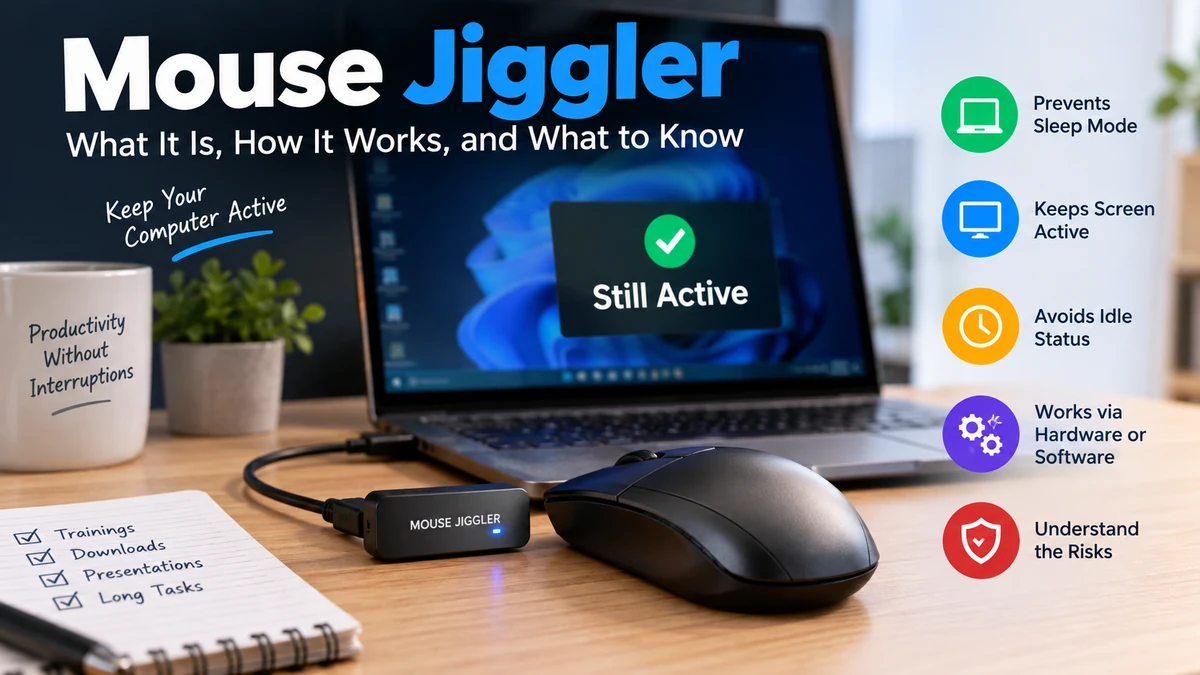

A computer can decide you are “idle” even when you are sitting right in front of it reading a long document, watching training, monitoring a dashboard, or waiting for a task to finish. A mouse jiggler is one way people try to prevent that idle state.
A mouse jiggler is a hardware device, mechanical platform, or software utility that generates mouse activity so a computer continues registering user input. It may prevent idle-triggered sleep, screen dimming, a screensaver, or an automatic status change. However, it cannot override every security policy, and workplace use may create IT, security, or employment risks.
The basic idea is simple, but different mouse jigglers work in very different ways. That distinction matters if you are trying to understand detection, USB security, power management, or why an application still marks someone as away despite cursor movement.
What Is a Mouse Jiggler?
A mouse jiggler, also called a mouse mover, creates small mouse movements or equivalent input at regular intervals.
Computers normally track how long it has been since they received keyboard, mouse, touch, or other relevant user input. After enough inactivity, the operating system or an application may respond by:
- dimming or turning off the display;
- activating a screensaver;
- locking the session;
- entering sleep or standby;
- changing an availability indicator to idle or away.
A mouse jiggler attempts to keep resetting that inactivity period by producing pointer activity.
This does not mean the device actually performs useful computer work. It does not write documents, respond to messages, complete tickets, attend meetings, or interact intelligently with applications. It simply produces input or physical movement.
That distinction is particularly important in workplaces where “computer active” and “employee productive” are not the same thing.
Why do people use mouse jigglers?
Mouse jigglers became widely discussed alongside remote and hybrid work, but preventing an “away” indicator is only one possible use.
Someone may want a computer to remain awake while:
- reading a lengthy report;
- watching a webinar or training session;
- giving a presentation;
- monitoring a dashboard;
- waiting for a download or file transfer;
- running a backup;
- compiling software;
- rendering video;
- performing testing;
- conducting a long-running technical process.
Some hardware mouse emulators have even been developed for forensic work where investigators need to prevent a screensaver from locking a system during an acquisition process.
The key question is therefore not simply what is a mouse jiggler used for? The context matters.
How Does a Mouse Jiggler Work?
A mouse jiggler works by generating activity that a computer interprets as mouse movement.
There are several ways to accomplish this.
A software utility can generate synthetic pointer input. A USB device can identify itself as a mouse and transmit movement reports. A mechanical mover can physically move an ordinary mouse. Another approach uses a changing visual pattern underneath an optical mouse so its sensor interprets the changing surface as movement.
These methods may produce a similar visible result, but technically they are quite different.
Understanding the computer’s idle timer
Imagine that the operating system starts a stopwatch whenever you stop interacting with the computer.
Move the mouse and the stopwatch returns to zero.
Press a key and it returns to zero again.
If nothing happens for the configured period, a power-management or security action can occur.
A jiggler repeatedly creates activity before the relevant inactivity threshold is reached.
That is why a tiny amount of movement can sometimes be enough. The cursor does not need to travel around the entire screen; the system simply needs to receive an input event that satisfies the applicable idle mechanism.
However, not every lock or sleep condition depends solely on mouse inactivity. Administrative policies, application-specific rules and other security controls may operate independently.
Types of Mouse Jiggler
The term mouse jiggler covers several technologies rather than one specific device.
| Type | How it works | Software installation | Connected as input device | Main consideration |
|---|---|---|---|---|
| Software jiggler | Generates synthetic mouse input | Usually | No new hardware | Software visibility and permissions |
| USB mouse jiggler | Sends movement as a USB mouse | Usually not | Yes | USB/HID security policies |
| Mechanical mouse mover | Physically moves a real mouse | No | Usually no data connection | Requires physical equipment |
| Optical-pattern method | Moving image stimulates mouse sensor | No desktop installation | No additional input device | Requires compatible optical mouse and display |
Each approach has advantages and limitations.
Software mouse jiggler
A software mouse jiggler is an application that periodically generates pointer activity.
Depending on its implementation, the cursor may visibly move or the software may generate activity in a less noticeable way.
Software provides flexibility because movement intervals and behavior can often be configured. But installing an application introduces other considerations.
On a managed computer, users may not have administrator privileges. Endpoint protection can also detect applications, processes, or synthetic input. Software jigglers should therefore never be assumed to be invisible.
Downloading an unknown executable merely because it promises to keep a computer awake is also an unnecessary security risk.
For legitimate Windows keep-awake requirements, Microsoft PowerToys Awake is an example of a supported utility designed specifically to keep a PC awake without changing its normal power-plan configuration. Microsoft describes use cases including long-running tasks, presentations, and downloads.
Importantly, PowerToys Awake is a keep-awake utility rather than a tool intended to prove that a person is actively working.
USB mouse jiggler
A USB mouse jiggler is a small hardware device connected to a USB port.
Many such devices identify themselves to the operating system as a Human Interface Device (HID), the standard device class used by peripherals such as mice and keyboards.
The operating system can therefore receive movement reports much as it would from an ordinary USB mouse. No conventional mouse-jiggler application necessarily needs to be installed.
Arduino-based mouse emulators demonstrate the same principle: the hardware registers as a HID mouse and periodically generates mouse movement.
That convenience does not mean a USB jiggler is invisible.
Enterprise systems may record connected USB hardware, restrict new HID devices, or maintain device inventories. Unknown peripherals may also violate organizational security policies.
Mechanical mouse mover
A mechanical mouse mover takes a completely different approach.
Instead of communicating with the operating system as another mouse, a small motorized platform physically moves or stimulates the user’s existing mouse.
The computer continues receiving movement from the ordinary mouse already connected to it.
This avoids installing mouse-jiggler software and, where the platform’s USB connection is for power only, avoids introducing another HID data device.
The downside is physical complexity. A mechanical mover occupies desk space, requires power or batteries, and depends on the actual mouse being positioned correctly.
Optical mouse movement using a screen
Optical mice determine movement by repeatedly examining the surface beneath their sensors and comparing successive images.
In simplified terms, the mouse contains an illumination source, lens, image sensor and processor. When the observed surface changes position between frames, the processor translates that change into pointer movement.
That creates an interesting possibility: if a changing visual pattern is displayed underneath an optical mouse, the sensor may interpret the pattern’s motion as physical mouse movement.
This approach does not work the same way with a laptop trackpad because a trackpad typically detects touch through capacitive sensing rather than photographing a surface.
Mouse Jiggler vs. Keep-Awake Software
These terms are often treated as interchangeable, but technically they do not have to be.
A mouse jiggler generally creates mouse activity.
A dedicated keep-awake utility can instead communicate directly with the operating system’s power-management functions and request that the machine remain awake.
Microsoft’s PowerToys Awake, for example, can temporarily keep Windows awake without permanently changing the selected power plan. It can operate indefinitely, for a specified interval, or until a chosen expiration time.
For legitimate tasks such as preventing sleep during a large download or presentation, an approved power-management feature is often conceptually cleaner because it addresses the actual problem—sleep—rather than simulating pointer activity.
Quick Takeaway
If the objective is simply “don’t let my own computer sleep while this task finishes,” power settings or an approved keep-awake feature are usually more appropriate than simulated mouse activity.
Can a Mouse Jiggler Keep Microsoft Teams or Other Apps Active?
This question is more complicated than it first appears.
Mouse activity can affect applications that use system inactivity as one signal for presence. That has contributed to mouse jigglers becoming associated with remote-work presence indicators.
But a mouse jiggler does not guarantee that Microsoft Teams, Slack, or another collaboration application will continuously display a particular presence status.
Presence systems can use their own logic, account state, application activity, meetings, device state, locks, sleep conditions, and server-side information. Those behaviors can also change when applications are updated.
Therefore, “the cursor is moving” should not be treated as equivalent to “the application will always report Active.”
Nor does an active indicator establish that meaningful work is taking place.
Can a Mouse Jiggler Be Detected?
Yes, depending on the type and environment.
Claims that a mouse jiggler is universally “undetectable” are misleading.
Software detection
Software-based jigglers are potentially visible because they run on the computer.
Security or endpoint-monitoring systems may be able to identify:
- installed applications;
- active processes;
- synthetic input;
- unusual software behavior;
- unapproved executables.
Software is consequently not automatically hidden merely because the cursor movement looks normal.
USB device detection
A USB jiggler may appear to the operating system as a HID peripheral.
Organizations can implement USB controls such as approved-device lists, device inventory, restrictions on newly connected peripherals, or security alerts. A device may therefore function while still leaving records indicating that hardware was connected.
USB event logging is not merely theoretical. An Arduino-based mouse-jiggler project developed for forensic use notes that system journals can record insertion of the USB HID device.
Mechanical movement
A mechanical platform does not necessarily install software or present itself as a new mouse device because the existing mouse generates the movement.
That changes the technical detection surface, but it should not be interpreted as a guarantee of invisibility.
Organizations can evaluate far more than raw pointer movement. Productivity systems may consider application activity, documents, communications, completed work, authentication, network events, or other signals.
Trying to determine whether a particular workplace monitoring system can be defeated is therefore a different question from understanding how a mouse jiggler operates.
Are Mouse Jigglers Safe?
There are two separate meanings of “safe”: computer security and organizational policy.
USB security concerns
A USB mouse jiggler asks the computer to trust another physical peripheral.
HID devices deserve particular attention because computers intentionally allow keyboards and mice to provide input. Organizations may consequently restrict unknown USB peripherals rather than assuming every device identifying itself as a mouse is trustworthy.
This is one reason plugging unknown hardware into a corporate laptop is a poor practice, even when the device appears harmless.
Use peripherals from trusted sources and follow the organization’s USB-device policy.
Software security concerns
Random mouse-jiggler applications can present the same basic risk as any untrusted executable downloaded from the internet.
An application promising one simple feature still executes code on the machine.
For a personal Windows PC where the genuine requirement is preventing sleep, a well-established utility such as Microsoft’s PowerToys Awake avoids relying on an unknown mouse-moving executable.
Physical security matters too
Preventing an unattended computer from locking can create a more obvious security problem.
Automatic screen locks exist partly to protect information when a user walks away. A computer deliberately kept unlocked in an office, café, shared home, hotel, airport, or other accessible environment may expose files, accounts, email, and corporate resources.
Keeping a long-running process awake is not the same thing as keeping an unattended session unlocked.
Mouse Jiggler and Workplace Policies
This is where mouse jigglers have attracted the most public attention.
Using one on your own computer to prevent interruption during a legitimate long-running task is fundamentally different from using simulated activity to create a false impression that work is being performed.
Employers may have rules covering:
- unauthorized software;
- USB peripherals;
- endpoint security;
- automatic screen locking;
- timekeeping;
- employee monitoring;
- presence manipulation;
- acceptable computer use.
A well-publicized example occurred in 2024 when Wells Fargo dismissed more than a dozen employees following allegations involving the simulation of keyboard activity to create the impression of active work. Regulatory disclosures referenced the simulated activity, although reporting did not establish that every case specifically involved a mouse jiggler.
The distinction matters because headlines sometimes describe such incidents broadly as “mouse jiggler” cases even when the underlying records use different terminology.
The practical lesson is straightforward: on an employer-managed device, workplace and IT policies take precedence over assumptions about what a peripheral can technically do.
What a Mouse Jiggler Can and Cannot Do
A mouse jiggler has a much narrower function than its reputation sometimes suggests.
| A mouse jiggler may help with | A mouse jiggler cannot reliably do |
|---|---|
| Generating pointer activity | Prove a person is working |
| Resetting some inactivity timers | Override every security policy |
| Preventing some idle-triggered sleep | Defeat scheduled shutdowns |
| Preventing some screensavers | Override every automatic lock |
| Keeping a cursor active | Perform productive work |
| Supporting certain long-running tasks | Guarantee a specific app presence status |
| Preventing some idle states | Bypass all endpoint monitoring |
Understanding these limitations prevents one of the biggest misconceptions surrounding the technology.
A mouse jiggler is an input generator, not a universal anti-idle system.
For example, it generally cannot prevent sleep caused by a critically low battery, closing a laptop lid under configured lid-close behavior, manually selecting Sleep, certain administrator-enforced conditions, or hardware-related shutdowns.
It also cannot necessarily override a security system that locks a device independently of ordinary mouse inactivity.
Does a Mouse Jiggler Prevent the Computer From Locking?
Sometimes—but not universally.
If the computer’s automatic lock is directly triggered by a standard inactivity timer and mouse input resets that timer, generated movement may delay the lock.
Other systems can apply different policies.
Modern computers may use administrator-controlled settings, application-specific timeouts, presence sensors, or security mechanisms that are not simply waiting for mouse movement. Microsoft documents, for example, human-presence features that can use presence sensors for lock-on-leave behavior.
This is why a jiggler should never be viewed as a universal override for computer locking.
Does a Mouse Jiggler Stop Sleep Mode?
It can prevent some idle-triggered sleep events, but the answer depends on why the machine is sleeping.
If inactivity causes sleep and the generated mouse activity counts as user input, the idle timer may continue resetting.
It will not necessarily prevent sleep or shutdown caused by:
- manual commands;
- laptop lid behavior;
- battery conditions;
- system updates;
- administrative policies;
- hardware problems;
- thermal protection;
- scheduled actions.
For a legitimate requirement to keep a Windows PC awake during a long task, an operating-system-level solution can be more predictable. PowerToys Awake is specifically designed for this purpose and lets users choose temporary or indefinite keep-awake behavior.
Mouse Jiggler vs. Changing Power Settings
If you control the computer, changing its normal power or display settings may be the simplest solution.
For example, a personal machine can usually be configured so the screen turns off later or the computer waits longer before sleeping.
A mouse jiggler becomes relevant when the desired behavior is temporary or when changing normal settings is inconvenient.
Still, there is an important distinction on managed computers.
If an organization intentionally enforces a short inactivity lock through policy, attempting to defeat that policy with another device or program is not equivalent to adjusting settings on your personal PC.
The restriction may exist specifically to protect organizational information.
Common Misconceptions About Mouse Jigglers
Several claims surrounding these devices deserve correction.
“A hardware jiggler is impossible to detect”
Not necessarily.
A USB model can be enumerated as a hardware device and may be visible in device-management or enterprise security systems.
Mechanical movers interact differently, but that still does not guarantee that simulated presence cannot be inferred through other activity data.
“Mouse movement means the user is working”
No.
Mouse movement proves mouse movement.
That is precisely why using pointer activity as a standalone productivity measurement is weak. Someone could be reading a complex report without touching the mouse, while another computer could generate movement without anyone present.
“A mouse jiggler bypasses every lock”
It does not.
Different locks and power events have different triggers.
“USB jigglers need special drivers”
Many do not.
Devices that operate as standard HID mice can generally rely on the operating system’s existing support for common mouse hardware.
“Keeping a computer awake requires simulated mouse movement”
It does not.
Operating systems and approved utilities can provide legitimate power-management mechanisms without pretending that a mouse is moving. Microsoft PowerToys Awake is one Windows example.
When Does a Mouse Jiggler Make Sense?
The most reasonable use case is a computer you control where you need to prevent an inconvenient idle action temporarily.
Suppose you are monitoring a long process and the display repeatedly turns off. First check the computer’s normal power settings. If those settings solve the problem, there is little reason to generate fake pointer activity.
If the requirement is temporary, use an approved keep-awake feature where available.
On a work or school computer, the decision is different. If the device is managed and you cannot alter its power settings, that may be intentional. Rather than adding unauthorized software or hardware, check the applicable policy or ask IT for an approved method of keeping the system awake during presentations, downloads, monitoring, or other legitimate tasks.
Quick Takeaway
Match the solution to the actual problem. Sleep problems are best addressed with power-management tools; presentation problems with presentation settings; and managed-device restrictions through approved IT procedures. A mouse mover should not automatically be the first solution.
Final Thoughts on Mouse Jiggler Technology
A mouse jiggler is ultimately a simple concept: create enough mouse activity to stop a computer or application from treating the system as idle.
Software versions generate synthetic input, USB hardware can behave as a HID mouse, mechanical movers physically stimulate an existing mouse, and moving visual patterns can exploit how optical sensors interpret surface motion. Each approach has different implications for convenience, security, and detectability.
The technology itself has legitimate uses, from keeping personal computers awake during long-running processes to specialized technical scenarios. The controversy comes from using simulated activity to misrepresent workplace presence.
For a personal computer, start with built-in power settings or a reputable keep-awake utility. For a managed workplace or school device, follow the organization’s security and acceptable-use policies rather than assuming that a mouse jiggler is invisible or permitted.
