
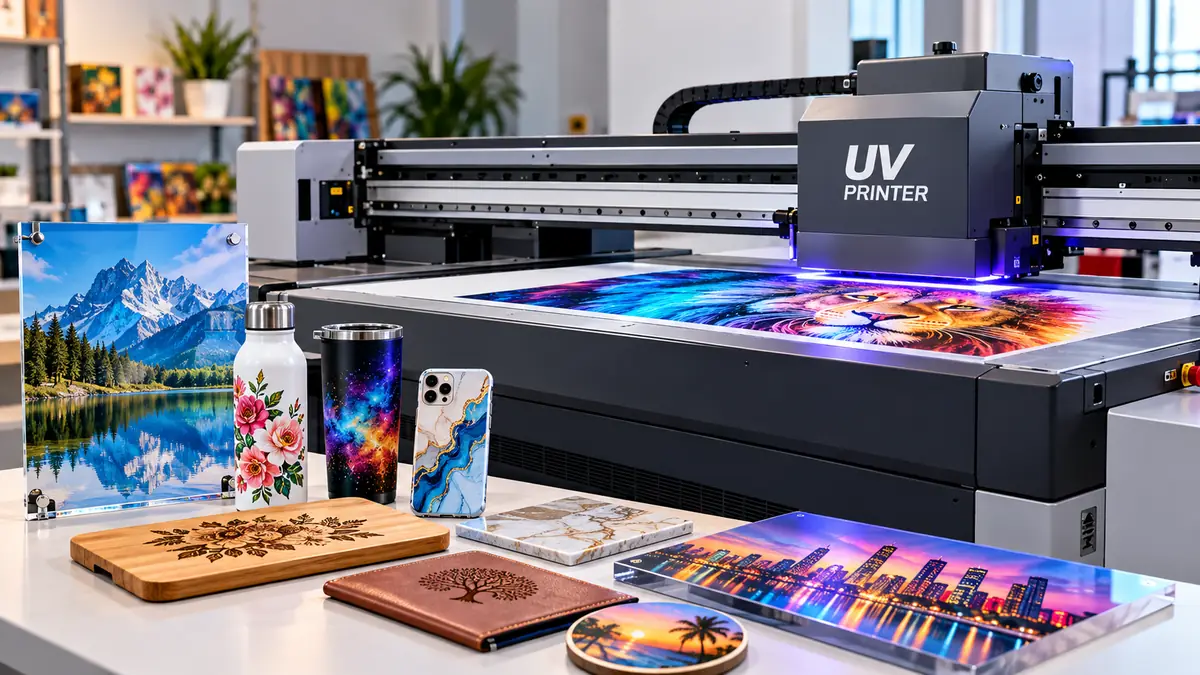

Printing a detailed photograph directly onto acrylic, wood, metal, glass, or a phone case sounds like something that should require several production steps. A uv printer can do it in one digital workflow by depositing specialized ink onto the surface and curing it almost immediately with ultraviolet light.
A uv printer is a digital inkjet printer that uses UV-curable ink and ultraviolet light to create a hardened printed layer directly on a material or object. Unlike conventional ink that dries mainly through absorption or evaporation, UV ink undergoes a photochemical curing reaction, making direct printing possible on many rigid and non-porous surfaces.
That basic principle explains why UV printing is now used for everything from signs and packaging prototypes to personalized gifts, promotional products, industrial components, acrylic displays, and textured decorative prints.
What Is a uv printer?
A UV printer is a form of digital inkjet equipment built around UV-curable ink and a UV or UV-LED curing system.
The printhead deposits extremely small ink droplets according to the digital artwork. Immediately after deposition, ultraviolet energy triggers a chemical reaction in the ink that changes it from a liquid into a solid polymerized layer. This reaction is known as UV curing or photopolymerization.
This differs fundamentally from an ordinary home or office inkjet printer.
A conventional inkjet typically uses water-based or other inks designed primarily for paper and similarly receptive media. A UV system can place its ink on surfaces that do not readily absorb liquid, including acrylic, coated metal, glass, plastics, wood, and other rigid substrates.
Modern machines range from small desktop units for promotional products to large industrial flatbeds capable of handling full-size sheets. Epson’s current UV lineup, for example, includes desktop direct-to-object equipment as well as larger flatbed systems for signage and rigid media.
Quick Takeaway
The defining feature of UV printing is not simply ultraviolet light. It is the combination of digital inkjet deposition + UV-curable chemistry + rapid curing on the substrate.
That combination allows printing on materials that would be difficult or impractical for many conventional inkjet processes.
How Does a uv printer Work?
The basic UV printing process can be understood in six steps.
- Artwork is prepared digitally.
A design, photograph, logo, text, or other graphic is created and prepared for printing. - The substrate is positioned.
Acrylic, wood, metal, glass, plastic, or another compatible object is placed on the printer bed or appropriate fixture. - The surface is prepared when necessary.
Dust, grease, fingerprints, coatings, and other contamination can interfere with adhesion. Certain substrates also require primer. - The printhead deposits ink.
Tiny droplets of CMYK, white, varnish, or other available inks are placed precisely according to the print data. - UV light cures the ink.
UV energy initiates polymerization, rapidly converting the liquid ink into a solid film. - Additional layers may be printed.
White underbases, clear varnish, gloss details, textures, and raised effects can be added depending on the machine and artwork.
Because curing happens during the printing process, finished output generally does not require the lengthy drying period associated with evaporation-based ink systems.
Why UV Ink Does Not Simply “Dry”
People often describe UV curing as drying, but chemically the processes are different.
With many traditional inks, liquid components evaporate or penetrate the substrate. UV-curable formulations contain reactive components and photoinitiators. Exposure to the appropriate ultraviolet energy initiates a reaction that polymerizes the material into a solid ink film.
This is why the process is called curing.
The rapid cure also means printed material can often move directly to subsequent production stages such as cutting, finishing, assembly, or packaging.
What Can a uv printer Print On?
Material versatility is one of the main reasons UV technology is widely used.
Common substrates include:
| Material | Typical UV Printing Uses | Main Consideration |
|---|---|---|
| Acrylic | Signs, awards, displays, photo panels | White ink often needed on clear acrylic |
| Wood | Signs, décor, coasters, plaques | Dust, grain and porosity |
| Glass | Panels, bottles, decorative products | Adhesion may require preparation |
| Metal | Nameplates, signs, tags, products | Oils, coatings and adhesion |
| Plastic | Cases, promotional goods, components | Compatibility varies by polymer |
| PVC | Signs, displays, panels | Test ink compatibility |
| Ceramic | Tiles and decorative objects | Glaze and curvature |
| Leather | Accessories and personalized goods | Flexibility and surface coating |
| Cardboard | Packaging prototypes and displays | Surface finish and flatness |
| Foam board | Displays and signage | Bed positioning |
| Stone | Decorative products and plaques | Texture and surface consistency |
Current professional UV systems are explicitly designed for materials such as acrylic, wood, glass, metal, foam board, and promotional products.
There is an important qualification, though:
“A printer can put ink on this material” does not automatically mean “the ink will adhere reliably to this material.”
That distinction is one of the most important things to understand about UV printing.
Acrylic
Acrylic is particularly well suited to UV flatbed printing because it is rigid, smooth, and available in many thicknesses and colors.
Clear acrylic also enables second-surface printing. In that workflow, an image is printed in reverse on the rear side of the transparent sheet so it is viewed through the acrylic.
White ink can then be printed behind the CMYK image to provide opacity.
Glass
Glass can produce attractive UV prints, but adhesion deserves careful testing.
Its smooth, non-porous surface can make bonding difficult for some ink systems. Cleaning and an appropriate primer may therefore be required for reliable production.
Roland, for example, specifies primer capability for improving adhesion on difficult substrates and notes applications involving glass and metal.
Wood
Wood offers a different challenge.
A smooth sealed board can behave predictably, while rough unfinished timber may contain dust, pores, grain variations, and uneven areas.
Sometimes that natural texture is desirable. A design printed with selective coverage can allow the grain to remain visible.
For full photographic coverage, surface preparation can make a major difference.
Metal
Metal is frequently used for nameplates, decorative panels, promotional products, signage, and industrial applications.
The surface needs to be clean. Oil, oxidation, protective coatings, fingerprints, and the specific finish of the metal can affect adhesion.
A UV printer should therefore be tested on the exact finished material, rather than assuming that all aluminum or stainless-steel products will behave identically.
Plastics
“Plastic” is not one substrate.
Acrylic, PVC, ABS, polycarbonate, polypropylene, polyethylene, silicone, and other polymers have different surface characteristics.
Some accept UV ink readily. Others have low surface energy and may require pretreatment, primer, or a different ink formulation.
Testing is essential before committing to a large production run.
Understanding CMYK, White Ink, and Varnish
UV printing becomes especially interesting when it moves beyond ordinary CMYK output.
A typical professional configuration may include:
- Cyan
- Magenta
- Yellow
- Black
- White
- Clear varnish
Some machines add colors such as red, orange, light cyan, light magenta, or gray to extend their capabilities and color gamut. Current Epson UV flatbeds, for example, offer configurations containing opaque white and varnish alongside process and additional colors.
What Is White Ink Used For?
Ordinary CMYK printing assumes that the substrate itself provides a light background.
That assumption breaks down when printing on black plastic, dark wood, transparent acrylic, glass, brushed metal, or other colored surfaces.
White ink solves the problem.
It can be printed underneath the color image as an opaque underbase, preventing the substrate from significantly changing the appearance of the CMYK inks.
On clear material, white can also be used as a backing layer.
Consider a transparent acrylic sign viewed from its unprinted side. The printer may produce:
CMYK → white backing
with the artwork mirrored appropriately for second-surface viewing.
For a dark object viewed directly from the printed surface, the stack may instead be:
white underbase → CMYK
White ink is commonly formulated with a dense opaque pigment, and it requires more careful ink management than standard colors because settling can become an operational issue.
What Does Varnish Do?
Clear varnish provides effects that ordinary color ink cannot.
Depending on the machine, RIP software, cure settings, and number of layers, varnish may produce:
- gloss highlights;
- matte or satin effects;
- spot gloss;
- tactile texture;
- raised lettering;
- simulated embossing;
- dimensional details;
- decorative surface effects.
Epson and MUTOH both document current UV systems capable of using varnish for gloss, texture, and layered effects.
Multiple passes can build physical height.
This capability is why certain UV printers can create tactile graphics and, with appropriate equipment and production settings, raised Braille applications.
Why Layer Order Matters
White, CMYK, and varnish are not simply three interchangeable ink channels.
Their order changes the result.
For example:
| Desired Result | Typical Layer Logic |
|---|---|
| Color on white substrate | CMYK |
| Color on dark material | White → CMYK |
| Clear acrylic viewed from front | White → CMYK or application-dependent |
| Second-surface clear acrylic | Mirrored CMYK → White |
| Gloss detail | CMYK → selective varnish |
| Raised texture | Repeated varnish/layer passes |
The precise workflow depends on the printer, RIP software, substrate, viewing direction, and desired finish.
Main Types of UV Printers
“UV printer” describes the curing technology rather than one machine shape.
Several configurations exist.
UV Flatbed Printer
A UV flatbed printer uses a flat printing area where rigid sheets or objects are positioned.
This is one of the most common arrangements for:
- acrylic sheets;
- wood panels;
- metal plates;
- signs;
- plaques;
- phone cases;
- promotional products;
- packaging prototypes.
Flatbeds range dramatically in size.
A compact desktop unit may be intended for individual personalized objects, while an industrial flatbed can accommodate large sheets and much thicker substrates.
For perspective, Epson’s current SureColor V1070 is a desktop direct-to-object model, while its V7000 is a 4 × 8-foot UV flatbed capable of printing on media up to 3.14 inches thick. These figures illustrate how broad the UV-printer category has become rather than representing universal specifications.
Roll-to-Roll UV Printer
Roll-to-roll systems feed flexible media through the printer rather than placing rigid objects on a bed.
Typical applications include:
- banners;
- films;
- flexible signage;
- wall graphics;
- backlit media;
- certain labels and display graphics.
The media compatibility of the particular ink formulation still matters because flexible material bends after printing.
Hybrid UV Printer
Hybrid machines are designed to bridge rigid and flexible-media workflows.
Depending on the configuration, they may accept boards as well as roll-fed media.
They can be useful in production environments that need both signage panels and flexible graphics without dedicating separate printers to every workflow.
Rotary and Cylindrical UV Printing
Flatbeds naturally favor flat objects, but cylindrical items present another problem: the surface moves away from the printhead as it curves.
A rotary attachment rotates a compatible cylindrical product while the printer lays down the image.
Applications can include:
- bottles;
- tumblers;
- cups;
- cylindrical containers;
- tubes.
Not every flatbed supports rotary printing, and tapered or highly irregular objects can be more challenging than straight cylinders.
What Is RIP Software and Why Does a UV Printer Need It?
The printer itself is only part of a UV workflow.
Professional systems commonly use RIP software, short for Raster Image Processor.
The RIP interprets artwork and converts it into instructions the printer can use. Depending on the printer and software, it can manage functions such as:
- resolution;
- print quality;
- ink limits;
- color management;
- ICC profiles;
- white ink;
- varnish;
- spot layers;
- multiple passes;
- image placement;
- production queues.
This becomes especially important when a job contains separate CMYK, white, and varnish information.
Modern manufacturers commonly bundle or integrate RIP software with their systems. Epson, for example, provides Epson Edge Print with its V7000, while MUTOH offers VerteLith for its UV equipment.
A beautifully designed file can still produce poor output if white layers, varnish masks, color profiles, or print modes are configured incorrectly.
What Is UV Primer?
Primer is a surface-preparation material used to improve adhesion between UV ink and certain substrates.
It is not universally required.
On a material with good native adhesion, unnecessary primer can complicate production. On difficult glass, metal, coated plastic, or other smooth surfaces, the correct primer can make the difference between a print that remains attached and one that scratches or peels away.
Some machines can even apply primer as part of the printing system. Roland’s VersaObject MO Series, for instance, lists primer ink for improving adhesion on difficult substrates.
The practical rule is simple:
Test the substrate, ink, pretreatment, and curing settings as a complete system.
Do not judge adhesion immediately after seeing that an image looks good.
For production work, scratch, tape, abrasion, chemical, or other application-specific tests may be appropriate.
Advantages of UV Printing
1. Extremely Broad Material Compatibility
The biggest advantage is versatility.
A single compatible flatbed workflow can potentially cover acrylic signs in the morning, wooden plaques in the afternoon, and promotional products later in the day.
That flexibility is difficult to achieve with printing technologies designed around one narrow substrate category.
2. Rapid Curing
UV ink cures during printing instead of relying primarily on extended evaporation.
This can reduce waiting between printing and subsequent production operations. Fujifilm notes that rapid UV curing allows printed material to move directly into downstream processes such as cutting, finishing, laminating, or packaging.
3. Printing on Non-Porous Surfaces
Glass, metal, acrylic, and many plastics do not behave like paper.
UV curing makes it possible to build a printed film on the material surface rather than relying entirely on absorption.
4. White Ink
Opaque white greatly expands what can be printed.
Dark, transparent, reflective, and colored materials become practical because the printer can create its own white background.
5. Texture and Special Effects
Clear varnish and multilayer printing allow visual and tactile effects.
Instead of merely reproducing a two-dimensional image, some systems can create raised lettering, gloss highlights, textures, and dimensional details.
6. Digital Personalization
There are no conventional printing plates required for each new digital image.
Names, serial numbers, photographs, QR codes, logos, or other artwork can therefore change from one job—or potentially one item—to the next, depending on the workflow.
This makes UV technology particularly useful for short runs and customized products.
Limitations and Disadvantages of UV Printing
The technology is versatile, but it is not universal.
Adhesion Is Not Guaranteed
This is probably the most misunderstood limitation.
UV ink curing successfully does not automatically mean the ink has formed a durable bond with the substrate.
Glass, some metals, silicone, low-surface-energy plastics, coated objects, and flexible products can be challenging.
Cleaning, primer, surface treatment, ink chemistry, cure settings, and testing all matter.
The Object Must Physically Fit
A direct-to-object flatbed can print only on items that fit its usable bed dimensions, weight limits, height clearance, and printhead geometry.
A machine advertised as capable of printing “almost anything” still has very real mechanical limits.
Flatness Matters
Printheads operate close to the surface.
If an object is severely warped or has unpredictable height changes, print quality can suffer and the risk of a printhead collision can increase.
Fixtures and jigs are therefore important for repeatable object printing.
White Ink Requires Attention
White pigment is essential for many applications but can also require more maintenance.
Its dense pigment can settle, so professional systems may incorporate circulation or agitation mechanisms. Long periods of improper storage or inactivity can create ink-delivery and nozzle problems.
More Layers Mean More Production Time
A brochure’s maximum CMYK speed does not necessarily represent a real multilayer job.
Printing white, CMYK, varnish, or repeated dimensional layers requires additional ink deposition and passes.
A three-layer clear-acrylic project can therefore take substantially longer than straightforward CMYK output on a white board.
Equipment and Consumables Can Be Expensive
UV printers contain precision printheads, curing lamps, motion systems, ink-delivery components, and control electronics.
There are also ongoing costs for:
- UV ink;
- white ink;
- varnish;
- primer;
- cleaning fluid;
- waste-ink handling;
- replacement consumables;
- maintenance parts;
- jigs and fixtures.
This makes total workflow cost more meaningful than simply looking at the amount of ink used per print.
uv printer vs Traditional Inkjet Printing
The two technologies share digital inkjet principles but differ considerably in intended applications.
| Feature | UV Printer | Conventional Inkjet |
|---|---|---|
| Ink setting | UV curing | Usually absorption/evaporation |
| Typical media | Rigid objects and diverse substrates | Mainly paper and compatible coated media |
| Acrylic printing | Common | Generally unsuitable directly |
| Metal printing | Possible with correct preparation | Generally unsuitable directly |
| Glass printing | Possible with adhesion testing | Generally unsuitable directly |
| White ink | Common on professional UV systems | Uncommon in ordinary printers |
| Clear varnish | Available on many UV systems | Uncommon |
| Raised effects | Possible through layering | Generally not available |
| Drying wait | Minimal after proper cure | Depends on ink/media |
| Surface preparation | Frequently important | Usually simpler for intended media |
Neither technology is universally better.
An office inkjet is vastly more practical for everyday paper documents. A UV flatbed exists for a completely different purpose: printing directly on materials and finished objects.
uv printer vs Sublimation
UV printing and dye sublimation are also frequently confused because both are used for customized products.
Sublimation normally involves printing with special dye and transferring that image to a suitable polyester or polymer-coated substrate using heat.
UV printing normally deposits UV-curable ink directly onto the object’s surface.
| UV Printing | Sublimation |
|---|---|
| Ink remains as a cured surface layer | Dye becomes part of a compatible polymer surface |
| No heat press required for normal direct UV printing | Heat is central to the transfer process |
| Works with many rigid materials | Requires polyester or sublimation-compatible coating |
| Can print opaque white | Standard sublimation relies heavily on a light substrate |
| Can create varnish and raised effects | Produces a smooth image without a raised ink layer |
The appropriate process therefore depends heavily on the substrate and desired finish.
uv printer vs UV DTF: What Is the Difference?
This is one of the most common points of confusion.
Direct UV printing puts ink directly onto the final object. UV DTF prints a design onto a specialized film system and then transfers that finished decoration to the object.
That difference changes the workflow.
Direct UV Printing
The product itself is positioned inside or on the printer.
Typical workflow:
- Prepare artwork.
- Clean and prepare object.
- Position object or jig.
- Set print height.
- Print directly onto the surface.
- UV-cure the ink.
- Inspect the result.
UV DTF
The printer creates a transferable graphic on film.
The finished transfer is subsequently applied to the object rather than requiring the object itself to travel under the printhead.
This can make UV DTF useful for:
- irregular objects;
- curved surfaces;
- bottles;
- jars;
- mixed promotional products;
- products too awkward to fixture directly.
Direct UV has an advantage when precise registration, direct surface printing, or controlled varnish and dimensional effects are required. UV DTF has an advantage when object geometry makes direct printing inconvenient.
UV DTF should also not be confused with ordinary garment DTF. Standard DTF is designed primarily around textile transfers, while UV DTF is intended for hard-surface decoration.
What Products Are Made With UV Printers?
UV printing appears across more industries than the term “printer” initially suggests.
Signs and Displays
Common products include:
- acrylic signs;
- directional signs;
- display panels;
- retail graphics;
- exhibition displays;
- nameplates;
- informational panels.
Large-format UV flatbeds are especially well established in this category.
Promotional Products
Compact direct-to-object machines are frequently used for:
- keychains;
- pens;
- golf balls;
- phone cases;
- coasters;
- badges;
- small gifts.
Epson specifically lists items such as golf balls, keychains, pens, signage, acrylic, and wood among applications for its desktop UV system.
Packaging and Prototypes
Digital UV printing is useful for short-run packaging prototypes because artwork can be changed without creating conventional plates for every version.
White and varnish can also simulate premium packaging finishes.
Interior Decoration
Applications can include:
- decorative panels;
- printed wood;
- glass décor;
- ceramic tiles;
- artwork;
- furniture components.
Industrial Printing
UV inkjet technology also appears in industrial manufacturing for identification, decorative graphics, control panels, component marking, and product decoration.
UV LED curing is used beyond flatbed inkjet as well, including flexographic, screen, and other industrial printing processes.
How Durable Is UV Printing?
There is no honest universal answer such as “UV prints last X years.”
Durability depends on the entire system:
- substrate;
- surface preparation;
- ink formulation;
- primer;
- curing;
- ink-film thickness;
- abrasion;
- sunlight exposure;
- moisture;
- chemicals;
- temperature;
- product handling.
A decorative acrylic panel mounted indoors experiences a completely different environment from a metal sign installed outdoors or a bottle repeatedly handled and washed.
UV-cured ink can provide durable output, but UV-cured does not mean indestructible.
If durability matters, test the actual production combination under conditions that resemble its intended use.
A simple sample can reveal more than a generic material-compatibility claim.
Why Do UV Prints Sometimes Peel or Scratch Off?
Poor adhesion is usually a surface-system problem rather than proof that UV technology itself does not work.
Common causes include:
- grease or fingerprints;
- dust;
- unsuitable coatings;
- low-surface-energy plastic;
- incorrect primer;
- no primer where one is required;
- excessive or insufficient curing;
- inappropriate ink for the substrate;
- flexing beyond the ink’s capability;
- printing on an untested material.
For glass and smooth metal, cleaning and suitable pretreatment can be especially important.
A practical production rule is to create a sample using the exact blank product and then perform an adhesion test before accepting a large order.
Why Do Colors Look Different on Clear or Dark Materials?
CMYK inks are not an opaque white background.
When color is printed directly on transparent acrylic, light passes through the image. On black or strongly colored material, the substrate influences the appearance of the ink.
The result may look weak, dark, or washed out.
An opaque white underbase blocks much of that substrate influence and provides a neutral foundation for the color image. This is one of the principal functions of white UV ink.
It also explains why the same artwork can require different print files and layer structures for white, black, transparent, and metallic objects.
What Resolution Does a UV Printer Need?
Resolution matters, but the highest advertised DPI is not automatically the best production mode.
Image quality is influenced by:
- native printhead capability;
- droplet size;
- number of passes;
- screening;
- color management;
- printhead alignment;
- substrate texture;
- viewing distance;
- ink configuration;
- artwork resolution.
A small promotional item viewed from 20 centimeters may need fine detail. A large sign intended to be viewed from several meters away has different requirements.
Higher-quality modes can also reduce throughput.
The practical target is therefore sufficient resolution for the application, not simply the largest number on a specification sheet.
Maintenance: What Actually Matters
UV printers need routine care.
Ignoring maintenance can turn an otherwise capable machine into an unreliable one.
Keep the Printhead and Capping System Clean
Nozzles need to fire consistently.
Dried contamination, debris, or poorly maintained caps and wipers can cause missing nozzles, banding, color shifts, or failed prints.
Follow the machine manufacturer’s cleaning procedure rather than improvising with unapproved chemicals.
Manage White Ink Correctly
White ink deserves special attention because of its pigment load.
Machines may use circulation or agitation systems to keep pigment properly distributed. If a printer sits unused for long periods, follow its prescribed shutdown and maintenance procedures.
Perform Nozzle Checks
A nozzle check can expose problems before a valuable object is wasted.
This is particularly useful at the beginning of a production session.
Keep the Bed and Encoder Areas Clean
Dust and debris can affect positioning, print quality, and reliability.
The work environment matters more than many first-time operators expect.
Control Object Height
Incorrect height can reduce print quality or create a collision risk.
Some professional systems incorporate automatic or non-contact height detection, but operators still need to load objects correctly.
Common UV Printing Mistakes
Several mistakes appear repeatedly when people first work with UV technology.
Assuming Every Material Will Work Immediately
Material versatility is real, but surface compatibility still needs verification.
Always test.
Skipping Surface Cleaning
A visually clean product can still carry oil from manufacturing or fingerprints from handling.
Poor adhesion may not become obvious until later.
Forgetting the White Layer
Printing CMYK directly onto dark or transparent material is one of the fastest ways to get disappointing color.
Plan the white underbase during file preparation.
Using Too Much White
More ink is not automatically better.
Excessive ink can change texture, cure behavior, production time, and the appearance of fine detail.
Treating Varnish as Ordinary Clear Ink
Spot varnish works best when deliberately designed.
Logos, text, patterns, borders, and selected image details can benefit from controlled gloss rather than simply coating everything.
Ignoring Jigs
If 20 identical products must carry a logo in exactly the same position, a well-designed jig can be more important than another increment of printer resolution.
Fixtures make positioning repeatable and reduce loading errors.
Judging Speed From a Single Specification
Production speed depends on the actual print mode.
A job using only CMYK is not equivalent to one requiring white + CMYK + multiple varnish layers.
Measure throughput using the products and quality settings that will actually be produced.
How to Evaluate a UV Printer
Even from a purely technical perspective, UV printers should be compared by more than print size or DPI.
Print Area
Check the usable X and Y dimensions.
Think about the products rather than simply choosing the largest machine.
Maximum Object Height
A printer can have enough width for an object but insufficient vertical clearance.
This is particularly relevant for boxes, promotional products, and fixtures.
Ink Configuration
Determine whether the system supports:
- CMYK;
- white;
- varnish;
- additional gamut colors;
- primer.
White and varnish are especially significant if the intended applications include dark substrates, transparent products, textures, or premium decorative effects.
White-Ink Management
Look at how the system handles pigment circulation and routine maintenance.
White ink capability is valuable only when it can be operated reliably.
Printheads
Printhead technology affects resolution, droplet control, productivity, maintenance, and replacement costs.
Do not evaluate a machine purely by the number of heads.
UV Curing System
UV-LED systems are now common because they provide controlled curing with relatively low heat compared with older lamp technologies.
Lower heat can also help when working with heat-sensitive media.
RIP Software
Check whether the RIP can comfortably manage the workflows actually required, particularly white and varnish layers.
Software limitations can become production limitations.
Rotary Capability
If cylindrical products are important, determine whether the machine supports an appropriate rotary system and what object dimensions it accepts.
Fixtures and Registration
Repeatable positioning becomes essential when printing batches of finished products.
Camera-based positioning, alignment systems, vacuum beds, pins, or custom jigs can all affect real productivity.
Service and Maintenance
Downtime matters.
Consider access to technical support, replacement printheads, ink, maintenance components, cleaning supplies, firmware, RIP support, and operator documentation.
Is UV Printing Safe?
UV printing involves specialized inks, curing equipment, electrical systems, moving machinery, and ultraviolet energy, so operators should follow the equipment and ink manufacturers’ safety instructions.
UV-curable inks are reactive chemical formulations before complete cure. Avoid unnecessary skin or eye contact, use appropriate personal protective equipment where specified, maintain suitable workplace ventilation, and consult the ink’s Safety Data Sheet.
Enclosures, interlocks, and shielding should never be bypassed to expose operators directly to curing lamps.
“Instant cure” should also not be interpreted as permission to handle ink chemicals carelessly.
Professional operation means treating the printer as production equipment rather than an oversized desktop inkjet.
Is a uv printer the Same as a 3D Printer?
No.
A 3D printer constructs a three-dimensional object from material such as polymer filament, resin, powder, or another feedstock.
A UV printer normally decorates an existing substrate.
UV printing can create raised or dimensional surface effects by repeatedly layering ink or varnish, but the result is still fundamentally a printed surface treatment rather than conventional additive manufacturing.
This distinction matters when terms such as “3D texture,” “embossed UV,” or “raised UV printing” appear in product descriptions.
They refer to surface relief, not the production of a complete three-dimensional object.
Does a uv printer Need a Heat Press?
Standard direct UV printing does not.
The ink is cured using ultraviolet energy built into the printing system.
This is one reason UV printing differs from processes such as sublimation and garment DTF, where heat-transfer equipment plays a central role.
UV DTF transfers also use UV-curable ink, although their film, lamination, adhesive, and application workflow differs from direct-to-object UV printing.
Can UV Printing Be Used Outdoors?
UV printers are widely used for signage, including outdoor applications, and current professional UV ink systems are marketed for indoor and outdoor signage.
However, outdoor suitability should be assessed at the system level.
Sunlight, rain, temperature cycles, abrasion, substrate stability, ink formulation, surface preparation, and expected service life all affect performance.
For demanding applications, rely on the specific ink manufacturer’s durability guidance and perform relevant testing rather than assuming every UV print has identical outdoor longevity.
The Most Useful Way to Think About UV Printing
A UV printer is best understood as a digital surface-decoration system.
The technology’s real strength is not merely that UV light makes ink cure quickly. Its value comes from combining several capabilities:
direct-to-object printing + rapid curing + broad substrate compatibility + opaque white + clear varnish + digital personalization.
Those capabilities allow one platform to handle jobs that might otherwise require separate printing, transfer, coating, and finishing methods.
But material versatility comes with responsibility. Adhesion testing, surface preparation, correct ink layering, RIP setup, object positioning, and routine maintenance determine whether the output merely looks good when it leaves the printer or remains reliable in actual use.
For anyone learning about a uv printer, the best next step is to think in terms of the intended substrate and finished product. Identify the material, shape, viewing direction, required durability, need for white or varnish, and whether the object can physically fit a direct-print workflow. Once those variables are clear, UV printing becomes much easier to understand—and much easier to use correctly.
