
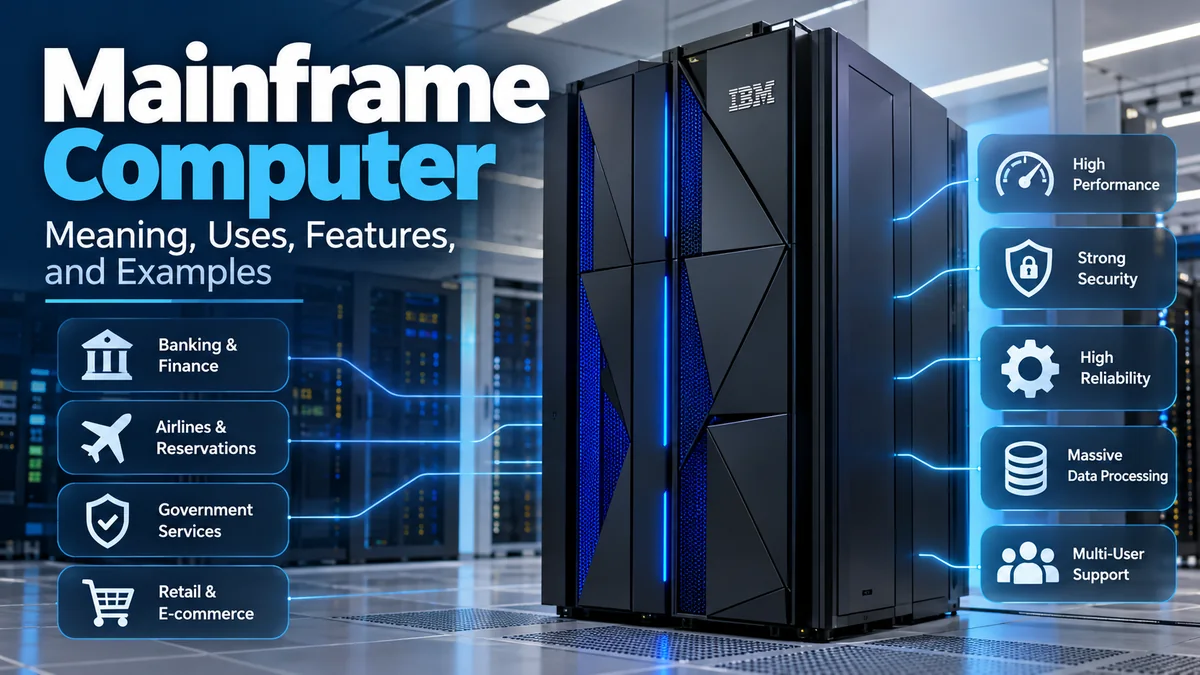

A mainframe computer is built for a different kind of computing challenge. Instead of helping one person browse the web or run desktop applications, it is designed to keep large organizations processing enormous volumes of critical data and transactions reliably.
Banks, insurers, government agencies, airlines, retailers, and other large enterprises use mainframes when downtime, lost transactions, or inconsistent data can have serious consequences. Modern systems combine enormous transaction throughput with virtualization, security, workload isolation, and high availability. IBM
A mainframe computer is a high-performance enterprise computer designed to process very large transaction and data workloads while supporting many applications and users simultaneously. Its defining strengths are reliability, availability, security, scalability, high I/O capacity, workload isolation, and the ability to operate continuously for mission-critical business systems. IBM
What Is a Mainframe Computer?
A mainframe computer is a powerful centralized computing system optimized for large-scale data processing, transaction processing, and business-critical applications.
The word “mainframe” originally referred to the large physical frame or cabinet that contained a computer’s central processing components. The meaning has changed considerably since then. Modern mainframes are better defined by their architecture and workload capabilities than by their physical size. TechTarget
A mainframe can support many applications and workloads at once while maintaining strict separation between them. This makes it particularly valuable when thousands or millions of operations need to access shared enterprise data safely.
For example, consider a large bank. During the same period, customers might:
- withdraw cash from ATMs;
- make card purchases;
- transfer money;
- check account balances;
- receive deposits;
- use mobile banking;
- pay bills.
Behind these seemingly simple actions is a large amount of transaction processing. The institution needs every transaction recorded accurately while maintaining security and availability.
That is precisely the type of workload for which mainframes are designed.
Is a Mainframe Just a Very Powerful Computer?
Not quite.
Raw CPU speed is only part of the picture. Modern mainframes emphasize throughput, reliability, security, I/O performance, virtualization, backward compatibility, and continuous operation. IBM
This distinction becomes especially important when comparing mainframes with supercomputers.
How Does a Mainframe Computer Work?
A mainframe functions as a centralized enterprise computing platform capable of sharing substantial processing, memory, storage, and I/O resources among multiple workloads.
Rather than dedicating an entire physical machine to one application, organizations can divide mainframe resources into isolated environments.
Logical Partitions
A major concept in modern mainframe architecture is the logical partition, commonly abbreviated as LPAR.
An LPAR behaves much like an independent computer. Each partition can run its own operating system, and administrators can determine how processors and other resources are shared or assigned among partitions. IBM
Imagine one physical mainframe divided into several logical systems:
| Logical environment | Possible workload |
|---|---|
| LPAR 1 | Banking transactions |
| LPAR 2 | Customer databases |
| LPAR 3 | Linux applications |
| LPAR 4 | Development and testing |
| LPAR 5 | Analytics |
The workloads remain logically separated even though they use the same underlying physical platform.
This approach provides excellent resource utilization while reducing the need for a separate physical machine for every workload.
Input and Output Processing
Mainframes are also notable for their I/O architecture.
Business computing often involves continuously moving information between processors, storage, networks, databases, and applications. Mainframes are engineered to handle extremely large I/O workloads efficiently rather than relying solely on raw processor performance.
This is one reason they work so well for transaction-heavy applications.
Workload Management
Not every workload has equal importance.
An organization might decide that customer transactions have a higher priority than an overnight reporting job. Mainframe environments can allocate resources according to business priorities so that critical applications receive the capacity they need.
Clustering and Parallel Sysplex
IBM mainframe environments can go beyond one system through Parallel Sysplex technology.
A Parallel Sysplex can combine up to 32 z/OS systems into a cooperative computing environment. Coupling Facilities help systems share information, locks, caches, and other resources, supporting scalability and high availability. IBM
If designed correctly, workloads can continue even when individual components need maintenance or experience problems.
Key Features of a Mainframe Computer
Several characteristics distinguish mainframes from ordinary computing systems.
1. High Transaction Throughput
Mainframes excel at processing huge numbers of business transactions.
The goal is not simply to finish one calculation as quickly as possible. It is to reliably complete enormous numbers of requests involving databases, applications, networks, and storage.
This capability is valuable for payment processing, reservations, billing, inventory management, and similar workloads.
2. Reliability, Availability, and Serviceability
Mainframe design traditionally places strong emphasis on RAS: reliability, availability, and serviceability.
Critical business systems cannot simply shut down every time a component needs maintenance.
Mainframes therefore incorporate redundancy, fault-tolerance mechanisms, sophisticated workload management, and service capabilities intended to minimize interruptions. Modern systems can also use clustering technologies to reduce single points of failure. IBM
3. Virtualization
Virtualization is not a recent addition to mainframe computing.
LPARs allow a physical system to operate as multiple logically independent computing environments. Different partitions can receive different processor allocations and run separate operating-system instances. IBM
This makes it possible to consolidate numerous workloads on one platform.
4. Strong Security
Mainframes frequently store an organization’s most sensitive information, including financial, customer, government, and operational records.
Consequently, enterprise mainframe environments use extensive access controls, workload isolation, encryption, auditing, authentication, and other security mechanisms.
Security does not mean a mainframe is automatically immune to attack. It still requires proper configuration, software maintenance, access management, monitoring, and organizational security practices.
5. Scalability
Organizations can run large workloads on a single mainframe environment and increase available capacity as demand grows.
Clustering technologies such as Parallel Sysplex provide another path to scaling z/OS environments across multiple systems. IBM
6. Backward Compatibility
One of the less obvious strengths of mainframe computing is application compatibility.
IBM identifies continuing compatibility across generations as a major characteristic of the platform. The System/360 introduced in 1964 became an important architectural turning point, and subsequent systems evolved while maintaining significant continuity with existing applications. IBM
For enterprises with software representing decades of business rules and investment, this compatibility can be extremely valuable.
7. Multiple Operating Environments
A mainframe is not restricted to one workload or operating environment.
IBM Z systems are closely associated with z/OS, but mainframe environments can also support Linux and other specialized operating systems. Separate LPARs can run separate operating-system instances.
What Are Mainframe Computers Used For?
Mainframes make the most sense when organizations have large, valuable, continuously operating workloads.
Banking and Financial Services
Banking is perhaps the best-known mainframe use case.
Typical workloads include:
- account processing;
- ATM transactions;
- credit and debit card processing;
- payment processing;
- financial record keeping;
- fraud detection;
- batch processing.
IBM reported in its September 2026 mainframe overview that 43 of the world’s top 50 banks and eight of the top ten payment companies rely on mainframes as core platforms. IBM
The appeal is easy to understand: financial transactions demand consistency, security, throughput, and availability.
Airline and Reservation Systems
Reservation environments can generate enormous numbers of simultaneous requests.
Mainframe technology has historically been suited to workloads involving reservations, ticketing, scheduling, and related transaction processing because the same underlying records may be accessed or updated by many users.
Insurance
Insurance companies manage substantial amounts of long-lived data.
Mainframes can support:
- policy administration;
- claims processing;
- customer records;
- billing;
- risk-related applications;
- regulatory reporting.
Some of these systems must preserve and process records spanning decades.
Government
Government agencies may use large centralized systems for tax processing, benefits administration, census-related data, public records, and other large-scale information-processing workloads.
Retail
Large retailers can generate significant transactional loads through stores, online systems, inventory databases, payments, supply chains, and customer programs.
Mainframes can serve as systems of record behind these customer-facing services even when the customer interacts through a website or smartphone app.
Healthcare and Other Enterprises
Organizations with high-volume, mission-critical databases may also use mainframe environments for records, billing, scheduling, claims, and enterprise applications.
The common thread is not the industry itself. It is the need to process substantial amounts of critical data reliably.
Mainframe Computer Architecture
Understanding a mainframe becomes easier when you stop imagining it as one enormous CPU.
A modern mainframe is a carefully engineered collection of computing, memory, storage, networking, virtualization, security, and I/O technologies.
Processors
Processors execute application and system workloads. Modern mainframe designs can also incorporate specialized processing capabilities.
IBM’s current z17, for example, uses the Telum II processor and supports AI acceleration. IBM also introduced the Spyre Accelerator for expanding AI workloads on the platform. IBM Newsroom
Memory
Large memory capacity helps keep frequently needed information readily available and supports numerous concurrent workloads.
Storage
Enterprise mainframes commonly work with high-performance storage systems containing business databases, application data, logs, backups, and other critical information.
Historically, the term DASD, or Direct Access Storage Device, became strongly associated with mainframe storage.
I/O Subsystems
I/O is particularly important because enterprise transaction processing involves constant communication with storage and external systems.
Mainframe architecture has long emphasized handling I/O efficiently so processors can focus on application work.
Databases and Transaction Systems
Several technologies are closely associated with IBM mainframe environments, including:
- Db2 for relational database workloads;
- IMS for transaction and database processing;
- CICS for high-volume transaction applications;
- IBM MQ for messaging;
- RACF for access-control functions.
For example, Db2 can use Parallel Sysplex data sharing so applications on different Db2 subsystems can concurrently access shared data. IBM
These technologies help explain why a mainframe should be understood as an enterprise computing ecosystem rather than simply a large physical computer.
Mainframe Computer Operating Systems
The operating system coordinates hardware resources and provides the environment in which applications run.
z/OS
z/OS is IBM’s flagship operating system for IBM Z and is designed for large-scale enterprise workloads.
IBM released z/OS 3.2 for the z17 generation with capabilities aimed at hybrid cloud integration, security, modern data access, and AI-enabled workloads. IBM
Linux on IBM Z
Linux can also run on IBM Z hardware.
This gives organizations the ability to use familiar Linux technologies while benefiting from mainframe infrastructure and consolidation.
Other Mainframe Platforms
Mainframe computing is not exclusively an IBM concept.
Historically, manufacturers included companies such as IBM, Burroughs, UNIVAC, NCR, Control Data, Honeywell, General Electric, and RCA. Over time, consolidation dramatically reduced the number of major mainframe vendors. Wikipedia
Today, IBM Z is the most recognizable example, while systems descended from earlier architectures also remain in enterprise use.
Examples of Mainframe Computers
When students search for mainframe computer examples, older lists sometimes mention systems that have been obsolete for decades.
It is more useful to separate historical examples from modern ones.
Historical Examples
Important systems in mainframe history include:
- IBM 700/7000 series;
- IBM 1401;
- IBM System/360;
- IBM System/370;
- later IBM System z and zSeries systems.
The IBM System/360, announced in 1964, was especially significant because it established a general-purpose architecture that could address both commercial and scientific computing requirements. IBM
Modern Example: IBM z17
A current example is the IBM z17, announced in April 2025.
Rather than representing an old-fashioned computer preserved for legacy applications, z17 illustrates how the mainframe has evolved. IBM designed it around modern enterprise requirements including hybrid environments, security, real-time AI inference, and mission-critical transaction processing. IBM Newsroom
Its Telum II processor includes integrated AI acceleration, while the Spyre Accelerator extends the system’s ability to run generative and other AI workloads close to enterprise data. IBM Research
That development challenges one of the biggest misconceptions about mainframes: that they are frozen in 20th-century technology.
Mainframe Computer vs Supercomputer
Mainframes and supercomputers are both extremely powerful computers, but their goals differ.
| Feature | Mainframe computer | Supercomputer |
|---|---|---|
| Primary focus | Transaction and enterprise data processing | Massive numerical computation |
| Key priority | Throughput and reliability | Computational performance |
| Typical workloads | Banking, payments, databases, reservations | Scientific simulations, climate modeling, research |
| Users/workloads | Many concurrent enterprise workloads | Large computational jobs |
| I/O emphasis | Extremely high | Depends on workload |
| Availability | Central design priority | Important, but workload goals differ |
| Data integrity | Critical | Application dependent |
A supercomputer is generally optimized to perform extremely demanding mathematical or scientific calculations as rapidly as possible.
A mainframe is optimized to keep enormous volumes of business work moving reliably.
For example, simulating global climate patterns is a classic supercomputer problem. Processing millions of financial transactions while maintaining consistent account records is a classic mainframe problem. Amazon Web Services, Inc.
So, is a mainframe computer a supercomputer? No.
The categories overlap in being powerful systems, but they are optimized for different workloads.
Mainframe Computer vs Server
The distinction between a mainframe and a server can be more confusing because a mainframe can perform server functions.
A conventional enterprise might use many individual x86 or ARM servers, each running particular applications. Those servers can be virtualized and clustered to create large distributed environments.
A mainframe takes a more consolidated approach.
| Mainframe | Conventional server |
|---|---|
| Designed for massive enterprise consolidation | Available from small to very large configurations |
| Strong built-in workload isolation | Often relies heavily on software virtualization |
| Extremely high I/O and transaction capacity | Capacity varies widely |
| Designed around mission-critical availability | Availability depends heavily on architecture |
| Can host many logical systems | Usually one part of a larger server fleet |
| Specialized enterprise platform | Broad general-purpose market |
Neither approach is universally superior.
A small website does not need a mainframe. A large enterprise processing enormous numbers of sensitive transactions may find the mainframe’s architecture particularly valuable.
Modern organizations frequently use both.
Mainframe vs Personal Computer
The difference between a mainframe computer and a PC is even clearer.
A personal computer is optimized primarily around an individual user’s applications. A mainframe is designed to serve enterprise workloads involving many applications, users, databases, and transactions.
A laptop may be excellent for:
- browsing;
- office applications;
- programming;
- gaming;
- video editing.
A mainframe is designed for problems such as:
- processing banking transactions;
- maintaining enterprise databases;
- handling large batch jobs;
- running mission-critical applications;
- serving large numbers of concurrent requests.
Mainframes therefore should not be evaluated by the same criteria as desktop computers.
Batch Processing and Online Transaction Processing
Two workload concepts are especially important when learning about mainframes.
Batch Processing
Batch processing groups work together and executes it without requiring continuous user interaction.
Examples include:
- generating monthly statements;
- calculating payroll;
- producing reports;
- processing overnight account updates;
- reconciling financial records.
Large organizations can have enormous batch workloads, making predictable scheduling and resource allocation important.
Online Transaction Processing
Online transaction processing, or OLTP, deals with transactions that need immediate or near-immediate processing.
An ATM withdrawal is a simple example.
The system needs to verify information, update records correctly, and return a result quickly. Similar requirements exist for payments, reservations, orders, and account inquiries.
Mainframes can run batch and online workloads on the same enterprise platform.
Advantages of Mainframe Computers
Mainframes have survived major shifts in computing because they provide several difficult-to-reproduce benefits.
Exceptional Reliability
Mainframe systems are engineered for workloads where interruptions can have major consequences.
Redundancy, workload management, fault tolerance, clustering, and serviceability help organizations maintain continuous operations.
Massive Transaction Capacity
High throughput makes mainframes particularly suitable for financial transactions, database operations, and other I/O-heavy enterprise workloads.
Efficient Consolidation
Virtualization allows numerous workloads to share one physical infrastructure while remaining logically isolated.
This can reduce server sprawl and improve resource utilization.
Strong Data Integrity
Transaction-heavy industries need confidence that records remain accurate even when many processes are accessing data simultaneously.
Mainframe databases and transaction-processing systems are designed around this requirement.
Security
Hardware and software security features make the platform suitable for highly sensitive enterprise information when correctly administered.
Long-Term Compatibility
Organizations may have decades of tested business logic embedded in existing applications.
Mainframe compatibility allows businesses to modernize incrementally instead of rewriting every critical system simply because hardware changes.
Disadvantages of Mainframe Computers
The platform also has genuine limitations.
High Cost of Entry
Mainframe infrastructure can require substantial investment in hardware, software, storage, facilities, support, and specialist expertise.
This makes it inappropriate for most small organizations.
Specialized Skills
Mainframe administration and development can involve technologies such as z/OS, JCL, CICS, IMS, Db2, and COBOL.
Those skills differ from a typical web-development or commodity-server stack, creating hiring and training challenges.
Complexity
Enterprise mainframe environments can be highly sophisticated.
That sophistication provides control and resilience, but it also means administration, capacity planning, security, and application modernization require specialized knowledge.
Legacy Application Challenges
Backward compatibility is a strength, but it can also encourage organizations to retain old applications longer than they otherwise would.
Some systems contain decades of accumulated business logic. Replacing or modernizing them can be difficult because the challenge is not simply translating code—it is preserving business behavior accurately.
Not Appropriate for Every Workload
Buying a mainframe to run a small website, a few internal applications, or a modest database would generally make little sense.
Mainframes deliver their greatest value at enterprise scale.
Mainframe Programming Languages
Mainframe development is often associated with COBOL, and for good reason: large quantities of business software were written in it.
However, mainframe programming is not limited to COBOL.
Depending on the environment, developers may encounter:
- COBOL;
- Java;
- C and C++;
- assembler;
- REXX;
- SQL;
- Python;
- shell scripting and Linux tools.
Modernization increasingly means connecting established business applications with APIs, cloud services, modern programming languages, analytics, and AI rather than automatically replacing everything.
IBM’s z/OS 3.2, for example, expanded modern development and data capabilities, including Python support for certain NoSQL APIs. IBM
Are Mainframe Computers Still Used Today?
Yes—and this is one of the most important points to understand.
Mainframes are sometimes described as obsolete because their history stretches back to the earliest eras of commercial computing. That confuses old applications with the current platform.
Modern mainframes continue to evolve.
IBM’s z17 generation integrates hardware-accelerated AI, while z/OS 3.2 adds capabilities intended for AI, modern data access, security, and hybrid cloud environments. IBM
Mainframes also coexist with cloud computing rather than necessarily competing with it.
A customer might interact with a cloud-hosted application or mobile interface while a mainframe system of record processes the critical transaction behind the scenes.
This creates a hybrid architecture:
User → Web/mobile application → API/services → Mainframe transaction or database system
The visible front end can change rapidly while the mainframe continues managing critical records and transactions.
Mainframes and Artificial Intelligence
AI is becoming another example of mainframe evolution.
Traditionally, organizations sometimes moved data from operational systems to separate analytics infrastructure. Moving sensitive data can introduce latency, cost, governance, and security considerations.
Newer mainframes increasingly support running AI inference closer to transactional data.
IBM’s Telum II processor provides on-chip AI acceleration, while the Spyre Accelerator expands AI capacity for IBM z17. IBM positions these capabilities for workloads including fraud detection, predictive applications, generative AI, and agentic AI. IBM Research
Consider payment fraud detection.
Instead of recording a transaction first and analyzing it much later, AI inference can potentially become part of the transaction workflow itself. The system can evaluate relevant signals while the business event is taking place.
This combination of transaction processing and AI is an important direction for modern mainframe computing.
Mainframe Modernization and Hybrid Cloud
Modernization does not necessarily mean abandoning a mainframe.
Organizations generally have several options:
- Retain applications that continue to perform effectively.
- Optimize existing applications and infrastructure.
- Refactor selected applications using modern architectures.
- Expose functionality through APIs so newer applications can use existing business services.
- Integrate with cloud platforms for distributed applications, analytics, development, and other workloads.
- Move suitable workloads where another platform offers better economics or flexibility.
The correct approach depends on the application.
Rewriting a stable system containing decades of tested financial logic simply because it uses older technology can create unnecessary risk. Conversely, keeping every workload on a mainframe solely because it has always been there may also be inefficient.
Effective modernization evaluates applications individually.
Why Do Banks Still Use Mainframe Computers?
Banks provide perhaps the clearest explanation for why mainframes remain relevant.
Imagine the requirements of a global financial institution:
- transactions must be processed correctly;
- account records must remain consistent;
- services must remain available;
- unauthorized access must be prevented;
- enormous transaction volumes must be supported;
- older and newer applications must coexist;
- regulatory and auditing requirements must be met.
Replacing a mature transactional core is therefore much more complicated than buying faster servers.
Mainframes remain attractive because their architecture directly addresses many of these requirements. IBM’s 2026 mainframe overview reports widespread continued use among leading banks and payment companies. IBM
Common Misconceptions About Mainframe Computers
“Mainframes Are Room-Sized Computers”
That description belongs largely to computing history.
Early systems could occupy enormous spaces, whereas modern mainframes have become far more compact. TechTarget notes that modern machines can be roughly comparable to a large refrigerator rather than filling an entire room. TechTarget
“Mainframes Are Just Old Servers”
Mainframes can act as servers, but their architecture emphasizes large-scale transaction throughput, workload isolation, I/O, reliability, and compatibility.
Calling one merely an old server misses the reasons enterprises continue using them.
“Only COBOL Runs on Mainframes”
COBOL remains important, but contemporary mainframe environments support multiple languages and modern development technologies.
“Cloud Computing Has Replaced Mainframes”
Cloud computing has changed enterprise architecture dramatically, but it has not eliminated every workload for which mainframes are optimized.
Hybrid environments increasingly combine cloud services with mainframe systems. Amazon Web Services, Inc.
“Mainframe and Supercomputer Mean the Same Thing”
They do not.
Supercomputers primarily pursue extraordinary computational performance for scientific and engineering workloads. Mainframes emphasize high-volume, reliable enterprise transaction and data processing.
The History of the Mainframe Computer
Mainframe computing dates to the 1950s, when computers were extremely large and expensive systems available primarily to governments, universities, and major corporations.
IBM became a dominant force in commercial computing through systems such as the 700/7000 series.
The major turning point came in 1964 with IBM System/360.
System/360 provided a family of compatible general-purpose computers rather than forcing organizations to adopt completely unrelated architectures for different workloads. Its architectural lineage influenced subsequent System/370 and modern IBM Z systems. IBM
Personal computers and commodity servers later transformed the industry. During the 1980s and 1990s, many observers expected distributed computing to eliminate the mainframe.
That did not happen.
Commodity servers became the obvious choice for huge categories of computing, but mainframes retained workloads where high transaction throughput, reliability, centralized data management, and compatibility offered particular advantages.
The result is today’s hybrid computing environment rather than a simple replacement of one architecture by another.
Who Needs a Mainframe Computer?
Most organizations do not.
A mainframe becomes relevant when requirements reach a scale or criticality where its distinctive strengths provide measurable value.
Typical candidates include organizations that need:
- enormous transaction throughput;
- extremely high service availability;
- centralized processing of critical records;
- strong workload isolation;
- very high I/O capacity;
- large-scale workload consolidation;
- long-term application compatibility;
- strict enterprise security and governance.
For a startup hosting a web application, cloud infrastructure or conventional servers will usually be more appropriate.
For an institution processing vast quantities of mission-critical transactions around the clock, the calculation can be very different.
The Future of the Mainframe Computer
The future of the mainframe computer is unlikely to look like its past.
The platform is shifting from an isolated centralized machine toward a component of broader hybrid architectures. APIs, Linux, DevOps practices, open-source software, cloud integration, automation, observability, and AI are increasingly part of the mainframe ecosystem.
IBM z17 and z/OS 3.2 illustrate this direction particularly well: transaction processing and long-term compatibility remain important, but they now coexist with hardware-accelerated AI and hybrid-cloud integration. IBM
The simplest way to understand a mainframe, therefore, is not as an oversized personal computer or a relic from early computing.
It is a specialized enterprise platform built to process huge volumes of important work reliably.
That explains why the mainframe computer has survived multiple generations of technological change. Personal computers, distributed servers, cloud computing, and AI have all transformed information technology, yet organizations still need secure systems capable of processing critical transactions continuously and consistently. As long as that problem exists, mainframes continue to have a role in enterprise computing.
