
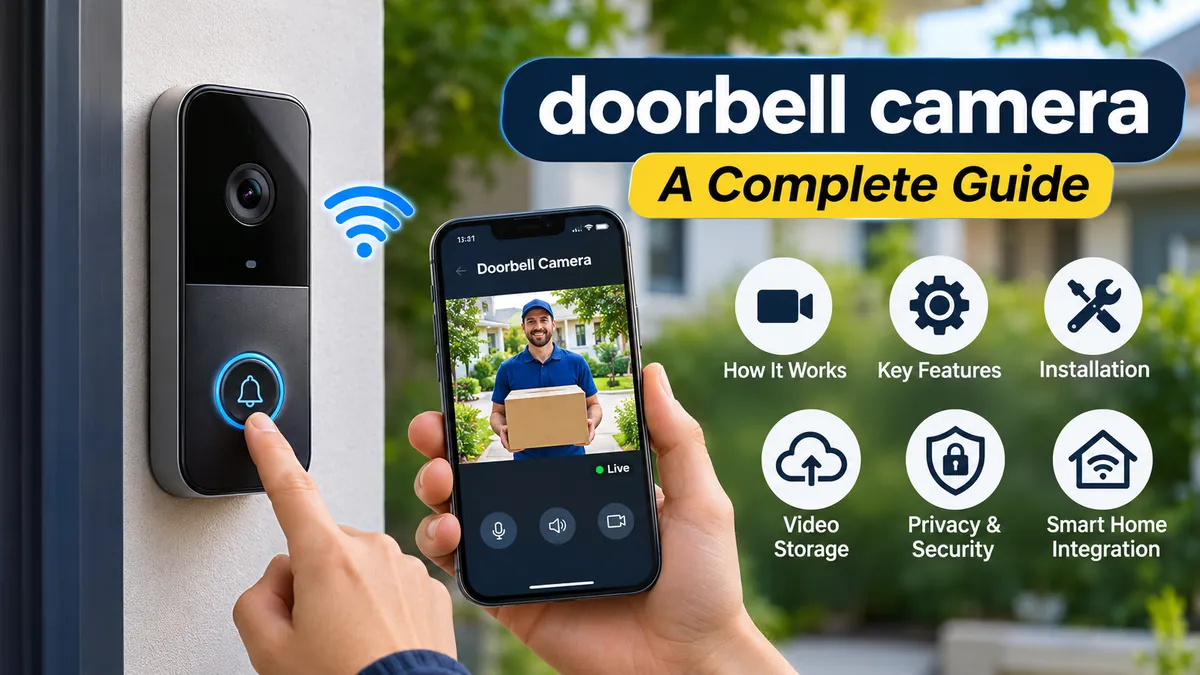

A knock at the door used to mean getting up and checking who was outside. Today, a doorbell camera lets you see visitors, receive motion alerts, and communicate with someone at your entrance—even when you’re away from home.
These devices have become a familiar part of modern home security, but their capabilities vary considerably. Some record only when motion is detected, while others support continuous recording, local storage, package detection, and integration with other smart home devices.
A doorbell camera is a video-enabled doorbell that monitors activity near an entrance using a built-in camera, microphone, speaker, and network connection. Most models send live video and notifications to a smartphone, allowing homeowners to see visitors, communicate remotely, and review recorded events. Features depend on the device, power supply, and storage plan.
Understanding how these systems operate helps you make informed decisions about home security, installation, privacy, and ongoing maintenance.
What Is a doorbell camera and How Does It Work?
A video doorbell combines a traditional doorbell button with a compact surveillance camera and smart communication technology.
When someone approaches the entrance or presses the button, the device can send an alert to a connected smartphone. Depending on its settings, it may also capture a video clip, activate an indoor chime, or begin a two-way conversation.
Main components of a video doorbell
Most devices contain several interconnected components:
- Camera sensor: Captures video of visitors and activity around the entrance.
- Microphone: Records sound and enables visitors to speak.
- Speaker: Allows someone inside the home or using a mobile app to respond.
- Motion sensor: Detects movement within a configured area.
- Wireless connectivity: Typically connects to a home Wi-Fi network.
- Doorbell button: Triggers an alert when pressed.
- Power system: Uses a rechargeable battery, existing doorbell wiring, or another supported power source.
- Storage system: Saves recordings locally or through an online service, depending on the model.
Many products also contain infrared LEDs for nighttime visibility and processors that help distinguish people, vehicles, animals, and packages.
What happens when someone approaches your door?
The process usually follows a straightforward sequence:
- A visitor enters the device’s motion detection area.
- The motion sensor or video analysis system identifies activity.
- The device sends an event notification through its network connection.
- The homeowner opens the mobile application to view the camera feed.
- If supported, the homeowner can speak to the visitor using two-way audio.
- The device saves footage according to its recording and storage settings.
The exact sequence differs between manufacturers. Some cameras begin recording before a notification appears, while others use event buffering to preserve a few seconds before motion was detected.
Can a video doorbell work without Wi-Fi?
Most mainstream smart video doorbells require Wi-Fi for remote live viewing, mobile notifications, and cloud recording.
Without an internet connection, some devices can still ring a compatible indoor chime or save footage locally. Others lose nearly all smart functionality.
A model with local recording is not automatically capable of operating completely offline. Its recording, playback, and authentication features may still depend on network services.
Types of doorbell camera Systems
Video doorbells differ primarily in how they receive power, connect to networks, and store footage.
Battery-powered video doorbells
Battery-operated models use rechargeable or replaceable batteries, making them useful where existing doorbell wiring is unavailable.
Their main advantage is installation flexibility. Many can be mounted near an entrance without connecting electrical wires.
However, battery life depends on temperature, motion frequency, recording duration, wireless signal strength, and device settings.
Busy entrances can generate hundreds of motion events, increasing power consumption.
Some battery-powered devices support trickle charging from compatible doorbell wiring, but this does not necessarily provide the same capabilities as a fully wired model.
Wired video doorbells
Wired models typically use an existing low-voltage doorbell circuit.
Because they receive continuous power, compatible devices may support longer recordings, more frequent motion monitoring, or continuous video recording.
Before installation, the existing transformer must be checked against the manufacturer’s voltage, current, and power requirements.
A wired device is not necessarily compatible with every existing chime or transformer.
Wireless versus wired connectivity
The word wireless can cause confusion because it describes different aspects of a device.
A wired doorbell camera may use electrical wiring for power while connecting wirelessly to the internet through Wi-Fi.
Similarly, a battery-powered doorbell generally uses Wi-Fi for communication, even though it has no power cable.
Some specialized systems support Ethernet or Power over Ethernet (PoE), combining network connectivity and electrical power through a compatible cable.
Comparison of common configurations
| Type | Main advantage | Main limitation |
|---|---|---|
| Battery-powered | Flexible installation | Periodic charging |
| Wired low-voltage | Continuous power | Wiring compatibility |
| PoE | Stable wired networking | Requires Ethernet infrastructure |
| Local-storage model | Greater control over recordings | Storage management |
| Cloud-storage model | Convenient remote playback | Possible subscription costs |
The best configuration depends on the building’s wiring, network infrastructure, and recording requirements rather than any single advertised feature.
Essential doorbell camera Features Explained
Not all video doorbells provide the same level of detail, responsiveness, or reliability. Understanding the specifications is more useful than comparing resolution numbers alone.
Video resolution and image quality
Common video resolutions include 1080p, 2K-class formats, and higher-resolution options.
A higher pixel count can preserve more visual detail, but resolution is only one factor affecting image quality.
Lens quality, sensor size, compression, lighting, exposure, and image processing also matter.
For example, a camera advertised as 2K may produce less usable footage in difficult lighting than a well-optimized 1080p device.
High dynamic range (HDR) can help balance bright outdoor backgrounds with darker faces near a doorway.
Field of view and aspect ratio
Field of view describes how much of the surrounding area the camera captures.
A wide horizontal view can help monitor a driveway or walkway, while a taller vertical view may be better for seeing packages placed close to the door.
Some devices use a 1:1 or 4:3 aspect ratio rather than traditional widescreen video.
This allows more of the space immediately above and below the camera to appear in the frame.
However, extremely wide-angle lenses can introduce distortion near the edges.
Motion detection and smart alerts
Basic motion detection identifies changes in the camera’s field of view or uses a passive infrared (PIR) sensor to detect changes in infrared radiation associated with movement.
More advanced systems use computer vision to classify objects.
Depending on the device, smart alerts may identify:
- People approaching the entrance
- Packages delivered or removed
- Vehicles entering a monitored area
- Animals passing through the frame
- General movement near the doorway
Object recognition is not perfectly accurate. Shadows, insects, rain, reflections, and moving vegetation can cause false alerts.
Two-way audio
Two-way communication uses the built-in microphone and speaker to support conversations between a visitor and someone using the mobile application.
Some systems also offer prerecorded quick responses.
Audio quality depends on microphone placement, wind, background noise, network latency, and speaker volume.
Full-duplex audio allows both parties to speak simultaneously, while some systems behave more like walkie-talkies.
Night vision and low-light performance
Infrared night vision uses illumination outside the visible spectrum to capture footage in darkness.
Many cameras produce black-and-white infrared footage at night.
Some models provide color night vision when sufficient ambient lighting is available, while others include visible lights to illuminate the entrance.
Infrared reflection from nearby walls, door frames, or protective covers can reduce nighttime image quality.
A properly positioned camera is often more effective than simply choosing one with a longer advertised night-vision range.
Package detection
Package detection uses image analysis to recognize parcels placed near the entrance.
This feature is particularly useful for households receiving frequent deliveries.
Its accuracy depends on camera placement, field of view, lighting, and the visibility of the delivery area.
A camera mounted too high or aimed primarily at visitors’ faces may not capture packages on the ground.
Pre-roll and continuous recording
Pre-roll recording preserves footage from moments before a detected event.
This can help explain what happened before a person pressed the doorbell or triggered a motion alert.
Continuous video recording, often called 24/7 recording, captures footage throughout the day rather than only during motion events.
Continuous recording requires compatible hardware, sufficient power, and appropriate storage capacity. It is not universally supported.
Video Storage, Subscriptions, and Recording Options
One of the biggest differences between video doorbells is what happens to recorded footage after an event.
Some devices include free local recording, while others rely heavily on subscription-based cloud storage.
Cloud video storage
Cloud storage uploads recordings to servers managed by the service provider.
This allows users to review footage remotely, even if the camera itself is stolen or damaged, provided the recording was successfully uploaded beforehand.
Potential advantages include automatic backup, convenient playback, and access from multiple authorized devices.
The limitations include recurring fees, internet dependence, retention limits, and the need to trust the provider’s security practices.
Local video storage
Local storage saves footage on hardware such as a microSD card, internal memory, network video recorder (NVR), or compatible home storage hub.
For example, certain eufy and TP-Link Tapo devices offer local recording options without requiring a cloud subscription.
Consumer Reports’ 2026 testing highlights several subscription-free models, although storage capacity and functionality vary. Consumer Reports+1
Local storage offers greater control over where recordings are kept, but it introduces other considerations. A memory card can fail, fill up, or disappear with a stolen device.
Some systems overwrite their oldest recordings automatically when storage reaches capacity.
Do doorbell cameras record all the time?
Not necessarily.
Most video doorbells use event-based recording, while continuous recording is limited to supported models and configurations.
For instance, Google’s documentation distinguishes between event video history and 24/7 recording. The battery-powered Nest Doorbell does not support continuous video history, even when connected to optional doorbell wiring. Google Home and Nest Help+1
This distinction matters because a motion-triggered device may miss activity that happens before detection begins or between recording events.
Do you need a monthly subscription?
A subscription is not universally required.
Some devices provide live viewing, doorbell notifications, and local recording without ongoing fees. Others reserve recorded video history, advanced detection, or longer retention periods for paid plans.
Common brands in this category include Ring, Google Nest, Arlo, Wyze, and eufy.
Before relying on any advertised feature, check whether it remains available without a subscription and whether the device supports the feature in your country.
How to Install a doorbell camera Correctly
Installation depends on whether the device uses a battery, existing low-voltage wiring, or a dedicated network connection.
A carefully planned installation improves both image quality and motion detection.
Step 1: Choose the mounting location
Most manufacturers recommend a mounting height around 48 inches (122 cm), although the correct position depends on the specific camera’s lens and instructions.
The camera should capture visitors’ faces while maintaining visibility of the approach to the door.
If package monitoring matters, check that the ground immediately in front of the entrance is visible.
Avoid pointing the camera directly toward intense sunlight or reflective surfaces.
Step 2: Check Wi-Fi signal strength
A reliable connection is essential for timely notifications and remote video access.
Before mounting the device permanently, test connectivity at the intended location.
Many models use 2.4 GHz Wi-Fi, while some support 5 GHz or dual-band connections.
The 2.4 GHz band often provides better range through walls, whereas 5 GHz may offer higher throughput over shorter distances.
Exterior brick, metal doors, concrete walls, and network congestion can weaken the signal.
Step 3: Prepare the power source
For a battery-powered model, charge the battery according to the manufacturer’s instructions.
For a wired model, switch off power to the relevant circuit before handling wiring and verify that it is de-energized.
Check the existing transformer and chime compatibility.
Do not assume every doorbell circuit provides the correct voltage or sufficient power.
If the wiring is unfamiliar, damaged, or connected to equipment you cannot identify, use a qualified electrician.
Step 4: Attach the mounting bracket
Use the supplied template to mark the mounting holes.
Choose anchors suitable for the surface, whether wood, masonry, or another material.
A wedge or angled mounting accessory can improve visibility when the doorbell is installed on a side wall.
Secure the bracket firmly without overtightening screws or damaging the mounting surface.
Step 5: Connect and configure the device
Follow the manufacturer’s application setup process.
Typically, this involves creating or signing into an account, connecting the doorbell to Wi-Fi, and assigning it to a home.
Configure motion zones, notifications, video settings, and any compatible indoor chime.
Enable available security protections during setup.
Step 6: Test the complete system
A successful installation should be tested under realistic conditions.
Walk toward the entrance, press the button, and confirm that notifications arrive promptly.
Check live video, two-way audio, night vision, and recording playback.
Test whether packages are visible when placed near the doorstep.
Also confirm that the indoor chime works as expected.
doorbell camera Privacy and Security Considerations
A camera near the front door can provide useful security information, but it also captures activity involving visitors, delivery workers, neighbors, and passersby.
Privacy should therefore be considered during installation and throughout the device’s lifetime.
Can a doorbell camera be hacked?
Like other internet-connected devices, a video doorbell can be vulnerable to compromised accounts, insecure configurations, outdated software, or flaws in the manufacturer’s systems.
That does not mean every device is easily hacked.
The actual risk depends on the product’s security architecture, update support, account protection, and user settings.
The Federal Trade Commission recommends checking for encryption and other security features when choosing connected cameras. Consumer Advice
Practical ways to secure a video doorbell
Several measures can reduce avoidable risks:
- Use a strong, unique password for the camera account.
- Enable multi-factor authentication where available.
- Install firmware and mobile application updates promptly.
- Protect the home router with current Wi-Fi security settings.
- Review which household members and third-party applications have access.
- Disable unnecessary account sharing or integrations.
- Choose a manufacturer with a clear software update policy.
- Review the company’s data retention and video-sharing policies.
Avoid sharing recorded clips publicly unless there is a legitimate reason to do so.
Are doorbell cameras legal?
In many jurisdictions, recording activity around a home’s entrance is permitted, but privacy and audio-recording laws vary by country, state, and municipality.
Video recording and audio recording may be governed by different rules.
Some locations have specific consent requirements for recording conversations.
A camera should be positioned to avoid unnecessarily monitoring neighbors’ private spaces, such as bedroom windows or enclosed gardens.
Apartment buildings, rental properties, and homeowners associations may also have installation rules.
The legal position should be checked locally rather than assuming that ownership of a doorway automatically permits every form of recording.
Facial recognition and visitor identification
Some advanced devices can recognize familiar faces or identify previously recorded visitors.
These features may use biometric information, raising additional privacy concerns.
False matches can occur, particularly with poor lighting, unusual camera angles, or incomplete reference images.
Facial recognition should not be treated as definitive proof of someone’s identity.
Smart Home Integration and Everyday Uses
A video doorbell can operate independently, but compatible smart home systems can expand how notifications and video feeds are accessed.
Compatibility with smart home platforms
Some doorbells integrate with Amazon Alexa, Google Home, or Apple Home.
Depending on the exact device and platform, supported functions may include announcing visitors through a smart speaker, showing live video on a smart display, or including doorbell activity in home automations.
Compatibility is not universal.
Support for live video does not necessarily mean support for recording history, two-way communication, or every advanced alert.
The Matter ecosystem aims to improve interoperability between compatible smart devices, but a Matter label alone does not guarantee full video doorbell camera support.
Always verify the particular model’s supported features.
Monitoring package deliveries
A camera with a suitable vertical field of view can help identify when a parcel arrives.
Some devices send a dedicated package alert rather than a generic motion notification.
However, a camera cannot physically prevent package theft.
Its practical value lies in awareness, communication, and preserving useful footage when an event is captured.
Responding to visitors remotely
Remote communication can be useful when a homeowner is working, traveling, or unable to reach the entrance.
A visitor can press the doorbell and receive a spoken response through the device’s speaker.
For safety, avoid revealing unnecessary personal information or confirming that the property is unoccupied to an unknown visitor.
Using a video doorbell with an indoor chime
Not everyone wants to rely exclusively on smartphone alerts.
Many devices support a compatible mechanical chime, digital chime, plug-in wireless chime, or smart speaker announcement.
Compatibility should be verified before installation.
A wired camera does not automatically support an existing chime simply because the electrical connections fit.
Common doorbell camera Problems and Troubleshooting
Even well-installed video doorbells can experience connection failures, delayed notifications, and inconsistent recording.
Most common problems involve power, Wi-Fi connectivity, software settings, or camera positioning.
Doorbell camera is offline
An offline message generally indicates that the device cannot communicate with its network or service.
Possible causes include:
- Weak Wi-Fi coverage
- Router or internet outages
- Low battery charge
- Inadequate transformer power
- Temporary service interruptions
- Firmware or configuration problems
Begin by checking whether other devices can access the internet.
Then confirm that the doorbell has power and that its network settings are correct.
If the issue continues, follow the manufacturer’s recommended restart and reconnection procedures.
Motion detection is not working
If the camera misses visitors, inspect its detection settings and physical position.
The sensitivity may be too low, or an activity zone may exclude the entrance path.
Some devices also apply cooldown periods between motion events to conserve battery power.
Test motion detection by approaching from different directions and reviewing which movements trigger alerts.
Too many false motion alerts
Frequent alerts can result from moving tree branches, passing vehicles, shadows, or animals.
Reduce unnecessary notifications by adjusting activity zones and sensitivity.
Where supported, person-only notifications may reduce irrelevant events.
Be careful not to make detection settings so restrictive that genuine visitors are missed.
Battery drains too quickly
Battery performance is influenced by more than the number of doorbell presses.
Cold weather, weak Wi-Fi, frequent motion recording, and extended live viewing can increase energy consumption.
Reducing unnecessary alerts and recording duration may help.
Ring’s support documentation, for example, explains that shorter recording lengths generally extend battery life on battery-powered devices. Ring
If battery life declines sharply, check the battery’s condition and the manufacturer’s operating temperature recommendations.
Video is blurry or delayed
Blurry footage can result from a dirty lens, condensation, poor lighting, or compression artifacts.
Clean the lens gently using the recommended method and inspect the camera housing for moisture.
Delayed live video is more commonly associated with network congestion, weak connectivity, or processing latency.
A higher-resolution setting can increase bandwidth requirements, so reducing video quality may sometimes improve responsiveness.
Night vision appears washed out
Infrared light can reflect from nearby walls, door frames, or objects close to the lens.
This may create bright areas that obscure visitors.
Adjusting the camera angle or moving it away from reflective surfaces can improve nighttime visibility.
How to Evaluate a doorbell camera for Different Homes
There is no single configuration that suits every entrance.
The most useful approach is to identify which capabilities are genuinely needed and which limitations would affect daily use.
| Situation | Features worth prioritizing |
|---|---|
| Apartment or rental | Battery power, removable mounting options, privacy zones |
| House with existing doorbell wiring | Transformer compatibility, wired power, chime support |
| Frequent package deliveries | Head-to-toe video, package detection, vertical field of view |
| Poor outdoor Wi-Fi coverage | Reliable 2.4 GHz connectivity, stronger network coverage |
| Limited internet bandwidth | Adjustable video quality, efficient event recording |
| Preference for local data control | Local storage, clear privacy controls |
| Continuous monitoring requirement | Supported 24/7 recording and suitable storage |
| Smart home setup | Verified compatibility with existing devices |
What matters more than video resolution?
Resolution receives considerable attention, but several other factors may have a greater impact on everyday performance.
Notification speed determines how quickly someone can respond to a visitor.
A well-designed field of view determines whether important activity is captured at all.
Reliable motion detection reduces missed events and unnecessary alerts.
Security updates and transparent data handling affect long-term privacy.
Recording availability matters because a live feed alone may not preserve evidence of an incident.
Independent testing is useful here. Consumer Reports evaluates video doorbells across areas including video quality, data security, privacy, response times, and smart features rather than relying on advertised resolution alone. Consumer Reports
How much internet bandwidth does a video doorbell need?
Bandwidth requirements vary by model, resolution, compression method, and recording behavior.
A high-resolution live stream generally requires more upload capacity than a lower-resolution stream.
However, the camera’s available Wi-Fi signal and the household’s internet upload speed are separate factors.
A fast broadband connection cannot fully compensate for a weak wireless signal at the front door.
For reliable performance, compare the manufacturer’s recommended upload speed with the connection available at the installation location.
How long does a doorbell camera last?
The usable lifespan depends on environmental exposure, battery degradation, hardware quality, and software support.
Outdoor electronics must withstand heat, cold, moisture, dust, and sunlight.
Weather resistance ratings, including relevant IP classifications, help describe protection against dust and water, but they do not make every device suitable for every climate.
Software support is equally important. A physically functioning camera may become less secure or lose compatibility if its manufacturer stops providing necessary updates.
A device’s long-term value therefore depends on both hardware durability and ongoing service support.
Limitations of Video Doorbell Security
A doorbell camera can improve awareness around an entrance, but it should not be mistaken for a complete home security system.
It monitors a limited field of view and cannot reliably capture every event around a property.
Someone approaching from outside the detection area may not appear on video.
An internet outage may interrupt notifications or remote viewing.
A power failure can disable wired models without backup power, while a depleted battery can stop a wireless model from operating.
Some cameras retain limited footage during temporary connectivity outages. For example, Google documents offline event buffering for certain Nest devices, but this capability is model-specific and does not guarantee uninterrupted recording. Google Home and Nest Help
Video footage can help document an incident, but it does not guarantee that theft, vandalism, or unauthorized entry will be prevented.
Physical security measures such as appropriate locks, lighting, secure doors, and sensible package delivery arrangements remain valuable.
Conclusion
A doorbell camera combines visitor communication, motion monitoring, and video recording in a single entrance-mounted device. Its usefulness depends on more than image resolution or the number of advertised smart features.
Power reliability, camera positioning, network coverage, storage options, privacy protections, and software support all influence how well it performs.
Battery-powered models offer installation flexibility, while wired systems can provide more consistent power and, on supported devices, advanced recording capabilities. Cloud and local storage each have advantages and trade-offs.
The most effective next step is to assess the entrance itself: check the available wiring, Wi-Fi coverage, lighting, viewing angle, and privacy requirements. Those practical details will determine which doorbell camera capabilities are genuinely useful for the property.
