
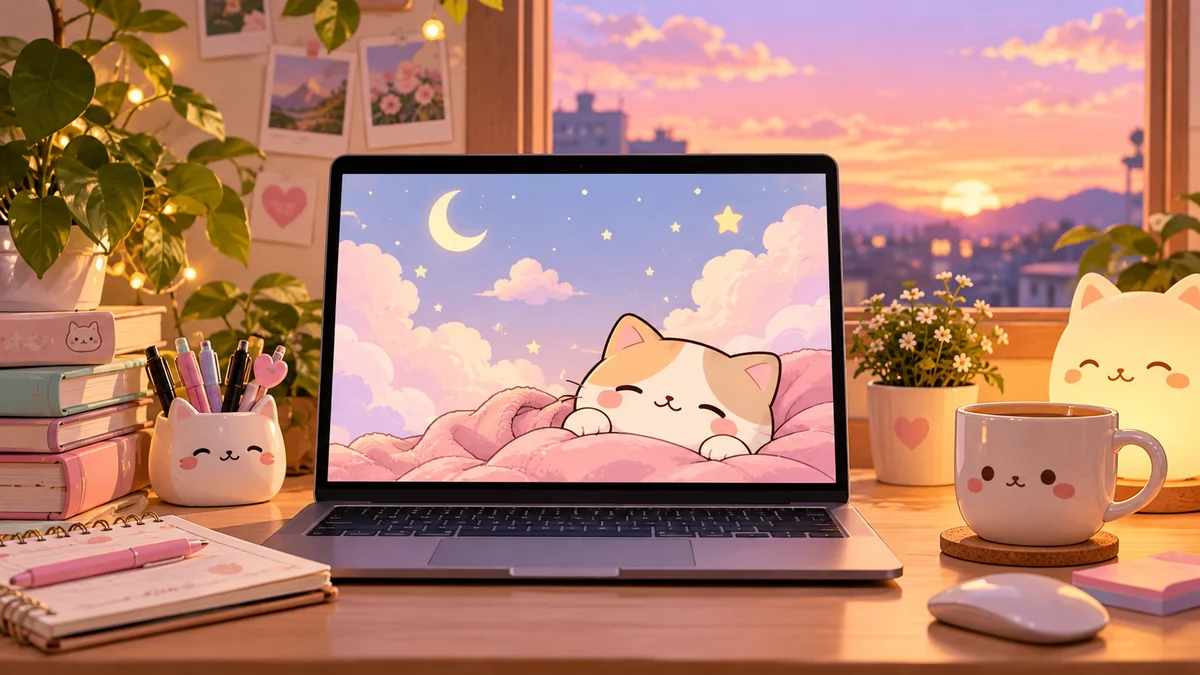

A plain desktop can make even a new computer feel surprisingly dull. A well-chosen background adds personality without changing anything about the device itself.
Cute wallpapers for computer are desktop background images built around cheerful, cozy, playful, or aesthetically pleasing designs. Popular styles include pastel illustrations, kawaii characters, cats, flowers, clouds, bows, nature scenes, minimalist patterns, and organized desktop layouts. For the clearest result, choose an image that matches your display’s resolution and aspect ratio.
Current wallpaper collections show just how broad the category has become. Cute desktop backgrounds now range from high-resolution photography and animal images to pastel illustrations, customizable templates, 4K artwork, and AI-generated designs. Wallpapers.com
What Are Cute Wallpapers for Computer?
Cute wallpapers for computer are digital images designed to serve as the background of a laptop or desktop screen while creating a friendly or visually appealing atmosphere.
“Cute” does not describe one specific visual style. It can mean a tiny illustrated bear on a cream background, a colorful group of cartoon cats, pink clouds, strawberries, flowers, a cozy bedroom illustration, or even a beautifully photographed puppy.
Popular wallpaper libraries reflect this variety. Unsplash groups cute imagery around categories such as cats, puppies, dogs, kittens, and other photographic subjects, while Canva’s current templates include bears, clouds, whales, flowers, fruit, pastel blocks, rainbows, and illustrated patterns. Unsplash
That flexibility is the main appeal: your desktop can reflect your personality without affecting how you actually use the computer.
Popular Cute Computer Wallpaper Styles
Finding the right background becomes much easier once you know which aesthetic you prefer.
Pastel Aesthetic Wallpapers
Pastel backgrounds typically use soft pink, lavender, peach, baby blue, mint, or cream.
They work especially well when you want something colorful without making desktop icons difficult to see. Simple pastel gradients, clouds, hearts, bows, stars, and flowers are common choices.
Current customizable wallpaper collections frequently feature pastel color palettes alongside playful illustrations and patterns. Canva
Cute Animal Wallpapers
Animals are one of the most recognizable cute wallpaper themes.
Popular subjects include:
- Cats and kittens
- Puppies
- Bears
- Rabbits
- Pandas
- Frogs
- Hamsters
- Owls
- Whales
Photography can create a natural look, while illustrations provide a softer kawaii aesthetic. Large wallpaper libraries such as Unsplash and Wallpapers.com maintain dedicated animal-related categories within their cute collections. Wallpapers.com
Kawaii Computer Backgrounds
“Kawaii” is associated with a Japanese aesthetic centered on cuteness. On computer wallpapers, that often translates into rounded characters, expressive faces, tiny food illustrations, clouds, stars, animals, and bright or pastel colors.
Kawaii backgrounds can be extremely detailed, but simple versions are usually easier to use on a desktop covered with shortcuts.
Cute Minimalist Wallpapers
Minimalism and cuteness work surprisingly well together.
Instead of filling every part of the screen, a minimalist wallpaper might have a tiny illustrated animal in one corner, several flowers around the border, or a simple character against a solid pastel background.
The empty space is useful because icons remain visible.
For work or study computers, this is often one of the most practical styles.
Floral and Nature Backgrounds
Flowers offer a softer alternative to cartoon-heavy designs.
Cherry blossoms, daisies, tulips, lavender, wildflowers, greenery, sunsets, clouds, and gentle landscapes can all create a cute aesthetic while retaining a more mature appearance.
Wallpapers.com’s current computer collection, for example, includes cherry blossoms alongside animals, illustrations, and other playful subjects. Wallpapers.com
Cozy Wallpapers
A cozy wallpaper usually focuses on atmosphere rather than a single object.
Think of an illustrated bedroom on a rainy evening, a warm reading corner, a coffee cup beside a laptop, a small cottage, or a peaceful desk surrounded by plants.
These designs are especially popular during autumn and winter, although neutral cozy backgrounds work throughout the year.
Cute Desktop Organizer Wallpapers
An organizer wallpaper combines decoration with designated spaces for files and folders.
A typical design might contain sections labeled for school, work, projects, personal files, or temporary downloads.
This can make the desktop look tidier, provided you actually keep the icons inside their assigned areas. Canva currently includes organizer-style desktop templates among its cute wallpaper options. Canva
How to Choose the Right Cute Wallpapers for Computer
Appearance matters, but a wallpaper also needs to work properly on your particular display.
Check Your Screen Resolution
Resolution describes the number of pixels displayed horizontally and vertically.
Common desktop and laptop resolutions include:
| Resolution | Common Name | Aspect Ratio |
|---|---|---|
| 1366 × 768 | HD | About 16:9 |
| 1920 × 1080 | Full HD | 16:9 |
| 2560 × 1440 | QHD | 16:9 |
| 3840 × 2160 | 4K UHD | 16:9 |
| 1920 × 1200 | WUXGA | 16:10 |
| 2560 × 1600 | QHD+ | 16:10 |
These are examples rather than a complete list. Always check the actual resolution configured on your device.
Wallpaper collections can contain many different dimensions. For example, current listings include Full HD, 2560 × 1440, 4K, 1920 × 1200, and other sizes. WallpaperCat
Match the Aspect Ratio
Resolution isn’t the only consideration.
A 1920 × 1080 monitor has a 16:9 aspect ratio. If you use a portrait phone wallpaper, the operating system may have to enlarge and crop it dramatically.
That can remove the cutest part of the picture or make the image blurry.
Choose a landscape image with roughly the same proportions as your screen whenever possible.
Choose a High-Resolution Image
Using an image smaller than your screen can produce visible pixelation when the operating system stretches it.
For a 1920 × 1080 display, a 1920 × 1080 wallpaper is a straightforward choice. A larger image with the same aspect ratio can also work well because the computer can scale it down.
Wallpaper sites increasingly provide very large images. Wallpapers.com, for example, currently lists cute computer backgrounds reaching 6353 × 4235, while WallpaperCat includes numerous 3840 × 2160 4K options. Wallpapers.com
Think About Your Desktop Icons
A wallpaper can look beautiful in a gallery and terrible behind 30 shortcuts.
If most of your icons sit on the left side, choose a composition that leaves that area relatively simple. Keep the main character, text, or visual subject toward the center or right.
For a heavily used computer, negative space matters almost as much as resolution.
Consider Text Readability
Busy backgrounds can make file names difficult to read.
This is particularly noticeable with:
- Detailed collages
- High-contrast patterns
- Text-heavy designs
- Dense floral artwork
- Bright multicolored illustrations
A slightly simpler wallpaper often looks better once icons, widgets, and the taskbar are layered over it.
Cute Wallpapers for Different Aesthetics
Your preferred aesthetic can narrow thousands of options into a manageable selection.
| Aesthetic | Typical Elements | Overall Feel |
|---|---|---|
| Kawaii | Characters, animals, food, hearts | Playful |
| Pastel | Pink, lavender, blue, cream | Soft |
| Minimalist | Simple shapes, lots of empty space | Clean |
| Cozy | Rooms, books, coffee, warm lighting | Comfortable |
| Floral | Flowers, plants, botanical drawings | Gentle |
| Nature | Clouds, landscapes, animals | Relaxing |
| Retro | Checkers, flowers, vintage graphics | Nostalgic |
| Desktop organizer | Boxes, labels, calendars | Practical |
You don’t have to stay within one category. A pastel kawaii wallpaper or minimalist floral design can combine multiple aesthetics without becoming visually overwhelming.
Where to Find Cute Computer Wallpapers
Several established platforms currently provide cute desktop images or customizable templates.
Unsplash
Unsplash is particularly useful if you prefer photography. Its cute wallpaper collections include animals and other high-resolution photographic subjects, while its desktop-specific search also surfaces digital artwork and aesthetic backgrounds. Unsplash
Pixabay
Pixabay has a large searchable collection of cute desktop images, including photos, illustrations, and other royalty-free visual assets. Its current search results contain tens of thousands of images related to cute desktop wallpaper. Pixabay
Canva
Canva is more useful when you want to customize the design rather than simply download an existing picture.
Its cute desktop collection currently contains thousands of templates, including bears, clouds, flowers, colorful cats, motivational designs, organizers, and pastel illustrations. Designs can be personalized with text, fonts, icons, images, grids, and frames before being downloaded. Canva
Adobe Express
Adobe Express similarly provides editable desktop wallpaper templates. Its current cute collection includes hundreds of templates and supports customization of visual elements, palettes, typography, and imagery. Adobe
Wallpaper Libraries
Dedicated wallpaper websites can be useful when you already know the theme and resolution you want.
Current collections on Wallpapers.com, WallpaperCat, Zedge, and WallpaperSafari cover everything from cute animals and flowers to cartoons, kawaii imagery, and 4K computer backgrounds. Wallpapers.com
Before using any downloaded image beyond personal desktop use, check its licensing terms. “Free to download” does not automatically mean an image can be redistributed, sold, or incorporated into a commercial product.
How to Make Your Own Cute Computer Wallpaper
Sometimes the easiest way to get exactly what you want is to create it yourself.
You don’t necessarily need professional graphic-design experience.
Start With the Correct Canvas Size
Find your computer’s native display resolution first.
If your screen is 1920 × 1080, for example, creating the wallpaper at that exact size gives you a predictable 16:9 canvas.
Pick a Simple Color Palette
Choose two to four complementary colors.
For a cute aesthetic, common combinations include:
- Pink and cream
- Lavender and white
- Sage green and beige
- Peach and pale yellow
- Baby blue and soft pink
- Brown and warm cream
Restricting the palette helps the wallpaper feel intentional rather than chaotic.
Add a Main Theme
Next, choose a subject.
It could be a bear, cat, flowers, stars, cherries, strawberries, clouds, books, tiny planets, mushrooms, or a cozy room.
Try to keep important artwork away from areas filled with desktop icons.
Add Personal Elements Carefully
You can personalize the wallpaper with your name, a short quotation, calendar, goals, or labeled organization areas.
Avoid adding too much text. Remember that your operating system will already place icons and interface elements over the design.
Canva and Adobe Express both currently offer editable templates for this approach. Canva
Can AI Generate Cute Wallpapers?
Yes. Generative image tools can create backgrounds from text descriptions, making it possible to specify a precise subject, palette, mood, and composition.
For example, instead of searching endlessly for a suitable bunny background, you could describe a scene involving a small illustrated bunny, pastel stars, a lavender sky, and plenty of empty space for desktop icons.
Adobe Firefly currently provides a dedicated workflow for generating cute desktop wallpapers. Its tools allow users to describe colors, characters, themes, and moods, refine generated results, change aspect ratios, upscale images, and download the final background. Adobe
When generating a wallpaper, include four things in the description: subject, visual style, color palette, and screen layout.
For example:
A tiny kawaii cat sitting beneath pastel clouds, soft pink and lavender palette, minimalist illustration, wide desktop composition, clean empty space on the left for icons.
That final composition instruction is easy to overlook but makes a significant difference when the finished image becomes an actual desktop background.
How to Set a Cute Wallpaper on Windows
Once you’ve downloaded the image, setting it as your background takes only a few steps.
- Save the wallpaper somewhere you won’t accidentally delete it.
- Open Windows Settings.
- Go to Personalization.
- Select Background.
- Choose Picture.
- Browse for your downloaded image.
- Select the preferred fit option.
Windows provides different fitting behaviors depending on the version and configuration of the operating system. If a wallpaper looks awkward, experiment with the available fit options rather than immediately searching for another image.
The most common problem is cropping, which usually indicates that the wallpaper’s aspect ratio does not match the display very well.
How to Set a Cute Wallpaper on Mac
On macOS, save the image locally and open the wallpaper controls in System Settings.
Choose the downloaded image as your desktop background and review how it appears across the screen.
Again, image proportions matter. A wallpaper designed for a wide 16:9 display may crop differently on a Mac with another aspect ratio.
If the main subject keeps disappearing near an edge, look for another version of the image or create a custom crop.
Static vs. Animated Cute Wallpapers
Most cute wallpapers are ordinary JPG, PNG, or similar static images, but animated desktop backgrounds are another option.
Animated designs can feature falling rain, moving clouds, glowing lights, floating particles, or subtle character movements.
They create a more dynamic desktop, but there are trade-offs.
Static wallpapers require virtually no ongoing visual processing once displayed. Animated backgrounds rely on software to keep rendering movement, which can use additional system resources and potentially affect battery life on laptops.
For everyday productivity, a high-quality static wallpaper is usually the simpler option.
JPG, PNG, or Other Formats?
JPG and PNG are among the most common formats for downloaded desktop backgrounds.
JPG works particularly well for photographs and detailed imagery because it can provide relatively small file sizes.
PNG can preserve crisp edges and is useful for illustrations, typography, flat graphics, and designs where image clarity is especially important.
Canva currently supports downloading customized desktop designs in JPG or PNG, while Adobe Firefly’s cute wallpaper workflow describes high-resolution PNG downloads. Canva
For ordinary desktop use, either format can look excellent if the source image has sufficient resolution.
Common Wallpaper Mistakes to Avoid
The biggest mistake is choosing entirely by appearance.
A beautiful image can still make a poor desktop wallpaper.
Using a Phone Wallpaper on a Computer
Phone wallpapers are usually portrait-oriented, while desktop monitors are generally landscape-oriented.
Stretching one across a computer display can result in severe cropping or distortion.
Downloading Tiny Images
An image might look perfectly sharp as a small online preview but become blurry when expanded across a large monitor.
Check the actual pixel dimensions before downloading whenever the website provides them.
Ignoring Icon Placement
If the wallpaper’s main character is directly beneath your folders, the desktop will feel cluttered.
Choose backgrounds with useful negative space.
Choosing Excessively Busy Designs
Highly detailed patterns can compete visually with desktop icons, widgets, folders, and taskbars.
Cute does not have to mean crowded.
Ignoring Image Rights
Wallpaper platforms have different licensing rules.
Personal desktop use and commercial reuse are not necessarily covered by the same permissions. Always review the source’s current license if you plan to republish, redistribute, modify commercially, or sell an image.
How to Keep a Cute Desktop Looking Clean
The wallpaper is only half of the visual setup.
Start by deleting unnecessary shortcuts and grouping related files into folders. Keep frequently used applications pinned to the taskbar or Dock instead of covering the desktop with shortcuts.
Then choose a wallpaper whose visual weight sits away from your primary icon area.
If you like having many files visible, try a desktop organizer background. If you prefer a nearly empty desktop, a centered illustration or scenic photograph can work beautifully.
You can also rotate wallpapers seasonally: cherry blossoms for spring, bright fruit or beach illustrations for summer, warm cozy scenes for autumn, and snowy pastel backgrounds for winter.
The result feels fresh without requiring any major customization.
Final Thoughts on Cute Wallpapers for Computer
The best cute wallpapers for computer combine personality with practical desktop design. Pastel illustrations, kawaii characters, animals, flowers, cozy scenes, minimalist graphics, and organizer backgrounds can all work—the right choice depends on your taste and how you use your screen.
Start by checking your display resolution and aspect ratio. Then choose a high-resolution landscape image with enough empty space for icons. If existing designs never feel quite right, customize a template or generate your own background around your preferred colors and theme.
A cute wallpaper is a small change, but because your desktop is something you see repeatedly throughout the day, choosing one that is both attractive and usable can make the whole computer feel more personal.
