
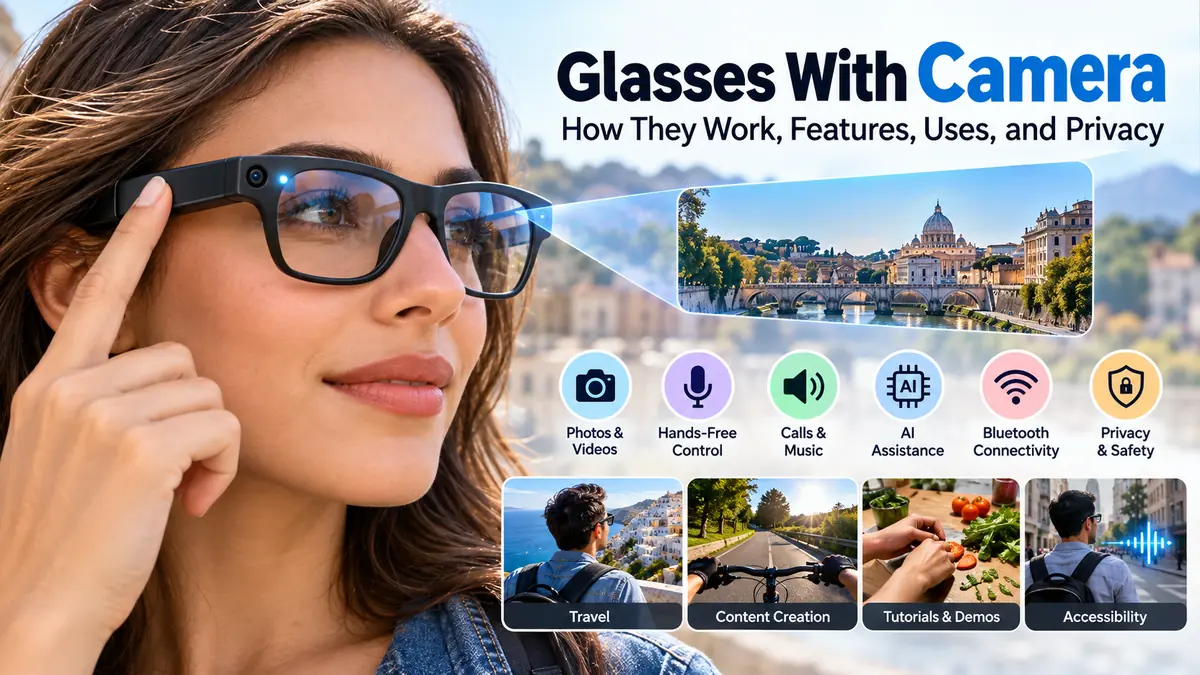

Glasses with camera technology have moved far beyond the bulky wearable gadgets of the past. Modern models can look surprisingly similar to ordinary prescription glasses or sunglasses while capturing photos and point-of-view video without requiring you to hold a smartphone.
Glasses with camera are wearable eyeglasses or sunglasses with a miniature digital camera built into the frame. They can capture first-person photos and videos, while advanced smart glasses may also include microphones, open-ear speakers, Bluetooth, voice controls, artificial intelligence, wireless connectivity, and smartphone synchronization.
That combination makes camera glasses useful for travel, hands-free recording, accessibility, everyday memories, and certain professional applications. At the same time, their discreet design creates important questions about privacy, consent, data handling, battery life, and recording quality.
What Are Glasses With Camera?
Glasses with camera are wearable devices that incorporate one or more cameras into an eyeglass frame. Instead of holding a phone or action camera in front of you, the camera records approximately from your natural viewing perspective.
This first-person or POV perspective is one of their defining features.
Some products are essentially straightforward wearable cameras. Others belong to the broader category of smart glasses, combining imaging hardware with microphones, speakers, Bluetooth, Wi-Fi, smartphone apps, voice assistants, or AI.
The distinction matters because having a camera does not automatically mean a pair of glasses has every smart feature.
A basic model might offer:
- Photo capture
- Video recording
- Internal storage
- USB or wireless file transfer
More sophisticated smart glasses may add:
- Open-ear speakers
- Multiple microphones
- Voice commands
- Bluetooth connectivity
- Wi-Fi
- Phone calls
- Music playback
- Live streaming
- AI-powered visual assistance
- Translation
- Smartphone notifications
- Prescription lens compatibility
For example, current Ray-Ban Meta models demonstrate how sophisticated this category has become. Some versions use a 12 MP ultra-wide camera and support high-resolution photographs and video recording up to 3K, alongside microphones, speakers, wireless connectivity, and AI functionality. Ray-Ban
Camera-equipped glasses should therefore be understood as a product category rather than a single type of device.
How Do Glasses With Camera Work?
At their core, camera glasses operate much like a tiny digital camera integrated into something you wear on your face.
The frame contains several miniature electronic components.
| Component | What It Does |
|---|---|
| Camera sensor | Captures photographs and video |
| Lens | Directs light onto the image sensor |
| Processor | Processes images, video, and device commands |
| Microphone | Records sound and enables voice commands |
| Internal storage | Temporarily or permanently stores recordings |
| Battery | Powers the electronics |
| Bluetooth/Wi-Fi | Connects glasses to phones or networks |
| Speakers | Provide calls, music, or spoken responses |
| Status LED | May indicate that recording is occurring |
| Physical controls | Start recordings or operate other functions |
When you press a capture button or issue a supported voice command, the camera sensor records what is roughly in front of you.
Because the camera sits close to eye level, the resulting footage can feel much more natural than video recorded from a handheld phone.
Where is the camera located?
The exact position varies by manufacturer.
A miniature camera is usually integrated into the front corner of the frame. Manufacturers try to keep the camera small enough that it does not substantially change the appearance or balance of the glasses.
Other components can be distributed throughout the temples.
This design presents an engineering challenge: manufacturers have to fit cameras, processors, batteries, antennas, microphones, speakers, and controls into a frame that still needs to be comfortable enough to wear.
How do you take a photo?
Controls depend on the product.
Common methods include pressing a physical capture button, tapping the frame, or using a voice command.
Physical controls can be particularly useful when you want predictable operation without repeatedly taking out your phone.
Voice control can make the experience even more hands-free, although it may be less suitable in quiet environments or places where speaking commands feels awkward.
Where are photos and videos stored?
Storage architecture differs significantly between products.
Some glasses include internal flash memory. Others depend heavily on a companion smartphone application.
For Meta’s AI glasses, photos and videos captured for the user’s gallery can initially be stored on the glasses and subsequently imported to a connected phone. About Facebook
When evaluating any camera glasses, check whether recordings remain locally stored, automatically synchronize with another device, or can be uploaded to cloud services.
That distinction can have significant privacy implications.
Camera Glasses vs Smart Glasses: What Is the Difference?
People frequently use “camera glasses” and “smart glasses” interchangeably, but they do not necessarily describe the same thing.
Camera glasses describe eyewear containing a camera.
Smart glasses describe connected eyewear with computing or digital functionality. A smart-glasses product might contain a camera, but a camera is not mandatory.
In fact, some current smart glasses deliberately omit the camera while retaining features such as open-ear audio and AI assistance. Ray-Ban’s current product lineup, for example, includes camera-equipped models as well as an audio-only version without a camera. Ray-Ban
Another distinction involves displays.
Many camera glasses do not project information onto the lenses. You simply look through them as you would normal eyewear while the camera records from the frame.
Other advanced smart glasses incorporate an in-lens display, creating a substantially different experience.
So three categories can overlap:
Camera glasses: eyewear primarily built around hands-free image and video capture.
Audio/AI smart glasses: connected eyewear featuring microphones, speakers, assistants, or AI but potentially no camera.
Display smart glasses: eyewear capable of presenting digital information within the user’s field of view.
Understanding these differences prevents a common mistake: assuming every pair of smart glasses provides augmented-reality visuals.
What Can Glasses With Camera Do?
The primary advantage is straightforward: they allow you to capture what you are seeing while keeping your hands free.
Modern devices can extend far beyond simple recording.
Hands-free photography
Imagine walking through a market, hiking along a trail, cooking, or working on a project.
With conventional photography, you have to reach for your phone, unlock it, open the camera, frame the shot, and press the shutter.
Camera glasses reduce that friction.
That can make spontaneous moments easier to capture.
First-person video recording
POV video is particularly suited to wearable cameras because the lens approximately follows the direction your head is facing.
Potential applications include:
- Travel diaries
- Walking tours
- Cycling footage where appropriate and safe
- Cooking demonstrations
- Craft tutorials
- Outdoor activities
- Behind-the-scenes content
- Work demonstrations
- Everyday memories
However, head movement can make footage less stable than expected. Stabilization therefore matters considerably when evaluating video quality.
Audio recording
Many modern models incorporate microphones.
More sophisticated devices use microphone arrays rather than one microphone. These can help with voice commands, calls, environmental audio, and video sound.
Current Ray-Ban Meta models, for example, combine their camera system with multi-microphone arrays and open-ear speakers. Ray-Ban
Calls and music
Camera-equipped smart glasses may double as wireless audio devices.
Open-ear speakers direct sound toward your ears without requiring conventional earbuds. Depending on the model, you may be able to listen to music, hear navigation or AI responses, and make phone calls.
Because the ears remain relatively open to environmental sounds, the experience differs from wearing sealed headphones.
AI visual assistance
One of the biggest changes in camera glasses is the integration of multimodal artificial intelligence.
A camera can function not merely as a recording device but as an input for an AI system.
Depending on the device and supported services, visual AI may help interpret objects, text, landmarks, or scenes in front of the wearer.
Some systems also provide translation-related functionality. Current Ray-Ban Meta products, for instance, advertise multimodal AI and translation capabilities on compatible camera-equipped models. Ray-Ban
Availability can vary by device, language, account, software version, and region.
Why Would Someone Use Glasses With Camera?
The biggest practical advantage is not necessarily image quality.
It is perspective and convenience.
A phone can usually provide an excellent camera, but it has to be deliberately taken out and pointed toward something. Camera glasses are already positioned close to your line of sight.
Travel
Travel is an obvious application.
A person walking through an unfamiliar city can capture short POV clips without constantly looking through a smartphone screen.
That can make documenting an experience feel less disruptive.
Content creation
First-person footage has become useful for social media, tutorials, demonstrations, and short-form videos.
Camera glasses can provide a natural perspective that would otherwise require a head-mounted or chest-mounted action camera.
They are particularly suited to brief spontaneous clips rather than carefully composed cinematic photography.
Tutorials and demonstrations
POV recording can be valuable when demonstrating something performed with both hands.
Examples include cooking, assembling an object, drawing, repairing equipment, or showing a practical process.
Viewers see approximately what the person performing the task sees.
Accessibility
Cameras become particularly interesting when combined with artificial intelligence and audio feedback.
A camera can supply visual information to software, which may then describe or interpret aspects of the surrounding environment.
Some smart-glasses platforms have also integrated accessibility-oriented services. The current Ray-Ban Meta ecosystem, for example, lists Be My Eyes among its compatible services. Ray-Ban
These capabilities should still be evaluated according to the specific accessibility need rather than assuming they can replace dedicated assistive technology.
What Features Matter Most in Camera Glasses?
Camera resolution gets considerable attention, but megapixels alone should not determine your assessment.
Several characteristics affect the real experience.
1. Camera quality
Check both photo and video specifications.
Useful factors include:
- Sensor resolution
- Photo resolution
- Maximum video resolution
- Frame rate
- Field of view
- Image stabilization
- Low-light performance
- Exposure handling
- Video orientation
A high-resolution sensor does not automatically guarantee excellent images. Lens quality, processing, stabilization, lighting, and software matter too.
2. Video stabilization
Stabilization is especially important because your head moves constantly.
Walking footage recorded without effective stabilization can appear shaky even when you did not notice much movement while recording.
Current premium products increasingly incorporate software-based stabilization to compensate for this problem.
3. Battery life
The compact size of eyeglass frames severely limits battery capacity.
That creates one of the fundamental compromises of wearable cameras.
Manufacturers commonly quote an overall usage figure, but actual endurance depends on what you are doing. Continuous recording, AI processing, calls, music, wireless transfers, and frequent camera use can consume considerably more power than light usage.
Charging cases have consequently become common.
For example, Ray-Ban says its Gen 2 models can provide up to eight hours of moderate use, with their charging case supplying additional power. Actual battery performance varies with usage and other conditions. Ray-Ban
4. Storage
Look at both capacity and workflow.
Ask:
- How many photos can the glasses hold?
- How much video can they store?
- Is storage expandable?
- Does content automatically transfer?
- Can files be deleted directly?
- Is a phone required?
- Is cloud storage involved?
Modern high-resolution video consumes storage quickly.
For reference, current Ray-Ban Meta Gen 3 specifications list 32 GB of memory and capacity for more than 1,000 photos or more than 100 30-second videos under the manufacturer’s stated conditions. Ray-Ban
5. Smartphone compatibility
Many smart glasses depend heavily on a companion application.
Before using a particular device, check its current operating-system requirements and whether all advertised functionality is available on your phone and in your region.
The glasses themselves may represent only half of the ecosystem.
6. Fit and comfort
This feature is easy to overlook.
Camera glasses are still glasses.
If they pinch your nose, slide down your face, feel front-heavy, or become uncomfortable after an hour, impressive technology will not make them pleasant everyday eyewear.
Weight distribution matters as much as total weight.
7. Prescription lenses
People who normally wear corrective lenses should check prescription compatibility before considering any particular smart-glasses platform.
Some camera glasses support prescription lenses, but supported prescription ranges and lens options differ.
Current Ray-Ban Meta models include prescription-compatible options alongside clear, sun, and Transitions lenses. Ray-Ban
8. Water resistance
Do not assume smart glasses can handle water like ordinary sunglasses.
Electronic components impose limitations.
An IP rating provides useful guidance, but it needs to be interpreted correctly. For example, IPX4, found on some current Ray-Ban Meta models, indicates resistance appropriate to splashing conditions under the relevant test standard; it does not make the glasses suitable for swimming or submersion. Ray-Ban
Are Camera Glasses Good for Recording Video?
They can be excellent for the right type of video.
Their strongest advantage is natural POV capture.
Their disadvantages include small sensors, limited battery capacity, heat constraints, limited storage, head movement, and less deliberate framing.
A phone or dedicated camera remains preferable when you need carefully composed footage, optical flexibility, long recording sessions, sophisticated stabilization, or maximum image quality.
Camera glasses make more sense when the moment matters more than perfect cinematography.
Consider a traveler discovering an interesting street. Taking out a camera changes the experience and may cause the moment to disappear.
With wearable glasses, a short clip can potentially be captured immediately.
That convenience is the technology’s real strength.
Do Camera Glasses Record Everything You See?
Generally, no.
Wearing camera glasses does not necessarily mean they are continuously recording.
Typically, recording begins after a button press, gesture, or supported voice command and continues according to the device’s recording settings and limitations.
Some devices provide an outward-facing status indicator when a photo or video is being captured.
Ray-Ban Meta glasses, for example, use a front-facing capture LED designed to signal to people nearby when the wearer is taking photos or recording video. About Facebook
However, camera and AI behavior can differ. Ray-Ban’s current FAQ notes that on newer models, certain camera-dependent AI functions may operate without illuminating the capture LED because the imagery is being used for the requested AI function rather than captured as gallery content. Ray-Ban
That distinction illustrates why users should understand precisely what their device is doing rather than assuming all camera activation behaves identically.
Can People Tell When Camera Glasses Are Recording?
Sometimes—but not necessarily as easily as with a smartphone.
Some manufacturers use an external LED or similar visual indicator to communicate active photo or video capture.
The effectiveness of those indicators remains part of the wider privacy debate surrounding smart glasses.
Unlike someone obviously pointing a smartphone camera, a person wearing camera glasses may simply appear to be looking in a particular direction. That makes responsible behavior especially important.
The issue has received growing regulatory and public attention. In October 2026, Reuters reported that Dutch eyewear retailer Hans Anders suspended sales of Meta’s camera-equipped glasses in the Netherlands and Belgium amid concerns about privacy and non-consensual recording. Reuters
This does not mean camera glasses are inherently being used improperly. It does show why transparency, consent, and responsible design have become central issues for the category.
Privacy and Consent With Glasses With Camera
Privacy deserves as much attention as camera resolution or battery life.
Wearable cameras introduce a social difference that conventional cameras do not: people around the wearer may not immediately realize that a camera is present.
That places greater responsibility on the user.
Ask before recording people
A useful rule is simple: treat camera glasses as a camera, not merely as eyewear.
When an identifiable person is the subject of your recording, asking permission is often the most respectful approach and may be legally necessary depending on the circumstances and jurisdiction.
Audio introduces another layer of complexity because recording-consent laws vary substantially between jurisdictions.
Avoid private and sensitive environments
Camera glasses should be treated with particular caution in places where people reasonably expect privacy.
Examples include:
- Bathrooms
- Changing rooms
- Medical environments
- Private homes
- Schools
- Workplaces with confidential information
- Gyms and locker areas
- Restricted facilities
Even where a particular recording might not violate a law, it can still violate a venue’s rules or another person’s reasonable expectations.
Recent privacy discussions around smart glasses have specifically emphasized consent and heightened caution in sensitive environments. Popular Mechanics
Laws vary by location
There is no universal rule governing every photograph, video, or audio recording made with wearable technology.
Relevant rules may depend on:
- Country
- State or province
- Public versus private property
- Reasonable expectation of privacy
- Audio recording
- Commercial use
- Publication or sharing
- Workplace policies
- Venue rules
Therefore, users should check the rules that apply where they intend to record.
Do not assume that because recording is technically possible, it is automatically legally or socially appropriate.
Are Glasses With Camera the Same as Hidden Camera Glasses?
Not necessarily.
This distinction is important.
Mainstream consumer smart glasses increasingly incorporate visible design cues or recording indicators. Their intended function is not necessarily secret surveillance.
A hidden camera, by contrast, is specifically designed or used to conceal the fact that recording equipment is present.
Using legitimate smart glasses to intentionally record someone secretly can still create serious privacy, ethical, workplace, or legal problems.
Responsible manufacturers increasingly treat visible recording indicators and privacy controls as important design features. The broader industry is also exploring stronger hardware-level privacy approaches rather than relying entirely on software indicators. Android Central
Advantages and Disadvantages of Glasses With Camera
Camera glasses solve some problems extremely well while creating new compromises.
| Advantages | Disadvantages |
|---|---|
| Hands-free recording | Privacy concerns |
| Natural first-person perspective | Limited battery capacity |
| Fast access to a camera | Smaller camera hardware than dedicated cameras |
| Easy to carry | Can feel heavier than ordinary glasses |
| Useful for spontaneous moments | Storage may be limited |
| Can include speakers and microphones | Often dependent on a smartphone app |
| AI capabilities on advanced models | Some features require internet access |
| Prescription options available on some models | Legal and social restrictions vary |
| Useful for POV tutorials | Head movement affects framing |
| Discreet everyday appearance | People may not realize a camera is present |
The strongest reason to use camera glasses is therefore not that they replace every other camera.
They provide a different method of capturing moments.
What Should You Check Before Using Camera Glasses?
A useful evaluation begins with your intended use rather than the specification sheet.
Decide what you actually want to capture
Someone recording occasional travel memories has different requirements from a creator recording frequent POV videos.
For casual photography, comfort and fast capture might matter most.
For video, stabilization, resolution, microphones, storage, and battery endurance become more important.
Check actual recording specifications
Do not evaluate a device using the photo megapixel figure alone.
A product advertised as having a high-resolution camera might record video at a substantially different resolution.
Check photo and video specifications separately.
Examine recording duration
Compact wearable hardware can impose recording limits.
If you need long uninterrupted recordings, conventional action cameras may be more appropriate.
Understand the app
Find out what happens after you capture something.
A good workflow should make importing, viewing, organizing, exporting, and deleting recordings straightforward.
Also understand what information leaves the device and whether AI features require data to be processed remotely.
Check privacy indicators
Know exactly how your glasses communicate that recording is active.
Do not cover, disable, or deliberately circumvent a recording indicator.
A visible indicator protects not only people around you but also trust in wearable technology more broadly.
Consider ordinary eyewear qualities
Technology specifications can make people forget that these products sit on the face for hours.
Evaluate:
- Frame dimensions
- Weight
- Bridge fit
- Temple length
- Lens choices
- Prescription compatibility
- Sun protection
- Comfort
- Durability
The best wearable device is one you can actually tolerate wearing.
Camera Glasses vs Smartphone vs Action Camera
Each has a different strength.
| Feature | Camera Glasses | Smartphone | Action Camera |
|---|---|---|---|
| Hands-free capture | Excellent | Limited | Excellent with mount |
| POV perspective | Excellent | Poor | Excellent |
| Convenience | Excellent | Excellent | Moderate |
| Image quality | Good on premium models | Often excellent | Excellent |
| Long recording | Limited | Better | Usually better |
| Stabilization | Model-dependent | Usually strong | Usually very strong |
| Zoom flexibility | Limited | Stronger | Limited |
| Discreet appearance | High | Moderate | Low |
| Everyday wear | Excellent | Not wearable | Requires mounting |
| Privacy visibility | Potential concern | Camera use is obvious | Usually obvious |
Camera glasses are therefore better understood as a complement to a smartphone or action camera rather than an automatic replacement.
A smartphone remains more versatile for deliberate photography.
An action camera remains better suited to many demanding outdoor and extended POV applications.
Glasses win when hands-free immediacy and natural perspective are the priorities.
How Good Is the Image Quality?
Modern camera glasses can produce surprisingly detailed photos and video, but physical size still matters.
Tiny wearable cameras have less room for large sensors, sophisticated optical systems, cooling, and large batteries than dedicated cameras.
Lighting makes a substantial difference.
Bright outdoor conditions generally give miniature camera sensors the best opportunity to produce clean footage. Difficult indoor or nighttime scenes can reveal more noise, reduced detail, motion blur, or aggressive image processing.
Premium contemporary devices are nevertheless capable of substantial resolution. Ray-Ban’s current Gen 3 specifications, for example, list 3024 × 4032-pixel still images and video modes extending to 3K Ultra HD at 30 fps. Ray-Ban
Resolution alone should not be confused with overall image quality, though.
A well-exposed and stable 1080p clip can look more useful than shaky higher-resolution footage.
How Long Does the Battery Last?
There is no single battery-life figure for glasses with camera because usage patterns vary dramatically.
Photography uses energy.
Video uses more.
Continuous audio, voice assistance, wireless connectivity, AI processing, and file transfers can further affect runtime.
Manufacturers commonly provide an “up to” figure based on particular test conditions rather than continuous camera recording.
For example, current Ray-Ban documentation distinguishes moderate use from continuous audio and voice-assistance scenarios. Gen 2 glasses are rated for up to eight hours of moderate use, while continuous audio streaming and voice assistance is rated at up to five hours. Ray-Ban
Treat advertised endurance as a reference point, not a guarantee.
For regular travelers or heavy users, the charging case can be nearly as important as the battery inside the glasses themselves.
Are Glasses With Camera Safe to Use?
For ordinary use, safety involves more than the electronics.
The main practical concern is distraction.
Do not interact with controls, notifications, AI functions, or recording features when doing so would interfere with driving, cycling, operating machinery, crossing roads, or another activity requiring full attention.
Water resistance also needs to be respected.
A splash-resistant device should not automatically be treated as waterproof.
Heat, charging, damaged batteries, and unauthorized modifications should be handled according to the manufacturer’s instructions.
Privacy is another dimension of responsible use. The ability to record something does not automatically make recording it appropriate.
The Role of AI in the Future of Camera Glasses
The most significant development in this category may not be higher camera resolution.
It is the transformation of the camera from a recording sensor into a visual input for artificial intelligence.
Traditional camera glasses follow a simple process:
See → capture → save.
AI-enabled glasses can potentially follow a different process:
See → interpret → respond.
That opens possibilities such as visual questions, translation, object identification, contextual assistance, accessibility support, and information retrieval without requiring the wearer to hold a phone.
It also increases the importance of data governance.
When an AI system interprets what the wearer sees, questions arise about where visual information is processed, what is stored, how long it is retained, and what happens to information involving people who never chose to interact with the device.
Privacy-by-design is consequently becoming an important issue in AI wearable development. TechRadar
Who Are Glasses With Camera Best For?
Camera glasses make the most sense when hands-free perspective solves a genuine problem.
They can be particularly useful for travelers wanting spontaneous POV memories, creators making first-person content, people demonstrating hands-on tasks, and users interested in supported AI or accessibility functions.
They make less sense when your priority is maximum photographic quality, long continuous video sessions, powerful zoom, professional manual camera controls, or extensive recording without frequent charging.
The right question is therefore not:
“Are camera glasses better than a phone?”
It is:
“Would being able to capture what I see without holding a camera improve what I’m trying to do?”
If the answer is yes, wearable cameras offer something a smartphone cannot reproduce quite as naturally.
Final Thoughts on Glasses With Camera
Glasses with camera technology combine ordinary-looking eyewear with a uniquely convenient first-person camera. Modern versions can go well beyond photography, adding video, microphones, open-ear speakers, Bluetooth, Wi-Fi, voice controls, smartphone integration, and increasingly sophisticated AI capabilities.
Their biggest strength is hands-free immediacy. Their biggest challenges remain battery constraints, miniature-camera limitations, fit, data handling, and privacy.
As the technology develops, image quality and AI capabilities will continue to attract attention, but responsible recording matters just as much. Before using glasses with camera, understand how the camera operates, when its recording indicator appears, where your data goes, and what consent or recording rules apply in your location. That combination of technical understanding and considerate use is what makes wearable cameras genuinely useful.
