
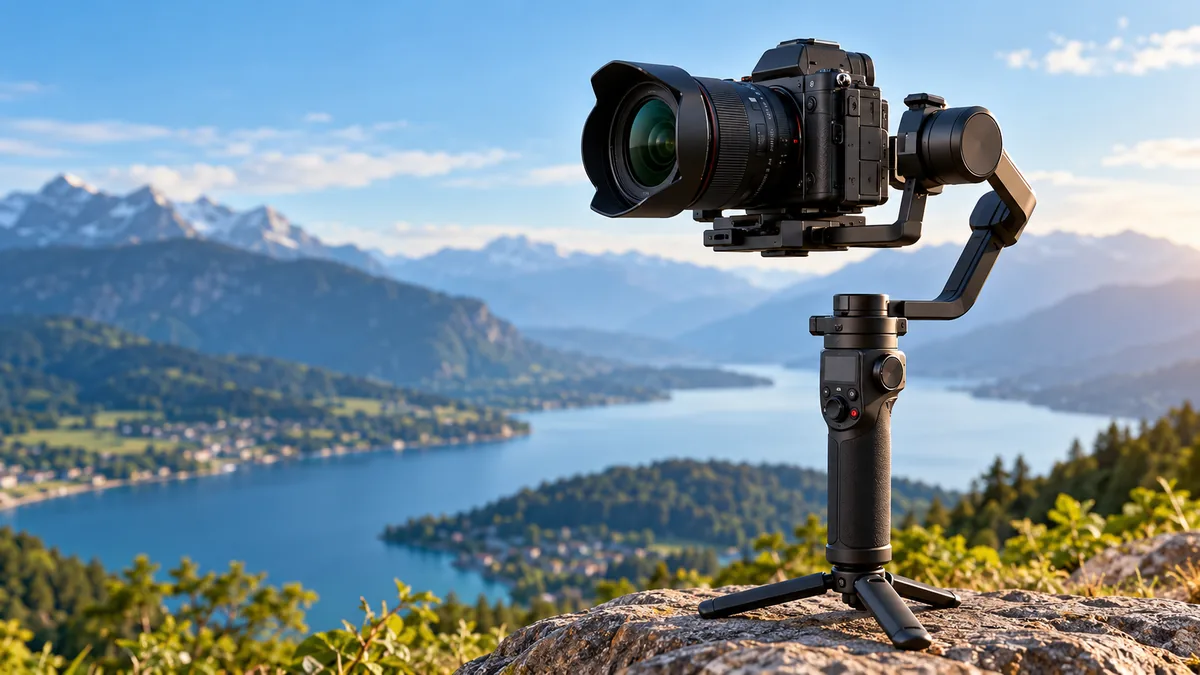

Shaky footage can make an otherwise excellent video difficult to watch. Walking, running, panning, or simply holding a camera for a long time introduces small movements that become surprisingly obvious on screen.
A gimbal camera solves much of this problem by physically stabilizing the camera as it moves. Instead of relying only on software to correct shaky footage afterward, a gimbal uses sensors, motors, and controlled movement across multiple axes to keep shots smooth and the horizon stable.
A gimbal camera is a camera system that uses a mechanical gimbal to reduce unwanted movement while recording. Most modern systems use three-axis stabilization—pan, tilt, and roll—along with gyroscopic sensors and brushless motors that detect movement and compensate for it in real time, producing smoother handheld video.
That basic idea powers everything from tiny pocket cameras and smartphone stabilizers to mirrorless-camera rigs, drones, and professional cinema systems.
What Is a gimbal camera?
The term gimbal camera is commonly used in two closely related ways.
First, it can describe a camera with a gimbal built directly into the device. Compact pocket cameras and many drone cameras use this design.
Second, people sometimes use the phrase for a conventional camera mounted on an external handheld gimbal stabilizer.
Both systems follow the same principle: allow the camera to move independently from some of the unwanted movement of the person, vehicle, or aircraft carrying it.
A conventional handheld camera tends to reproduce almost every small movement of your hands. A properly configured gimbal actively counters many of those movements.
This makes it especially useful for:
- Walking and tracking shots
- Travel videos
- Vlogging
- Documentary filming
- Weddings and events
- Real-estate walkthroughs
- Short films
- Social-media videos
- Sports and action footage
- Drone photography and videography
A gimbal does not literally stop the camera from moving. Instead, it controls how that movement reaches the camera.
That distinction explains why experienced operators can deliberately pan, tilt, orbit, or follow a subject while the footage still appears fluid.
How Does a gimbal camera Work?
Modern electronic gimbals combine motion sensors, a control system, rotating axes, and electric motors.
When you move the handle, the gimbal’s sensors detect changes in orientation. Its controller interprets that movement and tells the motors how much compensation is required.
This happens continuously while the gimbal is operating.
A simplified sequence looks like this:
- Motion sensors detect a change in the camera’s orientation.
- The gimbal controller analyzes that movement.
- Brushless motors respond by adjusting the relevant axes.
- The camera remains more stable than the operator’s hands or body.
- The process repeats continuously as movement changes.
Gyroscopes are particularly important because they help measure rotational movement. More sophisticated systems may use an inertial measurement unit (IMU) containing gyroscopes and accelerometers to understand how the camera is moving. Drone gimbals commonly rely on this type of multi-axis sensing and control.
The result is active mechanical stabilization rather than simply modifying the recorded image afterward.
Pan, Tilt, and Roll Explained
Three-axis stabilization is central to understanding a modern gimbal camera.
| Axis | Movement | Simple Example |
|---|---|---|
| Pan/Yaw | Left-to-right rotation | Turning to follow someone walking past |
| Tilt/Pitch | Up-and-down rotation | Moving from someone’s shoes to their face |
| Roll | Sideways rotation | Tilting the horizon clockwise or counterclockwise |
A 3-axis gimbal controls all three.
This is one reason three-axis designs have become common for filmmaking and content creation. They provide much greater control during complex camera movements than basic stabilization systems.
2-Axis vs 3-Axis Gimbal Camera Stabilization
Not every gimbal stabilizes the same number of axes.
2-Axis Gimbals
A two-axis system controls movement on two rotational axes.
These systems can be lighter, simpler, and potentially less power-hungry. They remain useful when the mounting platform or shooting situation already controls movement along the remaining axis.
You will still encounter two-axis designs in specialized camera systems, drones, and compact equipment.
The compromise is reduced control over complex motion.
3-Axis Gimbals
A three-axis gimbal stabilizes pan, tilt, and roll.
This configuration is much better suited to situations where both the operator and camera are moving unpredictably.
Examples include:
- Walking behind a subject
- Circling someone
- Running alongside an athlete
- Shooting from a moving vehicle
- Filming an event through a crowd
- Capturing aerial footage from a drone
For handheld filmmaking, three-axis stabilization is now the mainstream approach.
Quick Takeaway: A two-axis system may be enough for controlled applications, but three-axis stabilization provides more complete correction for handheld and dynamic video.
Main Types of gimbal camera Systems
Although the underlying idea is similar, gimbal systems vary considerably in size and purpose.
Built-In Pocket Gimbal Cameras
A pocket gimbal camera combines the imaging system and mechanical stabilizer into one compact unit.
Instead of mounting a separate camera onto a stabilizer, the lens and sensor sit directly on a miniature motorized gimbal.
The DJI Osmo Pocket line is a well-known example of this category. Current compact systems such as the Osmo Pocket 3 combine an integrated camera with mechanical three-axis stabilization.
The biggest advantage is portability.
There is usually much less balancing and assembly compared with a separate mirrorless camera and full-size stabilizer.
Smartphone Gimbals
Smartphone gimbals hold a phone inside a motorized stabilizer.
Modern examples can offer features such as:
- Subject tracking
- Automatic rotation
- Pan-follow modes
- Tripod functionality
- Gesture control
- Timelapse movement
- Vertical recording
- FPV-style movement
Some models automatically track a person while the operator moves.
The Insta360 Flow 2 Pro, for example, provides Auto, Follow, Pan Follow, FPV, and Lock modes, illustrating how modern phone gimbals combine physical stabilization with software-controlled shooting behavior.
Mirrorless and DSLR Gimbals
Larger handheld gimbals are designed to support interchangeable-lens cameras.
They use more powerful motors because the combined camera body, lens, microphone, filter, cage, or other accessories may weigh considerably more than a smartphone.
Examples include the DJI RS series and comparable stabilizers from manufacturers such as Zhiyun.
These systems provide more flexibility but require careful setup.
Drone Gimbal Cameras
A drone is constantly changing orientation due to wind, acceleration, braking, and directional movement.
Without stabilization, much of that motion would appear in the video.
Drone camera gimbals isolate the imaging system from a large portion of the aircraft’s movement. Depending on the design, they may use two or three axes and an IMU to maintain the desired camera orientation.
This allows the aircraft to change direction while the camera continues pointing smoothly toward its subject.
Professional Cinema Gimbals
Professional productions may use larger gimbals capable of supporting cinema cameras, heavy lenses, focus motors, wireless video systems, and other accessories.
Some can be operated handheld, mounted on vehicles, attached to jibs, or controlled remotely.
The basic stabilization concept remains the same, but payload capacity, motor strength, control precision, connectivity, and expandability become much more important.
Gimbal Camera vs Electronic and Optical Stabilization
One common misconception is that every type of image stabilization works in essentially the same way.
It does not.
Mechanical Gimbal Stabilization
A gimbal physically changes the orientation of the entire camera or camera module.
Its motors counter rotational movement before that movement becomes unwanted camera motion.
This makes gimbals particularly effective for deliberate movement such as walking shots, pans, reveals, and subject tracking.
Optical Image Stabilization
Optical image stabilization, commonly called OIS, typically moves elements within the lens or shifts part of the optical system to compensate for small movements.
It is particularly useful for reducing fine handheld shake.
In-Body Image Stabilization
IBIS, or in-body image stabilization, physically moves the camera sensor.
It can be extremely useful for handheld photography and video, particularly when working without external stabilization.
Electronic Image Stabilization
EIS uses digital processing.
The system analyzes the image and adjusts the recorded frame to reduce apparent movement. This may involve cropping into the image so there is room to reposition individual frames.
Which Stabilization Is Better?
There is no universal winner because these technologies solve somewhat different problems.
| Technology | Method | Particularly Useful For |
|---|---|---|
| Gimbal | Moves camera mechanically | Walking, tracking and cinematic movement |
| OIS | Adjusts optical components | Fine handheld shake |
| IBIS | Moves image sensor | Handheld camera stabilization |
| EIS | Digital frame correction | Lightweight devices and action footage |
They can also work together.
A camera may use IBIS or optical stabilization while mounted on a gimbal, although settings should be tested because aggressive stabilization systems can occasionally interact in ways that produce unnatural motion.
Why Use a gimbal camera?
The obvious benefit is smoother video, but stabilization is only part of the story.
Smoother Walking Shots
Walking creates repeated vertical and rotational movement.
A three-axis gimbal can correct much of the rotational component, making footsteps substantially less distracting.
However, it cannot completely remove the physical up-and-down displacement of your body.
That is why good gimbal technique still matters.
Controlled Camera Movement
A gimbal can transform an accidental movement into a controlled one.
Instead of suddenly jerking toward a subject, you can configure the gimbal to gradually follow your turn.
This produces natural-looking pans and reveals.
Stable Horizons
Roll correction helps prevent the horizon from constantly tilting as your hands move.
This is especially useful for landscapes, architecture, real estate, travel footage, and drone video.
Better Tracking Shots
You can walk beside, behind, or in front of a moving subject while keeping the camera relatively stable.
For independent filmmakers and small production teams, this provides a practical way to create moving shots without laying tracks for a traditional camera dolly.
Repeatable Creative Movement
Electronic gimbals can offer controlled modes for creating movements that would be difficult to reproduce consistently by hand.
Common examples include:
- Push-ins
- Pull-outs
- Orbit shots
- Low-angle tracking
- Reveal shots
- Parallax movement
- Crane-like rises
- Automated panoramas
- Motion timelapses
The benefit is therefore not simply “less shake.” A gimbal becomes a camera-movement tool.
Common Gimbal Shooting Modes
Learning the shooting modes can make a bigger difference than simply turning the stabilizer on and leaving it in its default configuration.
Pan Follow
In Pan Follow mode, the camera follows horizontal movement while other axes remain controlled.
This works well when following someone walking across a location.
Follow Mode
Follow mode usually allows more than one axis to respond to the operator.
Turn or tilt the handle and the camera follows with controlled acceleration rather than snapping immediately into position.
This can feel more natural for general filmmaking.
Lock Mode
Lock mode attempts to keep the camera pointing toward the same direction regardless of how you move the handle.
It is useful when walking past a subject or moving around while maintaining a consistent composition.
FPV Mode
FPV-style modes allow more axes to follow operator movement, including controlled roll.
The result feels more dynamic and immersive than conventional horizon-locked stabilization.
Sport or High-Response Modes
Some gimbals provide faster motor response for quick-moving subjects.
These modes can help when filming sports or action but may make slow cinematic movements harder to execute smoothly.
The exact names and behavior vary between manufacturers.
How to Set Up a Camera Gimbal Correctly
A powerful gimbal will not perform properly if the camera is badly balanced.
This is one of the most common mistakes among first-time users.
1. Assemble the Camera First
Set up the camera exactly as you plan to use it.
Install the:
- Lens
- Battery
- Memory card
- Filter
- Lens hood, if required
- Necessary cables or accessories
Changing a heavy component afterward changes the balance.
2. Check the Payload
Every camera gimbal has a supported weight range or payload specification.
Payload is not simply the weight of the camera body. You need to consider the complete mounted setup.
A large lens can also shift the center of gravity far forward even when the total mass technically falls within the gimbal’s payload rating.
3. Balance the Tilt Axis
Adjust the camera forward or backward until it can remain reasonably stable instead of immediately falling forward or backward.
Then check the vertical position where applicable.
4. Balance the Roll Axis
Adjust the camera sideways until it does not consistently fall toward one side.
5. Balance the Pan Axis
Tilt the gimbal and observe whether the pan arm swings strongly in one direction.
Adjust its position until the system is more neutral.
6. Power On and Calibrate
Only after mechanical balancing should you power up the motors.
Many modern systems provide automatic calibration or motor-strength tuning.
Follow the manufacturer’s procedure for the specific model.
Proper balancing allows the motors to operate more efficiently and can improve stability and battery performance. It also reduces unnecessary stress on the motors. Camera-gimbal guidance consistently emphasizes balancing the complete camera-and-lens combination while remaining within the manufacturer’s payload limit.
How to Use a gimbal camera for Smooth Footage
A gimbal compensates for movement, but it cannot compensate for everything.
Operator technique remains crucial.
Walk Softly
Instead of taking normal heavy steps, slightly bend your knees and move smoothly.
Many filmmakers call variations of this technique the “ninja walk.”
The objective is to reduce vertical movement before the gimbal has to deal with it.
Remember: a three-axis gimbal corrects rotation, not every centimeter of vertical displacement.
Use Two Hands When Possible
A second hand can improve control, particularly with heavier camera systems.
It also reduces fatigue during long takes.
Keep Movements Deliberate
Do not suddenly change direction unless the shot requires it.
Smooth footage starts with smooth body movement.
Adjust Follow Speed
If the gimbal responds too quickly, every small hand movement can become a visible camera movement.
For cinematic pans, slower follow speeds often create more graceful results.
Fast action may require higher responsiveness.
Practice Starts and Stops
A smooth pan can still look poor if it begins or ends abruptly.
Accelerate gradually, maintain the movement, and decelerate before stopping.
Think of the movement as having three stages:
- Ease in.
- Maintain.
- Ease out.
This simple technique often improves footage more than changing hardware.
Best gimbal camera Movements to Learn
Once basic operation feels natural, several movements can dramatically expand what you can shoot.
The Follow Shot
Walk behind your subject while maintaining a consistent distance.
This is one of the easiest ways to practice stabilization.
The Reveal
Start with an object blocking the subject, then move sideways or forward until the subject becomes visible.
The foreground creates depth and makes the camera movement feel intentional.
Push-In
Move slowly toward the subject.
A push-in naturally directs the viewer’s attention toward whatever is in the center of the composition.
Pull-Out
Start close and move backward.
This can gradually reveal the environment around your subject.
Always have someone guide you when walking backward in an unfamiliar location.
Orbit Shot
Move around a subject while keeping the camera pointed toward them.
The background changes while the subject remains relatively stable in the frame, creating a strong parallax effect.
Low-Angle Tracking
Many handheld stabilizers support an underslung or low-position configuration.
Moving close to the ground can make relatively ordinary motion feel more dramatic.
What to Look for in a gimbal camera
Even from an informational perspective, understanding the specifications helps explain why one gimbal may work well with a particular setup while another does not.
Payload Capacity
For an external camera stabilizer, payload compatibility comes first.
Calculate the weight of the complete camera and lens combination rather than looking only at the body.
Camera Compatibility
Physical payload capacity does not guarantee complete electronic compatibility.
Some gimbals can control:
- Record start/stop
- Autofocus
- Focus motors
- Zoom
- Camera settings
Those functions may depend on the specific camera model and connection method.
Size and Weight
A heavier gimbal can support larger equipment, but you must physically hold that combined weight.
A setup that feels comfortable for two minutes can become exhausting during a long event.
Battery Life
Electronic gimbals need power for their motors, processor, sensors, wireless features, and sometimes accessory ports.
Consider how long you normally record and whether the device supports convenient charging during longer sessions.
Quick-Release System
If you frequently switch between a tripod, handheld camera, and gimbal, an efficient quick-release plate can save considerable setup time.
Automated Tracking
Some modern smartphone and integrated-camera gimbals can identify and follow subjects.
This is particularly useful for solo creators who cannot have another person operate the camera.
Portability
A compact gimbal that actually travels with you can be more useful than a technically superior model that stays at home because it is too large.
The right system should fit the type of filming you actually do.
gimbal camera Limitations You Should Know
Gimbals produce impressive results, but they are not magic.
They Cannot Remove Every Footstep
Three-axis stabilization controls rotational motion.
Your body still moves vertically while walking.
Good technique, slower movement, and sometimes additional stabilization in post-production may still be required.
They Add Weight
A camera, large lens, gimbal, microphone, monitor, and accessories can quickly become tiring.
This is one reason compact integrated gimbal cameras are attractive for travel and casual production.
They Require Power
Unlike purely mechanical supports, motorized gimbals depend on batteries.
A depleted battery can bring a stabilized shot to an immediate end.
They Need Setup
Interchangeable-lens camera systems normally require balancing.
Changing lenses or adding a heavy accessory may mean balancing again.
Motors Have Limits
An overloaded or badly balanced system may vibrate, struggle to hold position, consume more power, or produce poor stabilization.
They Are Not Always Necessary
A tripod is often better for a completely stationary interview.
IBIS may be sufficient for gentle handheld footage.
An action camera with strong electronic stabilization may be more practical for harsh environments.
The tool should match the shot.
Quick Takeaway: Use a gimbal when controlled camera movement is important. Do not assume it replaces tripods, optical stabilization, IBIS, EIS, sliders, or good camera technique.
Gimbal Camera vs Tripod: When Should You Use Each?
A tripod and gimbal solve different problems.
A tripod attempts to keep the camera stationary.
A gimbal attempts to keep the camera stable while allowing movement.
Use a tripod when recording:
- Interviews
- Lectures
- Static landscapes
- Product demonstrations
- Long telephoto shots
- Locked-off scenes
Use a gimbal when recording:
- Walkthroughs
- Tracking sequences
- Events
- Moving subjects
- Travel videos
- Dynamic B-roll
- Cinematic reveals
Many video productions use both rather than treating them as competing tools.
Do You Need a gimbal camera If Your Camera Has IBIS?
Not necessarily.
Modern IBIS can make handheld video remarkably stable, particularly when the operator is standing still or moving gently.
A gimbal becomes more valuable when the camera itself needs to travel through space.
Imagine filming someone walking through a building.
IBIS can reduce small vibrations reaching the sensor, but it cannot completely isolate the camera from the rotational movement produced as you walk, turn corners, change direction, and follow the subject.
A gimbal is designed specifically for this kind of controlled motion.
For static or lightly handheld filming, IBIS may be all you need. For longer tracking shots and deliberate cinematic camera movement, a gimbal offers capabilities that sensor stabilization alone does not fully replace.
Are Gimbal Cameras Good for Photography?
Gimbals are primarily associated with video, but they can still help photographers in certain situations.
Motorized gimbals may assist with:
- Panoramas
- Motion timelapses
- Repeated camera positioning
- Tracking moving subjects
- Remote camera operation
- Aerial photography
However, for ordinary still photography, a tripod, monopod, or camera’s built-in stabilization is often simpler.
The strongest reason to carry a gimbal remains controlled moving video.
Common Gimbal Camera Mistakes
Several problems blamed on the hardware actually come from setup or technique.
Turning It On Before Balancing
The motors should not be expected to fight a badly positioned camera continuously.
Mechanically balance the rig first.
Exceeding Payload Limits
A gimbal rated for smaller equipment may technically move a heavier camera but perform poorly once the system becomes unbalanced or motor torque is insufficient.
Holding the Gimbal Too Rigidly
Trying to force the handle perfectly still can introduce small corrections from your hands.
Hold it securely but allow the stabilization system to do its job.
Walking Normally
The gimbal can correct rotation, but your body still rises and falls with each step.
Smooth walking technique matters.
Using the Wrong Follow Settings
Fast follow settings can make a slow cinematic shot twitchy.
Very slow settings can make sports footage feel unresponsive.
Match the settings to the movement.
Ignoring the Horizon
Even stabilized footage can develop a slight horizon offset because of calibration, balance, or setup issues.
Check the horizon before an important take.
How to Get More Cinematic Results
Smooth footage alone does not automatically look cinematic.
The camera movement needs a reason.
Before recording, ask what the movement should reveal or communicate.
If you are moving forward, what is the viewer approaching?
If you are orbiting, what does the changing background add?
If you are tilting upward, what information are you revealing?
Good gimbal footage often follows a simple principle: the movement supports the story rather than becoming the story.
Foreground objects can also improve moving shots. Passing close to a doorway, wall, tree, furniture, or another foreground element creates parallax, making the camera’s movement through three-dimensional space much more visible.
Try combining that with a clear subject and background.
Instead of merely walking forward with the camera, move past a foreground object while revealing your subject.
The hardware is doing the stabilization. Composition and timing are what make the shot memorable.
Is a gimbal camera Worth Using?
A gimbal camera is most valuable when you want the freedom of handheld filming without accepting all the shake normally associated with moving a camera.
Its biggest strength is not simply stabilization. It gives filmmakers and content creators controlled freedom of movement.
Three-axis systems use sensors, controllers, and motors to manage pan, tilt, and roll, while different follow modes determine how much of the operator’s intentional movement reaches the camera. Compact pocket systems make this technology easy to carry, while larger camera gimbals can support mirrorless and professional filmmaking setups.
The important part is knowing its limitations.
A gimbal will not automatically fix poor composition, remove every walking bounce, or turn random camera movement into a cinematic shot. Proper balancing, suitable payload capacity, calibrated motors, thoughtful settings, and smooth operator technique still matter.
Start by learning one simple follow shot. Balance the camera correctly, choose a moderate follow speed, bend your knees slightly, and walk smoothly behind a subject. Once that feels natural, practice reveals, push-ins, pull-outs, low-angle tracking, and orbit movements.
That progression will teach you what a gimbal camera actually does best: not keeping the camera completely motionless, but turning uncontrolled movement into deliberate, smooth visual storytelling.
