
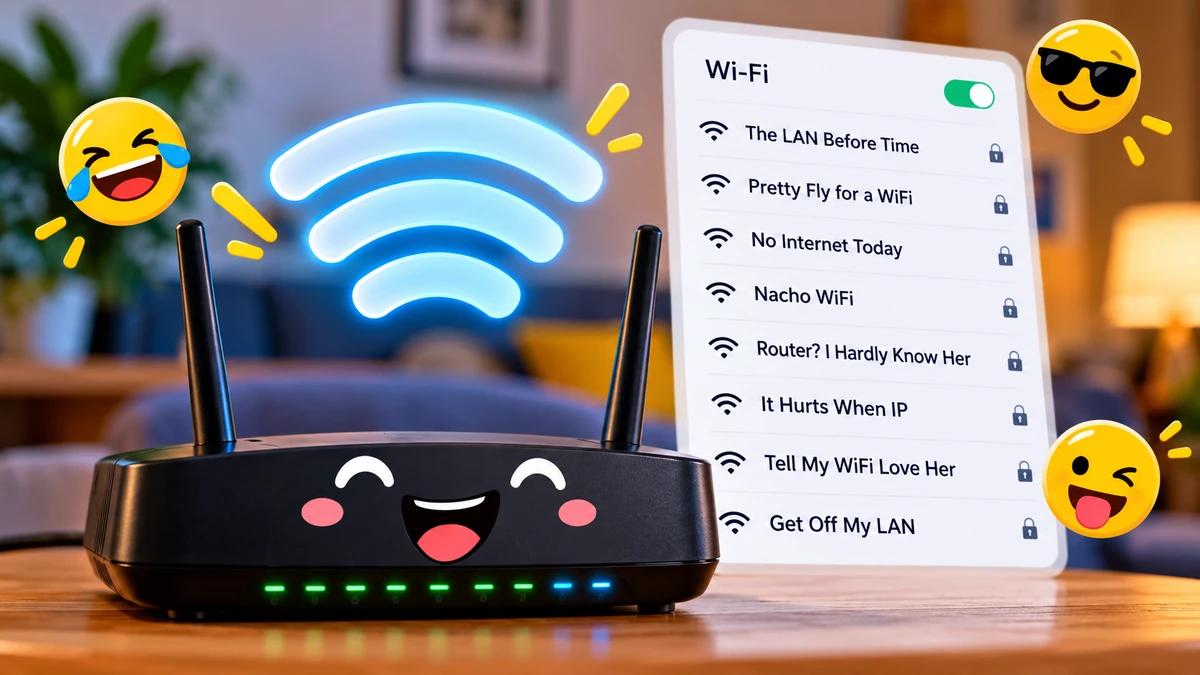

Your WiFi network does not have to be called “NETGEAR47” or “Home_WiFi.” A clever network name can turn the ordinary act of opening a WiFi menu into a joke for your family, guests, roommates, and neighbors.
If you are searching for funny wifi names, the best choices are short, recognizable, easy to read, and free of personal information. Popular styles include LAN and router puns, pop-culture references, nerdy tech jokes, neighbor messages, gaming references, and harmless fake-network names. Just remember: your WiFi name is public to nearby devices, while your password should remain private.
Below are more than 200 ideas, followed by practical advice for choosing an SSID that is funny without creating privacy or compatibility headaches.
Best Funny WiFi Names
Want something that works without requiring a complicated explanation? Start here.
These names mix recognizable wordplay with networking terms such as WiFi, LAN, router, ping, bandwidth, and hotspot.
- The LAN Before Time
- Pretty Fly for a WiFi
- Tell My WiFi Love Her
- Router? I Hardly Know Her
- Wu-Tang LAN
- LAN Solo
- Lord of the Pings
- Drop It Like It’s Hotspot
- Silence of the LANs
- It Hurts When IP
- Get Off My LAN
- Bill Wi the Science Fi
- Nacho WiFi
- Ping Me Maybe
- No Internet Access
- Loading Please Wait
- Wi-Fight the Feeling
- The Promised LAN
- Abraham Linksys
- House of LAN
- Game of Phones
- Wi Believe I Can Fi
- The LAN Down Under
- Keep It on the Download
- No More Mister WiFi Guy
The strongest WiFi jokes usually work because the reader understands them immediately. A network list gives you only a small visual space, so a short punchline generally beats a long sentence.
Funny WiFi Names Based on Puns and Wordplay
Network terminology is unusually good material for puns. LAN sounds like “land,” router creates plenty of wordplay, and WiFi can be substituted into familiar phrases.
Here are some punny WiFi names worth trying:
- LAN of the Free
- This LAN Is Your LAN
- LAN of Milk and Honey
- LAN and Order
- Another Day in Pair-a-LAN
- The LAN Before Time
- LAN Solo
- Wu-Tang LAN
- Silence of the LANs
- House LANister
- The Promised LAN
- LAN Down Under
- Get Off My LAN
- LAN of Confusion
- Pretty Fly for a WiFi
- Wi Believe I Can Fi
- Wi-Fight the Inevitable
- Wi-Fight the Feeling
- Why Fi So Serious
- Tell My WiFi Love Her
- Tell Your WiFi Said Hi
- Nacho WiFi
- Bill Wi the Science Fi
- WiFi Fo Fum
- No More Mister WiFi Guy
- Router? I Hardly Know Her
- Router From Another Mother
- The Routfather
- Router of the Lost Ark
- Let’s Get Routy
- Lord of the Pings
- Ping Me Baby One More Time
- Ping Me Maybe
- Ping Floyd
- Drop It Like It’s Hotspot
- John Wilkes Boothspot
- Keep It on the Download
- Bandwidth Together
- Old MacDonald Had a Modem
- IP Freely
Some classics appear repeatedly across current WiFi-name collections, particularly “The LAN Before Time,” “Pretty Fly for a WiFi,” “LAN Solo,” and “It Hurts When IP.” iTechGuides
Why are LAN puns so popular?
LAN stands for local area network, but the word sounds like “land.” That makes it unusually easy to turn movie titles, sayings, song references, and familiar phrases into networking jokes.
The same principle applies to “ping,” “router,” “IP,” “modem,” and “hotspot.”
Quick Takeaway: If you want a joke that most people will understand immediately, use familiar words and change only one part of the phrase.
Funny WiFi Names for Home
A home network name can reflect everyday household life without revealing who actually lives there.
Try these:
- Home Sweet Hotspot
- The Internet Residence
- WiFi Sweet WiFi
- The Connection Collection
- Home Is Where the WiFi Is
- Our Internet Problem
- Definitely Our WiFi
- The Family Bandwidth
- The Buffering Household
- House of WiFi
- Domestic Data
- The Streaming Department
- Everybody Get Offline
- Dad Changed the Password
- Mom Controls the WiFi
- Family Loading
- Household Headquarters
- Connected and Confused
- The Couch Network
- Netflix Headquarters
- The Snack Network
- Internet and Chill
- Please Restart the Router
- Home Alone Online
- Our Digital Basement
For families, the best name is usually something harmless enough that nobody minds seeing it every day. Remember that nearby households may see the SSID too.
Avoid putting your surname, street address, apartment number, telephone number, birthday, or other identifying information in it.
Funny WiFi Names for Neighbors
Apartment buildings, dorms, and closely packed neighborhoods create a unique opportunity: the WiFi menu becomes a miniature message board.
Keep the humor playful rather than hostile.
- Get Your Own Internet
- Stop Stealing My WiFi
- Definitely Not Your WiFi
- No Free WiFi Here
- Ask Nicely
- Nice Try Neighbor
- Move Along Please
- Nothing to See Here
- Password Costs Extra
- We See You Scanning
- Wrong Network Buddy
- Try Next Door
- Not the Free One
- Keep Looking
- Signal Not Included
- You Found Us
- Please Stop Guessing
- Neighbors Only
- Private Property Online
- Connection Denied
- WiFi Next Door
- Still Not Your Internet
- Good Luck Guessing
- Bring Snacks for Password
- Free WiFi Tomorrow
“Get Your Own Internet” and similar neighbor jokes remain common in current collections because they make sense in the exact place where someone sees them: a list of nearby networks. Pranksters.com
Avoid naming or insulting a specific neighbor. A joke that seems funny from your side of the wall can become unnecessarily personal from theirs.
Clever Funny WiFi Names for Tech Lovers
If your friends understand HTTP status codes, latency, IP addresses, DNS, and other networking terminology, you can make the joke more technical.
Nerdy network names
- 404 Network Not Found
- 403 Access Forbidden
- 500 Internal Router Error
- Connection Timed Out
- Packet Party
- Ping’s Landing
- Ctrl Alt Connect
- Byte Me
- Bit Happens
- DNS and Chill
- Cache Me Outside
- IP Nightly
- The Packet Sniffer
- Infinite Bandwidth
- Low Latency Lounge
- Packet to the Future
- There Is No Cloud
- Localhost Only
- 127.0.0.1
- Hello World
- sudo connect
- Null Network
- Stack Overflowed
- Binary Boulevard
- Quantum Connection
- The Debug Network
- Reboot Required
- Connection Exception
- Network Unreachable
- Request Timed Out
Technical jokes work especially well in offices, university housing, developer apartments, and gaming setups because the audience is more likely to understand the reference.
A simple rule applies: if someone needs a networking textbook before they laugh, the joke may be too obscure.
Funny WiFi Names for Gamers
Gaming network names can borrow the language of lag, respawning, multiplayer games, boss fights, servers, and loading screens without tying the SSID to your identity.
Try:
- Respawn Router
- Lag Is My Enemy
- No Lag Zone
- Final Boss WiFi
- Player One Connected
- Player Two Disconnected
- Critical Ping
- Victory Connection
- Internet Boss Fight
- Respawn Required
- Loading Next Level
- Game Over LAN
- High Ping Heroes
- Low Ping Legends
- AFK Network
- GG No WiFi
- Ready Player WiFi
- LAN Party Headquarters
- The Gaming Dungeon
- Spawn Point
- Server Full
- Connection Respawning
- One More Match
- Buffering Boss
- Ping to Win
“Lag” and “ping” are particularly useful because they have an immediate connection to online gaming.
For a gaming household with multiple networks, names such as Main Quest, Side Quest, and Guest Quest can also make networks easier to distinguish.
Pop-Culture-Inspired Funny WiFi Names
Movies, television, music, books, and familiar fictional worlds provide plenty of material.
The trick is to transform the reference instead of simply naming the show or character.
Movie and TV-style ideas
- May the WiFi Be With You
- LAN Solo
- The WiFi Awakens
- Return of the Router
- The Fellowship of the Ping
- Lord of the Pings
- One Does Not Simply Log In
- Router Things
- Stranger Pings
- The Walking Data
- Game of Phones
- Winternet Is Coming
- House of LAN
- The Fast and the Wireless
- Mission Impassable
- Jurassic Network
- Back to the Router
- Packet to the Future
- The Matrix Has WiFi
- The Good, the Bad and the Buffering
- Pirates of the LAN
- Finding WiFi
- The Internet Games
- Guardians of the Gateway
- Fantastic Pings
Pop-culture references are among the recurring categories in current funny WiFi name collections alongside puns, neighbor jokes, and tech humor. AddictiveTips
Timeless references generally age better than jokes based on a meme that disappears a few weeks later.
Family-Friendly Funny WiFi Names
You do not need edgy humor to create a memorable SSID.
For homes with children, shared buildings, schools, or family businesses, clean names are usually the easiest choice.
- WiFi and Cookies
- Connect Four
- The Happy Hotspot
- Internet Please
- WiFi Wonderland
- The Giggle Network
- Signal and Smile
- Happy Little Router
- Family Connection
- Internet Express
- The Friendly Network
- Connect and Relax
- WiFi Clubhouse
- The Cozy Connection
- Home Sweet WiFi
- Router Rangers
- The Internet Treehouse
- Signal Station
- Happy Bandwidth
- The Connection Zone
- WiFi Central
- Surf’s Up
- Digital Playground
- The Online House
- Connected Together
These also work well for a guest network because visitors can recognize the correct connection without an awkward or offensive name appearing on their phone.
Funny WiFi Names for Guest Networks
A separate guest network deserves its own personality.
A guest WiFi network can provide visitors with Internet access separately from your primary network. For example, Google Nest Wifi allows users to create a distinct guest network with its own name and password. Google Help
That makes the guest SSID a particularly natural place for a public-facing joke.
Try:
- Guests Go Here
- VIP Internet
- Welcome to the WiFi
- Guest Who
- Be Our Guest
- Internet for Humans
- Temporary Happiness
- Visitor Bandwidth
- The Guest List
- Friends and WiFi
- Ask for Password
- Guest Access Granted
- Welcome Aboard
- Free-ish WiFi
- Visitor Loading
- The Spare Internet
- Guests Only
- Nice People Network
- You May Enter
- Password Please
- Come for WiFi Stay for Snacks
- Internet Waiting Room
- The Hospitality Hotspot
- Guest Mode Activated
- Welcome to Our LAN
Keep the actual password separate from the joke. Writing a password directly into the network name defeats the purpose of password protection.
Funny WiFi Names for Roommates and Dorms
Shared housing produces its own kind of Internet humor.
Someone is always streaming. Someone else is gaming. And somehow everyone blames the router.
- Who Used All the Bandwidth
- Roommate Router
- Pay Your Internet Bill
- Stop Downloading Everything
- The Shared Struggle
- Buffering Together
- Rent Includes WiFi
- Dorm Sweet Dorm
- The Broke Network
- Study Eventually
- Homework Loading
- The Procrastination Station
- Finals Week WiFi
- Internet Before Homework
- Student Survival Network
- Shared and Scared
- Four People One Router
- Streaming Again?
- Who Restarted It
- Not Another Zoom Call
- Deadline Connection
- The All-Nighter Network
- Campus Escape
- Coffee and WiFi
- Assignment Uploading
If multiple roommates manage the network, pick something everyone is comfortable broadcasting. An SSID can be visible beyond your apartment or dorm room.
Funny WiFi Names for Work and Office Networks
Workplace humor should be cleaner and less personal than home-network humor.
Good options include:
- Meeting Could Be an Email
- Work in Progress
- Productivity Loading
- The Deadline Network
- Ctrl Alt Work
- Office Space Online
- Another Meeting
- Coffee Then WiFi
- Corporate Bandwidth
- The Break Room Network
- Please Submit a Ticket
- IT Knows Everything
- Have You Restarted It
- Business Casual Bandwidth
- Working Remotely
- Spreadsheet Central
- Monday Loading
- Friday Pending
- Conference Room Connection
- Reply All Network
- Out of Office
- Deadline Approaching
- Please Hold
- Team Connected
- Work Hard Ping Hard
For an actual business network, clarity may matter more than comedy. A joke can be reserved for a staff or guest network while important infrastructure keeps a straightforward naming scheme.
Fake and Mysterious WiFi Names
A fake-looking SSID can make someone do a double take when scanning nearby networks.
Keep the joke harmless; avoid pretending to be an actual emergency service or trying to trick people into connecting.
- Definitely Not WiFi
- Network Not Found
- Searching…
- Hidden Network
- Nothing Here
- Connection Failed
- Please Try Again
- Signal Lost
- Unknown Network
- Error 404
- Loading Forever
- Internet.exe
- System Offline
- Access Pending
- Do Not Connect
- Test Network 47
- Nothing Suspicious
- Move Along
- Just a Printer
- Probably a Router
- Not the Internet
- Totally Normal Network
- Nothing to See Here
- Please Ignore
- Unidentified Signal
Names such as “FBI Surveillance Van” have circulated for years and still appear in modern collections. Pranksters.com But a fictional, obviously absurd name is usually a better choice than impersonating a real organization.
Short Funny WiFi Names
Short SSIDs have a practical advantage: they are easy to recognize and less likely to be truncated on small screens.
Here are compact options:
| WiFi Name | Style |
|---|---|
| NachoWiFi | Pun |
| LAN Solo | Pop culture |
| Byte Me | Tech |
| Ping Me | Tech |
| WiFi LOL | Silly |
| No Signal | Fake |
| Try Again | Sarcastic |
| Nope | Minimal |
| Loading | Fake |
| LAN Party | Gaming |
| Reboot Me | Tech |
| Free-ish | Guest |
| Buffering | Internet humor |
| Ping King | Gaming |
| Offline | Fake |
| Routerland | Pun |
| Send Help | Silly |
| Connected | Minimal |
| Data Party | Tech |
| Wi-Finally | Pun |
Short names are particularly useful when you regularly tell guests which network to select.
What Makes a Funny WiFi Name Actually Good?
A good WiFi name needs to work as an SSID, not merely look funny in an article.
The strongest choices usually share five qualities.
1. The joke is immediately understandable
“Lord of the Pings” needs almost no explanation.
A complicated sentence with several layers of wordplay may not work as well when someone sees it for two seconds while scanning networks.
2. It is short enough for your router
SSID limits vary by equipment.
For example, NETGEAR documents network names of up to 32 characters on certain Nighthawk routers, while Google says Nest Wifi and Google Wifi network names must contain between 1 and 31 characters. Netgear Knowledge Base
Check your router’s requirements rather than assuming every device handles names identically.
3. It does not expose personal information
Remember where an SSID appears: on nearby phones, laptops, TVs, tablets, and other devices searching for wireless networks.
Avoid names such as:
- SmithFamilyApartment7
- JohnBedroomWiFi
- 42OakStreet
- Sarah1995
- Apartment14Router
Those may reveal a surname, address, apartment number, or other unnecessary information.
A joke like The LAN Before Time tells strangers nothing useful about you.
4. It works across your devices
Letters, numbers, spaces, and ordinary punctuation are generally safer choices when compatibility matters.
Some current WiFi-name resources caution that unusual symbols and emoji may cause trouble with older printers, televisions, and smart-home devices. WiFi Name Generator
If your home contains older or finicky connected devices, simple characters are the sensible choice.
5. You will still like it later
A meme may be hilarious this week and confusing six months later.
Movie references, networking puns, household jokes, and simple wordplay tend to have a longer shelf life.
Quick Takeaway: Choose something short, recognizable, non-identifying, compatible with your equipment, and funny enough that you will not want to rename it next week.
Are Funny WiFi Names Safe?
Yes. A funny SSID does not inherently make your wireless network less secure.
The important distinction is that your network name and WiFi password are different things. The SSID identifies the wireless network; the password controls authenticated access to a protected network.
Changing an SSID is therefore not a replacement for properly securing the router.
For example, NETGEAR distinguishes the WiFi network name, network key, and security option in its router documentation. Netgear Knowledge Base
Treat the network name as public information.
Treat the password as private information.
Avoid putting these in your SSID
Do not unnecessarily broadcast:
- Your full name
- Home address
- Apartment or room number
- Phone number
- Email address
- Birth date
- WiFi password
- Other private information
You also do not need to advertise detailed hardware information through a custom name.
A creative SSID can actually help here: instead of retaining an obvious descriptive label, you can use a neutral joke that does not identify your household.
Does Changing Your WiFi Name Affect Internet Speed?
No. Renaming your network does not make the underlying Internet connection faster or slower.
The SSID is the network’s identifying name, not a performance setting.
What does matter is what happens immediately after you rename it.
Previously connected devices may no longer recognize the network under its new identity and can require reconnection. NETGEAR explicitly notes that changing the SSID can disconnect a wirelessly connected device. Google Fiber similarly says previously connected devices need updated information after the network name or password changes. Netgear Knowledge Base
That means you may need to reconnect:
- Phones
- Laptops
- Tablets
- Smart TVs
- Game consoles
- Printers
- Smart speakers
- Cameras
- Smart-home devices
This is worth remembering before changing the network name when everyone in the house is online.
How to Change Your WiFi Name
The exact interface depends on your router or mesh system, but the general process is straightforward:
- Connect to your router’s network.
- Open the router’s management app or administration page.
- Sign in with the router administrator credentials.
- Find WiFi, Wireless, or Network Settings.
- Locate Network Name or SSID.
- Enter your new funny WiFi name.
- Save or apply the changes.
- Reconnect devices if necessary.
For example, Google’s current Nest Wifi instructions use the Google Home app and direct users to WiFi network settings before entering and saving a new network name. Google Help NETGEAR’s instructions similarly provide an SSID field in its wireless settings. Netgear Knowledge Base
Do not confuse your WiFi password with the router’s administrator password. On supported NETGEAR equipment, for example, these are explicitly separate credentials. Netgear Knowledge Base
How to Create Your Own Funny WiFi Names
You do not have to copy an existing joke. Creating your own can produce a much more memorable result.
Start with networking vocabulary:
WiFi, LAN, ping, router, modem, hotspot, signal, bandwidth, download, upload, packet, byte, connection, Internet, IP.
Then combine one with something familiar.
Formula 1: Replace part of a famous phrase
Take a recognizable phrase and swap one word for a networking term.
For example:
Original idea: promised land
Network version: Promised LAN
The reference survives, but now it works as a network joke.
Formula 2: Turn a networking problem into humor
Everyday Internet frustrations make easy material:
- Buffering Forever
- Reboot Required
- High Ping Society
- Connection Pending
- Still Loading
People understand the joke because they have experienced the problem.
Formula 3: Use your household personality
Think about what your home is known for.
A household obsessed with streaming might use One More Episode.
Gamers could use Respawn Router.
Students might prefer Procrastination Station.
A coffee-loving household could choose Brew and Browse.
You get a personalized network without revealing personal information.
Formula 4: Create matching main and guest names
Paired SSIDs can be even funnier.
| Main Network | Guest Network |
|---|---|
| The Main LAN | The Guest LAN |
| Final Boss | Side Quest |
| VIP Network | General Admission |
| Home Base | Visitor Spawn |
| The Mothership | Landing Party |
| Main Character | Supporting Cast |
Matching names also make it easier to tell networks apart.
Should You Use a Funny Name for Your Guest WiFi?
A guest network is arguably one of the best places to use one.
Visitors need to identify the correct network, so a memorable SSID can make that easier. A name such as Come for WiFi Stay for Snacks is much easier to distinguish from a collection of generic router names.
There is also a practical benefit to keeping guest access separate. Google, for example, describes Guest Wi-Fi as a separate network for visitors and lets users choose which shared devices guests can access. Google Help
Whatever name you choose, keep the network password private and use the security features provided by your equipment.
Funny WiFi Names: Final Picks
The best funny wifi names are not necessarily the longest or most complicated. They are the ones people understand before they have finished scrolling past them.
For reliable classics, The LAN Before Time, Lord of the Pings, LAN Solo, and Drop It Like It’s Hotspot capture exactly why WiFi wordplay works. For something less familiar, build your own joke around your household, gaming habits, favorite entertainment, or the universal frustration of a buffering screen.
Keep the final name short, avoid personal information, check your router’s character limits, and remember that your SSID is visible to people nearby. Then give that boring default network name the retirement it deserves.
