
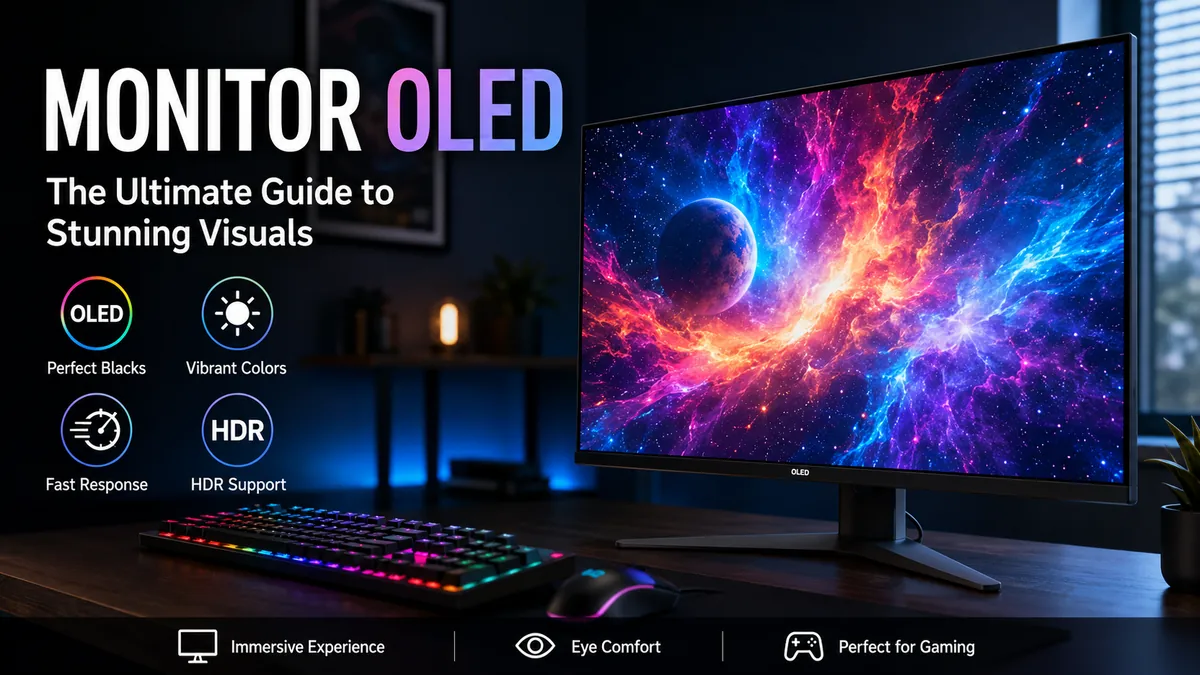

A monitor oled display can produce something conventional LCD monitors cannot achieve at the pixel level: a pixel can switch itself completely off. That seemingly simple difference changes black levels, contrast, HDR presentation, motion clarity, and how games and movies look on a desktop display.
An OLED monitor uses Organic Light-Emitting Diode technology, where individual pixels generate their own light instead of relying on an LED backlight. This creates effectively perfect blacks, extremely high contrast, wide viewing angles, and near-instantaneous pixel response. Modern OLED monitors commonly use QD-OLED, WOLED, or newer Tandem OLED panel technologies.
OLED has matured considerably as a monitor technology. Current displays span mainstream 1440p gaming models, high-density 4K screens, ultrawides, professional displays, and exceptionally high-refresh esports monitors. But OLED still isn’t automatically the right panel for every desk.
How Does monitor oled Technology Actually Work?
To understand why OLED looks different, it helps to compare it with the LCD displays most people already use.
An IPS, VA, or TN monitor is fundamentally an LCD. Its pixels control light coming from a separate backlight behind the liquid-crystal layer. Even sophisticated LCD monitors therefore have to manage light produced somewhere other than the individual pixel.
OLED removes that backlight.
Each OLED pixel is self-emissive, meaning organic electroluminescent material generates light when electrical current passes through it. Individual pixels can brighten, dim, change color, or switch off.
When a pixel is supposed to display black, it simply produces no light.
That gives OLED several characteristic advantages:
- exceptionally deep blacks
- effectively infinite contrast in dark viewing conditions
- excellent black uniformity
- extremely fast pixel transitions
- wide viewing angles
- precise control over small highlights
- no traditional LCD backlight bleed
- no conventional local-dimming halo around bright objects
Consider a night sky containing hundreds of small stars. An LCD has to illuminate those stars using its backlight. Even a Mini-LED display with many local-dimming zones controls groups of pixels rather than every individual pixel.
OLED controls each pixel independently.
That distinction becomes especially obvious with dark games, movies, HDR content, and scenes containing small bright objects against black backgrounds.
OLED Monitor vs IPS, VA and Mini-LED
OLED’s advantages make more sense when viewed alongside competing display technologies.
| Feature | OLED | IPS LCD | VA LCD | Mini-LED LCD |
|---|---|---|---|---|
| Pixel lighting | Self-emissive | Backlight | Backlight | Backlight + local dimming |
| Black level | Excellent | Fair | Good | Excellent in favorable scenes |
| Contrast | Exceptional | Moderate | High | Very high |
| Response time | Extremely fast | Fast | Moderate-fast | Depends on LCD panel |
| Viewing angles | Excellent | Excellent | Moderate | Panel-dependent |
| HDR highlights | Excellent contrast | Limited | Limited | Very bright |
| Full-screen brightness | Moderate | Good | Good | Excellent |
| Blooming | Essentially none | Possible | Possible | Possible |
| Burn-in risk | Yes | No | No | No |
| Static office use | Mixed | Excellent | Excellent | Excellent |
OLED generally provides better pixel-level contrast and motion performance than conventional IPS and VA monitors. That doesn’t mean it wins every category.
A quality Mini-LED monitor, for example, can become substantially brighter across large areas of the image. This can be useful in a sunlit office or for HDR material dominated by bright scenes.
IPS remains an especially practical technology for productivity because there is no OLED burn-in concern, text rendering is predictable, and high-quality IPS panels can maintain strong brightness all day.
OLED’s greatest advantage appears when contrast and pixel response matter more than sustained brightness.
Why OLED Blacks Look Different
LCD monitors cannot normally stop every unwanted bit of backlight from reaching the viewer.
IPS displays consequently tend to show dark gray rather than completely black when viewed in a dark room. VA improves native contrast substantially, while Mini-LED local dimming can produce much deeper blacks by turning down groups of LEDs.
OLED doesn’t need to approximate this effect.
If a pixel needs to be black, it switches off.
This also means bright objects can sit beside completely dark pixels without the obvious blooming or haloing sometimes visible on local-dimming LCDs.
QD-OLED vs WOLED: Understanding the Main OLED Types
Not every OLED monitor uses the same panel architecture.
Two technologies have dominated desktop OLED monitors: QD-OLED from Samsung Display and WOLED from LG Display. Newer generations are adding Tandem OLED designs and revised RGB subpixel layouts, making the landscape more varied.
What Is QD-OLED?
QD-OLED combines OLED light generation with a quantum-dot color-conversion layer.
Instead of using a traditional white OLED structure, QD-OLED uses blue OLED light and quantum dots to create red and green. One of its major strengths is color performance, particularly the ability to maintain rich, saturated colors at higher luminance levels.
QD-OLED monitors are known for:
- excellent HDR color volume
- rich, saturated colors
- extremely fast response times
- deep blacks in controlled lighting
- wide viewing angles
- high refresh rates
There is an important catch.
Traditional QD-OLED panels can experience raised black levels under strong ambient lighting. Blacks may take on a grayish or purple appearance when significant room light reaches the panel.
The effect becomes far less significant in a dark or lighting-controlled room.
What Is WOLED?
WOLED has traditionally used a white OLED light source and red, green, blue, and white subpixels. LG Display is the company most closely associated with the technology.
WOLED provides the fundamental OLED strengths—excellent blacks, fast response, wide viewing angles and high contrast—but behaves differently from QD-OLED in several areas.
A notable advantage is its ability to maintain darker-looking blacks under brighter ambient lighting than traditional QD-OLED.
That can make WOLED attractive when the monitor sits in a room where lighting cannot easily be controlled.
QD-OLED vs WOLED Comparison
| Characteristic | QD-OLED | WOLED |
| Manufacturer associated with panel | Samsung Display | LG Display |
| Dark-room blacks | Excellent | Excellent |
| Bright-room black retention | Traditionally weaker | Generally better |
| HDR color volume | Excellent | Very good |
| Response time | Near-instantaneous | Near-instantaneous |
| Burn-in possibility | Yes | Yes |
| VRR flicker possibility | Yes | Yes |
| Traditional subpixel concerns | Possible text fringing | Possible text fringing |
| Best environment | Controlled/darker room | Dark or brighter room |
Current research does not establish a simple rule that one of these technologies eliminates burn-in risk. Both are OLED technologies and both can experience permanent image retention under unfavorable long-term usage patterns.
What About Tandem OLED?
The technology continues to evolve.
Newer Tandem OLED designs use multiple emissive layers to improve efficiency, brightness, and potentially longevity. The monitor market is also moving toward more conventional RGB-stripe subpixel layouts in some newer panels.
This matters especially for desktop computing because conventional RGB arrangements can improve text rendering.
The OLED monitor market in 2026 therefore shouldn’t be reduced to the older “QD-OLED versus WOLED” debate. Panel generation, subpixel arrangement, coating, pixel density, brightness behavior, and firmware can matter just as much as the OLED family printed on the specification sheet.
Why OLED Monitors Are So Good for Gaming
Gaming is arguably the use case that exposes OLED’s strengths most clearly.
Modern OLED monitors combine self-emissive contrast with exceptionally fast pixel response and increasingly high refresh rates.
Near-Instantaneous Response Time
Refresh rate and response time are different specifications.
A 240Hz monitor refreshes the displayed image up to 240 times each second. Response time describes how quickly its pixels actually transition from one state to another.
LCD pixels need physical liquid-crystal transitions. Modern IPS monitors have become very fast, but OLED pixel transitions remain dramatically quicker.
That translates into excellent motion clarity.
Fast camera movements, racing games, shooters, and moving character outlines can appear exceptionally clean because there is very little pixel-transition smearing.
OLED’s near-instantaneous response is one reason independent monitor testing consistently identifies motion handling as a major advantage of the technology.
High Refresh Rates Are No Longer Unusual
OLED monitors aren’t restricted to 120Hz or 144Hz.
The market now includes 240Hz, 360Hz, 480Hz, 500Hz and even higher-refresh designs, depending on resolution and panel generation. DisplayNinja’s continuously updated market tracking shows OLED configurations ranging from high-resolution 4K models to extremely high-refresh competitive-gaming panels.
This creates several distinct categories:
| Typical configuration | Best suited to |
| 1440p 240Hz | General high-end gaming |
| 1440p 360Hz+ | Competitive gaming |
| 4K 240Hz | High-end PC and console gaming |
| Ultrawide OLED | Immersive gaming |
| Dual-mode OLED | Mixing high resolution and esports |
The graphics hardware required to exploit those refresh rates is another matter. A 4K 240Hz display doesn’t mean every modern game will run at 240 frames per second.
Variable Refresh Rate
Many gaming OLEDs support technologies such as AMD FreeSync, NVIDIA G-SYNC Compatible, or VESA Adaptive-Sync.
Variable refresh rate, or VRR, allows the monitor’s refresh cycle to follow the GPU’s frame output. This reduces tearing and can produce smoother-looking gameplay when frame rates fluctuate.
OLED has one weakness here: VRR flicker.
Large or rapid frame-rate changes can make dark portions of the picture appear to flicker. RTINGS identifies VRR flicker as an OLED limitation rather than a problem exclusive to either QD-OLED or WOLED.
A stable frame rate generally makes the problem less noticeable.
Is OLED Really Better for HDR?
OLED and HDR are an unusually effective combination, but peak brightness numbers alone don’t explain why.
High Dynamic Range (HDR) depends on creating convincing separation between bright highlights and dark areas while maintaining useful color information.
OLED begins with a major advantage: black can actually be black.
Imagine a nighttime scene containing a small neon sign. An OLED can illuminate the pixels making up the sign while keeping neighboring pixels completely dark.
A local-dimming LCD must control a much larger illumination zone.
This is why OLED can produce striking HDR even when a Mini-LED monitor posts a higher maximum brightness measurement.
VESA DisplayHDR True Black
Some OLED monitors carry certifications such as VESA DisplayHDR True Black 400 or newer/higher True Black classifications.
The “True Black” distinction is relevant because HDR performance isn’t simply a race toward the highest nit number. Black level, highlight control, color gamut, tone mapping, and real-scene brightness all contribute to the result.
QD-OLED in particular is known for strong DCI-P3 coverage and HDR color volume, while newer OLED technologies continue to improve brightness.
OLED’s Brightness Limitation
This is one area where expectations need to be realistic.
OLED monitors can produce bright small highlights, but many cannot sustain the same luminance across an entirely white screen that a powerful LCD or Mini-LED monitor can.
Brightness may change according to the amount of bright content displayed.
This behavior is commonly associated with Automatic Brightness Limiting (ABL) and related panel-protection or power-management mechanisms.
For gaming and movies, the behavior may barely attract attention. For someone repeatedly switching between large white spreadsheets, websites, and dark applications, changing brightness can be easier to notice.
Does monitor oled Have Burn-In Problems?
Yes. OLED burn-in remains possible.
It should neither be ignored nor treated as though every OLED monitor will inevitably develop a damaged image.
Burn-in is permanent uneven wear in the OLED material. If the same pixels repeatedly produce the same bright static elements for very long periods, they can age differently from surrounding pixels.
Potential desktop examples include:
- Windows taskbars
- application toolbars
- browser interface elements
- game HUDs
- channel logos
- spreadsheet grids
- static editing interfaces
- fixed desktop icons
The risk depends heavily on usage.
RTINGS notes that constant exposure to static elements increases OLED burn-in risk, making this particularly relevant to displays used exclusively for repetitive office work.
A person gaming, watching movies, browsing, and switching between different applications presents a very different usage pattern from someone displaying the same software interface eight hours every working day.
Image Retention vs Burn-In
These terms are sometimes used interchangeably, but they aren’t necessarily the same thing.
Temporary image retention can disappear after the display rests or completes a compensation process.
Burn-in refers to permanent uneven pixel aging.
Modern monitors employ several protection systems, which can include:
- pixel shifting
- logo/static-element detection
- automatic screen dimming
- pixel or panel refresh cycles
- compensation cycles
- screensavers
- automatic standby functions
The terminology differs between manufacturers.
These systems reduce risk; they don’t change the underlying fact that organic light-emitting materials age.
Practical Ways to Reduce Burn-In Risk
For mixed desktop use, sensible habits are usually more useful than obsessively managing the screen.
- Allow the monitor to enter standby when you’re away.
- Don’t disable built-in OLED protection functions without a reason.
- Let automatic compensation cycles complete.
- Use sensible SDR brightness instead of maximum brightness constantly.
- Auto-hide persistent interface elements when practical.
- Avoid leaving static applications displayed unnecessarily for hours.
- Use a screensaver or automatic display-off timer.
You don’t need to move every window every few minutes.
The objective is simply to avoid unnecessary, repeated high-brightness static content over very long periods.
Are OLED Monitors Good for Office Work and Text?
This question deserves more attention than it often receives.
OLED can absolutely be used for productivity, but it isn’t always the most practical choice for a computer dedicated primarily to documents, coding, spreadsheets, and browser windows.
There are two main considerations: static content and text clarity.
OLED Text Clarity
Traditional computer operating systems have generally optimized font rendering around conventional RGB-stripe subpixel layouts.
Some OLED panels use unconventional arrangements.
Earlier QD-OLED monitors, for example, became known for colored fringing around high-contrast text and window edges because of their triangular subpixel arrangement. WOLED panels have also used layouts that don’t behave exactly like a standard RGB LCD.
The severity depends heavily on:
- panel generation
- subpixel layout
- resolution
- screen size
- pixel density
- viewing distance
- operating-system text rendering
- individual sensitivity
Higher pixel density makes the effect much harder to notice. A 27-inch 4K OLED, for example, can render desktop text considerably more cleanly than a lower-density panel using a similar unconventional layout.
Newer OLED panels are also moving toward RGB-stripe layouts, directly addressing one of OLED’s longstanding desktop weaknesses.
OLED for Eight-Hour Workdays
Suppose a monitor spends most of every weekday showing:
- Microsoft Excel
- browser tabs
- Visual Studio Code
- Adobe interfaces
- a Windows taskbar
Those are highly static workloads.
OLED can handle them, but IPS or Mini-LED LCD may offer greater peace of mind because those technologies don’t carry the same permanent burn-in risk.
OLED becomes more compelling for someone whose work combines productivity with video editing, gaming, media consumption, 3D content, or other changing visual material.
Quick takeaway: OLED is capable of productivity work, but a static office-only workload doesn’t exploit its biggest strengths while emphasizing one of its main weaknesses.
OLED Monitors for Photo and Video Editing
Creative professionals have different priorities from competitive gamers.
For photo and video work, OLED offers several useful properties:
- wide color gamut
- excellent contrast
- consistent off-axis appearance
- precise pixel-level luminance control
- strong HDR presentation
- deep blacks
OLED can therefore be particularly useful for video editing and HDR content creation. Lenovo similarly identifies color accuracy, wide gamut and contrast among the characteristics that make OLED attractive for video-editing workloads.
However, “OLED” alone doesn’t make a monitor reference-grade.
Professional users still need to evaluate:
Color accuracy: A wide gamut isn’t the same as accurate color.
Calibration: Hardware calibration support can matter in managed professional workflows.
Color spaces: Check actual sRGB, DCI-P3, Adobe RGB or other required gamut performance.
HDR behavior: Peak brightness, sustained brightness and tone mapping matter.
Uniformity: Individual monitor performance can vary.
Bit depth and processing: Professional workflows may have requirements beyond the panel technology itself.
A well-calibrated IPS professional monitor can still be more appropriate than a poorly configured OLED.
Glossy vs Matte OLED Monitor Coatings
Panel technology isn’t the only factor affecting perceived image quality.
The screen coating can dramatically change how an OLED looks in a real room.
Glossy OLED
Glossy or semi-gloss displays generally preserve a clearer, richer-looking image in controlled lighting.
Advantages can include:
- cleaner-looking image
- less grain
- stronger perceived contrast
- vivid appearance
The downside is obvious: reflections.
A lamp, window, or other bright source can become distracting.
Matte OLED
Matte anti-glare coatings diffuse reflections rather than presenting them as sharp mirror-like images.
That can make them easier to use in rooms with uncontrolled lighting, although aggressive matte coatings can introduce some perceived grain or reduce image clarity slightly.
Neither finish is universally superior.
A glossy OLED can look spectacular in a controlled gaming room. A matte screen may be considerably more comfortable on a desk facing bright windows.
QD-OLED also deserves special consideration because ambient light can raise its perceived black level. Room lighting therefore matters beyond simple reflections.
What Resolution and Size Make Sense for OLED?
OLED monitors now cover a broad range of sizes and resolutions.
Common formats include 27-inch 1440p, 27-inch 4K, 32-inch 4K, 34-inch ultrawide and large 39-to-49-inch ultrawide configurations. The market continues expanding into additional refresh rates and form factors.
27-Inch 1440p
A 2560 × 1440 display at around 27 inches is a practical gaming combination.
It provides enough pixel density for a relatively sharp desktop without demanding the GPU performance required by 4K. High-refresh 1440p OLEDs are particularly attractive for fast PC gaming.
27-Inch 4K
At 3840 × 2160, a 27-inch display has very high pixel density.
That provides extremely sharp images and can also reduce the visibility of subpixel-related text artifacts.
The trade-off is GPU load. Native 4K gaming is substantially more demanding than 1440p.
32-Inch 4K
For many mixed-use high-end setups, 32-inch 4K provides a strong balance.
There’s enough screen space for productivity, enough pixel density for sharp text, and sufficient physical size for immersive games and video.
High-refresh 4K OLED monitors have consequently become an important premium monitor category.
Ultrawide OLED
Typical ultrawide OLED resolutions include 3440 × 1440 and 5120 × 1440, depending on screen size and aspect ratio.
An ultrawide can create an exceptionally immersive gaming experience while providing useful horizontal workspace.
Compatibility still matters. Not every game handles ultrawide aspect ratios equally well, and very large screens require substantial desk space.
Connectivity and Features Worth Understanding
The OLED panel gets most of the attention, but connectivity can determine how useful the monitor actually is.
HDMI 2.1
HDMI 2.1 is especially relevant to high-resolution/high-refresh displays and current gaming consoles.
A modern console-oriented 4K OLED may combine HDMI 2.1 with features such as VRR and high-refresh 4K input.
DisplayPort
Gaming PCs commonly use DisplayPort.
The exact DisplayPort version and whether Display Stream Compression (DSC) is required can affect how the monitor handles very high combinations of resolution, refresh rate and bit depth.
USB-C
For laptop users, USB-C can simplify an entire workstation.
Depending on the implementation, one cable can potentially carry:
- video
- data
- USB peripherals
- laptop charging
Check the monitor’s USB Power Delivery wattage rather than assuming every USB-C port can adequately charge a laptop.
KVM Switch
A built-in KVM switch lets one keyboard and mouse control multiple connected computers.
It’s especially useful when the same OLED monitor is shared between a work laptop and gaming desktop.
Common OLED Monitor Problems People Overlook
Burn-in gets most of the attention, but it isn’t OLED’s only compromise.
1. VRR Flicker
Frame-rate instability can cause visible luminance fluctuations, particularly in dark scenes.
Keeping performance within a stable range can help.
2. Automatic Dimming
Protection and power-management algorithms can dim the display under certain conditions.
Behavior varies substantially between monitor models and firmware.
3. Lower Full-Screen Brightness
A bright Mini-LED LCD can outperform OLED when displaying large bright areas, especially in a heavily illuminated room.
4. Text Fringing
Unconventional subpixel layouts can affect text clarity, although higher pixel density and newer RGB layouts reduce this concern.
5. Raised Blacks on QD-OLED
Strong ambient lighting can cause traditional QD-OLED panels to lose some of their characteristic deep-black appearance.
6. Burn-In
Permanent uneven wear remains possible with prolonged static usage.
None of these automatically makes OLED problematic. They simply explain why evaluating a display requires more than looking at contrast and response-time specifications.
How to Evaluate a monitor oled for Your Own Setup
Rather than starting with a particular model, start with the way the monitor will actually be used.
Step 1: Identify the Main Workload
Gaming and entertainment strongly favor OLED’s strengths.
Static productivity emphasizes its weaknesses.
Mixed use sits somewhere between those extremes.
Step 2: Consider Room Lighting
A dark or controlled room allows OLED’s black-level performance to shine.
For a bright room, sustained brightness, screen coating, and QD-OLED’s ambient-light behavior deserve more attention.
Step 3: Match Resolution to Screen Size
Don’t assume 4K is automatically necessary.
1440p at 27 inches remains highly practical for gaming, while 4K becomes increasingly attractive for text, detailed creative work and larger screens.
Step 4: Choose a Useful Refresh Rate
Higher isn’t automatically better.
Someone playing cinematic single-player games may gain more from resolution and HDR quality than from 500Hz. Competitive players running extremely high frame rates have very different priorities.
Step 5: Check the Panel Generation
Don’t judge every QD-OLED or WOLED by the weaknesses of early models.
Subpixel layouts, brightness, coatings, efficiency and refresh rates continue to change rapidly.
Step 6: Examine Real HDR Performance
Ignore peak-brightness marketing in isolation.
Look at small-window brightness, sustained brightness, full-screen brightness, color volume, EOTF tracking, tone mapping and black level.
Step 7: Check OLED Protection and Warranty Terms
If static desktop use will be substantial, understand the manufacturer’s OLED-care features and current warranty terms.
Warranty conditions differ by brand, model and region, so they should always be checked for the exact display rather than assumed from another model.
Who Benefits Most From OLED?
OLED makes the strongest case for users who can actually exploit its unique capabilities.
Gaming: Excellent. Fast pixel response, high refresh rates, deep blacks and strong HDR make OLED particularly well suited to games.
Movies and entertainment: Excellent. Dark-room contrast is difficult for conventional LCD displays to reproduce.
HDR: Excellent overall, particularly for mixed scenes with small highlights, although Mini-LED can deliver higher sustained brightness.
Photo and video editing: Potentially excellent when the specific monitor provides the required calibration and color performance.
Mixed gaming and productivity: Good, provided static-content habits and burn-in risk are understood.
Static office work: Usable, but often difficult to justify over a quality IPS or Mini-LED LCD.
Extremely bright rooms: More situational. High-brightness LCD technologies can have a practical advantage.
Is monitor oled Worth Using in 2026?
For image quality and gaming performance, OLED has become one of the most capable monitor technologies available.
The reason isn’t simply richer color. Self-emissive pixels fundamentally change how a display handles darkness, contrast, motion, and HDR. Combine those characteristics with modern 240Hz, 360Hz, 480Hz, 500Hz and emerging even higher-refresh panels, and OLED can serve everything from cinematic gaming to high-level esports.
Its compromises remain real.
Burn-in is still possible. Sustained full-screen brightness can trail Mini-LED. VRR flicker can occur. Older nonstandard subpixel arrangements may affect text rendering, and traditional QD-OLED panels can show elevated blacks under strong ambient lighting.
At the same time, the technology isn’t standing still. Tandem structures, newer panel generations, RGB-stripe layouts, higher pixel densities and improved OLED-care systems are addressing several weaknesses associated with earlier desktop OLED displays.
The right way to judge a monitor oled is therefore not to ask whether OLED is universally better than LCD. Ask what your monitor spends most of its time displaying.
For gaming, movies, HDR, and varied visual workloads, OLED’s combination of pixel-level lighting, exceptional contrast and rapid response is difficult to match. For a workstation displaying the same static interfaces all day or a desk flooded with sunlight, IPS or Mini-LED can still be the more practical technology.
Understanding that distinction is the key to choosing the right display rather than simply choosing the newest panel type.
