
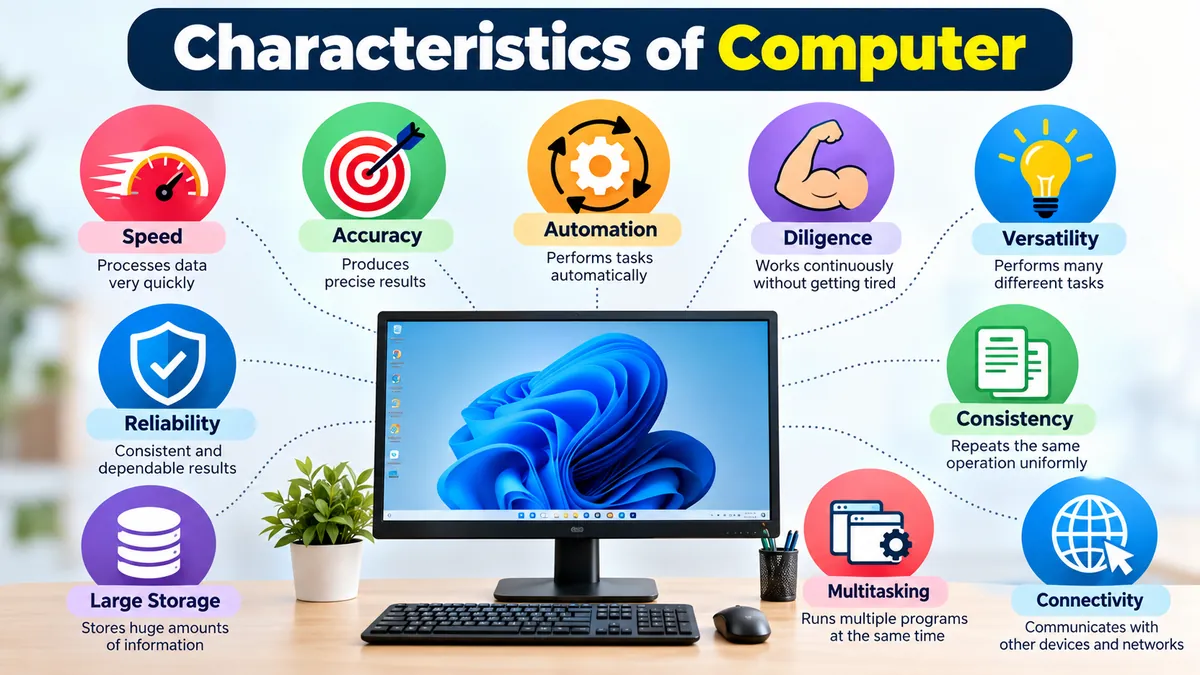

Computers can process huge amounts of data, repeat the same task thousands of times, store information for years, and run complex programs in seconds. These abilities come from a set of fundamental features known as the characteristics of computer systems.
The main characteristics of computer are speed, accuracy, diligence, automation, versatility, reliability, consistency, storage capacity, multitasking, and connectivity. A computer can execute instructions rapidly and repeatedly, but its results still depend on the quality of its input, software, hardware, and programmed instructions. TutorialsPoint
Understanding these characteristics is useful for students learning computer fundamentals because they explain both why computers are so powerful and why they still depend on humans and software to perform meaningful work.
What Is a Computer?
A computer is an electronic, programmable device that accepts data as input, processes that data according to instructions, stores information when necessary, and produces output.
The basic working cycle can be summarized as:
Input → Processing → Output → Storage
For example, when you enter numbers into spreadsheet software, the keyboard provides input, the processor performs calculations according to the program, the monitor displays the result, and the file can be saved to storage.
A computer system normally combines several components:
- Hardware: Physical components such as the CPU, keyboard, monitor, memory, and storage devices.
- Software: Programs and operating systems that provide instructions to the hardware.
- Input devices: Devices used to enter data or commands.
- Output devices: Components that present processed information.
- Memory and storage: Technologies used to hold data temporarily or persistently.
These components work together to provide the characteristics associated with modern computer systems.
Main Characteristics of Computer at a Glance
| Characteristic | What It Means | Simple Example |
|---|---|---|
| Speed | Processes instructions extremely quickly | Calculating thousands of spreadsheet entries |
| Accuracy | Produces precise results when data and instructions are correct | Financial calculations |
| Diligence | Repeats work without becoming tired | Processing thousands of records |
| Automation | Executes programmed tasks automatically | Scheduled data backup |
| Versatility | Performs many different types of tasks | Writing, gaming, designing, calculating |
| Reliability | Produces consistent results under proper conditions | Payroll processing |
| Consistency | Repeats the same operation uniformly | Generating monthly reports |
| Storage | Stores large amounts of information | Saving documents, videos, and databases |
| Multitasking | Manages multiple programs or processes | Browser, music, and document editor running together |
| Connectivity | Exchanges information with other systems | Internet communication |
These features explain why computers are widely used in education, banking, healthcare, engineering, business, science, entertainment, communication, and many other fields. excendra.com –
1. Speed
Speed is one of the most recognizable characteristics of computer systems.
A computer can execute enormous numbers of instructions in a very short period. Tasks that could take a person hours or days can sometimes be processed by computers in seconds.
Consider a company with thousands of employees. Manually calculating every employee’s salary, deductions, bonuses, and taxes would require substantial time. Payroll software running on computers can process the same information far more quickly.
Computer operations can occur over extremely small time intervals, commonly discussed using units such as:
- Millisecond = 10⁻³ second
- Microsecond = 10⁻⁶ second
- Nanosecond = 10⁻⁹ second
- Picosecond = 10⁻¹² second
Processor clock rates are commonly expressed in hertz (Hz), especially megahertz (MHz) and gigahertz (GHz). Clock frequency, however, should not be treated as a complete measurement of overall computer performance. Architecture, number of cores, memory, storage performance, workload, and software efficiency also matter.
Why is computer speed useful?
High processing speed enables computers to handle tasks such as:
- Scientific calculations
- Database searches
- Weather modeling
- Financial transactions
- Video processing
- Data analysis
- Gaming
- Web services
Speed becomes especially valuable when millions or billions of operations need to be performed.
2. Accuracy
Computers are capable of extremely accurate calculations when they receive correct data and valid instructions.
Suppose spreadsheet software is instructed to calculate:
4,587 × 7,264
The machine does not become distracted halfway through the calculation. It executes the defined operation according to its hardware and software.
However, saying that a computer is always 100% accurate can be misleading.
A computer can produce incorrect results because of:
- Incorrect input data
- Programming bugs
- Faulty formulas
- Hardware failures
- Configuration problems
- Numerical limitations
- Malicious or corrupted data
This leads to an important computing concept: GIGO — Garbage In, Garbage Out.
If incorrect data or instructions enter a system, the computer may efficiently produce an incorrect result. This principle is frequently associated with computer accuracy in educational explanations of computer characteristics. Physics and Radio Electronics
Speed vs. accuracy
Speed describes how quickly a computer processes instructions.
Accuracy describes how correctly or precisely those instructions are executed under the specified conditions.
A computer’s usefulness comes partly from combining both characteristics: it can perform large volumes of correctly specified operations very quickly.
3. Diligence
Humans naturally become tired, distracted, or bored after performing repetitive work for long periods.
Computers do not experience fatigue in the human sense.
This characteristic is known as diligence.
A properly functioning computer can repeatedly perform the same programmed task without losing concentration simply because the task is repetitive. Educational sources therefore commonly describe diligence as the ability to work continuously while maintaining consistent processing. CSE World Online
Imagine checking one million records for duplicate identification numbers. A person would find the task exhausting and increasingly prone to mistakes. Software can systematically examine each record according to the same programmed rules.
Diligence makes computers particularly effective for:
- Repetitive calculations
- Data processing
- Transaction processing
- Monitoring systems
- Automated testing
- Manufacturing control
- Database operations
This does not mean computers can literally operate forever. Hardware requires electricity, cooling, maintenance, and functioning components, while software and systems can encounter errors or downtime.
The key point is that computers do not become mentally tired or bored.
4. Automation
Another major characteristic is automation.
Once appropriate data, software, rules, and instructions have been provided, a computer can perform many processes automatically with little or no manual intervention during execution. Automation is consistently included among the fundamental characteristics of computer systems in computer-education material. TestingDocs
For example, a backup system can be configured to copy important files every night at a specific time.
After the schedule and rules are configured, someone does not need to manually start the same backup every night.
Other examples include:
- Automatically generating invoices
- Sorting emails
- Updating inventory quantities
- Running scheduled reports
- Processing transactions
- Controlling industrial equipment
- Monitoring sensors
- Performing software updates
Does automation mean a computer thinks independently?
No.
Traditional computer automation depends on instructions, algorithms, rules, programs, and input.
Modern artificial intelligence can perform tasks that appear more adaptive than conventional rule-based programs, but AI systems still operate through computational models, training, data, algorithms, and system constraints. Automation should therefore not be confused with unlimited independent intelligence.
5. Versatility
Versatility means a computer can perform many different types of tasks.
The same laptop might be used in the morning to write a report, later to attend a video meeting, then to edit photographs, analyze a spreadsheet, browse the internet, play a game, or write computer code.
The physical machine has not fundamentally changed. Different software and instructions allow it to perform different jobs.
This distinguishes computers from many specialized machines designed primarily for one purpose.
Common computer applications include:
- Word processing
- Graphic design
- Programming
- Accounting
- Communication
- Education
- Entertainment
- Scientific research
- Database management
- Engineering
- Video editing
Versatility does not mean every computer is equally good at every task. A basic office laptop and a high-performance workstation are both computers, but their hardware capabilities can be very different.
6. Reliability
Reliability refers to the ability of a computer system to perform its intended operations consistently under specified conditions.
If you provide the same valid input to the same deterministic program under the same conditions, you generally expect the same output.
That predictability is one reason computers are useful in areas where repeated processing matters.
For example, payroll software should apply the same defined calculation rules to employee records rather than randomly changing the calculation each time.
Reliability is valuable in:
- Banking
- Business operations
- Reservation systems
- Manufacturing
- Communication networks
- Scientific research
- Record management
Computers are not immune to failure, though.
Reliability can be affected by hardware faults, software bugs, overheating, power failures, storage corruption, malware, network problems, or incorrect configuration.
For critical applications, organizations therefore use safeguards such as backups, redundancy, error checking, monitoring, testing, and recovery systems.
7. Consistency
Consistency is closely related to diligence and reliability.
A computer can apply the same programmed procedure repeatedly without intentionally changing its method because it is bored, distracted, or impatient.
Suppose a school needs to calculate the final percentages of 20,000 students. If the same formula applies to every student, software can apply that formula consistently across the entire dataset.
This characteristic is useful for:
- Examination results
- Billing systems
- Payroll
- Manufacturing
- Data validation
- Report generation
- Repetitive calculations
Humans remain responsible for ensuring that the formula or procedure itself is appropriate.
A computer can consistently apply a bad rule just as easily as a good one.
8. Large Storage Capacity
Computers can store large quantities of digital information and retrieve it when required.
Stored information can include:
- Text documents
- Images
- Audio
- Videos
- Applications
- Databases
- Operating-system files
- Business records
- Backups
Modern storage devices can hold enormous quantities of information compared with early computer systems.
Common data-capacity units include:
| Unit | Approximate Relationship |
|---|---|
| Byte (B) | Basic unit commonly used for file size |
| Kilobyte (KB) | About 1,000 bytes |
| Megabyte (MB) | About 1,000 KB |
| Gigabyte (GB) | About 1,000 MB |
| Terabyte (TB) | About 1,000 GB |
Exact relationships can differ depending on whether decimal or binary conventions are being used.
Memory vs. storage
Students often treat memory and storage as interchangeable, but they serve different purposes.
Primary memory, particularly RAM, provides fast temporary working space for programs and data currently being used.
Secondary storage, such as solid-state drives and hard disk drives, retains files for longer periods, including after normal shutdown.
Older computer-fundamentals materials frequently mention CDs, floppy disks, and similar removable media. These are historically relevant examples, but SSDs, hard drives, flash storage, network storage, and cloud-based systems are more representative of modern computing environments.
9. Multitasking
Modern computer systems can manage multiple processes or applications during the same period.
You might simultaneously:
- Download a file
- Listen to music
- Edit a document
- Keep several browser tabs open
- Receive messages
- Run background security software
The operating system manages resources such as processor time and memory among these activities.
On multicore processors, some work can genuinely execute in parallel. In other situations, the operating system rapidly switches processor resources among tasks, creating a smooth multitasking experience.
The effectiveness of multitasking depends on factors including:
- CPU performance
- Number of processor cores
- Available RAM
- Storage performance
- Operating-system efficiency
- Application requirements
Too many demanding processes can still slow a computer down because computing resources are finite.
10. Connectivity and Communication
Modern computers rarely operate entirely in isolation.
Through wired and wireless networks, computers can communicate with other computers, servers, smartphones, printers, cloud platforms, and countless network-connected devices.
Connectivity enables:
- Video calls
- File sharing
- Web browsing
- Cloud computing
- Online education
- Remote work
- Online banking
- Multiplayer gaming
- Social networking
The Internet is the most obvious example of large-scale computer connectivity.
Computers exchange digital information using networks and communication protocols. Technologies such as Ethernet and Wi-Fi provide common ways for devices to connect to networks.
Connectivity has transformed computers from standalone processing machines into components of global information systems.
Other Important Characteristics of Computer Systems
The traditional list of computer characteristics usually focuses on speed, accuracy, diligence, versatility, storage, reliability, and automation. Modern systems also demonstrate several related capabilities worth understanding.
Programmability
A computer is programmable.
Rather than being permanently limited to one operation, it can execute different software containing different sets of instructions.
Programming languages allow developers to create applications that instruct computer hardware to perform specific operations.
This programmability is a major reason computers are so versatile.
Data Processing Capability
Computers can transform raw data into useful information.
A business, for example, might collect thousands of individual sales transactions. Computer software can process those records to calculate total revenue, identify popular products, compare periods, and generate reports.
Logical Operations
Computers perform both arithmetic and logical operations.
Logical processing includes comparisons and conditions such as:
- Is A greater than B?
- Are two values equal?
- Is a condition true or false?
- Should a particular instruction execute?
These operations form an essential part of computer programming and decision logic.
Characteristics of Computer vs. Human Abilities
Comparing computers with people helps clarify what these characteristics actually mean.
| Area | Computer | Human |
|---|---|---|
| Calculation speed | Extremely fast | Relatively slower |
| Repetitive work | Does not experience boredom or fatigue | Can become tired or distracted |
| Programmed accuracy | Very high with valid data/instructions | Can make calculation mistakes |
| Storage | Large digital capacity | Human memory works differently and is limited |
| Emotions | Does not experience human emotions | Has emotions |
| Judgment | Depends on algorithms, models, data, and rules | Can use lived experience and contextual judgment |
| Creativity | Can generate outputs from computational systems and learned patterns | Human creativity involves experience, intention, culture, and emotion |
| Common sense | Limited and system-dependent | Generally much stronger |
| Versatility | Can run many types of software | Can adapt broadly beyond programmed systems |
The comparison shows why computers and humans often complement each other rather than simply replacing one another.
Computers excel at high-speed processing, repetition, storage, and systematic calculation. Humans contribute context, responsibility, goals, ethical judgment, and real-world understanding.
What Are the Limitations of a Computer?
Learning the characteristics of computer systems without understanding their limitations can create the false impression that computers are infallible.
They are not.
Computers depend on instructions and systems
A computer requires hardware and software to perform useful tasks. Traditional programs execute instructions created by programmers, while AI systems depend on models, algorithms, training processes, data, and computational infrastructure.
Incorrect input can produce incorrect output
The GIGO principle remains important.
If a system receives incorrect, incomplete, biased, or inappropriate data, its output can also be unreliable.
Computers do not have human feelings
Computers do not experience happiness, fear, empathy, pain, or other human emotions simply because software can produce language or behavior that appears emotional.
Computers can fail
Hardware can break.
Software can contain bugs.
Storage can become corrupted.
Networks can disconnect.
Power can fail.
That is why important computer systems require backups, security controls, maintenance, testing, and recovery procedures.
Computers have finite resources
Every computer has limits involving processor capacity, RAM, storage, network bandwidth, energy, and other resources.
A computer may be fast, but it is not infinitely fast.
A storage device may be large, but its capacity is not unlimited.
Why Are the Characteristics of Computer Important?
These characteristics explain why computers have become essential across so many industries.
Education
Students and teachers use computers for research, digital textbooks, learning-management systems, presentations, simulations, online classes, and examinations.
Here, storage, versatility, connectivity, and speed are particularly useful.
Banking and Finance
Banks process enormous numbers of transactions and maintain large databases of financial information.
Accuracy, speed, reliability, automation, storage, and security are crucial in these environments.
Healthcare
Computer systems help manage patient records, medical imaging, appointments, laboratory information, monitoring, and administrative processes.
Reliability and accuracy are especially important because errors can have serious consequences.
Science and Engineering
Scientists and engineers use computers for simulation, modeling, data analysis, computer-aided design, and complex calculations.
High processing speed and the ability to handle large datasets make computers valuable research tools.
Business
Companies rely on computers for accounting, inventory management, payroll, communication, customer databases, analytics, and document preparation.
Automation and consistency help organizations handle repetitive operations efficiently.
Communication
Computers make it possible to exchange information rapidly across networks through email, messaging, video conferencing, websites, and collaborative platforms.
Connectivity has therefore become an increasingly important characteristic of modern computing.
Which Is the Most Important Characteristic of a Computer?
There is no single characteristic that is most important in every situation.
Speed and accuracy are often emphasized in computer-fundamentals courses because they demonstrate the basic computational advantages of computers. However, a fast computer would have limited practical value without storage, programmability, reliability, versatility, and appropriate software.
The importance of each characteristic depends on the application.
A scientific computing system may prioritize processing performance. A database server may emphasize reliability and storage. A personal laptop may need a balance of speed, multitasking, connectivity, portability, and battery efficiency.
The characteristics work together.
Do Computers Make Mistakes?
A computer can produce incorrect results, but the cause needs to be identified carefully.
Possible sources include:
- Incorrect input
- Faulty software
- Programming errors
- Hardware problems
- Corrupted files
- Misconfigured systems
- Inappropriate algorithms
- Numerical precision limitations
This is why describing computers simply as machines that “never make mistakes” is inaccurate.
Computers are highly precise at executing valid machine operations, but complete computer systems are designed, programmed, configured, and operated in environments where errors can occur.
How the Characteristics of Computer Work Together
The real power of computing does not come from one feature alone.
Consider an online banking system.
Speed allows transactions to be processed quickly.
Accuracy helps calculations follow defined rules correctly.
Storage preserves account and transaction records.
Automation allows routine processes to occur without manual handling of every transaction.
Reliability and consistency help ensure the system behaves predictably.
Connectivity enables customers and banking systems to communicate over networks.
Diligence allows repetitive operations to continue without human fatigue.
Programmability and versatility allow developers to add and update services.
This combination is what makes computers useful at scale.
Final Thoughts
The fundamental characteristics of computer systems include speed, accuracy, diligence, automation, versatility, reliability, consistency, storage capacity, multitasking, and connectivity. Programmability and logical data processing further explain why one computer can perform such a wide variety of tasks.
At the same time, these capabilities have limits. Computers depend on hardware, software, data, algorithms, electricity, and human-defined objectives. Incorrect input or faulty instructions can produce incorrect results, which is why the Garbage In, Garbage Out (GIGO) principle remains relevant.
The easiest way to remember the topic is to focus first on the seven classic characteristics—speed, accuracy, diligence, versatility, reliability, automation, and storage—then connect them to modern capabilities such as multitasking, programmability, and network communication. TestingDocs
