
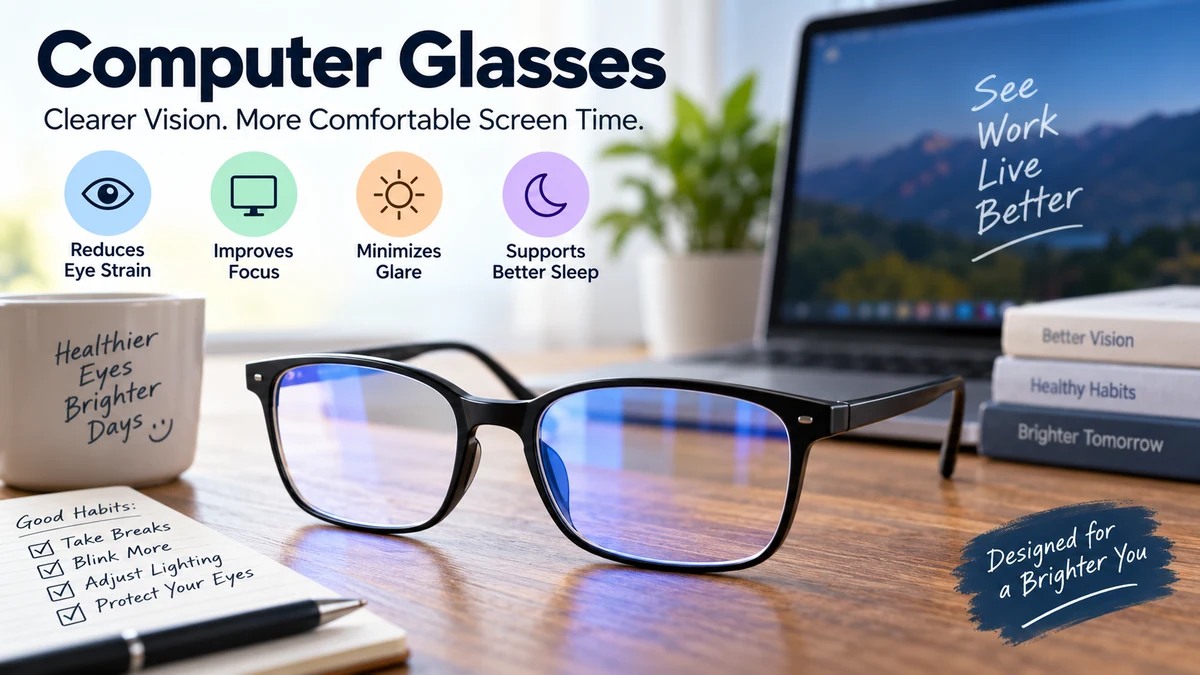

Hours at a laptop can leave your eyes dry, your vision temporarily blurry, and your head aching. It is easy to assume that the screen itself is damaging your eyes—or that any pair labeled “computer glasses” will solve the problem.
The reality is more nuanced.
Computer glasses are eyeglasses designed to make prolonged screen work more comfortable, usually by optimizing vision at the intermediate distance where a computer monitor sits. They may use prescription lenses, anti-reflective coatings, occupational lens designs, or blue-light filters. Their usefulness depends largely on your vision, working distance, and source of eye strain.
The biggest misconception is that computer glasses and blue-light-blocking glasses are automatically the same thing. They are not. Understanding that distinction can help you choose eyewear based on your actual visual needs rather than marketing claims.
What Are Computer Glasses?
Computer glasses are special-purpose eyeglasses intended for computer or other screen-based work. Their lenses can be configured to provide clear, comfortable vision at the distance between your eyes and your monitor.
That matters because a desktop monitor usually occupies an intermediate viewing zone rather than the distance used for reading a book or looking across a room.
Think of vision in three simplified zones:
| Visual task | Typical zone | Examples |
|---|---|---|
| Near vision | Close | Phone, book, printed document |
| Intermediate vision | Arm’s-length range | Desktop monitor, laptop |
| Distance vision | Farther away | Driving, television, signs |
Ordinary distance glasses are primarily intended to correct distance vision. Reading glasses provide additional focusing power for close objects. Computer glasses can instead be optimized around the intermediate distance required by your workstation.
Some are prescription glasses. Others have no corrective power and simply include features such as an anti-reflective coating or blue-light filter.
That distinction is critical: the words “computer glasses” on a product do not tell you exactly what the lenses do.
Why Screens Can Cause Digital Eye Strain
Computer vision syndrome, commonly called digital eye strain, describes a group of eye- and vision-related symptoms associated with prolonged use of computers, tablets, e-readers, and smartphones.
The American Optometric Association lists prolonged digital-device use as the underlying context and notes that discomfort tends to increase as screen exposure increases.
Common symptoms include:
- Tired or sore eyes
- Dry eyes
- Burning or irritation
- Blurred vision
- Difficulty refocusing
- Headaches
- Increased light sensitivity
- Neck or shoulder discomfort
Several factors can contribute simultaneously.
Reduced blinking and dry eyes
People tend to blink less normally during concentrated computer work. Blinking is essential because it redistributes the tear film across the surface of the eye.
When blinking decreases, tears evaporate more readily and the eyes can become dry or irritated. Mayo Clinic specifically identifies reduced blinking during computer work as a contributor to dry eyes.
Glasses alone cannot completely solve this problem.
Uncorrected vision problems
Even a relatively small refractive error may become more noticeable after hours of demanding visual work.
Myopia, hyperopia, astigmatism, presbyopia, focusing difficulties, or an outdated eyeglass prescription can make screen viewing more demanding.
The American Optometric Association notes that uncorrected vision problems can increase the severity of digital eye strain symptoms.
Continuous near and intermediate focusing
Your eyes have to maintain focus while you work.
A computer monitor presents a particular challenge because it often sits farther away than normal reading material but much closer than objects viewed through a standard distance prescription.
For some people, especially those developing presbyopia, an intermediate prescription can make that working distance more comfortable.
Glare and reflections
Overhead lights, windows, glossy screens, and reflections from eyeglass lenses can interfere with comfortable viewing.
This is where anti-reflective lens coatings and better workstation lighting can become useful.
Poor ergonomics
Not every symptom attributed to “eye strain” originates in the eyes.
Leaning toward a monitor, raising the chin to look through part of a progressive lens, or sitting at an unsuitable viewing distance can contribute to neck, shoulder, and back discomfort. Task-specific computer eyewear may help some users maintain a more natural posture.
How Do Computer Glasses Work?
The most useful feature of computer glasses may be surprisingly simple: correcting vision for your actual working distance.
A computer screen frequently sits in the intermediate visual zone. Computer-specific lenses can be prescribed around that distance rather than around conventional reading or far-distance vision.
Different lenses accomplish this in different ways.
Single-vision computer lenses
Single-vision computer glasses have one main corrective power throughout the lens.
An optometrist can configure that power around the user’s typical monitor distance.
They can work particularly well for someone who spends long periods at one workstation and does not need to constantly look across a large room.
The trade-off is limited versatility.
Glasses optimized for a monitor may make distant objects blurry. They therefore should not automatically be treated as everyday glasses, particularly for activities such as driving.
Occupational and office lenses
Office lenses provide a wider range of near and intermediate vision.
Instead of optimizing the entire lens for one fixed distance, these designs can accommodate tasks such as:
- Looking at a monitor
- Reading paperwork
- Viewing a keyboard
- Checking a phone
- Talking to someone nearby
They can be useful for people who frequently alternate among different working distances.
Progressive lenses
Standard progressive lenses contain distance, intermediate, and near zones in one lens.
They are highly versatile, but the intermediate area may be narrower than someone wants for prolonged multi-monitor work.
A dedicated occupational or computer design can provide a larger usable intermediate zone. However, that additional workspace usually comes at the expense of far-distance vision.
Computer Glasses vs. Reading Glasses
The two are easy to confuse.
Reading glasses are generally designed for close-up work. A desktop monitor is typically positioned farther from the eyes than a book or phone.
Computer-specific lenses can therefore require a different prescription.
| Feature | Computer glasses | Reading glasses |
|---|---|---|
| Main purpose | Screen/workstation viewing | Close reading |
| Primary vision zone | Intermediate or near-intermediate | Near |
| Desktop monitor use | Often optimized for it | May be too close-focused |
| Prescription available | Yes | Yes |
| Everyday distance use | Usually limited | Usually limited |
Someone may be perfectly comfortable using ordinary reading glasses at a laptop, particularly if their screen is relatively close. Another person may find the monitor slightly blurry.
The correct lens power depends on the prescription and actual working distance—not simply on age.
Computer Glasses vs. Blue-Light Glasses
This is the distinction most screen users should understand.
Computer glasses describe eyewear designed around computer use. Blue-light glasses describe lenses that filter some portion of short-wavelength visible light.
A pair can be both, either, or neither.
For example, computer glasses might contain:
- An intermediate-distance prescription
- Anti-reflective coating
- Blue-light filtering
Another pair might contain only the first two.
Meanwhile, inexpensive non-prescription glasses marketed online as computer glasses may simply contain a blue-light filter.
Those products should not be assumed to correct an intermediate focusing problem.
Do Blue-Light Computer Glasses Actually Work?
Blue-light filtering is one of the most heavily marketed features of computer eyewear, but the clinical evidence does not support many of the strongest claims surrounding it.
Blue light is part of the visible-light spectrum. Digital displays using LED technology emit some blue light, but screen exposure should not be confused with much more intense environmental light exposure.
A major Cochrane systematic review examined 17 randomized controlled trials involving 619 participants. It found that blue-light filtering spectacle lenses may provide little or no short-term benefit for computer-related eye strain compared with lenses that do not filter blue light. Evidence concerning sleep effects was also inconclusive.
The review also found no randomized-trial evidence establishing that these lenses protect macular health from screen exposure.
That does not mean nobody can prefer blue-filtering lenses.
Comfort is personal, and different lens tints can change perceived brightness or contrast. But a person’s subjective preference is different from evidence that blue-light filtration prevents digital eye strain or retinal damage.
Does computer blue light damage your eyes?
Claims that ordinary computer displays are damaging the retina through blue-light exposure are not supported by current clinical evidence.
The American Academy of Ophthalmology’s EyeWiki notes the lack of scientific evidence that normal computer-screen light damages the eyes and discusses the Academy’s position that special eyewear is not required simply for protection from computer light.
This distinction matters because eye discomfort does not necessarily mean eye damage.
You can experience substantial dryness, fatigue, headaches, or focusing discomfort after hours of screen use without the monitor physically damaging your retina.
Blue Light and Sleep Are a Different Question
Blue-light discussions often mix together two different issues:
Eye strain and circadian rhythm.
Light exposure in the evening can influence the body’s biological clock. Blue wavelengths are particularly relevant to circadian signaling and melatonin regulation.
But that does not automatically mean clear blue-light-filtering glasses provide a meaningful sleep benefit.
The Cochrane review found that evidence concerning blue-light-filtering spectacle lenses and sleep quality remains uncertain.
If late-night screen use is affecting sleep, behavioral changes are worth considering alongside—or before—special eyewear:
- Reduce bright screen exposure before bedtime.
- Lower overall display brightness.
- Use warmer nighttime display settings.
- Avoid working in an otherwise completely dark room.
- Give yourself screen-free time before sleep.
The key distinction is that circadian effects from evening light and digital eye strain during daytime computer work are related to screen use but are not the same biological problem.
Anti-Reflective Computer Glasses
Anti-reflective, or AR, coatings address a different issue: reflections from the surfaces of your eyeglass lenses.
An AR coating reduces reflections reaching your eyes from surrounding light sources and can make the lenses appear clearer.
This may be useful in workplaces containing:
- Bright overhead lighting
- Windows behind the desk
- Multiple monitors
- Video-conferencing lights
- Other reflective surfaces
Anti-reflective and blue-light filtering technologies should not be treated as interchangeable.
An anti-reflective coating deals primarily with unwanted lens reflections. A blue-light filter changes transmission of selected wavelengths.
A lens can contain both.
Types of Computer Glasses
There is no single lens design that qualifies as the universal computer lens.
The major options can be understood this way:
| Type | What it does | Often suited to |
|---|---|---|
| Non-prescription lenses | No vision correction | People who do not require corrective power |
| Single-vision computer lenses | Focuses at a chosen working distance | Dedicated desktop work |
| Office/occupational lenses | Covers near and intermediate zones | Multi-task desk work |
| Progressive lenses | Covers near through distance | General everyday use |
| Anti-reflective lenses | Reduces lens reflections | Bright or reflective workplaces |
| Blue-light filtering lenses | Filters selected visible wavelengths | Personal preference rather than proven eye-strain treatment |
The best design depends more on what your eyes need to see than on how many features appear on the lens packaging.
Who May Benefit From Computer Glasses?
Computer glasses are not necessary for everyone who owns a laptop.
A person with excellent vision, comfortable screen habits, a good workstation, and no persistent symptoms may gain little from prescription computer eyewear.
They become more relevant when a specific visual problem exists.
People with presbyopia
Presbyopia is the gradual age-related loss of the eye’s ability to focus efficiently on nearby objects.
It commonly becomes noticeable in middle age.
Someone may first notice that text needs to be held farther away or that switching between a monitor and documents takes more effort.
Computer-specific or occupational lenses can provide a useful intermediate zone without forcing the wearer to lean toward the screen.
People who already wear prescription glasses
Your everyday prescription may be excellent for general life yet less comfortable for eight hours at a workstation.
This is especially relevant to people wearing bifocals or progressives who repeatedly move their head to find a comfortable intermediate area.
Mayo Clinic notes that glasses prescribed for specific activities, including computer use or reading, can help some people with eyestrain.
Multi-monitor professionals
Programmers, designers, editors, accountants, analysts, writers, and other professionals may spend hours moving their gaze across one or several monitors.
A wide intermediate visual field can be more useful in this setting than a narrow intermediate corridor.
Contact lens wearers
Long screen sessions can be uncomfortable for some contact lens users, particularly when reduced blinking contributes to dryness.
Computer glasses do not automatically correct dry eye, but switching to glasses for some screen sessions may be more comfortable for certain people.
Persistent dryness deserves proper assessment rather than repeatedly trying different screen accessories.
How to Choose Computer Glasses
Do not start with blue light.
Start with your vision and workstation.
1. Measure your normal working distance
Sit normally rather than moving into an artificial posture for the measurement.
Measure approximately from your eyes to the center of your main screen.
This information can help an eye-care professional understand the focal distance required for your work.
2. Consider everything you need to see
A person working exclusively on a large desktop display has different requirements from someone constantly switching between a laptop, paperwork, smartphone, and colleagues across an office.
Ask yourself:
- How far away is my main monitor?
- Do I use multiple monitors?
- Do I read printed documents?
- Do I need clear vision across the room?
- How frequently do I switch between distances?
Lens design should follow those requirements.
3. Check your prescription
Persistent screen-related blur may be caused by an outdated or uncorrected refractive error rather than the screen.
An eye examination can assess visual acuity and determine whether a correction is needed.
4. Consider anti-reflective coating
If reflections are interfering with comfortable viewing, an AR coating may be worth discussing.
Remember that reducing reflections on an eyeglass lens is different from filtering blue light.
5. Treat blue-light filtration as an optional feature
Do not assume a blue-light filter is medically necessary simply because you spend hours using a computer.
Current systematic-review evidence does not show a meaningful short-term eye-strain advantage over non-blue-filtering lenses.
If you personally prefer the appearance or comfort of a filtered lens, that is a separate consideration.
Computer Glasses Cannot Fix Poor Screen Habits
Even perfectly prescribed computer glasses cannot compensate for every source of digital eye strain.
Workstation habits often matter just as much.
Follow the 20-20-20 rule
The American Optometric Association recommends that every 20 minutes of computer use, you look at something approximately 20 feet away for at least 20 seconds.
The purpose is straightforward: give your visual system periodic breaks from sustained close/intermediate work.
Blink deliberately
When deeply focused on a spreadsheet, game, document, or video, remind yourself to blink fully.
This helps refresh the tear film.
Adjust screen position
Your monitor should allow you to work without repeatedly leaning forward, raising your chin, or twisting your neck.
Ergonomics becomes especially important when wearing progressive lenses because poor screen positioning can force an awkward viewing posture.
Control glare
Look around the monitor rather than only at it.
A bright window directly behind the screen, overhead light reflected in the display, or strong light behind you can make viewing less comfortable.
Repositioning the monitor or changing room lighting may accomplish more than adding another lens treatment.
Increase text size
Tiny text forces unnecessary visual effort.
Increasing browser zoom, font size, or operating-system scaling can make prolonged reading considerably more comfortable without changing the actual content on screen.
Match screen brightness to the room
An extremely bright monitor in a dark room can feel harsh.
Conversely, a dim display under intense office lighting may be difficult to read.
Aim for comfortable contrast rather than maximum brightness.
What About “Zero Power” Computer Glasses?
Zero-power glasses contain no refractive correction.
They may include an anti-reflective treatment, tint, or blue-light filter, but they do not correct myopia, hyperopia, astigmatism, presbyopia, or another refractive error.
This distinction becomes especially relevant when someone experiences blurry vision.
If the underlying problem is an uncorrected prescription, a zero-power blue-light lens cannot correct it.
Likewise, if symptoms primarily result from dry eye, poor ergonomics, or continuous screen use without breaks, simply adding non-prescription lenses may not address the root cause.
Are Computer Glasses Worth It?
They can be—when the lens solves a defined visual problem.
Evidence for computer-specific prescriptions is not as extensive as many advertisements suggest. An earlier Cochrane review concluded that certain computer glasses might improve eye symptoms compared with everyday glasses in the short term, but the evidence was of very low quality and long-term benefits were uncertain.
A more useful question than “Do computer glasses work?” is:
What is causing my discomfort?
If your monitor is blurry because your existing prescription is poorly suited to intermediate vision, task-specific glasses may make a meaningful difference.
If glare is the main problem, an anti-reflective coating and lighting changes may help.
If dry eye is driving the symptoms, blinking habits, breaks, environmental adjustments, and appropriate eye care become more relevant.
And if the only reason you are considering glasses is fear that normal computer blue light is damaging your retina, current evidence does not establish that protective blue-light eyewear is necessary.
When Should You Get an Eye Exam?
Occasional tired eyes after an unusually long workday are different from persistent visual symptoms.
Consider an eye examination if you repeatedly experience:
- Blurred vision
- Double vision
- Frequent headaches
- Significant eye pain
- Persistent dryness or irritation
- Difficulty focusing
- Noticeably worsening vision
- Symptoms that continue despite taking screen breaks
An eye-care professional can check for refractive error as well as focusing, binocular-vision, ocular-surface, or other eye problems.
Mayo Clinic notes that evaluation for eyestrain may include an eye examination and vision testing, particularly when an underlying condition could be contributing.
The Bottom Line on Computer Glasses
Computer glasses can be useful when they are matched to a real visual need, particularly intermediate-distance focusing during prolonged computer work. Prescription single-vision or occupational lenses can provide a more comfortable working zone, while anti-reflective coatings may reduce distracting lens reflections.
Blue-light filtering deserves more realistic expectations. The best available systematic-review evidence does not show that blue-light-filtering spectacles meaningfully reduce short-term digital eye strain compared with ordinary lenses, and evidence for sleep benefits remains uncertain.
For most people, reducing digital eye strain requires more than eyewear: use regular visual breaks, blink frequently, control glare, increase text size when needed, optimize monitor distance and position, and keep your vision prescription current.
If those changes are not enough, a comprehensive eye examination can determine whether computer glasses tailored to your actual working distance would make screen time more comfortable.
