
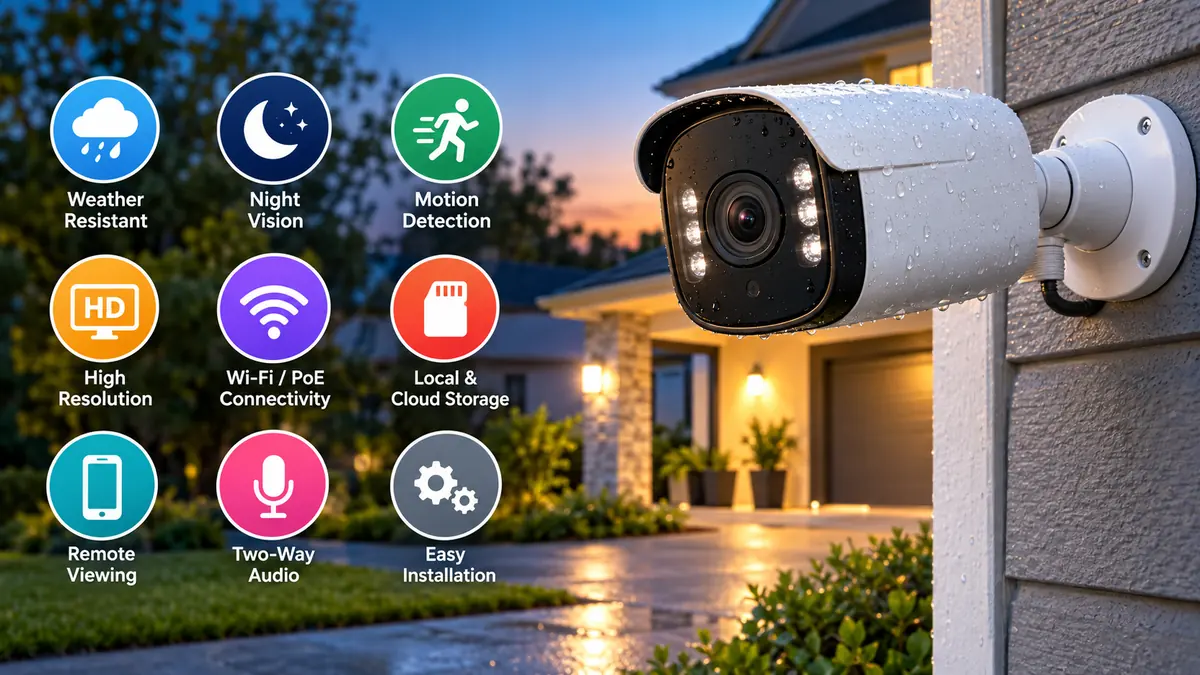

An outdoor camera can watch the parts of a property that are hardest to monitor in person: entrances, driveways, gates, yards, garages, side passages, and other exposed areas. Unlike a typical indoor camera, it must continue working through changing light, dust, rain, heat, cold, and other environmental conditions.
Choosing one is not simply a matter of buying the camera with the highest resolution. Weather resistance, night vision, field of view, power source, storage, connectivity, motion detection, and placement can have a bigger effect on everyday usefulness. Current outdoor-camera guides consistently emphasize these factors when evaluating cameras. Tom’s Guide
An outdoor camera is a surveillance camera designed for exterior monitoring, usually with a weather-resistant enclosure, day-and-night video, motion detection, remote viewing, and either wired or wireless connectivity. The right model should match the area being monitored, local weather, available power and network connections, required recording detail, and preferred storage method.
What Is an Outdoor Camera?
An outdoor camera is a video camera specifically built or rated for installation outside a building. Most are used as part of a home security or CCTV system, although outdoor cameras are also common around offices, shops, warehouses, parking areas, farms, apartment buildings, and other properties.
The biggest distinction between an indoor and outdoor security camera is environmental protection. Outdoor hardware needs a housing capable of resisting moisture and dust, while its operating-temperature specification needs to suit the climate where it will be installed.
Modern cameras may also provide:
- Motion detection
- Infrared night vision
- Color night vision
- Two-way audio
- Person, vehicle, or animal detection
- Spotlights or floodlights
- Mobile notifications
- Local recording
- Cloud storage
- Wi-Fi or Ethernet connectivity
- Power over Ethernet (PoE)
- Battery or solar operation
- Smart-home integration
Not every property needs all these features. A simple fixed camera covering a small entrance has very different requirements from a camera monitoring a long driveway or large warehouse perimeter.
Outdoor Camera vs. Indoor Camera
Indoor and outdoor cameras can look surprisingly similar, but they are designed for different operating conditions.
| Feature | Outdoor Camera | Indoor Camera |
|---|---|---|
| Weather resistance | Usually required | Usually limited |
| Dust protection | Higher | Lower |
| Night monitoring | Often a major priority | Useful but less demanding |
| Operating environment | Rain, heat, cold, dust | Controlled indoor environment |
| Mounting | Exterior wall, eave, pole, ceiling | Wall, shelf, ceiling |
| Typical coverage | Gate, yard, driveway, entrance | Room, hallway, interior entrance |
| Tamper exposure | Higher | Lower |
An indoor camera should not automatically be installed outside simply because it is positioned under a small roof. Moisture, condensation, dust, temperature extremes, and indirect rain can still damage hardware that was not designed for outdoor use.
Similarly, placing an indoor camera behind a window is not always a good substitute. Glass can create reflections and interfere with night vision or motion detection. Google’s Nest guidance, for example, warns that windows can affect video quality, night vision, and some camera sensors. Google Support
How Weatherproof Should an Outdoor Camera Be?
Weather resistance should be one of the first specifications you check.
Manufacturers commonly express protection using an IP rating, short for Ingress Protection. The two digits indicate resistance to solid particles and water.
Common ratings include:
| Rating | Typical Outdoor Meaning |
|---|---|
| IP65 | Dust protection and resistance to water jets |
| IP66 | Dust-tight with stronger protection against water jets |
| IP67 | Dust-tight and capable of temporary immersion under specified conditions |
A higher rating does not mean the entire installation is automatically waterproof. Connectors, cable joints, power adapters, junction boxes, and network equipment also need appropriate protection.
For a camera beneath a covered porch, IP65 may be sufficient when permitted by the manufacturer’s installation instructions. A camera mounted on an exposed wall, gate, or other position receiving substantial rain may benefit from IP66 or IP67 protection.
Current installation guidance also recommends checking the camera’s specified operating-temperature range instead of assuming that an “outdoor” label guarantees suitability for every climate. Tom’s Guide
Heat and direct sunlight matter too
Water isn’t the only environmental problem.
Direct sunlight can heat a camera beyond the surrounding air temperature. It can also create glare, reducing image quality at particular times of day.
Whenever practical, mounting beneath an eave or another shaded location can reduce direct sun exposure. Google likewise recommends shaded placement for its outdoor cameras and adjusting the angle when sunlight or floodlights create glare. Google Support
What Resolution Does an Outdoor Camera Need?
Resolution determines how many pixels make up the recorded image, but more pixels don’t automatically guarantee better surveillance footage.
Common options include:
1080p
Full HD remains useful for general monitoring of relatively small areas.
It can be appropriate when your main goal is determining whether someone entered a yard, approached a doorway, or moved through a particular zone.
2K or 1440p
2K provides additional detail and has become common in consumer outdoor security cameras.
The extra resolution can help when viewing faces, clothing, packages, and other details, particularly when digitally zooming into recorded footage.
4K
4K can be useful for larger areas where capturing finer detail is important.
However, higher resolution generally means:
- Larger recordings
- More storage consumption
- Greater network bandwidth
- Potentially higher equipment costs
This is why resolution should be considered together with storage and network capacity rather than in isolation.
Image quality also depends on the sensor, lens, exposure processing, compression, lighting, and dynamic range. A well-designed lower-resolution camera can sometimes provide more useful nighttime evidence than a poorly performing camera advertising a much larger megapixel number.
Why Night Vision Matters
Daylight footage is only half the job. An outdoor security camera may become most valuable after dark.
Most outdoor cameras use one of several approaches.
Infrared night vision
Infrared LEDs illuminate an area with light that the camera can detect but humans generally cannot see.
The resulting footage is usually black and white.
Infrared works particularly well when you want discreet surveillance without leaving a visible light switched on throughout the night.
Color night vision
Some cameras use sensitive imaging hardware and available ambient light to maintain color in low-light conditions.
Color information can occasionally make recorded evidence more useful because details such as clothing or vehicle color remain visible.
Spotlight-assisted color video
Another approach is an integrated spotlight or floodlight.
When movement is detected, the light illuminates the scene, allowing the camera to record color footage while also providing visible illumination.
When comparing cameras, don’t look only for the words “night vision.” Consider the claimed illumination range and, where possible, independent nighttime test footage. Night performance is one area where outdoor cameras can differ substantially. Tom’s Guide
Field of View and Camera Coverage
Field of view describes how much of a scene the camera can see.
A wide-angle lens can cover a large yard, driveway, or parking area with fewer cameras. But wider isn’t automatically better.
As the scene becomes wider, individual subjects may occupy fewer pixels. A narrower view focused on a gate or doorway may therefore provide better identification detail.
Think in terms of the camera’s purpose.
For general awareness, a wide view may be ideal. For identifying visitors entering through a gate, concentrating more pixels on that entrance can be more valuable.
This leads to an important security principle:
Coverage and identification are different goals.
A camera can show that somebody entered your property without capturing enough detail to identify that person.
Wired vs. Wireless Outdoor Camera
One of the biggest practical decisions is how the camera will connect.
Wi-Fi outdoor camera
A Wi-Fi camera communicates wirelessly with your network.
The main advantage is simpler installation because you don’t necessarily need to run an Ethernet cable from the camera to your router or recorder.
However, wireless does not necessarily mean wire-free. Many Wi-Fi cameras still need a power cable.
Performance also depends on Wi-Fi signal quality at the installation point.
Exterior walls, distance, interference, and building materials can weaken the connection.
Wired IP camera
An IP camera connected using Ethernet can provide a highly stable network connection.
Many professional or multi-camera installations use this approach.
PoE camera
Power over Ethernet is particularly convenient for permanent installations because a compatible Ethernet connection can carry both network data and electrical power.
Instead of arranging separate network and power connections at each camera, a single cable can connect the camera to compatible PoE equipment.
PoE is especially attractive for:
- Multiple-camera systems
- Offices
- Warehouses
- Larger houses
- Commercial properties
- Locations where Wi-Fi reliability is questionable
Analog CCTV camera
Traditional CCTV installations may use analog cameras connected to a DVR.
IP camera systems generally connect to network-based recording infrastructure such as an NVR, whereas analog CCTV cameras commonly work with compatible DVR equipment. Compatibility should always be verified before mixing cameras and recording hardware. cctvinstallationlahore.com
Battery, Wired, or Solar Power?
Connectivity and power are separate decisions.
Battery-powered cameras
Battery operation makes installation much easier because no permanent power cable is required.
This can be useful for rental properties, detached structures, or locations where wiring would be difficult.
The compromise is maintenance.
Batteries eventually need recharging or replacement, and actual runtime varies with recording frequency, temperature, motion activity, settings, and wireless conditions.
Hardwired power
Continuous power eliminates routine battery charging.
It is usually better suited to cameras expected to operate continuously or record extensively.
Installation can require more work, however.
Solar-powered cameras
Solar charging can reduce how often a battery-powered camera needs manual charging.
Performance depends on sufficient sunlight, panel positioning, weather, battery capacity, and camera activity.
A solar panel doesn’t make energy consumption irrelevant. A heavily triggered camera in a shaded location may still consume energy faster than the panel replenishes it.
Local Storage vs. Cloud Storage
Recording storage has a major impact on both cost and privacy.
microSD card
Some standalone cameras include a microSD card slot.
This is simple and can avoid recurring cloud fees, although capacity is limited and footage stored inside the camera could become inaccessible if the camera is stolen or damaged.
NVR
A Network Video Recorder can centrally store recordings from compatible IP cameras.
NVR systems are particularly useful when several cameras need continuous or long-term recording.
DVR
A Digital Video Recorder is typically associated with compatible analog CCTV systems.
Cloud storage
Cloud recording stores footage remotely.
Advantages may include off-site protection, remote access, and convenient event history.
The main disadvantages can include:
- Recurring subscription fees
- Dependence on internet connectivity
- Privacy considerations
- Storage-duration restrictions
Before purchasing an outdoor camera, check which advertised functions require a subscription. Features such as extended recording history or certain smart detections may sit behind paid plans on some systems.
Motion Detection and Smart Alerts
Basic motion detection simply identifies movement.
That sounds useful until trees move in the wind, insects pass near the lens, cars travel through the background, or shadows change throughout the day.
Too many meaningless notifications lead users to ignore alerts.
Modern smart cameras may classify movement as:
- Person
- Vehicle
- Animal
- Package
- General motion
Some systems also let you create activity zones so movement is monitored only within selected parts of the image.
For example, you could monitor your driveway while excluding a busy public road behind it.
Accurate detection can be more valuable than having dozens of additional features. Digital Camera World similarly notes that poor smart detection can generate so many alerts that users eventually stop paying attention to them. Digital Camera World
Do You Need Two-Way Audio?
Two-way audio combines a microphone and speaker.
It allows you to hear what is happening near the camera and speak through it using an app.
This can be useful at:
- Front gates
- Doorways
- Delivery areas
- Garages
- Business entrances
Audio quality varies significantly between models, particularly in wind or around road noise.
You should also consider local privacy and audio-recording laws before enabling audio recording.
Outdoor Camera Placement
Even an excellent camera can perform badly when positioned incorrectly.
Useful locations commonly include:
- Front entrance
- Main gate
- Driveway
- Garage entrance
- Back door
- Side passage
- Ground-floor access points
- Yard entrance
- Parking area
Rather than simply installing cameras wherever mounting is easiest, decide what each camera needs to accomplish.
Monitor natural access routes
People usually enter a property through predictable routes.
Entrances and gates should therefore receive priority over random sections of exterior wall.
Avoid severe backlighting
Pointing a camera directly toward strong sunlight can make subjects difficult to see.
Bright exterior lights can cause similar problems at night.
Keep important objects large enough
A camera covering too much territory may provide an impressive overview but little useful identifying detail.
Test the image before finalizing the mounting position.
Avoid easy tampering
A camera mounted within comfortable reach can be blocked, redirected, or damaged.
At the same time, mounting excessively high can result in footage dominated by the tops of people’s heads rather than useful facial views.
The right position balances security, viewing angle, accessibility for maintenance, and identification needs.
How to Install an Outdoor Camera
Installation differs by camera type, but a reliable process generally follows several stages.
1. Decide what the camera must capture
Identify the specific target first.
Is it watching a doorway, driveway, gate, yard, vehicle, or general perimeter?
That decision determines the lens position and required field of view.
2. Test the location
Before drilling permanent holes, temporarily position the camera and inspect live video during both daylight and darkness.
Check:
- Image detail
- Wi-Fi signal, if applicable
- Night vision
- Glare
- Motion detection
- Blind spots
- Nearby obstructions
3. Secure the mounting bracket
Use appropriate fixings for the mounting surface.
Brick, concrete, wood, siding, and other materials can require different hardware.
4. Route cables safely
Keep network and power cables protected from water, physical damage, and unnecessary exposure.
Exterior cable penetrations should be appropriately sealed.
5. Protect connections
A weather-resistant camera housing doesn’t protect a poorly exposed cable connector.
Use suitable weatherproof junction boxes, glands, covers, or manufacturer-approved accessories where required.
6. Configure detection zones
Exclude roads, neighboring areas, moving vegetation, and other sources of unnecessary alerts whenever the camera software allows it.
7. Test again at night
Nighttime testing is essential.
IR reflections, bright lights, insects, nearby walls, or reflective surfaces may cause problems that were invisible during daytime installation.
Common Outdoor Camera Mistakes
Several mistakes repeatedly reduce the effectiveness of otherwise capable equipment.
Buying based only on resolution
More megapixels cannot compensate for poor placement, weak low-light performance, or an unsuitable lens.
Ignoring operating temperature
A weather-resistant housing doesn’t necessarily mean a camera can tolerate every temperature.
Check the manufacturer’s operating range.
Assuming wireless means no wires
A Wi-Fi camera may still require continuous electrical power.
Look specifically for battery-powered or wire-free if eliminating power wiring is important.
Ignoring storage costs
A low purchase price may become less attractive when essential functionality requires a recurring subscription.
Compare long-term cost rather than hardware price alone.
Mounting before testing
Test Wi-Fi reception, viewing angle, image quality, and night vision first.
Moving a camera is much easier before holes and cable routes become permanent.
Ignoring cable weatherproofing
Outdoor reliability depends on the entire installation, not just the camera enclosure.
Covering too much area
Trying to monitor a huge area with one camera can reduce the amount of useful detail captured at important points.
Several strategically positioned cameras may provide better evidence than one extremely wide view.
Privacy and Cybersecurity
An outdoor camera doesn’t only collect images from your property. Depending on its direction, it may also capture sidewalks, roads, neighboring property, employees, visitors, or other public and private areas.
Privacy requirements differ between jurisdictions, so owners should check applicable surveillance, privacy, audio-recording, and data-protection rules.
Google’s camera-placement guidance likewise reminds owners that they are responsible for complying with applicable privacy and data-protection laws. Google Support
Internet-connected cameras also need basic cybersecurity protection.
Good practices include:
- Use a strong, unique account password.
- Enable multi-factor authentication when available.
- Keep camera firmware and apps updated.
- Secure the home Wi-Fi network.
- Avoid reusing passwords from other accounts.
- Review who has access to shared camera accounts.
- Remove access when it is no longer needed.
- Check privacy and cloud-storage settings.
- Buy equipment from manufacturers that continue providing security updates.
A camera intended to improve physical security should not become a weak point in digital security.
How Many Outdoor Cameras Do You Need?
There is no universal number.
Start by identifying important access points and blind spots rather than trying to cover every square meter.
A small property might prioritize the front entrance, driveway, and rear access. A larger property could require additional cameras for side passages, garages, gates, parking areas, and perimeter locations.
Think in layers:
Detection: Did something enter the property?
Observation: What is happening?
Identification: Can the footage provide useful identifying detail?
One camera doesn’t necessarily perform all three jobs equally well.
Choosing an Outdoor Camera for Different Locations
Different areas create different priorities.
| Location | Features to Prioritize |
|---|---|
| Front door | Facial detail, two-way audio, smart alerts |
| Driveway | Wide coverage, vehicle detection, strong night vision |
| Gate | Identification detail, weather resistance |
| Backyard | Wide field of view, person detection |
| Garage | Night vision, motion alerts |
| Business entrance | Reliable recording, identification detail |
| Parking area | High resolution, low-light performance |
| Large property | PoE/network system, centralized recording |
| Remote area | Battery/solar power, appropriate connectivity |
The best outdoor camera is therefore not necessarily the model with the longest specification sheet. It is the one whose strengths match its installation point.
What Specifications Matter Most?
When comparing models, concentrate on practical specifications rather than marketing terminology.
A useful checklist is:
- Weather rating: Is it suitable for the exact level of exposure?
- Operating temperature: Can it handle local summer and winter conditions?
- Resolution: Will subjects occupy enough pixels to capture the detail you need?
- Night performance: How does it perform in realistic darkness?
- Field of view: Does it cover the intended zone without making subjects too small?
- Power: Battery, wired, PoE, or solar?
- Connectivity: Wi-Fi, Ethernet, cellular, or another method?
- Storage: microSD, NVR/DVR, cloud, or a combination?
- Detection: Can it distinguish useful events from irrelevant movement?
- Recurring costs: Which features require a subscription?
- App and remote viewing: Is remote access reliable and easy to use?
- Security updates: Does the manufacturer provide ongoing firmware support?
Current buying guidance similarly emphasizes video resolution, night vision, weather resistance, power, and compatibility as core selection criteria. The Ring Blog
Outdoor Camera Maintenance
Security cameras should not be treated as install-and-forget devices.
Inspect them periodically.
Clean dirt, dust, cobwebs, and water spots from the lens or protective cover using methods approved by the manufacturer. Even a thin layer of dirt can noticeably reduce nighttime clarity when infrared light reflects from it.
Also check:
- Mounting screws
- Cable condition
- Waterproof seals
- Battery level
- Solar panel cleanliness
- Available storage
- Recording status
- Date and time accuracy
- Wi-Fi or network stability
- Firmware updates
- Motion-detection zones
Review recorded footage occasionally rather than waiting for an incident. A camera can appear online while still having a dirty lens, incorrect angle, failed storage device, or poorly configured recording schedule.
Is an Outdoor Camera Worth It?
An outdoor camera can provide live awareness, recorded evidence, event notifications, and a convenient way to check a property remotely. Its usefulness, however, depends heavily on choosing the right equipment and installing it correctly.
Don’t judge cameras solely by resolution or advertised feature counts. Start with the area you need to monitor, then consider weather exposure, lighting, identification distance, field of view, power availability, network reliability, storage requirements, privacy, and long-term costs.
A well-chosen outdoor camera should capture useful footage consistently—not merely produce video. Prioritize weather resistance, dependable night performance, appropriate resolution, sensible placement, secure connectivity, and a storage system that fits how you actually intend to use the recordings.
