
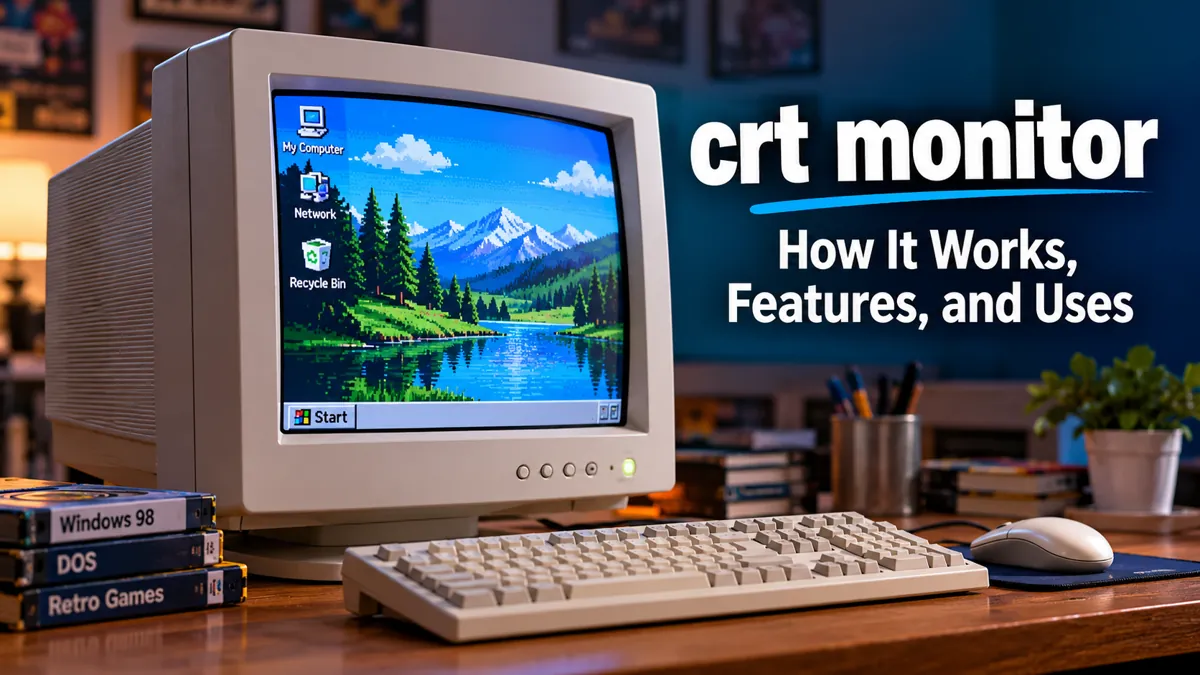

Before flat-screen displays became standard, computer desks were dominated by large, heavy monitors with curved glass screens. These displays used cathode-ray tube technology to produce images, and their distinctive appearance became closely associated with early personal computers.
A crt monitor is a display device that uses a cathode-ray tube (CRT) to create images by directing electron beams onto a phosphor-coated screen. Unlike modern LCD and OLED monitors, CRT displays do not rely on a fixed grid of liquid crystal pixels. Their technology offers distinctive motion clarity, flexible resolution support, and analog image characteristics.
Although CRT monitors have largely disappeared from everyday computing, they remain relevant to electronics enthusiasts, vintage computer collectors, retro gamers, and people studying the history of display technology.
What Is a crt monitor?
A CRT monitor is a computer display that uses a vacuum tube, electron guns, magnetic deflection systems, and phosphorescent materials to generate visible images.
CRT stands for Cathode Ray Tube, a technology that was widely used in televisions, computer monitors, oscilloscopes, and specialized industrial displays.
Most traditional desktop CRT monitors have a deep enclosure because the tube requires physical space for electron beams to travel from the back of the device toward the screen.
Main characteristics of CRT monitors
- Cathode-ray tube: A vacuum tube containing the components responsible for producing images.
- Electron beam: A stream of electrons directed toward the screen.
- Phosphor coating: A material that emits visible light when struck by electrons.
- Refresh rate: The frequency at which the display redraws its image.
- Analog video input: Many computer CRTs receive signals through a VGA connector.
- Variable display modes: CRTs can often operate at multiple resolutions without the fixed native-resolution limitations of LCD panels.
The most recognizable characteristic is their bulky shape, but the technology behind CRT displays is more sophisticated than their appearance suggests.
How Does a crt monitor Work?
![[Solved] कैथोड-रे ट्यूब (CRT) कंप्यूटर मॉनीटर से चुंबकत्व](https://images.openai.com/static-rsc-4/fz3r0VpiMXQXwY9gR_aI7l5NdWi22ot8Fw6gYUMejwa9IS9Xaq4y2swDA6eHVbpALCrbxtPfwWVAyOaC2EPyTzBW4o1AAYUJKCbOXzFyuEvGJbPM9VdJ3o6WnP12oa5dAXQ0c4dVS4lKctrOpxqdCjgZhXdN1R4m5OIdjOk02HA?purpose=inline)
A CRT monitor produces an image by accelerating electrons through a vacuum and directing them onto a screen coated with light-emitting phosphors.
The process involves several components working together at extremely high speeds.
1. Electron guns generate electron beams
Inside the cathode-ray tube, a heated cathode releases electrons through thermionic emission.
An electron gun accelerates and focuses these electrons into a narrow beam.
In a monochrome CRT, a single electron gun can produce the image. Most color computer CRTs use three electron beams corresponding to red, green, and blue phosphors.
2. Electromagnetic deflection controls the beam
A deflection yoke positioned around the neck of the tube contains electromagnetic coils.
These coils generate magnetic fields that steer the electron beams horizontally and vertically across the screen.
In conventional raster-scan computer monitors, the beams travel across successive lines to construct the displayed image.
3. Phosphors produce visible light
The inner surface of the CRT screen contains phosphor materials.
When high-energy electrons strike these materials, the phosphors emit light.
Color CRTs use red, green, and blue phosphors. By controlling the intensity of the corresponding electron beams, the monitor produces a wide range of colors.
4. The screen is refreshed repeatedly
Phosphors continue glowing briefly after electron excitation, but their brightness decreases over time.
The monitor must repeatedly scan the image to maintain a continuous picture.
For example, a CRT operating at 85 Hz refreshes the image 85 times per second.
Higher refresh rates generally reduce visible flicker, although the result also depends on phosphor persistence, screen brightness, and viewing conditions.
5. The video signal determines the displayed image
The computer’s graphics hardware sends video information to the monitor.
For traditional VGA connections, the signal contains analog red, green, and blue information along with horizontal and vertical synchronization signals.
The monitor uses these signals to control beam intensity and scanning.
This coordinated process creates the complete image visible on the screen.
Main Components of a CRT Monitor
Understanding the internal parts of a CRT display makes it easier to appreciate both its capabilities and its limitations.
| Component | Function |
|---|---|
| Cathode-ray tube | Houses the electron-beam system and display screen |
| Electron gun | Produces, accelerates, and focuses electrons |
| Deflection yoke | Directs the electron beams across the screen |
| Phosphor coating | Converts electron energy into visible light |
| Shadow mask or aperture grille | Helps beams strike the correct color phosphors |
| High-voltage circuitry | Supplies the electrical potential required for operation |
| Video amplifier | Controls beam intensity from the incoming signal |
| Control circuitry | Manages synchronization, geometry, and other display functions |
Shadow mask vs. aperture grille
Color CRT monitors use structures that help direct electron beams toward their intended phosphor areas.
A shadow mask typically uses a thin metal sheet with precisely arranged openings. The openings help ensure that each beam reaches the appropriate red, green, or blue phosphor.
An aperture grille uses vertically arranged metal strips rather than a conventional perforated mask.
Sony’s Trinitron technology became particularly well known for its aperture-grille design.
Some aperture-grille monitors have faint horizontal lines caused by stabilizing wires. These lines are a normal physical characteristic rather than a display defect.
Why CRT monitors need high voltage
Electrons must be accelerated to sufficient energy to illuminate the phosphor screen.
CRT displays therefore use high-voltage circuitry, often operating at tens of thousands of volts in larger color tubes.
This is also why CRT repair requires specialized training. Dangerous electrical charges can remain inside a monitor even after it has been disconnected from power.
Types of CRT Monitors
CRT monitors developed into several categories, each designed for different display requirements.
Monochrome CRT monitors
Early computer systems frequently used monochrome displays.
These monitors produced images in a single color, commonly green, amber, or white, against a dark background.
They were widely used for text-based computing, business terminals, and early personal computers.
Monochrome displays were suitable for applications where displaying text clearly mattered more than reproducing photographs or colorful graphics.
Color CRT monitors
Color CRT monitors became the standard for desktop computing as graphical operating systems and multimedia software became more common.
They use red, green, and blue phosphors to reproduce colored images.
Color CRTs supported applications ranging from office software to graphic design, video playback, and computer gaming.
Flat-screen CRT monitors
Not every CRT has a visibly curved front surface.
Manufacturers eventually developed models with nearly flat viewing surfaces, improving the appearance of the screen and reducing some reflections and perceived distortions.
Sony FD Trinitron and Mitsubishi Diamondtron displays are notable examples of advanced CRT technology.
However, a flat-screen CRT is still a bulky cathode-ray tube display, not an LCD flat panel.
Professional CRT displays
Specialized CRT displays were also used in broadcast production, medical imaging, industrial equipment, and scientific instruments.
Professional Video Monitors (PVMs) and Broadcast Video Monitors (BVMs), for example, were designed for demanding video applications.
These devices often provided specialized signal inputs, calibration capabilities, and precise image adjustments.
Their capabilities and intended uses differ from those of ordinary computer monitors.
CRT Monitor Resolution, Refresh Rate, and Image Quality
A CRT’s image quality depends on several interacting specifications rather than a single resolution figure.
Screen resolution
CRT computer monitors can support multiple resolutions within their scanning capabilities.
Common historical display modes include:
| Resolution | Typical historical application |
|---|---|
| 640 × 480 | VGA graphics and older PC games |
| 800 × 600 | Early graphical desktop environments |
| 1024 × 768 | General desktop computing |
| 1280 × 1024 | Higher-resolution computing |
| 1600 × 1200 | Advanced desktop and graphics applications |
| 2048 × 1536 | Selected high-end CRT displays |
These are examples of supported display modes, not resolutions available on every CRT monitor.
Unlike LCD panels, conventional CRTs do not have one fixed native pixel grid. However, their actual sharpness is still limited by beam focus, phosphor structure, video bandwidth, and other physical characteristics.
Refresh rate
Refresh rate describes how frequently the display completes a full image scan.
Common CRT refresh rates include 60 Hz, 75 Hz, 85 Hz, 100 Hz, and higher frequencies on capable models.
A higher refresh rate can improve viewing comfort by reducing flicker.
For example, 85 Hz generally appears steadier than 60 Hz on a conventional CRT, particularly when viewing bright backgrounds.
Some advanced monitors support refresh rates above 120 Hz, but their maximum supported frequency depends on the selected resolution.
Horizontal scanning frequency
Horizontal scanning frequency measures how many lines the display can scan per second.
It is usually expressed in kilohertz (kHz).
A monitor with a higher maximum horizontal scanning frequency can generally support more demanding combinations of resolution and refresh rate.
For this reason, simply knowing that a CRT supports 1600 × 1200 resolution is not enough to determine whether it can display that resolution at 85 Hz.
Dot pitch
Dot pitch describes the spacing between elements of the color-selection structure, although manufacturers use different measurement conventions.
A smaller dot pitch generally helps a CRT reproduce finer details.
Common specifications include 0.28 mm, 0.25 mm, and 0.22 mm.
However, comparing dot pitch figures between shadow-mask and aperture-grille displays requires care because their measurement methods may differ.
Interlaced vs. progressive scanning
Some CRT display systems support interlaced video, where alternating fields contain different lines of the image.
Progressive scanning displays each line during every complete refresh.
Computer CRT monitors commonly use progressive scanning because it provides better readability and more stable fine details.
Traditional television systems often used interlaced formats, including 480i and 576i.
These differences become especially relevant when connecting older gaming consoles or video equipment.
Advantages of a crt monitor
CRT technology has several characteristics that remain interesting even after the widespread adoption of flat-panel displays.
Excellent motion clarity
One of the strongest advantages of CRT technology is its motion presentation.
CRT phosphors illuminate briefly as the electron beam passes over them, then fade.
This impulse-style operation differs from the sample-and-hold behavior of many LCD and OLED displays.
The result can be particularly clear motion with reduced perceived persistence blur.
However, CRTs are not entirely free from motion artifacts. Phosphor persistence, focus quality, refresh rate, and signal characteristics still affect the result.
Low display-processing delay
Many traditional CRT monitors process incoming analog signals with minimal additional image buffering.
This can provide very low display-processing latency.
That does not mean every pixel appears instantly. A raster-scanning CRT still requires time to scan from the top of the image toward the bottom.
The distinction matters when comparing CRT input lag with modern gaming monitors.
Flexible resolution support
A CRT can display several supported resolutions without requiring the same fixed-grid interpolation used by LCD panels.
For older computer games, this is particularly useful.
A game designed for 640 × 480 can be displayed at that resolution without scaling it to a modern panel’s native pixel dimensions.
Strong dark-scene performance
Many CRT monitors can produce convincing dark scenes because phosphor areas that are not excited emit very little light.
This can contribute to deep-looking blacks and strong contrast in suitable viewing conditions.
Actual performance depends on ambient lighting, screen reflections, monitor condition, and brightness settings.
Compatibility with older systems
CRT displays are naturally suited to many historical video standards.
Vintage computers, arcade systems, and gaming consoles were often designed around the scanning behavior and image characteristics of CRT technology.
This makes CRTs valuable for recreating the original presentation of older software and games.
Disadvantages of CRT Monitors
Despite their strengths, CRT monitors have several practical limitations.
Large size and heavy weight
CRT monitors require deep enclosures to accommodate the tube.
A 19-inch CRT can occupy substantially more desk space than a modern 19-inch flat panel.
Larger models can weigh more than 20 kilograms, making transportation and positioning difficult.
Higher power consumption
CRT displays generally consume more electricity than comparable modern LCD monitors.
Their electron guns, high-voltage circuits, and deflection systems require significant power.
The difference varies by model, screen size, and operating conditions.
Visible flicker
Because CRT phosphors fade between refreshes, lower refresh rates can produce noticeable flicker.
This may cause discomfort for some viewers, particularly during extended reading sessions.
Higher refresh rates help, but they do not eliminate flicker sensitivity for everyone.
Geometry and convergence problems
CRT images can suffer from geometric distortions such as curved edges, uneven proportions, and imperfect alignment.
Color CRTs can also develop convergence errors, where the red, green, and blue beams do not align correctly.
These problems may appear as colored fringes around text or fine details.
Aging components
Older CRT monitors may develop problems involving:
- Reduced brightness from phosphor or tube aging
- Poor focus and blurry text
- Color purity problems
- Unstable image geometry
- Intermittent display operation
- Electronic component failures
- Permanent phosphor burn-in
A CRT that powers on is not necessarily operating at its original performance level.
Safety and environmental concerns
CRT monitors contain high-voltage components and evacuated glass tubes.
Their construction may also contain leaded glass and other materials requiring appropriate recycling.
These factors make CRT maintenance and disposal more complicated than handling ordinary modern displays.
CRT Monitor vs. LCD vs. OLED
CRT, LCD, and OLED technologies produce images through fundamentally different mechanisms.

CRT

LCD

OLED
| Feature | CRT | LCD | OLED |
|---|---|---|---|
| Image generation | Electron beams and phosphors | Liquid crystals and backlight | Self-emitting organic pixels |
| Physical depth | Large | Thin | Thin |
| Weight | Heavy | Light | Light |
| Native pixel grid | No fixed pixel grid | Fixed | Fixed |
| Motion presentation | Impulse-like | Usually sample-and-hold | Usually sample-and-hold |
| Black levels | Often deep | Varies by panel and backlight | Excellent pixel-level blacks |
| Refresh-rate support | Varies by scan limits | Model-dependent | Model-dependent |
| Power efficiency | Generally lower | Generally high | Content-dependent |
| Burn-in risk | Possible | Usually low | Possible |
| Modern availability | Mostly secondhand | Widely available | Widely available |
Is CRT better than LCD?
CRT is not universally better than LCD.
A well-maintained CRT can provide excellent motion clarity and attractive low-resolution graphics. An LCD offers superior convenience, lower weight, sharper modern text rendering at native resolution, and usually lower power consumption.
For office productivity, web browsing, and everyday computing, modern LCD displays are generally more practical.
For certain retro gaming applications, CRT displays offer a distinctive experience.
Is CRT better than OLED?
OLED technology provides individually controlled pixels, excellent contrast, and very fast pixel transitions.
However, conventional OLED displays generally hold each frame for a substantial portion of the refresh interval, whereas CRTs produce brief pulses of light during scanning.
This difference can affect perceived motion clarity.
Modern high-refresh-rate OLED monitors, especially those using suitable motion-blur-reduction techniques, can offer excellent motion performance.
The better choice depends on the content, refresh rate, viewing environment, and user’s priorities.
Why CRT Monitors Are Popular for Retro Gaming
Retro gaming is one of the main reasons CRT monitors continue attracting attention.

Older games were often created and tested using CRT displays.
Developers designed artwork, animation, and visual effects with the characteristics of those screens in mind.
Original pixel-art presentation
CRT phosphors, beam focus, and analog video signals can soften the boundaries between image details.
This produces a visual appearance different from displaying identical pixel artwork on a sharply defined modern LCD.
Some retro game graphics were designed to benefit from this blending.
For example, carefully arranged pixel patterns can appear smoother or more detailed when viewed through the original display technology.
Scanlines and retro aesthetics
Scanlines are associated with the raster-scanning process used by CRT displays.
In certain low-resolution progressive modes, the spacing between illuminated lines can become clearly visible.
This creates the familiar horizontal-line appearance associated with classic arcade games and older consoles.
Not every CRT produces equally prominent scanlines. Their visibility depends on resolution, beam focus, tube characteristics, and display settings.
Low-resolution gaming
Many DOS and early Windows games used resolutions such as 320 × 200, 640 × 480, and 800 × 600.
CRT monitors can reproduce compatible low-resolution modes without relying on a modern LCD’s fixed native pixel grid.
This helps preserve the proportions and visual characteristics of historical PC games.
CRT computer monitors vs. CRT televisions
A common misunderstanding is that all CRT displays behave identically.
Traditional consumer CRT televisions often accept composite video, S-Video, component video, or RGB connections, depending on the region and model.
Computer CRT monitors generally use higher horizontal scanning frequencies and frequently connect through VGA.
This distinction matters when using classic consoles such as the Nintendo Entertainment System, Super Nintendo, Sega Genesis, or PlayStation.
A standard VGA CRT monitor usually cannot accept a traditional 15 kHz console signal directly without appropriate signal conversion.
CRT Monitor Connections and Compatibility
Connecting a CRT monitor depends on its available inputs and the signal produced by the source device.
VGA connections
VGA is one of the most common interfaces found on computer CRT monitors.
The standard 15-pin DE-15 connector carries analog RGB video signals and synchronization information.
Many desktop computers from the 1990s and 2000s included VGA outputs.
BNC connectors
Some professional and high-end computer CRT monitors use BNC connectors.
These allow separate video and synchronization connections, depending on the supported configuration.
BNC interfaces were common in specialized environments requiring flexible analog signal connections.
HDMI and DisplayPort adapters
Modern graphics cards frequently provide HDMI or DisplayPort outputs rather than analog VGA.
An active digital-to-analog converter can make some modern computers compatible with VGA CRT monitors.
However, not all converters support the resolutions, refresh rates, and pixel-clock requirements of advanced CRT displays.
A basic HDMI-to-VGA adapter may work at 1024 × 768 but fail at a much more demanding display mode.
Understanding scan-rate compatibility
Before connecting equipment, three specifications deserve attention:
- Horizontal frequency: The number of scan lines generated per second.
- Vertical frequency: The number of complete screen refreshes per second.
- Pixel clock: The rate at which image samples are transmitted.
The source and display must support compatible signal timings.
Unsupported timing combinations may produce a blank screen, an out-of-range warning, or an unstable image.
Avoid forcing unsupported display modes, particularly on older equipment without adequate protection circuitry.
Common CRT Monitor Problems and Troubleshooting
CRT monitors can develop faults because of component aging, signal issues, or environmental conditions.
Some basic checks can be performed without opening the enclosure.
CRT monitor has no display
A blank screen does not always mean the tube has failed.
Check whether the power indicator illuminates, the power cable is securely connected, and the computer is producing a compatible video signal.
If an adapter is involved, verify that it supports the required analog output.
Try a known-compatible resolution and refresh rate before assuming the monitor is defective.
Blurry text or images
Blurred text may result from poor focus, excessive resolution, incorrect signal timing, or an aging CRT.
Some monitors include accessible picture-adjustment controls, but internal focus adjustments should be left to qualified technicians.
A monitor that appears sharp in the center but blurry near the edges may have limitations related to focus uniformity or geometry.
Color distortion
Unexpected red, green, or blue patches may indicate a color-purity problem.
Nearby magnets or magnetic fields can affect the electron beams.
Many color CRT monitors include a built-in degaussing function that reduces unwanted magnetization.
If available, use the manufacturer’s normal degaussing control rather than external magnets or improvised equipment.
Repeated degaussing without allowing the monitor to cool may be ineffective or inappropriate for the model.
Flickering screen
Flicker can be normal at lower CRT refresh rates.
If the display supports a higher refresh rate at the selected resolution, adjusting the computer’s display settings may improve comfort.
Irregular flickering, sudden brightness changes, or intermittent image loss may indicate an electrical fault.
High-pitched noise
CRT monitors can produce audible high-frequency sounds from scanning circuitry or other electronic components.
A faint, stable sound may be normal for an older monitor.
Loud buzzing, crackling, smoke, unusual smells, or sudden changes in sound are reasons to switch the unit off and disconnect it.
Do not continue operating a monitor showing signs of electrical failure.
How to Clean and Maintain a CRT Monitor
Proper maintenance can help preserve a CRT monitor’s appearance and reduce avoidable wear.
Cleaning the screen
Turn off the monitor and disconnect it from power before cleaning.
Use a soft microfiber cloth to remove dust from the glass surface.
For stubborn marks, use a cleaning method approved by the manufacturer. Avoid spraying liquid directly onto the monitor.
Some CRT screens have delicate anti-reflective coatings that can be damaged by aggressive cleaning chemicals or abrasive materials.
Providing adequate ventilation
CRT monitors produce heat during operation.
Keep ventilation openings unobstructed and avoid placing the unit inside tightly enclosed spaces.
Do not stack heavy equipment on top of the monitor unless the manufacturer’s instructions explicitly permit it.
Preventing burn-in
Displaying the same bright image for prolonged periods can cause uneven phosphor wear.
This may leave a permanent ghost image visible on the screen.
Using a screen saver, reducing unnecessary brightness, and avoiding prolonged static images can help limit this risk.
Safe handling and storage
CRT monitors are heavy and contain large glass vacuum tubes.
Move them carefully, support their weight securely, and avoid impacts to the glass or enclosure.
Store them in a dry environment away from extreme temperatures and moisture.
Never open a CRT monitor for routine cleaning or troubleshooting. Internal components may retain dangerous electrical charges after the power has been disconnected. Repair work belongs to technicians trained in CRT safety.
History and Evolution of CRT Monitor Technology
CRT technology developed over more than a century.
Early cathode-ray research
In 1897, German physicist Karl Ferdinand Braun developed an early cathode-ray tube used to display electrical signals.
This invention helped establish the foundations for electronic visual displays.
CRT technology later evolved through advances in electron optics, phosphor materials, vacuum tubes, and electronic scanning systems.
CRT displays in early computers
Early computers often relied on terminals that used CRT screens to display text.
As personal computers became more common during the 1970s and 1980s, CRT monitors became a standard desktop accessory.
Systems from companies such as IBM, Apple, Commodore, and other manufacturers helped popularize computer displays.
VGA and graphical computing
IBM introduced the Video Graphics Array (VGA) standard in 1987.
VGA became influential in PC display technology and helped establish a widely adopted analog connection for computer monitors.
During the 1990s, improvements in graphics cards and monitors enabled higher resolutions, better color reproduction, and faster refresh rates.
Advanced CRT development
Manufacturers such as Sony, NEC, Mitsubishi, Hitachi, Eizo, and Iiyama developed sophisticated CRT displays.
Sony Trinitron and Mitsubishi Diamondtron became well-known names in premium display technology.
Professional models offered advanced geometry controls, higher scanning frequencies, and improved image quality.
Transition to flat-panel displays
During the 2000s, LCD technology increasingly replaced CRT monitors.
LCDs offered significant practical advantages, including thinner construction, lower weight, and improved energy efficiency.
As manufacturing shifted toward flat panels, new CRT monitor production declined sharply.
Today, CRT displays survive mainly in older equipment, specialist collections, and enthusiast communities.
Are CRT Monitors Still Used Today?
CRT monitors are no longer standard equipment in modern homes and offices, but they have not disappeared completely.
Their remaining applications include vintage computing, historical equipment preservation, specialized industrial systems, and retro gaming.
Vintage computer restoration
Collectors often pair CRT monitors with period-correct computers to recreate original hardware environments.
This is especially relevant for systems running MS-DOS, Windows 95, Windows 98, and early graphical applications.
Arcade machine restoration
Traditional arcade cabinets frequently used CRT displays.
Restoration projects may retain original CRT hardware to preserve the intended video presentation and physical appearance.
Industrial and scientific equipment
Some older industrial control systems and scientific instruments still contain CRT displays.
In these cases, replacing the display may require changes to specialized hardware or signal interfaces.
Display technology research
CRT technology remains useful for understanding electron-beam control, phosphor behavior, raster scanning, and the historical development of electronic imaging.
It also provides a useful comparison with modern LCD, LED-backlit LCD, and OLED technologies.
What to Know About CRT Monitor Safety and Recycling
A CRT monitor should be treated as specialized electronic equipment rather than ordinary household waste.
The tube is an evacuated glass structure, and some components can retain hazardous electrical energy.
Older CRTs may also contain significant amounts of lead in their glass and other regulated materials.
For safe ownership:
- Keep the enclosure intact and never attempt to break the tube.
- Avoid exposing the monitor to water or excessive moisture.
- Stop using equipment that produces smoke, arcing, or unusual electrical odors.
- Do not attempt internal repairs without appropriate technical training.
- Use an authorized electronic-waste recycling service when disposing of an unwanted monitor.
CRT monitors are not inherently unsafe during normal use when they are intact, properly designed, and functioning correctly. The greatest hazards generally arise from damaged equipment, improper disassembly, and unsuitable disposal.
The Future of CRT Display Technology
CRT monitors are unlikely to return as mainstream computer displays.
Modern flat-panel technology provides the compact design, high resolution, energy efficiency, and production scalability required by today’s consumer electronics market.
OLED and advanced LCD displays also continue improving motion performance, refresh rates, brightness, and image processing.
Nevertheless, CRT technology retains historical and practical significance.
Its unique image formation process cannot be reduced to a simple resolution or response-time specification. Phosphor behavior, analog signal characteristics, beam scanning, and display geometry all contribute to the final picture.
These characteristics explain why enthusiasts continue maintaining CRT displays even when modern alternatives are readily available.
Final Thoughts on crt monitor Technology
A crt monitor uses electron beams and phosphor materials to display images, making it fundamentally different from modern LCD and OLED screens.
Its advantages include flexible resolution support, excellent motion clarity, and compatibility with many older computing environments. Its disadvantages include substantial weight, high power consumption, possible flicker, aging components, and specialized maintenance requirements.
For everyday computing, modern flat-panel monitors are usually the more practical option. For retro gaming, vintage hardware restoration, and studying display technology, a well-maintained CRT can still provide a distinctive and valuable experience.
Understanding how CRT monitors work, what determines their image quality, and how to handle them safely provides a foundation for appreciating one of the most influential technologies in computing history.
