
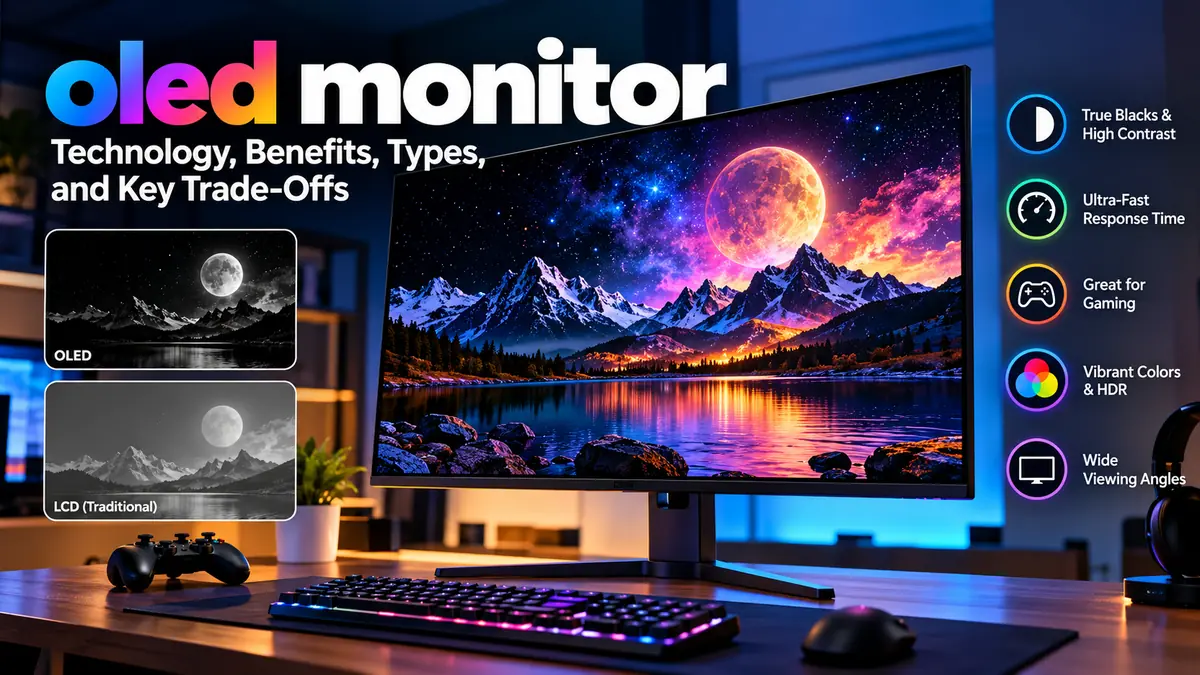

An oled monitor can produce a noticeably different image from a conventional LCD monitor. Instead of relying on a backlight shining through a liquid-crystal layer, OLED uses pixels that generate their own light. That seemingly simple change affects black levels, contrast, response time, HDR presentation, viewing angles, and motion clarity.
OLED monitor technology has also changed quickly. The market now includes QD-OLED, WOLED, newer Tandem OLED designs, 4K displays, ultrawides, and gaming models reaching refresh rates of 500Hz. RTINGS.com
An oled monitor is a computer display built with organic light-emitting diodes whose pixels illuminate independently. Because individual pixels can switch completely off, OLED displays produce true blacks, extremely high contrast, excellent viewing angles, and near-instant pixel response. Their main limitations are burn-in risk, brightness behavior, text rendering, and generally higher cost than LCD monitors. RTINGS.com
What Is an OLED Monitor?
OLED stands for Organic Light-Emitting Diode.
A traditional LCD monitor—including IPS and VA models—uses a separate backlight. The LCD layer controls how much of that light reaches your eyes, but it cannot control illumination at the individual-pixel level as precisely as OLED.
OLED works differently.
Every pixel is self-emissive. It generates its own light and can independently brighten, dim, or switch off.
Imagine a dark night scene containing a tiny white star. An LCD monitor normally has to illuminate an area behind the image. Even with local dimming, some unwanted light can appear around the bright object.
On OLED, the pixel displaying the star can illuminate while neighboring pixels remain completely off.
That produces three characteristics associated strongly with OLED:
- extremely deep blacks
- very high effective contrast
- no conventional backlight blooming around bright objects
This pixel-level control is one of the main reasons OLED displays are particularly effective for movies, games, HDR content, and other visually demanding applications. RTINGS.com
How Does an oled monitor Work?
Understanding OLED becomes easier if you compare it directly with LCD technology.
| Display characteristic | OLED | Typical LCD |
|---|---|---|
| Light source | Individual self-emissive pixels | Separate backlight |
| Black reproduction | Pixels switch off | Backlight remains present |
| Contrast | Extremely high | Depends on panel/backlight |
| Pixel response | Extremely fast | Generally slower |
| Viewing angles | Excellent | Varies by panel |
| Local blooming | Essentially absent | Possible |
| Burn-in risk | Yes | No comparable OLED burn-in risk |
| Static desktop use | Requires more consideration | Generally straightforward |
OLED pixels contain organic electroluminescent material. When electrical current is applied, the material emits light.
The display therefore does not need the always-on backlight found behind an LCD panel.
That distinction matters particularly when displaying black. An LCD attempts to block its backlight to create black, while OLED can simply turn the relevant pixel off.
The result is what is commonly described as a near-infinite contrast ratio in a dark environment. RTINGS.com
Why OLED Motion Looks So Clear
Refresh rate gets considerable attention when comparing gaming monitors, but pixel response time matters too.
A pixel must transition from one color or brightness level to another whenever an image changes. Slow transitions create visible smearing or blur.
OLED pixels transition extremely quickly.
That means a 240Hz OLED can produce exceptionally clean motion because its pixels keep up well with the refresh cycle. This is one reason OLED technology has become particularly prominent in gaming monitors. RTINGS.com
QD-OLED vs WOLED: Understanding the Main OLED Monitor Types
“OLED” describes a broader technology family rather than one identical panel design.
Two important technologies in the monitor market are QD-OLED and WOLED, while newer Tandem OLED panels are expanding the available choices. RTINGS.com
What Is QD-OLED?
QD-OLED is closely associated with Samsung Display.
The technology combines OLED light generation with a quantum-dot layer. Rather than using conventional color filters in the same way as WOLED, quantum dots help convert blue OLED light into red and green.
This approach can produce highly saturated colors and strong color volume. Lenovo
QD-OLED monitors are commonly associated with:
- vivid colors
- excellent viewing angles
- perfect blacks in dark environments
- excellent HDR presentation
- extremely fast pixel response
- high gaming refresh rates
There is an important environmental consideration, however.
Some QD-OLED displays can experience raised black levels when exposed to substantial ambient light. Instead of appearing perfectly black, dark areas can take on a grayish or purplish appearance. RTINGS.com
That makes room lighting and screen coating relevant parts of the buying decision.
What Is WOLED?
WOLED is associated with LG Display and traditionally uses white OLED light combined with color filters.
Classic WOLED panels use red, green, blue, and white subpixels. They retain OLED’s fundamental strengths, including pixel-level illumination, excellent blacks, strong viewing angles, and rapid response. RTINGS.com
One practical advantage is that WOLED tends to maintain darker-looking blacks better than QD-OLED under stronger ambient lighting.
Traditional WOLED can, however, have lower color volume than QD-OLED in some situations.
What Is Tandem OLED?
OLED technology did not stop with traditional QD-OLED and WOLED.
Newer Tandem OLED technology uses multiple OLED emitting layers. LG Display’s newer RGB Tandem OLED technology is designed to improve brightness and color purity compared with earlier WOLED generations. RTINGS.com
The 2026 monitor market is consequently more complicated than a simple WOLED-versus-QD-OLED decision.
New panel generations are also addressing areas where earlier OLED monitors struggled, including brightness and text rendering.
QD-OLED vs WOLED at a Glance
| Feature | QD-OLED | WOLED |
|---|---|---|
| Black level in dark room | Excellent | Excellent |
| Color volume | Generally stronger | Very good |
| Bright-room black retention | Can be affected by ambient light | Generally stronger |
| Pixel response | Extremely fast | Extremely fast |
| Burn-in possibility | Yes | Yes |
| Gaming performance | Excellent | Excellent |
| HDR | Excellent | Excellent |
| Panel manufacturer | Samsung Display | LG Display |
Neither technology eliminates OLED’s fundamental compromises. Burn-in, brightness behavior, VRR flicker, and unconventional subpixel layouts can affect both categories. RTINGS.com
Why OLED Monitors Are So Good for Gaming
Gaming is arguably the workload that exposes OLED’s strengths most clearly.
Near-Instantaneous Response Time
An LCD pixel takes time to change state.
OLED transitions happen much faster, producing excellent motion clarity with minimal ghosting. This is particularly noticeable in shooters, racing games, competitive titles, and anything involving rapid camera movement.
High Refresh Rates
OLED gaming monitors are no longer limited to relatively modest refresh rates.
Current panel configurations include 1440p models reaching 500Hz, while 4K 240Hz OLED configurations are widely represented in the high-end market. Some WOLED monitors also provide dual-mode operation, switching between a high-resolution mode and a lower-resolution, higher-refresh mode. RTINGS.com
Higher refresh rates can make movement smoother and reduce the time between displayed frames.
For perspective:
| Refresh rate | Approx. time per refresh |
|---|---|
| 60Hz | 16.67 ms |
| 120Hz | 8.33 ms |
| 144Hz | 6.94 ms |
| 240Hz | 4.17 ms |
| 360Hz | 2.78 ms |
| 500Hz | 2.00 ms |
A high refresh rate alone does not guarantee excellent motion clarity. OLED’s rapid pixel transitions are a major part of why these refresh rates look particularly clean.
Adaptive Sync and VRR
Gaming monitors frequently support variable refresh rate technologies such as AMD FreeSync, NVIDIA G-Sync compatibility, or standardized Adaptive-Sync implementations.
VRR synchronizes display refresh behavior more closely with the frame output from the GPU, reducing tearing and judder.
OLED does have a potential weakness here: VRR flicker.
Brightness fluctuations can become visible when frame rates change significantly, particularly in darker scenes. This issue varies by monitor, game, frame-rate behavior, and settings. RTINGS.com
If your PC frequently moves between very different frame rates, VRR flicker is worth investigating in reviews of the exact model rather than assuming all OLED monitors behave identically.
OLED Monitor Resolution: 1440p vs 4K
Resolution should be considered alongside screen size, graphics hardware, viewing distance, and intended use.
1440p OLED
A 27-inch 2560 × 1440 OLED remains attractive for gaming because the resolution is easier for a GPU to drive at extremely high frame rates.
This combination works particularly well when refresh rate matters more than maximum desktop sharpness.
Modern 1440p OLED panels are available with refresh rates reaching hundreds of hertz, including 500Hz-class displays. RTINGS.com
4K OLED
A 4K OLED monitor provides substantially higher pixel density.
That is useful for:
- detailed games
- video editing
- photo editing
- high-resolution media
- desktop productivity
- sharper text
- larger screens
A particularly common premium configuration is approximately 32 inches, 3840 × 2160, and 240Hz. RTINGS.com
The disadvantage is GPU demand. Rendering modern games at native 4K and high frame rates requires substantially more graphics processing power than 1440p.
OLED Ultrawide Monitors
OLED also works particularly well with ultrawide formats.
Common OLED configurations include 34-inch ultrawide and much larger 39-, 45-, or 49-inch displays. RTINGS.com
Ultrawide OLED screens can provide strong immersion in racing games, simulators, cinematic games, and multitasking environments.
However, consider game support. Not every title handles ultrawide aspect ratios perfectly, and persistent black bars can also create uneven pixel usage over extremely long periods.
OLED HDR: Why Pixel-Level Control Matters
HDR is not simply about making the screen extremely bright.
Effective HDR requires a large difference between the darkest and brightest portions of an image while preserving detail and color.
OLED has an inherent advantage because it controls light at the individual-pixel level.
Imagine fireworks against a black sky.
An OLED can keep the background pixels off while illuminating the fireworks. There is no conventional local-dimming zone around the bright object that also illuminates surrounding pixels.
This creates excellent perceived contrast.
DisplayHDR True Black
When comparing OLED HDR specifications, you may encounter VESA DisplayHDR True Black certifications.
The True Black certification family was designed for self-emissive displays and uses different requirements from conventional DisplayHDR tiers intended for LCD displays. VESA’s certification structure includes multiple True Black performance levels. RTINGS.com
Certification can provide useful information, but it should not replace independent testing.
HDR performance also depends on factors such as:
- peak brightness
- sustained brightness
- color gamut
- color volume
- tone mapping
- EOTF tracking
- firmware
- window size
- panel generation
Two monitors carrying OLED panels can therefore deliver noticeably different HDR experiences.
OLED Monitor Brightness: Why Specifications Can Be Misleading
One of the easiest OLED specifications to misunderstand is brightness.
A manufacturer may advertise a very high peak brightness number, but that does not necessarily mean the entire screen can sustain that brightness.
OLED brightness can change according to how much of the panel is illuminated.
A tiny HDR highlight may become very bright, while a full-screen white document can be considerably dimmer.
This behavior is one reason OLED is not automatically the ideal monitor for every brightly lit office.
Newer OLED generations continue to improve brightness, including Tandem OLED technology, but sustained full-screen brightness remains something to evaluate separately from small-window peak brightness. RTINGS.com
When reading reviews, therefore, don’t look only at the largest advertised nit figure.
Look at measurements across different window sizes.
Is OLED Burn-In Still a Problem?
Yes. OLED burn-in remains possible.
It should neither be ignored nor treated as if every OLED panel will quickly develop visible damage.
Burn-in results from uneven pixel aging. If the same pixels repeatedly display bright static content while surrounding pixels display changing or darker material, they can age at different rates.
Eventually, a persistent pattern may become visible.
Common static elements include:
- Windows taskbars
- browser interfaces
- application toolbars
- game HUDs
- television logos
- news tickers
- spreadsheets
- desktop icons
- fixed editing panels
Independent testing continues to identify burn-in as an inherent OLED consideration, particularly when displays receive prolonged exposure to unchanged static elements. RTINGS.com
Image Retention vs Permanent Burn-In
Temporary image retention and permanent burn-in should not automatically be treated as the same thing.
Temporary retention can disappear after the panel changes content or completes a compensation cycle.
Permanent burn-in results from uneven pixel wear and does not simply disappear when different content is shown.
Modern OLED Protection Features
Manufacturers have developed several mechanisms to reduce risk.
These can include:
- pixel shifting
- automatic screen savers
- static-logo detection
- taskbar detection
- brightness adjustment
- pixel refresh or compensation cycles
- thermal management
- automatic panel-care routines
For example, Samsung documents Pixel Shift and other panel-care functions for its OLED monitors, while manufacturers across the market implement related mitigation systems. Samsung
These features reduce risk; they do not make OLED immune to burn-in.
Practical Ways to Reduce OLED Burn-In Risk
Normal varied usage is already preferable to displaying an unchanged interface continuously.
For additional protection:
- Leave built-in OLED protection features enabled.
- Use an automatic screen saver.
- Allow the display to enter standby when unused.
- Consider automatically hiding the Windows taskbar.
- Avoid unnecessarily running maximum brightness continuously.
- Vary full-screen content when practical.
- Let automatic compensation or pixel-refresh cycles operate as designed.
- Avoid unplugging the monitor immediately after every session if its maintenance routine operates during standby.
- Check the manufacturer’s burn-in warranty terms before purchasing.
You do not need to obsessively rearrange every desktop window. The goal is simply to avoid unnecessarily extreme static usage.
OLED Monitor Text Clarity and Productivity
Gaming performance receives most of the attention, but desktop text deserves equal consideration if the monitor will also be used for work.
Traditional desktop text rendering was largely designed around conventional RGB subpixel layouts.
Some OLED panels use different layouts.
QD-OLED has historically used a triangular RGB arrangement, while traditional WOLED uses alternative subpixel structures. This can produce color fringing around text and high-contrast edges. RTINGS.com
You may notice it most with:
- small text
- spreadsheets
- coding environments
- browser pages
- black text on white backgrounds
Higher pixel density helps.
Independent comparisons show that text-rendering differences are easier to notice on 27-inch 1440p OLED displays than on higher-density 4K models. RTINGS.com
Panel technology is evolving here too. Newer RGB Tandem OLED and revised QD-OLED subpixel structures are intended to improve text clarity. RTINGS.com
For someone who spends eight hours per day primarily reading documents or coding, text rendering deserves hands-on evaluation rather than being treated as a minor specification.
OLED vs IPS Monitor
IPS remains one of OLED’s strongest alternatives.
| Feature | OLED | IPS |
|---|---|---|
| Perfect blacks | Yes | No |
| Contrast | Exceptional | Lower |
| Pixel response | Extremely fast | Slower |
| HDR black control | Excellent | Depends heavily on local dimming |
| Viewing angles | Excellent | Excellent |
| Text clarity | Can vary | Generally excellent |
| Burn-in risk | Possible | No |
| Static office work | Requires consideration | Excellent |
| Gaming motion | Excellent | Very good to excellent |
| Full-screen brightness | Can vary | Often stronger |
OLED’s main strengths over IPS are black levels, contrast, motion handling, and pixel-level light control.
IPS remains compelling for static productivity workloads, text clarity, sustained brightness, and freedom from burn-in concerns. Independent testing finds IPS generally produces cleaner text than comparable OLED displays because conventional RGB layouts work better with current desktop text-rendering systems. RTINGS.com
OLED vs Mini LED
Mini LED is another important alternative.
A Mini LED monitor remains an LCD, but its backlight contains a large number of small LEDs grouped into local-dimming zones.
More zones allow the monitor to control brightness more precisely.
Mini LED can offer:
- very high peak brightness
- high sustained brightness
- no OLED-style burn-in
- strong HDR performance
OLED counters with:
- individual pixel illumination
- effectively perfect local light control
- no traditional blooming
- faster pixel transitions
- perfect blacks in dark rooms
Mini LED can therefore be particularly attractive in bright environments or for people who display static interfaces for many hours.
OLED tends to be especially impressive in darker rooms, games, movies, and scenes containing small bright objects against dark backgrounds.
Are OLED Monitors Good for Office Work?
They can be, but this is one area where usage pattern matters substantially.
OLED’s wide viewing angles and high contrast are useful, and a 4K OLED can provide a sharp, spacious desktop.
However, office applications contain many static elements.
A person working eight hours every day with the same taskbar, browser tabs, spreadsheet interface, or development environment places a different type of workload on an OLED than someone alternating between gaming, movies, browsing, and occasional work.
There are three main concerns:
Burn-in: static interfaces increase uneven-wear risk over long periods.
Text clarity: unconventional OLED subpixel layouts can produce fringing.
Full-screen brightness: large white windows may not remain as bright as on some LCD monitors.
For mixed productivity and entertainment, these compromises may be acceptable. For a workstation displaying largely static software all day, a high-quality IPS or VA monitor remains worth considering. RTINGS.com
OLED Monitor Screen Coating: Glossy vs Matte
Panel technology is only part of image quality.
Screen coating affects reflections, perceived black levels, clarity, and how the monitor behaves under room lighting.
Glossy and Semi-Glossy OLED
A glossy or semi-gloss finish can produce a clear, high-contrast appearance in controlled lighting.
The downside is reflections.
Windows, lamps, and other light sources can become distracting.
Matte OLED
A matte coating diffuses reflections across a larger area.
That can make a display easier to use in a bright environment, but the coating can also affect perceived clarity or contrast.
Neither approach is universally superior.
Your room matters.
A dark gaming room and a bright office beside a large window create completely different requirements.
Choosing the Right OLED Monitor Size and Resolution
Screen size should not be considered separately from resolution.
27-Inch 1440p
A strong combination for high-refresh gaming.
It provides reasonable pixel density without imposing the GPU load of 4K.
27-Inch 4K
Newer OLED generations have brought 4K into smaller 27-inch formats, producing very high pixel density and sharper text. Current market developments include 27-inch 4K QD-OLED panels operating at 240Hz. GIGABYTE
32-Inch 4K
This is a versatile premium configuration.
At roughly 32 inches, 4K provides high pixel density while giving games, video, and desktop applications substantial physical space.
34-Inch Ultrawide
A 3440 × 1440 ultrawide OLED can provide a cinematic field of view without being as demanding as 4K.
It works particularly well for immersive PC gaming.
39- to 49-Inch Displays
Very large ultrawide OLED monitors target simulation, racing, multitasking, and immersive gaming.
Desk depth becomes important at these sizes. Sitting too close to a huge display can make edge-to-edge viewing uncomfortable.
Important OLED Monitor Specifications to Check
An OLED badge alone does not tell you whether a particular monitor fits your needs.
Several specifications deserve attention.
Resolution and Pixel Density
Resolution determines the number of pixels, while pixel density also accounts for physical screen size.
Higher pixel density generally improves fine detail and text clarity.
Refresh Rate
Refresh rate tells you how many times the monitor can update its image each second.
240Hz, 360Hz, 480Hz, and 500Hz-class OLED panels now exist in the market. RTINGS.com
Do not automatically assume the highest number is necessary.
The computer also needs to generate enough frames to take meaningful advantage of very high refresh rates.
Response Time
OLED’s rapid pixel response is one of its fundamental advantages.
However, manufacturer response-time figures are not always directly comparable. Independent measurements across different transitions provide more useful information than a single advertised number.
HDMI and DisplayPort
Check both the connector version and supported bandwidth.
High-resolution, high-refresh displays can require substantial bandwidth.
Features to investigate include:
- DisplayPort version
- HDMI 2.1
- Display Stream Compression (DSC)
- maximum resolution and refresh rate per input
- variable refresh rate compatibility
This is especially important for connecting current gaming consoles or high-performance PCs.
USB-C and KVM
For mixed work-and-gaming setups, connectivity may matter nearly as much as panel performance.
USB-C with DisplayPort Alt Mode and power delivery can allow a laptop to use one cable for video, data, and charging.
A built-in KVM switch can make it easier to share a keyboard and mouse between multiple computers.
HDR Certification
Look beyond an “HDR” logo.
Examine measured HDR brightness, color performance, black levels, tone mapping, and certifications such as VESA DisplayHDR True Black. RTINGS.com
Warranty
Warranty coverage is unusually important with OLED.
Check specifically whether the manufacturer’s warranty covers burn-in, because warranty terms can differ between brands, models, countries, and regions.
Do not assume a general panel warranty automatically includes permanent image retention.
Common OLED Monitor Mistakes
OLED specifications can encourage people to focus on the wrong things.
Choosing Only by Peak Brightness
A headline brightness figure may represent a tiny highlight rather than the entire screen.
Check sustained and full-screen brightness measurements too.
Assuming All OLED Panels Are Identical
QD-OLED, traditional WOLED, Tandem OLED, panel generation, coating, firmware, cooling, and subpixel layout can all influence real-world performance.
Ignoring Room Lighting
A monitor that looks spectacular in a dark review environment may behave differently beside a sunny window.
This matters particularly for reflections and QD-OLED black-level behavior.
Buying 4K Without Considering GPU Performance
4K OLED looks exceptionally detailed, but modern games at 4K and high refresh rates can require a powerful graphics card.
Resolution should match your system rather than simply the monitor’s maximum specification.
Buying OLED Exclusively for Static Work
OLED can handle productivity, but a display showing mostly unchanged desktop interfaces for thousands of hours is one of the workloads where its limitations deserve serious consideration.
Disabling Panel-Care Features
Pixel shifting, compensation cycles, logo detection, and related OLED Care features exist to manage uneven pixel aging.
Disabling them merely because they occasionally cause minor inconvenience can increase unnecessary risk.
How to Set Up an OLED Monitor Properly
A few setup decisions can substantially improve the experience.
1. Set the Correct Refresh Rate
Windows does not always select the monitor’s maximum refresh rate automatically.
Check:
Settings → System → Display → Advanced display
and confirm that the expected refresh rate is active.
2. Enable Adaptive Sync
If supported by your monitor and GPU, configure FreeSync, G-Sync compatibility, or the relevant VRR option.
3. Configure HDR Correctly
HDR should be enabled when appropriate, and Windows HDR calibration can help supported systems achieve better results.
Avoid assuming that maximum brightness is always the most accurate configuration.
4. Keep OLED Care Enabled
Leave automatic pixel-shift, compensation, and screen-protection systems active unless the manufacturer’s documentation gives a specific reason to change them.
5. Control Ambient Light
OLED looks particularly impressive when direct reflections are minimized.
Changing monitor orientation, reducing direct window reflections, or using controlled room lighting can sometimes improve perceived image quality more than adjusting display settings.
Who Benefits Most From an OLED Monitor?
OLED technology makes particular sense when image quality and motion performance are priorities.
Gaming: Fast pixel response, high refresh rates, deep blacks, and strong HDR make OLED particularly suitable for modern PC and console games.
Movies and media: Pixel-level illumination produces excellent contrast in dark cinematic scenes.
Photo and video work: Wide color gamuts and strong contrast can be valuable, provided the specific monitor is accurately calibrated and appropriate for the required color workflow.
Mixed-use systems: Someone alternating between games, media, browsing, and general work naturally varies the displayed content, while benefiting from OLED’s visual strengths.
The decision becomes less straightforward for people whose monitors spend most of the day showing static documents, code, spreadsheets, dashboards, or trading interfaces.
Is an oled monitor Worth It in 2026?
An oled monitor offers some of the strongest picture quality and motion performance available in desktop displays. Self-emissive pixels provide true blacks, extremely high contrast, rapid response, excellent viewing angles, and precise pixel-level illumination that conventional backlit LCD technology cannot fully reproduce.
The technology is also developing quickly. QD-OLED and WOLED are now joined by newer Tandem OLED designs, while current monitor configurations span 4K 240Hz displays, ultrawides, dual-mode panels, and 500Hz-class gaming monitors. RTINGS.com
But OLED still involves compromises.
Permanent burn-in remains possible with enough static-content exposure. Some OLED subpixel layouts can reduce text clarity compared with conventional RGB LCD panels. Full-screen brightness can be lower than bright LCD or Mini LED alternatives, and QD-OLED black levels can be affected by strong ambient lighting. RTINGS.com
The useful question, therefore, is not simply whether OLED is “better.” It is which display technology best matches the content you actually show every day.
For gaming, HDR entertainment, dark-room viewing, and workloads where exceptional motion and contrast matter, OLED’s strengths are substantial. For prolonged static productivity, extremely bright environments, or situations where burn-in must be completely avoided, IPS, VA, or Mini LED alternatives can still make more practical sense.
